拥有超过22年经验的软件开发工程师、讲师及技术团队负责人,专注于桌面、Web及金融软件开发。Upwork平台"Top Rated"认证自由职业者,已完成200多个项目,交付金额超过20万美元,工作成功率100%。专精于MetaTrader 4/5(MQL4/MQL5)、cTrader、NinjaTrader、TradeStation及TradingView Pine
ZenTrade Manager MT5 Stop Computing. Start Trading.
Are you tired of missing perfect entries because you were busy calculating pip distances, lot sizes, or monetary risk? Do you overthink your Stop Loss and Take Profit levels, only to watch the market reverse while you're adjusting lines? ZenTrade Manager MT5 removes the mental load of order management, allowing you to focus 100% on what matters: Reading the Market. You handle the high-level analysis and decide when to enter; ZenTrade handles t
Gold Live Position Executor Category: Utilities (Order management, Risk management, Panels) "The disciplined trader's shortcut — proper position sizing, every single trade, without doing the math yourself." A risk-management and order-execution utility , not an autonomous robot. Drag from entry to stop-loss and it calculates your exact lot size, risk, and reward — then places the trade with one click, exactly when and how you decide. No spreadsheets, no mental math under pressure.
This is a uti
Smart Risk Manager – Master Your Trades with Precision and Confidence Take complete control of your manual trading with Smart Risk Manager , a professional all-in-one trade and risk management Expert Advisor for MetaTrader 5 . Designed for traders who value speed, precision, and capital protection, it simplifies every step of trade execution while ensuring your risk remains under control. Whether you trade Forex, Gold, Indices, or Cryptocurrencies , Smart Risk Manager helps you execute trades w
Stop Blowing Your Account. Once and For All. DDKiller Pro is the MT5 risk guardian that runs silently on your chart and shuts down trading the moment you hit a limit — whether you're grinding a prop firm challenge or managing your own CFD account. The problem every trader knows: You set your rules. You break them anyway. One revenge trade. One overleveraged position. One session that erases a month of gains. DDKiller Pro removes that decision from your hands entirely. What it does: The second yo
Automatic Trade Calculation Panel One-Klick-Trading Automatic calculation of Lot sice Atuomatic calulation of Stop-Loss and TakeProfit Up to 3 partial closings Trailingstop (Stop-Loss moves automatically) The lot size is calculated by the previously determined risk (e.g. 1.0% of the account size) and the distance of the Stop Loss from the entry point. The distance from the Stop Loss to the entry point results from the ATR indicator multiplied by a freely selectable factor. The Stop Loss and
THIS RISK MANAGER WILL HELP YOU IN YOUR DAILLY TRADING, BY CALCULATING THE RISK AND THE LOTS, AND SET STOPLOSS, AND TAKE PROFIT, AND CAN CLOSE TRADES FOR YOU. RISK PERCENTAGE CASHRISK LOTS STOPLOSS TAKE PROFIT SELL AND BUY BUTTONS LOSE IN PROFIT BUTTON WICH WILL CLOSE ALL TRADES IN PROFIT SET BY THE USER CLOSE ON PROFIT BUTTON WICH WILL CLOSE ALL TRADES WHEN THE EQUALITY IS IN PROFIT SET BY THE USER AS WELL CLOSE TRADES BUTTON
MT5 History Checker Can you trust the historical data behind your MT5 backtest? MT5 History Checker is a diagnostic utility designed to identify missing periods and coverage problems in the historical data supplied by your MetaTrader 5 broker. Select the symbol and date range you want to examine and run the checker. The utility analyses the available history and provides a clear PASS, WARNING or FAIL result. What it checks Historical tick-hour coverage M1 historical-data coverage Missing periods
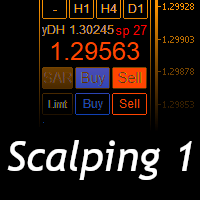
Scalping Day Trading Support Utility Scalping One
setting faile (for white Chart) http://www.emkyuradias.shop/indexenglish.html
One position is displayed with one button. View P & L, Lot, and Point in real time. It is possible to switch the display of positions of only chart currencies and all currency pairs. Supports automatic identification in Japanese and English Account currency notation corresponds to dollar, euro, pound, yen (automatic identification) Lot, take profit and stop los
Use for risk management and opening positions as per the user settings. The user is allowed to set the stop loss and take profits in pips. The user can also choose the risk percentage per trade that he/she wants to use while opening the trade. The volume of the trade that the user wants to sent shall be calculator according to the stoploss and the risk percentage that the user has selected.
Key Note: Easy Install Instructions below. What's New: What’s New in StrategySuccessAnalyzer v2.0 – Major Upgrades Interactive GUI Dashboard
Visualize strategy health in real time with dynamic score gauges, equity projections, and color-coded performance alerts — directly on your MT5 chart. 30-Day Forward Performance Projection
Forecast equity growth, drawdown risk, and net PnL over the next month using realistic trade simulations and optional compounding logic. One-Click CSV Export
Save fu
BTMM-PRO — Manual Trading Assistant for the Market Maker Cycle BTMM-PRO is a manual trading dashboard built around Steve Mauro's "Beat The Market Makers" methodology. It is not an auto-trading robot — every trade executes only when you click the on-chart BUY, SELL, or CLOSE ALL buttons. What it does: Detects Tokyo-range stop hunts and BUY/SELL reversal setups in real time Draws strict Mauro NY-anchored session boxes (Asian, London, NY) with live pip ranges Calculates risk-based position sizing a
Spread Candle Clock is a clock that displays the remaining time of the current candle along with the spread in real time directly on the chart.
Features:
Real-time candle countdown. Live spread (SP) display. Adjustable size. Customizable colors. Configurable position in all four corners. Compatible with all symbols and timeframes. Includes a button to minimize to a small panel.
Telegram2MT5 Signal Copier — 将您的 Telegram 信号自动复制到 MetaTrader 5 Telegram2MT5 Signal Copier を使えば、Telegramで受け取ったあらゆるシグナルが、あなたのMetaTrader 5口座で即座に自動執行されます。 高速・信頼性・フルカスタマイズ対応。
获取 Windows Bridge APP 文件和教程 桥接文件用于将本地 Web 控制面板连接到 MT5 EA 兼容 Windows 10 和 Windows 11(64 位),以及自 2016 年起的 Windows Server Main Features 完全兼容:可完美支持公开频道和私密频道——无任何限制。 即时执行:在毫秒级时间内识别并下单 ENTRY、STOP LOSS 以及最多 5 个 TAKE PROFIT 水平。(目前使用挂单模式) 自定义解析模板:可以轻松将复制器适配为您的 Telegram 频道使用的精确信号格式——无需编程。 灵活管理:可以选择使用原始 SL/TP,或设置您自己的自定义 SL/TP。 动态 RRR 模式:可以
BreakEvan Utility Is a simple tool in a panel with this utilities: This utility will draw a Golden Line in the chart applied showing the breakeven price, considering all the positions opened for that specific symbol.
Also the information panel shows: Balance Breakeven Price for that chart Force Breakeven (for that symbol) as ON/OFF Force Breakeven Global (takes into account all trades opened) as ON/OFF Total Lots opened for Symbol Total Lots opened Global
And two buttons: Force Breakeven: Whe
Pattern Recognition EA - From Learn to Earn.
The market repeats itself. This EA finds every past repeat of the current candle sequence - and lets history vote the direction.
ONE SHAPE. EVERY REPEAT IN HISTORY VOTES.
The last N candles on your signal timeframe form a shape. The EA scans the history you choose - a fixed number of bars or everything your broker provides - for the SAME shape, and checks what happened next, every single time. Only when enough repeats exist AND a clear majority of t
Atlas Trade Desk MT5 Atlas Trade Desk MT5 is a visual trade panel, risk manager and lot calculator for manual MetaTrader 5 traders. Plan market and pending orders directly on the chart, calculate position size from your selected risk, adjust Entry, Stop Loss and Take Profit visually, and manage open positions from one clean dashboard. The tool is built for discretionary traders who want faster order preparation, clearer risk control and safer position management without switching between multipl
Minimalist and fully customizable info panel. It works on any chart and timeframe, with 2 - 4 digits brokers and with 3 - 5 digits ones. It can show: Current Spread in pips (1 decimal digit if you are on a 3 - 5 digits broker) ATR (Average True Range) in pips Current Server Time Current GMT Time Important Account Info: Current Leverage and Stop-out Level (%) Time left for the current bar. Very useful on 4 h charts All info labels have a tooltip with the same data Available customizations : Ena
XBOOT BOLETA PRO Professional Manual Trading Panel for MetaTrader 5 XBOOT Boleta Pro is a complete trading panel designed for traders who execute manual trades and want greater speed, organization, and control during every trading session. More than a standard Buy and Sell panel, XBOOT Boleta Pro combines powerful trading tools into a single interface, helping traders analyze the market, manage risk, execute orders, and monitor trading performance without leaving the chart. Its purpose is to sim
================================================================================ POC BREAKOUT - V20.72. Full Professional Grade Toolkit ================================================================================ POC Breakout is a full MetaTrader 5 trading dashboard for discretionary traders who want breakout signals, Point of Control (POC) context, volume profiles, order flow, market structure, news, alerts, and advanced trade planning in one professional workspace. Attached directly to you
HINN MAGIC ENTRY – the ultimate tool for entry and position management!
SIMPLE. FASTEST. INTUITIVE. MAX AUTOMATED. Place orders by selecting a level directly on the chart!
full description :: demo-version :: 60-sec-video-description
Key features:
- Market, limit, and pending orders
- Automatic lot size calculation
- Automatic spread and commission accounting
- Unlimited partitial take-profits
- Breakeven and trailing stop-loss and take-profit functions
- Invalidation leves
- Intuitive, a
One button. One trade. MT5 Trading Deck is a hotkey trading panel for MetaTrader 5 that turns the platform into a keyboard-driven execution cockpit. Stop loss, take profit and lot size are pre-calculated for every key; the moment you press, a market order is live on the broker. A complete technical user manual is attached in the product Comments section. It documents every input parameter, the full hotkey map, the recommended Stream Deck XL layout, and the advanced workflows for Pre-Limit orders
EA Slipstream — MQL5 市场产品说明(简体中文) 您的回测按照 EA 要求的价格成交了每一笔订单,您的账户却不会。 EA Slipstream 使用您自己的成交价、滑点和点差,衡量执行成本对 EA 的影响,呈现 EA 的真实表现。 回测按 EA 指定的价位计算每一笔交易。而在实盘中,挂单会按触发瞬间可获得的价格成交,止损会在行情触及时的位置平仓,当时的点差就是账户当时的报价。这两者之间的差异既不是观点,也不是模型——它已经记录在您的 EA 所下的订单里,也记录在您终端保存的价格历史里。 EA Slipstream 同时读取两者。它衡量您的账户在成交时让出了多少,每笔交易开仓那一分钟的点差是多少,以及重要新闻发布后的几秒内点差发生了什么变化。随后,它把这些测量结果应用到交易本身:既包括已在您账户上运行的 EA,也包括您加载的任意一份策略测试器报告。结果是同一个 EA 的第二次呈现——按您自己的执行条件计价,而不是按完美成交计价。 执行条件因账户而异,也因交易品种而异。本工具不对其做优劣评判,也不比较不同的服务提供方。它衡量的是您的账户实际发生了什么,并显示这对策略意味着
回测看起来很漂亮。但它明天、下周、下个月还能继续赚钱吗? EA Overfitter 让您的 EA 在 100 段它从未见过的价格历史上重新运行。一个分数告诉您这个优势是否真实。
回测告诉您的,是 EA 在某一段价格历史上的表现——那段恰好发生过的历史。您无法从中判断,这个结果有多少来自策略本身,又有多少只是那一条特定路径带来的。 EA Overfitter 回答的正是这个问题。它构建最多 100 段您的 EA 从未交易过的合成价格历史,让策略在全部这些历史上重新运行,并展示它所产生的完整结果区间。您得到的不再是一条幸运或不幸路径上的单个数字,而是一幅真实的图景:策略在陌生数据上多久能赚钱、典型结果是什么样(而不是最好的那一次),以及您的回测离它有多远。 这些世界是由您自己的近期历史重建而成,因此这不是预测——任何从历史数据出发的检验都不可能是预测。它告诉您的是:这个优势是否依赖于价格的某一种特定排列,以及回测数字距离典型结果有多远。在投入资金之前,这才是值得回答的问题。
三个步骤
1. 构建。在图表上选择时间区间和世界数量,然后按 Build。EA Overfitter 会
购买后请联系我,以获取完整手册包 + 3天 OpenAI API 试用,用于测试 AI 功能 + 另一份额外奖励
当前价格为八月重新发布更新的限时折扣价——请在价格上涨前立即锁定您的版本。
下一阶段价格:$340 这与您尝试过或在市场上见过的任何交易面板都完全不同。这是目前零售市场上最具创新性的 AI 驱动交易面板之一。 想象一下,将 AI 直接连接到您的图表 ——获取 AI 建议、账户审计、接收 AI 交易信号,并通过一次点击执行交易。 想象一下,通过 Telegram 在手机上管理您的 整个交易账户 ——与 AI 聊天、接收即时提醒、管理交易,并随时随地保护您的账户。 想象一下,运行 多个 EA ,并能够分别监控每个 EA 的表现、管理其交易,或直接通过智能手机关闭特定仓位。 想象一下,您拥有一个 内置风险规划器 ,可以随时准备在图表上直接执行任何交易想法。 想象更多,更多……这一切都可以通过这款面板实现。 我们打造它的目标远不止是一款交易面板——它是一个 完整的交易套件、交易助手和 AI 导师,集于一体。 AI Desk 一个真正能够看到您账
Welcome to ENTRY IN THE ZONE AND SMC MULTI TIMEFRAME Entry In The Zone and SMC Multi Timeframe is a real-time market analysis tool based on Smart Money Concepts (SMC), designed to analyze market structure, price direction, and key trading zones. It supports both Single-Timeframe Analysis and Multi-Timeframe Analysis, providing a clearer view of the overall market structure across multiple timeframes, with real-time BUY / SELL signals that do not repaint. It is designed to help filter trading opp
The product will copy all telegram signal to MT5 ( which you are member) , also it can work as remote copier. Easy to set up, copy order instant, can work with almost signal formats, image signal, s upport to translate other language to English Work with all type of channel or group, even channel have "Restrict Saving Content", work with multi channel, multi MT5 Work as remote copier: with signal have ticket number, it will copy exactly via ticket number. Support to backtest signal. How to s
Your EAs cannot see each other, but Anchor can. Anchor gives you one place to coordinate your EAs, manage risk, and decide when trading is allowed. It works alongside the trading bots you already use without any changes to them. The Problem One EA opens a trade. Then another starts trading. The next thing you know, you wake up to multiple grids built across your account. Each EA may be doing exactly what it was designed to do, but together they can place far more risk on your account than you in
No Chase Entry Filter - 不会迟到的入场
许多亏损交易并不是方向判断错误,而是入场太晚。想法本身没有问题,但入场发生在行情已经走完之后,止损被一次普通回撤打掉,而更好的价格本可以扛过这次回撤。
No Chase Entry Filter 依据市场结构标记买入和卖出入场,并剔除价格已经过差的那些。绿点表示从这里买入。红点表示从这里卖出。彩色水平线标记平仓位置。每个圆点背后都有五项独立检测,将入场质量评为 0 到 100 分;当价格已经过度延伸时出现的信号会被抑制,而不是显示出来。
信号如何产生
方向来自市场结构。当某根 K 线收盘价高于最近一个已确认的结构高点时出现买入信号,收盘价低于最近一个已确认的结构低点时出现卖出信号。只有当一个转折点两侧都已收出所需数量的 K 线后,它才会被采用,因此信号所依据的结构在信号出现之前就已固定。
不重绘
这一点比任何其他特性都重要,因此明确说明。
结构转折点需要两侧的 K 线才能成立,所以在那些 K 线收盘之前无法确定。每个信号都只根据当时已经最终确定的转折点判断。正在形成的 K 线永远不会产生圆点:信号出现在产生
**Exit Manager — trail and close your trades by rule**
Exit Manager takes over the exits on trades you already have open. You open positions however you like — by hand, from a signal, or from another EA — and this one manages them out with three rules you can mix: a peak-based Trailing Take-Profit, a Time-in-Trade close, and an ATR-trailing stop.
Exit-only EA: it never OPENS trades; it manages and closes existing ones.
MO 交易工具系列的一部分 — 在市场中搜索"MO"即可找到其他免费和付费工具。
**Exit Manager — trail and close your trades by rule**
Exit Manager takes over the exits on trades you already have open. You open positions however you like — by hand, from a signal, or from another EA — and this one manages them out with three rules you can mix: a peak-based Trailing Take-Profit, a Time-in-Trade close, and an ATR-trailing stop.
Exit-only EA: it never OPENS trades; it manages and closes existing ones.
MO 交易工具系列的一部分 — 在市场中搜索"MO"即可找到其他免费和付费工具。
SMC Structure Suite - 无需手动绘制的市场结构解读
SMC Structure Suite 标记聪明钱方法所依赖的价格行为要素,并在每根 K 线上保持更新。摆动点标签、结构突破、订单块、价格失衡和流动性扫荡全部来自同一个摆动点引擎,因此整体画面始终内部一致,不会像手工绘制的水平线那样逐渐偏离。
所有对象都锚定在时间和价格坐标上,因此当你切换周期、缩放或滚动图表时,区域仍停留在原来的位置。
图表上标记了什么
摆动点标签。交替出现的摆动高点和低点,在两侧形成可配置数量的 K 线后才被确认,然后与同类型的前一个摆动点比较,标注为 HH、HL、LH 或 LL。绝不会用未完成的 K 线标记摆动点。
结构突破。当某根蜡烛在当前偏向方向上收于最近确认的摆动点之外时,该水平被绘制并标记为结构突破。这是延续,不是反转。
性质改变。当收盘价逆着当前偏向突破最近确认的摆动点时,会被标记为性质改变。这是控制权可能易手的第一个结构性证据,用单独的颜色绘制,因此绝不会与延续混淆。
订单块。结构突破之后,工具会回溯到脉冲行情之前最后一根反向蜡烛,并将其标记为订单块。影线进入区域视
Stop Run 是适用于 MT4 和 MT5 的独立流动性扫荡与止损猎杀指标。当价格的影线突破前一个摆动高点或低点,并在该水平内收盘时,指标会标记该 K 线。这类拒绝通常被称为止损猎杀或流动性抓取回落。
看涨 SR 信号:扫过前一个摆动低点后重新收回该水平。看跌 SR 信号:扫过前一个摆动高点后重新收回该水平。影线拒绝阈值可以调整,默认约为 K 线总区间的 25%。
指标可显示箭头、SR 文字标签和信息面板。新闭合 K 线出现信号时,可启用 Alert、Push 和 Sound 通知。可调参数包括摆动强度、回看范围、历史深度、最大标记数、影线比例、颜色、显示开关和通知开关。
支持任意品种和周期。不需要 DLL,也不连接互联网。Stop Run 只是图表分析工具,永远不会交易,也不会下单、修改或关闭任何订单。
No Chase Entry Filter - 不会迟到的入场
许多亏损交易并不是方向判断错误,而是入场太晚。想法本身没有问题,但入场发生在行情已经走完之后,止损被一次普通回撤打掉,而更好的价格本可以扛过这次回撤。
No Chase Entry Filter 依据市场结构标记买入和卖出入场,并剔除价格已经过差的那些。绿点表示从这里买入。红点表示从这里卖出。彩色水平线标记平仓位置。每个圆点背后都有五项独立检测,将入场质量评为 0 到 100 分;当价格已经过度延伸时出现的信号会被抑制,而不是显示出来。
信号如何产生
方向来自市场结构。当某根 K 线收盘价高于最近一个已确认的结构高点时出现买入信号,收盘价低于最近一个已确认的结构低点时出现卖出信号。只有当一个转折点两侧都已收出所需数量的 K 线后,它才会被采用,因此信号所依据的结构在信号出现之前就已固定。
不重绘
这一点比任何其他特性都重要,因此明确说明。
结构转折点需要两侧的 K 线才能成立,所以在那些 K 线收盘之前无法确定。每个信号都只根据当时已经最终确定的转折点判断。正在形成的 K 线永远不会产生圆点:信号出现在产生