拥有超过22年经验的软件开发工程师、讲师及技术团队负责人,专注于桌面、Web及金融软件开发。Upwork平台"Top Rated"认证自由职业者,已完成200多个项目,交付金额超过20万美元,工作成功率100%。专精于MetaTrader 4/5(MQL4/MQL5)、cTrader、NinjaTrader、TradeStation及TradingView Pine
SESSION PILOT MT4 – MARKET SESSION & NEWS FILTER Session Pilot is an intelligent filtering tool designed to focus trading activity on the most liquid market sessions and avoid trades during high-volatility news events. The system continuously monitors current time and upcoming economic announcements. MAIN FEATURES
• Automatic detection of London, New Y
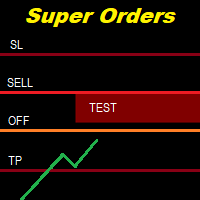
You can place an unlimited number of invisible pending orders using this tool. Orders will be filled under the following conditions: Spread is not greater than the set Max. spread Slippage is not greater than the set Max. slippage
The set trading time was not exceeded
The expiration time was not reached TRADING button is not switched to PAUSE If these conditions are not met, the order will be cancelled. You can also set up a Test Zone with an Off line for each order. The order will be cancel
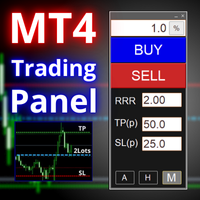
FX-Support Presents the Trading Panel for MT4 The Trading Panel for MT4 is a powerful and versatile tool designed to assist traders in their daily trading activities. It helps traders open positions and identify market signals, such as ENG and STAR patterns. The panel simplifies decision-making and supports efficient trading.
Key Features: Automatic Lot Size Calculation
Calculates lot sizes accurately, considering market conditions and currency conversions for effective risk management. Accura
Virtual Exchange Reserve Equity Monitor In an environment where exchanges offer increasingly high leverage ratios, it is all the more important for traders to tightly regulate their level of equity . This software is designed to be run in the background on any virtual private server that can run Meta Trader 4/5. It implements basic equity control functions ahead of the broker---allowing users to set their own equity trailing stop, an equity limit to lock-in a certain profit margin, and a unive
Minimalist and fully customizable info panel. It works on any chart and timeframe, with 2 - 4 digits brokers and with 3 - 5 digits ones. It can show: Current Spread in pips (1 decimal digit if you are on a 3 - 5 digits broker) ATR (Average True Range) in pips Current Server Time Current GMT Time Important Account Info: Current Leverage and Stop-out Level (%) Time left for the current bar. Very useful on 4 h charts All info labels have a tooltip with the same data Available customizations : Enabl
Stop Managing Every Trade Manually Trading Manager EA is a powerful trade-management utility designed to help you manage open positions, protect profits, control risk, and automate repetitive trading tasks . Built especially for traders using BTMM-style strategies , but flexible enough for other trading approaches. ONE EA. COMPLETE TRADE MANAGEMENT. Automatic Stop Loss Management
Move your stop loss automatically as your trade reaches predefined Risk/Reward levels. Breakeven & Profit
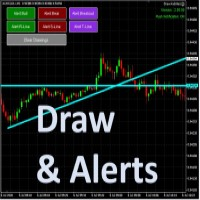
Draw your technical lines, click and received system alert on your MT4 Platform, or on your mobile phone. No longer need to sit in-front on your screen to wait for prices. Supported : 1. Support Line - alert when price is near drawn support line. Current price above drawn line. 2. Resistance Line - alert when price is near drawn resistance line. Current price below drawn line. 3. TrendLine - alert when price is near drawn trendline. 4. Breakout Lines - alert when price crosses and closed
Symbol Manager or Grid Manager, designed to group orders into one position (by Symbol or by Magic Number). This utility will be useful to multi-currency traders (many EAs), who can have multiple orders on several pairs. You will be able to see the total number of lots, the total profit, and set virtual stop loss and virtual take profit. To set a real TP (or SL), you must first set the virtual value, and then enter the command in this cell: "set". If you want to set real TP/SL for all orders at
The trading panel is designed to close trading positions on the current instrument. The panel shows the account situation for the instrument it is attached to. The panel displays the following information: Balance - account balance; Equity - account equity; Margin - used margin; Free margin - free margin; Total Position - the summary position on the account for the current instrument, in lots; Position buy - the summary position of the buy direction for the current instrument, in lots; Position
Auto Close Manager EA – Equity & Account Protection Utility Overview Auto Close Manager EA is a risk management utility for MetaTrader 4 designed to automatically close all open positions when a predefined floating profit or floating loss level is reached. This Expert Advisor does NOT open trades.
It only monitors account equity and manages existing positions. The EA works with manual trades and can optionally include trades opened by other Expert Advisors.
How It Works The EA continuously moni
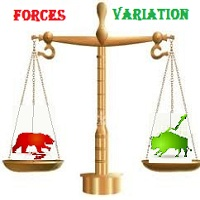
The most important thing in my system of forces, is the variation and changing of these forces. It is the key to the whole system, and from this point, my second indicator called FORCES-VARIATION appeares important. The indicator is represented in a separate window in the form of the green histogram and the red curve . The parameter NPIuPeriod represents the number of bars on which we calculate the variation of buyers forces. The parameter NPIdPeriod represents the number of bars on which we cal
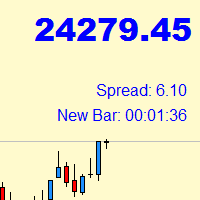
Indicator with price, spread and candle time display
+ changeable font size + any color choice + can be placed in all four corners + Price and spread display runs on all timeframes + Candle Time runs on M1, M5, M15, M30, H1, H4, D1 + Price Up / Down with changing color + Spread display + Candle time display (time until the next candle) + All ads can also be hidden + Display Markt Open / Close as a comment
Close All Selected Chart Overview: This is one of the smart choices to help you make your trading management a lot easier. Especially when you have to manage a large number of orders. This utility will work like a helping hand to close all the unrelated order windows in less than no time, plus without making any kind of unwanted effects. :: 3 simple steps to use :: 1. Select your chart window. 2. Click "Close All" 3. Click "OK" Note: For the better understanding on how this utility works, plea
Candle finder robot MT4
Candle finder robot is one of the trading assistant tools that helps the trader, this tool helps the trader to examine all the currency pairs that are in the Metatrader watch list in detail within a few seconds. Find the desired signals. According to the strategy that is defined for this robot, in your watch list, it carefully looks for trend change candles, there are many trend change candles that traders use in their trading decisions. This robot can simply check all t
ASTA Trade Manager is a semi-automated trading tool designed to assist professional traders in Exit Strategy Management . This EA will not open trading positions automatically. This version is made to manage manual transactions on 1 chart (pair) only. For the Multipair version, you can check the product at: ASTA Multipair Trade Manager . FEATURES: 1. Entry and Exit Panel Order Panel: Buy, Sell and Pending Orders Exit Button: Close All Order, Close All Buy, Close All Sell Can be used on strategy
Product Name: Risk Commander: Trade Assistant & Strategy Simulator Risk Commander is more than just a trade panel—it is a complete Manual Trading Ecosystem . It serves two powerful purposes: Live Assistant: Helps you execute trades with speed, precision, and perfect risk management in real-time markets. Training Simulator: Fully compatible with the Strategy Tester (Visual Mode) , allowing you to practice manual trading on historical data without risking a cent. NEW! Built-in Simulator Mode Stop
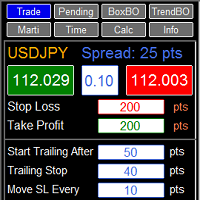
RFX EasyTrade is a professional panel to make your trades as easy as possible. You can perform scalping by acting fast and efficient. You can draw a box or a trend line and let RFX EasyTrade to catch a breakout and manage the trade automatically. You can set pending orders and set Order-Cancels-Order easily. If you are a fan of Martingale strategy just set a few settings on the panel and let RFX EasyTrade to automatically manage the trades. You can trade based on time without waiting long time
Pip Counter Indicator Point This Panel is a great tool for Traders who open multiple orders and want to have detailed control of their operations, as well as traders who want to see the pips obtained at the end of their Trading session. This Panel reports on the buy and sell orders you have open, the pips traveled, pips generated and distance from the Stop Loss Long: Indicates the number of open buy orders. Short: Indicates the number of open sell orders. PIPS Counter: Indicates the real-time
Trade Indicator Assistant is a powerful MT4 utility designed to turn indicators into automated trading systems. Its main feature is the ability to automatically detect an indicator’s BUY and SELL signal buffers , without requiring you to know the buffer numbers, search through indicator settings, or modify the indicator source code. Bonus Indicator: After purchasing Trade Indicator Assistant, contact me to receive Trade Signal Pro completely free as a bonus indicator.
[Download Demo Version]
Smart Copy is an Easy-to-Use EA that supports Multi Copying Metatrader4 and Metatrader5 and Local/Remote Copying. (Remote Version is coming soon)
Free version is available on Smart Copy Local Free MT4
Specifications :
Real Time, Multi Terminal - Multi Account - MT4/MT5 trade copying Copy from netting to hedge and hedge to netting is supported.
Fast and instant copy
All settings are input visually. Easy modifying symbol names, prefix, suffix Enable/Disable copying s
Want automatically to put the pending order, take profit and stop loss? This EA will do it on your behalf! The Fibo Heart EA strategy will place limit order after the ‘check point’ breakout. The position will be triggered when the price make a successful retest. If not, the pending order will automatically deleted after price hit certain level. You also have option to enable market order (instant execution) and custom take profit in the inputs setting. This EA must be attached with Fibo Heart In
This is a program in the form of an EA that attaches to a chart in MetaTrader 4. Then, by using API from Bittrex, Binance websites, it downloads the history of altcoins. By selecting a pair name, the EA automatically downloads all time frames history (Daily,H12,H4,H2,H1,M30,M15,M5,M3,M1) so there is no need to attach multiple EAs to different charts. You can select one pair from Bittrex and 4 pairs from Binance exchange with one running EA and create up to 15 timeframes for 5 different pairs. Th
Take a Break pauses your Expert Advisors when trading is a bad idea: before news, after a daily loss, outside your trading hours, or when a rule you wrote yourself says so. When the pause is over, your EAs simply continue. Account protection for all your EAs in one tool: news filter, drawdown and equity protection, time filter and custom rules. One EA on one chart protects the whole account, the free indicator gives every chart its own rules on top. Free demo | What is new in 26.09 | Support Ass
EA Local Trade Copier Pro MT4:终极无 DLL 交易复制器 您是否厌倦了那些需要不安全的外部 DLL、导致终端崩溃,或者用独立的“Master”和“Client”文件让您感到困惑的复杂交易复制器? 使用 EA Local Trade Copier Pro MT4 体验新一代的交易复制。这款工具专为最大程度的稳定性、闪电般的执行速度和极致的简单性而设计,允许您在同一台 Windows PC 或 VPS 上的多个 MetaTrader 终端之间无缝复制交易。 无论您是管理多个自营基金(Prop Firm)账户、分享信号,还是管理投资者资金,EA Local Trade Copier Pro 都能提供完美无瑕、零延迟的同步。 LOCAL TRADE COPIER PRO 的优势(解决痛点) 与市场上大多数复制器不同,EA Local Trade Copier Pro 使用 100% 原生 MQL5 代码(零 DLL)。这意味着它绝对安全,绝不会触发防病毒警告,并且完全符合 MQL5 市场规则。 我们 EA 的一个巨大优势是只读复制功能。您不需要主账户的交易权限!您
Close If Profit or Loss with Trailing for MetaTrader 4 — 按总盈利或总亏损自动平仓 这是一款适用于 MetaTrader 4 的实用型交易管理工具。当总盈利或总亏损达到您设置的水平时,EA 可以自动关闭选定的持仓。 Expert Advisor 会监控当前交易,计算浮动盈亏,并可使用利润跟踪功能,帮助交易者比手动操作更快地管理风险和锁定结果。 MetaTrader 4 仍然被大量手动交易者、剥头皮交易者、网格交易者和 EA 用户使用。但 MT4 本身没有一个方便的内置工具,可以按一组订单的总结果来自动平仓。这个工具正是为了解决这个问题。 Close If Profit or Loss with Trailing 可用于手动交易,也可以与其他 Expert Advisors、网格系统、加仓策略、恢复策略和多品种交易一起使用。您设置规则,EA 负责监控结果,并在条件达到时执行平仓。 MT5 版本 | 完整说明 + DEMO + PDF | 如何购买 | 如何安装 | 如何获取日志文件 | Expforex 的所有产品 为什么 MT4
Risk manager
Risk manager - it will simplify the tracking of drawdown and will notify you (alert) when the specified risk is reached, and close/lock orders when the critical DD risk level is reached.
If the specified drawdown is exceeded, you can choose two options for actions: All orders will be closed that mean loss will be fixed on depo. The terminal also closes. Instead of fixing the loss on depo, the opposite order will be opened - orders locking will occure. Not a single order will be c
The product will copy all telegram signal to MT4 ( which you are member ) , also it can work as remote copier. Easy to set up, copy order instant, can work with almost signal formats, image signal, s upport to translate other language to English Work with all type of channel or group, even channel have "Restrict Saving Content", work with multi channel, multi MT5 Work as remote copier: with signal have ticket number, it will copy exactly via ticket number. Support to backtest signal. How to
AW Shepherd Safety EA 是一款用于管理已开仓位的智能交易系统。首单由交易者通过面板开出,之后由智能交易系统自行管理篮子:结合趋势过滤加开补仓单,按 TakeProfit、追踪或止损平掉该方向的订单,并在图表上显示平仓水平。 买单和卖单分开管理,两个方向可以同时持仓。补仓单并非价格走过设定间距就开出,而是要等 Parabolic SAR、两条 MA 或K线颜色显示价格朝持仓方向反转之后才开出。手动开出的仓位或由其他智能交易系统开出的仓位,只要 Orders Magic number 一致,智能交易系统同样会接管。 智能交易系统如何管理仓位: 1 交易者点击 Open Buy 或 Open Sell 按钮开出首单,手数取自 Order Size 字段。 2 当价格逆向移动达到 Minimal step between recovery orders 且趋势过滤显示反转时,智能交易系统开出补仓单,手数按 Type of increase orders 计算。 3 目标从该方向全部订单的盈亏平衡价起算:每加一张补仓单,盈亏平衡价都会向当前价格靠近。 4 该方向按 Type
News Filter EA: Advanced Algo Trading Assistant News Filter EA is an advanced algo trading assistant designed to enhance your trading experience. By using the News Filter EA , you can integrate a Forex economic news filter into your existing expert advisor, even if you do not have access to its source code. In addition to the news filter, you can also specify trading days and hours for your expert. The News Filter EA also includes risk management and equity protection features
No Chase Entry Filter - 不会迟到的入场
许多亏损交易并不是方向判断错误,而是入场太晚。想法本身没有问题,但入场发生在行情已经走完之后,止损被一次普通回撤打掉,而更好的价格本可以扛过这次回撤。
No Chase Entry Filter 依据市场结构标记买入和卖出入场,并剔除价格已经过差的那些。绿点表示从这里买入。红点表示从这里卖出。彩色水平线标记平仓位置。每个圆点背后都有五项独立检测,将入场质量评为 0 到 100 分;当价格已经过度延伸时出现的信号会被抑制,而不是显示出来。
信号如何产生
方向来自市场结构。当某根 K 线收盘价高于最近一个已确认的结构高点时出现买入信号,收盘价低于最近一个已确认的结构低点时出现卖出信号。只有当一个转折点两侧都已收出所需数量的 K 线后,它才会被采用,因此信号所依据的结构在信号出现之前就已固定。
不重绘
这一点比任何其他特性都重要,因此明确说明。
结构转折点需要两侧的 K 线才能成立,所以在那些 K 线收盘之前无法确定。每个信号都只根据当时已经最终确定的转折点判断。正在形成的 K 线永远不会产生圆点:信号出现在产生
**Exit Manager — trail and close your trades by rule**
Exit Manager takes over the exits on trades you already have open. You open positions however you like — by hand, from a signal, or from another EA — and this one manages them out with three rules you can mix: a peak-based Trailing Take-Profit, a Time-in-Trade close, and an ATR-trailing stop.
Exit-only EA: it never OPENS trades; it manages and closes existing ones.
MO 交易工具系列的一部分 — 在市场中搜索"MO"即可找到其他免费和付费工具。
**Exit Manager — trail and close your trades by rule**
Exit Manager takes over the exits on trades you already have open. You open positions however you like — by hand, from a signal, or from another EA — and this one manages them out with three rules you can mix: a peak-based Trailing Take-Profit, a Time-in-Trade close, and an ATR-trailing stop.
Exit-only EA: it never OPENS trades; it manages and closes existing ones.
MO 交易工具系列的一部分 — 在市场中搜索"MO"即可找到其他免费和付费工具。
SMC Structure Suite - 无需手动绘制的市场结构解读
SMC Structure Suite 标记聪明钱方法所依赖的价格行为要素,并在每根 K 线上保持更新。摆动点标签、结构突破、订单块、价格失衡和流动性扫荡全部来自同一个摆动点引擎,因此整体画面始终内部一致,不会像手工绘制的水平线那样逐渐偏离。
所有对象都锚定在时间和价格坐标上,因此当你切换周期、缩放或滚动图表时,区域仍停留在原来的位置。
图表上标记了什么
摆动点标签。交替出现的摆动高点和低点,在两侧形成可配置数量的 K 线后才被确认,然后与同类型的前一个摆动点比较,标注为 HH、HL、LH 或 LL。绝不会用未完成的 K 线标记摆动点。
结构突破。当某根蜡烛在当前偏向方向上收于最近确认的摆动点之外时,该水平被绘制并标记为结构突破。这是延续,不是反转。
性质改变。当收盘价逆着当前偏向突破最近确认的摆动点时,会被标记为性质改变。这是控制权可能易手的第一个结构性证据,用单独的颜色绘制,因此绝不会与延续混淆。
订单块。结构突破之后,工具会回溯到脉冲行情之前最后一根反向蜡烛,并将其标记为订单块。影线进入区域视
Stop Run 是适用于 MT4 和 MT5 的独立流动性扫荡与止损猎杀指标。当价格的影线突破前一个摆动高点或低点,并在该水平内收盘时,指标会标记该 K 线。这类拒绝通常被称为止损猎杀或流动性抓取回落。
看涨 SR 信号:扫过前一个摆动低点后重新收回该水平。看跌 SR 信号:扫过前一个摆动高点后重新收回该水平。影线拒绝阈值可以调整,默认约为 K 线总区间的 25%。
指标可显示箭头、SR 文字标签和信息面板。新闭合 K 线出现信号时,可启用 Alert、Push 和 Sound 通知。可调参数包括摆动强度、回看范围、历史深度、最大标记数、影线比例、颜色、显示开关和通知开关。
支持任意品种和周期。不需要 DLL,也不连接互联网。Stop Run 只是图表分析工具,永远不会交易,也不会下单、修改或关闭任何订单。
No Chase Entry Filter - 不会迟到的入场
许多亏损交易并不是方向判断错误,而是入场太晚。想法本身没有问题,但入场发生在行情已经走完之后,止损被一次普通回撤打掉,而更好的价格本可以扛过这次回撤。
No Chase Entry Filter 依据市场结构标记买入和卖出入场,并剔除价格已经过差的那些。绿点表示从这里买入。红点表示从这里卖出。彩色水平线标记平仓位置。每个圆点背后都有五项独立检测,将入场质量评为 0 到 100 分;当价格已经过度延伸时出现的信号会被抑制,而不是显示出来。
信号如何产生
方向来自市场结构。当某根 K 线收盘价高于最近一个已确认的结构高点时出现买入信号,收盘价低于最近一个已确认的结构低点时出现卖出信号。只有当一个转折点两侧都已收出所需数量的 K 线后,它才会被采用,因此信号所依据的结构在信号出现之前就已固定。
不重绘
这一点比任何其他特性都重要,因此明确说明。
结构转折点需要两侧的 K 线才能成立,所以在那些 K 线收盘之前无法确定。每个信号都只根据当时已经最终确定的转折点判断。正在形成的 K 线永远不会产生圆点:信号出现在产生