Volume profile ctrldrag
- 指标
- 版本: 3.35
- 更新: 25 九月 2026
- 激活: 13

Version 3.20 | MQL5 | MT5 | Indicator for Main Chart Window
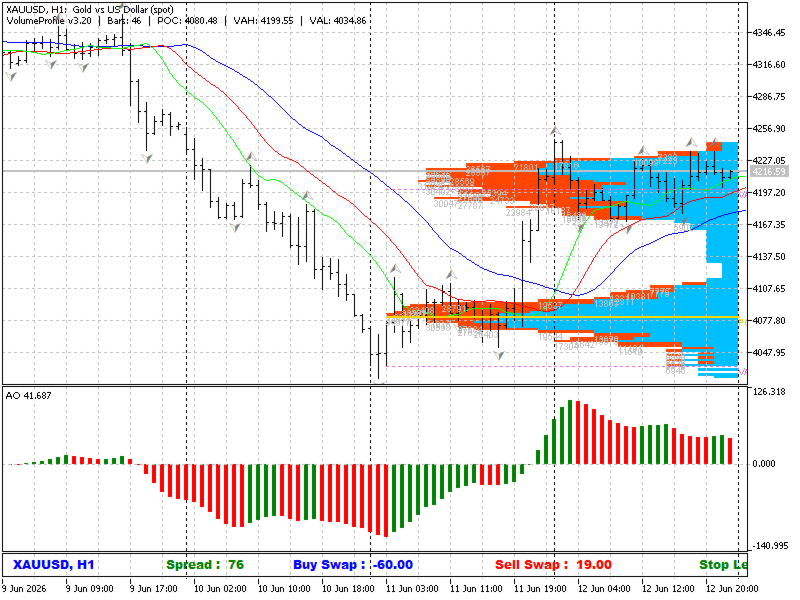
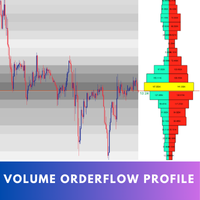
VolumeProfile CtrlDrag — a professional tool for building a volume profile on any selected bar range. Simply hold Ctrl and drag the left mouse button across the desired chart area — the profile is built instantly.
How to Use
• Hold Ctrl + press and hold the left mouse button at the start of the desired range
• Drag the cursor to the end of the range
• Release the mouse button — the profile is built automatically
• Displayed: POC (Point of Control), VAH (Value Area High) and VAL (Value Area Low)
Features
• Buy/Sell volume split — separate visualization of bullish and bearish volume
• Configurable number of price levels (histogram rows)
• Volume labels displayed on histogram bars
• Profile accumulation mode — “Keep Previous Profiles” allows storing multiple profiles simultaneously
• Real volume support (if provided by the broker)
• Full color customization: buy bars, sell bars, POC, VAH/VAL, labels
Important Notes
Mouse Conflict: The indicator requires exclusive capture of mouse events in the main chart window. If another indicator in the same window also uses CHARTEVENT_MOUSE_MOVE, the Ctrl+Drag function may not work correctly. When a conflict is detected, the notification is sent exclusively to the MT5 Experts journal — the chart screen remains clean.
• Apply only to the main chart window — the indicator does not work in sub-windows
• To clear all profiles — detach and reattach the indicator
• The selected range must contain at least 10 bars — if the range is too narrow the profile is not built (a message is logged to the journal)
• All technical messages and errors — exclusively in the MT5 Experts journal (format: [VP] ...)
Input Parameters
Volume Profile
• Price Levels — number of histogram price levels (default: 100)
• Split Buy/Sell — split volume into buy and sell
• Buy/Sell/Total Bar Color — histogram bar colors
• Bar Width % — profile width as % of visible bars (1–50)
• Keep Previous Profiles — keep previous profiles on the chart
Key Levels
• Show POC — show the Point of Control line
• Show VAH/VAL — show Value Area High and Low levels
• Show Level Labels — POC / VAH / VAL text labels on the chart
Volume Labels
• Show Volume Labels — show volume numbers on bars
• Label Min Ratio % — minimum bar size ratio to display a label (0–100)
Volume Source
• Use Real Volume — use real volume (requires broker support)
Experts Journal Messages
All diagnostic messages from the indicator are output exclusively to the MT5 Experts journal in the format
• [VP] WARN: mouse conflict detected — mouse capture conflict with another indicator
• [VP] WARN: range too narrow — selected range is less than 10 bars
• [VP] Profile built | Bars:N | POC:... | VAH:... | VAL:... — profile successfully built
• [VP] ERR: no volume/time/high/low data — no data available for the selected range
Traders Market | Version 3.20 | Gennadiy Stanilevych - iTC - MQL5 Algo Trading community