BrioQuant Renko Overlay

  • 指标
  • Mitchell Dean Ede
    Mitchell Dean Ede
    • Indicator developer 在  BrioQuant
    • 英国
    • 2056
    5 (1)
    Trader and toolmaker, working with the markets since 2010. BrioQuant builds clean MetaTrader 5 chart tools for traders who want useful context without clutter. Each indicator does one job properly, exposes every setting in plain language, and leaves the trading decisions to you. Every tool is
  • 版本: 2.0

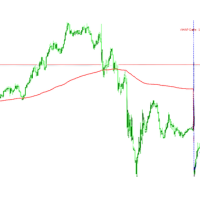
Renko bricks drawn as time-anchored boxes on your ordinary chart, so brick structure and real time stay visible together.

A renko brick prints when price moves a set distance, ignoring how long that takes. That strips out the sideways noise a time chart is full of. The usual way to see them is a separate offline chart, which loses the clock. This draws the same bricks over your normal candles instead, so you keep the time axis, your other indicators, and your orders.

How the bricks are built

  • Only closed bars are used, and every closed bar is used exactly once
  • A brick prints when a bar closes a full brick beyond the last one
  • Several bricks can print from one bar if the move is large enough
  • The dashed box is the brick currently being built, in the current direction

Brick size

  • ATR - each brick is sized by the ATR of the bar it forms on, so the indicator scales itself to any symbol and any timeframe without setup
  • Fixed points - a constant brick size you choose

In ATR mode the size is taken from each bar's own ATR rather than one current reading applied backwards, so the same bars always rebuild the same bricks.

Reproducible

Reload the chart, change timeframe, restart the terminal: the bricks come back the same. Bricks are never built from part-formed bars, so nothing that printed while you watched disappears afterwards.

Notes

The direction of the last completed brick is published to the Data Window and can be read from other programs. Bars before the scanned range hold no value rather than a made-up one.

This is an overlay, not a renko chart. A true renko chart has its own time axis and is built as a custom symbol, not as an indicator. The bricks here are the same bricks, drawn against real time.

Related

Inputs

  • Brick size mode - Fixed points, or ATR of each bar. ATR is the default: every brick is sized from the ATR at the bar that produced it, so the sequence rebuilds identically rather than shifting when you reload the chart.
  • Brick size, points - used in Fixed mode. Default 100.
  • ATR period and ATR multiplier - used in ATR mode. Defaults 14 and 1.0. A larger multiplier gives fewer, bigger bricks.
  • Max bricks kept on chart - the oldest bricks are dropped past this count so a long chart stays responsive. Default 300.
  • Bars scanned on first load - how far back the brick sequence is built when the indicator is attached. Default 3000.
  • Up brick and Down brick colour.
  • Corner readout - the small panel showing the current brick size and direction.
  • Instance tag - set a different tag on each copy when running two or more on one chart.

The forming brick is drawn as a dashed box showing the zone price has to reach for the next brick to print, so you can see how far away the next one is rather than only what has already happened.

作者的更多信息
Build a clear POC and value area from the chart range you choose. BrioQuant Range Volume Profile maps the selected MT5 volume feed across price and marks the POC, VAH and VAL. Profile the visible chart, a draggable fixed range, today or the latest number of bars, with configurable value-area shading and labels. Features: Modes: Visible Range, Fixed Range (drag two handles on the chart), Today, Last N Bars POC, configurable value-area percent, VA shading, price labels Instance tag lets two copies
FREE
See Asia, London and New York as real high-low boxes, with optional fills and opening-window overlays. BrioQuant Trading Sessions draws Asia, London and New York as boxes fitted to each session's actual high and low. Choose broker time or GMT with automatic broker-offset handling, then add optional fills, labels and opening-window boxes. Features: - Boxes hug each session's real range, not arbitrary full-height bands - Optional background fills, auto-tinted from your session colours - Optional
FREE
Four pivot methods, three reference periods and labels that stay where you place them. BrioQuant Pivot Points plots Classic, Fibonacci, Camarilla or Woodie levels from the previous completed period. Choose Daily, Weekly or Monthly pivots, then place labels at the period start, after the newest candle, in the margin or at the chart edge. Features: Methods: Classic / Fibonacci / Camarilla / Woodie; periods: Daily / Weekly / Monthly Label placement: line start, after the newest candle, centred in t
FREE
BrioQuant Day and Week Separators draws clean daily separators with weekday labels, emphasises the first trading day of each week, and marks bank holidays from the MT5 economic calendar - filtered to your symbol's currencies by default, so the chart shows the holidays that matter to what you trade. Features: - Daily separators with weekday name labels; weekends skipped automatically - Week-start line in its own colour and weight, so Mondays stand out at a glance - Bank-holiday markers from the b
FREE
Keep figures, halves and quarters visible without letting the grid take over the chart. BrioQuant Round Price Levels draws figures, halves and quarters as three clearly weighted tiers. The spacing adapts to the instrument, while separate line and label controls keep important prices readable on both light and dark charts. Features: Three tiers - figures (strongest), halves, quarters - each with its own colour, width and style Spacing adapts per instrument: gold, FX majors, JPY pairs, indices, cr
FREE
Your risk, sized before the trade. Set risk once - percent of balance, percent of equity, or a fixed amount - and the panel computes the lot for every trade from your stop distance. Drag the ENTRY, SL and TP lines on the chart; each carries a live label with price, money at risk and R multiple, with shaded risk and reward zones. An entry line placed away from price becomes a pending order. Orders you can account for. Every order, market or pending, is written to a durable journal before it is se
FREE
BrioQuant Anchored VWAP plots the volume weighted average price from a chosen anchor point, with optional standard deviation bands. Alongside the usual calendar anchors it can re-anchor at the start of each trading session. Asia, London and New York each get their own developing VWAP, which resets when that session opens and stops when it closes. The hour inputs match the BrioQuant Trading Sessions indicator, so the two line up on the same chart. Anchor modes Session - Asia, London or New York,
FREE
Heiken Ashi candles drawn in the main chart window, with the option to hide the chart's own candles so only the Heiken Ashi bodies remain. Heiken Ashi averages each bar with the one before it. Direction changes less often than on standard candles, which makes a trend easier to hold and a stall easier to see. It is a different way of drawing the same price, not a signal. What it does Plots Heiken Ashi open, high, low and close as coloured candles Separate colours for rising and falling candles Op
FREE
Compare POC and value-area placement across Asia, London and New York sessions. BrioQuant Session Volume Profile builds a profile for the selected Asia, London or New York session, or place one profile inside every recent session window. Compare how POC and value area move, overlap or remain stable from session to session while retaining the range modes for individual chart studies. Two session workflows in addition to the range modes: Session mode: Asia, London or New York. Auto follows the act
BrioQuant Break Even
Mitchell Dean Ede
One line showing where every open trade on this symbol, taken together, comes out flat. Scale into a position five times and the line tells you the price you need back, with the live P&L beside it. It is the break-even, not the average entry Averaging the entry prices is not the price that makes you flat. Swap accrues nightly and commission is charged on every lot, so the real break-even sits above the average entry on a long book and below it on a short one, and it drifts as swap builds. This s
FREE
筛选:
无评论
回复评论