Price Alert Line Indicator
- 指标
- Nabil Oukhouma
- 版本: 1.50
Never miss a price breakout again with the Price Alert Line Indicator.
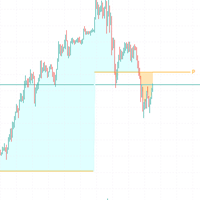
This tool is designed for traders who need speed and simplicity. Instead of navigating complex menus to set price alerts, the Price Alert Line Indicator places a button directly on your chart. With a single click, you can deploy a horizontal line that monitors price action and alerts you immediately when the price crosses it.
Key Features:
- One-Click Deployment: A convenient button allows you to instantly draw or delete the alert line.
- Smart Placement: When you click "Draw Line," the indicator automatically places the line at the Open Price of the current 5-Minute Candle.
- Instant Audio Alerts: You will hear a sound alert immediately when the Bid price crosses the line (Up or Down).
- Visual Customization: Fully customizable line style, width, and color to fit your chart template.
- UI Customization: You can change the button text, color, and screen position to keep your workspace cleanHow It Works:
1. Draw: Click the "Draw Line" button. A horizontal line appears at the current M5 Open price.
2. Monitor: The indicator monitors the Bid price on every tick.
3. Alert: If the price crosses above or below the line, a sound plays instantly.
4. Reset: Click the button again (now labeled "Delete Line") to remove the line and reset the tool.
MT4 Version: https://www.mql5.com/en/market/product/158205?source=Site+Profile
Input Parameters:
Alert Settings:
- Alert Sound File: The name of the .wav sound file to play (e.g., "alert2.wav")
Line Aesthetics:
- Alert Line Color: Color of the horizontal alert line.
- Line Style: Style of the line (Solid, Dash, etc.).
- Line Width: Thickness of the line.
Button Settings:
- Button Text (Draw): Text to display when ready to draw (Default: "Draw Line").
- Button Text (Delete): Text to display when ready to delete (Default: "Delete Line").
- Button Back Color: Background color of the button.
- Button Text Color: Text color of the button.
- Button X / Button Y: Distance from the bottom-right corner to position the button.
Why use this tool?
Manual trading requires focus. Standard alerts take too many clicks to set up. The Price Alert Line Indicator solves this by giving you a physical visual level that you can toggle on and off in a fraction of a second.