 MetaTrader 5
 エキスパート
 インディケータ
 ライブラリ
ライブラリ
 ユーティリティ
 ウィジェット
 ルール
ルール
YouTubeにあるマーケットチュートリアルビデオをご覧ください
ロボットや指標を購入する
仮想ホスティングで
EAを実行
EAを実行
ロボットや指標を購入前にテストする
マーケットで収入を得る
販売のためにプロダクトをプレゼンテーションする方法
MetaTrader 5版無料取引ユーティリティ - 5
 以下はMetaTrader5での取引を簡素化する取引プログラムです。ユーティリティにカーソルを合わせると、その説明と目的が表示されます。
AI Auto BreakEven Partial Close Manager is a universal trade-management utility that automatically protects and scales out of profitable positions - on any symbol, opened by any Expert Advisor or manually by you. Attach it once and it silently manages every open position on the account (or just the current symbol, your choice) according to rules you define, freeing you from having to babysit trades. KEY FEATURES
- Automatic break-even: once a position reaches your trigger profit (in points), its
FREE

リスクベースのポジション管理機能を備えたトレードマネージャー
このエキスパートアドバイザーは、MetaTrader 5チャート上でのポジションの計画、管理、コントロールを支援するために設計された、手動のトレード管理ツールです。
本製品は、取引シグナルを生成したり、独自の取引判断を行ったりすることはありません。すべてのエントリーは、ユーザーまたは他のエキスパートアドバイザーによって手動で開始されます。このツールは、ポジションサイジング、取引管理、および執行支援に特化しています。
主な機能 事前定義されたリスク量に基づく手動ポジションサイジング
エントリー価格とストップロスを使用した自動ロット計算
エントリー、ストップロス、テイクプロフィットレベルを視覚的に確認できる取引プランニング
パーセンテージベースの目標値を使用した部分決済管理
オープンポジションの損益分岐点設定機能
手動でオープンしたポジションとの同期
同一銘柄における複数のオープンポジションのサポート
アクティブな取引に影響を与えることなく、時間枠の変更を安全に処理
重要なアクションを音声で通知するオプシ
FREE

This utility automates Take Profit (TP) and Stop Loss (SL) levels for your trades, calculated in Pips . It ensures consistent risk management for all your positions. Crucial Note for Manual Traders: If you intend to use this utility on trades opened manually (without an Expert Advisor), you must change the 'Magic Number' setting to 0 (zero) . This allows the utility to correctly identify and manage your manual orders.
FREE
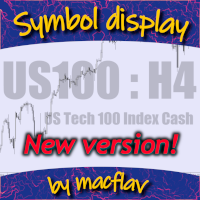
Add a watermark in the background of your chart, containing the ticker (symbol), followed by the current Timeframe, and the symbol description below it.
Have you ever seen videos or screenshots of other platforms, boasting those great looking watermarks, and wondered why your MetaTrader5 doesn't have one? Well, I did... so I tried a few of the options available in the Market at the time, but I still wanted to tweak everything exactly to my taste. So I developed my own solution, and I am proud t
FREE

PipsCounter Basic は MetaTrader 5 用のインジケーターで、未決済ポジションのリアルタイムでのピップ変動を表示し、当日にクローズされた取引のサマリーを提供します。 すべての情報は、チャートのメインウィンドウにわかりやすく控えめな形式で表示されます。 機能 リアルタイムのピップ追跡
各未決済ポジションのピップ差を、市場のティックごとに継続的に更新します。 デイリーピップ合計
当日のすべてのクローズ済み取引の純ピップ値を表示します。 TP/SL 価格ラベル(新機能)
テイクプロフィットおよびストップロスの価格を、それぞれのライン上に自動的に表示。色、フォント、位置はカスタマイズ可能です。 表示のカスタマイズ
パネルの位置(チャートの四隅)、フォント、文字サイズ、利益/損失/ニュートラル状態の色を自由に設定可能。 幅広い互換性
通貨ペア、株価指数、金属、商品、シンセティック資産など、すべての MetaTrader 5 インストゥルメントに対応。ティックサイズ、小数点精度、価格形式に依存しません。 使用例 未決済ポジションのピップ変動を視覚的にモニター。
FREE
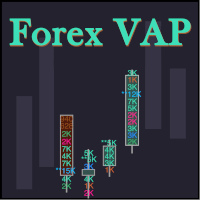
What do you see inside a candle? How to interpret the fight between bulls and bears? The candlestick chart brings a lot of information, but the volume is lacking in the candlestick body. This is where the Forex Volume At Price Expert Advisor comes in. This advisor searches for a set of recent trades, calculates the buy and sell attack volumes and prints on the candles, the volume value in each price range. You can also define up to ten colors to filter volumes and make it easier to
FREE

Range Volume Profile with Risk Management Panel Professional Trading Utility for MetaTrader 5
The Range Volume Profile with Risk Management Panel is an advanced trading utility designed for traders who manually execute trades while maintaining strict money management.
Unlike a traditional Expert Advisor that automatically opens trades, this utility helps traders identify important volume areas, calculate accurate lot sizes based on account risk, and place pending orders directly from the char
FREE

Pending Stop Order Trailing Et - is a utility for automatic trailing of pending orders (Buy Stop and Sell Stop) in MetaTrader 5.
It dynamically adjusts pending order prices following the market until activation, helping to achieve better entry levels and reduce poor entries.
The tool is designed for both manual and semi-automated trading workflows.
STANDALONE & INTEGRATION
The utility works fully in standalone mode and performs its core trailing function on any symbol without additiona
FREE

AURA Backtester Forex Simulator is a state-of-the-art manual trading simulator designed to help you master price action, test new strategies, and build trading discipline without risking real money. Unlike traditional automated backtesters, AURA transforms your standard MetaTrader chart into a fully interactive simulation environment. Practice trading historical data exactly as if you were trading the live, breathing market. Whether you are a beginner trying to understand market structure or a p
FREE

製品を気に入っていただけましたら、ぜひコメントと評価をお願いいたします!
Advanced Line Alerts は、水平ラインをインテリジェントな価格アラートへ変換するインジケーターです。シンプルで使いやすいインターフェースにより、チャート上へ価格レベルを作成し、市場がそのレベルに到達すると通知を受け取ることができます。 作成したすべてのアラートラインは自動的に保存されます。MetaTrader を終了しても、次回起動時にすべてのラインが自動的に復元されます。また、ターミナルが閉じている間に価格がラインを通過した場合でも、再起動後にアラートが発生するため、重要な値動きを見逃しません。 主な機能 チャート上でアラートラインを素早く作成。 ライン状態表示(選択中・待機中・発動済み)。 価格が設定レベルを通過するとアラート。 MetaTrader モバイルアプリへの Push 通知。 軽量で高速な動作。 数百本のアラートラインを同時に管理可能。 発動済みラインを自動で保持または削除(設定可能)。 パネルの表示・非表示を切り替えるホットキー(初期設定 V 、変更可能)。 MetaTrad
FREE
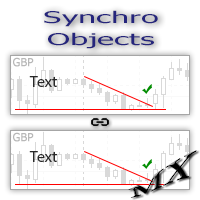
The SynchroObjects utility is designed to facilitate and speed up the work with graphic constructions on different charts of one symbol. The SynchroObjects utility clones the created objects to all charts on which the utility is running and which have the same symbol. And also synchronously changes their properties. The utility is easy to use and requires no configuration. Tip: If you view the history frequently - we also recommend you to also install the free Smart AutoScroll utility. It automa
FREE

The utility places a grid of pending orders . You can select the number of orders in the grid, the step between orders, multiplier for the order size, SL and TP levels, magic number etc. If you use a profit bucket , please note that it applies to all orders on the current currency pair with the current magic. If you want to use several grids with independent profit buckets at the same time, run several copies of the utility and specify different magics in the settings. MT4 version of the utility
FREE

MT5の取引の新規、決済、一部決済、および変更に関するリアルタイム通知をdiscordへ自動送信します。 このユーティリティは16言語に対応しています:英語、フランス語、ドイツ語、ヒンディー語、インドネシア語、イタリア語、カザフ語、韓国語、オランダ語、ポーランド語、ポルトガル語、ロシア語、スペイン語、トルコ語、ウクライナ語、ベトナム語。本製品は、ターミナルを常に監視することなくdiscord通知を受け取りたいトレーダー向けに設計されています。エキスパートアドバイザーを使用するユーザー、複数のシンボルで取引するトレーダー、vpsユーザーに適しています。 完全および部分的なポジション決済は正確に検出されます(例:0.10 / 0.30 ロット)。また、重複メッセージ防止機能も実装されています。 通知は、取引口座内のすべてのシンボル、またはこのユーティリティを適用したチャートのシンボルのみ(オプション)で送信できます。
「test discord」ボタンが用意されており、チャット機能を確認でき、設定後はチャートから非表示にすることも可能です。また、「send open positions」ボ
FREE

Simple Candle Timer
Simple Indicator for MetaTrader 5 v1.0 | MQL5 | MT5 MM:SS Countdown Text Colour X/Y Position Font Size Font Name
Simple Candle Timer v1.0 is a lightweight MetaTrader 5 indicator. It displays the remaining time until the current candle closes directly on the
chart, next to the current Bid price. No subwindows, non-intrusive, minimal
resource usage How it works:
• Every second (OnTimer) and each tick (OnCalculate) calculates remaining candle seconds
• Formats result as MM:SS
FREE

SyncTrader Risk Manager SyncTrader Risk Manager は、MetaTrader 5 用の手動取引およびリスク管理ツールです。口座通貨の金額または残高のパーセンテージで指定したリスクに基づいてポジション量を計算し、チャート上で取引プランを準備できます。 本ツールは取引シグナルを生成せず、自動的に取引を開始することもありません。方向、注文タイプ、Stop Loss、Take Profit はユーザーが決定します。パネルのインターフェース言語は英語とロシア語です。 主な機能 リスク金額または残高比率によるロット計算 Market、Limit、Stop 注文 1~4 段階の Take Profit 移動可能な Entry、Stop Loss、Take Profit ライン 口座通貨、points、R によるレベル値の表示 指定した Take Profit 到達後の自動 breakeven 再利用可能な 9 個のレベルテンプレート スプレッド、余剰証拠金、1 取引あたりのリスク、日次損失の確認 管理対象ポジションの全決済、利益ポジションのみ、損失ポジショ
FREE

米国東部時間(ET)を表示するシンプルな時計。米国市場の営業時間と自動同期。毎秒更新。
Full description: ClockET — 現在の米国東部時間(ET)の日付と時刻をチャート上に直接表示する軽量インジケーター。手動でタイムゾーンを計算する必要なく、米国セッションの進行状況を常に正確に把握できます。
表示内容
• リアルタイム時計 — 曜日、月、日、ETの時刻を毎秒更新して表示(例:"Thu Jul 24 07:36:45 ET") • 中央配置ラベル — チャート下部に表示、チャートサイズ変更時も自動で中央に再配置 • 自動サマータイム検出 — 米国の公式サマータイム制度(3月第2日曜日〜11月第1日曜日)に基づき、EDT(UTC-4)とEST(UTC-5)を自動切替 — 年2回の手動調整は不要
設定項目
• フォントサイズ・色・名前 — 時計の見た目をカスタマイズ • Y軸オフセット — チャート下端からの垂直位置 • Auto DST — EDT/ESTの自動検出のオン/オフ • 手動ETオフセット — Auto DSTを無効にした場合のみ使用される
FREE

Price Alert MT5 — 一度の購入で一生、アラート受信。
かつて、市場で先を行くためには、高額プラットフォームの月額契約が必要でした…
“ここで20ドル、そこでも50ドル”、わずか数回のアラートを得るためだけに。価値のためではなく、選択肢がなかったから支払っていた。
それが今、変わりました。
トレーダーによるトレーダーのためのこのツールは、あなたが気にするどんな価格でも自由にアラートを設定でき、価格が関心ゾーンに入るとミリ秒単位で通知します。
図表に価格ゾーンを設定し、画面から離れても、価格がゾーンに入るとリアルタイムでアラートが届く。見逃しゼロ。月額料金も無し。
なぜ Price Alert MT5? 自分のトレード水準に基づくカスタム価格アラート 通知の制限にお金を払う必要なし 一度の購入で生涯使える サブスク目的の会社ではなく、実際にトレードする者による開発
プライスアクション、サプライ&デマンド、サポート&レジスタンスゾーンを活用するトレーダーでも—
Price Alert MT5は単なるインジケーターではありません。
必要なときだけあなたに知らせる、チャート監視の
FREE

Automatic Trade Protection EA For MT5 Overview Trade Equity Guardian is a lightweight, always-on Expert Advisor that continuously monitors all open positions on your account and automatically closes any trade that breaches your predefined risk thresholds. It acts as a safety net — protecting your account from oversized positions, runaway losses, or locking in profits when targets are hit. Attach it to any chart and let it run in the background. It works alongside your other EAs and manual trades
FREE

Move TP & SL (MT5) は、ワンクリックで保有中のポジションおよび保留中の注文の Take Profit(TP)と Stop Loss(SL)を素早く移動できる取引補助スクリプトです。 本スクリプトは、次の 2 つの動作モードをサポートしています。 Pips モード(Pips Mode) :注文のオープン価格から、固定された pips(ポイント)数に基づいて TP と SL を設定します。 価格モード(Price Mode) :指定した価格レベルに直接 TP と SL を設定します。 すべての注文、保有中のポジションのみ、または保留中の注文のみなど、変更対象の注文を選択できます。 実行後、変更された注文数、選択されたモード、適用された TP および/または SL の値を表示する、分かりやすい 1 行の通知が表示されます。 入力値が無効、または変更可能な注文が存在しない場合は、 「No action taken」 というメッセージが表示されます。 使用方法 管理したい通貨ペア(シンボル)のチャートを開きます。 そのシンボルに保有中のポジション、または保留中の注文があることを
FREE

現在の取引口座の取引履歴のエクスポートを実行します。 ファイルはデータフォルダに保存されます。データフォルダは、ターミナルのメインメニューから開くことができます。 ファイル->データディレクトリを開く (Ctrl + Shift + D)そしてフォルダに移動します MQL5/Files 。 ファイル名は自動的に生成されるか、スクリプトパラメータを使用して手動で設定されます。 履歴ファイルを使用して、Excelで履歴を分析したり(インポートウィザードで開く必要がある場合があります)、エキスパートアドバイザーを使用して別の取引サーバーで同じ取引シーケンスをシミュレートしたりできます。 シンプルヒストリーレシーバー 。
ファイル形式 見出しが最初に来る DATE,TICKET,TYPE,SYMBOL,VOLUME,ENTRY,PRICE,STOPLOSS,TAKEPROFIT,PROFIT,COMMISSION,FEE,SWAP,MAGIC,COMMENT その後、ファイルの最後まで、1つの取引のフィールド値がコンマで区切られた行があります。
1行あたり
FREE

DoIt EA Monitor - Multi EA Performance Dashboard for MT5 Your account can be profitable while one EA quietly drags down the portfolio. MetaTrader history shows the combined result, but it does not clearly show which strategy deserves more capital and which one needs attention. DoIt EA Monitor runs on one chart and separates live and historical performance by magic number, EA and symbol. It is completely read-only. It never opens, closes or modifies a trade. KNOW WHICH EA IS EARNING ITS PLACE Aut
FREE

Simple utility to help identify local time of price movements. This way you can analyze better and prepare for future movements. Just point to the candle and it will display the time of the candle in your local time zone.
See my other products in the MQL market: https://www.mql5.com/en/users/jdelgadocr/seller Thanks for checking them out. If you have a need for something not too complex, let me know.
FREE

私のMT4・MT5インジケーターをすべて無料で入手 — 方法はこちら
新しいツールの価格 は $30 で、対象は 発売後最初の1週間 または 最初の3件の購入です ! MQL5のTrading Toolsチャンネル : 私のMQL5チャンネルに参加して、最新情報を受け取ってください Custom Indicator Buffer Analyzer MetaTrader 5 の Custom Indicator が使用するバッファーインデックスと比較値の特定に役立ちます。 外部インジケーターを EA のシグナルソースとして使いたいものの、次の点が分からない場合に役立つツールです。 Buy シグナルが入っているバッファー。 Sell シグナルが入っているバッファー。 シグナルの有無を判定するために確認すべき値。 シグナルがないときにインジケーターが EMPTY_VALUE、0、または別の値のどれを使うか。 1. Custom Indicator を準備する 分析対象のインジケーターを次の場所にインストールします。 MQL5\Indicators\ 必要なデータ
FREE

チャート上に超簡単に線を引いたり、移動したりできるツールです。
クリックしてから、ドラッグするとトレンドラインが引けます。 横に引くと価格線、縦に引くと日付線になります。 そこにある線やオブジェクトで、クリック&ドラッグすると移動できます。
クリックしたところから、ドラッグしたところに交差線が引かれ、間の時間と価格の差が表示されます。
クリック&ドラッグしたら、左右に振ると色が変わります。 クリック&ドラッグしたら、上下に振ると削除します。
クリック&ドラッグとは? 1.マウスの左ボタンを押す(カ) 2.マウスの左ボタンを放す(チ) 3.マウスの左ボタンを押す(カ) 4.左ボタンを押したまま、マウスを移動する(ツー)
この動きをすることでトレンドラインを引いたり、オブジェクトを移動したり、色を変えたり、消したりできます。
トレンドライン、価格ライン、日付ラインだけでなく、矢印や価格表示、フィボナッチ、ギャンライン、サイクルライン、図形なども移動させることができます。
他にも便利なところ
・うっかり線を引いてしまったら、チャート外でマウスボタンを離せば、線が消えます
FREE

The TradingView-style hide-drawings button MT5 never had
"From the maker of Risk Sentinel — risk-first position sizing that keeps your risk fixed as you drag the stop: https://www.mql5.com/en/market/product/185711 "
Hide/Show Drawing is a one-tap chart-cleanup utility for MT5. Hide all your drawings — or just trendlines, Fibs, shapes, or text — to read raw price action, then restore everything exactly as it was, per-timeframe settings and all. Nothing is deleted; every object stays in memory a
FREE

Protect your capital and turn winning trades into risk-free positions instantly. Auto Break-Even is an automated trade management utility that shifts your Stop Loss to your entry price (plus a customizable offset) the moment your trade reaches a defined profit target. Take the emotion out of trade management. By automating your break-even process, you prevent winning trades from turning into losers, allowing you to confidently hold positions for larger targets. [ Get the MT4 Version Here ]
FREE

PnL Monitor for MT5 Monitor your open trade profit and loss directly on the chart. PnL Monitor is a lightweight utility for MetaTrader 5 that displays the real-time profit or loss of all open positions for the current symbol in a clean floating panel. Designed for traders who manage multiple charts and want instant visual feedback without opening the Terminal window. Key Features • Displays total profit/loss for the current symbol. • Updates automatically in real time. • Profit values are color-
FREE

Chart Link allows you to control multiple charts from one chart or multiple charts from multiple charts. Features 1. Synchronised Scrolling : Scrolling the master chart also scrolls all linked sub charts to the same position. Sub charts inherit offset and auto-scroll settings from the master chart. 2. Synchronised Timeframe : Switching the master chart timeframe also switches all linked sub charts. 3. Synchronised Symbol : Switching the master chart symbol also switches all
FREE

Risk calculator for MetaTrader 5.
Precision Position Calculator is a MetaTrader 5 utility that helps calculate trade volume based on the risk configured by the user. The panel allows the user to work with Entry, Stop Loss and up to three Take Profit levels directly on the chart. Main description Precision Position Calculator is a utility for MetaTrader 5 designed to help calculate the volume of a trade before opening it. The panel allows the user to configure risk, select the order type, set th
FREE

ATC Currency Strength Meterは、USD、EUR、GBP、JPY、AUD、NZD、CAD、CHFを1つのパネルで測定し、最強から最弱へとランク付けします。
このツールは、ポジションツール、トレード管理、パフォーマンス分析とともに、 All In One Trade Management Panel MT5 の一部でもあります。 デモ口座向けの無料トライアル版 – ライブチャートで試せます、時間制限なし。
計算方法:
• 強さは、選択したローソク足の始値からの変化率で、7つの主要USDペアから取得されます。
• USDの強さは、他の通貨の対USD変動の平均です。
• ブローカーのシンボルサフィックス(例:EURUSD.m)は自動的に検出されます。
主な機能:
• M15、H1、H4、D1、W1のタイムフレームボタン。選択したタイムフレームはチャートごとに記憶されます。
• 中央揃えのバー付きのランク付けされた行:利益は右に緑、損失は左に赤、値はパーセントで表示。
• 最強対最弱:トップとボトムの通貨で作られたペア。ブローカーがそのシンボルを提供し
FREE

TradeAquila Monitor streams your MetaTrader 5 account to TradeAquila, a real-time dashboard for every trading account you run: broker, prop firm and crypto accounts, side by side. What it does Pushes a live snapshot of your account every 10 seconds: balance, equity, margin, open positions with their floating P/L, pending orders, and the closed trades of your history. On the dashboard you get today's realized P/L with its reset at 17:00 Chicago time, your prop firm rules (daily loss, max drawdown
FREE

A daily loss limit only helps if it is enforced, also on the day you would rather ignore it. Daily Loss Limit enforces it: you set one line for the day, and when equity reaches it, Daily Loss Limit closes everything and keeps the account flat until the next daily reset. Free, fully working, no time limit. No nag screens, no upgrade prompts inside the program. It never opens a trade on your account. What it does Daily loss limit in money or in % of the day reference (default: 5 %). The day refere
FREE

TradeInfo Panel is a lightweight indicator that displays your trading performance directly on the chart as a draggable dark-themed panel. It tracks daily profit and loss, pips, gain percentage, and lot volume for Today, Yesterday, and the previous 3 trading days. It also calculates automatic summaries for the current Week, Month, and Year. All values include commission and swap for accurate net results. Features Daily performance for the last 5 trading days with Pips, Profit, Gain%, and Lots. We
FREE

ウォーターマーク MT4 バージョン: https://www.mql5.com/ja/market/product/120783 MT5 バージョン: https://www.mql5.com/ja/market/product/120784
ロゴ MT4 バージョン: https://www.mql5.com/ja/market/product/121289 MT5 バージョン: https://www.mql5.com/ja/market/product/121290
「ウォーターマーク」スクリプトは、チャートの背景に重要な情報を直接表示することで、取引チャートをより魅力的に見せるように設計されています。このスクリプトは、現在の取引ペア、時間枠、各種時間指標などの重要な情報を、明確かつ目立たないように把握できる方法を提供します。
機能:
取引ペア表示:
このスクリプトは、チャートに表示されている現在の取引ペア(例: EUR/USD、BTC/USD)を自動的に検出し、表示します。これにより、トレーダーは常にどの資産を分析しているかを把握でき、間違ったペアに基づいて意思決
FREE

News Markers Description
Version: 1.13Type: MetaTrader 5 indicator (chart window)
Purpose: Plots economic-calendar news events as color-coded vertical lines on the chart, with optional currency tags and an upcoming-news HUD panel. Before you start — three things that always apply Live connection required. The data comes from MT5's built-in economic calendar via your broker's feed. It returns nothing in the Strategy Tester, and nothing if your broker doesn't serve calendar data. If no lines appe
FREE

After downloading, message me via MQL5 inbox to receive your FREE User Kit - setup guide, practical checklist, and workflow resources built specifically for XAUUSD traders. Gold can look ready when it is not. That is one of the harder lessons on XAUUSD. Price starts to move fast, the histogram expands, the chart feels like a breakout is forming - and then it reverses, or chops sideways for the next twenty candles. The move looked real. The compression had not actually released. After spending y
FREE

StealthTrade Commander(ステルストレード・コマンダー) は、裁量トレーダー、スキャルパー、およびプロップファーム(Prop-Firm)挑戦者のために設計された、高度なビジュアル取引パネルおよびリスク管理ユーティリティです。 このツールを使用すると、チャート上から視覚的に直接取引を実行し、ブローカーからストップロス(SL)とテイクプロフィット(TP)のレベルを隠すことができます。また、1日のドローダウンを厳密に管理でき、これはプロップファームの資金提供口座の審査を通過し、維持するために不可欠な機能です。 主な機能: Risk Guardian(プロップファーム保護機能) 1日の最大損失制限: 1日のドローダウンが指定された制限に達した場合、すべての取引を自動的にクローズし、パネルをロックします。 1日の目標利益: 1日の目標に達するとすべてのポジションをクローズし、利益を確保します。 正確なロット計算: 視覚的なストップロスと事前に定義されたリスク(%、$、または口座有効証拠金)に基づいて、正確なロットサイズを計算します。 Stealth & Tactical En
FREE

MORE FREE TOOLS ON THE WAY - LEAVE A REVIEW AND I WILL SEND THEM TO YOU FIRST. I am building a set of these and publishing them free. Supply and demand zones, structure tools, risk utilities - all free, all on this profile. Leave a review on this one and message me, and I will send you each new tool the day it is ready, before it goes on the Market. Reviews are the only way a free tool gets found here, so it genuinely helps - and it takes thirty seconds. Elysium Support and Resistance draws the
FREE

Market Beacon — Market Context at a Glance developed by GOLDEXA️ Market Beacon is a completely free market dashboard for MetaTrader 5 designed to help traders understand current market conditions faster and with less chart clutter. Instead of switching constantly between timeframes, indicators and session clocks, Market Beacon brings the most useful market context together in one clean, professional HUD. See direction across multiple timeframes, identify whether the market is trending or rangin
FREE

自動ロット・リスク管理付きワンクリック取引パネル Quick Trade Panel Pro は、リスクを完全にコントロールしながら素早く注文を執行したいトレーダーのために設計された直感的な取引パネルです。
主な機能 利用可能証拠金の割合に基づいてロットサイズを自動計算 ポイント単位で設定可能なストップロス、各取引に自動適用 一連の取引中はロットサイズをロックし、一貫したポジションサイズを確保
スマートヘッジシステム ヘッジモードで既存取引と反対方向のポジションを開くことが可能 独立したヘッジ割合(50%、100%、200%以上) 方向ごとの取引制限で精密なコントロール
自動利益保護 Auto Secure :一定の利益に達するとストップロスを損益分岐点に移動 Trailing Stop :価格を追従して利益を保護しながら、勝ちトレードを伸ばす 両システムを併用して最適な保護が可能
モダンでシンプル、プロフェッショナルなインターフェース リアルタイム表示:最大ロット、最終ロット、ヘッジロット 制限に達するとBUY/SELLボタンが自動的に無効化 シンボルとマジックナンバーごとに
FREE
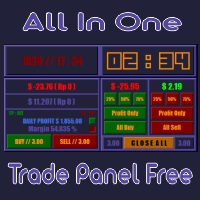
All In One (AIO) A2 Trade Panel EA made for you that like SCALPING, HEDGING, or LONG TIME TRADING. TRIAL VERSION, FOR DEMO ACCOUNT ONLY Features : TRADING INFORMATION Profit / Loss information (Customizable information - See on Attached Pictures) Margin Level information Equity information Total Lots Information Time information (Customizable information - See on Attached Pictures) Daily Profit / Loss Information TRADE MANAGER Close Buy / Sell Trade Close Buy / Sell Profitable Trade Close Parti
FREE

Burning Teko Trade Panel is a free on-chart trading panel for MetaTrader 5. It lets you trade by hand inside the Strategy Tester (visual mode): click BUY, SELL, HEDGE or CLOSE while the backtest runs, exactly like on a live chart. It also works on live and demo charts.
This is the free edition of Burning Teko Trading Companion. Full version: https://www.mql5.com/en/market/product/197966 User guide: https://www.mql5.com/en/blogs/post/776375
FEATURES - BUY / SELL at market with the lot, SL and T
FREE

BreakEven Trailingは、保有中のポジションのストップロスを管理するMetaTrader 5用のユーティリティです。ストップロスを建値へ移動し、価格の後ろを追従させます。チャートを見続けなくても、含み益を守ることができます。
このEAは新規ポジションを建てず、成行での決済も行いません。既存ポジションのストップロスだけを変更します。決済は、EAが設定したストップロスに価格が到達したときに行われます。
できること
- 含み益が指定したpipsに達すると、ストップロスを約定価格、または約定価格から指定分だけ利益側へずらした位置へ移動します。 - 含み益が指定したpipsに達すると、現在価格から一定の距離を保ってストップロスを追従させます。 - 建値移動とトレーリングは、それぞれ個別にON/OFFでき、併用もできます。 - BUY・SELLの両方のポジションに対応します。 - 既存のストップロスを不利な位置へ戻すことはありません。より多くの利益を守る方向へのみ移動します。 - ストップロスを変更する際、既存のテイクプロフィットはそのまま維持します。 - 現在の設定、口座方
FREE
- The Symbol Changer Utility for MetaTrader is a tool that enables traders to switch between various symbols on the MetaTrader trading platform easily and quickly. - It is designed to change the symbol of the current and all open chart windows and the timeframe of the current chart window (by clicking the button). - The tool retrieves symbols from the Market Watch, displaying only the necessary symbols in the market watch.
FREE

AI Economic Calendar News Filter reads MetaTrader 5's built-in live economic calendar and automatically protects your account around high-impact news events for the currencies involved in the chart's symbol. Key features: Uses the native MQL5 economic calendar (CalendarValueHistory) - no external news feed or subscription needed Automatically detects high-impact events for the symbol's base and profit currency Configurable blackout window before and after each event Optionally closes your own op
FREE

Auto SLTP Pro can help you setSL & TP automatically for positions & pending orders * 2 modes: - Points - USD * Symbol Filter: Select All or a specific symbol * For pending orders: Select true to set SLTP for pending orders Note: Only valid for positions (pending orders) without SL&TP! Join my channel here for more useful management tools: * Remote Tools via Telegram: Super Assistant, Master Close, Master Control, Master Notify * Free Tools: Tele Notify, Price Alert, Quick Close
FREE

Painel de Controle – Boleta Inteligente para Forex Descrição Geral do Sistema: Apresentamos o Painel de Controle – Boleta Inteligente para Forex , a ferramenta definitiva para traders que exigem agilidade, precisão e controle total sobre suas operações no mercado Forex. Com uma interface intuitiva e altamente funcional, este painel transforma sua plataforma MetaTrader em um centro de comando profissional, permitindo que você execute ordens, gerencie risco e monitore seus resultados em tempo re
FREE

Japanese Stochastic Cross Alert EA for MT5 Stochastic Cross Alert EA は、 ストキャスティクス(Stochastic) が一般的な買われ過ぎまたは売られ過ぎのレベルに到達したときに通知する MetaTrader 5 用のシンプルなツールです。チャートを常に監視しなくてもインジケーターの状態を確認できます。 チャートに追加すると、EA がストキャスティクスを監視し、重要なレベルをクロスしたときに ポップアップアラート を表示します。これにより、チャートをすばやく確認し、取引の可能性を評価できます。 特徴 ストキャスティクスが買われ過ぎレベル(デフォルト 80)を上抜けたときに検出
ストキャスティクスが売られ過ぎレベル(デフォルト 20)を下抜けたときに検出
MetaTrader 5 のポップアップアラート
すべての銘柄と時間足で使用可能
軽量で使いやすい 仕組み EA はチャート上のストキャスティクスを監視します。インジケーターが買われ過ぎレベルを上回るか、売られ過ぎレベルを下回るとポップアップアラートが表示されます。
FREE
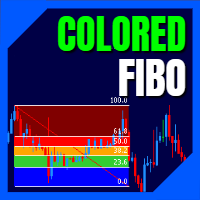
LT Colored Fibo is a simple indicator that paints the price zones between Fibonacci Retracement levels. Its configuration is extremely simple. It is possible to change the colors of each level of the retracement, choose between background or front of the chart and also work only with the current asset or all open. If you found a bug or have any suggestion for improvement, please contact me. Enjoy!
This is a free indicator, but it took hours to develop. If you want to pay me a coffee, I apprecia
FREE

Sessions and News Panel
An on-chart dashboard that shows the world's trading sessions and the economic
calendar in real time, plus an optional News Guard that can protect your account
around high-impact news.
This is a utility / information panel. It does NOT open trades on its own and it
is NOT a signal system. Its only trading action is the optional News Guard, which
can cancel pending orders and/or close open positions around scheduled news - and
only when you explicitly enable it.
-------
FREE

BOS VECTOR TRADE MANAGER — FREE Simple Manual Trade Control for MetaTrader 5 BOS VECTOR TRADE MANAGER is a free MT5 utility designed to make manual trade execution and position management faster, cleaner and easier directly from the chart. It does not require BOS VECTOR EA and can be used completely on its own. The aim is simple: Give the trader practical trade-management tools without turning the chart into a huge dashboard. -------------------------------------------------- WHAT IT D
FREE

Actively developed: new features and improvements are added regularly. Found an issue or have a suggestion? Leave a comment and it will be fixed quickly.
Plan every trade like on TradingView: drag a Risk:Reward box on your MetaTrader 5 chart and see your exact lot size, risk and target instantly. Free. PLAN
- Click BUY or SELL, then click the chart - or double-click for a box at market price.
- Drag the stop loss, take profit, entry and box width directly on the chart.
- Lot size is calculat
FREE

承知いたしました。製品説明の全文を、日本のトレーダーが一般的に使用する専門用語を用いて正確に翻訳しました。 MTForge Chart Trader — チャート上でのプロフェッショナルな注文執行・管理パネル MetaTrader 5専用にネイティブ設計された、最も完成度の高いチャート・オーダー執行システム MT5 Chart Trader は、洗練された完全インタラクティブなチャート上パネルを通じて、機関投資家レベルの注文執行、ブラケット注文(ATM)管理、およびリスクコントロールをMetaTrader 5にもたらします。エントリー、管理、保護、そして決済に必要なすべての機能が、チャートを離れることなく完結します。外部ブリッジ、DLL依存、サードパーティ製プラットフォームは一切不要。MT5端末内で直接動作する純粋なMQL5プログラムです。 1分足でNQ先物をスキャルピングする場合でも、15分足でFXをデイトレードする場合でも、あるいは日足でゴールドをスイングトレードする場合でも、MT5 Chart Traderはプロのトレーダーが求める執行ツールを提供します。クリーンでモダンなイン
FREE

Quick Lines Mastery Lite v1.85 — ユーザーマニュアル 発行元: Forex Noob Tube ウェブサイト: forexnoobtube.com 1. 概要 Quick Lines Mastery Lite は、スピード、精度、クリーンなインターフェースを求める MT5 トレーダー向けに設計された、洗練されたプロフェッショナル向けチャート作成ユーティリティです。ドラッグ可能なフローティングコントロールパネルから、ワンクリックで事前設定された水平線、垂直線、レイ・トレンドライン、ドラッグ&ドロップ・トレンドラインを即座に配置できます。 2. ダッシュボードのインターフェースとコントロール ダッシュボードは、チャートの邪魔にならないようコンパクトで中央揃えのレイアウトを採用しています。 ヒント: ダークグレーのヘッダー ( Quick Lines Mastery Lite ) 部分をクリック&ドラッグして、チャートウィンドウ内の好きな場所にパネルを移動できます。 H-Line 1 & H-Line 2: 事前定義されたカスタムカラー、幅、スタイルを使用して
FREE

Quick Trade is a simple but needful utility for MT5 that allows to set SL, TP and entry price for a trade in a couple of seconds, allowing also shaping right position size based on risk wanted. It provide shortcuts to save more time and of course, you can also put values typing with keyboard or drag lines at your desired value! Shortcut Action CTRL + Click Set SL Shift + Click
Set TP z + Click Set Price A simple utility that you will start to love if you do manual trading. Stop calculating risk
FREE

Trade Panel by RWBTradeLab
Trade Panel is an on-chart panel for MetaTrader 5 that places market, pending and straddle orders and manages the open trades of the chart symbol.
Overview
The panel sits on the chart and has six tabs: Trade, Manage, Settings, Account, Help and About. Every value you set is saved for each symbol, so a chart keeps its own lot, stop loss, take profit and switches after a restart. The panel can be dragged anywhere on the chart and minimised to its title bar.
The pane
FREE

MyFXRoom EA — Smart Position Size Calculator & Trade Execution Tool
Overview MyFXRoom EA is a professional semi-automated trading tool designed to remove the guesswork and manual calculation from trade execution. Built for serious traders who manage their own entries and exits but want precision, speed, and consistency in every trade — without the complexity of a fully automated system. The EA does one thing exceptionally well: it calculates the correct position size for your exact risk toleran
FREE

過去チャートを再生するためのチャートプレイヤーです。 このプログラムは、トレーダーや投資家向けに設計されたシンプルなチャートプレイヤーで、過去の市場データを再生することで、市場の動きや価格の推移をよりよく理解することを目的としています。 このプレイヤーを使うことで、ローソク足を1本ずつ順に進めながら市場の動きを確認でき、特定のトレーディング戦略がさまざまな市場状況でどう機能するかも分析できます。 重要な価格ポイントやトレンド変化を繰り返し観察することで、取引判断の精度と操作への自信を効果的に向上させることが可能です。 さらに、このプレイヤーはデモ口座や過去データの検証だけでなく、トレーディングスキルを磨くための学習ツールとしても活用できます。
もし気に入っていただけたら、「Chart Auto Flow Focus Edition」もご検討下さい: https://www.mql5.com/ja/market/product/154905
高速移動でのチャート検索、低速移動でのシミュレーション、複数チャートのMTF同一時刻での同期でMTF分析も楽にできます。
FREE

OHLC マグネットは、水平線、長方形、価格ラベルに欠落しているマグネットポイントを追加します。 あなたはこのユーティリティが好きなら、とコメントを評価してください。
指示:
前述のオブジェクトの1つを、ピクセルの近接範囲内の目的の始値、高値、安値、または終値にドラッグするだけで、選択した正確な価格ポイントにオブジェクトが自動的にアタッチされます。
パラメーター:
近接 (ピクセル): その特定の価格ポイントに接続するためのユーティリティの始値/高値/安値/終値をマウスカーソルがどの程度閉じるかをピクセル単位で指定します。デフォルトは10です。 価格ラベルを自動調整する: 価格ラベルを左側 (左の価格ラベルの場合) または右 (価格ラベルの場合) に自動的に調整します。既定値は有効です。
FREE

Trader Command Center MetaTrader 5 向けのフルチャートリアルタイム取引ダッシュボード。口座監視、プロップファームルール追跡、リスクゲート管理、直接注文執行を単一の Canvas レンダリングインターフェースに統合しています。 Trader Command Center は MetaTrader 5 向けのユーティリティで、標準チャート表示を包括的かつレスポンシブなダッシュボードに置き換えます。口座の状態を追跡し、プロップファームのコンプライアンスを監視し、オープンポジションを管理し、事前計算されたロットサイズで成行注文を執行するための統一されたワークスペースを必要とするトレーダー向けに設計されています。インターフェースは Canvas エンジンでレンダリングされ、チャートサイズに応じて自動的にスケーリングします。 概要 ダッシュボードは、永続的なヘッダー、7 つのパフォーマンス指標の行、および執行・チャレンジ進捗・エクイティカーブ・リスクゲート・セッション別パフォーマンス・シンボル別内訳・経済カレンダー・オープンポジション・直近の取引・未決注文を含
FREE

Overview FiT Panel Pro is a professional-grade trade management panel designed for MetaTrader 5 traders who demand speed, precision, and full control over their trades. Built with a modern dark-theme UI, it combines one-click execution with advanced risk management, visual SL/TP drag lines, automatic Fibonacci-based levels, and comprehensive order management — all in a single, compact panel. Whether you are a scalper, day trader, or swing trader, FiT Panel Pro gives you the edge you need to exec
FREE

Ultra Charts - Advanced Custom Chart Types for MT5 Get Manual Here! Get The Free Ultra Charts Trader Here! Ultra Charts is a comprehensive charting solution that brings professional-grade alternative chart types to MetaTrader 5. This Expert Advisor provides traders with multiple custom chart formats beyond standard time-based candlesticks, enabling enhanced technical analysis and pattern recognition. Chart Types Included The product includes six distinct chart types, each designed to filter mark
FREE

EA は、収益性の高いポジションを検索してクローズすることで、不採算のポジションをクローズできます 。
このアシスタントは 、 ターミナル内で すべてのポジションの中で最も 収益性の低いポジション を 探します 。 さらに、残りの収益性の高いポジションを検索することにより、1 つ以上のポジションの 利益が 別のポジションの損失よりも大きい場合に、損失をカバーできる一連のポジションを計算します。 そのようなポジションのセットが見つかった場合、アドバイザーはそれらをクローズします。 一連のポジションは、あらゆるポジションで構成できます。 最大数はアドバイザー設定で調整できます。 検索時の最小損失とクロージング時の追加利益を指定することもできます。 MT4のバージョン
完全な説明 購入する方法
インストールする方法
ログファイルの取得方法 テストと最適化の方法 Expforex のすべての製品 ストラテジー テスターでエキスパート アドバイザーをテストし、ビジュアル モードで EAPADPRO ツールバーを使用して取引できます。 プラスによるマイナスのクロー
FREE

Japanese RSI Cross Alert EA for MT5 RSI Cross Alert EA は、 相対力指数(RSI) が一般的な買われ過ぎまたは売られ過ぎのレベルに到達したときに通知する、MetaTrader 5 用のシンプルなツールです。チャートを常に監視しなくても RSI の状態を確認できます。 チャートに追加すると、EA が RSI を監視し、重要なレベルをクロスしたときに ポップアップアラート を表示します。これにより、チャートをすばやく確認し、取引の可能性を評価できます。 特徴 RSI が買われ過ぎレベル(デフォルト 70)を上抜けたときに検出
RSI が売られ過ぎレベル(デフォルト 30)を下抜けたときに検出
MetaTrader 5 のポップアップアラート
すべての銘柄と時間足で使用可能
軽量で使いやすい 仕組み EA はチャート上の RSI インジケーターを監視します。RSI が買われ過ぎレベルを上回るか、売られ過ぎレベルを下回るとポップアップアラートが表示されます。 RSI の期間とアラートレベルは設定で変更できます。 この EA は アラート専用
FREE

Spread Candle Clock is a clock that displays the remaining time of the current candle along with the spread in real time directly on the chart.
Features:
Real-time candle countdown. Live spread (SP) display. Adjustable size. Customizable colors. Configurable position in all four corners. Compatible with all symbols and timeframes. Includes a button to minimize to a small panel.
FREE
Introduction
Auto Chart Alert is a convenient tool to set alert for your trading in your chart. With Auto Chart Alert, you can set the alert line in one click in your desired location in your chart. You can even set alert over the sloped lines in your chart. Auto Chart Alert is a great tool when you have to watch out importnat support and resistance levels for your trading. You can receive the sound alert, email and push notification when the price hit the alert line at you desired location. Au
FREE

MetaTrader 5用 バルク操作パネル バルク操作パネルは、MetaTrader 5向けに設計された実用的なトレード管理ツールです。1つの見やすいパネルから複数のポジションを管理できるように作られており、一括取引管理、高速実行、トレーリング制御、ヘッジエントリー、リアルタイム統計、そしてコンパクトな最小化機能を、使いやすいインターフェースにまとめています。スピードと利便性を重視するトレーダーに適した構成です。 この製品は、保有中のポジションや保留中の注文を、1件ずつ手動で管理することなく、より素早くコントロールしたいトレーダーに適しています。特に、素早い判断とスムーズな実行が重要になる活発な相場環境で役立ちます。 主な目的 このパネルの主な目的は、一括トレード操作を簡単にすることです。チャート上の1か所から、新規注文、ヘッジ、選択したグループの決済、保留注文の削除、トレーリング設定の管理を行うことができます。 主な機能 全ポジション、利益中ポジション、損失中ポジション、Buyポジション、Sellポジションを一括で決済する機能 保留注文をすばやく削除できる機能 パネルから直接Bu
FREE

Always Know When the Candle Closes!The countdown is right there on the chart, updating every second. If you find this indicator useful, please leave a review
How It Works
The indicator displays up to three independent candle close countdowns on your chart, each set to any MT5 timeframe. Monitor your chart timeframe, a higher timeframe, and a lower timeframe simultaneously — all without switching charts. Slot 1 defaults to your current chart timeframe. Set slots 2 and 3 to any timeframe you want
FREE

There are plenty of updates coming, so bear with me as I continue building and refining it. I’ve got big plans for this one! Your whole trading setup on ONE screen. Every terminal. Every broker. Every prop account. Every chart. See it all, name it all, and run it all from one dashboard. Free - no DLL, no internet, no subscription.
If you are like me and trade across multiple terminals, multiple brokers and prop firms, with multiple charts on every terminal - this one is for you.
You know the
FREE

InvestraAI Forex Heatmap InvestraAI Forex Heatmap は、MetaTrader 5 用の通貨強弱を視覚的に表示するダッシュボードです。主要な Forex 通貨を相互に比較し、その結果をチャート上にヒートマップとして表示します。 この EA は、強い通貨と弱い通貨を素早く確認し、Buy/Sell シグナル候補を表示し、ワンクリックでシグナルチャートを開くことができます。 仕組み EA は選択された通貨を分析します: EUR、USD、AUD、GBP、NZD、CAD、CHF、JPY。各通貨は入力設定から有効または無効にできます。 有効な通貨ペアの組み合わせごとに、EA は選択された時間足でのパーセント変化を計算します。たとえば、ブローカーで EURUSD が利用可能な場合、EUR 対 USD には EURUSD を使用します。USD 対 EUR では、同じ EURUSD データを逆方向として使用します。 ヒートマップの色: 緑: ベース通貨がクォート通貨より強い 赤: ベース通貨がクォート通貨より弱い 色が濃いほど変化が大きい 比較不要またはデ
FREE
MetaTraderプラットフォームのためのアプリのストアであるMetaTraderアプリストアで自動売買ロボットを購入する方法をご覧ください。
MQL5.community支払いシステムでは、PayPalや銀行カードおよび人気の支払いシステムを通してトランザクションをすることができます。ご満足いただけるように購入前に自動売買ロボットをテストすることを強くお勧めします。

取引の機会を逃しています。
- 無料取引アプリ
- 8千を超えるシグナルをコピー
- 金融ニュースで金融マーケットを探索