Environment State Info Print MT4
- Yardımcı programlar
-
Francisco Manuel Vicente Berardo
 Hello, visitor of this page!
Let me briefly describe my path in the MQL4 and MQL5 programming languages:
- In April 2017, I started learning MQL4 to create some trading tools for personal use.
- In August 2018, I started learning MQL5 to convert the MQL4 programs I already had. - Sürüm: 1.2
- Güncellendi: 5 Ekim 2024
The Environment State Info Print is a script to display the constants that describe the current runtime environment of a MQL4 program.
General Description
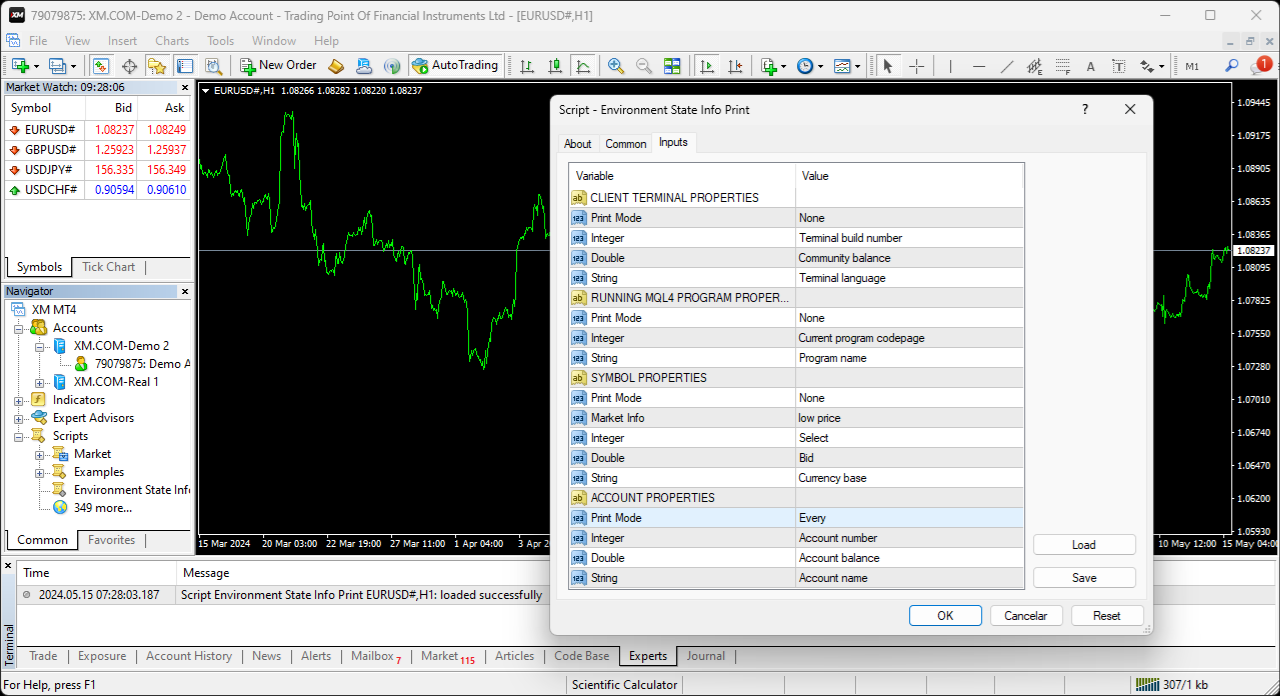
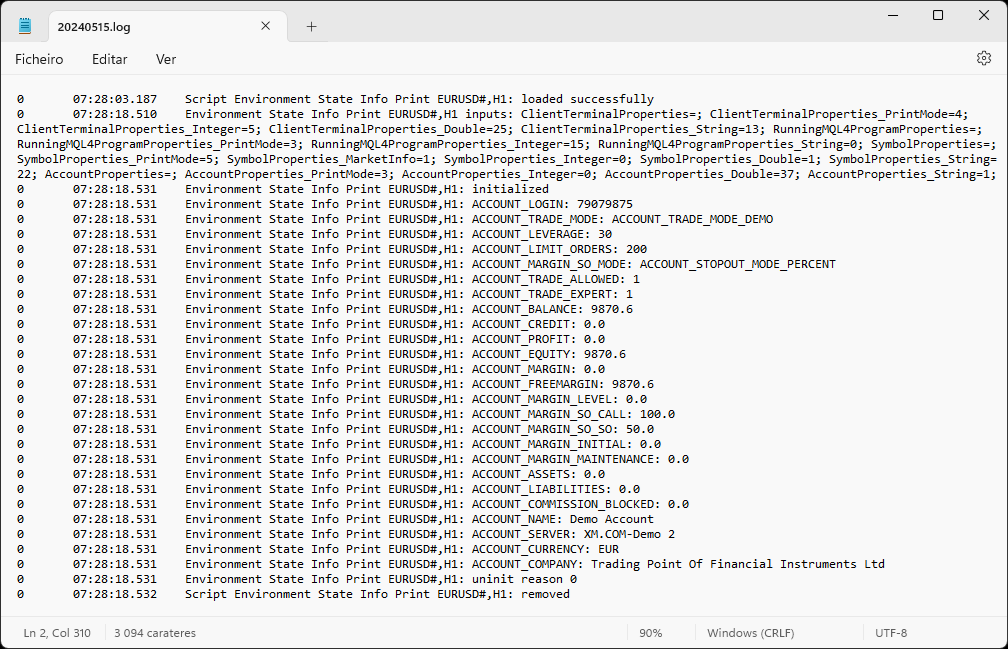
The constants are divided into four groups in the Environment State section of the MQL4 documentation and each group is divided into enumerations/subgroups (with designations “Market Info”, “Integer”, “Double” or “String”). The script displays constants in two ways: a single constant or all group constants. The constants are obtained by selecting the proper value in the Print Mode input parameter. The displaying of a single constant also requires the intended constant’s selection in the input parameter whose subgroup name matches the one selected in the Print Mode.
Note: The constants are displayed in the Experts tab of the Terminal window.
Input Parameters
- Print Mode: Group constants print mode.
- Market Info: “Market Info” subgroup constant to be displayed (only available in the Symbol Properties group).
- Integer: “Integer” subgroup constant to be displayed.
- Double: “Double” subgroup constant to be displayed.
- String: “String” subgroup constant to be displayed.
Print Mode assumes the following values:
- Market Info: “Market Info” subgroup constant displaying (only available in the Symbol Properties group).
- Integer: “Integer” subgroup constant displaying.
- Double: “Double” subgroup constant displaying.
- String: “String” subgroup constant displaying.
- Every: All group constants displaying.
- None: Without group constants displaying.
Conclusion
The Environment State Info Print is a helpful and efficient tool regarding the displaying of the Environment State constants, enabling a simple and intuitive selection of the constants to display.