JKTaurus
- Эксперты
-
Shi Yuan Wang
 Я разрабатываю собственные индикаторы, советники (Expert Advisors, EA), скрипты и торговые инструменты для MetaTrader 4 и MetaTrader 5, а также индикаторы для TradingView (Pine Script).
Что я могу для вас сделать: - Версия: 2.3
- Обновлено: 30 сентября 2026
- Активации: 5
A grid-based scaling EA driven by trend and signal confirmation.
Overview
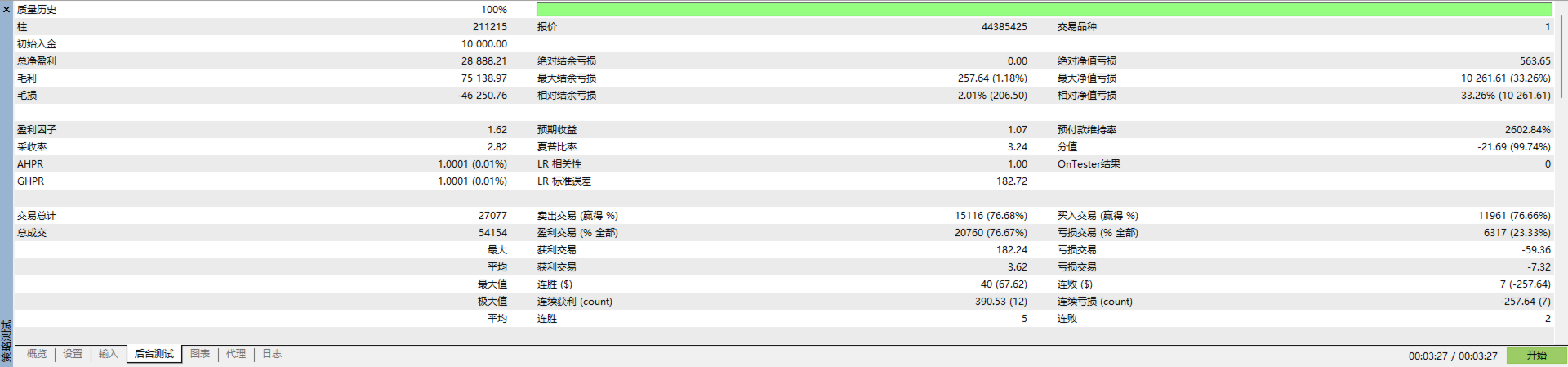
JK-Taurus is a fully automated trading system designed specifically for the MT5 platform. It integrates multi-timeframe trend analysis, signal confirmation, and a dynamic grid-based position-building strategy, aiming to capture sustained profit opportunities during trending market conditions. The EA features an intuitive visual dashboard, allowing users to monitor account status in real-time and intervene manually.
Key Features
-
Trend Filtering: Use multiple timeframes to determine the market's primary trend direction, and only open positions in the direction of the trend.
-
Signal Confirmation: Confirm entry timing via signals to reduce false signals.
-
Dynamic Take Profit: Automatically adjusts profit target based on total position volume.
-
Grid Adding: Adds positions at fixed price intervals during minor pullbacks, then closes all positions when overall profit target is reached.
-
Flexible Risk Control: Optional EMA-based stop loss; trading session filter available.
-
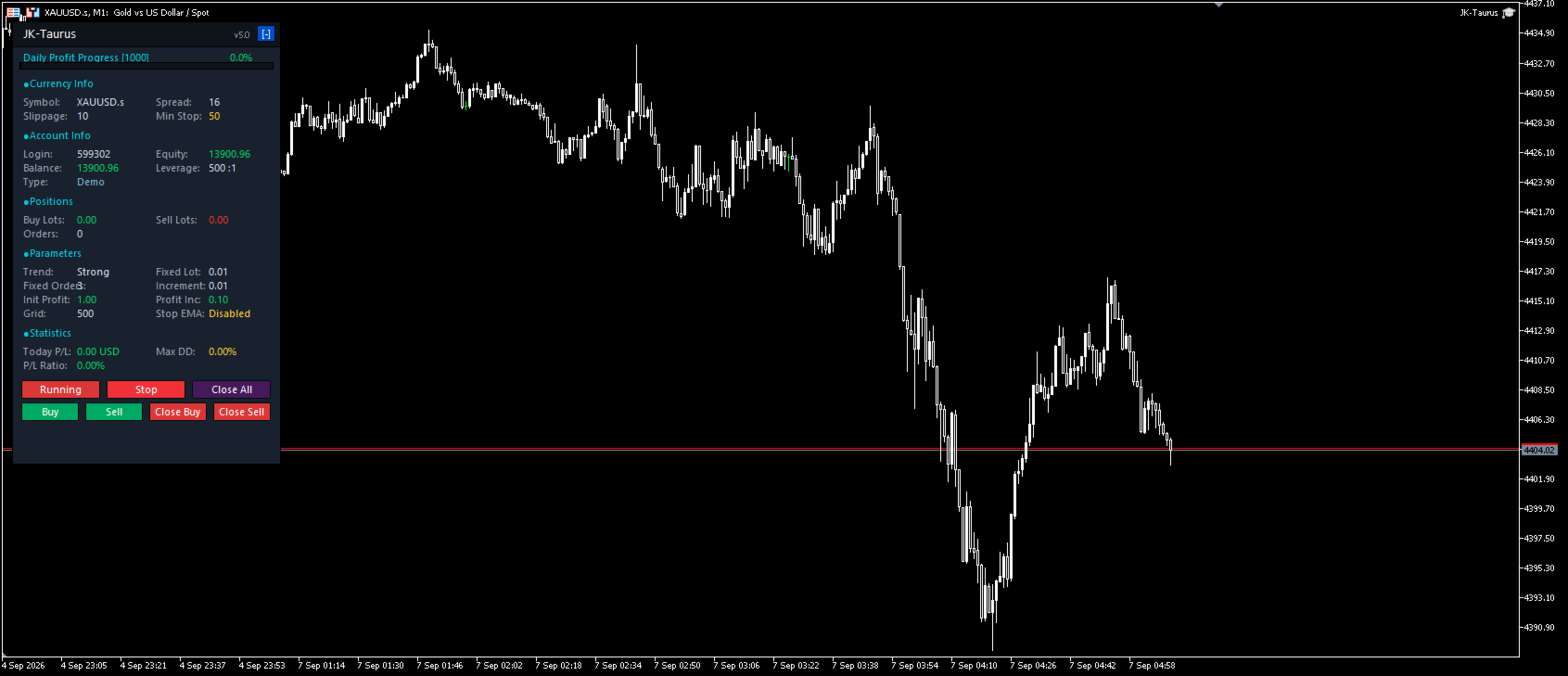
Visual Panel: Displays account equity, position details, daily profit progress, maximum drawdown, and more.
-
Manual Controls: One-click start/stop, close all, open buy/sell, close buy/sell.
Input Parameters
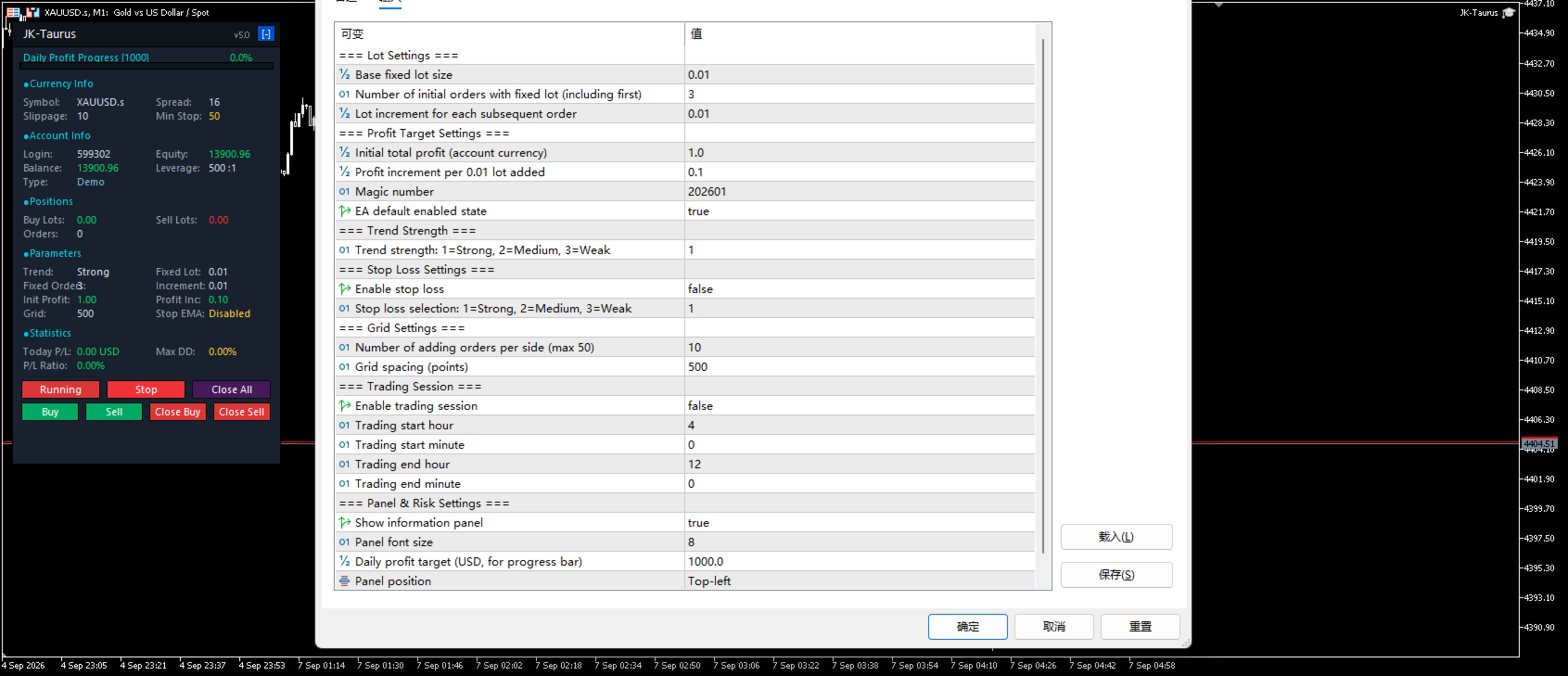
| Group | Parameter | Description |
|---|---|---|
| Lot Settings | FixedLot | Base fixed lot size |
| Lot Settings | InitialFixedOrders | Number of initial orders with fixed lot |
| Lot Settings | IncrementStep | Lot increment for subsequent orders |
| Profit Target | InitialProfit | Initial total profit target (account currency) |
| Profit Target | IncrementProfit | Profit increment per 0.01 lot added |
| Trend Strength | TrendStrength | Select EMA period for entry (1=Strong, 2=Medium, 3=Weak) |
| Stop Loss | UseStopLoss | Enable EMA-based stop loss |
| Stop Loss | StopLossEMA | Choose stop loss (1/2/3) |
| Grid Settings | num | Maximum number of adding orders per side |
| Grid Settings | GridSpacing | Adding interval (in points) |
| Trading Hours | UseTradingHours | Enable trading session filter |
| Trading Hours | StartHour / StartMinute | Session start time |
| Trading Hours | EndHour / EndMinute | Session end time |
| Panel & Risk | ShowPanel | Show information panel |
| Panel & Risk | DailyProfitTarget | Daily profit target for progress bar |
How to Use
-
Attach the EA to any currency pair chart (recommended pairs with moderate volatility, e.g., EURUSD, GBPUSD).
-
Adjust lot size, grid spacing, profit target, etc. according to your account size and risk tolerance.
-
Test thoroughly on a demo account before going live.
-
Use the panel buttons for manual intervention if needed.
-
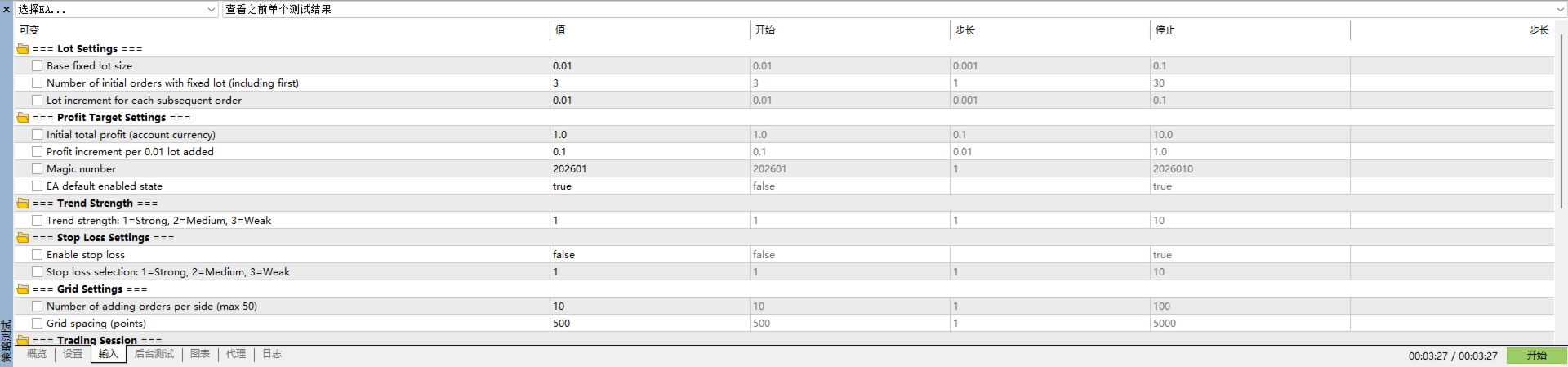
For XAUUSD, simply use the default parameters.
Risk Warning
Trading involves significant risk. Past performance is not indicative of future results. Grid strategies can suffer large floating losses in strong one-sided markets. Use appropriate stop loss and position sizing. Consider low leverage and ensure sufficient margin.