Aurevia Btcusd EA MT5
- Эксперты
-
Anastase Byiringiro
 Premium MetaTrader EA Developer & Automation Strategist ⚡
Building disciplined MT4/MT5 trading systems for XAUUSD, Forex, Indices & Crypto markets.
• Auto Trading Multi-Pairs
• AI-Assisted Trading Systems
• Smart Risk Management
• Source Code & Setfiles Available - Версия: 1.1
- Активации: 10
Professional Bitcoin Automated Trading by Utazima MentorCreate
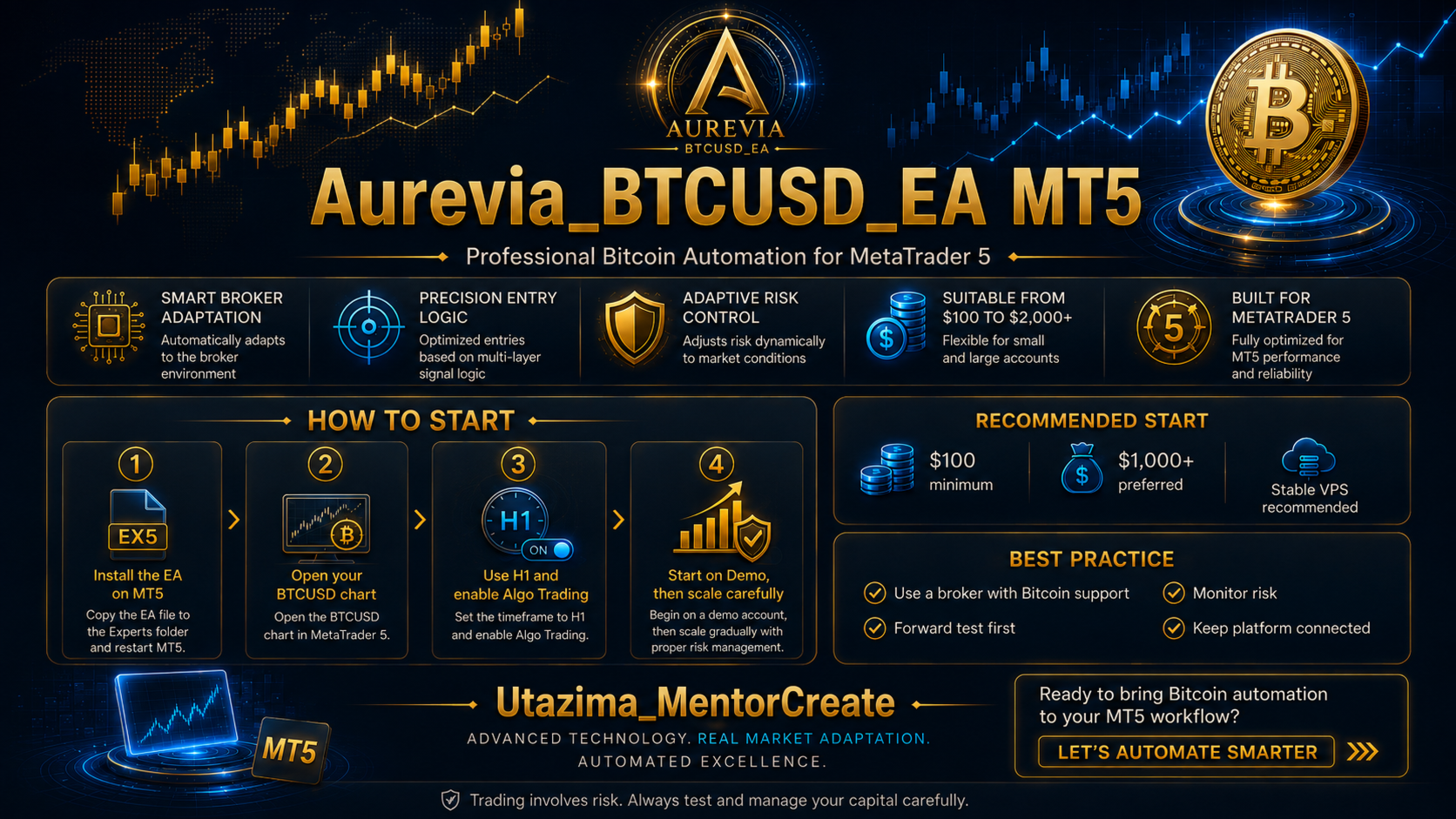
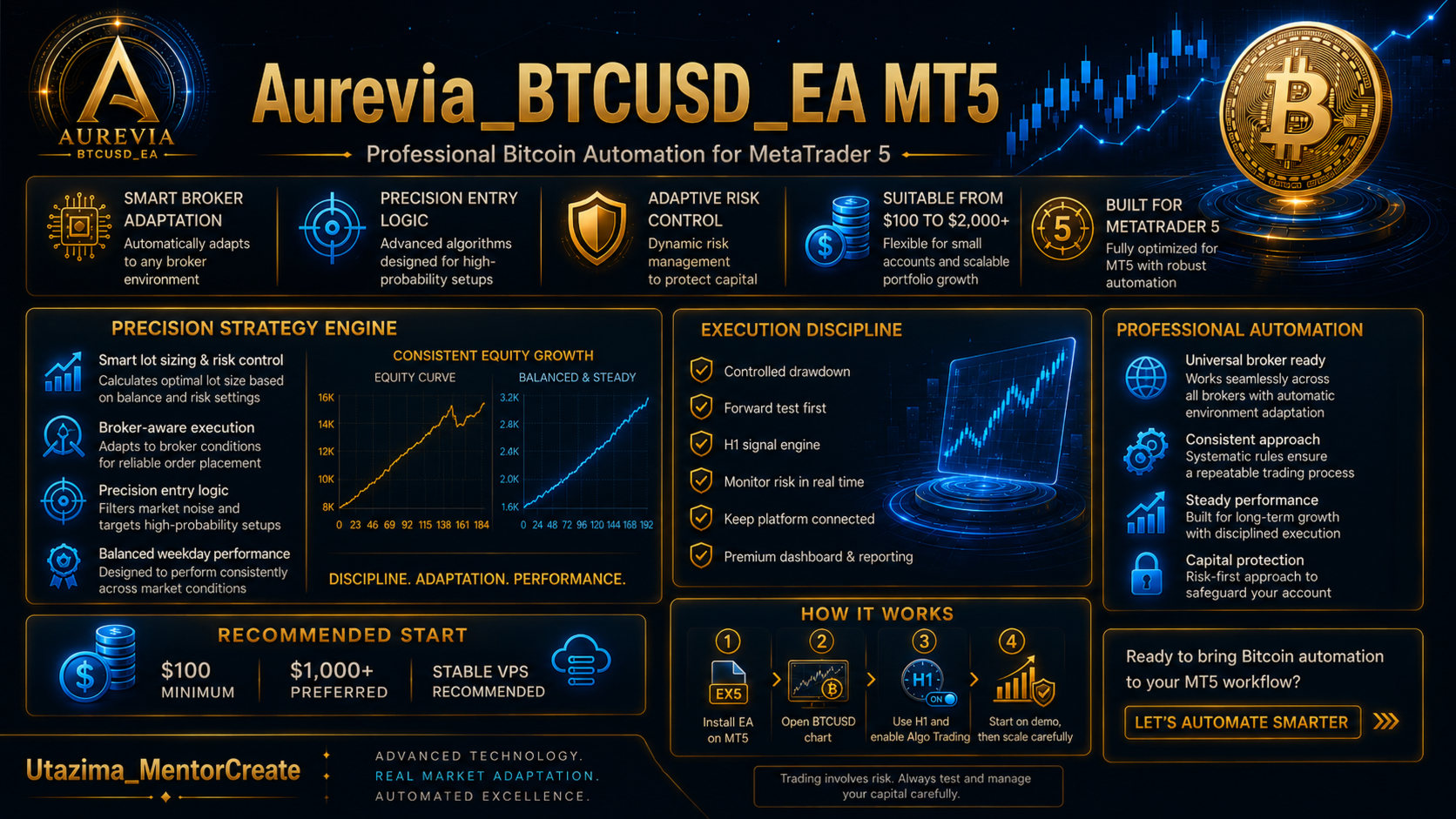
Aurevia BTCUSD EA MT5 is a specialized MetaTrader 5 Expert Advisor developed for BTCUSD / Bitcoin.
The EA combines structured H1 market analysis, M1 execution monitoring, multi-layer signal confirmation, broker-adaptive execution, automatic trade management and capital-aware risk control.
Aurevia is designed to wait for qualified Bitcoin market conditions rather than opening trades continuously. Every potential position must pass several internal market, execution and risk checks before an order can be opened.
OFFICIAL PUBLIC DEMO MONITORING
Public monitoring of Aurevia BTCUSD EA MT5 started on 17 August 2026.
The public Demo account is a shared Utazima MentorCreate monitoring account. The same account has also been used by some of our other Expert Advisors.
Important: You may therefore see Gold / XAUUSD positions or trade comments belonging to other Utazima MentorCreate EAs.
Do not worry about those other positions when evaluating this Bitcoin EA. For Aurevia BTCUSD EA MT5, focus only on:
- Symbol: BTCUSD / broker Bitcoin symbol
- Trade Comment: UTAZIMA@Bitcoin24
BTCUSD trades carrying the UTAZIMA@Bitcoin24 comment belong to Aurevia BTCUSD EA MT5.
Gold / XAUUSD trades and other comments belong to separate Expert Advisors and should not be included when evaluating the performance of this product.
| Platform | MetaTrader 5 |
| Server | FBS-Demo |
| Login | 106374224 |
| Investor Password | Utazima24* |
| BTCUSD Monitoring Started | 17 August 2026 |
| Aurevia BTCUSD Trade Comment | UTAZIMA@Bitcoin24 |
VIEW-ONLY ACCESS: The Investor Password is intended for monitoring only. Users cannot open, close or modify trades through Investor access.
HOW TO IDENTIFY AUREVIA BTCUSD TRADES
| Symbol / Comment | Expert Advisor |
| BTCUSD + UTAZIMA@Bitcoin24 | Aurevia BTCUSD EA MT5 |
| XAUUSD / GOLD + other comments | Other Utazima MentorCreate Expert Advisors |
For this product, always evaluate the BTCUSD trades identified by UTAZIMA@Bitcoin24.
BUY AUREVIA BTCUSD EA MT5
Current launch pricing begins from $99.
After every 6 copies sold, the planned price increases by $50 until reaching the final planned price of $1,999.
Earlier customers receive the currently available price before future increases.
Have questions before purchasing? You are welcome to send me a direct message before making your decision.
After purchasing, you can also contact me for recommended setfiles, installation help, broker setup guidance and general support.
DIRECT MESSAGE / AUREVIA SUPPORT
MAIN FEATURES
- Developed specifically for BTCUSD / Bitcoin
- Automatic BUY and SELL trading
- Internal H1 market-analysis engine
- M1 execution monitoring
- EMA market-structure analysis
- RSI momentum confirmation
- ATR volatility analysis
- ADX trend-strength analysis
- Momentum detection
- Breakout analysis
- Trend-continuation analysis
- Reversal analysis
- Multi-layer BUY / SELL scoring
- Signal-quality filtering
- Automatic lot calculation
- Capital-aware risk management
- Micro Capital and Growth environments
- Automatic Bitcoin symbol recognition
- Broker-aware execution controls
- Spread protection
- Margin verification
- Volume-step normalization
- Stop Level awareness
- Freeze Level awareness
- Automatic Stop Loss management
- Automatic Take Profit management
- Dynamic trailing protection
- Daily-loss protection
- Equity-drawdown protection
- Consecutive-loss protection
- Maximum-entry and cooldown controls
UNIVERSAL BTC BROKER ADAPTATION
Bitcoin trading specifications are not identical across brokers. The same BTCUSD market may use different symbol names, point sizes, spreads, contract specifications, lot limits and execution conditions.
Aurevia BTCUSD EA MT5 includes a broker-adaptive execution layer designed to read the trading specifications provided by MetaTrader 5 instead of assuming that every broker uses the same BTC configuration.
THE EA CAN EVALUATE
- BTC symbol prefix / suffix
- Point size
- Tick size
- Tick value
- Contract size
- Minimum lot
- Maximum lot
- Volume step
- Stop Level
- Freeze Level
- Current spread
- Available margin
- Market-order availability
- Execution conditions
- Order filling conditions
- Price-based slippage
- Per-trade monetary risk
Before sending a trade, the EA can verify whether the requested volume, margin, Stop Loss and execution conditions are suitable for the broker environment.
BTC SYMBOL AUTO-DETECTION
Aurevia can recognize common Bitcoin symbol variations including:
BTCUSD, BTCUSDm, BTCUSD.r, BTCUSDpro, BTCUSDc, BTCUSD#, #BTCUSDr, XBTUSD, XBTUSDm, BTCUSDT
and similar broker prefix / suffix formats.
Important: Broker adaptation does not mean every broker will produce identical trades or identical results.
BTC price feeds, spreads, historical ticks, server times, liquidity, slippage and execution can differ between brokers.
HOW AUREVIA ANALYZES BTCUSD
Aurevia does not depend on one indicator alone. Each potential trade is evaluated through multiple layers of market analysis.
- Fast, medium and long-term EMA structure
- RSI momentum conditions
- ADX trend strength
- ATR volatility
- Directional movement
- Momentum confirmation
- Breakout behavior
- Trend continuation
- Reversal conditions
- Price-extension control
- BUY / SELL scoring
- Signal-score comparison
- Trading-session filters
- Precision entry windows
- Spread checks
- Broker execution checks
Lower-quality, conflicting or unsuitable setups can be rejected automatically.
The EA may therefore remain without a position while waiting for conditions that meet its internal requirements.
SMART CAPITAL MANAGEMENT
Aurevia contains account-size-aware risk controls intended to adapt exposure according to the available capital and broker trading specifications.
MICRO CAPITAL ENVIRONMENT
Small BTC accounts require additional caution because a broker's minimum trading volume can already represent significant exposure relative to the account balance.
The EA therefore applies capital, margin, volume and risk checks before allowing new positions.
GROWTH ENVIRONMENT
With larger capital, automatic lot calculation can use balance, equity, Stop Loss exposure, signal quality and the broker's actual BTC contract specifications.
| Capital | General Guidance |
| $100 - $499 | Micro-capital environment — higher relative risk |
| $500 - $999 | Improved capital buffer |
| $1,000+ | Recommended Growth environment |
| $2,000+ | Greater capital reserve and flexibility |
Recommended capital: approximately $1,000 - $2,000+
The EA may technically operate with smaller balances depending on the broker's BTC specifications, but smaller accounts carry substantially higher relative risk.
AUTOMATIC TRADE MANAGEMENT
After a valid BTCUSD position is opened, Aurevia continues supervising and managing the trade automatically.
- Initial Stop Loss
- Take Profit target
- Break-even / profit protection logic
- Dynamic trailing management
- Broker tick-size normalization
- Stop Level verification
- Freeze Level awareness
- Position-status verification
- Spread monitoring
- Risk supervision
CAPITAL PROTECTION
The EA includes several controls designed to reduce uncontrolled exposure.
- Per-trade risk control
- Automatic lot calculation
- Maximum lot protection
- Free-margin verification
- Daily-loss protection
- Maximum equity-drawdown protection
- Hard equity protection
- Consecutive-loss protection
- Risk reduction after losses
- Maximum entries per day
- Minimum time between new trades
These features are risk-management tools. They cannot eliminate financial risk or guarantee that losses will not occur.
EA INFORMATION
| Product | Aurevia BTCUSD EA MT5 |
| Developer | Utazima MentorCreate |
| Platform | MetaTrader 5 |
| Market | BTCUSD / Bitcoin |
| Recommended Chart | H1 |
| Internal Signal Timeframe | H1 |
| Execution Monitoring | M1 |
| Magic Number | 24240923 |
| Trade Comment | UTAZIMA@Bitcoin24 |
INSTALLATION
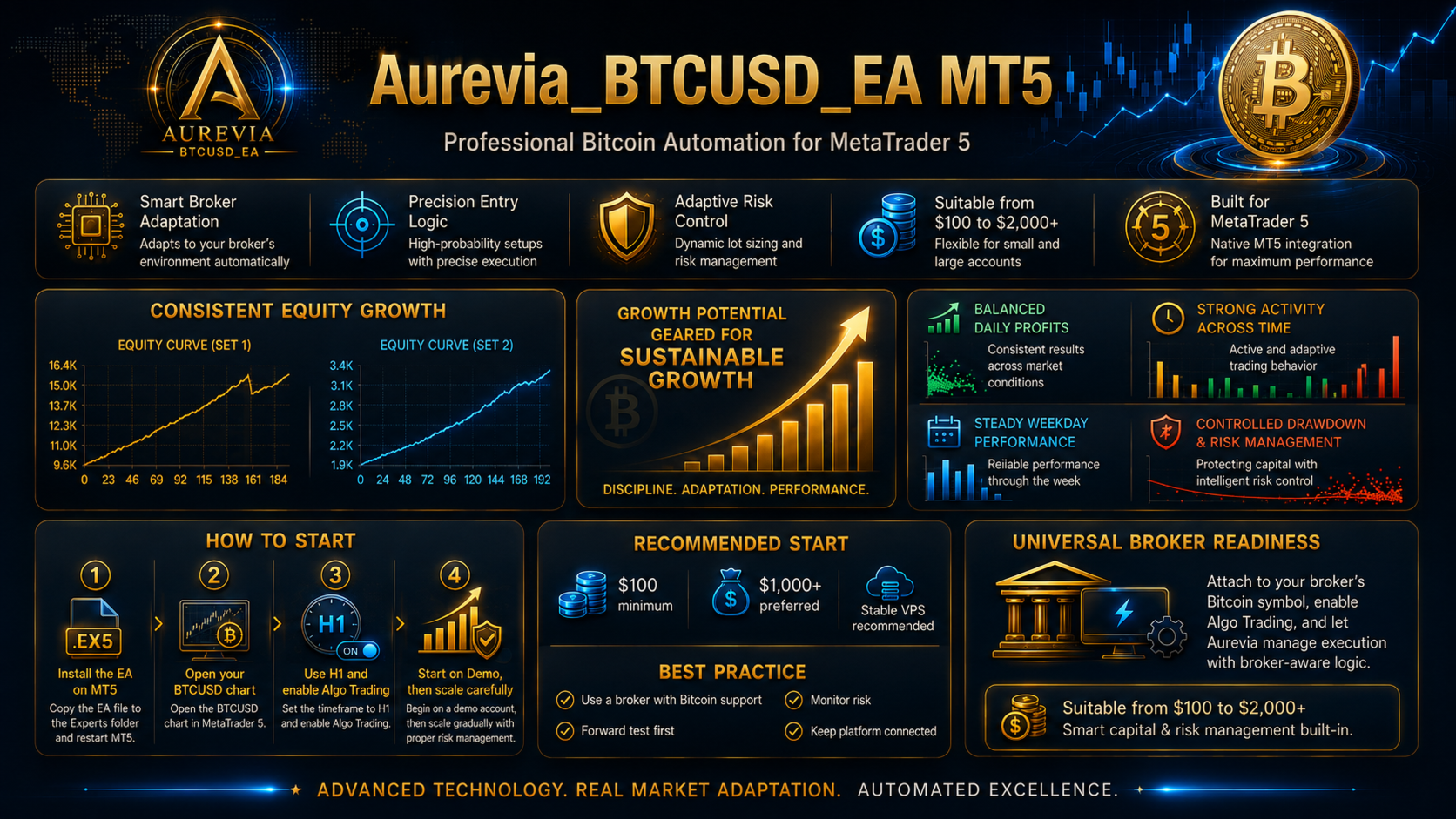
- Purchase and install Aurevia BTCUSD EA MT5 through MetaTrader 5.
- Open your broker's BTCUSD / Bitcoin chart.
- Use the H1 chart timeframe.
- Attach Aurevia BTCUSD EA MT5.
- Enable Algo Trading.
- Allow the EA to initialize and detect the broker specifications.
- Keep MetaTrader 5 connected while the EA is operating.
STABLE VPS RECOMMENDED
For continuous automated operation, a stable Windows VPS is recommended.
MetaTrader 5 and Algo Trading should remain active so that the EA can continuously monitor BTCUSD and manage open positions.
BACKTEST BEFORE LIVE USE
Before using real capital, test Aurevia using the BTCUSD historical data provided by your own broker.
Recommended Strategy Tester configuration:
- Symbol: your broker's BTCUSD / Bitcoin symbol
- Timeframe: H1
- Model: Every tick based on real ticks
- Execution: Random Delay
- Leverage: similar to your intended account
- Deposit: similar to your intended trading capital
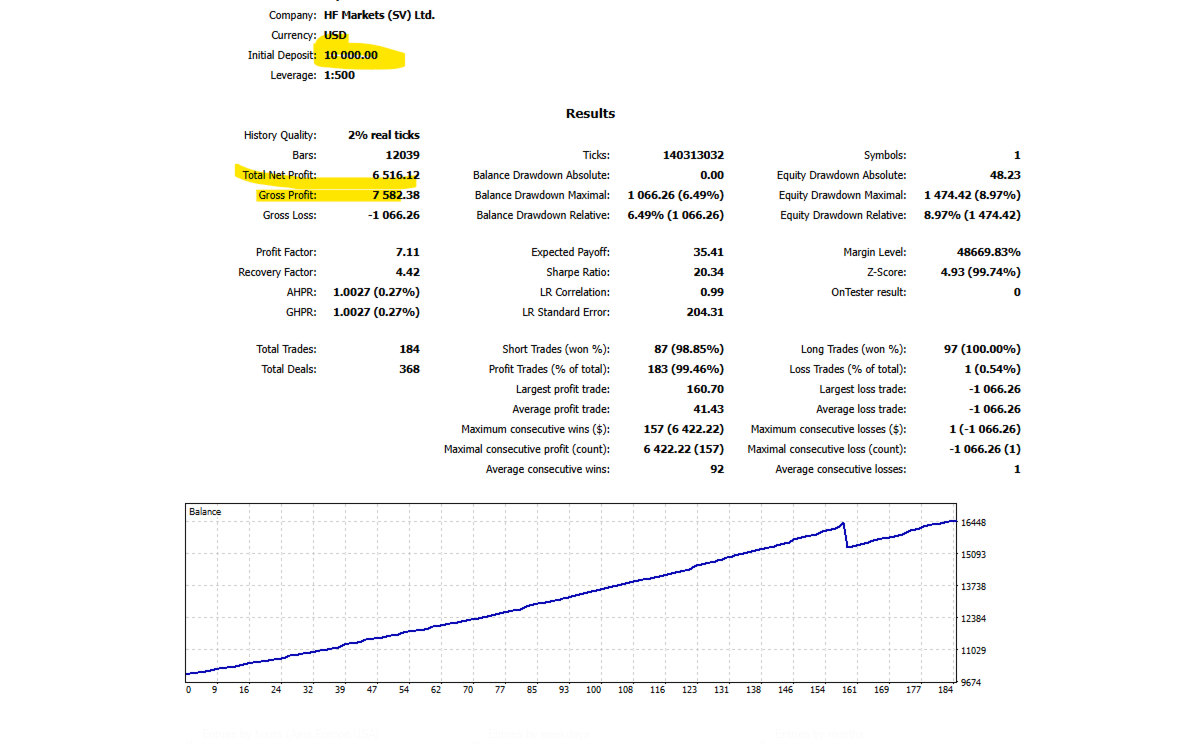
When reviewing a backtest, do not evaluate Net Profit alone. Also review:
- Profit Factor
- Equity Drawdown
- Balance Drawdown
- Total Trades
- Win / Loss distribution
- Largest losing trade
- Recovery Factor
- Spread conditions
- Execution quality
Some brokers have limited or incomplete historical Bitcoin real-tick data. A test using generated or incomplete historical ticks should not be compared directly with a test based on a more complete real-tick history.
Always test your broker independently because spread, contract size, server time, historical data and execution conditions may affect performance.
QUESTIONS BEFORE PURCHASE
You are welcome to contact me before purchasing Aurevia BTCUSD EA MT5.
If you are unsure about your broker, Bitcoin symbol, account type, capital size or Strategy Tester configuration, send me a direct message and ask your questions.
For faster assistance, please include:
- Your broker name
- Your BTCUSD symbol
- Your account type
- Your planned starting capital
- Your leverage
- Your Strategy Tester report if available
DM UTAZIMA MENTORCREATE BEFORE OR AFTER PURCHASE
SUPPORT AFTER PURCHASE
After purchasing the EA, you are welcome to contact me for additional product support.
Support can include:
- Installation assistance
- Recommended setup guidance
- Recommended setfiles
- Broker-specific setup guidance
- BTCUSD symbol assistance
- Strategy Tester configuration
- Demo testing assistance
- General product questions
When requesting a recommended setfile, please send your broker name, BTCUSD symbol, account type, capital and leverage so the setup can be considered for your trading environment.
DIRECT MESSAGE / CUSTOMER SUPPORT
JOIN THE OFFICIAL UTAZIMA MENTORCREATE CHANNEL
Join the official MQL5 Channel to follow:
- Aurevia BTCUSD EA updates
- New EA releases
- Product announcements
- Strategy Tester information
- Demo monitoring updates
- Setfile announcements
- Trading automation news
- Utazima MentorCreate community updates
JOIN UTAZIMA MENTORCREATE OFFICIAL MQL5 CHANNEL
EXPLORE THE AUREVIA FAMILY
Aurevia BTCUSD EA MT5 — Bitcoin
https://www.mql5.com/en/market/product/190981
BTCUSD and XAUUSD are separate financial markets. Each Expert Advisor should be evaluated independently.
Remember: on the shared public Demo account, BTCUSD + UTAZIMA@Bitcoin24 identifies Aurevia BTCUSD EA MT5. Gold trades belong to other Utazima systems.
IMPORTANT RISK NOTICE
Trading Bitcoin, cryptocurrencies and leveraged CFD products involves substantial financial risk.
Strategy Tester results, Demo results and previous trading performance do not guarantee future results.
Market conditions can change. Spread, slippage, volatility, liquidity, gaps, broker execution and server conditions can all affect trading results.
Test the EA using Strategy Tester and a Demo account before deciding whether it is appropriate for your live trading environment.
Use appropriate capital and risk settings and never trade money that you cannot afford to lose.
Aurevia BTCUSD EA MT5
Professional Bitcoin Automation
Developed by Utazima MentorCreate
Utazima Labs Fx