
EA Performance Terminal
- Утилиты
-
Yuta Hidaka
 I'm Programming engineer.
Developing auto-trade-system with python. - Версия: 1.10
- Активации: 10
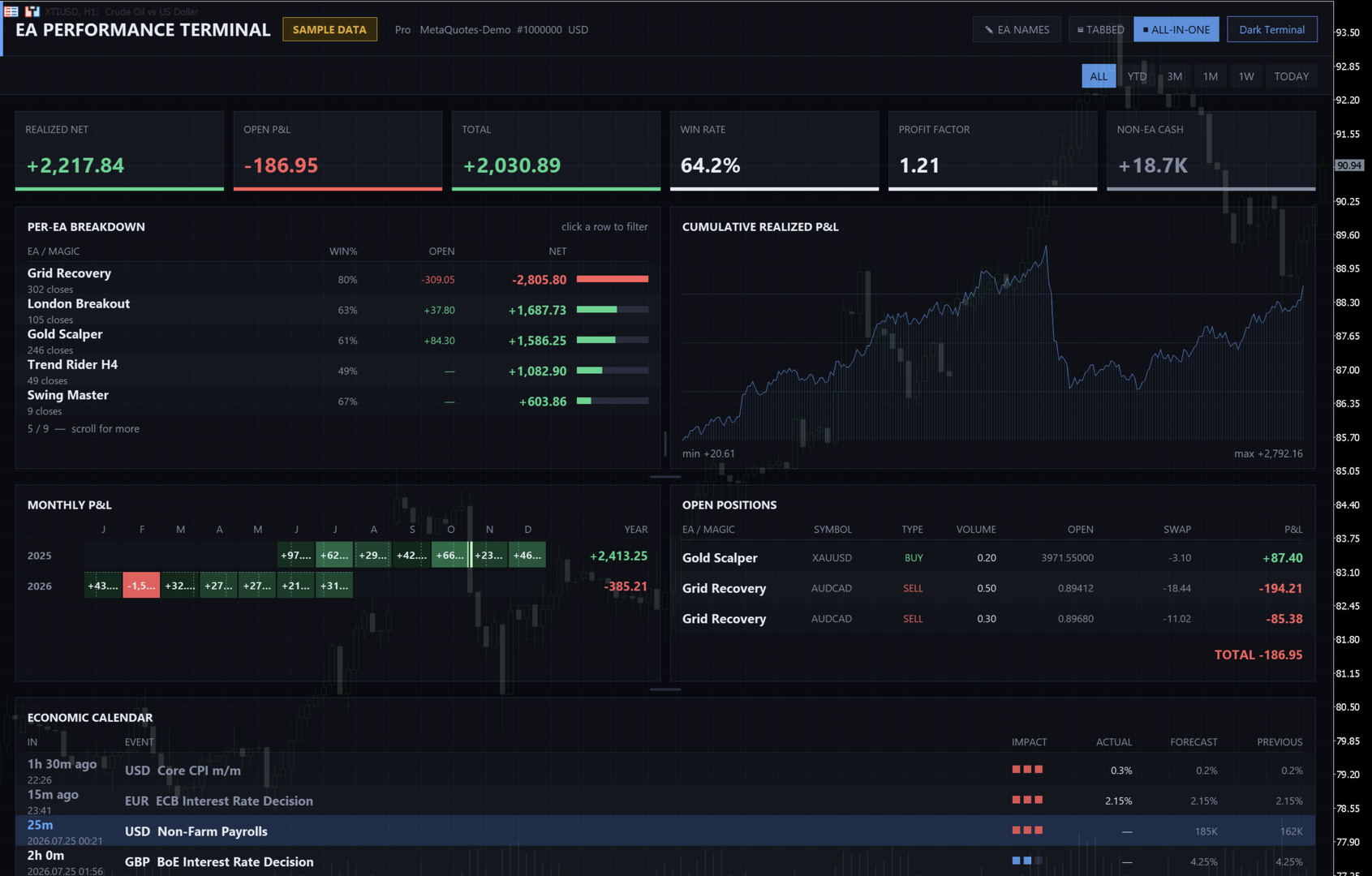
EA PERFORMANCE TERMINAL — everything on one screen. Every robot on your account, what each one is doing to your balance, and the months that got you here, drawn over your chart instead of buried in a report.
A balance is an average, and averages hide things. One robot can quietly cover another's losses for months while the equity curve still looks calm. This reads your closed trades and splits that single number back apart, by Magic Number.
A free edition is available, and it runs on a live chart rather than only in the Strategy Tester — so you can see the real thing on your own account before you buy.
WHY THIS EXISTS
Run more than one EA and MetaTrader gives you one number: account profit. It will not tell you that EA #3 quietly gave back four months of gains while EA #1 covered for it. You find out when the account does.
This groups every closed deal and open position by Magic Number: realized and open P&L, win rate, profit factor and the cumulative curve, per robot and period.
WHAT YOU SEE
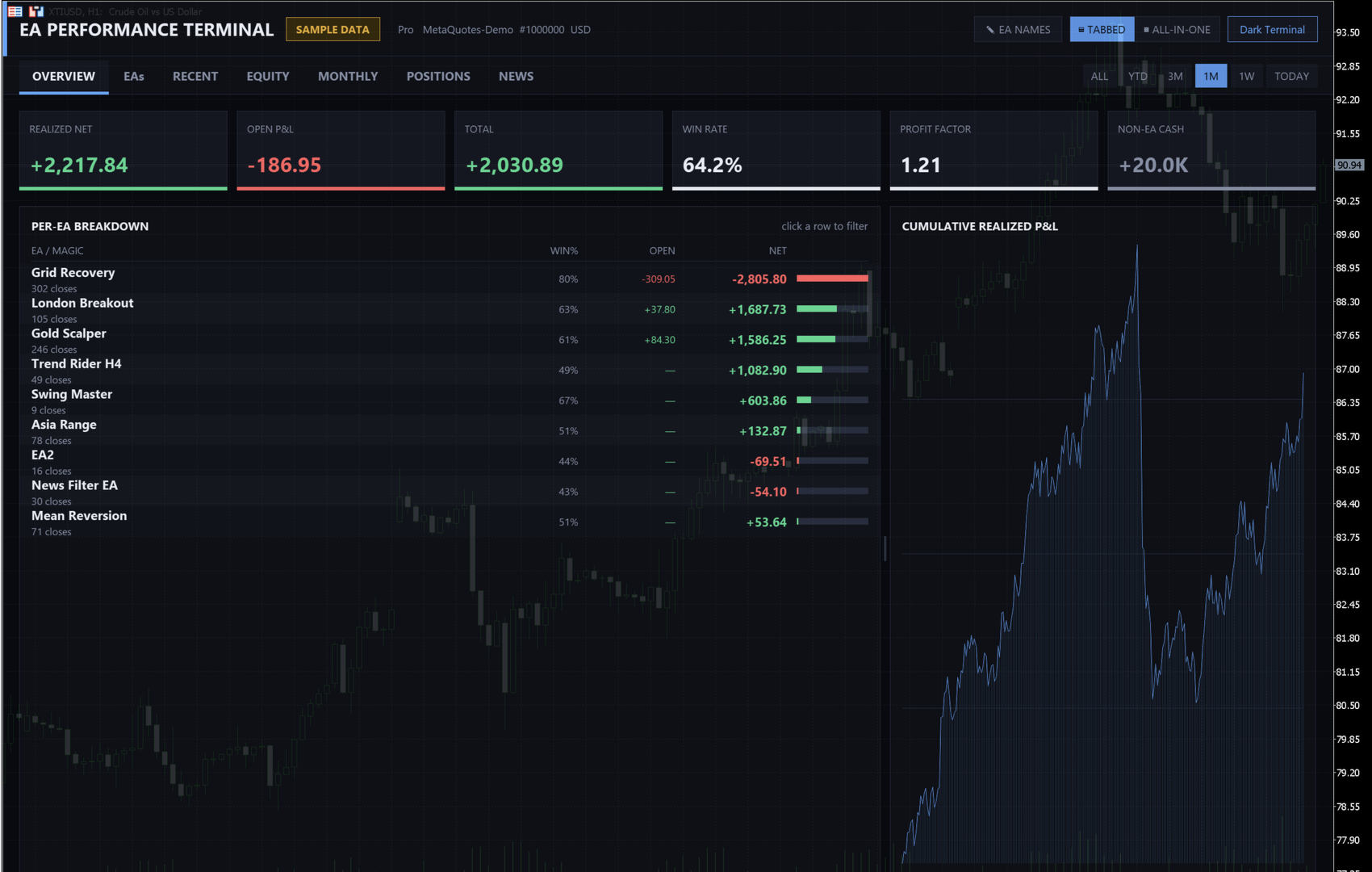
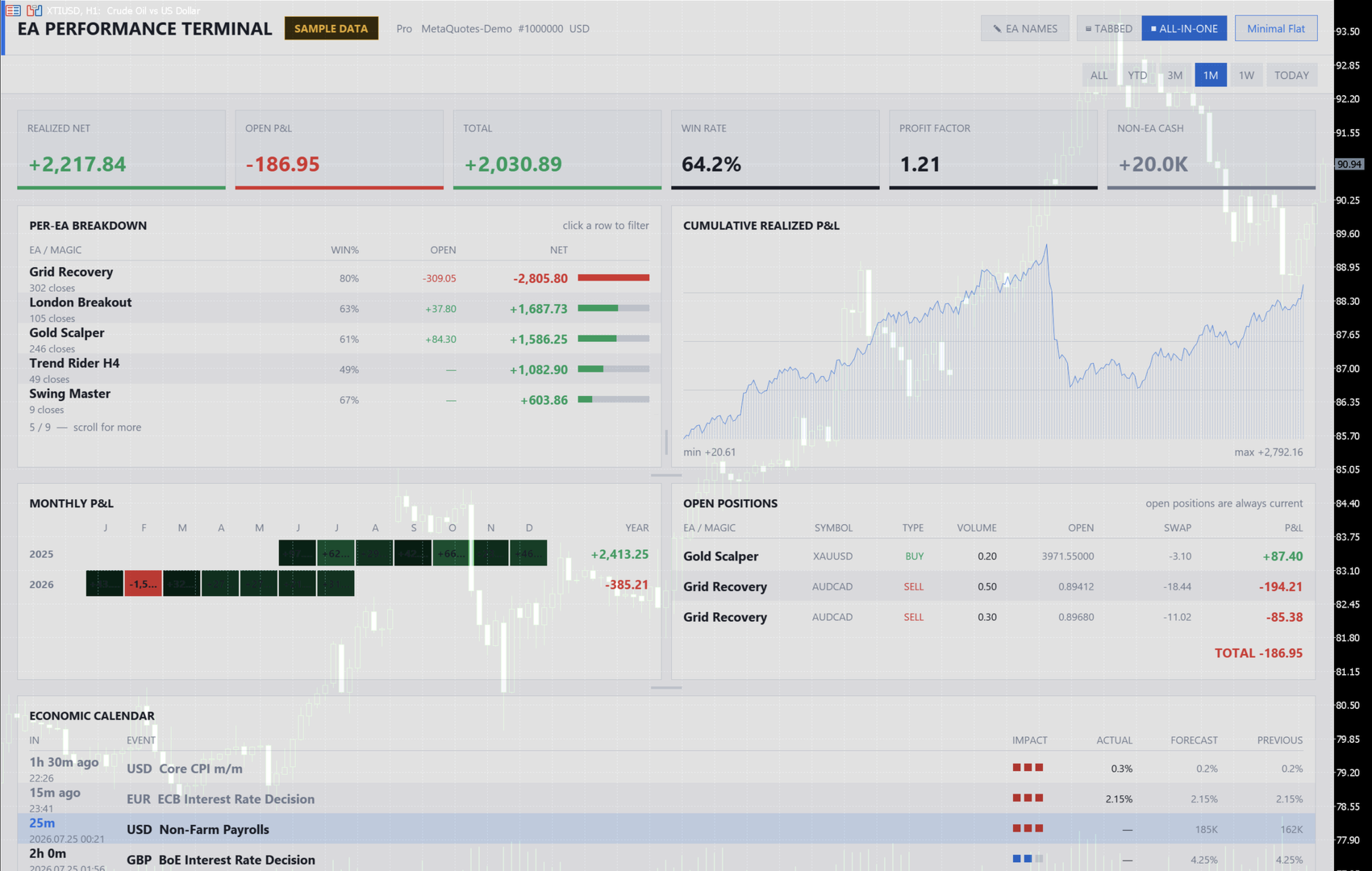
Seven panels, tiled on one screen or as tabs.
- OVERVIEW — six KPI tiles, the per-EA table with a contribution bar, the cumulative curve.
- EAs — per robot: closes, gross profit, gross loss, profit factor, win rate, open P&L, net, health.
- RECENT — a live tape of closed deals as they land.
- EQUITY — the cumulative curve, with drawdown from peak underneath.
- MONTHLY — a heat grid, twelve months across, one row per year. Seasonality and bad stretches become obvious.
- POSITIONS — symbol, direction, volume, entry, swap, live P&L.
- NEWS — the MetaTrader economic calendar, counting down to each release.
CONTROLS
- Period filter: all, YTD, 3M, 1M, 1W, today. Everything on screen re-scopes.
- Click an EA row to drill into that robot alone. Click again to come back.
- Name your EAs from inside the panel: EA NAMES lists every Magic Number the account has traded, with an edit box beside each. The table updates as you type.
- Drag the dividers to resize the panels; your layout is remembered per chart. Two themes. Scroll with the wheel or the bar.
THE HEALTH COLUMN
A five-level read of each robot's own closed trades — strong, ok, watch, degrading, critical — from profitability, consistency, and the recent stretch against the earlier one. It describes the record; it is not a forecast. It tells you which row to read first, and it goes into the reports.
SCHEDULED REPORTS
A daily and a monthly summary without opening the terminal: by email, by push to the MetaTrader mobile app, and as a file under MQL5/Files that is written even if the other two are not set up.
HOW IT LOOKS
A translucent full-chart HUD, so your price action stays readable underneath — or a compact corner panel. The interface follows your terminal language, in twenty of them.
BUILT PROPERLY
- No DLLs, no imported libraries, no external calls. Pure MQL5 and the standard Canvas.
- Read-only. It contains no order-sending code at all.
- Correct money maths: entry-side commission is included, so gross profit plus gross loss always equals net — the figure panels overstate on ECN and raw-spread accounts. Deposits, credits, dividends, interest and rebates are excluded; they are not your robot's trading.
- Any symbol, any timeframe. It reads no price data, so an empty or unusual chart cannot break it.
- Redraws only when something changed, staying out of the way of the EAs it watches.
One number to read carefully: the per-EA counter reports closing deals, not positions, so a robot that exits in parts or runs a grid counts each close.
FREE VS PAID
The free edition is a complete instrument, limited in scale. This one removes the ceiling.
| Free | Paid | |
|---|---|---|
| Robots listed | Top 5 by impact | Every one of them |
| Click a robot to isolate it | — | Yes |
| Periods | All time, today | + YTD, 3M, 1M, 1W |
| Monthly grid | This year | Every year you have traded |
| Drawdown band under the curve | — | Yes |
| Health verdict per robot | — | Yes |
| Daily / monthly report by mail and push | — | Yes |
| Open P&L refresh | Every minute | Four times a second |
| Recent trades | 12 h behind | Live |
| Calendar | Release times | Countdown to the next one |
| Themes / resizable layout | 1 / fixed | 2 / drag and it remembers |
Questions and bug reports through the product page.














































Пользователь не оставил комментарий к оценке