TradeMasterPanel
- Утилиты
- Версия: 1.6
- Обновлено: 30 июня 2026

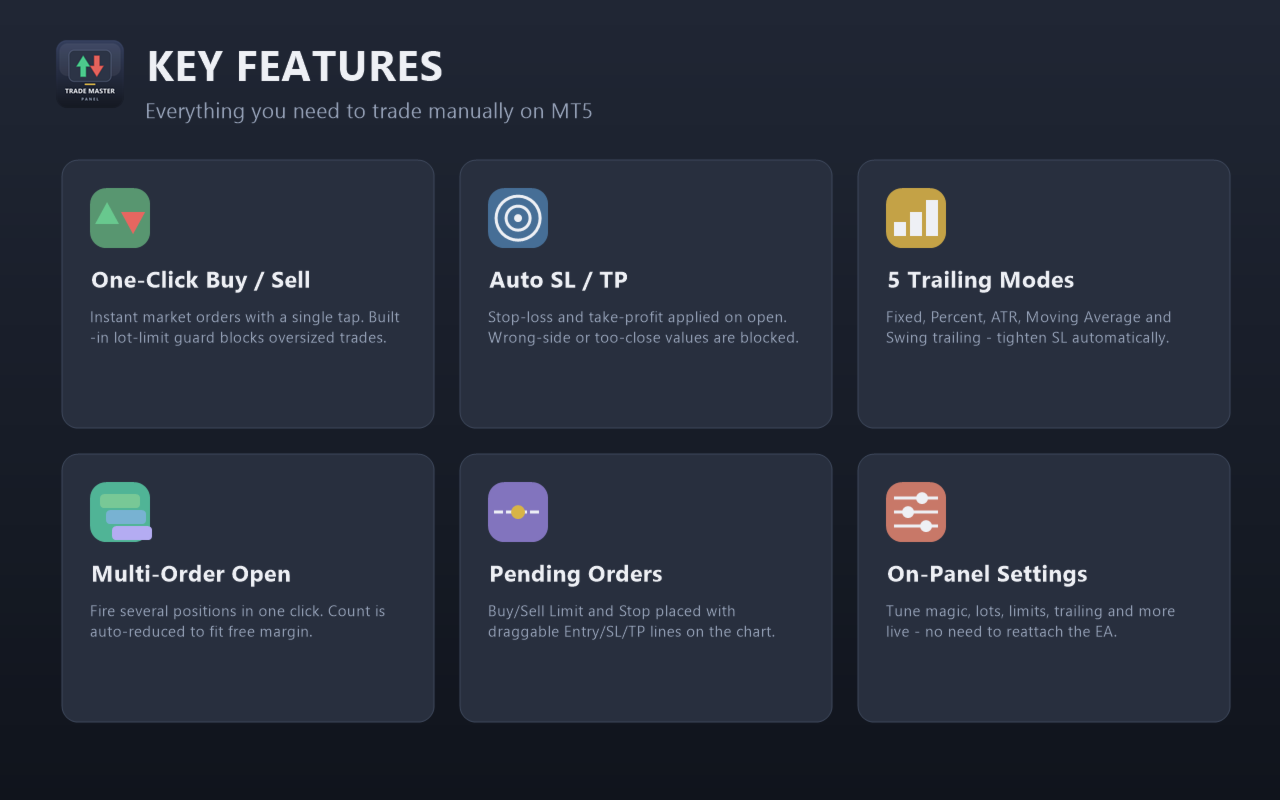
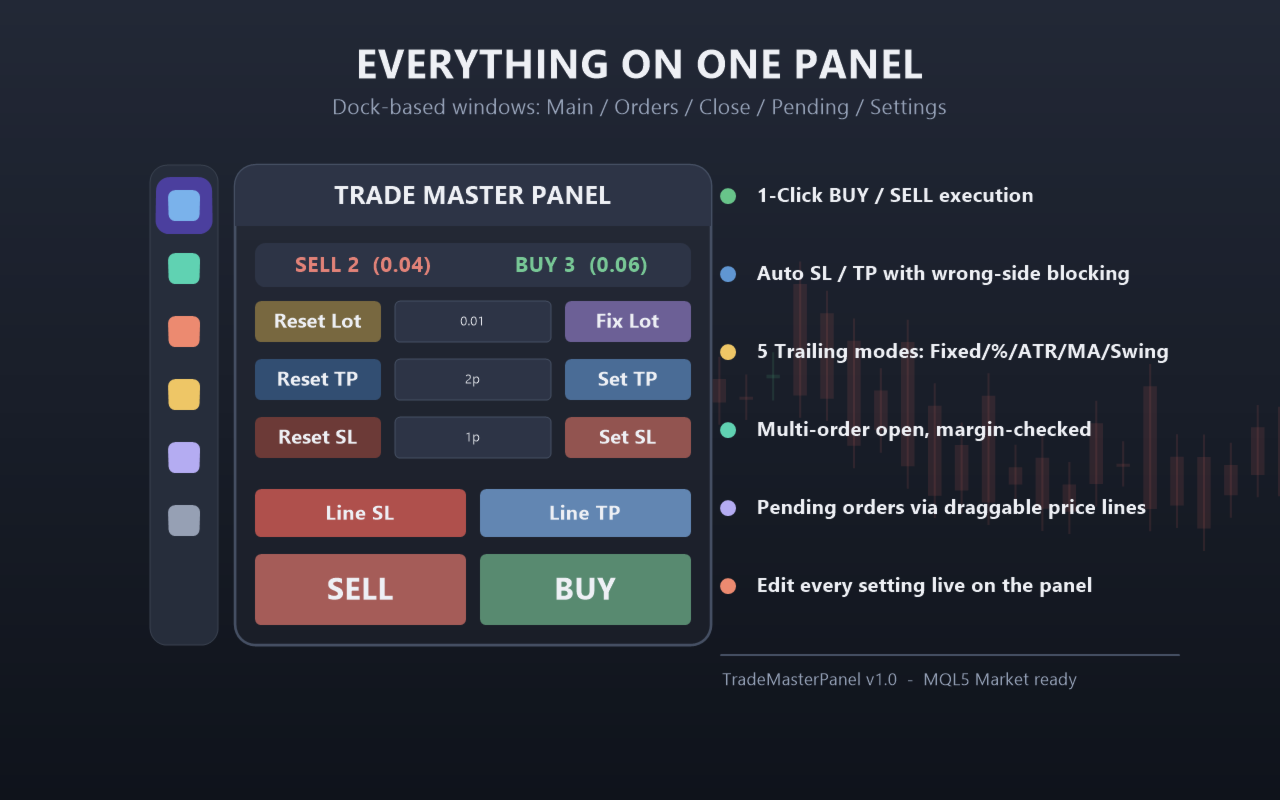
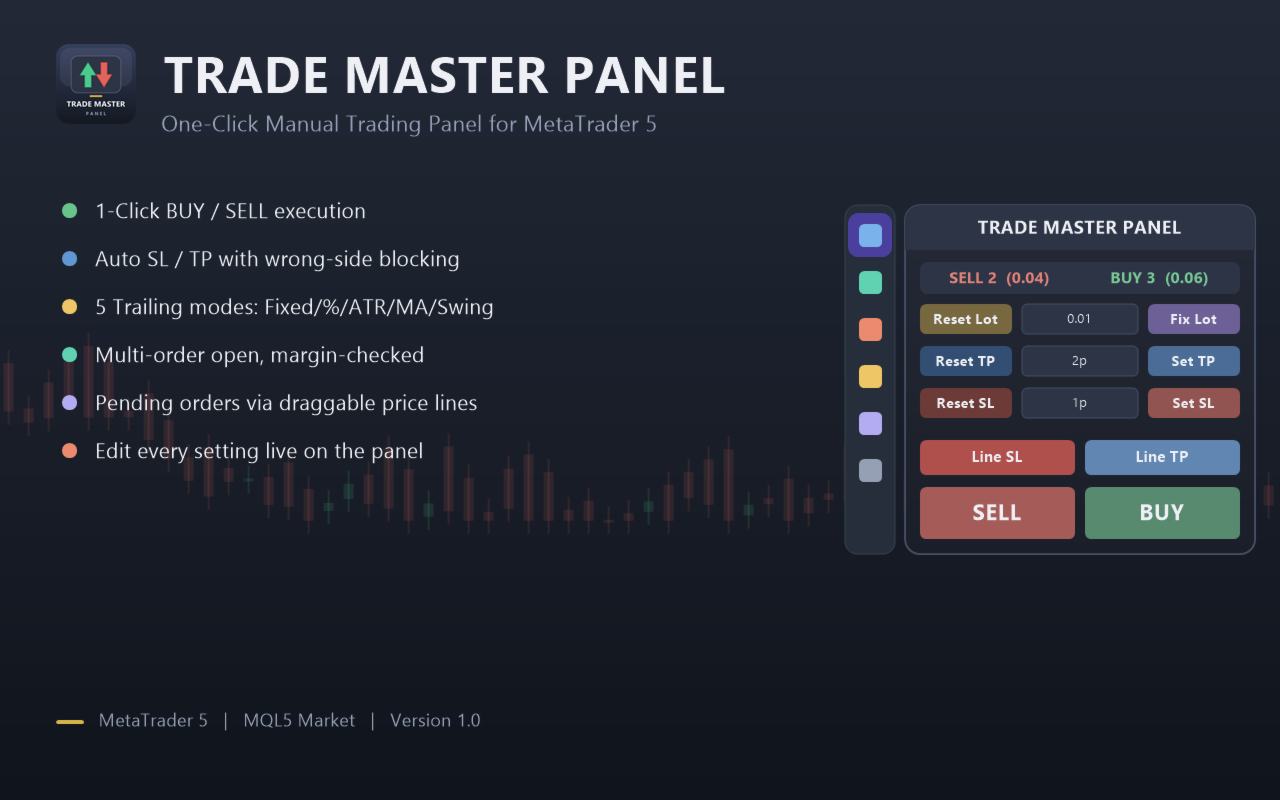
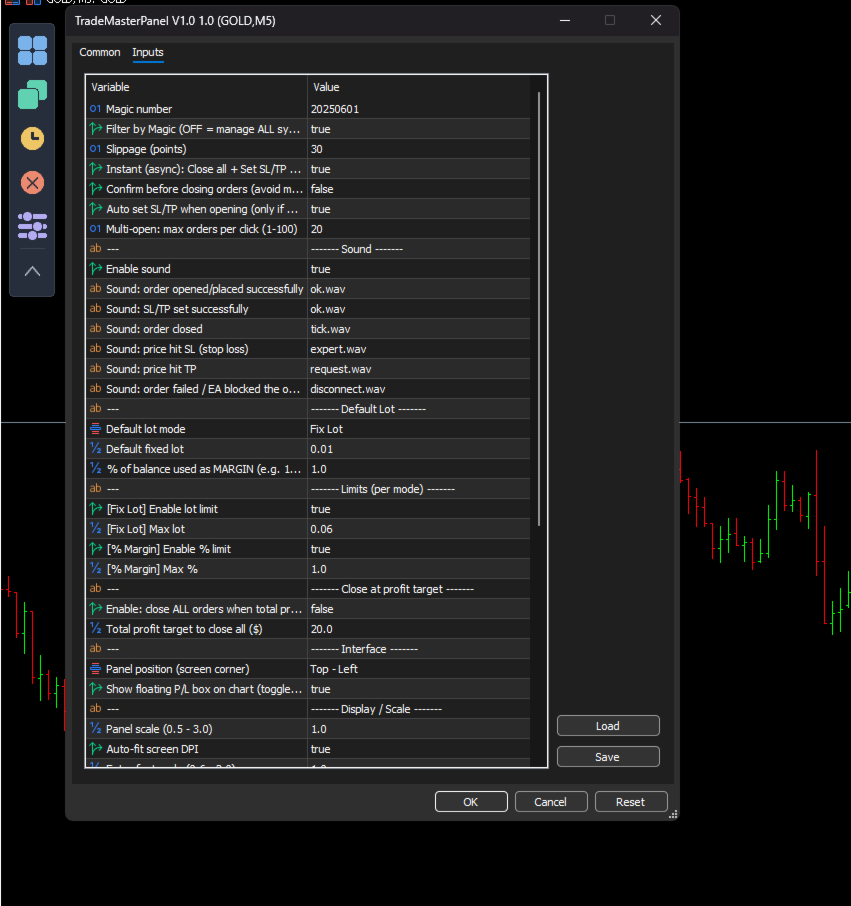
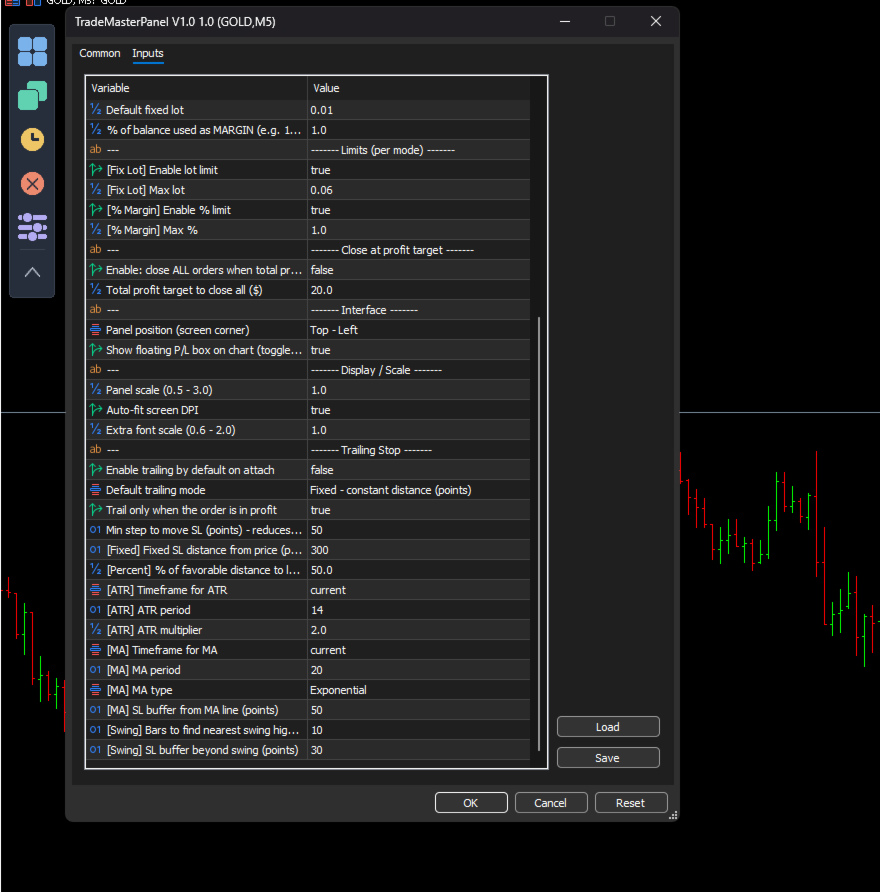
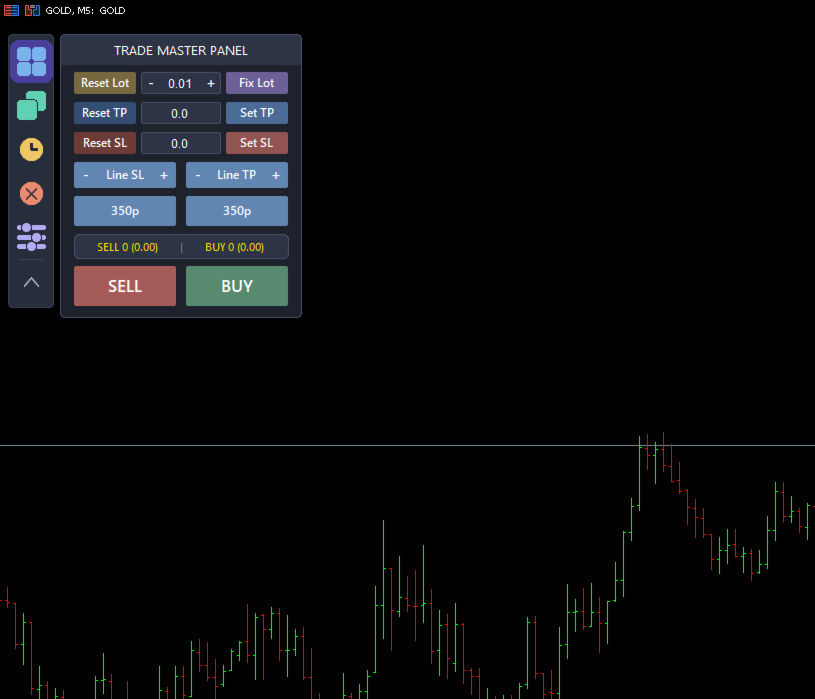
TradeMasterPanel is a professional one-click trading assistant for MetaTrader 5, designed to help traders execute, manage, and protect positions directly from the chart. All settings can be adjusted on-chart and are automatically saved for each trading symbol, eliminating the need to reopen the Inputs dialog or reattach the EA. The interface is fully scalable and DPI-aware for modern high-resolution displays.
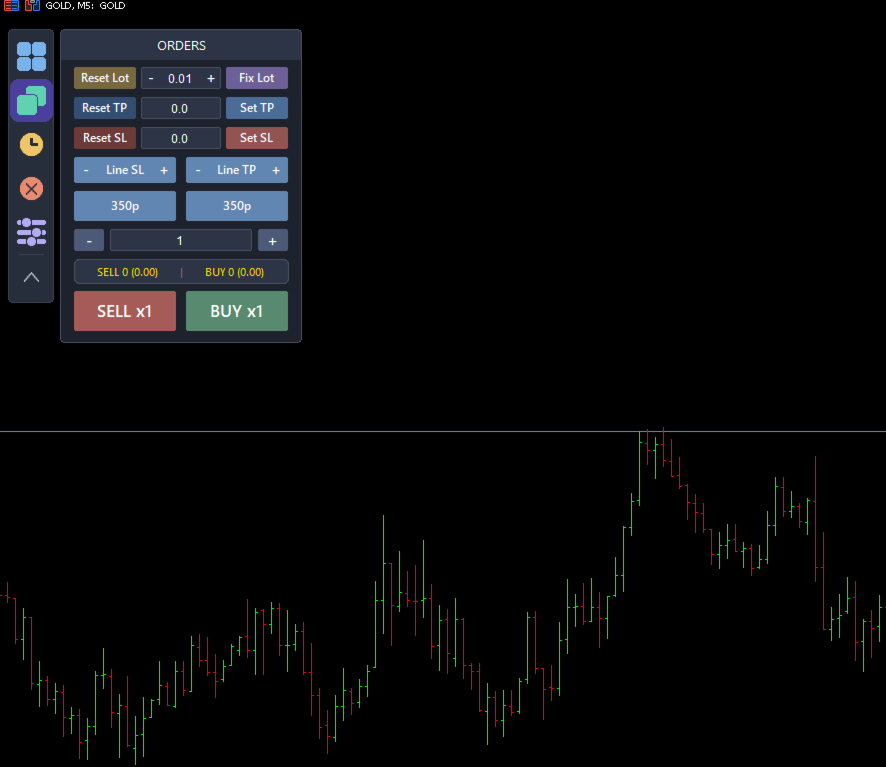
1. Market Order Entry
-
Open Buy or Sell market orders with a single click.
-
Position sizing modes:
-
Fixed Lot Size
-
Balance Percentage (margin allocation)
-
-
Maximum position size limits:
-
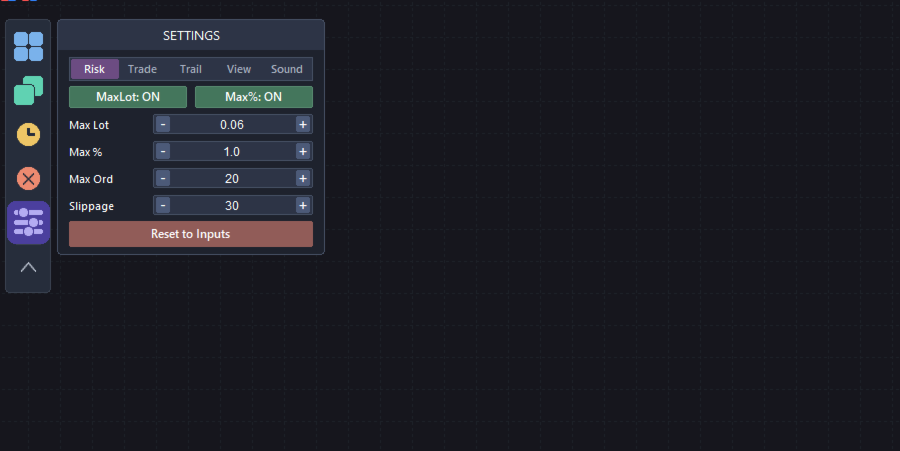
Maximum lot size in Fixed mode.
-
Maximum balance percentage in Percentage mode.
-
Order volume is automatically limited by available free margin.
-
-
Open multiple market orders with a single click (automatically limited by available trading capacity).
-
Live position counters displaying:
-
Number of Buy and Sell positions.
-
Total Buy and Sell volume.
-
-
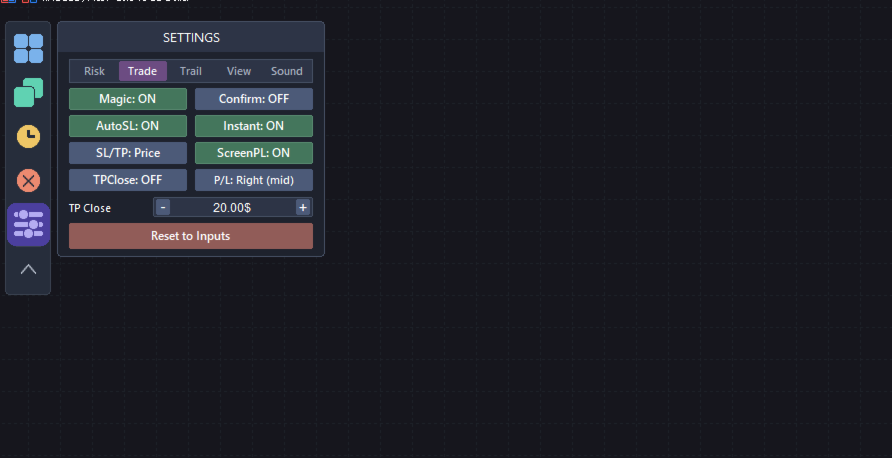
Magic Number filter:
-
Manage only positions opened by this EA.
-
Or manage all positions on the current symbol.
-
2. Stop Loss & Take Profit
-
Four calculation modes:
-
Price
-
Pips
-
Money ($)
-
ATR Multiplier
-
-
Automatically apply Stop Loss and Take Profit when opening new trades.
-
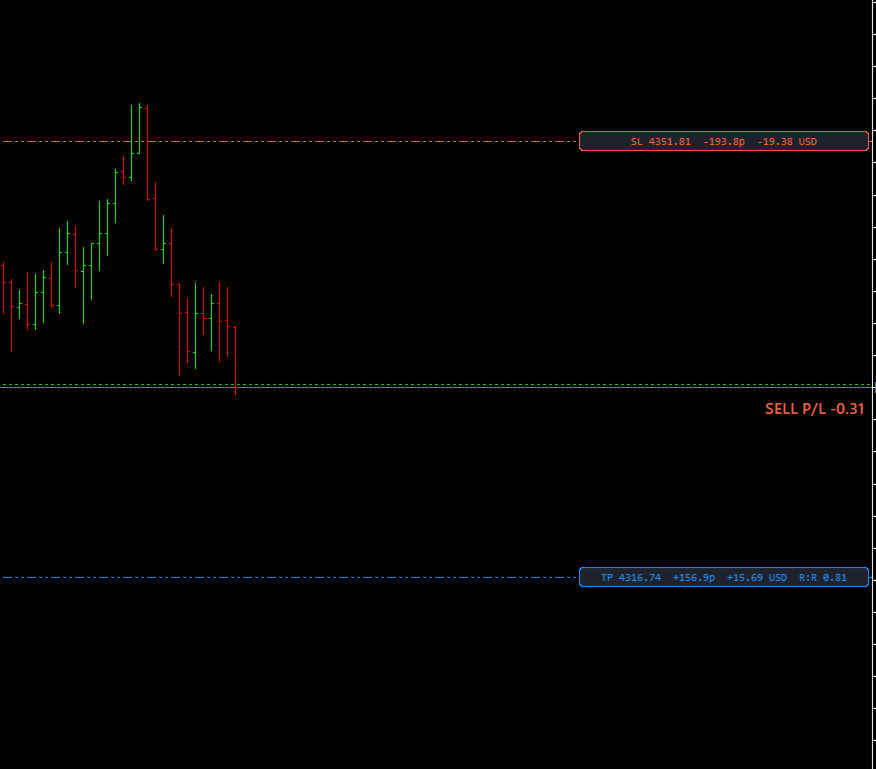
Drag-and-drop SL/TP lines on the chart with convenient increase/decrease adjustment buttons (Price mode).
-
Built-in validation for broker Stop Level and Freeze Level to prevent invalid trade requests.
3. Trade Management
-
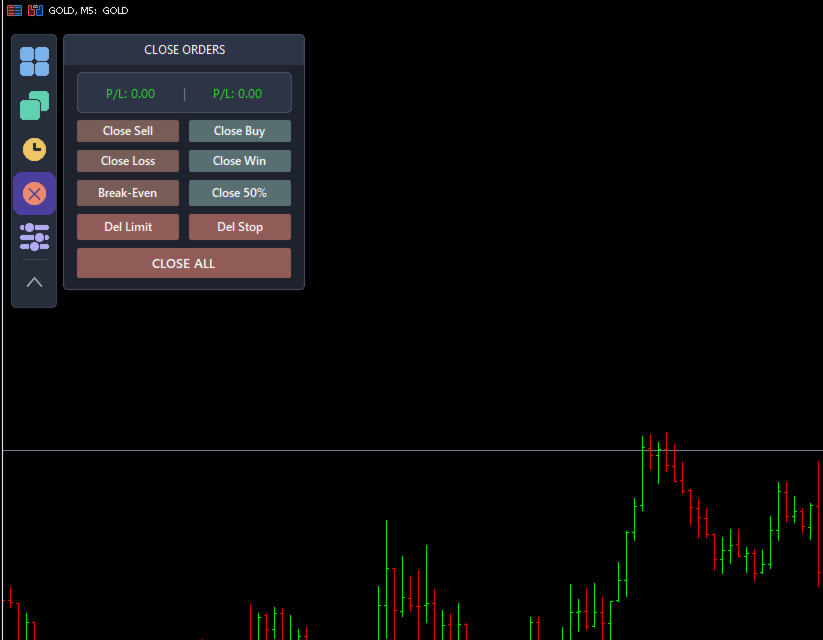
Close All Positions.
-
Close Buy Positions.
-
Close Sell Positions.
-
Partial Close (50% of total position volume).
-
Move Stop Loss to Break Even.
-
Close Winning Positions.
-
Close Losing Positions.
-
Automatically close all positions once a specified total profit target ($) has been reached.
-
Instant asynchronous execution for fast processing of multiple orders.
-
Optional confirmation dialog to prevent accidental clicks.
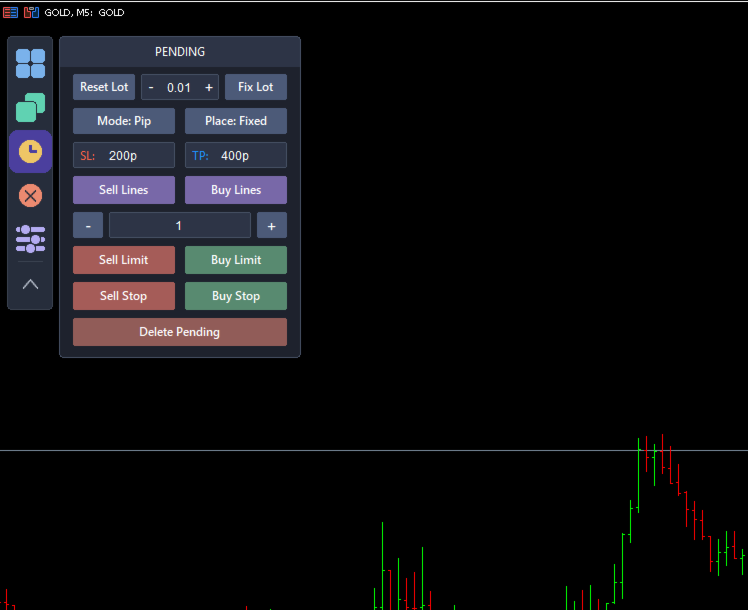
4. Pending Orders
-
Place Buy Limit, Sell Limit, Buy Stop, and Sell Stop orders using draggable Entry, Stop Loss, and Take Profit lines.
-
Stop Loss and Take Profit distances can be calculated in:
-
Pips
-
Money ($)
-
-
SL/TP placement modes:
-
Fixed
-
Ladder (Stepped)
-
-
Create multiple pending orders with customizable spacing.
-
Shared Stop Loss or individual Stop Loss for each pending order.
-
Independent lot size settings for pending orders.
-
Delete pending orders:
-
All Pending Orders
-
Limit Orders Only
-
Stop Orders Only
-
5. Automatic Trailing Stop
Five trailing stop modes are available:
-
Fixed Distance
-
Percentage
-
ATR-Based
-
Moving Average
-
Swing High / Swing Low
Trailing Stop activates only after the position becomes profitable and minimizes unnecessary order modifications to reduce server requests.
6. On-Chart Configuration (No Inputs Window Required)
A vertical toolbar provides quick access to:
-
Main Panel
-
Market Orders
-
Pending Orders
-
Close Functions
-
Settings
Settings are organized into the following tabs:
-
Risk
-
Trading
-
Trailing
-
View
-
Sound
All operating modes are selected through intuitive drop-down menus with the active option highlighted, including:
-
Trailing Stop Mode
-
Stop Loss / Take Profit Mode
-
Moving Average Method
-
Panel Position
-
Profit/Loss Display Position
-
Sound Selection
View Settings
-
Panel Corner
-
Panel Scale
-
Font Size
-
Automatic DPI Scaling
Sound Settings
-
Enable or disable sounds.
-
Assign a different sound to each trading event from the built-in sound list.
-
Preview sounds before applying them.
-
No manual filename entry required.
7. Floating Profit/Loss Display
A floating Profit/Loss panel displays real-time trading results directly on the chart.
Features include:
-
Color-coded profit and loss display.
-
Eight display positions:
-
Top Left
-
Top Center
-
Top Right
-
Middle Left
-
Middle Right
-
Bottom Left
-
Bottom Center
-
Bottom Right
-
-
Consistent Pip and Money calculations across:
-
Forex
-
Metals
-
Indices
-
Cryptocurrencies
-
8. Notes
TradeMasterPanel is a manual trading tool. Market orders are submitted only when the trader clicks the corresponding Buy or Sell button.
Trailing Stop and Close-at-Profit are optional trade management features that operate only after being enabled by the user.
AutoTrading must be enabled in MetaTrader 5 to allow the panel to execute trading operations.
All settings are stored as Terminal Global Variables on a per-symbol basis and remain available after changing timeframes, restarting MetaTrader 5, or reattaching the EA.