TMS Pro MT5

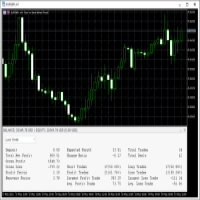
TMS Pro MT5 is a professional trade management panel that sits directly on your chart. Instead of navigating MT5's built-in order window every time, you control everything — entries, stops, targets, trailing, and position management — with single clicks from a clean, dark-themed panel.

It works on any symbol: Forex pairs, Gold (XAUUSD), and Crypto. Default settings are pre-configured for each group automatically.

HOW THE PANEL WORKS

The panel is divided into four sections from top to bottom:

1. Price Display Shows the live Bid (Sell) price and Ask (Buy) price in large text, with the current spread in the middle. This updates in real time so you always know your exact entry before clicking.

2. Order Parameters Three rows let you set your trade size and risk levels before placing any order:

  • Lot Size — Click the [ − ] and [ + ] buttons to decrease or increase lot size by one broker step. You can also click the number in the middle and type a value directly, then press Enter to confirm. If Risk Cap is enabled in settings, the lot is automatically capped so your risk never exceeds the configured percentage.

  • Stop Loss — Click [ − ] / [ + ] to change the SL distance in points. You can type a value directly the same way. This is how far your stop will be from entry on the next trade.

  • Take Profit — Same as Stop Loss but for your profit target.

3. Entry Buttons Four large buttons for placing orders:

  • ▼ SELL — Opens a market sell order instantly at the current Bid price, with your configured lot, SL, and TP applied automatically (if their toggles are ON).
  • BUY ▲ — Opens a market buy order instantly at the current Ask price.
  • Sell Limit — Places a pending Sell Limit order at a set distance below the current price (configurable per symbol group in settings).
  • Buy Limit — Places a pending Buy Limit order at a set distance above the current price.

4. Toggles Row Four on/off switches that control how orders are placed and managed:

  • Auto SL : ON / OFF — When ON, every new order is automatically given the Stop Loss distance shown in the panel. Turn OFF to enter without a stop (not recommended, but available).
  • Auto TP : ON / OFF — Same for Take Profit. Turn OFF to enter without a target and manage exit manually.
  • Auto Trail : ON / OFF — When ON, the dynamic trailing stop activates on all open positions (see Trailing Stop section below).
  • Single Mode / Multi Mode — In Single Mode, management buttons (Breakeven, Close 50%, etc.) act only on the one position you have selected. In Multi Mode they act on all open positions managed by this EA at once.

5. Management Buttons

  • SET SL : OFF / ON — Draws a red horizontal line on the chart at your current SL price. You can click and drag this line to any price level you want. While the line is visible it shows ON. Clicking again removes the line.
  • SET TP : OFF / ON — Same as above but for Take Profit. Draws a green line you can drag to your desired target.
  • APPLY SL/TP — Takes the exact prices of the SL and TP lines currently drawn on the chart and applies them to your open position as the new stop and target. Use this to set precise levels by dragging lines, then confirm with this button.
  • CLOSE PROFIT — Closes all positions that are currently in profit (positive P&L). Useful when you want to bank gains and leave losing trades to recover.
  • CLOSE LOSS — Closes all positions that are currently at a loss. Useful for clearing bad trades while keeping winners open.
  • BREAKEVEN — Moves the Stop Loss of the selected position (or all positions in Multi Mode) to the entry price, so the trade can no longer lose money. A small buffer is added automatically to avoid being stopped out by spread.
  • ½ CLOSE 50% — Closes exactly 50% of the current position volume. The remaining 50% stays open.
  • ▼ CLOSE ALL POSITIONS ▲ — Closes every position managed by this EA immediately. This is a one-click emergency exit.

6. Positions Panel At the bottom of the panel is a button showing the count of open positions. Clicking it opens a detailed list panel showing each position's ticket, direction, lot size, entry price, current SL/TP, and live profit/loss. You can select an individual position from this list to target it with management buttons while in Single Mode.

TRAILING STOP

When Auto Trail is ON, the EA monitors all your open positions and moves the Stop Loss automatically as price moves in your favour.

How it works:

  • The trail does not start immediately when a trade is opened. It only activates once the trade has moved a certain number of points into profit (set by Trail Activation Points in settings, default: 3 points). This prevents the stop from moving before the trade has room to breathe.
  • Once activated, the trailing gap equals the original distance between your entry and your initial SL. If your SL was 20 points from entry, the trail follows price keeping 20 points of room behind it at all times.
  • The stop only ever moves in your favour — it will never move against you.
  • If you manually move your SL during an open trade (for example, dragging it to breakeven or tightening it closer to price), the EA detects this change and automatically uses the new, tighter distance as the trailing gap going forward. You stay in full control.
  • Works on trades opened with or without an initial SL.

AUTOMATIC PARTIAL CLOSE (Optional)

When enabled in settings, the EA automatically closes portions of your position as price reaches defined profit levels — without you having to click anything.

Default configuration (fully customisable):

Level Profit Target Closes
TP 1 5 points 25% of opening lot
TP 2 10 points 25% of opening lot
TP 3 15 points 25% of opening lot

The remaining 25% stays open and continues trailing or runs to your full TP target.

Each level fires exactly once per position. If your lot size is too small to be partially closed (below the broker's minimum lot), that level is silently skipped — no errors, no interference with the rest of the trade.

All three levels, their point distances, and their percentages are fully configurable in the EA settings. Set any percentage to 0 to effectively disable that level.

RISK MANAGEMENT

When Risk Cap is enabled (default: ON at 2% risk), the EA automatically calculates the correct lot size so that your Stop Loss distance never risks more than your configured percentage of account equity. The calculated lot is shown live in the Lot Size field. You can still adjust lot manually — the cap simply prevents you from accidentally risking too much.

DRAGGABLE PANEL

Click and hold anywhere on the panel header bar, then drag to move the panel anywhere on the chart. The panel remembers its position even after MetaTrader 5 is restarted or the chart is reopened — it stays exactly where you left it.

The panel can be minimised to a small bar by clicking the [ − ] button in the top-right corner of the header, and restored by clicking [ + ].

REQUIREMENTS

  • MetaTrader 5 (Build 2361 or later recommended)
  • Any broker — works on all account types (Standard, ECN, Raw Spread)
  • Works on all timeframes and all symbols
  • Allow AutoTrading must be enabled in MT5

NOTES

  • The EA does not open trades on its own. It only acts when you click a button or when auto-trail / partial-close conditions are met on trades you opened.
  • Only positions opened with the configured Magic Number are managed. Trades from other EAs or manual orders with a different magic number are untouched.
Рекомендуем также
Forget about enabling templates when you launch the window. Auto Template Master Service  is a professional utility tool that runs as a system service in MetaTrader 5, and it will do it for you. Unlike traditional indicators or expert advisors (EAs), the program runs in the background of the entire terminal and doesn't require you to add it to each window individually. As soon as you open a new chart of any instrument (Forex, Stocks, Crypto), the service immediately detects the new window and a
You can see Binance Spot data instantly in Metatrader 5 and it allows you to use all the features that Metatrader has provided to you. You can access the data of all symbols listed on Binance Futures. Don't forget to set the timezone. Binance it's 00:00 UTC. You need to fix it according to your own country You need to install the free Binance Spot Symbol List plugin. https://www.mql5.com/tr/market/product/83507 After loading, it automatically downloads the data of the cryptos in the market obser
Safety Control: Your Ultimate Balance Management Solution for Prop Firm Challenges Overview Tired of manually monitoring your trading activities in prop trading challenges? Meet Safety Control, an advanced Expert Advisor for MetaTrader 5 that will change the way you trade forever. This proprietary software aims to help you manage your balance effortlessly during prop firm challenges. Features Automated Drawdown Control : Safety Control continuously monitors your account's balance and equity in r
Anchor Trade Manager
Kalinskie Gilliam
5 (2)
Anchor: The EA Manager Run your full EA portfolio without conflicts, without stacked risk, and without watching every chart yourself. Anchor coordinates up to 64 Expert Advisors on a single account. Attach Anchor to any chart. Type your EA names and magic numbers in one line. Click OK. Anchor begins coordinating immediately. Built for portfolios. Built for discipline. Built for prop firms. The Problem Running multiple EAs on the same account creates risk. Two gold EAs can open opposite positions
MQL5 Blogs : https://www.mql5.com/en/blogs/post/761446 MT4 Version : https://www.mql5.com/en/market/product/136790 MT5 Version : https://www.mql5.com/en/market/product/136791 Time Wizard is a professional trading assistant built for traders who need speed, timing, and execution control in one clean dashboard. This Expert Advisor is designed for event-based trading, scheduled execution, and fast semi-automatic order management. It allows you to prepare your orders in advance, define the exact
Broker Desynchronization script MT5 is a script in the form of an EA. It will check the desynchronization of a BROKER's server compared to your time at your PC. Usually BROKER sets time forward to have some space to execute trades. If you wish to check how big the difference is, please load the EA to any chart. After loading, it will wait for the first tick to check the desynchronization. Information will be available for 10 seconds. NOTE! If market is closed, you get information to try again la
FREE
This   Trading Statistics Indicator   gives you an overview of your trade statistics for a selected period. You can set different periodsand filter for Symbols and magics to analyse your trading success. You can also create charts for Balance/Equity, MFE and MAE Periods: Total Time Today Yesterday This Week Last Week This Month Last Month This Year Last Year This Trading Statistics Indicator is still work in progress. In the next versions I will add telegram and email notifications and some more
Trade Assistant For MT5
Abdelkhabir Yassine Alaoui
Trade Assistant для MT5 Панель управления торговлей институционального уровня для точности и контроля Возьмите полный контроль над своей торговлей с помощью Trade Assistant для MT5 — профессиональной панели исполнения и управления, разработанной для трейдеров, которым важны скорость, точность и дисциплинированный контроль рисков. Созданный с учетом производительности и удобства использования, этот инструмент превращает ваш график MetaTrader 5 в полноценную торговую рабочую станцию, позволя
COS COPY TRADE EA: USER MANUAL It must be used in conjunction with the master file. Cos copy trade master | Free Download Trading Utility for MetaTrader 5 1. System Overview & Architecture The COS Copy Trade system is a local, high-speed copying solution designed to replicate trades across accounts running on the same computer . It fully supports copying between different brokers and can mirror trades from an Investor Password account. 2. Installation & Setup Guide Step 1: Deploying the Master
Tick Volume Chart - уникальный инструмент для создания графиков на основе тиковых объёмов в MetaTrader 5 . С помощью Tick Volume Chart вы можете строить графики, где каждая свеча формируется не по времени, а по заданному количеству тиков. Это дает вам идеальную точность анализа рыночной активности, недоступную на стандартных временных графиках. Вы можете использовать любые индикаторы и советники с поддержкой пользовательских символов. Работать с полученными графиками так же удобно, как и со стан
Precision Risk Manager and Multi-Order Controller for MT5 — Version 2 This utility provides risk-based lot size calculation, one-click order execution, and batch trade modification from a single collapsible panel. It is designed for manual traders who manage multiple entries on the same symbol. Features Lot Size Calculator: Enter a risk percentage and stop-loss price, then click Calculate Lot Size to receive the exact lot size for that risk amount. Order Execution: Click Buy or Sell to execute
FREE
Just $10 for six months!!!. This will draw Supply & Demand zones just by clicking on a candle. It can also draw a 50% line on the zone. https://youtu.be/XeO_x7cpx8g As a drawing tool, it is not active all the time after adding it to the chart. Activate by pressing 's' twice on the keyboard within a second. If activated but then decided not to draw, deactivate by pressing 's' once.  Box color depends if candle is above or below current price. Features: Draw the box up to the last current candl
EW Close All – Один клик. Всё закрыто. EW Close All — это лёгкий, многоязычный эксперт-советник, который позволяет мгновенно закрыть все сделки и отменить все отложенные ордера — всего одним нажатием кнопки. Закрывает все открытые позиции   Отменяет все отложенные ордера   Работает на любом символе и любом таймфрейме   Многоязычный интерфейс   Чистый, быстрый и надёжный Идеально подходит для быстрого выхода из рынка, контроля рисков или очистки перед окончанием торгового дня. Оста
FREE
SHINO TRADE MANAGER PRO — Профессиональная универсальная система управления сделками для MT5 ВАЖНОЕ ЗАМЕЧАНИЕ SHINO TRADE MANAGER PRO — это утилита для управления сделками, а НЕ поставщик сигналов. Она не прогнозирует рынок и не генерирует автоматические сигналы на вход. Ее задача — автоматически управлять и защищать ваши существующие позиции с помощью передовых профессиональных инструментов. --- ОБЗОР SHINO TRADE MANAGER PRO — это мощная и интеллектуальная многофункциональная утил
Just Copier MT5
Agung Imaduddin
4.75 (4)
"Just copier" is designed to copy trading without any complicated settings. The copy can be done in one PC. One EA can be set as master (provider) or slave (receiver). The receiver lot can be set to multiple providers lots. Please also check this product at fxina.hostingerapp.com.  Any type of copy is available. MT4 -> MT5 MT4 -> MT4 MT5 -> MT5 MT5 -> MT4 If you want to copy MT4 -> MT5 or MT5 -> MT4, please purchase "Just copier" for MT4 and "Just copier" for MT5 separately. Just Copier can copy
Modern Dark Chart Theme for MT5 Upgrade your MetaTrader 5 chart into a clean, dark, professional trading workspace. Your chart is your trading office. It is where you analyze the market, test Expert Advisors, review setups, record videos, share screenshots, and make trading decisions. If your MT5 chart looks old, bright, noisy, or unprofessional, your trading environment can feel distracted before you even start your analysis. Modern Dark Chart Theme for MT5 helps you create a cleaner, darker,
FREE
Telegram Notification Worker (v5.31) Telegram Notification Worker is a high-performance, professional utility designed to bridge the gap between your MetaTrader 5 terminal and Telegram. It acts as a dedicated background worker that forwards custom alerts, trade events, and system status messages from any of your Expert Advisors (EAs) directly to your Telegram chat or channel. Key Technical Features: Asynchronous Messaging Engine: Unlike standard notification scripts, this worker uses an asynchr
FREE
Pionex API EA Connector для MT5 – Бесшовная интеграция с MT5 Обзор Pionex API EA Connector для MT5 позволяет бесшовно интегрировать MetaTrader 5 (MT5) с Pionex API . Этот мощный инструмент дает возможность трейдерам выполнять и управлять сделками, получать информацию о балансе и отслеживать историю ордеров — всё прямо из MT5 . Основные функции Управление аккаунтом и балансом Get_Balance(); – Получение текущего баланса аккаунта на Pionex . Исполнение и управление ордерами orderLimit(string
Ping
Vagif Shabanov
Ping: Ваш незаменимый инструмент для надёжной торговли Ваш интернет-провайдер и VPS обещают стабильное соединение, но действительно ли вы можете им доверять? В мире, где каждая миллисекунда имеет значение, медленное или нестабильное соединение может обернуться упущенной прибылью или убытками. Ping позволяет вам:  * Принимать осознанные решения: Наглядно сравнивайте скорость разных VPS-серверов и брокеров, чтобы выбрать самое быстрое и надёжное соединение для вашей стратегии. * Исключить риски: О
Telegram2MT5 Signal Copier — Автоматизируйте копирование сигналов из Telegram напрямую в MetaTrader 5 С Telegram2MT5 Signal Copier каждый сигнал, который вы получаете в Telegram, исполняется мгновенно и автоматически на вашем счёте MetaTrader 5. Быстро, надёжно и полностью настраиваемо. Получите файл Windows Bridge APP и руководство Файл моста необходим для подключения локальной веб-панели к советнику MT5 EA  Совместимо с Windows 10 & Windows 11 — 64 бит — а также с Windows Server, начиная с 20
Multi Symbol Trailing
Vladimir Karputov
5 (1)
The "   Multi Symbol Trailing   " utility moves Stop Loss for all positions that are currently open (multi-symbol trailing). It is intended primarily to assist in manual trading. There are no restrictions for the utility either by the name of the currency pair or by the individual identifier (Magic number) - the utility processes absolutely all positions that are currently open. The unit of measurement for the "   Trailing Stop   " and "   Trailing Step   " parameters is points (the difference
AILibrary
Marius Ovidiu Sunzuiana
AI Utility Library for MQL5 The AI Utility Library for MQL5 is a next‑generation development framework that brings artificial intelligence, adaptive logic, and intelligent data processing directly into the MetaTrader ecosystem. Designed for traders, quants, and algorithm developers who demand more than traditional indicator logic, this library transforms MQL5 into a smarter, more predictive, and more efficient environment for building advanced trading systems. Built with a modular architectur
Утилита Market Grid View заменяет стандартное окно "Обзор рынка". Утилита позволяет пользователю быстро переключаться между символами одним щелчком мыши, просматривать изменение цены или последние сделки. Для использования утилиты включите необходимые символы к Обзоре рынка, а затем Обзор рынка можно закрыть. Затем запустите утилиту на графике. Настройте параметры: Columns: количество отображаемых столбцов ShowInfo: тип отображаемой информации значение последней сделки по символу изменение цены
FREE
MT4 MT5 Trade Bridge for MetaTrader 5  is the MetaTrader 5 component of the MT4 MT5 Trade Bridge system. It allows a MetaTrader 5 terminal to work either as a  Master  or as a  Slave  in a local bridge connection with MetaTrader 4. When configured as  Master , the MT5 component reads trading activity from the MetaTrader 5 terminal and writes structured trade data into a local bridge file. The connected MT4 component can then read this data and mirror the trading activity according to its selecte
FREE
KP TRADE PANEL EA is an EA MT5 facilitates various menus. KP TRADE PANEL EA is an EA skin care in MT5 is an EA that puts the system automatically in download EA MT5 to test with demo account from my profile page while some Trailing Stop Stop Loss require more than 0 features EA determines lot or money management calculates lot from known and Stop loss TS = Trailing stop with separate stop loss order Buy more AVR TS = Trailing stop plus
Эксперт CloseByPercentLossOrProfit выполняет закрытие части позиций при достижении указанной общей прибыли или убытка (для всего счета). Прибыль и убыток указываются в процентах от текущего баланса счета. Кроме того, эксперт может удалить отложенные ордера. Разрешите авто-торговлю перед запуском эксперта. Использование: Запустите эксперт на графике. Входные параметры: Language of messages displayed (EN, RU, DE, FR, ES) - язык вывода сообщений (английский, русский, немецкий, французский, испански
Адаптивное вертикальное масштабирование графика Забудьте о постоянной ручной подгонке графика! Рынок движется — график должен подстраиваться автоматически. ScaleFix Smart Auto Scaling — интеллектуальная утилита для MetaTrader 5, которая автоматически удерживает цену в комфортной зоне обзора: • верхние экстремумы — с отступом ~10% от верхней границы; • нижние экстремумы — с отступом ~10% от нижней границы. График всегда выглядит чисто, профессионально и легко читается — независимо от волатильност
* * * * * Основные транзакции XAUUSD, если во время тестирования рекомендуется настроить на XAUUSD, другие торговые объекты не могут гарантировать рентабельность * * * * * * * * * * * * * * * * Оставьте сообщение, которое нужно протестировать (вы ответите в первый раз после просмотра), чтобы защитить результаты работы, необходимо ввести определенные параметры, параметры по умолчанию системы не могут достичь эффекта, показанного в отзыве скриншота! Оставьте сообщение, которое нужно протестиров
Phantom Correlation Shield Institutional Over-Exposure & Correlation Guard for MetaTrader 5 Are you running multiple EAs or trading multiple currency pairs at the same time? Then you are almost certainly **over-exposed** without knowing it. When you Buy EUR/USD and Buy GBP/USD at the same time, you are essentially doubling your risk on the same trade — because these two pairs move together with a correlation above 0.85. If one trade loses, the other will lose too. Your account takes double th
Elite Telegram Trade Copier & Community Manager (v3.94) Welcome to the ultimate solution for professional Telegram signal copying and community management. This Expert Advisor is not just a standard copier – it is a fully automated Trade Management Engine , a Signal Analytics Tool , and a Marketing Funnel for your own Telegram channels. Whether you want to automate trades from your favorite signal providers or manage your own VIP and Follower channels simultaneously, this EA handles everything:
FREE
С этим продуктом покупают
Trade Assistant MT5
Evgeniy Kravchenko
4.43 (211)
Помогает рассчитать риск на сделку, простая установка нового ордера с помощью линий, управление ордерами с функциями частичного закрытия, 7 типов трейлинг-стопа и другие полезные функции. Дополнительные материалы и инструкции Инструкция по установке - Инструкция к приложению - Пробная версия приложения для демо счета Функция Линии   - отображает на графике линию открытия, стоп-лосс, тейк-профит. С помощью этой функции легко установить новый ордер и увидеть его дополнительные характеристики пе
Добро пожаловать в Trade Manager EA — лучший инструмент для управления рисками, предназначенный для упрощения, точности и эффективности торговли. Это не просто инструмент для размещения ордеров; это комплексное решение для удобного планирования торгов, управления позициями и усиленного контроля над рисками. Независимо от того, начинающий вы трейдер, опытный специалист или скальпер, нуждающийся в быстром исполнении, Trade Manager EA адаптируется к вашим потребностям и работает с любыми активами:
Local Trade Copier EA MT5
Juvenille Emperor Limited
4.96 (139)
Опыт экстремально быстрого копирования сделок с помощью Local Trade Copier EA MT5 . Благодаря простой установке в течение 1 минуты этот копировщик сделок позволяет вам копировать сделки между несколькими терминалами MetaTrader на одном компьютере с Windows или на Windows VPS с крайне быстрыми скоростями копирования менее 0.5 секунды. Независимо от того, новичок вы или профессиональный трейдер, Local Trade Copier EA MT5 предлагает широкий спектр опций, чтобы настроить его под ваши конкретные по
AI Agent Supervisor is NOT an Expert Advisor. AI Agent Supervisor   is a   multi-agent AI risk & portfolio supervisor   that watches every EA on your account and intervenes in real time.  WANT AN AI PORTFOLIO MANAGER WATCHING YOUR FLEET 24/7?   Run your fleet on the same brokers I do:   IC MARKETS , IC TRADING   .  Unlike the centralized stock market, Forex has no single, unified price feed.  Every broker sources liquidity from different providers, creating unique data streams. The Supervisor r
TradePanel MT5
Alfiya Fazylova
4.87 (156)
Trade Panel — это многофункциональный торговый помощник. Приложение содержит более 50 торговых функций для ручной торговли и позволяет автоматизировать большинство торговых операций. Перед покупкой вы можете протестировать демоверсию на демо-счете. Скачать пробную версию приложения для демонстрационного аккаунта: https://www.mql5.com/ru/blogs/post/750864 . Полная инструкция здесь . Торговля. Позволяет совершать торговые операции в один клик: Открыть отложенные ордера и позиции с автоматическим р
Бета-версия Telegram to MT5 Signal Trader почти готов к официальному альфа-релизу. Некоторые функции все еще находятся в разработке, и вы можете столкнуться с небольшими ошибками. Если вы заметите проблемы, пожалуйста, сообщите о них, ваша обратная связь помогает улучшать программное обеспечение для всех. Telegram to MT5 Signal Trader — мощный инструмент, который автоматически копирует торговые сигналы из каналов и групп Telegram прямо в ваш счёт MetaTrader 5 . Поддерживаются как публичные, так
Quant AI Agents are independent trading Expert Advisors. Instead of trading using a fixed strategy like other conventional EAs, Quant AI Agents   is a   multi-agent AI trading framework   that turns natural-language strategy prompts into live.  WANT THE SAME RESULTS AS MY LIVE SIGNAL?   Use the exact same brokers I do:   IC MARKETS , IC TRADING   .  Unlike the centralized stock market, Forex has no single, unified price feed.  Every broker sources liquidity from different providers, creating un

Exp COPYLOT CLIENT for MT5
Vladislav Andruschenko
3.91 (33)
Профессиональный копировщик сделок для MetaTrader 5 Быстрый, профессиональный и надежный копировщик сделок для MetaTrader . COPYLOT позволяет копировать сделки Forex между терминалами MT4 и MT5 с поддержкой счетов Hedge и Netting . Версия COPYLOT для MT5 поддерживает: - MT5 Hedge → MT5 Hedge - MT5 Hedge → MT5 Netting - MT5 Netting → MT5 Hedge - MT5 Netting → MT5 Netting - MT4 → MT5 Hedge - MT4 → MT5 Netting Версия MT4 Полное описание + DEMO + PDF Как купить Как установить Как получить файлы жур
Прежде чем покупать EA, проверьте, действительно ли он держится, или ему просто повезло в бэктесте. Большинство роботов продаются с красивым бэктестом. Растущая кривая доходности. Хороший profit factor. Почти никаких сомнений. И всё же многие такие EA разваливаются, как только рынок перестаёт двигаться так, как в этом историческом участке. Почему? Потому что бэктест доказывает только одно: что эта стратегия сработала на одном конкретном ценовом пути. Он не доказывает, что система выдержит другие
Trade Dashboard MT5
Fatemeh Ameri
4.94 (126)
Trade Dashboard simplifies how you open, manage, and control your trades, with built-in lot size calculation. It allows you to execute trades, manage risk, and control positions directly on the chart, with tools such as partial close, breakeven, and trailing stop. Designed to reduce manual work and help you stay focused on your trading decisions. A demo version is available for testing. Detailed explanations of features are provided within the MQL5 platform. Installation instructions are include
Farmed Hedge Yield Farming | All Markets (Manual - Hybrid - Semi/Automated EA) MULTI-ASSET SUPPORT Trade any asset available on your broker - Forex: Major, Minor, Exotic pairs - Crypto: BTC, ETH, XRP, SOL, BNB - Stocks: Apple, Tesla, Amazon, Google, etc. - Commodities: Gold, Silver, Oil, Gas - Indices: US30, NAS100, SPX500, DAX40 - Any CFD your broker offers VERIFIED TRADING RESULTS - Farmed Hedge Yield Axi Copy:  https://www.mql5.com/en/signals/2356376 - Farmed Hedge Yield Exn Copy:   https:/
Footprint Chart Pro — Professional OrderFlow EA for MetaTrader 5 Version 6.34 | Professional tool for real traders | Institutional-Grade Visualization DEMO USERS - PLEASE SELECT EVERY TICK / REAL TICK WHEN TESTING AND YOU HAVE DOWNLOADED HISTORICAL DATA. IF YOU SEE A WAITING SCREEN AND IT IS NOT DOWNLOADING, IT MEANS YOU HAVE LOW HISTORICAL DATA. TRY 1 MIN AND 5 MIN FIRST ON 1 DAY DATA. ONE DAY DATA SHOULD BE THE NEWEST AND MOST CURRENT DATE. PLEASE WAIT UNTIL THE MARKET HAS ROLLED OVER PERIOD.
Power Candles Strategy Scanner — самооптимизирующийся инструмент для поиска настроек по нескольким инструментам Power Candles Strategy Scanner использует тот же самооптимизирующийся движок, что и индикатор Power Candles — для всех символов в вашем Market Watch, одновременно. На одной панели отображается информация о том, какие символы в данный момент являются статистически торгуемыми, какая стратегия выигрывает на каждом из них, оптимальная пара Stop Loss / Take Profit, а также отправляется увед
The News Filter MT5
Leolouiski Gan
4.78 (23)
Этот продукт фильтрует всех экспертных советников и ручные графики во время новостей, так что вам не нужно беспокоиться о внезапных скачках цены, которые могут разрушить ваши ручные торговые настройки или сделки, введенные другими экспертными советниками. Этот продукт также поставляется с полной системой управления ордерами, которая может обрабатывать ваши открытые позиции и ордера на ожидание перед выпуском новостей. После покупки   The News Filter   вам больше не придется полагаться на встроен
SMC Trade Pilot MT5 Полуавтоматический торговый помощник для трейдеров, использующих концепции Smart Money. Получайте сигналы прямо в Telegram со скриншотом графика, затем размещайте сделку одним нажатием. Управляйте позициями со смартфона, даже когда вы вдали от компьютера. Какую проблему решает Сетапы Smart Money не ждут вас. Order Blocks и Liquidity Sweeps формируются во время открытия Лондона, Нью-Йорка или в разгар азиатской сессии, часто когда вы на работе, на встрече или просто вдали от э
Premium Trade Manager - Быстрое и дисциплинированное управление сделками в MetaTrader 5 Premium Trade Manager создан для трейдеров, которые хотят сосредоточиться на решении, пока панель ведёт рутину: расчёт объёма, выставление ордера, частичные закрытия, трейлинг, новостные и проп-фирмовые ограничения, всё это выполняется одним и тем же дисциплинированным образом в каждой сделке. Это быстрая панель на графике для MetaTrader 5, которая снимает механическую работу с каждой сделки. Вы определяете н
Trade copier MT5
Alfiya Fazylova
4.55 (44)
Trade Copier — это профессиональная утилита, предназначенная для копирования и синхронизации сделок между торговыми счетами. Копирование происходит от счета/терминала поставщика к счету/терминалу получателя, которые установлены на одном компьютере или vps. АКЦИЯ - Если вы уже приобрели "Trade copier MT5", вы можете получить "Trade copier MT4" бесплатно (для копирования MT4 > MT5 и MT4 < MT5). Для получения более подробной информации об условиях, пожалуйста, свяжитесь с нами через личные сообщени
Telegram To MT5 Receiver
Levi Dane Benjamin
4.31 (16)
Копируйте сигналы из любого канала, участником которого вы являетесь (в том числе частного и ограниченного), прямо на свой MT5. Этот инструмент был разработан с учетом потребностей пользователей и предлагает множество функций, необходимых для управления и мониторинга сделок. Этот продукт представлен в простом в использовании и визуально привлекательном графическом интерфейсе. Настройте свои параметры и начните использовать продукт в течение нескольких минут! Руководство пользователя + Демо  |
Prop Firm Os
Gayathiri Gopalakrishnan
5 (1)
PROP FIRM OS Structured Trading Assistant for MetaTrader 5 PROP FIRM OS is a structured trading assistant designed for MetaTrader 5 users who prefer rule-based market analysis and organized trading workflows. The Expert Advisor combines market analysis tools, scanner functions, dashboard monitoring, alerts, risk-control settings, and trade management features inside one system. PROP FIRM OS is designed to help traders follow selected rules, filters, and monitoring conditions during trading activ
Telegram to mt5 pro
Janet Abu Khalil
3.67 (3)
Telegram to MT5 Pro — Расширенный копировщик сигналов Telegram с Auto-Fix, Multi-TP, управлением риском и полным управлением сделками Telegram to MT5 Pro — профессиональный копировщик сигналов Telegram Telegram to MT5 Pro автоматически копирует торговые сигналы из Telegram прямо в ваш аккаунт MetaTrader 5 в реальном времени с полным контролем риска, исполнения и управления сделками. Система состоит из двух компонентов: • Expert Advisor (EA), работающий внутри MetaTrader 5 • Desktop bridge прило
Copy Cat More Trade Copier MT5 (Копи-Кот MT5) — это локальный торговый копировщик и полная система управления рисками и исполнения, разработанная для современных торговых задач. От испытаний проп-фирм до управления личным портфелем, он адаптируется к любой ситуации с сочетанием надежного исполнения, защиты капитала, гибкой настройки и продвинутой обработки сделок. Копировщик работает как в режиме Мастер (отправитель), так и в режиме Слейв (получатель), с синхронизацией в реальном времени рыночны
YuClusters
Yury Kulikov
4.93 (43)
Внимание: Ознакомиться с работой программы можно с помощью бесплатной версии  YuClusters DEMO . YuClusters это профессиональная система анализа рынка. Для трейдера открываются уникальные возможности анализа потока ордеров, объемов торговли, движения цены используя различные графики, профили, индикаторы, графические объекты. YuClusters оперирует данными на основе ленты сделок или тиковой информации, в зависимости от того, что доступно в котировках финансового инструмента.  YuClusters позволяет с
Timeless Charts
Samuel Manoel De Souza
5 (6)
Timeless Charts is an all-in-one trading utility for professional traders. It combines custom chart types such as Seconds Charts and Renko with advanced order flow analysis using Footprints , Clusters , Volume Profiles , VWAP studies, and anchored analysis tools for deeper market insight. Trading and position management are handled directly from the chart through an integrated trade management panel , while Market Replay and Virtual Accounts provide environments for practicing trading skills and
MT5 to Telegram Signal Provider — это простой в использовании полностью настраиваемый инструмент, который позволяет отправлять определённые сигналы в чат, канал или группу Telegram, превращая вашу учётную запись в провайдера сигналов . В отличие от большинства конкурирующих продуктов, он не использует импорт DLL. [ Демо ]   [ Руководство ] [ Версия MT4 ] [ Версия для Discord ] [ Канал в Telegram ]  New: [ Telegram To MT5 ] Настройка Доступно пошаговое руководство пользователя . Никаких знаний A
Trade Manager DaneTrades
Levi Dane Benjamin
4.28 (29)
Trade Manager, который поможет вам быстро входить и выходить из сделок, автоматически рассчитывая риск. Включает функции, которые помогут предотвратить чрезмерную торговлю, торговлю из мести и эмоциональную торговлю. Сделками можно управлять автоматически, а показатели эффективности счета можно визуализировать в виде графика. Эти функции делают эту панель идеальной для всех трейдеров, занимающихся ручной торговлей, и помогают улучшить платформу MetaTrader 5. Многоязычная поддержка. Версия для МТ
Telegram to MT5 Multi-Channel Copier автоматически копирует торговые сигналы из ваших каналов Telegram напрямую в MetaTrader 5. Никаких ботов, никаких расширений браузера, никакого ручного копирования. Вы получаете сигнал в Telegram, и советник открывает сделку на вашем терминале за несколько секунд. Продукт включает два компонента: Windows-приложение, которое слушает ваши каналы Telegram, и этот эксперт (EA), который исполняет сигналы на вашем терминале MT5. Также доступна версия для MT4. Руков
The Ultimate TradingView to MT5 Bridge Automation Прекратите торговлю вручную и избавьтесь от проблем с задержками. TradingView to MT5 Copier PRO — это самый быстрый и надежный мост для исполнения ваших алертов TradingView напрямую в MetaTrader 5. Используете ли вы пользовательские индикаторы, скрипты тестера стратегий или ручную разметку, этот советник (EA) мгновенно исполняет ваши сделки, используя технологию High-Speed WebSocket . В отличие от простых копировщиков, эта PRO-версия включает Are
HINN MAGIC ENTRY - лучший инструмент для входа и менеджмента позиций! Выставляет ордера через выбор уровня на графике! полное описание    ::    demo-версия    ::   60-sec-video-description Основные функции: - Рыночные, лимитные и отложенные ордера -  Автоматический подсчет лоттажа  -  Автоматический учет спреда и комиссий -  Неограниченное количество промежуточных тейков для позиций - Перевод в безубыток и трейл стоп-лосса и тейк-профита - Уровни инвалидаций - Интуитивно понятный,  адаптивный,
FUTURES ORDERFLOW FOOTPRINT CHART Professional OrderFlow EA for MetaTrader 5 Version 1.01| Professional tool for real traders | Institutional-Grade Visualization STRATEGY TESTER USERS - PLEASE SELECT EVERY REAL TICK WHEN TESTING AND YOU HAVE DOWNLOADED HISTORICAL DATA. IF YOU SEE A WAITING SCREEN AND IT IS NOT DOWNLOADING, IT MEANS YOU HAVE LOW HISTORICAL DATA. TRY 1 MIN AND 5 MIN FIRST ON 1 DAY DATA. ONE DAY DATA SHOULD BE THE NEWEST AND MOST CURRENT DATE. PLEASE WAIT UNTIL THE MARKET HAS ROL
Poc Breakout Signal: The Ultimate Institutional Order Flow & Price Action System Elevate your trading with Poc Breakout, a comprehensive technical analysis tool designed to bridge the gap between retail trading and institutional market understanding. This all-in-one system combines powerful Buy/Sell signals, advanced Volume Profile analysis, real-time Order Flow (Depth of Market), and critical macroeconomic data to give you a clear, unambiguous edge in the markets. Poc Breakout Signal decodes c
Другие продукты этого автора
MA HTF PO3 Fib Timer V1.20 helps traders keep higher-timeframe structure visible directly on the current chart without switching between timeframes. This indicator combines higher-timeframe candle visualization, moving averages, live timing, and key price references in one clean workspace for faster chart reading and better execution focus. Main features: - Higher-timeframe candle overlay on the active chart - Up to 3 moving averages - Candle countdown timer - Live HTF high and low levels - Hist
FREE
QuickTrade Manager for MT5 Professional One-Click Trade Execution & Management Panel for MetaTrader 5 Trade faster. Manage smarter. Execute with precision. QuickTrade Manager is a powerful chart-side trading panel built for traders who want instant execution, cleaner workflow, and precise control over every position directly from the chart. No more slow manual adjustments. No more cluttered order management. Everything you need is in one professional panel . NEW IN THIS VERSION Modern Profession
FREE
Live Candle Countdown Timer for MT5 is a clean and lightweight indicator designed for traders who want to see exactly how much time is left before the current candle closes. The indicator displays a live countdown directly on the active chart and updates every second. The timer color changes automatically with the live candle direction: - green when the current candle is bullish - red when the current candle is bearish - neutral color when price is flat This tool is useful for traders who mak
FREE
Фильтр:
Нет отзывов
Ответ на отзыв