TMS Pro MT5

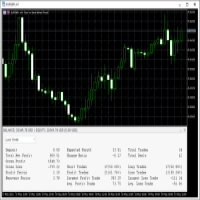
TMS Pro MT5 is a professional trade management panel that sits directly on your chart. Instead of navigating MT5's built-in order window every time, you control everything — entries, stops, targets, trailing, and position management — with single clicks from a clean, dark-themed panel.

It works on any symbol: Forex pairs, Gold (XAUUSD), and Crypto. Default settings are pre-configured for each group automatically.

HOW THE PANEL WORKS

The panel is divided into four sections from top to bottom:

1. Price Display Shows the live Bid (Sell) price and Ask (Buy) price in large text, with the current spread in the middle. This updates in real time so you always know your exact entry before clicking.

2. Order Parameters Three rows let you set your trade size and risk levels before placing any order:

  • Lot Size — Click the [ − ] and [ + ] buttons to decrease or increase lot size by one broker step. You can also click the number in the middle and type a value directly, then press Enter to confirm. If Risk Cap is enabled in settings, the lot is automatically capped so your risk never exceeds the configured percentage.

  • Stop Loss — Click [ − ] / [ + ] to change the SL distance in points. You can type a value directly the same way. This is how far your stop will be from entry on the next trade.

  • Take Profit — Same as Stop Loss but for your profit target.

3. Entry Buttons Four large buttons for placing orders:

  • ▼ SELL — Opens a market sell order instantly at the current Bid price, with your configured lot, SL, and TP applied automatically (if their toggles are ON).
  • BUY ▲ — Opens a market buy order instantly at the current Ask price.
  • Sell Limit — Places a pending Sell Limit order at a set distance below the current price (configurable per symbol group in settings).
  • Buy Limit — Places a pending Buy Limit order at a set distance above the current price.

4. Toggles Row Four on/off switches that control how orders are placed and managed:

  • Auto SL : ON / OFF — When ON, every new order is automatically given the Stop Loss distance shown in the panel. Turn OFF to enter without a stop (not recommended, but available).
  • Auto TP : ON / OFF — Same for Take Profit. Turn OFF to enter without a target and manage exit manually.
  • Auto Trail : ON / OFF — When ON, the dynamic trailing stop activates on all open positions (see Trailing Stop section below).
  • Single Mode / Multi Mode — In Single Mode, management buttons (Breakeven, Close 50%, etc.) act only on the one position you have selected. In Multi Mode they act on all open positions managed by this EA at once.

5. Management Buttons

  • SET SL : OFF / ON — Draws a red horizontal line on the chart at your current SL price. You can click and drag this line to any price level you want. While the line is visible it shows ON. Clicking again removes the line.
  • SET TP : OFF / ON — Same as above but for Take Profit. Draws a green line you can drag to your desired target.
  • APPLY SL/TP — Takes the exact prices of the SL and TP lines currently drawn on the chart and applies them to your open position as the new stop and target. Use this to set precise levels by dragging lines, then confirm with this button.
  • CLOSE PROFIT — Closes all positions that are currently in profit (positive P&L). Useful when you want to bank gains and leave losing trades to recover.
  • CLOSE LOSS — Closes all positions that are currently at a loss. Useful for clearing bad trades while keeping winners open.
  • BREAKEVEN — Moves the Stop Loss of the selected position (or all positions in Multi Mode) to the entry price, so the trade can no longer lose money. A small buffer is added automatically to avoid being stopped out by spread.
  • ½ CLOSE 50% — Closes exactly 50% of the current position volume. The remaining 50% stays open.
  • ▼ CLOSE ALL POSITIONS ▲ — Closes every position managed by this EA immediately. This is a one-click emergency exit.

6. Positions Panel At the bottom of the panel is a button showing the count of open positions. Clicking it opens a detailed list panel showing each position's ticket, direction, lot size, entry price, current SL/TP, and live profit/loss. You can select an individual position from this list to target it with management buttons while in Single Mode.

TRAILING STOP

When Auto Trail is ON, the EA monitors all your open positions and moves the Stop Loss automatically as price moves in your favour.

How it works:

  • The trail does not start immediately when a trade is opened. It only activates once the trade has moved a certain number of points into profit (set by Trail Activation Points in settings, default: 3 points). This prevents the stop from moving before the trade has room to breathe.
  • Once activated, the trailing gap equals the original distance between your entry and your initial SL. If your SL was 20 points from entry, the trail follows price keeping 20 points of room behind it at all times.
  • The stop only ever moves in your favour — it will never move against you.
  • If you manually move your SL during an open trade (for example, dragging it to breakeven or tightening it closer to price), the EA detects this change and automatically uses the new, tighter distance as the trailing gap going forward. You stay in full control.
  • Works on trades opened with or without an initial SL.

AUTOMATIC PARTIAL CLOSE (Optional)

When enabled in settings, the EA automatically closes portions of your position as price reaches defined profit levels — without you having to click anything.

Default configuration (fully customisable):

Level Profit Target Closes
TP 1 5 points 25% of opening lot
TP 2 10 points 25% of opening lot
TP 3 15 points 25% of opening lot

The remaining 25% stays open and continues trailing or runs to your full TP target.

Each level fires exactly once per position. If your lot size is too small to be partially closed (below the broker's minimum lot), that level is silently skipped — no errors, no interference with the rest of the trade.

All three levels, their point distances, and their percentages are fully configurable in the EA settings. Set any percentage to 0 to effectively disable that level.

RISK MANAGEMENT

When Risk Cap is enabled (default: ON at 2% risk), the EA automatically calculates the correct lot size so that your Stop Loss distance never risks more than your configured percentage of account equity. The calculated lot is shown live in the Lot Size field. You can still adjust lot manually — the cap simply prevents you from accidentally risking too much.

DRAGGABLE PANEL

Click and hold anywhere on the panel header bar, then drag to move the panel anywhere on the chart. The panel remembers its position even after MetaTrader 5 is restarted or the chart is reopened — it stays exactly where you left it.

The panel can be minimised to a small bar by clicking the [ − ] button in the top-right corner of the header, and restored by clicking [ + ].

REQUIREMENTS

  • MetaTrader 5 (Build 2361 or later recommended)
  • Any broker — works on all account types (Standard, ECN, Raw Spread)
  • Works on all timeframes and all symbols
  • Allow AutoTrading must be enabled in MT5

NOTES

  • The EA does not open trades on its own. It only acts when you click a button or when auto-trail / partial-close conditions are met on trades you opened.
  • Only positions opened with the configured Magic Number are managed. Trades from other EAs or manual orders with a different magic number are untouched.
Prodotti consigliati
Forget about enabling templates when you launch the window. Auto Template Master Service  is a professional utility tool that runs as a system service in MetaTrader 5, and it will do it for you. Unlike traditional indicators or expert advisors (EAs), the program runs in the background of the entire terminal and doesn't require you to add it to each window individually. As soon as you open a new chart of any instrument (Forex, Stocks, Crypto), the service immediately detects the new window and a
You can see Binance Spot data instantly in Metatrader 5 and it allows you to use all the features that Metatrader has provided to you. You can access the data of all symbols listed on Binance Futures. Don't forget to set the timezone. Binance it's 00:00 UTC. You need to fix it according to your own country You need to install the free Binance Spot Symbol List plugin. https://www.mql5.com/tr/market/product/83507 After loading, it automatically downloads the data of the cryptos in the market obser
Safety Control: Your Ultimate Balance Management Solution for Prop Firm Challenges Overview Tired of manually monitoring your trading activities in prop trading challenges? Meet Safety Control, an advanced Expert Advisor for MetaTrader 5 that will change the way you trade forever. This proprietary software aims to help you manage your balance effortlessly during prop firm challenges. Features Automated Drawdown Control : Safety Control continuously monitors your account's balance and equity in r
Anchor Trade Manager
Kalinskie Gilliam
5 (2)
Anchor: The EA Manager Run your full EA portfolio without conflicts, without stacked risk, and without watching every chart yourself. Anchor coordinates up to 64 Expert Advisors on a single account. Attach Anchor to any chart. Type your EA names and magic numbers in one line. Click OK. Anchor begins coordinating immediately. Built for portfolios. Built for discipline. Built for prop firms. The Problem Running multiple EAs on the same account creates risk. Two gold EAs can open opposite positions
Blog di MQL5: https://www.mql5.com/en/blogs/post/761446 Versione MT4: https://www.mql5.com/en/market/product/136790 Versione MT5: https://www.mql5.com/en/market/product/136791 Time Wizard è un assistente di trading professionale pensato per i trader che necessitano di velocità, tempismo e controllo dell'esecuzione in un'unica dashboard intuitiva. Questo Expert Advisor è progettato per il trading basato su eventi, l'esecuzione programmata e la gestione semiautomatica rapida degli ordini. Conse
Broker Desynchronization script MT5 is a script in the form of an EA. It will check the desynchronization of a BROKER's server compared to your time at your PC. Usually BROKER sets time forward to have some space to execute trades. If you wish to check how big the difference is, please load the EA to any chart. After loading, it will wait for the first tick to check the desynchronization. Information will be available for 10 seconds. NOTE! If market is closed, you get information to try again la
FREE
This   Trading Statistics Indicator   gives you an overview of your trade statistics for a selected period. You can set different periodsand filter for Symbols and magics to analyse your trading success. You can also create charts for Balance/Equity, MFE and MAE Periods: Total Time Today Yesterday This Week Last Week This Month Last Month This Year Last Year This Trading Statistics Indicator is still work in progress. In the next versions I will add telegram and email notifications and some more
Trade Assistant For MT5
Abdelkhabir Yassine Alaoui
Trade Assistant per MT5 Pannello di gestione del trading di livello professionale per precisione e controllo Assumi il pieno controllo del tuo trading con Trade Assistant per MT5: un pannello di esecuzione e gestione di livello professionale progettato per i trader che esigono velocità, precisione e un controllo del rischio disciplinato. Realizzato pensando alle prestazioni e alla facilità d'uso, questo strumento trasforma il tuo grafico MetaTrader 5 in una workstation di trading completa,
Cos copy trade client
Leatchai Limpapavich
COS COPY TRADE EA: USER MANUAL It must be used in conjunction with the master file. Cos copy trade master | Free Download Trading Utility for MetaTrader 5 1. System Overview & Architecture The COS Copy Trade system is a local, high-speed copying solution designed to replicate trades across accounts running on the same computer . It fully supports copying between different brokers and can mirror trades from an Investor Password account. 2. Installation & Setup Guide Step 1: Deploying the Master
Tick Volume Chart - uno strumento unico per la creazione di grafici basati sui volumi di tick in MetaTrader 5 . Con Tick Volume Chart puoi costruire grafici in cui ogni candela si forma non in base al tempo, ma in base a un numero prestabilito di tick. Questo ti offre una precisione ideale nell'analisi dell'attività di mercato, irraggiungibile con i grafici temporali standard. Puoi utilizzare qualsiasi indicatore e Expert Advisor con supporto per simboli personalizzati. Lavorare con i grafici ot
Precision Risk Manager and Multi-Order Controller for MT5 — Version 2 This utility provides risk-based lot size calculation, one-click order execution, and batch trade modification from a single collapsible panel. It is designed for manual traders who manage multiple entries on the same symbol. Features Lot Size Calculator: Enter a risk percentage and stop-loss price, then click Calculate Lot Size to receive the exact lot size for that risk amount. Order Execution: Click Buy or Sell to execute
FREE
Just $10 for six months!!!. This will draw Supply & Demand zones just by clicking on a candle. It can also draw a 50% line on the zone. https://youtu.be/XeO_x7cpx8g As a drawing tool, it is not active all the time after adding it to the chart. Activate by pressing 's' twice on the keyboard within a second. If activated but then decided not to draw, deactivate by pressing 's' once.  Box color depends if candle is above or below current price. Features: Draw the box up to the last current candl
EW Close All – Un clic. Tutto chiuso. EW Close All è un Expert Advisor leggero e multilingua che ti permette di chiudere tutte le posizioni aperte e cancellare tutti gli ordini pendenti all’istante — con un solo clic. Chiude tutte le posizioni aperte   Cancella tutti gli ordini pendenti   Funziona su qualsiasi simbolo e timeframe   Interfaccia multilingua   Pulito, veloce e affidabile Perfetto per uscite rapide, controllo del rischio o pulizia a fine giornata. Mantieni il controll
FREE
Shino Trade Manager Pro
Lognie Temchin Notsa
SHINO TRADE MANAGER PRO – Sistema di gestione del trading professionale e universale per MT5 AVVISO IMPORTANTE SHINO TRADE MANAGER PRO è uno strumento di gestione del trading, non un generatore di segnali. Non prevede l'andamento del mercato né genera segnali di ingresso automatici. Il suo scopo è quello di gestire e coprire automaticamente le posizioni aperte utilizzando strumenti professionali avanzati. --- PANORAMICA SHINO TRADE MANAGER PRO è un potente e intelligente strument
Just Copier MT5
Agung Imaduddin
4.75 (4)
"Just copier" is designed to copy trading without any complicated settings. The copy can be done in one PC. One EA can be set as master (provider) or slave (receiver). The receiver lot can be set to multiple providers lots. Please also check this product at fxina.hostingerapp.com.  Any type of copy is available. MT4 -> MT5 MT4 -> MT4 MT5 -> MT5 MT5 -> MT4 If you want to copy MT4 -> MT5 or MT5 -> MT4, please purchase "Just copier" for MT4 and "Just copier" for MT5 separately. Just Copier can copy
Modern Dark Chart Theme for MT5 Upgrade your MetaTrader 5 chart into a clean, dark, professional trading workspace. Your chart is your trading office. It is where you analyze the market, test Expert Advisors, review setups, record videos, share screenshots, and make trading decisions. If your MT5 chart looks old, bright, noisy, or unprofessional, your trading environment can feel distracted before you even start your analysis. Modern Dark Chart Theme for MT5 helps you create a cleaner, darker,
FREE
Telegram Notification Worker (v5.31) Telegram Notification Worker is a high-performance, professional utility designed to bridge the gap between your MetaTrader 5 terminal and Telegram. It acts as a dedicated background worker that forwards custom alerts, trade events, and system status messages from any of your Expert Advisors (EAs) directly to your Telegram chat or channel. Key Technical Features: Asynchronous Messaging Engine: Unlike standard notification scripts, this worker uses an asynchr
FREE
Pionex API EA Connector pour MT5 – Intégration transparente avec MT5 Aperçu Le Pionex API EA Connector pour MT5 permet une intégration fluide entre MetaTrader 5 (MT5) et l’ API Pionex . Cet outil puissant permet aux traders d’exécuter et de gérer des ordres, d’obtenir des informations sur le solde et de suivre l’historique des transactions, le tout directement depuis MT5 . Principales fonctionnalités Gestion du compte et du solde Get_Balance(); – Récupère le solde actuel du compte sur Pionex
Ping
Vagif Shabanov
Ping: il tuo strumento indispensabile per un trading affidabile Il tuo provider internet e il tuo VPS promettono una connessione stabile, ma puoi davvero fidarti? In un mondo in cui ogni millisecondo conta, una connessione lenta o instabile può tradursi in profitti mancati o perdite. Lo script Ping ti permette di: Prendere decisioni informate: confronta visivamente la velocità di diversi server VPS e broker per scegliere la connessione più veloce e affidabile per la tua strategia di trading. Eli
Telegram2MT5 Signal Copier
Salvador Martinez Ramos
Telegram2MT5 Signal Copier — Automatizza la copia dei tuoi segnali Telegram direttamente in MetaTrader 5 Con Telegram2MT5 Signal Copier, ogni segnale che ricevi su Telegram viene eseguito in modo istantaneo e automatico sul tuo conto MetaTrader 5. Veloce, affidabile e completamente personalizzabile. Scarica il file Windows Bridge APP e il tutorial Il file bridge è necessario per collegare il Pannello Web Locale all’EA MT5  Compatibile con Windows 10 & Windows 11 - 64 bit - e con Windows Server
Multi Symbol Trailing
Vladimir Karputov
5 (1)
L'utility "   Multi Symbol Trailing   " sposta lo Stop Loss per tutte le posizioni attualmente aperte (multi-symbol trailing). È destinato principalmente ad assistere nel trading manuale. Non ci sono restrizioni per l'utilità né per il nome della coppia di valute né per l'identificatore individuale (numero magico): l'utilità elabora assolutamente tutte le posizioni attualmente aperte. L'unità di misura dei parametri "   Trailing Stop   " e "   Trailing Step   " è il punto (la differenza tra il p
AILibrary
Marius Ovidiu Sunzuiana
AI Utility Library for MQL5 The AI Utility Library for MQL5 is a next‑generation development framework that brings artificial intelligence, adaptive logic, and intelligent data processing directly into the MetaTrader ecosystem. Designed for traders, quants, and algorithm developers who demand more than traditional indicator logic, this library transforms MQL5 into a smarter, more predictive, and more efficient environment for building advanced trading systems. Built with a modular architectur
Market Grid View
Danilo Pagano
5 (1)
Market Grid View is a utility to replace the original 'Market Watch' window. It was designed to be fast and give the user the ability to navigate over all symbols with just a click, while watch the price change or last trade value. To use it, configure your "Market Watch" window with all the symbols you want to monitor, and you can close it. Then insert the indicator in the graph. The parameters window need to be configured: Columns: the number of columns you want to be drawn ShowInfo: the type
FREE
MT4 MT5 Trade Bridge for MetaTrader 5  is the MetaTrader 5 component of the MT4 MT5 Trade Bridge system. It allows a MetaTrader 5 terminal to work either as a  Master  or as a  Slave  in a local bridge connection with MetaTrader 4. When configured as  Master , the MT5 component reads trading activity from the MetaTrader 5 terminal and writes structured trade data into a local bridge file. The connected MT4 component can then read this data and mirror the trading activity according to its selecte
FREE
KP TRADE PANEL EA is an EA MT5 facilitates various menus. KP TRADE PANEL EA is an EA skin care in MT5 is an EA that puts the system automatically in download EA MT5 to test with demo account from my profile page while some Trailing Stop Stop Loss require more than 0 features EA determines lot or money management calculates lot from known and Stop loss TS = Trailing stop with separate stop loss order Buy more AVR TS = Trailing stop plus
The CloseByPercentLossOrProfit Expert Advisor closes some positions as the total profit of loss for the entire account reaches a specified value. The profit or loss is specified as percentage of the account balance. In addition, the Expert Advisor can delete the pending orders. Allow AutoTrading before running the Expert Advisor. Instructions: Run the Expert Advisor on the chart. Input parameters: Language of messages displayed (EN, RU, DE, FR, ES) - the language of output messages (English, Rus
Adaptive Vertical Chart Scaling Forget about constantly adjusting your chart manually! The market moves — your chart should adapt automatically. ScaleFix Smart Auto Scaling is an intelligent utility for MetaTrader 5 that automatically keeps price action within a comfortable viewing zone: • upper extremes — with approximately 10% spacing from the top border; • lower extremes — with approximately 10% spacing from the bottom border. Your chart always looks clean, professional, and easy to read — re
*****La negoziazione principale è XAUUSD. In caso di test, si consiglia di adeguarsi a XAUUSD. Altri obiettivi di trading non possono garantire la redditività******* Se avete bisogno di testare, lasciate un messaggio (vi risponderò non appena lo vedo). Per proteggere i risultati del lavoro, è necessario inserire parametri specifici. I parametri predefiniti del sistema non possono raggiungere l'effetto mostrato nel pullback dello screenshot! Se avete bisogno di testare, lasciate un messaggio (
Phantom Correlation Shield Institutional Over-Exposure & Correlation Guard for MetaTrader 5 Are you running multiple EAs or trading multiple currency pairs at the same time? Then you are almost certainly **over-exposed** without knowing it. When you Buy EUR/USD and Buy GBP/USD at the same time, you are essentially doubling your risk on the same trade — because these two pairs move together with a correlation above 0.85. If one trade loses, the other will lose too. Your account takes double th
Elite Telegram Trade Copier & Community Manager (v3.94) Welcome to the ultimate solution for professional Telegram signal copying and community management. This Expert Advisor is not just a standard copier – it is a fully automated Trade Management Engine , a Signal Analytics Tool , and a Marketing Funnel for your own Telegram channels. Whether you want to automate trades from your favorite signal providers or manage your own VIP and Follower channels simultaneously, this EA handles everything:
FREE
Gli utenti di questo prodotto hanno anche acquistato
Trade Assistant MT5
Evgeniy Kravchenko
4.43 (211)
It helps to calculate the risk per trade, the easy installation of a new order, order management with partial closing functions, trailing stop of 7 types and other useful functions. Additional materials and instructions Installation instructions - Application instructions - Trial version of the application for a demo account Line function -   shows on the chart the Opening line, Stop Loss, Take Profit. With this function it is easy to set a new order and see its additional characteristics bef
Forex Trade Manager MT5
InvestSoft
4.98 (661)
Benvenuto a Trade Manager EA, lo strumento definitivo per la gestione del rischio , progettato per rendere il trading più intuitivo, preciso ed efficiente. Non è solo uno strumento per l'esecuzione degli ordini, ma una soluzione completa per la pianificazione delle operazioni, la gestione delle posizioni e il controllo del rischio. Che tu sia un principiante, un trader avanzato o uno scalper che necessita di esecuzioni rapide, Trade Manager EA si adatta alle tue esigenze, offrendo flessibilità s
Local Trade Copier EA MT5
Juvenille Emperor Limited
4.96 (139)
Sperimenta una copia di trading eccezionalmente veloce con il   Local Trade Copier EA MT5 . Con la sua facile configurazione in 1 minuto, questo copiatore di trading ti consente di copiare i trades tra diversi terminali di MetaTrader sullo stesso computer Windows o su Windows VPS con velocità di copia ultra veloci inferiori a 0.5 secondi. Che tu sia un trader principiante o professionista,   Local Trade Copier EA MT5   offre una vasta gamma di opzioni per personalizzarlo alle tue esigenze speci
AI Agent Supervisor is NOT an Expert Advisor. AI Agent Supervisor   is a   multi-agent AI risk & portfolio supervisor   that watches every EA on your account and intervenes in real time.  WANT AN AI PORTFOLIO MANAGER WATCHING YOUR FLEET 24/7?   Run your fleet on the same brokers I do:   IC MARKETS , IC TRADING   .  Unlike the centralized stock market, Forex has no single, unified price feed.  Every broker sources liquidity from different providers, creating unique data streams. The Supervisor r
TradePanel MT5
Alfiya Fazylova
4.87 (156)
Trade Panel è un assistente commerciale multifunzionale. L'applicazione contiene più di 50 funzioni di trading per il trading manuale e permette di automatizzare la maggior parte delle attività commerciali. Prima dell'acquisto, è possibile testare la versione dimostrativa su un conto demo. Scaricare la versione di prova dell'applicazione per un account dimostrativo: https://www.mql5.com/it/blogs/post/762419 . Istruzioni complete qui . Commercio. Consente di effettuare operazioni di trading con u
Versione Beta Telegram to MT5 Signal Trader è quasi pronto per il rilascio ufficiale in versione alpha. Alcune funzionalità sono ancora in fase di sviluppo e potresti riscontrare piccoli bug. Se riscontri problemi, ti preghiamo di segnalarli, il tuo feedback aiuta a migliorare il software per tutti. Telegram to MT5 Signal Trader è uno strumento potente che copia automaticamente segnali di trading da canali o gruppi Telegram al tuo account MetaTrader 5 . Supporta canali pubblici e privati e cons
Quant AI Agents are independent trading Expert Advisors. Instead of trading using a fixed strategy like other conventional EAs, Quant AI Agents   is a   multi-agent AI trading framework   that turns natural-language strategy prompts into live.  WANT THE SAME RESULTS AS MY LIVE SIGNAL?   Use the exact same brokers I do:   IC MARKETS , IC TRADING   .  Unlike the centralized stock market, Forex has no single, unified price feed.  Every broker sources liquidity from different providers, creating un

Exp COPYLOT CLIENT for MT5
Vladislav Andruschenko
3.91 (33)
Copiatore professionale di trade per MetaTrader 5 Un copiatore di trade veloce, professionale e affidabile per MetaTrader . COPYLOT consente di copiare operazioni Forex tra terminali MT4 e MT5 con supporto per conti Hedge e Netting . La versione MT5 di COPYLOT supporta: - MT5 Hedge → MT5 Hedge - MT5 Hedge → MT5 Netting - MT5 Netting → MT5 Hedge - MT5 Netting → MT5 Netting - MT4 → MT5 Hedge - MT4 → MT5 Netting Versione MT4 Descrizione completa + DEMO + PDF Come acquistare Come installare Come ot
AntiOverfit PRO MT5
Enrique Enguix
5 (6)
Prima di comprare un EA, verifica se regge davvero oppure se in backtest è sembrato forte solo per fortuna. La maggior parte dei robot viene venduta con un backtest bello da vedere. Curva in crescita. Buon profit factor. Pochi dubbi. Eppure molti di questi EA crollano non appena il mercato smette di muoversi come in quello storico. Perché? Perché un backtest dimostra una cosa sola: che quella strategia ha funzionato su un percorso di prezzo ben preciso. Non dimostra che reggerà su percorsi diver
Trade Dashboard MT5
Fatemeh Ameri
4.94 (126)
Trade Dashboard simplifies how you open, manage, and control your trades, with built-in lot size calculation. It allows you to execute trades, manage risk, and control positions directly on the chart, with tools such as partial close, breakeven, and trailing stop. Designed to reduce manual work and help you stay focused on your trading decisions. A demo version is available for testing. Detailed explanations of features are provided within the MQL5 platform. Installation instructions are include
FarmedHedge Pair Trading Dashboard
Tanapisit Tepawarapruek
5 (3)
Farmed Hedge Yield Farming | All Markets (Manual - Hybrid - Semi/Automated EA) MULTI-ASSET SUPPORT Trade any asset available on your broker - Forex: Major, Minor, Exotic pairs - Crypto: BTC, ETH, XRP, SOL, BNB - Stocks: Apple, Tesla, Amazon, Google, etc. - Commodities: Gold, Silver, Oil, Gas - Indices: US30, NAS100, SPX500, DAX40 - Any CFD your broker offers VERIFIED TRADING RESULTS - Farmed Hedge Yield Axi Copy:  https://www.mql5.com/en/signals/2356376 - Farmed Hedge Yield Exn Copy:   https:/
Footprint Chart Pro — Professional OrderFlow EA for MetaTrader 5 Version 6.34 | Professional tool for real traders | Institutional-Grade Visualization DEMO USERS - PLEASE SELECT EVERY TICK / REAL TICK WHEN TESTING AND YOU HAVE DOWNLOADED HISTORICAL DATA. IF YOU SEE A WAITING SCREEN AND IT IS NOT DOWNLOADING, IT MEANS YOU HAVE LOW HISTORICAL DATA. TRY 1 MIN AND 5 MIN FIRST ON 1 DAY DATA. ONE DAY DATA SHOULD BE THE NEWEST AND MOST CURRENT DATE. PLEASE WAIT UNTIL THE MARKET HAS ROLLED OVER PERIOD.
Power Candles Strategy Scanner - Strumento di ricerca configurazioni multi-simbolo con ottimizzazione automatica Power Candles Strategy Scanner utilizza lo stesso motore di auto-ottimizzazione che alimenta l'indicatore Power Candles, applicandolo a tutti i simboli presenti nel tuo Market Watch, uno accanto all'altro. Un unico pannello ti indica quali simboli sono statisticamente negoziabili in questo momento, quale strategia è vincente su ciascuno di essi, la coppia ottimale di Stop Loss / Take
The News Filter MT5
Leolouiski Gan
4.78 (23)
Questo prodotto filtra tutti gli esperti consulenti e i grafici manuali durante il periodo delle notizie, così non dovrai preoccuparti di improvvisi picchi di prezzo che potrebbero distruggere le tue impostazioni di trading manuali o le negoziazioni effettuate da altri esperti consulenti. Questo prodotto viene fornito anche con un sistema completo di gestione degli ordini che può gestire le tue posizioni aperte e gli ordini in sospeso prima della pubblicazione di qualsiasi notizia. Una volta che
SMC Trade Pilot MT5
Prime Horizon
5 (1)
SMC Trade Pilot MT5 Assistente di trading semi-automatico per trader Smart Money Concepts. Ricevi segnali su Telegram con screenshot del grafico, poi piazza il trade con un singolo tap. Gestisci le tue posizioni dal telefono, anche lontano dal computer. Il problema che risolve I setup Smart Money non aspettano. Order Blocks e Liquidity Sweeps si formano durante l'apertura di Londra, di New York o nel mezzo della sessione asiatica, spesso quando sei al lavoro, in riunione o lontano dallo schermo.
Premium Trade Manager - Gestione dei trade rapida e disciplinata per MetaTrader 5 Premium Trade Manager è per i trader che vogliono tenere il focus sulla decisione mentre il pannello gestisce la routine: dimensionamento, piazzamento, parziali, trailing, news e limiti prop-firm, gestiti con la stessa disciplina su ogni trade. È un pannello rapido sul grafico per MetaTrader 5 che si occupa di tutto il lavoro meccanico in ogni trade. Decidi tu direzione, simbolo e momento; il pannello calcola la di
Trade copier MT5
Alfiya Fazylova
4.55 (44)
Trade Copier è un'utilità professionale progettata per copiare e sincronizzare le transazioni tra conti di trading. La copiatura avviene dal conto/terminale del fornitore al conto/terminale del destinatario, che sono installati sullo stesso computer o vps. PROMOZIONE - Se avete già acquistato il "Trade copier MT5", potete ottenere gratuitamente il "Trade copier MT4" (per la copia MT4 > MT5 e MT4 < MT5). Per maggiori informazioni sulle condizioni, vi preghiamo di contattarci tramite messaggi priv
Telegram To MT5 Receiver
Levi Dane Benjamin
4.31 (16)
Copia i segnali da qualsiasi canale di cui sei membro (compresi quelli privati e ristretti) direttamente sul tuo MT5.  Questo strumento è stato progettato con l'utente in mente offrendo molte funzionalità necessarie per gestire e monitorare gli scambi. Questo prodotto è presentato in un'interfaccia grafica facile da usare e visivamente accattivante. Personalizza le tue impostazioni e inizia ad utilizzare il prodotto in pochi minuti! Guida per l'utente + Demo  | Versione MT4 | Versione Discord
Prop Firm Os
Gayathiri Gopalakrishnan
5 (1)
PROP FIRM OS Structured Trading Assistant for MetaTrader 5 PROP FIRM OS is a structured trading assistant designed for MetaTrader 5 users who prefer rule-based market analysis and organized trading workflows. The Expert Advisor combines market analysis tools, scanner functions, dashboard monitoring, alerts, risk-control settings, and trade management features inside one system. PROP FIRM OS is designed to help traders follow selected rules, filters, and monitoring conditions during trading activ
Telegram to mt5 pro
Janet Abu Khalil
3.67 (3)
Telegram to MT5 Pro — Advanced Telegram Signal Copier with Auto-Fix, Multi-TP, Risk Control and Full Trade Management Telegram to MT5 Pro — Copiatore di segnali Telegram professionale Telegram to MT5 Pro è un copiatore di trading ad alte prestazioni che esegue automaticamente i segnali da Telegram direttamente nel tuo account MetaTrader 5, con pieno controllo su rischio, esecuzione e gestione del trading. Il sistema è composto da due componenti: • L’Expert Advisor (EA) che gira all’interno di M
Copy Cat More Trade Copier MT5 (Gatto Copiatore MT5) è un copiatore di trade locale e un framework completo di gestione del rischio ed esecuzione progettato per le sfide di trading odierne. Dalle sfide delle prop firm alla gestione di portafogli personali, si adatta a ogni situazione con una combinazione di esecuzione robusta, protezione del capitale, configurazione flessibile e gestione avanzata dei trade. Il copiatore funziona sia in modalità Master (mittente) che Slave (ricevente), con sincro
YuClusters
Yury Kulikov
4.93 (43)
Attention: You can view the program operation in the free version  YuClusters DEMO .  YuClusters is a professional market analysis system. The trader has unique opportunities to analyze the flow of orders, trade volumes, price movements using various charts, profiles, indicators, and graphical objects. YuClusters operates on data based on Time&Sales or ticks information, depending on what is available in the quotes of a financial instrument. YuClusters allows you to build graphs by combining da
Timeless Charts
Samuel Manoel De Souza
5 (6)
Timeless Charts è un'utilità di trading completa progettata per trader professionisti. Combina tipi di grafici personalizzati come Grafici a Secondi e Renko con analisi avanzata del flusso ordini tramite Footprints , Clusters , Profili di Volume , studi VWAP e strumenti di analisi ancorata per una visione più approfondita del mercato. Il trading e la gestione delle posizioni vengono eseguiti direttamente dal grafico tramite un pannello integrato di gestione delle operazioni , mentre Market Repla
MT5 to Telegram Signal Provider è un'utilità facile da usare e completamente personalizzabile che consente l'invio di segnali specificati a una chat, canale o gruppo Telegram, rendendo il tuo account un fornitore di segnali. A differenza della maggior parte dei prodotti concorrenti, non utilizza importazioni DLL. [ Dimostrativo ] [ Manuale ] [ Versione MT4 ] [ Versione Discord ] [ Canale Telegram ]  New: [ Telegram To MT5 ] Configurazione Una guida utente passo-passo è disponibile. Nessuna cono
Trade Manager DaneTrades
Levi Dane Benjamin
4.28 (29)
Trade Manager per aiutarti a entrare e uscire rapidamente dalle operazioni calcolando automaticamente il tuo rischio. Incluse funzionalità che ti aiutano a prevenire l'eccessivo trading, il vendetta trading e il trading emotivo. Le operazioni possono essere gestite automaticamente e i parametri di performance del conto possono essere visualizzati in un grafico. Queste caratteristiche rendono questo pannello ideale per tutti i trader manuali e aiuta a migliorare la piattaforma MetaTrader 5. Suppo
Telegram to MT5 Multi-Channel Copier copia automaticamente i segnali di trading dai tuoi canali Telegram direttamente in MetaTrader 5. Niente bot, niente estensioni del browser, niente copia manuale. Ricevi un segnale su Telegram e l'EA apre l'operazione sul tuo terminale in pochi secondi. Il prodotto include due componenti: un'applicazione Windows che ascolta i tuoi canali Telegram, e questo Expert Advisor che esegue i segnali sul tuo terminale MT5. È disponibile anche la versione MT4. Guida di
Trading View ToMT5
Mirel Daniel Gheonu
The Ultimate TradingView to MT5 Bridge Automation Basta trading manuale e problemi di latenza. TradingView to MT5 Copier PRO è il bridge più veloce e affidabile per eseguire i tuoi alert di TradingView direttamente su MetaTrader 5. Che tu usi indicatori personalizzati, script dello Strategy Tester o disegni manuali, questo EA esegue i tuoi trade istantaneamente utilizzando la tecnologia WebSocket ad alta velocità . A differenza dei semplici copiatori, questa versione PRO include Arena Statistics
HINN MagicEntry Extra
ALGOFLOW OÜ
4.73 (15)
HINN MAGIC ENTRY – the ultimate tool for entry and position management! Place orders by selecting a level directly on the chart! full description   ::  demo-version  :: 60-sec-video-description Key features: - Market, limit, and pending orders - Automatic lot size calculation - Automatic spread and commission accounting - Unlimited partitial take-profits  - Breakeven and trailing stop-loss and take-profit  functions - Invalidation leves - Intuitive, adaptive, and customizable interface - Works
FUTURES ORDERFLOW FOOTPRINT CHART Professional OrderFlow EA for MetaTrader 5 Version 1.01| Professional tool for real traders | Institutional-Grade Visualization STRATEGY TESTER USERS - PLEASE SELECT EVERY REAL TICK WHEN TESTING AND YOU HAVE DOWNLOADED HISTORICAL DATA. IF YOU SEE A WAITING SCREEN AND IT IS NOT DOWNLOADING, IT MEANS YOU HAVE LOW HISTORICAL DATA. TRY 1 MIN AND 5 MIN FIRST ON 1 DAY DATA. ONE DAY DATA SHOULD BE THE NEWEST AND MOST CURRENT DATE. PLEASE WAIT UNTIL THE MARKET HAS ROL
Poc Breakout Signal: The Ultimate Institutional Order Flow & Price Action System Elevate your trading with Poc Breakout, a comprehensive technical analysis tool designed to bridge the gap between retail trading and institutional market understanding. This all-in-one system combines powerful Buy/Sell signals, advanced Volume Profile analysis, real-time Order Flow (Depth of Market), and critical macroeconomic data to give you a clear, unambiguous edge in the markets. Poc Breakout Signal decodes c
Altri dall’autore
MA HTF PO3 Fib Timer V1.20 helps traders keep higher-timeframe structure visible directly on the current chart without switching between timeframes. This indicator combines higher-timeframe candle visualization, moving averages, live timing, and key price references in one clean workspace for faster chart reading and better execution focus. Main features: - Higher-timeframe candle overlay on the active chart - Up to 3 moving averages - Candle countdown timer - Live HTF high and low levels - Hist
FREE
QuickTrade Manager for MT5 Professional One-Click Trade Execution & Management Panel for MetaTrader 5 Trade faster. Manage smarter. Execute with precision. QuickTrade Manager is a powerful chart-side trading panel built for traders who want instant execution, cleaner workflow, and precise control over every position directly from the chart. No more slow manual adjustments. No more cluttered order management. Everything you need is in one professional panel . NEW IN THIS VERSION Modern Profession
FREE
Live Candle Countdown Timer for MT5 is a clean and lightweight indicator designed for traders who want to see exactly how much time is left before the current candle closes. The indicator displays a live countdown directly on the active chart and updates every second. The timer color changes automatically with the live candle direction: - green when the current candle is bullish - red when the current candle is bearish - neutral color when price is flat This tool is useful for traders who mak
FREE
Filtro:
Nessuna recensione
Rispondi alla recensione