TMS Pro MT5

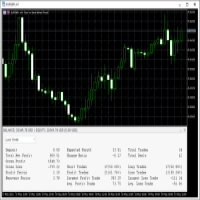
TMS Pro MT5 is a professional trade management panel that sits directly on your chart. Instead of navigating MT5's built-in order window every time, you control everything — entries, stops, targets, trailing, and position management — with single clicks from a clean, dark-themed panel.

It works on any symbol: Forex pairs, Gold (XAUUSD), and Crypto. Default settings are pre-configured for each group automatically.

HOW THE PANEL WORKS

The panel is divided into four sections from top to bottom:

1. Price Display Shows the live Bid (Sell) price and Ask (Buy) price in large text, with the current spread in the middle. This updates in real time so you always know your exact entry before clicking.

2. Order Parameters Three rows let you set your trade size and risk levels before placing any order:

  • Lot Size — Click the [ − ] and [ + ] buttons to decrease or increase lot size by one broker step. You can also click the number in the middle and type a value directly, then press Enter to confirm. If Risk Cap is enabled in settings, the lot is automatically capped so your risk never exceeds the configured percentage.

  • Stop Loss — Click [ − ] / [ + ] to change the SL distance in points. You can type a value directly the same way. This is how far your stop will be from entry on the next trade.

  • Take Profit — Same as Stop Loss but for your profit target.

3. Entry Buttons Four large buttons for placing orders:

  • ▼ SELL — Opens a market sell order instantly at the current Bid price, with your configured lot, SL, and TP applied automatically (if their toggles are ON).
  • BUY ▲ — Opens a market buy order instantly at the current Ask price.
  • Sell Limit — Places a pending Sell Limit order at a set distance below the current price (configurable per symbol group in settings).
  • Buy Limit — Places a pending Buy Limit order at a set distance above the current price.

4. Toggles Row Four on/off switches that control how orders are placed and managed:

  • Auto SL : ON / OFF — When ON, every new order is automatically given the Stop Loss distance shown in the panel. Turn OFF to enter without a stop (not recommended, but available).
  • Auto TP : ON / OFF — Same for Take Profit. Turn OFF to enter without a target and manage exit manually.
  • Auto Trail : ON / OFF — When ON, the dynamic trailing stop activates on all open positions (see Trailing Stop section below).
  • Single Mode / Multi Mode — In Single Mode, management buttons (Breakeven, Close 50%, etc.) act only on the one position you have selected. In Multi Mode they act on all open positions managed by this EA at once.

5. Management Buttons

  • SET SL : OFF / ON — Draws a red horizontal line on the chart at your current SL price. You can click and drag this line to any price level you want. While the line is visible it shows ON. Clicking again removes the line.
  • SET TP : OFF / ON — Same as above but for Take Profit. Draws a green line you can drag to your desired target.
  • APPLY SL/TP — Takes the exact prices of the SL and TP lines currently drawn on the chart and applies them to your open position as the new stop and target. Use this to set precise levels by dragging lines, then confirm with this button.
  • CLOSE PROFIT — Closes all positions that are currently in profit (positive P&L). Useful when you want to bank gains and leave losing trades to recover.
  • CLOSE LOSS — Closes all positions that are currently at a loss. Useful for clearing bad trades while keeping winners open.
  • BREAKEVEN — Moves the Stop Loss of the selected position (or all positions in Multi Mode) to the entry price, so the trade can no longer lose money. A small buffer is added automatically to avoid being stopped out by spread.
  • ½ CLOSE 50% — Closes exactly 50% of the current position volume. The remaining 50% stays open.
  • ▼ CLOSE ALL POSITIONS ▲ — Closes every position managed by this EA immediately. This is a one-click emergency exit.

6. Positions Panel At the bottom of the panel is a button showing the count of open positions. Clicking it opens a detailed list panel showing each position's ticket, direction, lot size, entry price, current SL/TP, and live profit/loss. You can select an individual position from this list to target it with management buttons while in Single Mode.

TRAILING STOP

When Auto Trail is ON, the EA monitors all your open positions and moves the Stop Loss automatically as price moves in your favour.

How it works:

  • The trail does not start immediately when a trade is opened. It only activates once the trade has moved a certain number of points into profit (set by Trail Activation Points in settings, default: 3 points). This prevents the stop from moving before the trade has room to breathe.
  • Once activated, the trailing gap equals the original distance between your entry and your initial SL. If your SL was 20 points from entry, the trail follows price keeping 20 points of room behind it at all times.
  • The stop only ever moves in your favour — it will never move against you.
  • If you manually move your SL during an open trade (for example, dragging it to breakeven or tightening it closer to price), the EA detects this change and automatically uses the new, tighter distance as the trailing gap going forward. You stay in full control.
  • Works on trades opened with or without an initial SL.

AUTOMATIC PARTIAL CLOSE (Optional)

When enabled in settings, the EA automatically closes portions of your position as price reaches defined profit levels — without you having to click anything.

Default configuration (fully customisable):

Level Profit Target Closes
TP 1 5 points 25% of opening lot
TP 2 10 points 25% of opening lot
TP 3 15 points 25% of opening lot

The remaining 25% stays open and continues trailing or runs to your full TP target.

Each level fires exactly once per position. If your lot size is too small to be partially closed (below the broker's minimum lot), that level is silently skipped — no errors, no interference with the rest of the trade.

All three levels, their point distances, and their percentages are fully configurable in the EA settings. Set any percentage to 0 to effectively disable that level.

RISK MANAGEMENT

When Risk Cap is enabled (default: ON at 2% risk), the EA automatically calculates the correct lot size so that your Stop Loss distance never risks more than your configured percentage of account equity. The calculated lot is shown live in the Lot Size field. You can still adjust lot manually — the cap simply prevents you from accidentally risking too much.

DRAGGABLE PANEL

Click and hold anywhere on the panel header bar, then drag to move the panel anywhere on the chart. The panel remembers its position even after MetaTrader 5 is restarted or the chart is reopened — it stays exactly where you left it.

The panel can be minimised to a small bar by clicking the [ − ] button in the top-right corner of the header, and restored by clicking [ + ].

REQUIREMENTS

  • MetaTrader 5 (Build 2361 or later recommended)
  • Any broker — works on all account types (Standard, ECN, Raw Spread)
  • Works on all timeframes and all symbols
  • Allow AutoTrading must be enabled in MT5

NOTES

  • The EA does not open trades on its own. It only acts when you click a button or when auto-trail / partial-close conditions are met on trades you opened.
  • Only positions opened with the configured Magic Number are managed. Trades from other EAs or manual orders with a different magic number are untouched.
Produits recommandés
Forget about enabling templates when you launch the window. Auto Template Master Service  is a professional utility tool that runs as a system service in MetaTrader 5, and it will do it for you. Unlike traditional indicators or expert advisors (EAs), the program runs in the background of the entire terminal and doesn't require you to add it to each window individually. As soon as you open a new chart of any instrument (Forex, Stocks, Crypto), the service immediately detects the new window and a
You can see Binance Spot data instantly in Metatrader 5 and it allows you to use all the features that Metatrader has provided to you. You can access the data of all symbols listed on Binance Futures. Don't forget to set the timezone. Binance it's 00:00 UTC. You need to fix it according to your own country You need to install the free Binance Spot Symbol List plugin. https://www.mql5.com/tr/market/product/83507 After loading, it automatically downloads the data of the cryptos in the market obser
Safety Control: Your Ultimate Balance Management Solution for Prop Firm Challenges Overview Tired of manually monitoring your trading activities in prop trading challenges? Meet Safety Control, an advanced Expert Advisor for MetaTrader 5 that will change the way you trade forever. This proprietary software aims to help you manage your balance effortlessly during prop firm challenges. Features Automated Drawdown Control : Safety Control continuously monitors your account's balance and equity in r
Anchor Trade Manager
Kalinskie Gilliam
5 (2)
Anchor: The EA Manager Run your full EA portfolio without conflicts, without stacked risk, and without watching every chart yourself. Anchor coordinates up to 64 Expert Advisors on a single account. Attach Anchor to any chart. Type your EA names and magic numbers in one line. Click OK. Anchor begins coordinating immediately. Built for portfolios. Built for discipline. Built for prop firms. The Problem Running multiple EAs on the same account creates risk. Two gold EAs can open opposite positions
Blogs MQL5 : https://www.mql5.com/en/blogs/post/761446 Version MT4 : https://www.mql5.com/en/market/product/136790 Version MT5 : https://www.mql5.com/en/market/product/136791 Time Wizard est un assistant de trading professionnel conçu pour les traders exigeants qui recherchent rapidité, timing et contrôle de l’exécution sur un tableau de bord intuitif. Ce conseiller expert est conçu pour le trading événementiel, l’exécution programmée et la gestion semi-automatique rapide des ordres. Il vou
Broker Desynchronization script MT5 is a script in the form of an EA. It will check the desynchronization of a BROKER's server compared to your time at your PC. Usually BROKER sets time forward to have some space to execute trades. If you wish to check how big the difference is, please load the EA to any chart. After loading, it will wait for the first tick to check the desynchronization. Information will be available for 10 seconds. NOTE! If market is closed, you get information to try again la
FREE
This   Trading Statistics Indicator   gives you an overview of your trade statistics for a selected period. You can set different periodsand filter for Symbols and magics to analyse your trading success. You can also create charts for Balance/Equity, MFE and MAE Periods: Total Time Today Yesterday This Week Last Week This Month Last Month This Year Last Year This Trading Statistics Indicator is still work in progress. In the next versions I will add telegram and email notifications and some more
Trade Assistant For MT5
Abdelkhabir Yassine Alaoui
Assistant de trading pour MT5 Panneau de gestion des transactions de niveau institutionnel pour une précision et un contrôle optimaux Prenez le contrôle total de votre trading avec l'Assistant de trading pour MT5 : un panneau d'exécution et de gestion de niveau professionnel conçu pour les traders exigeants en matière de rapidité, de précision et de gestion rigoureuse des risques. Conçu pour offrir performance et facilité d'utilisation, cet outil transforme votre graphique MetaTrader 5 en
Precision Risk Manager and Multi-Order Controller for MT5 — Version 2 This utility provides risk-based lot size calculation, one-click order execution, and batch trade modification from a single collapsible panel. It is designed for manual traders who manage multiple entries on the same symbol. Features Lot Size Calculator: Enter a risk percentage and stop-loss price, then click Calculate Lot Size to receive the exact lot size for that risk amount. Order Execution: Click Buy or Sell to execute
FREE
Just $10 for six months!!!. This will draw Supply & Demand zones just by clicking on a candle. It can also draw a 50% line on the zone. https://youtu.be/XeO_x7cpx8g As a drawing tool, it is not active all the time after adding it to the chart. Activate by pressing 's' twice on the keyboard within a second. If activated but then decided not to draw, deactivate by pressing 's' once.  Box color depends if candle is above or below current price. Features: Draw the box up to the last current candl
EW Close All – Un clic. Tout fermé. EW Close All est un Expert Advisor léger et multilingue qui vous permet de fermer toutes les positions ouvertes et d’annuler toutes les ordres en attente instantanément — en un seul clic. Ferme toutes les positions ouvertes   Annule tous les ordres en attente   Fonctionne sur tous les symboles et tous les timeframes   Interface multilingue   Propre, rapide et fiable Parfait pour les sorties rapides, le contrôle du risque ou le nettoyage en fin de
FREE
SHINO TRADE MANAGER PRO — Système de gestion de transactions universel et professionnel pour MT5 AVIS IMPORTANT SHINO TRADE MANAGER PRO est un outil de gestion de transactions et NON un fournisseur de signaux. Il ne prédit pas le marché et ne génère pas de signaux d'entrée automatiques. Son rôle est de gérer et de sécuriser automatiquement vos positions existantes grâce à des outils professionnels avancés. --- PRÉSENTATION SHINO TRADE MANAGER PRO est un outil de gestion de transa
Just Copier MT5
Agung Imaduddin
4.75 (4)
"Just copier" is designed to copy trading without any complicated settings. The copy can be done in one PC. One EA can be set as master (provider) or slave (receiver). The receiver lot can be set to multiple providers lots. Please also check this product at fxina.hostingerapp.com.  Any type of copy is available. MT4 -> MT5 MT4 -> MT4 MT5 -> MT5 MT5 -> MT4 If you want to copy MT4 -> MT5 or MT5 -> MT4, please purchase "Just copier" for MT4 and "Just copier" for MT5 separately. Just Copier can copy
Modern Dark Chart Theme for MT5 Upgrade your MetaTrader 5 chart into a clean, dark, professional trading workspace. Your chart is your trading office. It is where you analyze the market, test Expert Advisors, review setups, record videos, share screenshots, and make trading decisions. If your MT5 chart looks old, bright, noisy, or unprofessional, your trading environment can feel distracted before you even start your analysis. Modern Dark Chart Theme for MT5 helps you create a cleaner, darker,
FREE
Telegram Notification Worker (v5.31) Telegram Notification Worker is a high-performance, professional utility designed to bridge the gap between your MetaTrader 5 terminal and Telegram. It acts as a dedicated background worker that forwards custom alerts, trade events, and system status messages from any of your Expert Advisors (EAs) directly to your Telegram chat or channel. Key Technical Features: Asynchronous Messaging Engine: Unlike standard notification scripts, this worker uses an asynchr
FREE
Pionex API EA Connector pour MT5 – Intégration transparente avec MT5 Aperçu Le Pionex API EA Connector pour MT5 permet une intégration fluide entre MetaTrader 5 (MT5) et l’ API Pionex . Cet outil puissant permet aux traders d’exécuter et de gérer des ordres, d’obtenir des informations sur le solde et de suivre l’historique des transactions, le tout directement depuis MT5 . Principales fonctionnalités Gestion du compte et du solde Get_Balance(); – Récupère le solde actuel du compte sur Pionex
Ping
Vagif Shabanov
Ping : Votre outil indispensable pour un trading fiable Votre fournisseur d'accès Internet et votre VPS promettent une connexion stable, mais pouvez-vous vraiment leur faire confiance ? Dans un monde où chaque milliseconde compte, une connexion lente ou instable peut se traduire par des profits manqués ou des pertes. Le script Ping vous permet de : Prendre des décisions éclairées : Comparez visuellement la vitesse de différents serveurs VPS et courtiers pour choisir la connexion la plus rapide e
Telegram2MT5 Signal Copier — Automatisez la copie de vos signaux Telegram directement dans MetaTrader 5 Avec Telegram2MT5 Signal Copier, chaque signal que vous recevez sur Telegram est exécuté instantanément et automatiquement sur votre compte MetaTrader 5. Rapide, fiable et entièrement personnalisable. Téléchargez le fichier Windows Bridge APP et le tutoriel   Le fichier bridge est nécessaire pour connecter le panneau Web local à l’EA MT5  Compatible avec Windows 10 & Windows 11 — 64 bits — ai
Multi Symbol Trailing
Vladimir Karputov
5 (1)
L'utilitaire "   Multi Symbol Trailing   " déplace le Stop Loss pour toutes les positions actuellement ouvertes (multi-symbol trailing). Il est principalement destiné à aider au trading manuel. Il n'y a aucune restriction pour l'utilitaire, que ce soit par le nom de la paire de devises ou par l'identifiant individuel (numéro magique) - l'utilitaire traite absolument toutes les positions actuellement ouvertes. L'unité de mesure des paramètres «   Trailing Stop   » et «   Trailing Step   » est le
Tick Volume Chart - un outil unique pour créer des graphiques basés sur les volumes de ticks dans MetaTrader 5 . Grâce à Tick Volume Chart , vous pouvez construire des graphiques où chaque bougie est formée non pas en fonction du temps, mais selon un nombre défini de ticks. Cela vous offre une précision d'analyse idéale de l'activité du marché, inaccessible sur les graphiques temporels classiques. Vous pouvez utiliser tous les indicateurs et conseillers experts compatibles avec les symboles pers
AILibrary
Marius Ovidiu Sunzuiana
AI Utility Library for MQL5 The AI Utility Library for MQL5 is a next‑generation development framework that brings artificial intelligence, adaptive logic, and intelligent data processing directly into the MetaTrader ecosystem. Designed for traders, quants, and algorithm developers who demand more than traditional indicator logic, this library transforms MQL5 into a smarter, more predictive, and more efficient environment for building advanced trading systems. Built with a modular architectur
Market Grid View
Danilo Pagano
5 (1)
Market Grid View is a utility to replace the original 'Market Watch' window. It was designed to be fast and give the user the ability to navigate over all symbols with just a click, while watch the price change or last trade value. To use it, configure your "Market Watch" window with all the symbols you want to monitor, and you can close it. Then insert the indicator in the graph. The parameters window need to be configured: Columns: the number of columns you want to be drawn ShowInfo: the type
FREE
MT4 MT5 Trade Bridge for MetaTrader 5  is the MetaTrader 5 component of the MT4 MT5 Trade Bridge system. It allows a MetaTrader 5 terminal to work either as a  Master  or as a  Slave  in a local bridge connection with MetaTrader 4. When configured as  Master , the MT5 component reads trading activity from the MetaTrader 5 terminal and writes structured trade data into a local bridge file. The connected MT4 component can then read this data and mirror the trading activity according to its selecte
FREE
KP TRADE PANEL EA is an EA MT5 facilitates various menus. KP TRADE PANEL EA is an EA skin care in MT5 is an EA that puts the system automatically in download EA MT5 to test with demo account from my profile page while some Trailing Stop Stop Loss require more than 0 features EA determines lot or money management calculates lot from known and Stop loss TS = Trailing stop with separate stop loss order Buy more AVR TS = Trailing stop plus
The CloseByPercentLossOrProfit Expert Advisor closes some positions as the total profit of loss for the entire account reaches a specified value. The profit or loss is specified as percentage of the account balance. In addition, the Expert Advisor can delete the pending orders. Allow AutoTrading before running the Expert Advisor. Instructions: Run the Expert Advisor on the chart. Input parameters: Language of messages displayed (EN, RU, DE, FR, ES) - the language of output messages (English, Rus
Adaptive Vertical Chart Scaling Forget about constantly adjusting your chart manually! The market moves — your chart should adapt automatically. ScaleFix Smart Auto Scaling is an intelligent utility for MetaTrader 5 that automatically keeps price action within a comfortable viewing zone: • upper extremes — with approximately 10% spacing from the top border; • lower extremes — with approximately 10% spacing from the bottom border. Your chart always looks clean, professional, and easy to read — re
* * * * Trading principal xauusd, si le moment du test, il est recommandé d'ajuster à xauusd, les autres sous - jacents de Trading ne garantissent pas l'effet rentable * * * * * S'il vous plaît laissez un message pour le test (la première réponse sera donnée après l'avoir vu), afin de protéger les résultats du travail, vous devez entrer des paramètres spécifiques, les paramètres par défaut du système ne peuvent pas atteindre l'effet indiqué par le retrait de capture d'écran! S'il vous plaît l
Phantom Correlation Shield Institutional Over-Exposure & Correlation Guard for MetaTrader 5 Are you running multiple EAs or trading multiple currency pairs at the same time? Then you are almost certainly **over-exposed** without knowing it. When you Buy EUR/USD and Buy GBP/USD at the same time, you are essentially doubling your risk on the same trade — because these two pairs move together with a correlation above 0.85. If one trade loses, the other will lose too. Your account takes double th
Elite Telegram Trade Copier & Community Manager (v3.94) Welcome to the ultimate solution for professional Telegram signal copying and community management. This Expert Advisor is not just a standard copier – it is a fully automated Trade Management Engine , a Signal Analytics Tool , and a Marketing Funnel for your own Telegram channels. Whether you want to automate trades from your favorite signal providers or manage your own VIP and Follower channels simultaneously, this EA handles everything:
FREE
News Panel for MetaTrader est un outil qui affiche les données du calendrier économique au sein de la plateforme de trading MetaTrader. L'outil extrait les actualités économiques et les communiqués de données de sources externes, telles que les sites Web d'actualités financières ou les fournisseurs de données, et les affiche dans un format facile à lire. L'outil permet aux traders de filtrer les communiqués de presse par source, fuseau horaire, niveau d'impact, devise et méthode de notification
Les acheteurs de ce produit ont également acheté
Trade Assistant MT5
Evgeniy Kravchenko
4.43 (211)
It helps to calculate the risk per trade, the easy installation of a new order, order management with partial closing functions, trailing stop of 7 types and other useful functions. Additional materials and instructions Installation instructions - Application instructions - Trial version of the application for a demo account Line function -   shows on the chart the Opening line, Stop Loss, Take Profit. With this function it is easy to set a new order and see its additional characteristics bef
Bienvenue sur Trade Manager EA, l’outil ultime de gestion des risques conçu pour rendre le trading plus intuitif, précis et efficace. Ce n’est pas seulement un outil d’exécution d’ordres ; c’est une solution complète pour la planification des trades, la gestion des positions et le contrôle des risques. Que vous soyez débutant, trader expérimenté ou scalpeur ayant besoin d’une exécution rapide, Trade Manager EA s’adapte à vos besoins, offrant une flexibilité sur tous les marchés, des devises et i
Local Trade Copier EA MT5
Juvenille Emperor Limited
4.96 (139)
Découvrez une expérience exceptionnellement rapide de copie de trades avec le   Local Trade Copier EA MT5 . Avec sa configuration facile en 1 minute, ce copieur de trades vous permet de copier des trades entre plusieurs terminaux MetaTrader sur le même ordinateur Windows ou Windows VPS avec des vitesses de copie ultra-rapides de moins de 0.5 seconde. Que vous soyez un trader débutant ou professionnel, le   Local Trade Copier EA MT5   offre une large gamme d'options pour le personnaliser en fonc
AI Agent Supervisor is NOT an Expert Advisor. AI Agent Supervisor   is a   multi-agent AI risk & portfolio supervisor   that watches every EA on your account and intervenes in real time.  WANT AN AI PORTFOLIO MANAGER WATCHING YOUR FLEET 24/7?   Run your fleet on the same brokers I do:   IC MARKETS , IC TRADING   .  Unlike the centralized stock market, Forex has no single, unified price feed.  Every broker sources liquidity from different providers, creating unique data streams. The Supervisor r
TradePanel MT5
Alfiya Fazylova
4.87 (156)
Trade Panel est un assistant commercial multifonction. L'application contient plus de 50 fonctions de trading pour le trading manuel et permet d'automatiser la plupart des tâches commerciales. Avant l'achat, vous pouvez tester la version de démonstration sur un compte de démonstration. Télécharger la version d'essai de l'application pour un compte de démonstration : https://www.mql5.com/fr/blogs/post/762644 . Instructions complètes ici . Commerce. Permet d'effectuer des opérations commerciales e
Version Bêta Le Telegram to MT5 Signal Trader est presque prêt pour la sortie officielle en version alpha. Certaines fonctionnalités sont encore en développement et vous pourriez rencontrer de petits bugs. Si vous rencontrez des problèmes, merci de les signaler, vos retours aident à améliorer le logiciel pour tout le monde. Telegram to MT5 Signal Trader est un outil puissant qui copie automatiquement les signaux de trading depuis des chaînes ou groupes Telegram vers votre compte MetaTrader 5 .
Quant AI Agents are independent trading Expert Advisors. Instead of trading using a fixed strategy like other conventional EAs, Quant AI Agents   is a   multi-agent AI trading framework   that turns natural-language strategy prompts into live.  WANT THE SAME RESULTS AS MY LIVE SIGNAL?   Use the exact same brokers I do:   IC MARKETS , IC TRADING   .  Unlike the centralized stock market, Forex has no single, unified price feed.  Every broker sources liquidity from different providers, creating un

AntiOverfit PRO MT5
Enrique Enguix
5 (6)
Avant d’acheter un EA, vérifiez s’il tient vraiment la route ou s’il a simplement eu de la chance en backtest. La plupart des robots se vendent avec un beau backtest. Une courbe qui monte. Un bon profit factor. Très peu de doutes. Et pourtant, beaucoup de ces EA s’effondrent dès que le marché cesse de se comporter comme dans cet historique précis. Pourquoi ? Parce qu’un backtest ne prouve qu’une seule chose : que cette stratégie a fonctionné sur un parcours de prix bien précis. Il ne prouve pas
Exp COPYLOT CLIENT for MT5
Vladislav Andruschenko
3.91 (33)
Copieur professionnel de trades pour MetaTrader 5 Un copieur de trades rapide, professionnel et fiable pour MetaTrader . COPYLOT permet de copier des trades Forex entre les terminaux MT4 et MT5 avec prise en charge des comptes Hedge et Netting . La version MT5 de COPYLOT prend en charge : - MT5 Hedge → MT5 Hedge - MT5 Hedge → MT5 Netting - MT5 Netting → MT5 Hedge - MT5 Netting → MT5 Netting - MT4 → MT5 Hedge - MT4 → MT5 Netting Version MT4 Description complète + DEMO + PDF Comment acheter Comme
Farmed Hedge Yield Farming | All Markets (Manual - Hybrid - Semi/Automated EA) MULTI-ASSET SUPPORT Trade any asset available on your broker - Forex: Major, Minor, Exotic pairs - Crypto: BTC, ETH, XRP, SOL, BNB - Stocks: Apple, Tesla, Amazon, Google, etc. - Commodities: Gold, Silver, Oil, Gas - Indices: US30, NAS100, SPX500, DAX40 - Any CFD your broker offers VERIFIED TRADING RESULTS - Farmed Hedge Yield Axi Copy:  https://www.mql5.com/en/signals/2356376 - Farmed Hedge Yield Exn Copy:   https:/
Trade Dashboard MT5
Fatemeh Ameri
4.94 (126)
Trade Dashboard simplifies how you open, manage, and control your trades, with built-in lot size calculation. It allows you to execute trades, manage risk, and control positions directly on the chart, with tools such as partial close, breakeven, and trailing stop. Designed to reduce manual work and help you stay focused on your trading decisions. A demo version is available for testing. Detailed explanations of features are provided within the MQL5 platform. Installation instructions are include
Power Candles Strategy Scanner - Outil de recherche de configurations multi-symboles à optimisation automatique Le Power Candles Strategy Scanner utilise le même moteur d'auto-optimisation que celui qui alimente l'indicateur Power Candles, pour chaque symbole de votre Market Watch, en parallèle. Un panneau vous indique quels symboles sont statistiquement négociables à l'instant, quelle stratégie est la plus performante pour chacun, la paire Stop Loss / Take Profit optimale, et vous alerte dès qu
The News Filter MT5
Leolouiski Gan
4.78 (23)
Ce produit filtre tous les conseillers experts et les graphiques manuels pendant les heures de publication des actualités, de sorte que vous n'avez pas à vous soucier des pics de prix soudains qui pourraient détruire vos configurations de trading manuelles ou les transactions entrées par d'autres conseillers experts. Ce produit est également livré avec un système de gestion des ordres complet qui peut gérer vos positions ouvertes et vos ordres en attente avant la publication de toute actualité.
SMC Trade Pilot MT5 Assistant de trading semi-automatique pour les traders Smart Money Concepts. Recevez les signaux directement sur Telegram avec capture du graphique, puis placez le trade en un seul appui. Gérez vos positions depuis votre téléphone, même loin de votre ordinateur. Le problème résolu Les setups Smart Money n'attendent pas. Les Order Blocks et les Liquidity Sweeps se forment pendant l'ouverture de Londres, de New York ou en plein milieu de la session asiatique, souvent quand vous
Premium Trade Manager - Gestion de trades rapide et disciplinée pour MetaTrader 5 Premium Trade Manager est fait pour les traders qui veulent garder leur attention sur la décision pendant que le panneau prend en charge la routine : dimensionnement, placement, partiels, trailing, actualités et limites de prop firm, traités de la même façon disciplinée à chaque trade. C'est un panneau rapide sur le graphique pour MetaTrader 5 qui supprime le travail mécanique de chaque trade. Vous décidez de la di
Trade copier MT5
Alfiya Fazylova
4.55 (44)
Trade Copier est un utilitaire professionnel conçu pour copier et synchroniser les commandesentre les comptes de trading. Les commandes sont copiées du compte/terminal du fournisseur vers le compte/terminal du destinataire, qui sont installés sur le même ordinateur ou vps. PROMOTION - Si vous avez déjà acquis le "Trade copier MT5", vous pouvez obtenir le "Trade copier MT4" gratuitement (pour la copie MT4 > MT5 et MT4 < MT5). Pour obtenir des informations plus détaillées sur les conditions, veuil
Telegram To MT5 Receiver
Levi Dane Benjamin
4.31 (16)
Copiez les signaux de n'importe quel canal dont vous êtes membre (y compris les canaux privés et restreints) directement sur votre MT5.  Cet outil a été conçu en pensant à l'utilisateur et offre de nombreuses fonctionnalités nécessaires pour gérer et surveiller les trades. Ce produit est présenté dans une interface graphique conviviale et attrayante. Personnalisez vos paramètres et commencez à utiliser le produit en quelques minutes ! Guide de l'utilisateur + Démo  | Version MT4 | Version Disc
Timeless Charts
Samuel Manoel De Souza
5 (6)
Timeless Charts est un utilitaire de trading tout-en-un destiné aux traders professionnels. Il combine des types de graphiques personnalisés tels que les graphiques en secondes et Renko avec une analyse avancée du flux d’ordre s utilisant Footprints , Clusters , Profils de Volume , études VWAP et outils d’analyse ancrés pour une compréhension plus approfondie du marché. Le trading et la gestion des positions sont effectués directement depuis le graphique via un panneau intégré de gestion des ord
Prop Firm Os
Gayathiri Gopalakrishnan
5 (1)
PROP FIRM OS Structured Trading Assistant for MetaTrader 5 PROP FIRM OS is a structured trading assistant designed for MetaTrader 5 users who prefer rule-based market analysis and organized trading workflows. The Expert Advisor combines market analysis tools, scanner functions, dashboard monitoring, alerts, risk-control settings, and trade management features inside one system. PROP FIRM OS is designed to help traders follow selected rules, filters, and monitoring conditions during trading activ
Telegram to mt5 pro
Janet Abu Khalil
3.67 (3)
Telegram to MT5 Pro — Advanced Telegram Signal Copier with Auto-Fix, Multi-TP, Risk Control and Full Trade Management Telegram to MT5 Pro — Copieur de signaux Telegram professionnel Telegram to MT5 Pro est un copieur de trading haute performance qui exécute automatiquement les signaux de Telegram directement dans votre compte MetaTrader 5, avec un contrôle total du risque, de l’exécution et de la gestion des trades. Le système se compose de deux composants : • L’Expert Advisor (EA) exécuté dans
Copy Cat More Trade Copier MT5 (Chat Copieur MT5) est un copieur de trades local et un framework complet de gestion des risques et d'exécution conçu pour les défis commerciaux d'aujourd'hui. Des défis de prop firms à la gestion de portefeuille personnel, il s'adapte à chaque situation avec une combinaison d'exécution robuste, de protection du capital, de configuration flexible et de gestion avancée des trades. Le copieur fonctionne à la fois en mode Master (expéditeur) et Slave (récepteur), avec
YuClusters
Yury Kulikov
4.93 (43)
Attention: You can view the program operation in the free version  YuClusters DEMO .  YuClusters is a professional market analysis system. The trader has unique opportunities to analyze the flow of orders, trade volumes, price movements using various charts, profiles, indicators, and graphical objects. YuClusters operates on data based on Time&Sales or ticks information, depending on what is available in the quotes of a financial instrument. YuClusters allows you to build graphs by combining da
MT5 to Telegram Signal Provider est un utilitaire facile à utiliser et entièrement personnalisable qui permet l'envoi de signaux spécifiés vers un chat, un canal ou un groupe Telegram, transformant ainsi votre compte en fournisseur de signaux. Contrairement à la plupart des produits concurrents, il n'utilise pas d'importations DLL. [ Démonstration ] [ Manuel ] [ Version MT4 ] [ Version Discord ] [ Canal Telegram ]  New: [ Telegram To MT5 ] Configuration Un guide utilisateur étape par étape est
Trade Manager DaneTrades
Levi Dane Benjamin
4.28 (29)
Trade Manager pour vous aider à entrer et sortir rapidement des transactions tout en calculant automatiquement votre risque. Y compris des fonctionnalités pour vous aider à éviter le sur-trading, le trading de vengeance et le trading émotionnel. Les transactions peuvent être gérées automatiquement et les mesures de performances du compte peuvent être visualisées dans un graphique. Ces fonctionnalités rendent ce panneau idéal pour tous les traders manuels et contribuent à améliorer la plateforme
Footprint Chart Pro — Professional OrderFlow EA for MetaTrader 5 Version 6.34 | Professional tool for real traders | Institutional-Grade Visualization DEMO USERS - PLEASE SELECT EVERY TICK / REAL TICK WHEN TESTING AND YOU HAVE DOWNLOADED HISTORICAL DATA. IF YOU SEE A WAITING SCREEN AND IT IS NOT DOWNLOADING, IT MEANS YOU HAVE LOW HISTORICAL DATA. TRY 1 MIN AND 5 MIN FIRST ON 1 DAY DATA. ONE DAY DATA SHOULD BE THE NEWEST AND MOST CURRENT DATE. PLEASE WAIT UNTIL THE MARKET HAS ROLLED OVER PERIOD.
HINN MagicEntry Extra
ALGOFLOW OÜ
4.73 (15)
HINN MAGIC ENTRY – the ultimate tool for entry and position management! Place orders by selecting a level directly on the chart! full description   ::  demo-version  :: 60-sec-video-description Key features: - Market, limit, and pending orders - Automatic lot size calculation - Automatic spread and commission accounting - Unlimited partitial take-profits  - Breakeven and trailing stop-loss and take-profit  functions - Invalidation leves - Intuitive, adaptive, and customizable interface - Works
Telegram to MT5 Multi-Channel Copier copie automatiquement les signaux de trading de vos canaux Telegram directement dans MetaTrader 5. Pas de bots, pas d'extensions de navigateur, pas de copie manuelle. Vous recevez un signal sur Telegram et l'EA ouvre la position sur votre terminal en quelques secondes. Le produit comprend deux composants : une application Windows qui écoute vos canaux Telegram, et cet Expert Advisor qui exécute les signaux sur votre terminal MT5. Une version MT4 est également
Trading View ToMT5
Mirel Daniel Gheonu
The Ultimate TradingView to MT5 Bridge Automation Arrêtez le trading manuel et les problèmes de latence. TradingView to MT5 Copier PRO est la passerelle (bridge) la plus rapide et la plus fiable pour exécuter vos alertes TradingView directement sur MetaTrader 5. Que vous utilisiez des indicateurs personnalisés, des scripts du Testeur de Stratégie ou des dessins manuels, cet Expert Advisor (EA) exécute vos trades instantanément grâce à la technologie WebSocket Haute Vitesse . Contrairement aux co
The product will copy all telegram signal to MT5 ( which you are member) , also it can work as remote copier.  Easy to set up, copy order instant, can work with almost signal formats, image signal,  s upport to translate other language to English Work with all type of channel or group, even channel have "Restrict Saving Content", work with  multi channel, multi MT5 Work as remote copier: with signal have ticket number, it will copy exactly via ticket number. Support to backtest signal. How to s
FUTURES ORDERFLOW FOOTPRINT CHART Professional OrderFlow EA for MetaTrader 5 Version 1.01| Professional tool for real traders | Institutional-Grade Visualization STRATEGY TESTER USERS - PLEASE SELECT EVERY REAL TICK WHEN TESTING AND YOU HAVE DOWNLOADED HISTORICAL DATA. IF YOU SEE A WAITING SCREEN AND IT IS NOT DOWNLOADING, IT MEANS YOU HAVE LOW HISTORICAL DATA. TRY 1 MIN AND 5 MIN FIRST ON 1 DAY DATA. ONE DAY DATA SHOULD BE THE NEWEST AND MOST CURRENT DATE. PLEASE WAIT UNTIL THE MARKET HAS ROL
Plus de l'auteur
MA HTF PO3 Fib Timer V1.20 helps traders keep higher-timeframe structure visible directly on the current chart without switching between timeframes. This indicator combines higher-timeframe candle visualization, moving averages, live timing, and key price references in one clean workspace for faster chart reading and better execution focus. Main features: - Higher-timeframe candle overlay on the active chart - Up to 3 moving averages - Candle countdown timer - Live HTF high and low levels - Hist
FREE
QuickTrade Manager for MT5 Professional One-Click Trade Execution & Management Panel for MetaTrader 5 Trade faster. Manage smarter. Execute with precision. QuickTrade Manager is a powerful chart-side trading panel built for traders who want instant execution, cleaner workflow, and precise control over every position directly from the chart. No more slow manual adjustments. No more cluttered order management. Everything you need is in one professional panel . NEW IN THIS VERSION Modern Profession
FREE
Live Candle Countdown Timer for MT5 is a clean and lightweight indicator designed for traders who want to see exactly how much time is left before the current candle closes. The indicator displays a live countdown directly on the active chart and updates every second. The timer color changes automatically with the live candle direction: - green when the current candle is bullish - red when the current candle is bearish - neutral color when price is flat This tool is useful for traders who mak
FREE
Filtrer:
Aucun avis
Répondre à l'avis