Apex MTF Panel MT5
- Утилиты
- Версия: 1.0

Apex MTF Panel
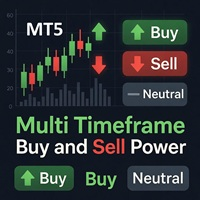
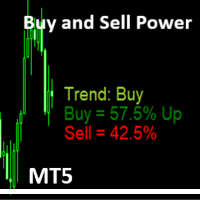
A clean, standalone multi-timeframe RSI/MACD dashboard that instantly shows buy, sell, or neutral confluence signals across your chosen timeframes in a compact horizontal layout.
TF names sit directly above signals with matching colors for instant readability.
Fully customizable signal colors, live font-size adjustment, corner positioning, and smart “loading” state ensure performance on any chart.
Support and questions via MQL5 product comments.
For questions, updates, and to connect with other traders, join my official MQL5 group ForexEAandMore
Core Concept and How It Works
The panel aggregates signals from the Relative Strength Index (RSI) and Moving Average Convergence Divergence (MACD) across multiple user-selected timeframes. For each timeframe, it determines a unified directional bias:
- Buy — when RSI and MACD show bullish alignment (e.g., RSI above a threshold like 50 and MACD histogram/line in positive territory or bullish crossover).
- Sell— when both indicate bearish conditions.
- Neutral — when the indicators conflict or lack strong momentum.
It then displays these confluence signals in a compact horizontal layout directly on the chart. Timeframe (TF) names appear directly above their corresponding signals, with matching colors for instant visual parsing—no need to hunt through tables or switch charts.
This design emphasizes confluence (agreement across timeframes), helping traders quickly assess whether the market shows aligned momentum and trend signals at a glance, rather than relying on a single timeframe.
Key Features and Design Highlights
- Compact Horizontal Layout — Keeps the panel unobtrusive while showing multiple timeframes side-by-side.
- Color-Coded Readability — TF labels and signals use matching colors; fully customizable signal colors (e.g., green for BUY, red for SELL, gray for NEUTRAL).
- Customization Options:Live font-size adjustment (change on the fly without reloading).
- Corner positioning (e.g., top-left, top-right, bottom-left, etc.).
- Signal colors.
- Smart “LOADING” State — Displays a professional loading indicator during initialization or when higher-timeframe data is being fetched, preventing misleading empty or partial displays.
- Standalone & Lightweight — No extra lines, objects, or clutter on the price chart; runs efficiently on any symbol and timeframe.
- Timeframe Toggles — Users can enable/disable specific TFs via inputs (e.g., M1, M5, M15, M30, H1, H4, D1, W1, MN).
Settings
Panel Display Settings
Signal Colors
MTF RSI/MACD Settings
Timeframe Toggles