SunnyEA
- Эксперты
- Версия: 1.10
- Обновлено: 2 марта 2026
- Активации: 5

SunnyEA
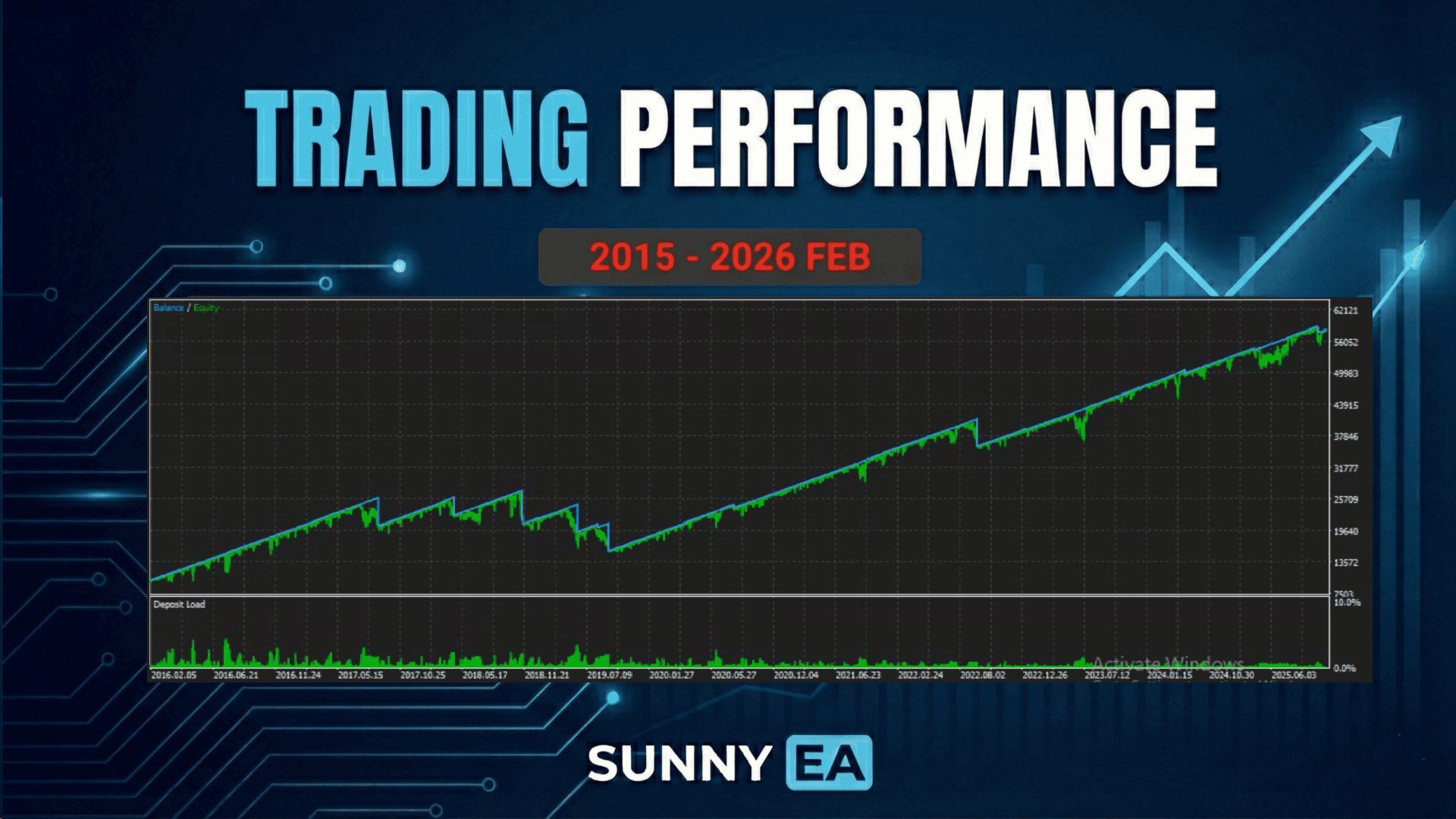
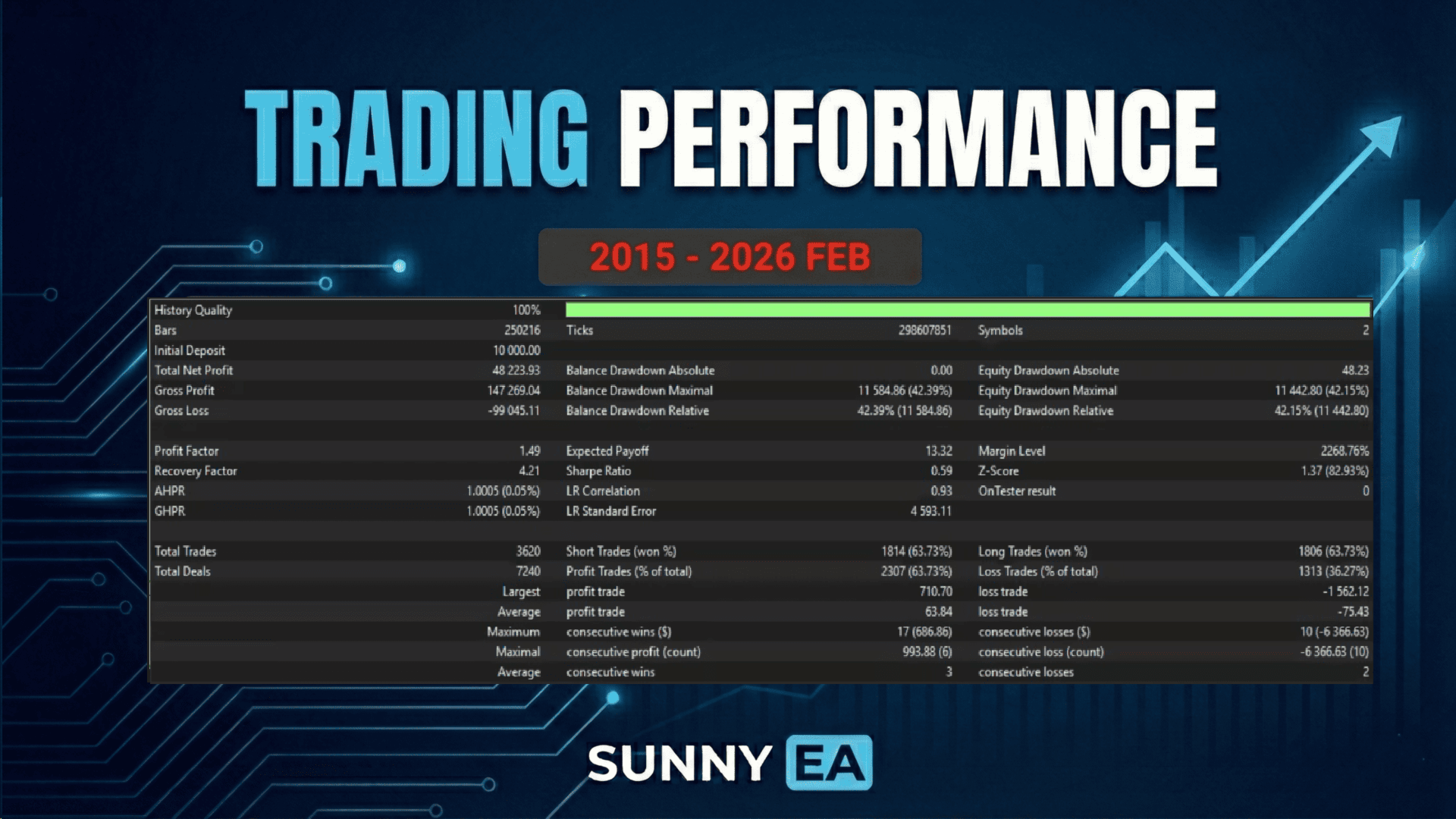
SunnyEA is an advanced multi-symbol mean-reversion system designed to exploit existing market inefficiencies in highly correlated cross-pairs. Instead of relying on a blind "hit and miss" grid, it uses proven market mechanics, volatility detection, and dynamic basket management to turn ranging market conditions into consistent profit.
The system comes fully optimized out of the box, making setup incredibly simple for both beginners and advanced traders.
Supported currency pairs: AUDCAD, NZDCAD
Recommended timeframe: M15
Features
- One Chart Setup: You only need to attach the EA to a single chart to trade multiple symbols simultaneously.
- Smart Trade Management: The system automatically handles dynamic trade distances, entry filters, and precise profit targets without requiring complex manual tuning.
- Strict Drawdown Protection: Protect your capital with hard monetary drawdown limits. If the limit is reached, the EA automatically pauses opening new grids to protect your account.
- Sleek On-Chart Panel: Monitor real-time account health, margin, drawdown, and symbol-specific metrics directly on your chart.
- Very easy to use: Simply attach to an M15 chart, define your fixed lot size, and let it run.
How to install
- The EA must be attached to ONLY ONE M15 chart. AUDCAD is recommended.
- If your broker uses a suffix (e.g., AUDCAD.a), update the names in the Symbol_1 and Symbol_2 parameters.
- You do not need .set files. All optimal settings are already included by default. Just set your preferred lot size.
Requirements
- A low-spread ECN broker or Raw account is highly recommended for optimal basket exits.
- The EA should be run continuously on a reliable VPS.
- Ensure you have adequate leverage and free margin relative to your chosen fixed lot size.
Parameters
MM & Lot Settings
- FixedLot - Fixed trading lot size for the initial trade.
- MaxLot - Maximum allowed trading lot size for any single trade.
- MaxSpread - Maximal allowed spread to open a trade (in pips).
- MaxSlippage - Maximal allowed slippage (in pips).
- AllowDirection - Restrict the EA to Allow Both, Buy only, or Sell only.
- AllowHedging - Allow opening multi-directional trades on the same symbol at the same time.
- MinFreeMarginPct - Minimum required margin level % to allow new initial trades.
Symbol Settings
- Symbol_1 - First symbol to trade (Default: AUDCAD).
- Symbol_2 - Second symbol to trade (Default: NZDCAD).
- Enable_Symbol_2 - On/Off toggle for trading the second symbol from the same chart.
Risk & Drawdown Limits
- MaxDD_Money - Hard drawdown limit in your strict account currency. If floating DD exceeds this amount, the EA will automatically block new grids for 24 hours to protect your account.
Time & Filter Settings
- HourStart / HourStop - Define the daily operational trading window (broker time).
Others
- TradeComment - Custom comment attached to the EA's orders.
- UID - Unique instance number. Change this only if running multiple instances of SunnyEA on the same account.
- ShowPanel - On/Off toggle for the visual dashboard.