
Copilot Trader AI
- Utilitários
-
Abdeljalil El Kedmiri
 Would you like to order a new freelancer job for me (EAs, Excel Template)? : https://www.mql5.com/en/job/new?prefered=trader_rentable
 - Versão: 2.10
- Atualizado: 24 junho 2026
- Ativações: 10
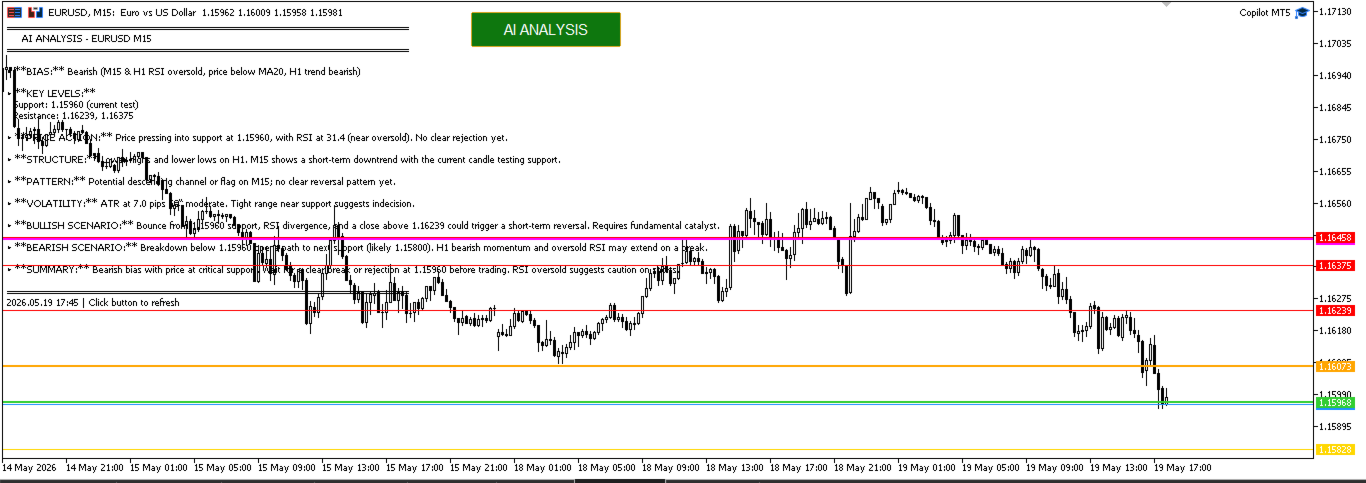
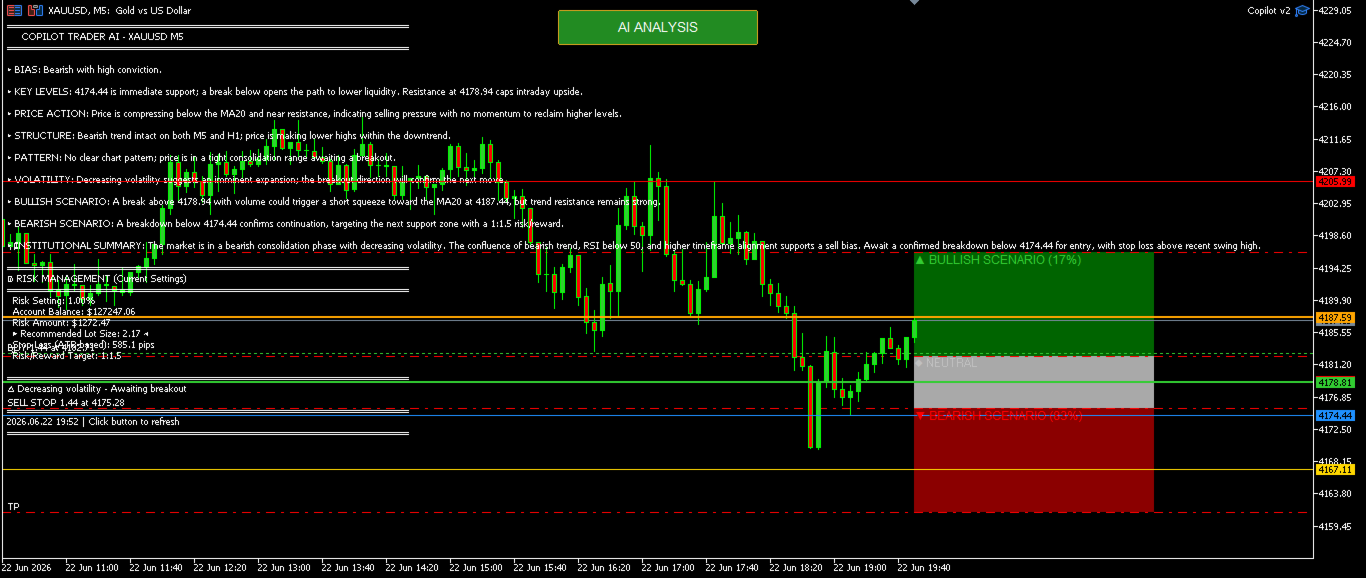
Copilot Trader AI is a revolutionary EA that brings the power of DeepSeek AI directly into your MT5 charts. With just one click and an API key costing less than $0.0005 per analysis, you get professional-grade market analysis, pattern detection, and trade levels drawn automatically on your chart.
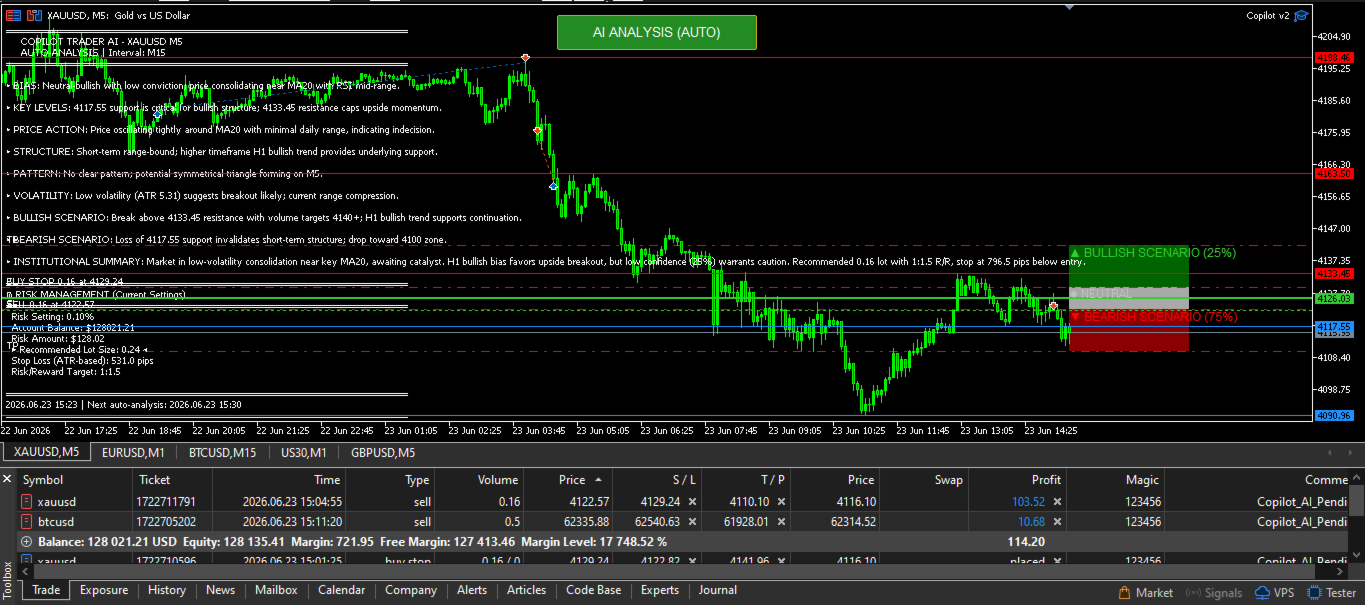
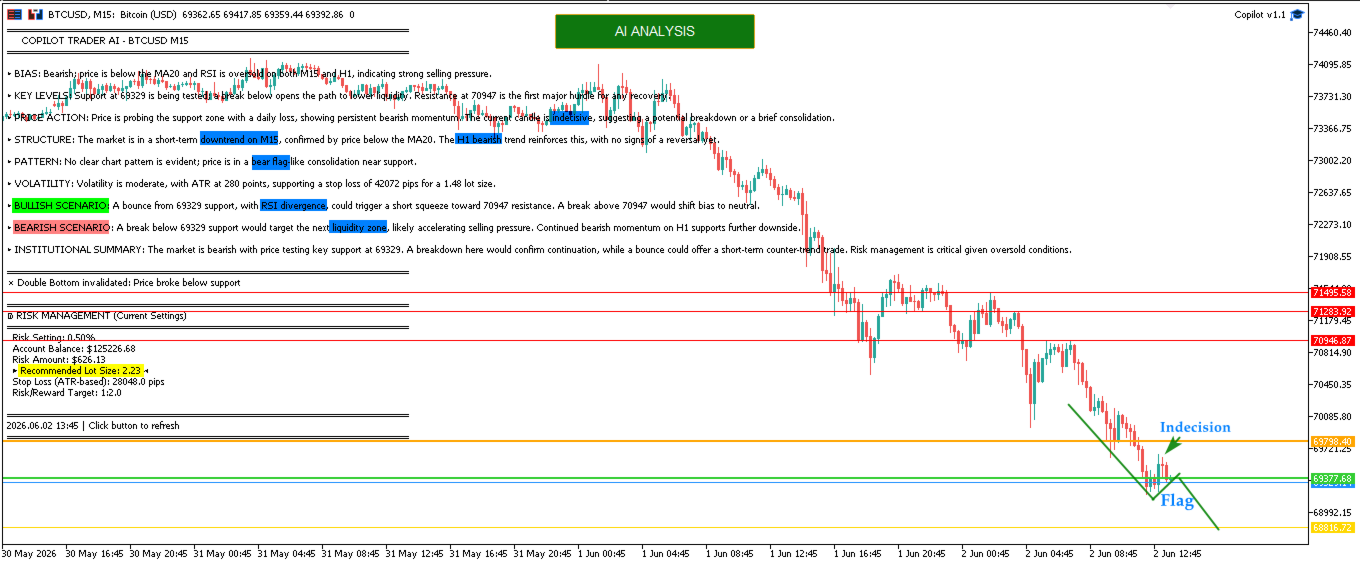
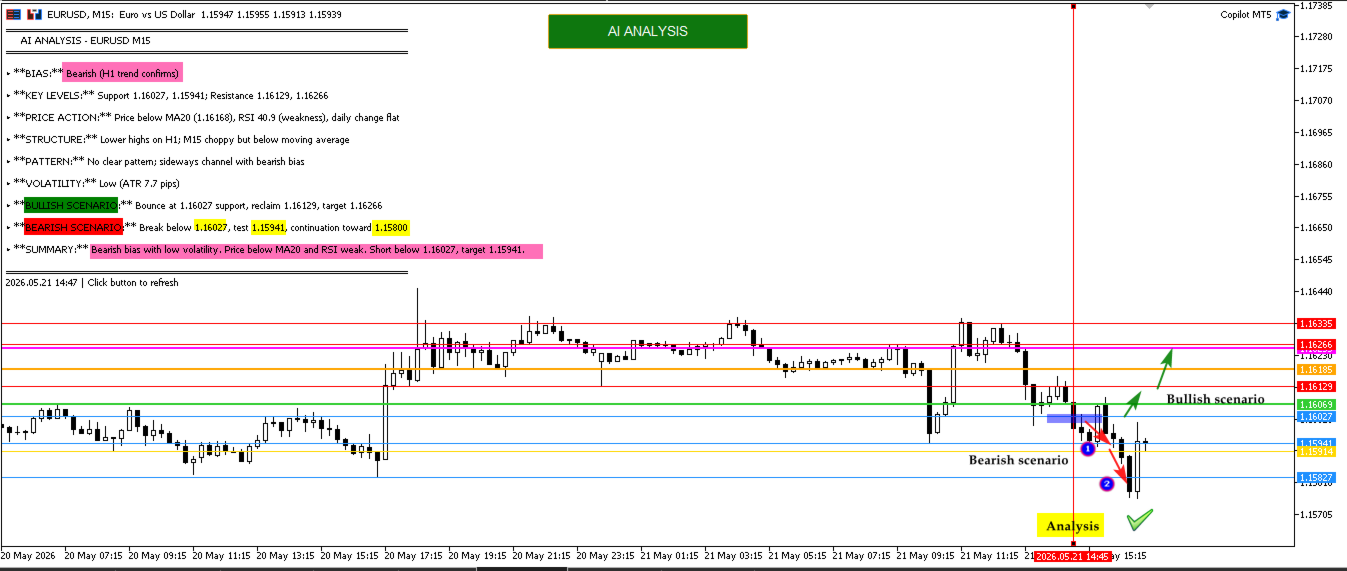
In the Comments section, you will find market analysis, trading scenarios, and results from live opportunities...
Update to version 2.1 :
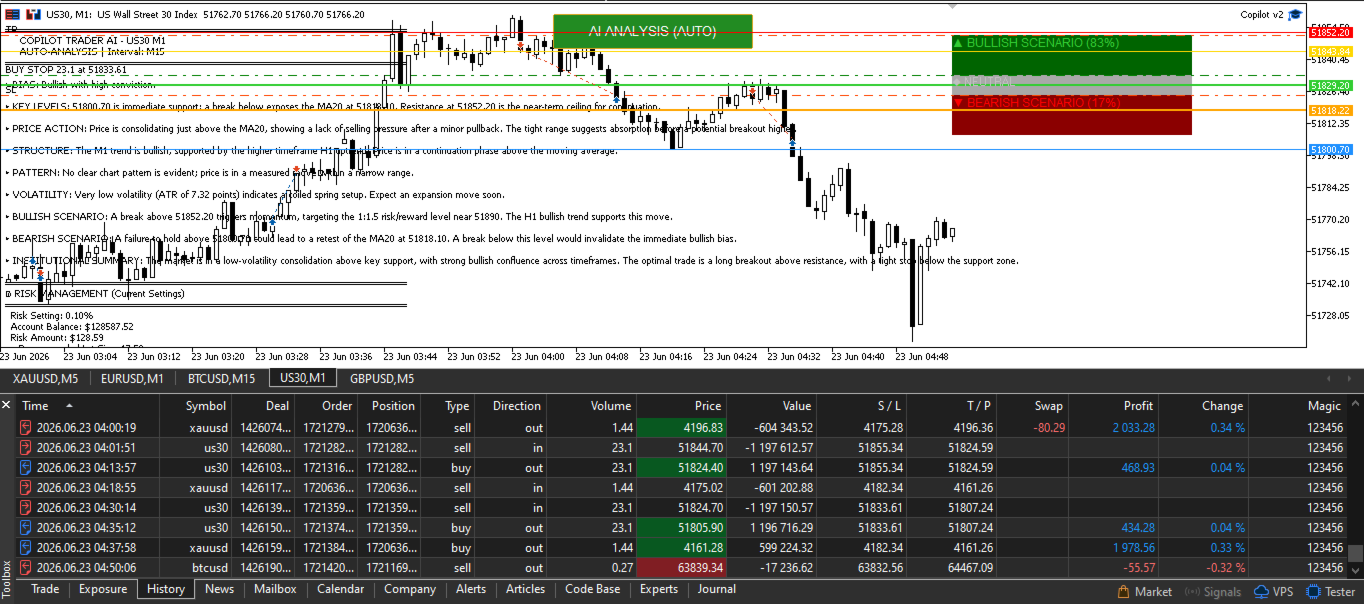
Auto-Trading is now enabled
Enable Auto-Analysis and select the analysis period (Use Time Filter to restrict analysis during Low lequidity sessions)
Set your risk per trade or Fixed Lot, Daily DD
The EA now automatically analyzes the market and places pending orders in bullish and bearish zones.
1. One-Click Analysis
-
Single button on your chart - no complex setup
-
Works on ANY symbol: Forex, Gold, Crypto, Stocks, Indices, CFDs
-
Real-time analysis of last N bars (configurable: 50-500 bars)
- Save hours of manual analysis
- Automated AI Market Scanning : EA continuously monitors the market at your chosen interval (M1 to W1)
2. Professional Market Analysis
The AI provides a complete trading report including:
-
BIAS - Clear directional view (Bullish/Bearish/Neutral)
-
KEY LEVELS - Support & Resistance with precise prices
-
PRICE ACTION - Momentum, rejection zones, absorption areas
-
STRUCTURE - Higher highs/lows analysis with timeframe validation
-
CHART PATTERNS - Double tops/bottoms, Head & Shoulders, Triangles with NECKLINE prices and TARGETS
-
VOLATILITY - ATR-based volatility assessment
-
BULLISH & BEARISH SCENARIOS - Complete trade plans with Entry, SL, TP levels
3. Smart Pattern Detection
Unlike basic indicators, Copilot Trader uses price action logic to detect:
-
Double Bottom/Top - With confirmation bars, neckline price, and profit target
-
Head & Shoulders - Both regular and inverse, with validation rules
-
Triangles - Compression/expansion detection
-
Channels - Ascending/descending channel identification
4. Timeframe-Aware Analysis
The EA understands the difference between M5 and H1 analysis:
-
Validates if "ranging" makes sense for your timeframe
-
Calculates expected range percentages per timeframe
-
Provides quality assessment: NORMAL / COMPRESSED / EXPANSIVE
-
Suggests when to use higher timeframe for context
GETTING STARTED - 3 SIMPLE STEPS
Step 1: Get Your API Key
-
Go to platform.deepseek.com
-
Sign up (free)
-
Navigate to API Keys
-
Click "Create API Key"
-
Copy your key (starts with sk- )
Step 2: Configure MT5
-
Tools → Options → Expert Advisors
-
Check "Allow WebRequest for listed URLs"
-
Click OK
Step 3: Start Trading
-
Drag EA onto your chart
-
Paste API key in properties
-
Click "AI ANALYSIS" button
-
Start trading with AI-powered analysis!
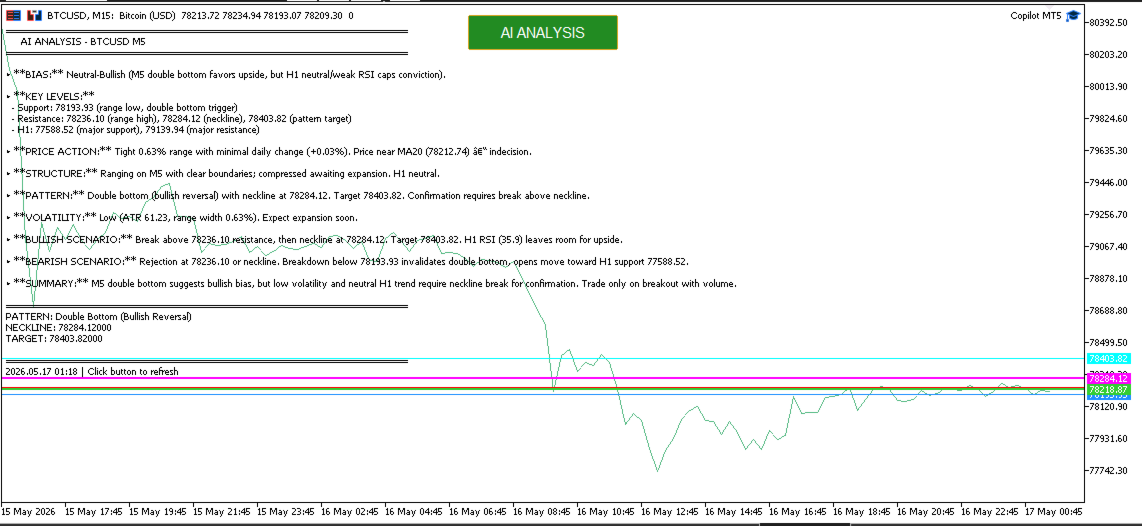
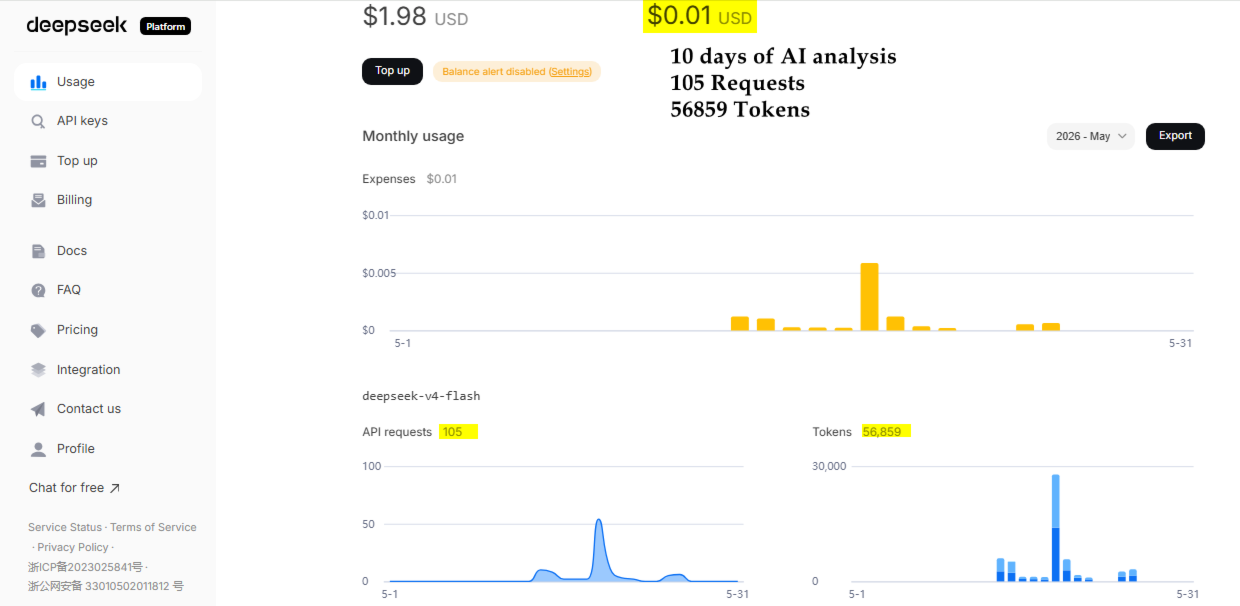
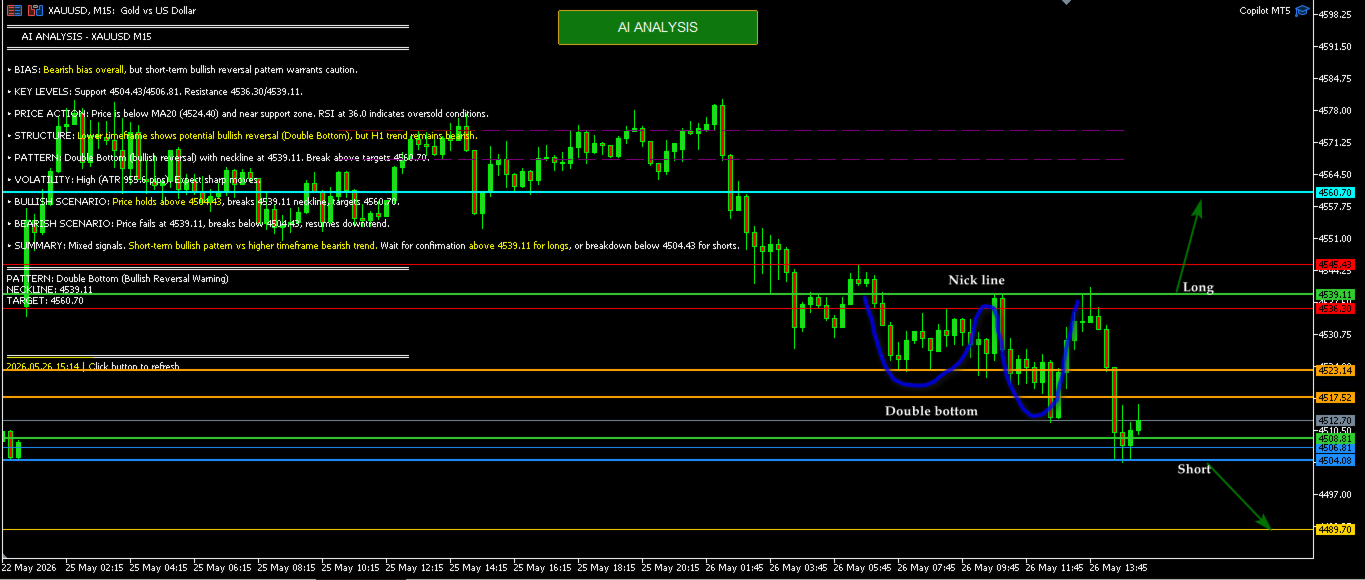
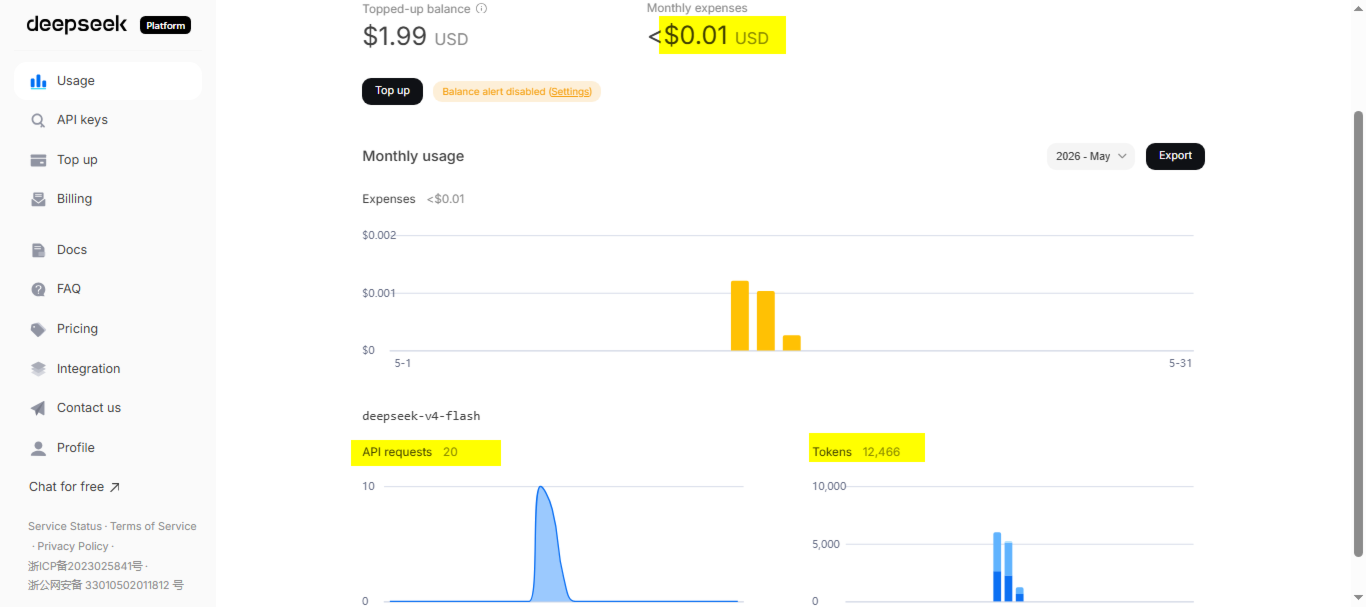




































































I am surprised by accuracy of ai analysis. It is often spot on accurate. More over every analysis is very cheap only few cents. I am using deepseek-v4-flash model