NeuroCatalyst AI
- Experts
- Versão: 1.3
- Atualizado: 10 dezembro 2025
- Ativações: 10

NeuroCatalyst_AI: Your 24/7 AI Trading Partner. Turn Market Data into Steady Income.
#Forex Expert Advisor #AI Trading #Automated Trading #Neural Network #Trading Robot #Passive Income #MT5 EA #Algorithmic Trading #Risk Management #Forex Robot
NeuroProfit Catalyst_AI is a next-generation Expert Advisor that combines the power of a neural network with uncompromising risk management. It is created for those who value their time and strive for stability. The advisor fully automates the trading process, operating 24/7 and making informed decisions based on the analysis of dozens of market parameters. Stop trading on emotions—start earning with algorithms.
What is NeuroCatalyst_AI?
NeuroCatalyst_AI is not just another advisor. It is a highly advanced automated system with a unique neural network decision-making logic at its core. It processes data from several technical indicators, assesses trend strength, and calculates a confidence level for each trade, allowing you to profit from market movements around the clock.
Key Advantages and Unique Features:
🧠 AI-Based Intelligence: The neural network combines indicator signals, filters market noise, and assigns each signal a confidence level—from Weak to Strong.
🛡️ Adaptive Money Management: The system automatically adjusts the lot size based on signal strength. Strong signals—increased volume, weak signals—reduced volume. This optimizes the risk-reward ratio.
⚡ Dynamic Take Profit and Trailing Stop: The advisor uses a "floating" Take Profit that adapts to price movement, and a smart trailing stop to protect profits and move trades to breakeven.
🛡️ Built-in Protection Mechanisms: Deposit protection functions, daily trade limit, trading session filter to avoid illiquid periods, and spread control.
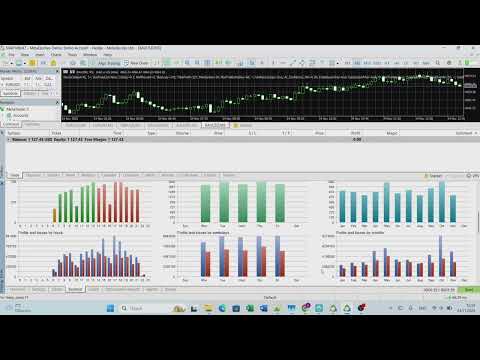
📊 Intuitive Control Panel: All key information is displayed on a convenient graphical interface: AI confidence, performance, market status, number of trades, etc.
Who is this Advisor for?
-
For beginners and busy people: No trading experience required. Set it and forget it—the advisor works autonomously.
-
For investors seeking passive income: The perfect solution for those who want to earn income without spending hours at the monitor.
-
For conservative and active traders: The availability of settings allows you to choose a mode of operation from Conservative to Aggressive.
Advisor's Operation Scheme (Trading Strategy)
The advisor's work is built on a clear, logical cycle:
-
Data Collection: On each tick, the system collects current data from technical indicators (RSI, MACD, ADX, EMA, etc.).
-
AI Signal Processing: The neural network weights and combines the received signals, assesses trend strength, and produces a final decision: BUY, SELL, or WAIT. Each decision is assigned a confidence level.
-
Risk Calculation: Based on the confidence level, the system calculates the optimal trade lot size for your deposit.
-
Trade Execution and Management: A position is opened with verified Stop Loss and Take Profit levels, after which trailing stop and dynamic Take Profit mechanisms are activated to maximize profit and minimize risks.
Requirements & Setup:
-
Minimum Deposit: $500 (recommended for safe operation).
-
Account Type: ECN, Raw, or Standard with floating spreads.
-
Leverage: 1:100 or higher.
-
Symbols: Optimized for XAUUSD, EURUSD, but multi-currency capable.
-
Timeframe: M5 (default).
📘 User Manual for Training the NeuroProfit Catalyst_AI Advisor
Introduction
NeuroCatalyst_AI has a unique adaptive learning system that allows it to improve its performance over time by adapting to current market conditions. This instruction will help you correctly activate and configure this powerful tool.
📁 Chapter 1: Enabling the Learning System
To activate adaptive learning, you only need to check one input parameter.
-
Open the "Expert Advisors" tab in the MetaTrader 5 terminal.
-
Find the NeuroCatalyst_AI advisor on the chart, right-click on it, and select "Properties".
-
In the window that opens, find the parameter group "=== AI Settings ===".
-
Make sure the parameter "EnableLearning" is set to true. This activates the data collection and AI confidence adjustment system.
Important: The learning system is enabled by default. We strongly recommend not disabling it to achieve the best long-term results.
🔄 Chapter 2: How the Learning Process Works
Understanding this process will help you appreciate its value.
-
Data Collection: Each trade opened by the advisor is automatically recorded in an internal database, indicating: the AI confidence level at opening, the trade result (profit/loss), and the opening time.
-
Result Analysis: After closing a trade, the advisor analyzes its success.
-
Confidence Adaptation:
-
After a losing trade: The advisor raises the minimum required confidence threshold ( current_ai_confidence ). This makes it more "discerning" and avoids repeating mistakes in similar market conditions.
-
After a successful trade: The advisor may slightly lower the confidence threshold, becoming more flexible in using successful strategies.
-
-
Performance Update: The overall success indicator ( recent_performance ) is constantly updated, giving you an idea of the current efficiency of the algorithm.
A clear example: Suppose the AI opened a trade with 70% confidence, and it closed at a loss. Instead of blindly repeating this logic, the advisor will raise the bar. Next time, for a similar signal, it may require 73% confidence to open a position.
📊 Chapter 3: Monitoring the Learning Process
You can easily track the operation of the learning system in real time.
-
On the chart: In the upper left corner of the chart, the advisor displays an information panel.
-
Key metrics to observe:
-
"AI Confidence": A dynamic value that changes over time. Its growth indicates that the advisor is becoming more cautious.
-
"Performance": An index from 0.0 to 1.0 that shows the recent success rate. A value above 0.5 indicates overall profitability.
-
-
Example message in the "Experts" journal:
-
"AI confidence increased after loss: 0.728"
-
"AI confidence decreased after profit: 0.691"
-
⚙️ Chapter 4: Manual Tuning and Optimization
Although the advisor learns autonomously, you can influence its "learning pace".
-
Parameter AI_Confidence_Min (Minimum AI Confidence):
-
Default value: 0.65 — A good balance between the number of signals and their quality.
-
For conservative trading: Increase the value to 0.72 - 0.78. The advisor will open fewer trades, but only with the highest confidence.
-
For more active trading: You can lower it to 0.60. The advisor will respond to a greater number of market opportunities.
-
-
Tip: Start with the default values. Run test launches on a demo account for 1-2 months before making serious adjustments.
❌ Chapter 5: Learning Reset (Hard Reset)
If you have changed the trading instrument or market conditions have changed dramatically, it may be necessary to reset the accumulated experience.
-
Disable the advisor from the chart.
-
Remove it from the chart.
-
Reinstall the advisor on the chart. All accumulated learning data will be reset to zero, and the advisor will start learning "from scratch".
💎 Conclusion and Recommendations
-
Patience is the key to success. Do not expect instant results. The learning system requires time (from several weeks to 2-3 months) to gather sufficient statistics and stabilize.
-
Trust the algorithm. Avoid the temptation to manually intervene in trading or constantly change settings. This disrupts the learning process.
-
Always start with a demo account to allow the advisor to "acclimatize" and for you to understand the principles of its operation without risking real funds.
NeuroCatalyst_AI is not a static algorithm, but a living, evolving system. By setting it up correctly and allowing it to learn, you will gain a reliable and intelligent trading partner for years to come.