Simple Panel MT5
- 유틸리티
-
Joas Da Silva Veiga
 안녕하세요, 저는 브라질 출신입니다. 저의 필요와 데이 트레이딩 연구를 바탕으로 MT5용 도구와 지표를 혼자서 직접 개발하고 있습니다. MQL5에서는 아직 신규 사용자이며, 제가 직접 사용하고 개발한 도구와 지표를 공유하고 있습니다. 무료인 것도 있고 유료인 것도 있습니다. 제 유료 도구나 지표 중 하나를 구매해 주셔서 제 작업을 계속할 수 있도록 도와주신다면 매우 감사하겠으며, 더 많은 무료 도구를 이곳에 공개할 수 있을 것입니다. 감사합니다.
 - 버전: 1.0
Order Ticket, Trading Panel, Risk Management, Manual Trading, Order Management, Fast Execution, execution panel for MetaTrader 5
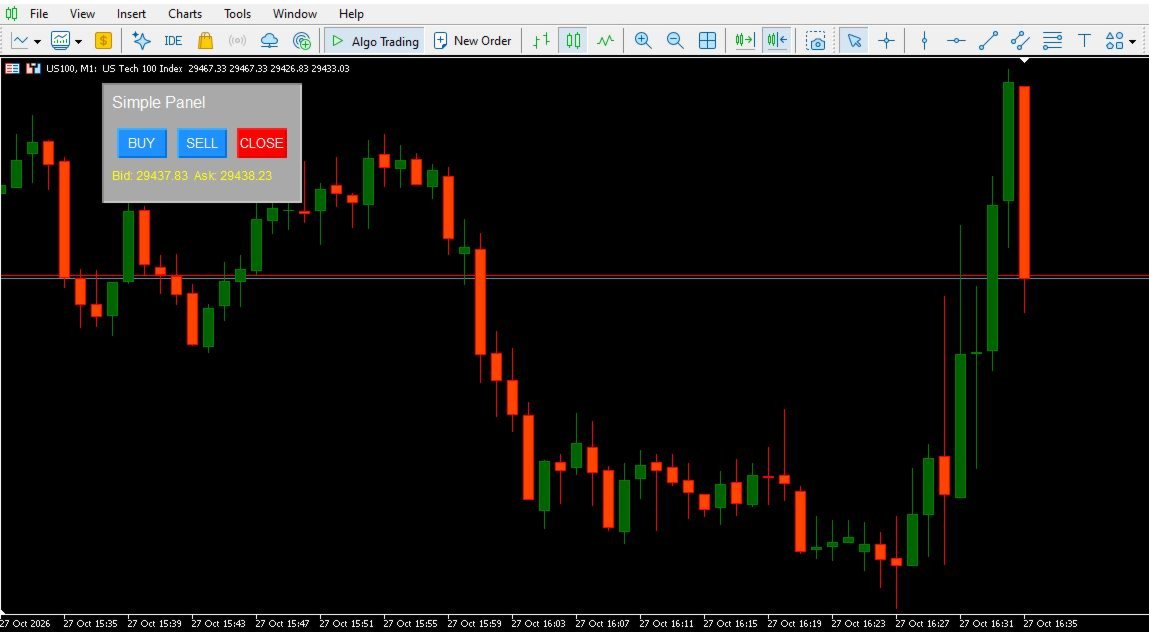
Simple Panel is a lightweight trading panel for MetaTrader 5 that lets you execute market orders and manage open positions directly from your chart.
Designed for simplicity and convenience, the panel provides BUY, SELL, and CLOSE buttons in a compact interface, helping you access essential trading actions without navigating through multiple trading windows.
Key Features
One-Click Trading Panel
Place market buy and sell orders directly from the chart using the dedicated BUY and SELL buttons.
Close Positions by Symbol
The CLOSE button attempts to close all open positions for the current chart symbol, making it easier to manage symbol-specific exposure from one interface.
Adjustable Lot Size
Set your preferred trading volume through the input parameter before using the panel.
Live Bid and Ask Prices
Monitor the current Bid and Ask prices displayed directly on the panel.
Draggable Interface
Move the panel around the chart by dragging it with your mouse. Its position is saved and restored when the panel is initialized again.
Compact Design
The panel features a simple layout with clearly separated BUY, SELL, and CLOSE buttons, keeping essential trading controls accessible while you analyze the chart.
How It Works
-
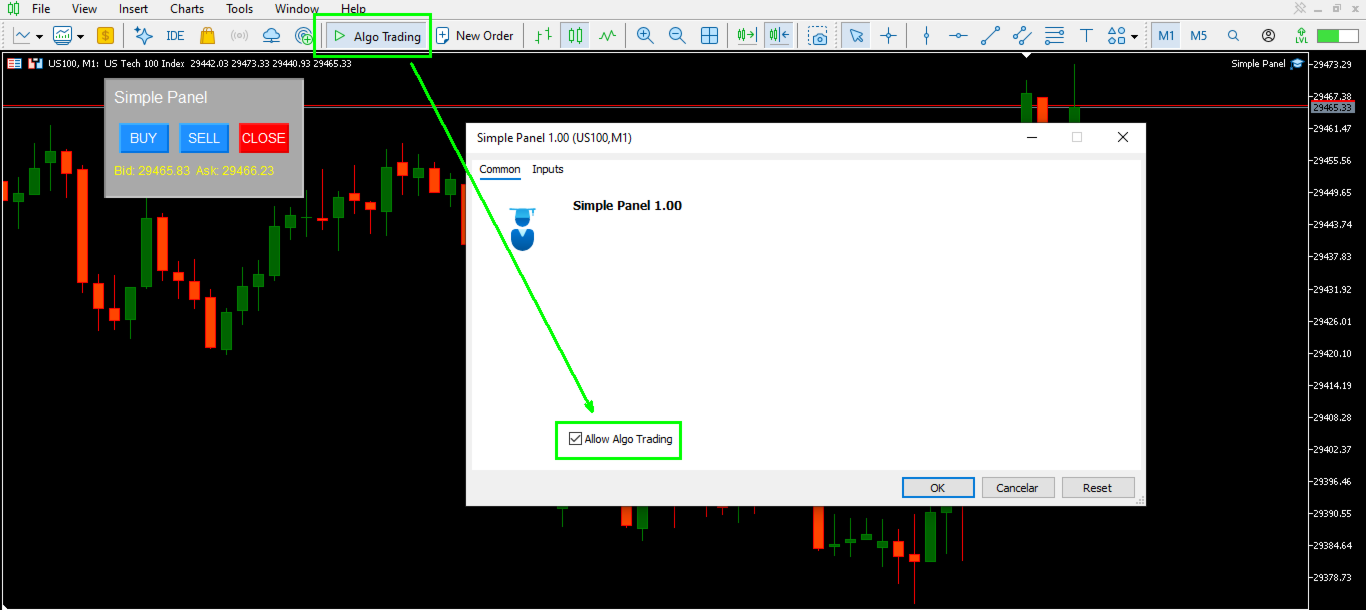
Attach Simple Panel to a chart in MetaTrader 5.
-
Set the desired lot size in the indicator's input settings.
-
Click BUY to submit a market buy order or SELL to submit a market sell order for the current chart symbol.
-
Click CLOSE to attempt to close all open positions for that symbol.
-
Drag the panel to your preferred chart location.
Important Information
Simple Panel is a trading utility, not an automated trading strategy. It does not generate trading signals or determine market direction.
The BUY and SELL buttons submit market orders using the configured lot size. The CLOSE button attempts to close all open positions for the current chart symbol, regardless of their direction or opening method.
Trading operations are subject to broker execution conditions, available margin, market availability, and the trading permissions configured in MetaTrader 5.
Always verify your trading volume and account settings before placing orders.
Compatibility
Platform: MetaTrader 5
Type: Chart-based trading panel
Trading actions: Market Buy, Market Sell, and Close Positions by Current Symbol.