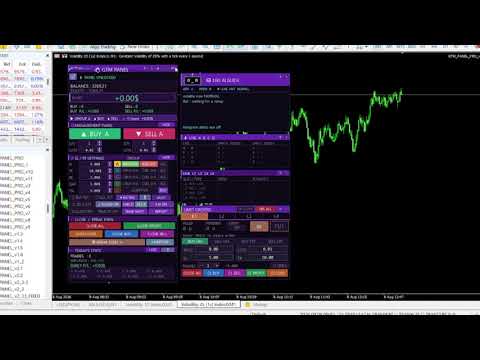
Manual trade and group management

⚡ GTM PANEL PRO  one chart, four trade groups, four limit slots, total control

GTM PANEL PRO is a manual trade management control panel for MetaTrader 5. It does not open trades on its own and it does not predict anything. It gives you a cockpit: you decide, and the panel executes, protects and reports — in one click instead of ten. 🎯

It was built for the trader who is already good at reading a chart but keeps losing money to the mechanics of trading: the stop that was never set, the basket that had to be closed one trade at a time, the pending order typed at the wrong price, the winner that came all the way back to entry because moving five stops by hand took too long.

🧩 1. Trade in GROUPS, not in single tickets

This is the heart of the panel. Most terminals treat every trade as an orphan. GTM PANEL PRO gives you four completely independent groups — A, B, C and D — and each one owns everything:

  • 🔢 its own magic number, so its trades are tagged from the second they open
  • 📊 its own lot size and trade count for the buy side and the sell side separately
  • 🛡️ its own stop loss, take profit, break-even trigger, break-even gap and trailing distance
  • 📈 its own statistics — you can see which group is actually paying you
  • 🎨 its own colour on the chart, so a glance tells you whose trades those are

Why this matters. You can run a scalp basket in group A, a swing position in group B and a hedge in group C on the same symbol, at the same time, with different stops and different risk — and never mix them up. Press CLOSE and only the group you are pointing at is touched. Nothing else on the account moves.

Every close and break-even button also obeys a per-group counter. Set it to 2 with three trades running and CLOSE takes two and leaves one to run. Scaling out stops being a manual chore.

🎯 2. The LIMIT DESK — four pending-order slots that behave like a plan

Pending orders are where patient traders make their money and where most panels stop caring. GTM PANEL PRO gives them a desk of their own: four slots, L1 to L4, each with its own order type, price, lot, stop, target, quantity and magic number.

  •  Any type per slot — BUY LIMIT, SELL LIMIT, BUY STOP, SELL STOP. Build a full break-out or reversion plan on one screen.
  • ✖️ Multiple orders per slot. Set TRADES to 3 and one press of PUT sends three orders at that price.
  • 🔁 OCO — One Cancels Others. The moment any slot fills, every other pending order is cancelled automatically. Arm both sides of a range and let the market pick.
  • ⏱️ Auto expiry. A level that has not been touched in 30 minutes, an hour or a day deletes itself. No stale orders left behind.
  • 🛡️ SL and TP attached before the order is even sent, so a fill is never naked.
  • 🧹 Its own close row — close all, buys, sells, winners or losers of that slot alone.
  • 📊 Its own statistics, so you can see whether your pending-order plan is actually working.

Why this matters. A pending order placed badly is worse than no order at all. Here the price is validated before it goes out — if a BUY LIMIT is above price, the panel tells you why in plain English and refuses to send it.

🖱️ 3. Set the stop and the target by DRAGGING them on the chart

Typing numbers into boxes is slow and it is where mistakes happen. In GTM PANEL PRO you put the trade where your eyes already are:

  • Press on the price line and pull — and the whole order travels with it: the entry, the stop, the target and both shaded risk blocks move together.
  • Pull the red line and only the stop moves. Pull the green line and only the target moves.
  • While you drag, the PRICE, SL and TP boxes show the live number you are on — you are reading real values, not guessing.
  • A shaded red block covers entry-to-stop and a shaded green block covers entry-to-target, so risk and reward are shapes you can see, not numbers you have to work out.
  • The same drag works on the main panel's BUY / SELL target lines, and what you drop them on is written straight into the SL / TP settings.
  • Everything works before the order is placed. Carry it to the level you want, set the stop, then send it.

🛡️ 4. Protection that actually fires

  • ⚖️ Break even — one button moves the stop to entry on everything in scope, right now. Or set a trigger and let it fire by itself, with an optional gap past entry.
  • 📉 Trailing stop — per group, with its own distance. Deliberately silent, because a beep on every step with a basket open is unbearable.
  • ✂️ Close winners only, or losers only — trim the bad half of a basket and let the good half run.
  • 💲 $ or % risk — one button switches every stop, target and trailing value between dollars and percent of price.
  • 🔒 Password lock — the panel is locked by default. Nothing fires until you unlock it.

🤖 5. A live guide that talks while you trade

A rolling advisor that reads your account every second and speaks only when there is something worth saying: a trade running without a stop loss, drawdown getting deep, margin level dropping, volatility changing gear, which group is carrying the day, a limit order about to fill — plus a rotating set of trading reminders. Colour-coded: 🔴 red act now, 🟠 amber watch it, 🔵 blue information, 🟢 green good news.

📲 6. Telegram — alerts out, control in

  • 🔔 Every open, close, break-even, limit fill and risk warning pushed to your chat, and to a group or channel too.
  • 📸 A chart screenshot sent as a real photo, and a full written report of the whole account on demand.
  • 🎮 Optional remote control. Commands are ignored entirely unless you switch REMOTE on, and trading commands need a second, separate permission. Off by default, and it never survives a restart on its own.

📊 7. Statistics that survive everything

Today and this month, rebuilt from your deal history every time the panel starts — a restart, a timeframe change or a terminal crash never loses a number. Trades closed, wins and losses, win rate with a meter, and realised plus floating P/L per group and per limit slot.

🖥️ 8. Built to live on your screen

  • 🎨 Six full themes plus a night mode, and three panel sizes.
  • 🧲 Every outside box moves and folds independently — park the AI guide, the group monitor, the limit desk anywhere you like, roll any of them up to its title bar, and the layout is remembered through restarts.
  • 👁️ Chart marks can be switched off one kind at a time when the chart gets busy.
  • 🔗 Shares a chart with other EAs safely — every group and slot has its own magic number.

⚠️ What this product does NOT do

Please read this before buying. GTM PANEL PRO contains no automatic trading logic, no signals and no strategy. It will never open a trade you did not ask for. It is a control panel and a risk-management tool for a trader who makes their own decisions. There are no performance claims here, because a management tool cannot make a losing strategy profitable — it can only stop good trades from being ruined by slow, manual execution.

🚀 Getting started in three steps

  1. Drag GTM PANEL PRO onto any chart. In the properties window tick Allow Algo Trading, open the Inputs tab and set your password and lot defaults, then press OK.
  2. Unlock the panel with your password. Pick a group letter, switch the BUY and SELL sides on, set SL and TP.
  3. Trade. To change a setting later: Charts → Expert List → Properties, or just press F7.

📘 A complete illustrated manual is included — every button, every box and every number, one page per section, in English and Sinhala.

🖥️ Requirements

  • MetaTrader 5, any broker, any symbol, any timeframe.
  • Algo Trading enabled in the terminal.
  • For Telegram only: Tools → Options → Expert Advisors → tick Allow WebRequest and add https://api.telegram.org.

⚙️ INPUT PARAMETERS

Identity

  • InpMagicA / InpMagicB / InpMagicC / InpMagicD — magic number for groups A, B, C and D. Each must be unique.
  • InpPassword — the password that unlocks the panel. Change it from the default.
  • InpSlippage — maximum slippage in points.

Panel

  • InpPanelX / InpPanelY — where the panel first appears on the chart.
  • InpThemeStart — starting theme: 0 NAVY, 1 GOLD, 2 EMERALD, 3 PURPLE, 4 CYBER, 5 CLASSIC.
  • InpUISize — starting panel size: 0 small, 1 medium, 2 large.
  • InpSideBoxStart — show the live group monitor at startup.
  • InpSoundStart — sound alerts on at startup.
  • InpAnimateStart — animated live border.

Group defaults (the same set for A, B, C and D)

  • InpA_Lots — starting lot size for the group.
  • InpA_Qty — how many trades one press opens.
  • InpA_SL — starting stop loss (0 = off).
  • InpA_TP — starting take profit (0 = off).
  • InpA_BE — profit needed before automatic break even fires (0 = off).
  • InpA_Gap — how far past entry the break-even stop is placed.
  • InpA_TSL — trailing stop distance (0 = off).

Limit slots L1 – L4

  • InpMagicL — base magic number for the limit slots; L1 uses it, L2 +1, L3 +2, L4 +3.
  • InpL_Lots — starting lot size for the limit slots.
  • InpL_SL — starting stop loss for the limit slots.
  • InpL_TP — starting take profit for the limit slots.
  • InpL_Expiry — pending-order expiry in minutes (0 = never).
  • InpL_OCO — one slot fills, the rest are cancelled.

Telegram

  • InpTgToken — bot token from @BotFather.
  • InpTgChatID — your chat id from @userinfobot.
  • InpTgGroupID — group or channel id (negative, starts -100). Leave blank to switch off.
  • InpTgAllowTrade — allow BUY / SELL / CLOSE commands from Telegram. Off by default.
  • InpTgPollSec — how often incoming commands are checked, in seconds.
  • InpTgSinhala — bilingual replies.

Limits

  • InpMinLot / InpMaxLot — lot size floor and ceiling for the panel.
  • InpMinQty / InpMaxQty — trades-per-click floor and ceiling.

💬 Questions before you buy? Send a message and ask. If something in the panel does not behave the way this page describes, tell me and it gets fixed.

⚠️ Trading carries risk. This product is a manual execution and risk-management tool; it does not generate signals and it does not guarantee any result. Always test on a demo account first.

contact / gayanindika.rox1992@gmail.com  / WhatsApp +945260626

おすすめのプロダクト
**Forex Trade Manager Pro MT5** **Trade Manager MT5** は、MetaTrader 5向けの包括的なトレード管理ユーティリティです。トレードを計画する瞬間から決済する瞬間まで、ポジションのあらゆる側面を完全にコントロールできます。リスクを真剣に考えるトレーダー、つまり規律を築き始めた初心者から、複数のポジションにわたって瞬時の実行を必要とするプロのスキャルパーまで、幅広く対応できるように設計されています。 このツールは任意のチャートに装着でき、クリーンでコンパクトなパネルを表示します。チャート上に直接、ドラッグ可能な水平線を使用して、意図するエントリー、ストップロス、テイクプロフィットの各レベルをマークします。Trade Managerは、定義されたリスクに基づいて正しいポジションサイズを即座に計算し、ストップロスとテイクプロフィットの値をpipsと口座通貨でリアルタイムに表示し、計画中のトレードのリスク・リワード比率を表示します。手動計算は一切必要ありません。リスクを一度定義すれば、ツールが残りのすべてを処理します。 **ポジ
User Manual Buy Trading Utility, Get 2 indicators FREE ! After purchase contact me for your " TWO indicators GIFT (Any one you want) ", adding you in group. Trading Utility MT5 The manual trader's cockpit. Size every trade by risk, place it from the chart, and manage it without ever opening the order dialog. Eight tabs, seven trailing engines, and every stop and target draggable with one click. One panel between you and the order window. Risk-sized entries, draggable stops, seven trailing modes
SwiftEdge Scalper 完全な手動制御を備えたプロフェッショナルティックスキャルピングEA スキャルピングには瞬時の判断、正確なリスク管理、シームレスな注文執行が求められます。価格動向を見ながらブレイクイーブン計算、トレーリングストップ、複数ポジションを管理することは、適切なツールなしでは圧倒されます。 SwiftEdge Scalperは、アクティブなスキャルパーとデイトレーダー向けに設計されたプロフェッショナルなトレーディングアシスタントです。ワンクリックまたはキーボードショートカットで取引を実行し、EAが自動的にブレイクイーブン、トレーリングストップ、ポジション管理を処理します。これは自動売買ロボットではありません — あなたが決定した時のみ取引します。 詳細はこちら: 完全な設定ガイドとドキュメント (English) 期間限定オファー: 最初の50ダウンロードは無料!その後、この製品は有料になります。今すぐダウンロードして無料コピーを確保してください。 主な機能 ワンクリック取引: パネルボタンまたはカスタマイズ可能なキーボードショートカット(B/S/A/C/E/
Boost your forex profits with Blues Protector, an advanced MQL5 Expert Advisor designed for MetaTrader 5. This automated trading bot dynamically manages your stop-loss levels to secure gains and reduce risks. Blues Protector EA - User Manual   (For MT5 - Ready-to-Use EX5 File)   1. What This EA Does    The Blues Protector EA automatically secures your profits by smartly adjusting stop-loss levels when your trade reaches a predefined profit level. It works silently in the background, protecting
Automatic TP and SL
Dushshantha Rajkumar Jayaraman
TradeGuard    by Chart Walker TradeGuard is a MT5 Expert Advisor (EA) designed to enhance your trading experience by automating key aspects of trade management. This EA excels in efficiently managing Take Profit (TP) and Stop Loss (SL) levels, offering a seamless and intelligent approach to trailing stops. One of TradeGuard's standout features is its Smart Trailing Stop, which dynamically adjusts the trailing distance based on market conditions. This adaptive approach helps maximize profits dur
TRADE MANAGER G2 – PRODUCT DESCRIPTION By Ida Bagus Putu Mahardika Trade Manager G2 – All-in-One Trading Panel for Professional Execution & Risk Management Trade Manager G2 is a next-generation trading panel designed to give you full control over order execution, position management, and profit optimization in real time on MetaTrader 5. With a modern card-based user interface and individual TP actions per level, this panel elevates your trading experience to the next level. KEY ADVANTAGES OF
Automatic Trade Calculation Panel   One-Klick-Trading Automatic calculation of Lot sice Atuomatic calulation of Stop-Loss and TakeProfit Up to 3 partial closings Trailingstop (Stop-Loss moves automatically)   The lot size is calculated by the previously determined risk (e.g. 1.0% of the account size) and the distance of the Stop Loss from the entry point. The distance from the Stop Loss to the entry point results from the ATR indicator multiplied by a freely selectable factor. The Stop Loss and
Trade Manager は、リスクを自動的に計算しながら、取引を迅速に開始および終了するのに役立ちます。 過剰取引、復讐取引、感情的な取引を防止する機能が含まれています。 取引は自動的に管理され、アカウントのパフォーマンス指標はグラフで視覚化できます。 これらの機能により、このパネルはすべてのマニュアル トレーダーにとって理想的なものとなり、MetaTrader 5 プラットフォームの強化に役立ちます。多言語サポート。 MT4バージョン  |  ユーザーガイド + デモ Trade Manager はストラテジー テスターでは機能しません。 デモについてはユーザーガイドをご覧ください。 危機管理 % または $ に基づくリスクの自動調整 固定ロットサイズを使用するか、ボリュームとピップに基づいた自動ロットサイズ計算を使用するオプション RR、Pips、または価格を使用した損益分岐点ストップロス設定トレーリングストップロス設定 目標に達したときにすべての取引を自動的に終了するための 1 日あたりの最大損失 (%)。 過度のドローダウンからアカウントを保護し、オーバートレードを防ぎます
SCALPING GOLD DIGGER EA Intelligent Gold Trading Robot for XAUUSD Free Demo Version =  https://c.mql5.com/6/1022/GoldDigger_DEMO.zip Trade Gold with Confidence SCALPING GOLD DIGGER EA is an advanced Expert Advisor designed exclusively for XAUUSD (Gold) traders. Combining intelligent market analysis with adaptive trade management, it automatically identifies high-quality trading opportunities while maintaining strict risk control. Built for both beginners and experienced traders, SCALPING GOLD
Trading tool combining a sophisticated equity stop-loss, dynamic take-profit management (Breakeven & Trailing), and symbol-group-based closing logic. It is a complete risk management and trade supervision tool. Features: All features of `Equity Master Stop v1` (floating profit/loss limits, exit protection, skip hours). Take-Profit Override: Can force a TP on any order to lock in a `MAX_FLOATING_PROFIT`. Step Breakeven: Locks in increasing amounts of profit as a trade moves favorably (e.g., aft
Tyumex Trade Assistant PRO is a trading utility for MT5: open a trade in one click with automatic risk-based lot sizing and a stop loss placed automatically at the candle extremum. The tool removes the three most common manual mistakes: wrong lot size, a missing or badly placed stop, and slow entry. You set the risk as a percent of your balance — everything else is calculated automatically. KEY FEATURES - One-click entry (BUY/SELL) at market or as a limit pending order from the current price
Bneu News Filter Pro
Marvinson Salavia Caballero
Bneu News Filter is a trading utility for MetaTrader 5 that monitors economic calendar events and manages trading activity during high-impact news releases. The utility provides automatic position protection, real-time spread monitoring, and optional news trading functionality through a visual panel interface. Main Functionality Economic Calendar Integration Automatic retrieval of economic calendar events from the MetaTrader 5 built-in calendar. Monitors 8 major currencies: USD, EUR, GBP, JP
Auto SLTP Maker MT5  is an assistant for all those who forget to set StopLoss and/or TakeProfit in deal parameters, or trade on a very fast market and fail to place them in time. This tool automatically tracks trades without StopLoss and/or TakeProfit and checks what level should be set in accordance with the settings. The tool works both with market and pending orders. The type of orders to work with can be set in the parameters. It can track either trades for the instrument it runs on, or all
The "Lot Size" button toggles between fixed and auto lot size modes. Fixed mode uses a predetermined lot size, while auto mode calculates lot size based on a customizable percentage of the account balance, displayed at the bottom. The "Trailing Stop" button enables the activation or deactivation of the trailing stop feature. Initially set to "No Trailing," clicking the button changes it to "Trailing ON" when the trailing stop is active, and "Trailing OFF" when it is inactive. Below the button,
RiskCopilot
Carlos Adrian Feged Zapata
日本語 RiskCopilot Utility - あなたのインテリジェント取引アシスタント "リスクを見て、取引をマスターする" RiskCopilot UtilityはMetaTrader 5における究極のリスク管理とポジションサイジングソリューションです。この包括的な取引アシスタントは、リアルタイム計算、高度なリスク評価ツール、プロフェッショナルな取引分析を提供し、あなたの取引決定をコントロールすることはありません。すべての資産クラスで正確なリスク管理を求める初心者からプロのトレーダーまで完璧です。 あなたは戦略に集中し、私たちが計算を処理します。 主要機能: インテリジェントポジションサイジング : カスタマイズ可能なリスク割合と口座残高に基づく自動計算 マルチ通貨サポート : USD、EUR、GBP、JPY、AUD、CAD、CHFおよびその他の主要通貨 スプレッド監視システム : 異なる商品に対する適応的制限を持つインテリジェントフィルタリング リアルタイム市場情報 : キャンドルタイマー、市場ステータス、ローカル時間とサーバー時間 高度な手数料管理 : ロット当
TradeMngrMT5
Edgar Enrique Retontali
TradeManager 1.0   is an Expert Advisor for MetaTrader 4 y 5 that streamlines real-time trade management. Through a graphical control panel, you can send market and pending orders, move stop losses to breakeven, and automatically calculate position size based on your risk settings. Below is a comprehensive overview of its features and input parameters. Key Features Market Orders & Pending Orders BUY/SELL Buttons : Instantly open long or short positions at market. BUY STOP / SELL STOP / BUY LIMI
Trader SWORD
Tiofelo Da Olga Gilbert Teles
Trader [SWORD] is a panel EA designed to help the trader [scalper]. From the dashboard, the trader can: set the order volume, stop loss and take profit values [in points]; open a market order with its respective stop loss and take profit values. close all [win only, loss only or win and loss] positions opened through the EA.  On the panel we have:   the buttons to open new market orders [buy and sell];   the buttons to set the order volume [increasing and decreasing de volume order]; the buttons
CYGNIX RISK GLADIATOR — Professional Trade Manager & Risk Guardian for MT5 Guard every position. Manage every trade. Sleep at night. Cygnix Risk Gladiator is a professional-grade position management Expert Advisor that watches every open trade on your account and automatically applies institutional-level risk controls in real time. It does not generate signals — it protects, manages, and exits trades opened by you, your strategies, or any other EA. Built for IC Markets and fully compatible w
手動トレードのための、本格的なトレードパネル。正確なエントリーから口座の保護まで、トレードの全工程をチャート上のひとつのウィンドウで完結させます。設定したリスクに正確に合わせてロット数を計算し、RR Tool でチャートに線を引きながらトレードを組み立て、成行注文・待機注文・Grid・OCO を発注できます。ポジションの管理はパネルが引き受けます。最大5段階の分割決済、6種類のトレーリングストップ、建値、Virtual SL/TP を搭載。日次・週次・月次の上限が資金を守り、上限を超えると自動で作動します。 ガイドと無料の Live デモ 無料の Live デモ版はこちらでご利用いただけます ( Free Live Demo )。 製品の操作ガイドはこちらです ( User Manual )。 NT Trade Manager は、トレーダーの作業の流れ全体を、チャート上のコンパクトなパネルひとつにまとめます。ターミナルのウィンドウを行き来する必要も、エントリーのたびに手計算する必要もありません。自分の意思で手動トレードする人のためのツールです。裁量トレーダーからスキャルパー、スイ
More stable MetaTrader 4 version is available here:  Lot Calculator Tool . This tool helps you to automatically calculate and manage risk, conveniently place orders visually, schedule orders, trail stops, move them to break-even and more. Features Place market or pending orders using draggable lines Schedule orders Calculate and limit risk using various methods See current spread See time till next candle Set custom order comments Trail stops Move stops to break-even See order profit/loss in p
Grid Trading EA is a semi-automated one-click trading EA for both Normal Trading and Grid/Martingale Trading . Normal Trading Simply click Buy or Sell directly from the chart. The EA will automatically manage trades by: Setting Stop Loss and Take Profit Managing Trailing Stop Grid / Martingale Trading (For Hedging Account Type Only) When Grid Trading mode is enabled, the EA will automatically open additional grid orders at specified distances while increasing the lot size based on your settings.
Use for risk management and opening positions as per the user settings. The user is allowed to set the stop loss and take profits in pips. The user can also choose the risk percentage per trade that he/she wants to use while opening the trade. The volume of the trade that the user wants to sent shall be calculator according to the stoploss and the risk percentage that the user has selected.
GridZone Alpha: The Ultimate Semi-Automated Grid & Zone Manager GridZone Alpha is an advanced, interactive trading panel designed for the modern manual trader. Stop staring at the charts waiting for the perfect entry, and stop relying on rigid, fully automated bots that cannot read market context. With GridZone Alpha, you provide the human analysis by identifying your support, resistance, or supply/demand zones. Once confirmed, the Limit Order Engine takes over, instantly deploying a precision,
Executor Trader Panel (Sta) - Standard Version   is a multi-functional trading tool designed for traders. The trading panel integrates over 30 individual functions and more than 10 combined functions, providing traders with a highly flexible operational approach. Adapted for DPI: 96, 192. Main Features of the Executor: Instant Connection Status:   Immediately know if the connection with the broker is lost. Time Synchronization:   Instantly know the current local time and the time of the trad
XBOOT BOLETA PRO Professional Manual Trading Panel for MetaTrader 5 XBOOT Boleta Pro is a complete trading panel designed for traders who execute manual trades and want greater speed, organization, and control during every trading session. More than a standard Buy and Sell panel, XBOOT Boleta Pro combines powerful trading tools into a single interface, helping traders analyze the market, manage risk, execute orders, and monitor trading performance without leaving the chart. Its purpose is to sim
JMM Trade Panel MT5 JMM Trade Panel MT5 は、MetaTrader 5 用のチャートベースの取引管理ツールです。チャート上から Buy・Sell 注文を実行し、表示ロットを簡単に調整しながら、バスケットごとの損益と管理状況を確認できます。 完全なユーザーマニュアル: ダウンロード 主な機能 チャート上の Buy、Sell、Close All ボタン。 EA が管理するすべてのポジションをワンクリックで決済。 Magic Number に関係なく、口座内のすべてのポジションを管理するオプション。 現在のチャート銘柄のみ、または口座内の全銘柄を管理。 パネルからの手動ロット設定。 +0.01、+0.10、+1.00、-0.01、-0.10、-1.00 のロット調整ボタン。 証拠金ベースで、口座残高に対する指定割合からロットを自動計算するオプション。 Buy バスケットと Sell バスケットを個別に表示。 バスケット損益を口座通貨と pips で表示。 全体の管理損益を口座通貨と pips で表示。 Buy と Sell のブレークイーブン価格。
Symbol Manager or Grid Manager, designed to group orders into one position (by Symbol or by Magic Number). This utility will be useful to multi-currency traders (many EAs), who can have multiple orders on several pairs. You will be able to see the total number of lots, the total profit, and set virtual stop loss and virtual take profit. To set a real TP (or SL), you must first set the virtual value, and then enter the command in this cell: "set". If you want to set real TP/SL for all orders at
LotCalculatorPro
Reynaldo Jr Audencial Pascual
LotCalculatorPro + Smart Trading Panel LotCalculatorPro は、リスク管理、ロットサイズ計算、そしてチャート上でのトレード実行を簡単にするために設計された、強力なオールインワントレーディングアシスタントです。 このツールは、トレーダーがリスクを管理し、正確なロットサイズを計算し、さらに ブレークイーブン(Break-Even)、部分決済、日次利益/損失保護 などのスマート機能によって取引を自動管理するのに役立ちます。 Forexトレーダー、プロップファームトレーダー、リスク管理を重視するトレーダー に最適で、 MetaTrader 5 上でクリーンで効率的なトレーディング環境を提供します。 デフォルト設定: 1日の利益目標: 初期残高の2% 1日の最大損失: 初期残高の1% 主な機能 ロットサイズ計算機 LotCalculatorPro は以下の情報に基づいて 適切なロットサイズを自動計算 します: エントリー価格 ストップロス リスク金額(USD) これにより すべての取引で一貫したリスク管理 が可能になります。 チャート上での
BreakEvan Utility  Is a simple tool in a panel with this utilities: This utility will draw a Golden Line in the chart applied showing the breakeven price, considering all the positions opened for that specific symbol. Also the information panel shows: Balance Breakeven Price for that chart Force Breakeven (for that symbol) as ON/OFF Force Breakeven Global (takes into account all trades opened) as ON/OFF Total Lots opened for Symbol Total Lots opened Global And two buttons: Force Breakeven: Whe
This tool will perform Trailing stop loss and Break even management for orders. Helps you limit or reduce the time spend watching orders on the screen, especially when you need to go to sleep. Just add this EA to 1 chart, you can manage all pairs. You can filter orders by comment, magic number, symbol and order ticket number. When Breakeven it can add shift/offset pips (to cover the commission...). You can try in strategy tester before purchase. The EA will add Buy and Sell alternately, so you
このプロダクトを購入した人は以下も購入しています
Farmed Hedge Yield Farming | All Markets (Manual - Hybrid - Semi/Automated EA) MULTI-ASSET SUPPORT Trade any asset available on your broker - Forex: Major, Minor, Exotic pairs - Crypto: BTC, ETH, XRP, SOL, BNB - Stocks: Apple, Tesla, Amazon, Google, etc. - Commodities: Gold, Silver, Oil, Gas - Indices: US30, NAS100, SPX500, DAX40 - Any CFD your broker offers VERIFIED TRADING RESULTS - Farmed Hedge Yield Axi Copy:  https://www.mql5.com/en/signals/2356376 - Farmed Hedge Yield Exn Copy:   https:/

Adam FTMO MT5
Vyacheslav Izvarin
5 (2)
ADAM EA Special Version for FTMO Please use ShowInfo= false for backtesting ! Our 1st EA created using ChatGPT technology Trade only GOOD and checked PROP FIRMS  Default parameters for Challenge $100,000 Tested on EURUSD and GBPUSD only  Use 15MIN Time Frame Close all deals and Auto-trading  before Weekend at 12:00 GMT+3  Friday For Prop Firms MUST use special Protector  https://www.mql5.com/en/market/product/94362 --------------------------------------------------------------------------------
LIMITED SUMMER SALE -40% ! ONLY $470 insead of $790!  Maximum real discount! ONLY UNTIL 08/22 The core idea: using the user interface, you configure the parameters the chart must meet before entering a position (or positions), choose which entry models to use, and set the rules for when trading and planning should end. Lazy Trader  handles the rest: it  takes over all the routine chart watching and execution! full description  :: 3 key videos [1] ->  [2]   ->  [3] What can it do? - Understand
ENGLISH VERSION tg @eeevleee TICK CHART SERVICE - Professional Tick Ch
The new version of  MirrorSoftware 2021  has been completely rewriten and optimized.  This version requires to be loaded only on a single chart because  it can detect all actions on every symbol and not only the actions of symbol where it is loaded. Even the  graphics and the configuration mode  have been completely redesigned. The MirrorSoftware is composed of two components (all components are required to work):  MirrorController  (free indicator): This component must be loaded into the MASTER
1. Record the price data for each Tick transaction. Data file contents: "Tick time", "ASK price", "BID price", "SPREAD SPREAD", "Tick quoted quantity". 2. Meanwhile, generate a quotation data file with a 1-minute period. Content of 1min data file: "ASK time", "ASK OPEN price", "ASK HIGH price", "ASK LOW price", "ASK CLOSE price", "BID time", "BID OPEN price", "BID HIGH price", "BID LOW price", "BID CLOSE price", "Tick quoted quantity". 3. Save all quotation data in one file every day, which is c
私は連星の利用に対するその商用戦略をMT5で自動化しました、そして、我々のMt5BridgeBinaryで、私はそのBinary口座に命令を送りました、そして、私は以下をリストします:簡単なもののこの方法を操作し始めてください! 専門家のアドバイザーは、頑健さテストを最適化して、認識するために、作るのが簡単です;また、テストでは、その長期の収益性(我々がその最高の戦略をBinaryに接続するためにMt5BridgeBinaryをつくった理由です)を、我々は推定することができます。 特徴: - それは、私が望んだくらい多くの戦略を使用することができます。(専門家のアドバイザー)。 - 彼は、更なるプログラムを必要としません。 - 時間枠を輸入することなく、我々のEAを囲んでください。 - それは、すべての開いた活動を視覚化することができます。 - 彼だけは、すべての命令を受けるために1つのグラフだけの中で我々のEAを実行する必要があります。 - 我々のEAが働くように、それは複雑な構成を必要としません。 入場パラメータ: - メール:電子メールは、Binaryのその報告に関するも
FiboPlusWave Series products Ready-made trading system based on Elliott waves and Fibonacci retracement levels . It is simple and affordable. Display of the marking of Elliott waves (main or alternative option) on the chart. Construction of horizontal levels, support and resistance lines, a channel. Superposition of Fibonacci levels on waves 1, 3, 5, A Alert system (on-screen, E-Mail, Push notifications).    Features: without delving into the Elliott wave theory, you can immediately open one of
Xrade EA is an expert advisor as technical indicator. For short period trade it's the best for next previsions of the trend of the market. +--------------------------------------------------------------------------------------- Very Important Our robot(data anylizer) does'nt take a trade procedure. If using only our robot you must take positions by yoursels +--------------------------------------------------------------------------------------- The technical indiator provide for a given sma
News: IDEA 2.0 is out with lot of features, like telegram bot notifications and Limits order! Check the changelog at bottom of page (*). Hi all, here you can find my Expert Advisor, called IDEA  (Intelligent Detection & managEr Algorithm) . In short, with this software you can: Have   a clear view of market status , with an indication of current trend. Simply add symbols you want to monitor to your market watch, and IDEA will notify you if some of them are in trend; Have an   automatic lots ca
PROMOTION!! $499 until 1 Mar. After that, EA will be $1,050 Developed and tested for over 3 years, this is one of the safest EAs on the planet for trading the New York Open. Trading could never be easier.  Trade On NASDAQ US30 (Dow Jones Industrial Average) S&P 500  What Does The EA do? The EA will open a Buy Stop Order and a Sell Stop Order(With SL and TP) on either side of the market just a few seconds before the NY Open.  As soon as 1 of the 2 trades is triggered, the EA automatically delete
Saving data from the order book. Data replay utility: https://www.mql5.com/en/market/product/71640 Library for use in the strategy tester: https://www.mql5.com/en/market/product/81409 Perhaps, then a library will appear for using the saved data in the strategy tester, depending on the interest in this development. Now there are developments of this kind using shared memory, when only one copy of the data is in RAM. This not only solves the memory issue, but gives faster initialization on each
Instead of sticking to the Charts,let's use ALL IN ONE KEYLEVEL Announcement: We are pleased to announce the latest version 14.02 of the One In One Keylevel product. This is a reliable product that has been upgraded with many new features and improvements to make your work easier and more efficient. Currently, we have a special promotion for this new version. The current discounted price is $500, and there are only 32 units left. After that, the price will increase to $1000, and will continue to
The EA Protection Filter ( MT4 version here ) provides a news filter as well as a stock market crash filter, which can be used in combination with other EAs. Therefore, it serves as an additional protective layer for other EAs that do provide such filters.  During backtest analysis of my own night scalpers, which already use a stock market crash filter, I noticed that the historic drawdown,  especially during stock market crash phases like 2007-2008, was reduced significantly by using such a fil
Hedge Ninja
Robert Mathias Bernt Larsson
3 (2)
Make sure to join our Discord community over at www.Robertsfx.com , you can also buy the EA at robertsfx.com WIN NO MATTER IN WHICH DIRECTION THE PRICE MOVES This robot wins no matter in which direction the price moves by following changing direction depending on in which direction price moves. This is the most free way of trading to this date. So you win no matter which direction it moves (when price moves to either of the red lines as seen on the screenshot, it wins with the profit target you
Best for Technical Analysis You can set from one key shortcut for graphical tool or chart control for technical analysis. Graphic design software / CAD-like smooth drawing experience. Best for price action traders. Sync Drawing Objects You don’t need to repeat drawing the same trend line on the other charts. Shortcuts do that for you automatically. Of course, any additional modifications of the object immediately apply to the other charts too. Colors depend on Timeframe Organize drawings with
Gold instrument scanner is the chart pattern scanner to detect the triangle pattern, falling wedge pattern, rising wedge pattern, channel pattern and so on. Gold instrument scanner uses highly sophisticated pattern detection algorithm. However, we have designed it in the easy to use and intuitive manner. Advanced Price Pattern Scanner will show all the patterns in your chart in the most efficient format for your trading. You do not have to do tedious manual pattern detection any more. Plus you
Gold Wire Trader MT5 trades using the RSI Indicator. It offers many customizable RSI trading scenarios and flexible position management settings, plus many useful features like customizable trading sessions, a martingale and inverse martingale mode. The EA implements the following entry strategies, that can be enabled or disabled at will: Trade when the RSI Indicator is oversold or overbought Trade when the RSI comes back from an oversold or overbought condition Four different trading behavio
Gold trend scanner MT5 a multi symbol multi timeframe dashboard that monitors and analyzes Average True Range indicator value in up to 28 symbols and 9 timeframes  in 3 modes :  It shows the ATR indicator value in all pairs and timeframes and signals when the ATR value reaches a maximum or minimum in a given duration. Short term ATR/Long term ATR ratio: It shows ratio of 2 ATRs with different periods. It's useful in detecting short term volatility and explosive moves. ATR Value/Spread ratio: S
Attention: this is a multicurrency EA, which trades by several pairs from one chart!  Therefore, in order to avoid duplicate trades, it is necessary to attach EA only to one chart, ---> all trading in all pairs is conducted only from one chart! we can trade simultaneously in three different pairs, as by default (EURUSD + GBPUSD + AUDUSD), which take into account the correlation when entering the market for all three; we can trade only EURUSD (or any currency pair) and at the same time take into
A triangular arbitrage strategy exploits inefficiencies between three related currency pairs, placing offsetting transactions which cancel each other for a net profit when the inefficiency is resolved. A deal involves three trades, exchanging the initial currency for a second, the second currency for a third, and the third currency for the initial. With the third trade, the arbitrageur locks in a zero-risk profit from the discrepancy that exists when the market cross exchange rate is not aligned
Gold index expert MT5 Wizard uses Multi-timeframe analysis. In simpler terms, the indicator monitors 2 timeframes. A higher timeframe and a lower timeframe. The indicator determines the trend by analyzing order flow and structure on the higher timeframe(4 hour for instance). Once the trend and order flow have been determined the indicator then uses previous market structure and price action to accurately determine high probability reversal zones. Once the high probability reversal zone has bee
Golden Route home MT5 calculates the average prices of BUY (LONG) and SELL (SHORT) open positions, taking into account the size of open positions, commissions and swaps. The indicator builds the average line of LONG open positions, after crossing which, from the bottom up, the total profit for all LONG positions for the current instrument becomes greater than 0. The indicator builds the average line of SHORT open positions, after crossing which, from top to bottom, the total profit for all SH
Do you want an EA with small stoploss? Do you want an EA that is just in and out of market? Gold looks at several MT5 It is ONLY buying when the market opens and with a window of 10 minutes or less. It uses pre-market price so be sure your broker has that.   This strategies (yes, it is 2 different strategies that can be used with 3 different charts) have tight stoplosses and a takeprofit that often will be reached within seconds! The strategies are well proven. I have used them manually for
Bionic Forex
Pablo Maruk Jaguanharo Carvalho Pinheiro
Bionic Forex - Humans and Robots for profit. Patience is the key. The strategies are based on: - Tendency - Momentum + High Volatility - Dawn Scalper + Support Resistence. Again, patience is the key. No bot is flawless, sometimes it will work seamlessly, sometimes it simply won't.  it's up to you manage its risk and make it a great friend to trade automatically with fantastic strategies. Best regards, Good luck., Pablo Maruk.
Reward Multiplier is a semi-automatic trade manager based on pyramid trading that opens additional orders with the running profit of your trades to maximize return exponentially without increasing the risk. Unlike other similar EAs, this tool shows potential profit/loss and reward to risk ratio before even entering the first trade! Download Demo here  (starting lot is fixed at 0.01) Contact me to get a 7 days trial version of the product with full functionality. Guide + tips here MT4 version  
Ever took a trade and when you come back to the termainal to check on the status of the position, you realized the market has gone so far in the opposite direction or it has hit your stoploss. Well this system is here to help manage those moments price doesn't go in your desired direction. Consider this to be the insurance your account needs for your trading business. This tool manages manual trades and e.a. triggered trades. However be aware that some e.a.s are programmed to override other e.a.
ABOUT THE PRODUCT Your all-in-one licensing software is now available. End users are typically granted the right to make one or more copies of software without infringing on third-party rights. The license also specifies the obligations of the parties to the license agreement and may impose limitations on how the software can be used. AIM OF THE SOFTWARE The purpose of this system is to provide you with a one-of-a-kind piece of software that will help you license and securely track your MT4/MT5
The purpose of this service is to warn you when the percentage of the margin level exceeds either a threshold up or down. Notification is done by email and/or message on mobile in the metatrader app. The frequency of notifications is either at regular time intervals or by step of variation of the margin. The parameters are: - Smartphone (true or false): if true, enables mobile notifications. The default value is false. The terminal options must be configured accordingly. - email (true or false)
基于Goodtrade/GoodX 券商推出的黄金双仓对冲套利的交易模型/策略/系统,在日常的操作遇到的问题: 1、B账户跟随A账户即刻下单。 2:A账户 下单后  B账户 自动抄写止损止盈。 3:A账户平仓B账户同时平仓。 4:B账户平仓A账户也平仓。 5:不利点差下拒绝下单。 6:增加有利点值因子。 通过解决以上问题,改变了熬夜、手工出错、长期盯盘、紧张、恐慌、担心、睡眠不足、饮食不规律、精力不足等问题 目前解决这些问题后,有效提升了工作效率和盈利比例,由原来月10%盈利率提升到月45%的最佳盈利率。 原来的一名交易员只能管理操作两组账户,通过此EA提高到操作管理高达16组交易账户,或许你可以超越我们的记录,期待你的经验交流。 此EA分为: GoodtradeGoodX Tradercropy A       GoodtradeGoodX Tradercropy B     是一个组合EA,假设您购买的额  GoodtradeGoodX Tradercropy   A  必须同时购买 GoodtradeGoodX Tradercropy   B  两个组合使用会到最佳效果。   
フィルタ:
レビューなし
レビューに返信