 MetaTrader 5
 エキスパート
 インディケータ
 ライブラリ
ライブラリ
 ユーティリティ
 ウィジェット
 ルール
ルール
YouTubeにあるマーケットチュートリアルビデオをご覧ください
ロボットや指標を購入する
仮想ホスティングで
EAを実行
EAを実行
ロボットや指標を購入前にテストする
マーケットで収入を得る
販売のためにプロダクトをプレゼンテーションする方法
MetaTrader 5用取引ユーティリティ - 27
 以下はMetaTrader5での取引を簡素化する取引プログラムです。ユーティリティにカーソルを合わせると、その説明と目的が表示されます。
GMG KILL ZONE DISCIPLINE ENFORCER — FREE =========================================
The free discipline and risk management EA for MetaTrader 5 — for prop firm traders who trade the New York Kill Zone (ICT-style) manually, and need their rules enforced automatically.
You know the rules. One trade per session. Trade only the window. Be flat before the close. The problem was never knowing the rules — it is keeping them at the exact moment the market moves against you. This EA keeps them for you.
FREE

Emergency Close All is a one-click panic exit utility for MetaTrader 5 — designed for traders who need to exit the market instantly during volatile events, news shocks, or unexpected price moves. Drop it on any chart alongside your existing EA or manual strategy. It runs independently and never interferes with other scripts or advisors. Features: Big Panic Button — A large, high-visibility close button directly on the chart. One click (or two with confirmation enabled) closes all matchi
FREE

Product Title: MT5 GoldSilver Trade Panel Lite Short Description:
Free manual trading panel for gold and silver. Market order execution, SL/TP setting, one-click close all, and basic daily statistics. Advanced features are available in the full paid version. Description: MT5 GoldSilver Trade Panel Lite is a free, easy-to-use manual trading panel designed for gold and silver traders. It automatically detects your broker’s gold and silver symbols and lets you place market orders quickly with
FREE

Pro 10:00 Powell Strategy [NQ ES] by Ash_TheTrader
This indicator is just for who wanna trade base on Powell 10AM/PM method and its not a bigdeal holygrail strategy ! Its just a hands-Free tools for users . Does it works or not ? You should test it !
This indicator is specifically designed for Nasdaq (NQ) and S&P500 (ES) traders to capitalize on the massive liquidity sweeps that happen right at the New York 10:00 AM (and PM) opening hours. It automatically detects the true opening price,
FREE

常に完璧なトレード – なぜこのトレーディングアシスタントEAが必要なのか このEAがトレーダーにとって革新的な理由 トレードは タイミング、精度、リスク管理 がすべてです。成功と失敗を分けるのは、 どれだけ効率的にトレードを実行し、リスクを管理できるか にかかっています。 このEAはトレードを 簡単かつ安全 にし、すべてのトレードを 構造化、制御、最適化 して、長期的な利益を狙うことができます。 このEAがあなたに必要な理由 簡単なトレード実行 – 複雑な計算は不要。 ワンクリックでトレードをセットアップし実行 できます。
安全対策が組み込まれている – 誤った注文を防止し、リスクを制限し、計画以上の損失を防ぎます 。
厳格なリスク管理 – 各トレードのリスクは 口座残高の1%のみ 。無謀なポジションサイズを防ぎます。
リスク/リワード(RR)の最適化 – テイクプロフィット(TP)は設定されたRR比率に基づいて自動調整 され、バランスの取れたトレードを実現。
自動ロットサイズ計算 – EAがトレードごとに適切なロットサイズを計算 し、手動調整なしでリスクを
FREE
This utility exports candle data which you chosed by input parameter to CSV file. Time Frames: M1,M5,M15,M30,H1,H4
Inputs:
StartTime: Start time for exporting data. EndTime: End time for exporting data. DataType: Close, Open, High, Low, Median(HL/2), Typical(HLC/3), Weighted(HLCC/4), Pip(H-L). DecimalSeperator: Decimal seperator for candle price data. (Default = ".") CSVDelimiter: Delimiter character for CSV file. (Default = ";") * This utility exports candle data horizontally. That me
FREE

Description Smart SL/TP Modifier Pro is a professional utility designed to help traders easily manage Stop Loss (SL) and Take Profit (TP) levels directly from their MetaTrader 5 chart.
It provides interactive on-chart control lines and intuitive buttons for quick modification of all active orders with just one click. This tool is especially useful for traders who manage multiple positions manually but want to ensure consistent and fast SL/TP adjustment. Main Features Modify all open trades
FREE

News Shield – Protect Your Trades from Volatile News Events News Event Backtest
Short Description: In financial markets, economic news can trigger sudden and unpredictable volatility. News Shield is designed to protect your trading account during news releases — automatically, accurately, and without manual intervention. Features: Real-time display of all major economic news directly on your chart Customizable trade lock: block trading a few minutes before and after each news event Compatib
FREE

Account Turbo Flip: The Ultimate Manual Trading & Management Assistant Trading successfully isn't just about finding the perfect entry—it is about how you manage the trade once you are in the market. Account Turbo Flip is a streamlined utility Expert Advisor designed to take the emotion and hesitation out of trade management. Built for traders who prefer to maintain control over their own entries, it acts as your dedicated tactical assistant. You pull the trigger based on your own analysis, an
FREE

Fast Trade Assistant Panel Fast Trade Assistant Panel is an on-chart trading utility for MetaTrader 5. Market orders, pending orders, risk-based lot sizing, selective close, break-even, step take-profit, keyboard trading, Super Trend, Inside/Outside Bars, and chart helpers live on the chart. Configure from the main panel and the Settings window — no EA Inputs setup is required to start trading. Execution Market Buy / Sell with lot size and optional Stop Loss / Take Profit on the panel Hover Buy
FREE

BRE Behavioural Replay - Trade Psychology Analyzer
This is an analytics and awareness tool. It does not place, modify, or block trades.
It scans your local MetaTrader 5 deal history for revenge-trading patterns (a loss followed quickly by a larger re-entry) and shows a simple on-chart summary: - Trades scanned - Revenge entries flagged - Estimated cost of those patterns
Designed to run alongside your existing risk management EA. It shows you the why and the cost, complementing tools that alr
FREE

Prop Trade Guard is an on-chart discipline panel for MetaTrader 5. It keeps you inside your own trading rules instead of relying on willpower after a loss. It tracks your account's closed trades for the day and shows a live session window, trade count, and daily P/L against your limits. A fully editable 5-item confluence checklist lets you define entry criteria for any strategy — check each box before you enter, and the panel only shows SETUP READY when everything lines up. Most importantly, it
FREE

Prodesk Panel Pro – Professional Manual Trading Panel for MetaTrader 5
Set stop loss and take profit with the mouse cursor. The same goes for pending orders. Just set where the order will open by moving the mouse to the right position.
Prodesk Panel Pro is the complete and unlimited version of Prodesk Panel, designed for traders who want more speed, control, and precision when executing manual trades on MetaTrader 5. With a modern visual interface directly on the chart, Prodesk Panel Pro allo
FREE

Account Guard – Trading Account Protection for MT5 Account Guard is a safety layer for prop firm and funded accounts.
It automatically closes positions at day end and enforces daily loss limits to prevent rule violations and account breaches. Account Guard is designed to protect traders from costly operational mistakes such as forgetting to close positions before the trading day ends or exceeding daily drawdown limits. It does not open trades and does not interfere with your strategy logic — it
FREE

A prop-firm account runs under a second rulebook MetaTrader 5 knows nothing about: a maximum loss measured from a fixed starting balance, a daily limit that resets at an hour the broker's clock does not agree with, a payout consistency ceiling, a minimum number of trading days, a news blackout, a Friday cutoff. Break the first rulebook and you lose a trade. Break the second and you lose the account. PropFirm Defense watches all of them at once, on any account, next to whatever else you are runni
FREE

Purse Guard v1.00 — User Manual 1. What Purse Guard Does Purse Guard is a trailing stop manager, Stop Loss manager, trade manager, and position-management utility for MetaTrader 5. It provides practical risk management for existing trades by managing Stop Loss on open positions with two conventional trailing methods: Points Trailing — a fixed-distance points trailing stop that follows price by a selected number of MetaTrader 5 points. Candle Trailing — a candle trailing stop that follows the st
FREE

COS COPY TRADE EA: USER MANUAL It must be used in conjunction with the master file. Cos copy trade client | Buy Trading Utility for MetaTrader 5
1. System Overview & Architecture The COS Copy Trade system is a local, high-speed copying solution designed to replicate trades across accounts running on the same computer . It fully supports copying between different brokers and can mirror trades from an Investor Password account. 2. Installation & Setup Guide Step 1: Deploying the Mas
FREE

Precision Risk Manager and Multi-Order Controller for MT5 — Version 2 This utility provides risk-based lot size calculation, one-click order execution, and batch trade modification from a single collapsible panel. It is designed for manual traders who manage multiple entries on the same symbol. Features Lot Size Calculator: Enter a risk percentage and stop-loss price, then click Calculate Lot Size to receive the exact lot size for that risk amount. Order Execution: Click Buy or Sell to execute
FREE

EA Portfolio Dashboard Telegram Alerts Professional dashboard designed to analyze, monitor and control multiple Expert Advisors in real time, providing institutional-level statistics directly on your MT5 chart . Track the true performance of your portfolio with clean visual analytics, automatic EA grouping, drawdown monitoring and Telegram notifications. Ideal for traders running multiple EAs, prop firm challenges or VPS trading environments. Key Features Automatic detection of all EAs runn
FREE

Chart Buddyは、取引チャートに楽しさを加えるために設計されたエンターテインメントツールです。キャラクターがチャートの右側を移動し、価格の動きを応援しているように見せることで、取引にユニークで楽しい要素を追加します。取引に直接影響を与えることはありませんが、アニメーションは軽い気晴らしになり、まるで個人的なサポーターがいるような気分にさせてくれます。 主な機能: 価格の動きをサポート : キャラクターが価格の方向(上昇、下降、またはポジションの方向)に応じて動き、まるで市場を応援しているかのように見せます。 キャラクター選択 : 3種類のキャラクター(リス、お相撲さん、女の子)から選べるほか、カスタム画像をアップロードして個別に設定することも可能です。 カスタマイズ可能なアニメーション : キャラクターの動きの速度やタイミングを自由に調整できます。 視覚的エンターテインメント : アニメーションキャラクターが取引環境に活気とインタラクティブな要素を追加します。 illust STAMPOについて このツールでは、フリー画像リソース illust STAMPO (stampo.f
FREE

MT5 Data Bridge MT5 Data Bridge は、 MetaTrader 5 向けの軽量なデータブリッジツールであり、取引データをリアルタイムで外部システム(HTTP / Webhook)へ送信することを目的としています。
これにより、独自のトレーディング監視、アラート、およびリスク管理システムを迅速に構築できます。 本ツールは MT5 内で Expert Advisor(EA)として動作し、追加のインフラは不要です。
口座情報、マーケットデータ、ポジション情報を構造化された形式で任意のバックエンドへ出力できます。 主な機能 リアルタイムデータ送信(タイマー駆動、低レイテンシ) 複数銘柄のマーケットデータ取得(カスタマイズ可能) ポジションおよび未約定注文のエクスポート 口座スナップショット(残高、純資産など) JSON形式による標準化データ出力 API Key による認証対応 コア価値:カスタムアラートシステム MT5 Data Bridge の価値は単なるデータ取得ではなく: 独自ロジックによる完全カスタマイズ可能なアラートシステムの構築 例:
FREE

️ FWS Storm Watch — Economic News Radar & Storm Warning System Never get blindsided by news again. Storm Watch monitors the MT5 Economic Calendar in real time, filters upcoming events by currency and impact level, calculates a weather-style severity rating, and alerts you before high-impact releases. All from a compact on-chart panel with a stunning browser-based web dashboard. Part of the Forex Weather Station suite. Uses MT5's built-in calendar. What It Shows Severity Rating — Weather-styl
FREE

Proton Account Dashboard MT5
OVERVIEW Proton Account Dashboard MT5 is a utility for MetaTrader 5 that displays real-time account information on the chart. The dashboard shows key account metrics without requiring navigation to the account settings menu. This tool is designed for traders who want immediate visibility of account status while maintaining focus on price action.
PRIMARY FUNCTION The utility displays critical account metrics in a dedicated panel attached to the chart. All values up
FREE

Global Time – Trading Sessions Indicator Stay synchronized with the market, no matter your broker’s server time. Global Time gives you a clear, real-time view of the major trading sessions — Asia, London, and New York — directly on your chart. Designed with a modern and minimal interface, it helps you instantly understand which market is active and when key sessions overlap. Perfect for traders who rely on timing, volatility, and session-based strategies. Key Features: Real-time session clocks (
FREE

Algorithm Update: Grid Assistant (Version v3.1) 1. Description of the Fixed Issue (Bug Fix): In previous versions, the grid level auto-recovery module ( CheckAndRestoreKnees ) scanned trade history using a fixed lookback window (the last 3 days). When a grid cycle fully closed and profit was taken, the memory cleanup mechanism wiped the stored position IDs as intended. However, upon starting a new grid cycle, the assistant queried historical deals from the past 72 hours, pulled closed profitable
FREE

現在のシンボルでポジションを閉じる 現在のシンボルでのすべてのポジションを閉じるためのシンプルで信頼性の高いスクリプトです。面倒な作業を省き、貴重な時間を節約します。 利点: 現在の資産に焦点を当てる: 選択したシンボルの取引のみを閉じ、他のポジションには影響しません。 迅速で便利: 1回の実行で数秒で全ポジションを閉じます。 あらゆる戦略に対応: 複数ポジションや単一の資産に対応します。 安全性: 各ポジションを処理し、エラーをログに記録します。 仕組み: MetaTrader 5ターミナルでスクリプトを起動します。 スクリプトが現在のシンボルのすべてのオープンポジションを自動的に検出します。 他の資産を変更せずに、すべての取引をワンクリックで閉じます。 このツールが適しているのは? 単一シンボルのポジションを迅速に閉じる必要があるトレーダー。 短期戦略を使用し、迅速さを重視するユーザー。 時間を節約し、重要な決定に集中したいすべての方。 私の他のツール: Clear All Stops and Takes on Current Symbol
選択したシンボルのすべてのストップロス
FREE

Day Close Hunter なぜこれが重要なのか すべてのトレーダーがこの状況を知っています。金曜日の夜、市場がまもなく閉まろうとしており、週末前にポジションを閉じるのを忘れてしまいました。月曜日、市場はギャップで始まり、避けられたはずの損失をあなたの預金が被ることになります。 多くの自動売買システムには金曜日のクローズ機能が組み込まれていません。週末中ずっとポジションを保持し続け、市場のギャップに対して無防備な状態にさせます。 Day Close Hunter はこの問題を一発で解決します。クローズする時間と曜日を設定するだけで、たとえあなたが忘れてもエキスパートアドバイザーがポジションを管理します。 目的 Day Close Hunter は MetaTrader 5 向けの汎用エキスパートアドバイザーで、指定された曜日と時間にすべてのポジションと保留注文を自動的にクローズします。週末のギャップから保護するだけでなく、毎日の市場終了前の口座整理にも最適です。 主な機能 選択可能な曜日 — チェックボックスによる柔軟な設定。任意の曜日にポジションをクローズできます。金曜日の
FREE

EARLY ACCESS
The first users can download Riskonix for FREE.
This is a limited early release to gather feedback and improve the product.
Users who download now will get: • Free access before price increase • Priority updates • Direct support
️ Price will increase soon.
Riskonix is a professional trading panel for MetaTrader 5 designed to simplify execution, automate risk management and improve trading precision.
Built for serious traders, Riskonix combines smart automation with full m
FREE

# The Position Monitor — Real-Time Trade HUD for MT5
---
### Overview
**The Position Monitor** is a lightweight, real-time position display script for MetaTrader 5. It provides a clean, customizable heads-up display (HUD) directly on your chart, showing **live trade data**—symbol, direction, volume, open price, SL/TP, and floating profit/loss—updated continuously without delay.
No terminals, no clutter, just **essential trade info in your face, always**.
******************************
FREE

The Manual Adjust SL/TP EA streamlines your risk management by enabling you to manually specify new SL and TP price levels for your open positions. The Levels is Price value and is NOT a pips or points distance from the Entry Levels. The EA automatically validates your inputs against the broker’s stop-level requirements (minimum distance) to prevent order adjustment rejections. It offers filtering options so you can choose to apply adjustments only to Buy orders, Sell orders, or both. Key Featur
FREE
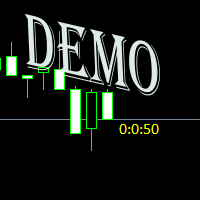
Простая утилита показывающая время до формирования свечи. Может быть очень полезна, если вход в сделку завязан на начале/завершении свечи. Демо версия работает на валюте EURUSD Входные параметры FontColor - Цвет текста. FontSize - Размер текста. FontName - Шрифт текста. TimeOnly - Указывать только время, без дополнительного текста. TypeOfDrawing - Тип отображения информации Важно : возможна задержка в 1 сек.
FREE

Epic News Trader
Key Features – (Best for News Trading) How it works, watch the Video https://youtu.be/oSU-JO4L1kw?si=thSGC3v1ccfPlYQH
Contact for Set Files or See the Screen Shots
WhatsApp: Text only +447716409196
Best for XAUUSD on All Brokers
Frequently Asked Questions (FAQs) Q1: What is Smart Order Executor EA? Smart Order Executor EA is a manual trade execution tool that helps traders quickly place single or multiple ladder orders with advanced risk and order management features. Q2: Is
FREE

Set risk in %, click the chart (Market mode): click for stop, click for take profit. Lot size is calculated for you.
DESCRIPTION: Click Risk is a minimalist trading panel that sits right on your MetaTrader 5 chart. You set the risk, click three prices (in Limit mode), and the lot size is calculated automatically. No calculators, no typing lot sizes, no order ticket, no extra steps.
HOW A TRADE IS PLACED 1. Set your risk in % with the - / + buttons (step 0.5 by default, you can change it in the
FREE

TradeBox - Trade Statistics & Costs Panel for MetaTrader 5
NOTES - The report reflects the history available in your account for the selected magic and period. - On accounts with a very long history the first calculation may take a moment; the panel then refreshes periodically. - Does not trade: in the Strategy Tester there are no trades and no profit curve; check the panel screenshots instead. - The "Parameters" tab of the product lists the panel settings (language, filter, panel, tabs/scrol
FREE

A simple and convenient utility for closing orders. It can close both all orders together as well as buy, sell or pending orders separately. Has an intuitive graphical interface. MT4 version of the utility - https://www.mql5.com/en/market/product/78601 If you like this utility, take a look at my other products - https://www.mql5.com/en/users/nina_yermolenko/seller
FREE

You may have found after a carefully planned trade something happened. An unexpected event... You forgot to look the web calender or use any kind of program. This fills this gap in its own way. Features: - show all events as vertical lines - low, medium or high events... with different colors. -name of the events and numbers associated with the event are also shown such actual value, forecast value and previous value.
The calendar information is obtained from your broker. It is a built-in serv
FREE

Упростите свой технический анализ. Инструмент помогает быстро и точно определять на графике блоки заказов и размечать ликвидность. Превратите хаос ценовых движений в четкую торговую схему для более точных решений. Экономьте время на анализе, сосредоточьтесь на принятии решений. Инструмент заточен под торговую систему "Алхимия трейдинг", с его представлением о блоках заказа.
FREE

Inggris:
SAMA dengan Master → SAME as Master
1.0 = lot sama, 2.0 = 2x → 1.0 = Same lot, 2.0 = 2x
Beda tiap client boleh, biar tidak bentrok → Different for each client is allowed, to avoid conflicts
true = SL TP 100% sama kayak Master → true = SL TP 100% identical to Master
true = kalau Master close, Client ikut close → true = if Master closes, Client closes as well
" Here is a professional and engaging product description in English for your **EA Copy Client**, structured to attract and
FREE

ScalperPOPs is a compact manual trading panel for MetaTrader 5 with quick Buy, Sell, lot control, candle-based stop loss, partial close and exit controls. ScalperPOPs is a compact manual trading panel for MetaTrader 5 designed for fast order management directly from the chart.
KEY FEATURES
• Buy and Sell market buttons • Lot selector from 0.01 to 1.00 • Visible minus and plus lot controls • Quick SL based on the previous two candles • Symbol-aware SL buffer for regular instruments and BTC symb
FREE

# StopOut Auto Calculator — Pre-Trade Margin & Stop-Out Risk Simulator for MT5
**Never get liquidated before your Stop-Loss again.**
Are you tired of setting a strict Stop-Loss (SL) on your trades, only to have your broker forcefully liquidate (Stop-Out) your entire account before price even touches your SL line?
Most traders believe having a Stop-Loss guarantees risk control. **In reality, it doesn't.** Brokers enforce a **Stop-Out threshold (typically 50% or 20% Margin Level)**. When you h
FREE

One bad day ends most prop firm challenges. EdgeProof Daily Loss Guardian watches your equity in real time, warns you early, and closes everything before your daily loss limit is hit. Free.
WHY TRADERS FAIL CHALLENGES Most challenges are not lost to a bad strategy. They are lost to one emotional day: a loss, a revenge trade, a bigger lot, and the daily limit is gone. Daily Loss Guardian is a simple safety net that does not get emotional.
WHAT IT DOES - Tracks today's result on the whole accoun
FREE

This reliable, professional trade copier system is without a doubt one of the best on the market, it is able to copy trades at very fast speeds from one master account (sender) to one or multiple slave accounts (receivers). The system works very fast and mimics the master account a full 100%. So changing stop losses, take profits, pending orders on the master account is executed on the slave accounts too, like each other action. It is a 100% full copy (unlike many other copiers who only copy ma
FREE

EquityGuardEA v2.00 は「Equity監視+資金管理+マルチEA成績表示」を行うツールです。 プロップファームで複数のEAのポートフォリオを運用する際に必要となる以下の機能を持っています。 任意のチャートを一つ使って、通常のEAと同じように使用します。 利用例はスクリーンショットをご覧ください。
*購入後レビューを投稿していただいた方には本ツールの上位機能版をお送りします。上位機能版では1.EAのチャートを閉じるのではなく、アルゴトレーディングをオフにする、2.ニュースフィルターの機能が提供されます。
1. 資金管理(Equity Guard)機能 パラメーター 内容 InitialBalance 損益率計算の基準となる初期資金 Target_Equity_Percent 目標利益率(%)。到達で発動 MaxDD_Percent 最大ドローダウン率(%)。残高比で到達すると発動 DailyDD_Percent 日次ドローダウン率(%)。当日始値Equity比で到達すると発動
2. EA停止機能 Magic1〜3 (監視対象のEA、最大3つ)について、同一シンボル
FREE

どんなにチャートを動かして注目する時間ポイントに瞬時にフォーカス移動できます。
もし気に入っていただけたら、「Focus Time Line」もご検討下さい: https://www.mql5.com/ja/market/product/154363 本機能に加えて複数チャートでのMTF同一時刻での同期が可能でマルチタイムフレーム分析が楽にできます。
【機能】 ・Focus Mode: SingleLine (デフォルト表示) ・Crt FocusLine: 任意の時間にフォーカスラインを1本作成 ・Position: 表示位置切替 ・Focus: 作成したフォーカスラインにチャート画面を移動 ・Xボタン: プログラム終了
【操作手順】 ・Focus Mode はデフォルトの SingleLine のままで使用 ・Crt FocusLine ボタンを押して1本の FocusTimeLine を作成 ・Position ボタンで表示位置を選択 ・Focus ボタンでチャートを注目ポイントに移動 ・Xボタンでプログラムを終了
エディション別機能比較 以下の表は、本製品(Pl
FREE

Nova Hourly Map PRO Discover when your market has historically been most active. Nova Hourly Map PRO turns completed H1 candles into an interactive 24-hour dashboard, helping you compare volatility, directional tendencies and typical hourly ranges before planning your trading session. Attach it to any chart timeframe. The indicator automatically analyses H1 history for that symbol. Key features Colour-coded hourly volatility map. Ranked hours to identify historically active periods. Bullish, bea
FREE

SYU Heiken Trader
SYU Heiken Traderは、MT5内にカスタム金融商品として本物の平均足シンボルを直接構築します。プラットフォームが標準では提供しない時間足やチャートタイプを完全に解放し、トレーダーが望む方法で市場を分析できるようにします。すでに使用しているすべてのインジケーター、スクリプト、エキスパートアドバイザーは一切変更なしにこれらのチャート上で動作します — MT5にとって、これらは完全な本物のシンボルだからです。平均足はノイズを減らしトレンドをより明確に視覚化することで広く知られていますが、MT5はこれをネイティブの取引可能シンボルとして提供していません。SYU Heiken Traderはまさにその空白を埋めます。チャートを構築し、使いたいツールを適用して、通常の標準銘柄とまったく同じようにそのチャートから直接取引してください。過去データは自動的に読み込まれ、リアルタイムのティックが継続的に更新されることで、チャートは常に現在の市場状況を反映します。接続が切断された場合でも、再接続時にヒストリーが自動的に再構築されます。複雑な設定は必要あり
FREE

Equity Target Stop is an automated utility designed to protect your profits and enforce strict capital management. It continuously monitors your account equity in real time and automatically closes all open positions as soon as your predefined profit target is reached. Key Features Automated Profit Securing: Automatically triggers a "Close All" command when equity reaches your specified target. Universal Account Protection: Works seamlessly across multiple open positions, pending orders, and dif
FREE

A fully automated, zero-input trailing stop-loss management utility designed specifically for Gold (XAUUSD) to lock in profits using dynamic milestones. Full Description Smart Trail SL is a specialized algorithmic trade-management utility designed for Gold (XAUUSD) traders who want automated, disciplined, and strict protective stop-loss enforcement without manual intervention. This utility features a hardcoded "Attack Mode" trailing engine. It completely removes the need for configuring complex
FREE

SL Locker — Stop-Loss Discipline for MetaTrader 5 Your stop-loss is supposed to protect the trade. SL Locker is designed to stop that protection from being weakened after it has been established. SL Locker is a MetaTrader 5 risk-discipline Expert Advisor built around one focused principle: a protective stop may move in a safer direction — but it should not be casually moved back into a less protective one. Once SL Locker has recorded a valid Stop Loss for a position, it monitors that position a
FREE

Looking for a way to manage account drawdown for Prop Firms or general risk management purposes? Look no further; this simple expert advisor does exactly that!
Account Balance Percentage Limit If your current account balance is $5000 and you set a 10% limit ($500), Equity Sentinel will close all trades when the account equity reaches equal or less than $4500 and close all charts.
Floating Drawdown Percentage Limit If your current account balance is $5000 and you set a 5% limit ($250), Equity S
FREE

Saved your Account Margin for multiple Trades Trading Robot Closing all second open Trades automatic Closing Trades that reached max. Lot Trading Robot built to avoid:
-Stop multiple Trades -Save overtrading -Hold Strategy -max. Lot -Prop conform
-long Account holding -Prop Firm Account holder - Robot allow one Trade per Symbol -Stop loosing by click multiple Times Trade Button -Robot needs to be Set on every Symbol that will be saved - no Settings configure OneRule OneFunktion Set on Chart
FREE

RiskCalculator — Professional Risk Management Panel for MT5 RiskCalculator is a fully-featured, floating panel EA for MetaTrader 5 that automates risk management, position sizing, and trade monitoring — all from a single draggable interface directly on your chart. Designed for active traders who need fast, accurate lot sizing and real-time position oversight without switching between windows or doing manual math. Core Features ️ Risk Calculator (Calculate Tab) Enter your desired risk percentage
FREE

Visualize your floating profits and losses in real-time directly above your open order line. Order PnL is a minimalist indicator that calculates and renders the current floating (Profit + Swap) right above the entry price, allowing you to maintain 100% focus on the chart.
Key Points: Dynamic Positioning: The text follows the entry price when scrolling or zooming. Zero Lag Visual: Optimized using a millisecond timer; it does not freeze the interface or overload tick processing. Clean Design: Au
FREE

G2 DASHBOARD PRO by Ida Bagus Putu Mahardika PROFESSIONAL TRADE EXECUTION & MANAGEMENT DASHBOARD G2 Dashboard Pro is a comprehensive trading management tool that revolutionizes how you place and manage orders. No more manual calculations or switching between windows – everything you need is in one interactive, draggable dashboard directly on your chart. KEY ADVANTAGES 1. CHART-BASED PENDING ORDER PLACEMENT Click on the chart to set your entry price visually Support for all order types: Bu
FREE

TRAILINATOR is a unique Solution to use different Trailing-Stop Variants and change your settings via Remotecontrol. You configure your Trailing-Stop for a specified Symbol only once. This setting will be used for all your Positions of the same Symbol. Currently we support these different Trailing-Stops: Standard : works like you use in Metatrader Terminal, starts trailing if your profit is greater than trailing stop Start after points : trailing stop will start after your defined points in p
FREE

Relentless Prop Firm Risk Guardian — Free Risk Dashboard for Prop-Firm and Funded Traders
Most funded challenges are not lost to bad trades. They are lost to a limit the trader did not see coming. One oversized position, one rough day, and the account is gone.
Relentless Prop Firm Risk Guardian keeps your limits in front of you, in real time, on your chart, so you always know how much room you have left.
It is free. If it saves you from one avoidable breach, an honest review helps the next tr
FREE

Visual Trade Info is designed to give traders a clear, visual understanding of their trading activity in real time. Instead of relying on scattered data or manually calculating key metrics, the tool presents all essential information directly on the chart in a clean and intuitive format. It enables traders to monitor every transaction with precision, including entry and exit points, active positions, and overall trade performance. Profit and loss are displayed dynamically, allowing users to inst
FREE

Advanced Expert Advisor Monitor: Shows whether your Expert Advisor is still running, right on the chart. Keeps reporting its trades even after the Expert Advisor has stopped or was removed. Closed profit, win rate and floating profit for Today, 3 Days, Week or Month. A 365-day view: profit factor, drawdown, expectancy, streaks and more. Draws only your Expert Advisor's trades on the chart, by magic number. Popup and phone alerts when the Expert Advisor unexpectedly crashes.
Does this sound fa
FREE

PowerTech Execution SpeedTest
Professional benchmark utility engineered to measure, analyze, and log order execution latency directly on your MetaTrader terminal. Understanding your broker’s real-world execution speed is essential for scalpers, news traders, and EA users. PowerTech Execution SpeedTest performs automated, millisecond-accurate latency benchmarks across live or demo trading environments, eliminating guesswork regarding slippage and server responsiveness.
Core Benchmark Features
FREE

Candle Timer - Indicador de Contagem Regressiva O Candle Timer é um indicador para MetaTrader 5 que exibe um contador regressivo mostrando o tempo restante até o fechamento do candle atual. O indicador é altamente personalizável e permite ajustar sua aparência e posicionamento na tela. Funcionalidades Principais Contagem regressiva em tempo real do candle atual Suporte a todos os timeframes (M1, M5, M15, M30, H1, H4, D1, W1, MN) Atualização automática a cada segundo Posicionamento d
FREE
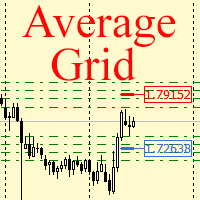
For any number of placed market and pending orders, the utility calculates the "breakeven level" - weighted average price. The calculation is performed individually for buy and sell orders. The weighted average price is marked with a label and colored horizontal line separately as well - one line for the buy price, and the other for sell price.
Input Parameters: Include pending. Include the pending orders in calculation. The default value of this parameter is false, and the calculation of the b
FREE

Golden Sizer By SKPAD – Calculateur et Gestionnaire de Position Intelligent Golden Sizer est bien plus qu'un simple outil de trading : c'est un assistant stratégique complet pour la gestion des risques et des positions. Conçu pour s'adapter à tous les styles de trading – du débutant au professionnel, du swing trader au scalpeur – il transforme votre approche des marchés grâce à une interface intuitive, une précision de calcul optimale et une exécution rapide. Compatible avec tous les marchés (F
FREE

Clean Trade Pro Most trade managers bury you in tabs, toggles and forty inputs you will never touch. Clean Trade Pro does the opposite. Drop it on any chart, drag three lines, and trade. Your setup is ready in under a minute. Clean Trade Pro is a focused, visual trade panel for discretionary traders who want speed and clarity , not a Swiss-army knife. Every position is built the same way: drag your Entry , Stop Loss and Take Profit lines on the chart, watch the lot size and risk calculate in rea
FREE

TradeCopy MT5 Demo is an efficient MT4, MT5 single system only used on MT5 demo account. Features: 1, can achieve cross-MT4 and MT5 each other. 2. The transmitting end and the receiving end are in the same file, which is convenient to use. 3, can achieve cross-platform follow-up. 4, more ways to follow the order, you can follow the balance, net worth, lot ratio or fixed lot. 5, can enlarge or reduce the amount of the single. 6, the currency has a different name, you can convert. Use the wizard:
FREE

SPECIAL ANNOUNCEMENT: Get the Ultimate Trading Suite! Before you grab this utility, did you know? The LogicLadder Visual Trade Planner is so powerful that it serves as the core visual execution engine for my flagship MT5 trading systems! If you are looking for a massive, all-in-one trading dashboard, advanced trade management, or strict prop-firm guardrails, you can get this exact visual planner already included inside my premium and free full-suite EAs: Pro LTS TradeDashboard MT5 (Paid
FREE

Daily Stop & Profit Daily Stop & Profit is a professional risk management Expert Advisor designed to automatically control your daily profit and loss limits , helping traders protect capital and lock in gains with discipline. This EA works independently of the trading strategy and can be used on any symbol and timeframe . Key Features Set Daily Take Profit and Daily Stop Loss
Limits can be defined in percentage (%) or currency (USD / EUR)
Automatic monitoring of daily results in real tim
FREE

PrimeFlow Trade Manager turns your MetaTrader 5 chart into a precision trading cockpit. Instead of typing prices into order dialogs, you simply drag three lines — Entry, Stop Loss, and Take Profit — and the EA handles everything else: lot sizing, risk calculation, order placement, and live P&L tracking. All in real time, right on your chart. Why Traders Love It Most traders lose money not because of bad ideas — but because of poor execution. Wrong lot sizes, slippage from manual entry, fumbling
FREE
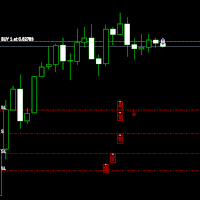
Move StopLoss - 使用方法 使い方 ドラッグ&ドロップ スクリプトをクリックし、新しい StopLoss レベルを設定したいチャート上にドラッグします。 希望の価格レベルでスクリプトをドロップします。 確認ポップアップ スクリプトをドロップすると、確認ウィンドウが表示されます。 修正されるポジション数と正確な StopLoss 価格が表示されます。 「はい」をクリックすると確定、「いいえ」をクリックするとキャンセルされます。 自動 StopLoss 更新 確認後、スクリプトは現在のチャートのすべてのオープンポジションの StopLoss を更新します。 StopLoss が設定されていないポジションには、選択したレベルで自動的に追加されます。 配置の検証 スクリプトは、 買い (BUY) の StopLoss がエントリー価格 以下 であることを確認します。 売り (SELL) の StopLoss はエントリー価格 以上 でなければなりません。 無効な StopLoss の配置がある場合、エラーが表示され、処理はキャンセルされます。 完了メ
FREE

Telegram Controls (Telecontrol) — performs communication between the bot Telegram and the terminal MetaTrader 5 . It helps aggregate data from multiple terminals and manage them using a bot in Telegram . The service is convenient for working on multiple MT5 terminals, allowing each terminal to be individually configured for optimal display and perception of information. All terminal data is collected in one Telegram channel, and the settings panel allows quick adjustments and saving of changes i
FREE

Signalator Lot Size Evaluator MT5 は、手動で取引を行うトレーダーが注文を出す前に推定ポジションサイズを計算するための、無料のローカル MetaTrader 5 ユーティリティです。 選択したシンボル、BUY または SELL の方向、予定エントリー価格、Stop Loss、任意の Take Profit、リスク率を使用して取引を計画できます。計算機は、現在の口座情報とブローカーが提供するシンボル仕様を使用して、推奨ロットサイズと主要なリスク値を推定します。 操作はシンプルです:取引条件を設定 → 口座リスクを選択 → 推奨ロットサイズとブローカー条件を確認 → 条件が適切であれば手動で取引を実行します。 Signalator Lot Size Evaluator MT5 は Signalator Trading and Analysis Ecosystem の一部です。これは、取引準備、シンボルおよびブローカー分析、口座監視、ポジション管理、日常的なトレーディングワークフローの改善を目的とした実用的な MetaTrader ツール群です。 Lot Si
FREE
MetaTraderマーケットはMetaTraderプラットフォームのためのアプリを購入するための便利で安全な場所を提供します。エキスパートアドバイザーとインディケータをストラテジーテスターの中でテストするためにターミナルから無料のデモバージョンをダウンロードしてください。
パフォーマンスをモニターするためにいろいろなモードでアプリをテストし、MQL5.community支払いシステムを使ってお望みのプロダクトの支払いをしてください。

取引の機会を逃しています。
- 無料取引アプリ
- 8千を超えるシグナルをコピー
- 金融ニュースで金融マーケットを探索