 MetaTrader 5
 エキスパート
 インディケータ
 ライブラリ
ライブラリ
 ユーティリティ
 ウィジェット
 ルール
ルール
YouTubeにあるマーケットチュートリアルビデオをご覧ください
ロボットや指標を購入する
仮想ホスティングで
EAを実行
EAを実行
ロボットや指標を購入前にテストする
マーケットで収入を得る
販売のためにプロダクトをプレゼンテーションする方法
MetaTrader 5用取引ユーティリティ - 33
 以下はMetaTrader5での取引を簡素化する取引プログラムです。ユーティリティにカーソルを合わせると、その説明と目的が表示されます。
Aegis Gold Dashboard is a free, lightweight visual indicator created to help traders monitor key market conditions in a clean and professional way.
This indicator is designed as a visual companion to automated or discretionary trading systems and does not execute any trades.
Features: • Informational signal overview (non-executable) • ATR-based volatility display • Market session open / closed status • Real-time spread monitoring • Last closed trade overview • Simple market condition tips
De
FREE

Global Session Map turns one MetaTrader 5 chart into a clear session workspace. It shows which major trading sessions are active in broker time, when the next transition occurs, and where session overlaps appear.
The panel is designed for discretionary traders who need reliable time context without entry signals or profit claims. Session windows and display preferences are configurable and remain available after chart or terminal restarts.
Main functions
• Sydney, Tokyo, London and New York s
FREE

A FOMO blocker to click before opening an emotional trade.
Once activated, the blocker remains in effect—even if you change settings or restart MT5—until the timer runs out, preventing you from opening new trades.
Set the duration you need for your mindset to return to normal.
Use it without restraint.
If you open a trade during this period, it will be closed immediately.
---- NEW VERSION FULL https://www.mql5.com/en/market/product/192677
Check out my alert for stepping away from your PC
FREE
Utilidad de uso informativo la cual ayudará a gestionar el riesgo de los trades con la ayuda visual de los datos proporcionados. el usuario se encargará de ubicar sus SL y TP manual acorde al lotaje. Asesor experto desarrollado para MT5 con el objetivo de ingresar ratios de utilidad y % de riesgo, adicional los Pips de SL para el cálculo del lotaje para dicho riesgo. Estos se calculan sobre el balance actual. El usuario tomaría como dato ingresar el lotaje que se calculó y arrastrar el S
FREE

Pips Keeper is a sophisticated Forex trade manager expert advisor designed to enhance trading efficiency and optimize profit-taking strategies. With its intuitive functionality, this EA empowers traders to automate the process of closing profitable positions at predefined profit thresholds, thereby maximizing returns and minimizing risks.
Key Features:
1. Threshold-based Profit Closure: Pips Keeper enables traders to set customizable profit thresholds, allowing for the automatic closure o
FREE
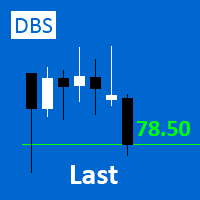
A small utility displays the value of the last price (Last) to the right of the chart. The Last price is the price at which the last deal was executed. Utility is convenient to use for screens with small print, for visual observation of the price level (value) or for people with poor eyesight. You can customize: Growth color Fall color Text font Font size Offset text
FREE
多数の通貨を取引している場合、画面をカチャカチャ切り替えの際にどの通貨を見ているか 迷ったことはありませんか。 表示している通貨が大きく表示されるMT4用のインジケーターは あるのですがMT5用がなかったので作成しました。
機能: どの通貨でも表示可能になります。 表示位置 (左上 、 右上 、 左下 、 右下) の 指定 が可能 になります。 表示位置(X軸、Y軸)が変更可能 になります。 フォントの色を 変更可能 になります。 使用するフォント を指定することが可能になります。 フォントサイズ の 変更が可能 になります。 インストール方法: ファイル->データフォルダーを開く->MQL5フォルダー->Indicatorsフォルダー 配下にex5ファイルを置いてMT5を再起動してください。
FREE
I find the lot calculation tedious so I just use this script and tell it the dollar amount to use. It then does the rest. This works for any currency.
How-To: Open a sell position using the desired dollar amount instead of lots. To use, just drop it onto a chart and set inputs as needed. The script will then do the necessary lot calculation and open the trade.
Inputs: FIXED_DEAL_AMOUNT: Fixed amount to use per trade e.g 100 to open a R100 deal USE_SL_ON_BUY: If true then a suitable stoploss wi
FREE
I find the lot calculation tedious so I just use this script and tell it the dollar amount to use. It then does the rest. This works for any currency.
How-To: Creates a buy limit order at chosen MA price using the desired dollar amount instead of lots. To use, just drop it onto a chart and set inputs as needed. The script will then do the necessary lot calculation and create a buy limit order.
Inputs: FIXED_DEAL_AMOUNT: Fixed amount to use for the trade e.g 100 to open a R100 deal MA_PRICE: MA
FREE

This is a utility for storing the data on open interest (OI), ratio of buyer/seller orders' number and the ratio of buyer/seller orders' volumes on the Russian FORTS futures market. This is the first product of the series. Now, you can trace history of the specified data in real time in МТ5 terminal. This allows you to develop brand new trading strategies or considerably improve the existing ones. The data received from FORTS market is stored as a database (text CSV or binary one at user's discr
FREE

This is a versatile tool designed to help traders analyze their trading performance on a MT5 account. It provides a detailed of profit, allowing users to review their overall account performance or filter trades based on specific criteria. With this tool, traders can: Check total profit across all trades. Filter by a single Magic Number or multiple Magic Numbers (enter directly, separated by ",") Analyze individual symbols or a custom set of symbols to evaluate different market instruments (
FREE

Introducing our cutting-edge Trade Copier Expert Advisor for MetaTrader 5 (MT5) – the ultimate solution for seamless trade replication across multiple accounts on the same server or computer. Elevate your trading experience and take control of your investment strategy like never before with our professional-grade Trade Copier. Key Features: Effortless Trade Replication: Our Trade Copier effortlessly duplicates trades from a master account to multiple slave accounts, ensuring that you never miss
FREE

VR Economic News Matrix is an MT5 chart utility that displays upcoming economic calendar events in a structured matrix directly on the chart. Using the built-in MetaTrader 5 calendar, the utility retrieves upcoming news, filters events by low, medium, and high impact , and maps their relevance across key instruments including XAUUSD, EURUSD, GBPUSD, BTCUSD, and USDJPY . Traders can view event times in server time, Copenhagen local time, or both , making it easier to align broker timing with real
FREE

The idea of enhancing the free Slider utility appeared after the release of a lite version of the EA trade panel Trading Chaos Expert Lite , which operates in the Current Chart mode without the possibility to maintain trades of several symbols in a single window. The purpose of Slider profy Ease search for trading signals by automatic display of charts of currency pairs from the "Market Watch" one by one at a specified interval of time in seconds. Automation of one-click placing of pending ord
FREE

¿Necesitas data de alta calidad para tus backtests algorítmicos pero te enfrentas a límites de descarga masiva? Este script está diseñado específicamente para extraer datos de ticks históricos reales directamente desde tu broker en MetaTrader 5, exportándolos en un archivo CSV con el formato exacto y limpio que requiere StrategyQuant X (SQX) . La principal ventaja de esta herramienta es su sistema de descarga por bloques de tiempo (chunks) . En lugar de pedir millones de ticks en una sola solici
FREE

FTU Auto Trade with on Chart Panel Mt5 (basic version)
This EA will improve your trading, lower work load and improve risk management Adjust Lot size, entry based on at market or by price input EA will manage entry, stop loss, partial close and adjust stop loss after tp1, partial Designed to be compact and efficient, small layout for multiple chart trading
Features: Lot groups - Allows for fast change to various risk models Tp, Partial and SL management Multiple No Trade Times - Various time
FREE

Lumos Lumos is a multifunctional trading assistant. It gives an overview of the current market situation for a better decision making. The strategy tester only provides a visualization of the application. Lumos is highly customizable and gives you information in multiple timeframes about: MAs, price structure, RSI, RSI MA and an overview of the price distance to possible SLs.
FREE

Symbol Changer AA – Advanced & Instant Chart Navigator for MT5 Take full control of your trading workspace with Symbol Changer AA . This high-performance utility is designed for professional traders who need to switch between different financial instruments instantly without cluttering their MetaTrader 5 interface. Developed under the Sumerian Trader brand, the "AA" (Advanced Asset) edition focuses on speed, reliability, and extreme ease of use. Main Features: One-Click Symbol Swap: Instantly ch
FREE

MATTRIX Synthetic Charts creates 11 fully functional Custom Symbols from the 28 Forex major pairs available on any standard MT5 broker.
CREATED SYMBOLS: Currency Indices (geometric mean of 7 pairs each): #EUR #GBP #AUD #NZD #USD #CAD #CHF #JPY Risk Baskets (geometric mean of 8 pairs each): #RON "Risk-On" basket #ROFF "Risk-Off" basket (visually flipped) Diversification Basket: #FIX Combined long-bias index of all 28 majors
USAGE: 1. Attach the EA to any active major pai
FREE

Service for broadcasting quotes of selected cryptocurrencies to MT5. Charts with cryptocurrencies are created in the Market Watch window. Most standard and custom indicators are applicable to the charts. Settings : setting description What kind of graphs to broadcast Futures - futures charts c USDT
Spot - spot charts of cryptocurrencies Coins SPOT 1-6 List of cryptocurrencies for creating SPOT charts.
Enter with a space, for example: BTC ETH BNB Coins FUTURES 1-6 List of cryptocurrencies to crea
FREE

Spread Scanner & Normalizer: A Precise Analysis Tool for Symbol Data
The Spread Scanner & Normalizer is a powerful and user-friendly Expert Advisor (EA) designed for traders who want to gain precise insights into the spreads of various symbols. This tool effectively normalizes spreads across a group of symbols and expresses them as percentages, providing clarity and enhanced comparison capabilities.
Key Features: Symbol Overview : Displays symbol names and paths for easy identification. Spread
FREE

Demo copier of deals from MetaTrader 5 to MetaTrader 5 ( MetaTrader 4<->MetaTrader 4 version is available ; with both versions, you can copy MetaTrader 5<->MetaTrader 4, MetaTrader 4<->MetaTrader 5, MetaTrader 5<->MetaTrader 5, MetaTrader 4<->MetaTrader 4). Works only in the mode of hedging. Spread filter. Select the best price (start copying positions with a profit or loss). Configure the lot size, fixed or ratio-based (provider signals can be copied with an increased lot). Configure order copy
FREE

Trade Assistant – Position & History Overview Streamline your trading workflow with a powerful all-in-one panel for MetaTrader 5. Trade Assistant is a professional EA panel that gives you full control over your trades — from order execution to real-time position monitoring — all within a clean, intuitive on-chart interface. Key Features One-Click Order Execution Instant Market Orders (Buy / Sell) with configurable Lot, SL and TP Full Pending Order support: Buy/Sell Limit & Buy/Se
FREE

Risk Control Utility: Margin Call & Loss Level Calculator Info Loss Level is an information utility for MetaTrader 5 traders that monitors critical risk levels in real-time and provides clear visualization of deposit loss points. Key Features Critical Risk Level Calculations Margin Call Level - price level where broker force-closes positions Loss Level - theoretical price level for complete deposit depletion The difference between levels shows your account's "safety buffer" Critica
FREE
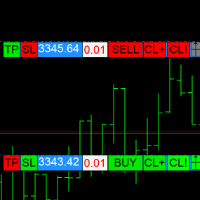

Coyote by Stellarex Horizons — visual trade setup, sized to your risk, every time. Coyote turns trade planning into three lines on a chart. Drag your Entry, Stop Loss, and Take Profit into position, and Coyote handles the rest — calculating the correct position size for your account risk, working out your reward-to-risk ratio, and automatically choosing the right order type. No manual lot-size math, no guessing whether you need a limit or a stop order. Why traders use Coyote Most traders either
FREE

インストール前に:このツールが「やらないこと」5点。 そのうちの一つが目的でここに来られたのであれば、選ぶ製品を間違えています。1時間かけてセットアップしてから気づくよりも、今のうちに知っていただきたいと考えています。 MetaTrader 5 専用です。 MT4 版はなく、MT4 と MT5 の間でコピーすることもできません。 同一マシン内のみ。 両方のターミナルが同じPCまたはVPS上で稼働している必要があります。2台のマシン間でのリモートコピーやクラウドコピーはできません。 ヘッジ口座のみ対応。 ネッティング口座は拒否され、本ツールは起動しません。事前に口座タイプをご確認ください。 口座通貨は同一であること。 両方の口座が同じ通貨建てである必要があります。 未約定の待機注文はミラーリングしません。 送信側で約定した待機注文は、その時点でポジションとして即座にコピーされます。 Copier Relay Core は、同一のPCまたはVPS上にある2つの MetaTrader 5 ターミナル間でトレードをミラーリングします。一方の口座が送信し、もう一方がそれに追随します。無料で、同一
FREE

Destructor Risk Manager Panel Destructor Risk Manager を使用して、トレードのリスクを完全にコントロールしましょう。MetaTrader 5 専用に設計されたプロフェッショナルなビジュアル ユーティリティです。手動でのロット計算に時間を費やすのはもうやめて、最も重要な「プライスアクション」に集中しましょう。 主な機能: 高精度なロット計算: リスク設定に基づいた即時計算。最新バージョンでは 手数料(Commission)を考慮 し、100% 正確なリスク管理を実現しました。 直感的なビジュアルトレード: チャート上のラインをドラッグ&ドロップするだけで、エントリー、損切り (SL)、利確 (TP) レベルを直接管理。 スマートな注文実行: 素早い成行入力の INSTANT モード、または指値・逆指値注文の PENDING モードを選択可能。 リアルタイム安全警告: 計算されたロットサイズが証券会社の最小要件を下回る場合、即座に警告を表示する新機能を搭載。 統計データの表示: リスクリワード比 (R:R)、通貨単位でのリスク額 (
FREE
Quantitative Synchronization Terminal Server MT5 is a professional MQL5 script for the MetaTrader 5 (MT5) platform, specifically designed to synchronize and load historical bar data and historical tick data from the server to the local terminal.This script helps traders ensure their local terminal has complete historical data, which is crucial for backtesting, technical analysis, and strategy development. Quantitative Trading Guide public chat: Join Us Quantitative Trading Guide public channe
FREE

Free multi-pair trend scanner / dashboard for MT5 — 12 major Forex pairs, M15 to D1. The scan and ranking work out of the box, no API key needed. The optional AI breakdown uses your own Anthropic API key.
MarketEnvNavi — AI Market Scanner for Discretionary Traders What this tool does MarketEnvNavi scans 12 major currency pairs in real time, ranks them by how well conditions are aligned, and lets you ask Claude AI for a plain-English breakdown of the top pairs — including specific price levels,
FREE
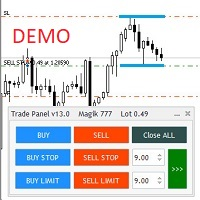
Бесплатная версия советника Trade Panel PRO
Данная торговая панель предназначена для быстрой и удобной торговли в один клик. Создавался продукт для частичной автоматизации своей личной ручной торговли https://www.mql5.com/ru/signals/1040299?source=Site+Profile+Seller Советник имеет ряд возможностей, а именно: Открытие BUY или SELL ордеров. SL выставляется ниже (выше) минимальной (максимальной) цены, задаваемых в параметрах количества свечей. Размер TP рассчитывается в соотношении от размера S
FREE

TCP - Trader Control Panel is an extension to build into MetaTrader 5 manual methods to control open positions. It adds opening and closing position feature as well as user-friendly monitoring dashboard, money and risk management when opening. Opening and closing positions are done by mouse by interactively placing stop loss line on appropriate level or by pressing predefined keys on keyboard. Before opening a new position, the EA calculates such lot size, which will guarantee you no more losses
FREE

This script is designed for traders who need to quickly place trades across multiple currency pairs during critical news releases, where every second counts. With this tool, you can pre-select your desired currency pairs and assign independent volumes for each one. When a major news event hits, such as Non-Farm Payroll (NFP) or PMI data releases, the script allows you to execute all your trades instantly without the need to open each pair manually. Key Features: Customizable Pairs : Choose from
FREE

The trade cost caused by spreads is an important indicator when formulating trade profit-loss ratios. Spread costs info is particularly important for short-term traders, especially scalping traders. This tool can output the spread cost of all Forex currencies (including XAU and XAG) in the platform in different account types (USD account, EUR account, etc.).
Calculation and code See articles: THE TRADE COST OF FOREX CURRENCY Part1 THE TRADE COST OF FOREX CURRENCY Part2 THE TRADE COST OF FOREX C
FREE

Обычная трейдец-сетка, но не имеет явного диапазона. Вместо диапазона, в настройках устанавливаются стоп-лоссы. Закрытие происходит по тейк-профиту, так же устанавливаются в настройках. Робот может торговать в любом направлении, как вверх или вниз, так и в обоих направлениях. Робот не проверяет баланс счета, а потому имеет очень высокий риск. По умолчанию стоят настройки для EURUSD пары (не самые лучшие). Рекомендуемый минимальный депозит $200. Имеется вторая версия в которой добавлены дополните
FREE

using this tool you can manage risk by via app this is massionolo calculator i have built this fro free i have give video tutorial watch that and seting this in your computer so this automatic sysytem only you have to drag and drop rr that and place order by phone app so now it is very easy and stree free automatated sysytem so once download and parctice on it we provided https://play.google.com/store/apps/details?id=com.lotcalculator.app https://www.youtube.com/playlist?list=PLuslfv5r6apUZ0p-a
FREE

Expert para quem usa Estratégia ATR. Analisa automaticamente ATR Diário ( 14 Períodos - Pode ser modificado o Período ), + o ATR da Vela 15 Minutos atual. Todos sabemos que quando Mercado esta Lateralizado existe um Fôlego Diário no Mercado. Só irmos somando os Valores ATR das Velas e Comparar com o Fôlego Diário. Eu somo e se for igual ou maior que o ATR Diário. Vendo se Sobre Comprado ou Compro se Sobre Vendido naquele Momento. Dúvidas de como calculo a Sobre Venda e Compro ou Sobre Compra e
FREE

The 7 energies of the price.
it is an expert advisor analyst. it analizes the 7 energies of the price which are:
direction
momentum
fractals
cicles
support/resistance
volatility
Amplitudeness
When you have all these energies aligned you have a better understanding of the price movement.
This EA helps students who are learning technical analisys and it keeps new learners away from the bad trades.
give it a try now for free.
FREE
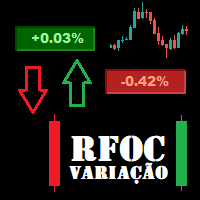
O Produto RFOC Variação Diária apresenta a função de indicar no gráfico a variação, em porcentagem, do preço em relação ao preço de fechamento do dia anterior.
O indicador permite configurar 100% da coloração para variações de alta, baixa e neutra (0.00%).
O painel com a apresentação da variação diária do preço fica fixada na parte superior do gráfico, e se ajusta automaticamente no centro da janela.
FREE

Maximize or restore the main chart or indicator windows by double-clicking them.
Double-clicking a main chart window will hidden all the indicator windows and expand the main chart to the maximum. Double-clicking again to restore.
Double-clicking an indicator window will hide all the other indicator windows and expand the double-clicked indicator window to the free space. Double-clicking again to restore.
FREE

This is an indicator to control the Parameters of Range Volume Hybrid Generator expert advisor -It does not work as stand alone, it works as a remote control of Range Volume Hybrid Generator and must be applied on the custom chart generated by the EA. To get Range Volume Hybrid Generator expert advisor: https://www.mql5.com/en/market/product/165557
Parameters that can be adjusted: Trading Style as well as manual setting of Range, Volume and start Date of data collection. What's the video for
FREE

EV Prop Protector is a set-and-forget MT5 utility designed for prop firm traders. Attach it to any chart and it silently monitors your account 24/7, closing all positions and pending orders the instant you breach any configured limit. Every module can be turned ON or OFF independently. DRAWDOWN PROTECTION • Daily loss limit — closes everything when today's equity loss reaches X% • Max drawdown limit — closes everything when total drawdown from starting balance (o
FREE

The "InfoBox" utility is designed to display the presence of open orders, the number of lots, current profit and much more in one window. The version for the MT4 platform is here . You've probably encountered a situation where you have an advisor that works on a currency pair, but information about its operation: - orders and their number, the size of the spread for the instrument, the volume of lots on the market, drawdown and much more - are scattered in different places of the terminal an
FREE
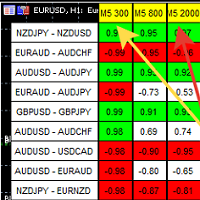
A script showing the correlation for three selected zones at once (TF-bar) In the parameters, select 3 options The data is displayed sorted by the first zone The script also creates a file in which it writes all the data without sorting. In this way, you can expand the number of zones to any number and perform the analysis in exsel
Parameters:
TF_Trade1 =PERIOD_M5; BarsCor1 = 300; TF_Trade2 =PERIOD_M5; BarsCor2 = 800; TF_Trade3 =PERIOD_M5; BarsCor3 = 2000; K = 0.8; WindSize
FREE

Simple script for Sell by Market Execution on all financial instruments.
Inputs Volume - default: 0.10 Deviation - default: 10 points Stoploss - default: 50 points Takeprofit - default: 50 points Comment - default: Order by Market Confirm - default: false
Inputs Details Type Order Sell Order is preset. Deviation Maximum deviation from quoted price in points. Stoploss & Takeprofit In points value, be careful that this value will be added to minimum stop allowed by the broker. For example if you
FREE

Signal Anywhere is an advanced version of Panel Anywhere , featuring an additional panel called Signal panel. This panel allows you to copy trades from a Signal Anywhere Provider to a Signal Anywhere Subscriber seamlessly. With Signal Anywhere , you can view market symbols and copy signals simultaneously without the need to switch between Expert Advisors (EAs). Features of the Signal panel: Local and internet-based trade copying Searchable, request, and acceptance functionalities Support for mu
FREE

Ever thought of your broker stop hunting your stop losses? Incognito SL and TP is exactly what you need! As promised, version 1.1 now has the SL and TP lines that can easily be adjusted by the user. ========================================== INPUTS: SL: Exact price you want the orders for the chart symbol to close when this SL price was hit. Set to 0 for no SL. TP: Exact price you want the orders for the chart symbol to close when this TP price was hit. Set to 0 for no TP. ======================
FREE

this is a Demo version of product. its limit of 3 trade at a time. when you buy full version try to click here https://www.mql5.com/en/market/product/168370
The Core Philosophy: Ultra-Fast Execution In the world of scalping, milliseconds matter. This configuration utilizes a Fixed Lot Size strategy combined with lightning-fast keyboard triggers to ensure you never miss a price level.
CandleWise Trade Logic This feature restricts trade frequency to prevent "over-trading" during volatile moves
FREE

White label available. contact us for more info. dushshantharajkumar@gmail.com
Slides by Chart Walker "Slides" is a MetaTrader 5 (MT5) utility designed to streamline chart navigation by facilitating automatic chart switching. With "Slides," users can preset specific time intervals for chart rotation, enabling automatic transitions between different financial instruments or timeframes. This utility proves invaluable for traders who monitor multiple charts simultaneously, as it optimizes wor
FREE
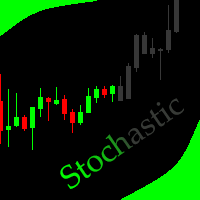
This indicator allows to hide Stochastic oscillator (on all MT5 timeframes) from a date define by the user, with a vertical line (Alone) or a panel (with "Hidden Candles"). Indicator Inputs: % K Period % D Period Slowing Apply To Method Information on "Stochastic Oscillator" indicator is available here: https://www.metatrader4.com/en/trading-platform/help/analytics/tech_indicators/stochastic_oscillator ************************************************************* Hey traders!! Give me your f
FREE

Script "Bar Close Timer Pro" is designed to display a real-time countdown to the closure of the current bar. This professional tool is tailored for traders working on any timeframe, enhancing chart analysis efficiency through precise time control. The script automatically adapts to the chart’s current timeframe (M1, H1, D1, etc.), calculating the remaining time until the candle closes. (Note: When switching timeframes, the script must be reattached to the chart.) Flexible display settings: Cus
FREE

It is is your personal risk guard. Drop it on any chart on your VPS or trading computer and it will guard your total risk in any pair or asset and make sure the sum of all stops is within your risk. If you happened to exceed the risk, in a split second this EA will calculate the exact position for the combined risk of all open positions and place all stops at the exact same spot. If you open a new position with another lot size . No problem, all stoplosses will automatically adjust. Tired of man
FREE

VYXAXIS Dispatcher is a free companion utility for Vyxaxis Tick. It processes WebRequest and supported Push notifications independently from the main Vyxaxis Tick chart workflow. Requires Vyxaxis Tick. VYXAXIS Dispatcher does not generate trading signals, execute trades, or provide a trading strategy. It is designed to separate notification delivery from the main tick-chart processing workflow, helping reduce the possibility of network-related delays affecting Vyxaxis Tick during periods of high
FREE

SkyGeniX: Innovative Solutions for Intelligent Automation SkyGeniX is a cutting-edge tool designed to simplify and enhance your workflows with intelligent automation. Whether you're managing complex tasks or optimizing performance, SkyGeniX offers a seamless, user-friendly experience tailored to your needs. Key features include: Smart Optimization : Enhance efficiency and achieve your goals faster with advanced algorithms. Customizable Settings : Tailor the tool to your specific requirements for
FREE

Stop exporting CSV files by hand. TX Journal Sync keeps your TX Journal trading diary up to date automatically: it reads your account history and open positions and securely pushes them to your journal at the interval you choose. Security first 100% read-only: this utility never opens, modifies or closes trades. Every upload is signed with HMAC-SHA256. Your Secret never leaves your terminal. Only trade data is sent: symbol, direction, volume, prices, times, profit, commission and swap. Nothing e
FREE

BarionQuant Fractal Risk Entry is a manual trading script for traders who want disciplined position sizing without spreadsheet math. Drag the script onto a chart, and it places one market order sized to your equity risk percentage. HOW IT WORKS Choose Buy or Sell Choose stop mode: Fractal structure (swing-based) or Fixed pips Script calculates lot size: risk money ÷ stop distance Places one market order with stop loss attached ENTRY TIMING (fractal mode) Scan History — find the latest valid frac
FREE

Join WhatsApp Group for Free Signals & More Discussion
https://chat.whatsapp.com/IWc1CaxviFw8Bu94JGRIQv For Live Signals Please Visit
https://www.mql5.com/en/signals/2352564?source=Site+Profile+Seller
1. Manual-Assisted Trading via On-Chart Dashboard Fully graphical dashboard panel rendered directly on the chart. Customizable panel size and colors via input parameters. All trading actions are controlled by buttons and edit fields , not automatic indicators. 2. Ultra-Fast Interval-Based Order
FREE
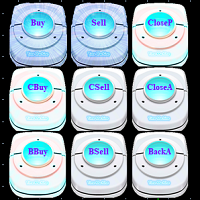
1.システム概要 それは3次元の便利な取引と信号指示ボタンであり、機能は以下を含む:買う、売る、平損倉、平利益倉、平倉を買う(1/5~1倉位を選択可能)、平倉を売る(1/5~1倉位を選択可能)、倉をきれいにする(すべての物体、すべての倉とすべての注文をクリアする)、逆手を買う(1~5倍逆手を選択可能)、逆手を売る(1~5倍逆手を選択可能)、すべて逆手(1~5倍逆手を選択可能)、3次元ボタンの点滅によって、現在のアカウントの単一品種とすべての品種の利益信号を提供することもできます。
2.システム設定 2.1 lot:倉庫を購入または売却する 2.2 cbuytimes:平倉倍数を買う 2.3 cselltimes:平倉倍数を売る 2.4 bbuytimes:バックハンド倍数の購入 2.5 bselltimes:販売バックハンド倍数 2.6 backatimes:すべての倉庫位置のバックハンド倍数 2.7 closepl:すべての利益、損失倉庫を平らにすることを選択する; 2.8 buttonstyle:ボタンスタイル。 2.9 buttonsize:ボタンサイズスタイル。 2.10
FREE

This robot sends Telegram notifications based on the coloring rules of PLATINUM Candle indicator. Example message for selling assets: [SPX][M15] PLATINUM TO SELL 11:45. Example message for buying assets : [EURUSD][M15] PLATINUM TO BUY 11:45 AM.
Before enable Telegram notifications you need to create a Telegram bot, get the bot API Key and also get your personal Telegram chatId. It's not possible to send messages to groups or channels. You can only send messages to your user chatId. You should
FREE

Market Regime Observer is a professional market state classification tool designed to help traders identify: Strong Trend Range Transition Chaos / High Volatility The system combines: ADX trend strength EMA50 / EMA100 expansion EMA200 macro bias ATR volatility expansion Wick / Body structure analysis to generate real-time regime analysis and probability-based market assessment. Perfect for: Trend-following traders ICT / Smart Money traders EA developers Quantitative systems Risk management frame
FREE

This is the FREE DEMO version of Vector Local Copier.
It's the complete copier — real-time local copying, symbol mapping, multipliers, SL/TP sync, the safety guards, the live dashboard — with one limitation: slave trades are capped to 0.01 lots. That's enough to prove it works perfectly on your exact terminals, brokers, and symbols before you buy the full-size version.
GET THE FULL VERSION (no lot cap) HERE: https://www.mql5.com/en/market/product/187169
Vector Local Copier mirrors trades
FREE

One click to open. One click to protect. SMART PANEL is a minimalist panel for disciplined trading: no extra noise — only what a trader really needs every day: order placement, risk control and profit protecti 1. Fast order placement BUY / SELL buttons with MARKET / LIMIT / STOP menu. Entry, stop and take-profit lines — draggable right on the chart. Ready ratios 1:1 · 1:2 · 1:3 — one click, risk is already set. −% / +% buttons — risk per trade adjusted in a second. 2. Built-in
FREE

Advanced harmonic filter is a reliable and smart utility that uses an author's algorithm to process continuous data and present them in the form of harmonic oscillations. The utility can identify regularities and patterns in the input data, which are then used to generate output data that is most similar to the input data. This makes it a powerful tool to use with other indicators to predict future trends and identify Elliott waves on selected intervals. The utility is most effective when us
FREE

CopyStar – File-based Trade Copier (MT5 Master/Slave, MT4-compatible) Short description
CopyStar mirrors changes to your open net positions from the master to any slaves – quickly, robustly, and without network configuration. Communication runs via common files (shared file folder), enabling CopyStar to support MT5↔MT5, MT5→MT4, MT4→MT4, and MT4→MT5. Supports symbol mapping, lot multiplication, optional SL/TP copying, magic/comment filters, and a clear chart status display including heartbeat.
FREE

http://www.tradepositive.lat
ALGO Smart Flow Risk Manager (Keyboard Edition)
Have you ever spotted the perfect entry but hesitated so long calculating the lot size that the price ran away without you? Or has a bad streak ever wiped out 20% of your account because you didn't know when to stop? The ALGO Smart Flow Risk Manager is not an automated trading bot. It is a professional Execution Tool designed strictly for Manual Traders who demand speed, structure, and discipline. We turn your keyboar
FREE
This utility exports candle data which you chosed by input parameter to CSV file. Time Frames: M1,M5,M15,M30,H1,H4
Inputs:
StartTime: Start time for exporting data. EndTime: End time for exporting data. DataType: Close, Open, High, Low, Median(HL/2), Typical(HLC/3), Weighted(HLCC/4), Pip(H-L). DecimalSeperator: Decimal seperator for candle price data. (Default = ".") CSVDelimiter: Delimiter character for CSV file. (Default = ";") * This utility exports candle data horizontally. That me
FREE

This is a utility created to ease charts watching on tablet PCs. The indicator allows you automatically alternately display "slide show" of all currency charts from "MarketWatch". The user can set the display time interval (in seconds) between charts in indicator settings. In addition, there is an option of selecting the angle of Start/Stop button which starts and stops the display of charts. This function is very useful if a trader noticed a trading signal and would like to study it in more det
FREE

Equity monitor
This is a simple means change informer. I wrote it for myself, maybe someone will need it...
1. Displays the change in funds for the day. Every day, when the terminal is first launched, it remembers the current funds and monitors changes throughout the day.
2. The first day of the month, well remembers the money and, within months, to monitor changes.
3. Well, it displays the profit of the open position.
To work, you need to create 4 global variables: gvarEqityDay , gvarEq
FREE

The utility draws reversal levels using the formulas for each of the selected number of candles:
Pivot = (high + close + low) / 3 R1 = ( 2 * Pivot) - low S1 = ( 2 * Pivot) - high R2 = Pivot + (R1 -S1) R3 = high + ( 2 * (Pivot - low)) S2 = Pivot - (R1 - S1) S3 = low - ( 2 * (high - Pivot)) H = high L = low U = if the candle is bullish, then close. Otherwise - open D = if the candle is bullish, then open. Otherwise - close
On any timeframe.
After a new candle closes on the calculated timeframe
FREE

Get Economic Calendar History Script is an economic calendar data downloader. The time of the Economic Calendar is based on your broker's time, so if you are going to use the same calendar history file on different brokers, make sure their times are the same. The economic calendar history is organized as follows:
Time: Date and time of the news.
Importance: Degree of Possible impact of the news on the market.
Currency: Currency.
Country: Country.
Description: Description of the news.
Peri
FREE
MetaTraderマーケットは、開発者がトレーディングアプリを販売するシンプルで便利なサイトです。
プロダクトを投稿するのをお手伝いし、マーケットのためにプロダクト記載を準備する方法を説明します。マーケットのすべてのアプリは暗号化によって守られ、購入者のコンピュータでしか動作しません。違法なコピーは不可能です。

取引の機会を逃しています。
- 無料取引アプリ
- 8千を超えるシグナルをコピー
- 金融ニュースで金融マーケットを探索