 MetaTrader 5
 エキスパート
 インディケータ
 ライブラリ
ライブラリ
 ユーティリティ
 ウィジェット
 ルール
ルール
YouTubeにあるマーケットチュートリアルビデオをご覧ください
ロボットや指標を購入する
仮想ホスティングで
EAを実行
EAを実行
ロボットや指標を購入前にテストする
マーケットで収入を得る
販売のためにプロダクトをプレゼンテーションする方法
MetaTrader 5用取引ユーティリティ - 24
 以下はMetaTrader5での取引を簡素化する取引プログラムです。ユーティリティにカーソルを合わせると、その説明と目的が表示されます。
This is a RISK MANAGER utility for MetaTrader. To activate it, after downloading it, you must enable all autotrading controls on MetaTrader, as with EXPERT ADVISORS. The user must enter control settings as indicated in the indicator properties, which initially have default data. RISK MANAGER will perform checks and display pop-up alerts when certain behaviors exceed the user-entered settings. It's free; use it, try it, develop it, or contribute ideas. It's just a utility; the programmer assumes
FREE

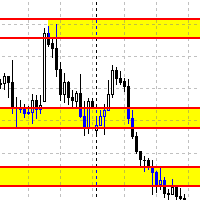
SR Zones & Pivot Panel EA - All-in-One Trading Tool SR Zones & Pivot Panel EA is a powerful hybrid tool that combines automatic Support/Resistance Zones , Daily Pivot Points , and a Compact Trading Panel into one interface. It helps traders visualize key price levels on any timeframe while executing trades quickly and efficiently. Designed for precision and speed, this tool keeps your chart clean while providing all the data you need for intraday trading. Key Features 1. Automatic Support
FREE
Данный советник автоматически переносит SL в зону безубытка, и по мере увеличения текущей прибыли переносит SL все выше. В отличие от стандартного трейлингстопа, этот автоматически работает со всеми открытыми позициями, которые открыты у текущего символа. Так же если выставлен флаг автоматически выставлять SL, то в случае пустого SL, автоматически выставит его.
FREE
Smart Trade Panel
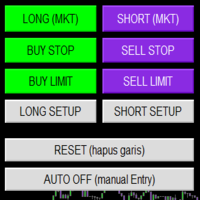
Trading Assistant is a powerful and elegant one-click trading panel for MetaTrader 5 — designed for professional traders who value speed, precision, and clarity.
Whether you scalp XAUUSD, swing trade indices, or run tight risk management, this tool gives you complete control with a clean visual layout, automatic ATR-based setups, and adaptive risk calculation.
️ Main Features One-Click Execution
Instant Buy/Sell Market Orders with pre-defined SL/TP
Supports Buy Stop
FREE
White label available. contact us for more info. dushshantharajkumar@gmail.com Replica Local Trade copier by Chart Walker
Replica, a MetaTrader 5 (MT5) local trade copier, is a powerful tool designed to streamline and automate trading processes for users within the MT5 platform. This innovative software allows traders to replicate trades from one account (master) to another (slave) in real-time, enabling efficient and synchronized trading across multiple accounts. With its user-friendly inte
FREE
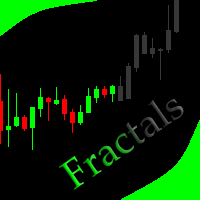
This indicator allows to hide Bill Williams Fractals (on all MT5 timeframes) from a date define by the user with a vertical line (Alone) or a panel (with "Hidden Candles"). Indicator Inputs: Indicator Color Indicator Width Information on "Fractals" indicator is available here: https://www.metatrader4.com/en/trading-platform/help/analytics/tech_indicators/fractals ************************************************************* Hey traders!! Give me your feeds! We are a community here and we ha
FREE

Reverse TradeCopier for Followers can copy trades from an account that is running Reverse TradeCopier for Source . Features: Copies trades from one source (master) account to multiple following (slave) accounts. Allow investor (read only) password for source (master) account. There are no complicated settings and input parameters, everything is easy. Works with different brokers. Works with different quotes symbols (EURUSD_FX, eurusd_m, etc.). Can copy orders from 4-digit quotes platform to 5-
FREE

BlueEdge Trading Manager (MT5) BlueEdge Trading Manager is a clean, fast manual trade manager panel for MetaTrader 5. It helps you open trades quickly (BUY/SELL), manage up to 5 take-profits , and automatically handle partial closes while drawing clear SL/TP lines directly on the chart. This product is NOT a trading strategy and does not generate entry signals. It is a trade execution + position management tool for scalpers and manual traders. Main Features One-click BUY / SELL from a compact pa
FREE

With this indicator you have displayed on the chart the optimal lot size for the forex pair. No need for manual calculations or losing time on websites where you have to input the values to get the optimal lot size. The indicator values are preset for maximum percentage risk is 2% and for maximum pips loss is 50. For a customizable version you can buy using the this LINK . ATTENTION: This only works with forex pairs and it doesn't work on account deposits in YENS!!!!!!
FREE

Elite Telegram Trade Copier & Community Manager (v3.94) Welcome to the ultimate solution for professional Telegram signal copying and community management. This Expert Advisor is not just a standard copier – it is a fully automated Trade Management Engine , a Signal Analytics Tool , and a Marketing Funnel for your own Telegram channels. Whether you want to automate trades from your favorite signal providers or manage your own VIP and Follower channels simultaneously, this EA handles everything:
FREE

This tool is designed to quickly calculate the lot depending on the Stop Loss.
The control is done by hot keys
By default:
1 - Limit order price level
2 - Stop Loss Level
3 - Take Profit Level
Space Bar - Open an order
Escape - Cancel All 9 - Open 2 orders
Market Order
To open a Market order, click (2) and set up Stop Loss with the mouse If you want to put Take Profit - click (3) and set up Take Profit with the mouse
FREE

This EA provides: Grid buy button and grid sell button When pressed, it enters market then subsequent layers as pending order separated by pips value for each layer. Close all button When pressed it closes all running positions and pending orders. This expert advisor does not provides means to automatically add take profits and stop losses. User must specify it manually.
FREE

==================================================== ENGLISH DESCRIPTION - MQL5 MARKET COMPLIANT ====================================================
GoodVibe EA is a trade management utility designed to assist traders in managing open positions automatically. It does not open trades on its own. All entry decisions remain with the trader.
The EA runs in the background and applies the configured management rules to positions that are already open — either on the current chart symbol or across
FREE

Exact Time — detailed time on the seconds chart. The utility shows the opening time of the selected candle. This is necessary when working with seconds charts. For example, it can be used on a seconds chart built using the Seconds Chart utility. Inputs Base corner — the chart corner to which an object Is attached. X distance — the horizontal distance from the chart corner. Y distance — the vertical distance from the chart corner. Text font — font name Font size — font size Color — text color
FREE
This indicator allows to hide OBV (on all MT5 timeframes) from a date define by the user with a vertical line (Alone) or a panel (with "Hidden Candles"). Indicator Inputs: Apply To Information on "On Balance Volume" indicator is available here: https://www.metatrader4.com/en/trading-platform/help/analytics/tech_indicators/on_balance_volume ************************************************************* Hey traders!! Give me your feeds! We are a community here and we have the same objective....
FREE

FREE! MT5 Trading Manager EA PRO / MT5 Trading Assistant EA PRO: Empowering Traders for Success! Are you ready to revolutionize your MetaTrader 5 trading experience? Our comprehensive trading assistant is meticulously crafted for efficiency, precision, and overall trading prowess. Discover what sets MT5 Trading Assistant EA PRO apart: Key Features: 1. Create Order Tab: Effortless trade execution: Seamlessly place market, pending, or stop orders with our user-friendly interface. Real-time market
FREE

Find Your Broker's GMT Offset - Free Tool Not sure what GMT offset your MT5 broker uses? FindBrokerGMTOffset is a free utility that helps you identify your broker's actual server time and GMT offset directly from your MetaTrader 5 terminal. No purchase, subscription, or complicated setup is required. How to use it: Download and install the FindBrokerGMTOffset script in your MT5 terminal. Attach the script to any chart and allow it to run. The tool will display your broker's current server time a
FREE

Risk Mirror is a read-only risk dashboard for prop firm challenge traders and funded account holders on MetaTrader 5. It watches your account and your open positions and does the risk arithmetic for you — daily loss limit, daily profit target, trailing drawdown, maximum drawdown and per trade position size — then shows the result on your chart. It places no orders, modifies no orders and closes no positions. Why read-only matters Many funded account programmes restrict or forbid expert advisors
FREE

SimPHash is a free script that automatically generates ultra-fast conversion functions from a string to a value: it can be a simple type (integer, double, ulong, etc.) or an index into your own array or struct when the value you need is more complex. Instead of using a HashMap, a linear array with a search, or an endless chain of if / switch, SimPHash builds a Perfect Hash table at design time: a function that resolves each known key in a handful of arithmetic operations and a single array acces
FREE

# ApexForge One Click Close EA
## Overview
**ApexForge One Click Close EA** is a lightweight, non-blocking trading utility that allows you to close all matching positions—and optionally delete pending orders—with a single click.
Instead of manually closing trades one by one during volatile markets, this EA provides a fast, reliable, and visually clear way to manage your exposure instantly.
> ️ This tool does not generate trading signals or open positions automatically. It is designed purely
FREE

この無料ツールが気に入っていただけましたら、ぜひ5つ星の評価をお願いします!本当にありがとうございます :) 「リスク管理アシスタント」エキスパートアドバイザーコレクションは、様々な市場環境においてリスクを効果的に管理することで、取引戦略を強化するために設計された包括的なツールスイートです。このコレクションは、平均化、スイッチング、ヘッジの3つの主要コンポーネントで構成されており、それぞれが異なる取引シナリオに合わせて独自のメリットを提供します。
このEAは、市場で標準的なリスク管理戦略を発展させたものです。
https://www.mql5.com/en/blogs/post/756961
1. 「平均化アシスタント」EA: MT4: https://www.mql5.com/en/market/product/115468 MT5: https://www.mql5.com/en/market/product/115469 2. 「スイッチングアシスタント」EA: MT4: https://www.mql5.com/en/market/product/115478 MT5:
FREE

Chameleon Floating Loss Protector "Your last line of defense against runaway drawdown." Overview Chameleon Floating Loss Protector (FLP) is a lightweight risk management utility that runs silently in the background and acts as an automatic circuit breaker for your trading account. When the total floating loss of your monitored positions exceeds a predefined threshold, the EA immediately closes all affected positions — then resets itself and resumes monitoring, ready for the next trade. No manua
FREE
This indicator monitors the vital constants of your trading account to keep it healthy and away from excessive risks. It monitors all trades, absolute exposure, account floating point and leverage currently in use, using different color codes for your interpretation. [ Installation Guide | Update Guide | Troubleshooting | FAQ | All Products | Get Help ] Amazingly easy to understand The indicator is clean and simple It calculates exposure by pairs and currencies Keep your used leverage cont
FREE

ユーティリティMTI(メイン取引情報)-トレーダーの基本的な取引情報を表示します。
スプレッドの平均および現在のサイズ ショートポジションとロングポジションのスワップサイズ 1つの取引ロットに対して1ピップのコスト ストップレベルサイズ(保留中の注文を出すための最小距離) 現在の(赤)終了までの時間と次の(灰色)取引セッションの開始までの時間 現在の取引セッションが終了するまでの時間は赤で表示され、次のセッションが開始されるまでの時間は灰色で表示されます。色は、インジケーターのプロパティで個別に調整できます。 Recommended Robot Scalper - https://www.mql5.com/en/market/product/77108
表示は次の方法で実行されます。
欧州貿易セッション(EU旗) アメリカの貿易セッション(米国旗) パシフィックトレーディング(オーストラリア国旗) アジア貿易セッション(日の丸) 取引セッションの終了と変更の時間を知ることは重要です。なぜならトレーディングセッションの終わりまでに、多くのトレーダーはポジションを修正します。こ
FREE

Historical Info チャート上に直接、重要な取引情報を表示するためのシンプルで無料のユーティリティです。この軽量ツールは、一目でパフォーマンスを把握するのに役立ちます。 機能: 現在のオープンポジション: すべてのアクティブなポジションの概要を即座に表示します。 最近の取引履歴: 過去30日以内の選択した期間の決済済み取引を分析します。 明確なデータ整理: 履歴データは、レビュー対象として選択した日の初めからきれいに整理されます。 使用方法: ナビゲーターウィンドウからチャートにユーティリティをドラッグします。パネルには口座全体のデータが表示され、どのチャートに配置しても影響を受けないため、 どの通貨ペアや時間足でも使用できます 。 ポップアップウィンドウで、「パラメーターの入力」タブに移動します。 決済済み取引をレビューしたい過去の日数を設定します。 「OK」をクリックすると、パネルがチャートに表示されます。
FREE

This Tradepanel is an Utility for Traders Who want ot use Basic MoneyManagement for Calculation of Lotsize I have created the basic edition only to give an Overview with Limited Functionality Full Features are available with Auto TradePanel Pro. (This is Only Because it can not be Tested in Strategy Tester ). Complete Description is available at "Auto TradePanel Pro". in This Version Basic Functionality ( Calculation of Lotsize ) open /close Positions is working in the same way as in Pro
FREE
This Expert Advisor requires the “STRAT Price Action Scanner” indicator to work. You must have the indicator installed and running on the chart Important
To place trades directly from the Trade Assistant panel, you must also install the STRAT Price Action Trade Manager EA (check the comment section) on the same terminal. The indicator sends the trade instructions; the EA is the component that actually places and manages the orders. Installation Instruction (please read) Guide t
FREE
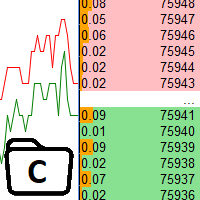
The utility is designed to control the update rate of the order book (or several) in the strategy tester. Management is carried out by a library, which is available here https://www.mql5.com/en/market/product/81400 Interface description: S/P Start and pause playback --- Decrease the speed by one step +++ Increase speed by one step R Updating the character list <0> Slider, moving left/right change the playback speed, after releasing the mouse it is restored to its original state. The
FREE

Proton Trade Assistant MT5
OVERVIEW Proton Trade Assistant MT5 is a utility for MetaTrader 5 that provides streamlined position management functions accessible directly from the chart. This tool is designed for traders who manage positions manually and require faster execution of closing and risk management operations.
PRIMARY FUNCTION The utility provides one-click access to commonly used position management operations that normally require menu navigation in MetaTrader 5. All operations exe
FREE

TRADE PANEL MASTER — Know Your Risk Before You Click
Open your chart. See your panel. Trade with confidence.
Before you click Buy or Sell, Trade Panel Master shows you exactly what you risk, what you gain, and your R:R ratio — in real time. No mental math. No surprises.
FEATURES
- Lot sizing with real-time margin display - SL & TP in 3 modes: Points / Money / Price - Au
FREE

The Buffer Reader will help you to check and export the custom indicators buffers data for your current chart and timeframe. You can select the number of buffer and historical bars to read/export. The data can be exported in a CSV format and the files will be stored in the folder: \MQL5\Files .
How it works Put the number of buffers to read in the Buffers_Total input parameter. Put the number of rows to display in the Rows_Total. Choose the CSV separator in the parameter. Copy the correct nam
FREE

Simple order is designed to make placing pending orders as easy and fast as possible. Setting a pending order takes just two steps. 1. Double-click on the price of placing an order, after that a panel with buttons for order names appears. 2. Click on the button of the required order That's it, the pending order is set. If necessary, we adjust the order by dragging, as well as change the sizes of stop loss and take profit. Don't forget to pre-set the size of the stop loss and take profit in the S
FREE

Free for a limited time, grab it now! Please, if you like this utility, leave a review, it helps us build more tools like this.
Many retail traders fail because they enter trades when a market session is already "exhausted." Session Monitor gives you the context you need by comparing current price movement against historical session averages.
The utility calculates the absolute range (the distance between the highest and lowest price reached) during the session. It is a MT5 utility that trac
FREE

TradeManagerSmart is a useful addition to your MetaTrader 5 desktop. The window can be moved freely, and its functionality can be customised in the settings.
## The Profit/Loss shows the cumulated profit/loss for all open positions, not for each position/product !
Quick trading buttons (one-click trading) with the following features: Sell: Sell order Buy: Buy order Break-even: Immediately sets the stop-loss to the entry price (break-even) Close winners: Closes all positions that are in profit
FREE

Manage All Trades for MT5 Manage All Trades is a free MT5 utility that gives you fast and convenient control over open positions directly from the chart. Close all trades, BUY trades, SELL trades, profitable trades, losing trades, or positions on the current symbol with one click. Built for traders who want speed, simplicity, and better trade management in live market conditions. Manage All Trades is a lightweight and practical trade management utility for MetaTrader 5 that helps you close open
FREE

Active Session Timer — Key Features Real-Time Session Status
Instantly see which global trading sessions (London, New York, Tokyo, Sydney) are active or inactive at any given time. Start & End Countdown Timers
Displays exact start and end times for each session, along with live countdowns to help you plan trades in advance. Local Time Zone Support
Requires users to set their local time zone during installation for accurate and personalized session tracking across all broker servers.
FREE

Risk Rule Sentinel is a risk-management utility. It does not open trades and it does not predict anything. It watches the positions that are already open on your account and enforces four rules on them, so one careless click cannot turn into an account-sized loss.
WHAT IT ENFORCES
1. Maximum lot size. Any position larger than your limit is reported, or closed. 2. Maximum risk per position. Computed from the position's real stop loss, as a percentage of your account balance. 3. Mandatory st
FREE

Indicator Removal Script for MetaTrader 5 (Version 1.4) The Delete All Indicators Script is a powerful and user-friendly tool designed for MetaTrader 5 (MT5) to instantly remove all indicators from the main chart, sub-windows, or both, with a single click. Developed by Louis MattFX , this script (Version 1.4) simplifies chart management, saving traders time and effort when resetting their workspace for fresh analysis or new trading strategies. Key Features Flexible Removal Options : Choose to c
FREE

Real Time Account Overview MT5 — Account & Magic Number P&L Monitor Real-time account overview and per-strategy P&L tracking, all in one clean panel. Overview Dashboard MT5 is a lightweight Expert Advisor that overlays a live information panel directly on your MetaTrader 5 chart. It gives you an instant snapshot of your account health and the performance of each trading strategy — identified by magic number — without ever leaving the platform. Whether you run a single EA or a dozen simultaneous
FREE
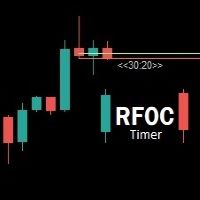
Uma informação de grande valor para o trader se localizar no tempo é a informação de quanto tempo temos para o encerramento do candle atual ou quanto falta para a formação de um novo candle. O RFOC Timer apresenta esta informação de forma clara e alocada à direita do candle atual. Adicionalmente o RFOC Timer acompanha a opção de inclusão das linhas de preços ASK e BID com e sem extensão a direita e/ou esquerda. Esta função auxilia, por exemplo, a não sobreposição das linhas de ASK e BID com as
FREE

# Trade Assistant Manager
Stop calculating lot sizes by hand. Trade Assistant Manager is an on-chart panel that turns your risk settings and chart lines into a precise, ready-to-fire order — automatically.
## Key Features
**Automatic Lot Sizing** Set your risk as a percentage of account balance or a fixed dollar amount. The panel reads the distance between your Entry and Stop Loss lines and instantly calculates the exact lot size for that risk — accounting for your broker's commission per lo
FREE

# LBU Trading Console
LBU Trading Console is a unified MetaTrader 5 utility for visual trade planning, position management, equity protection and multi-symbol RSI monitoring. Its tabbed interface keeps four practical workflows in one chart and one EX5 file.
## Main modules
### Trade
- Draw and drag Entry, Stop Loss and Take Profit levels directly on the chart. - Calculate volume from the selected account risk percentage. - Support market, limit and stop orders. - Validate volume, margin and
FREE

TraderMusic Плеер на графике. Показывает карточку фонового плеера Windows: название трека, исполнителя и обложку. Под треком идёт лента зелёных и красных свечей. Управление мышью: играть и пауза, предыдущий и следующий трек, громкость. Панель можно скрыть и снова открыть, перетащить по графику. Язык интерфейса: русский и английский. Карточка и обложка приходят из фонового плеера Windows. Пока плеер молчит, на панели написано, что трек ещё не пришёл.
FREE

Japanese CCI Cross Alert EA for MT5 CCI Cross Alert EA は、 商品チャネル指数(CCI) が一般的な買われ過ぎまたは売られ過ぎのレベルに到達したときに通知する MetaTrader 5 用のシンプルなツールです。チャートを常に監視しなくても CCI の状態を確認できます。 チャートに追加すると、EA が CCI を監視し、重要なレベルをクロスしたときに ポップアップアラート を表示します。これにより、チャートをすばやく確認し、取引の可能性を評価できます。 特徴 CCI が買われ過ぎレベル(デフォルト 100)を上抜けたときに検出
CCI が売られ過ぎレベル(デフォルト -100)を下抜けたときに検出
MetaTrader 5 のポップアップアラート
すべての銘柄と時間足で使用可能
軽量で使いやすい 仕組み EA はチャート上の CCI を監視します。CCI が買われ過ぎレベルを上回るか、売られ過ぎレベルを下回るとポップアップアラートが表示されます。 CCI の期間とアラートレベルは設定で変更できます。 この EA は アラート専用ツ
FREE

Backstop enforces the two rules that end funded accounts. A daily loss limit and a maximum loss limit, applied to everything on the account — every Expert Advisor, every symbol, and every trade you place by hand. Attach it to any one chart and it governs the whole terminal. It does not trade. It has no strategy, no signals and no opinion about the market. It is a governor. What it does Daily loss limit — measured from balance at the reset, equity at the reset, or a fixed account size. Firms diff
FREE

Trade Risk Desk answers one question at the moment you need it answered: what volume makes this stop cost exactly what you decided to risk. Drag the stop line to where it belongs on the chart and the panel prints the volume, the money behind it, and the margin the position will hold. What It Answers Set the risk as a percent of balance or as a fixed amount in account currency. Put the stop where your idea says it belongs. The panel reads the symbol settings your broker publishes and prints: the
FREE

Alert Relay Helper (EA) – MT5 & MT4
Encrypted bridge that forwards indicator alerts to external messengers * in real-time. Plug-and-play utility – simply attach it to one chart. Zero trading functions – does not open, modify or close orders. End-to-end AES-256 encryption – only custom indicators that support the same key can broadcast messages (e.g. VWAP Ultimate Pro v1.20+). Multi-platform – MT5 build 4150+, MT4 build 1380+. Before you turn it on : Open Tools > Options > Expert Advisors and
FREE
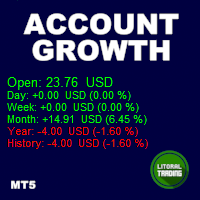
Tired of calculate every weekend and the end of the month to know how much you've earned and how much your capital has grown?
Then this indicator will help you! It informs you how much your capital has grown in money and percentage in the day, week, month, year and in history, plus show how much volume ou used, how much trades you did and how much comission and swap you paid. Alo the open positions result are showed in money and percentage. Note: The amount of trades displayed may differ from
Price Alert EA for MT5 – Intuitive On-Chart Alert System The CFN Price Alerts EA for MetaTrader 5 is a professional, easy-to-use tool designed to simplify price monitoring and trading decisions. It allows traders to set customizable price level alerts directly from their charts—no more manual setup through MetaTrader's native alert system. With a clean, interactive panel, you can quickly add, manage, and remove alerts. Alerts are visually displayed on the chart and saved between sessions, pr
FREE

IN DEMO VERSION, "CLOSE BY PIPS & ALERTS" ARE DISABLED. FOR COMPLETE ACCESS PLEASE BUY. : https://www.mql5.com/en/market/product/58097 FIRST 10 COPIES AT 30 USD, NEXT PRICE WOULD BE 50 USD RISK AND TRADE MANAGER RISK AND TRADE MANAGER is an advanced trading panel designed for manual trading. Utility helps to manage trades effectively and efficiently with a single click. You can also try our high probability indicator HAWA Price Action HAWA Price Action WITH 90% WIN RATE
MT4 VERSION:
https:/
FREE

Purse Guard v1.00 — User Manual 1. What Purse Guard Does Purse Guard is a trailing stop manager, Stop Loss manager, trade manager, and position-management utility for MetaTrader 5. It provides practical risk management for existing trades by managing Stop Loss on open positions with two conventional trailing methods: Points Trailing — a fixed-distance points trailing stop that follows price by a selected number of MetaTrader 5 points. Candle Trailing — a candle trailing stop that follows the st
FREE

Donation: USDT (TRC20) : TQJsYp64FgLLeQiyNnS6hhCNBjnz4ykbT1 USDT (BEP20, Polygon) : 0x5b50AaaE515452071D395D28BC3D78d16279D168
You can use this expert to execute Martingale orders for you open positions. This expert will add to your positions with a pre-defined loss step.
For choosing open positions you can use Symbol Name or Magic Number . Also the loss step will be defined by currency or pips. All positions that refer to a certain order will be closed by entered Profit from input section. For
FREE

Auto Position Manager is a unique services application of its kind across the entire MQL5 market, setting new standards for applications of this type. The Services app is a compact but powerful tool that significantly impacts the entire system. Its user-friendly interface and start-stop system make it excellent for automating repetitive tasks. Once it's set up, the service can be toggled on or off with a single click. Crucially, the configuration persists even if the platform is turned off and
FREE

One Click Chart Snap captures screenshots of your chart across all selected timeframes with a single button click — or fully automatically on a timer. Perfect for traders who journal their trades, do multi-timeframe analysis, share setups with a community, or want a visual record of the market at a specific moment. How it works At tach the utility to any chart and a button appears in the top-right corner. One click cycles the chart through every timeframe you enabled (M1 to MN1), captures each
FREE

とてもシンプルな過去検証ツールです。 Startをクリックすると、過去チャートの一番過去にさかのぼって始まります。 スプレッドは0.2pips、最大10回ナンピンが可能です。 ローソク足の大きさと時間枠をパラメータとして設定できます。 検証中に時間枠を変更することは出来ません。 ボタンの機能は以下の通りです。 ------------------------------------------------------------ Resume/Pause: 自動スクロールのストップ・再開 Next bar: ローソク足を一つづつ進める Speed1,2,3: 自動スクロールのスピード Skip: チャートを少しスキップ Start/End: 開始・終了 Buy: 1ポジション買い注文
Sell: 1ポジション売り注文 Close: 全ポジションの決済 ------------------------------------------------------------
売買の結果は左上にポイント数(勝ち回数:負け回数)として表示されます。
FREE
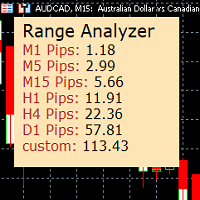
Range Analyzer calculates the Average True Range (ATR) values for different timeframes in pips to give a fast and simple overview about the volatility of the chosen symbol.
Settings are very easy:
bars for calculation: Choose the number of bars for calculation or use the default value (14 periods).
from bar: Choose the youngest bar to start the calculation or use the default setting (0 = current bar). custon timeframe: Choose another timeframe.
You can use it for forex, crypto, indices, comm
FREE

RTrade panel is easy trading panel use both (Stop Loss & Take Profit) based on pips with easy interface can be use by anyone
Panel Feature: -Open position based on (Lot) size
-Auto detect entry price -Use Stop Loss based on (pips) -Use Take Profit based on ( pips ) -Close all position in one button click
i will add more function in future update if you like it write your review
FREE

Proton Gold Risk Engine MT5
OVERVIEW Proton Gold Risk Engine MT5 is a utility for MetaTrader 5 that calculates position size based on user-defined risk parameters. The tool helps traders implement consistent position sizing by calculating required lot size based on account capital, risk percentage, and stop loss distance. This utility is designed for manual traders who manage position sizing themselves.
PRIMARY FUNCTION The utility provides a calculator interface for determining appropriate p
FREE

Change lot size, set TP / SL points and with one click place an order. Track current order count and total running profit. Instant Close all Buy trades, Close all Sell trades or Close All open trades buttons. Trailing SL feature Support for Manual orders. Utility types Risk management, Graphical objects, Panels. Main features
Take Profit and Stop Loss in points (10pip = 100 points) After the price reaches the Take Profit threshold, orders will be closed in profit After the price reaches the St
FREE

Limit Open Positions EA
"Limit Positions EA is a powerful utility tool designed to provide strict control over the number of open positions in your trading account. This Expert Advisor continuously monitors your trading activity and ensures that no new positions are opened once the specified limit is reached. Ideal for traders seeking to mitigate overexposure and manage risk effectively, Limit Positions EA works seamlessly across all symbols and timeframes. Whether you're managing a large port
FREE

BTD2 Market Data Exporter for MT5 BTD2 Market Data Exporter is a high-performance utility script designed to extract M1 historical bar data, symbol properties, and daily reset schedules from MetaTrader 5 into optimized binary files ( .btd ). Built specifically for quantitative research, backtesting engines, and custom analytics pipelines. Key Features UTC+0 Timestamp Standardization: Automatically normalizes server time candles to UTC+0 end-label timestamps, eliminating broker server timezone sh
FREE

Relentless News Guard — Free Economic Calendar and News Warning Panel for MetaTrader 5
Relentless News Guard is a free, on-chart economic calendar panel for MetaTrader 5. It shows the upcoming high-impact news events for the currencies you trade, with a live countdown and a clear on-chart status, so you know when to stay out of the market before you place a trade.
It is free. If it keeps you out of one bad news spike, an honest review helps other traders find it.
It reads the built-in MetaTra
FREE

Dynamic ATR TP Ratio The ATR Take Profit Manager Expert Advisor (EA) automatically calculates and adjusts the take profit (TP) level for your open trades, based on market volatility. This EA uses the Average True Range (ATR) indicator, which measures market volatility, to set your TP level, ensuring it adapts to the current market conditions. What is ATR? The Average True Range (ATR) is a technical indicator that shows the volatility of an asset over a specific period. It measures how much the
FREE

この製品は PositionRelay TV Slave Subscriber にリブランディングされました。
MQL5 Market から PositionRelay TV Slave Subscriber をインストールしてください。この TradeEcho 出品は後継となり非表示になります。Market のタイトルは変更できません。
同じ User ID とクラウド API です。TradeEcho TV Slave Subscriber を削除し、各フォロワー口座に PositionRelay TV Slave Subscriber を取り付けてください。
関連製品:PositionRelay Master Publisher。
キーワード: コピートレード, トレードコピー, PositionRelay, リブランディング, スレーブ
PositionRelay TV Slave Subscriber は PositionRelay クラウドの TradingView ウェブフックシグナルを MetaTrader 5 のフォロワー口座にミラーします。仮想 Tradi
FREE

# The Position Monitor — Real-Time Trade HUD for MT5
---
### Overview
**The Position Monitor** is a lightweight, real-time position display script for MetaTrader 5. It provides a clean, customizable heads-up display (HUD) directly on your chart, showing **live trade data**—symbol, direction, volume, open price, SL/TP, and floating profit/loss—updated continuously without delay.
No terminals, no clutter, just **essential trade info in your face, always**.
******************************
FREE

MetaTrader 5 向けのプロフェッショナルなポジション計画およびロット管理パネル Position Control Suite は、MetaTrader 5 用の視覚的な取引計画パネルです。 チャート上で直接注文を準備し、Stop Loss の位置を設定し、口座通貨ベースのリスク額から ポジション量を自動計算するために設計されています。 基本的な考え方はシンプルです。許容するリスク額を入力し、Stop Loss の距離を設定すると、 パネルがその取引計画に必要なロットサイズを計算します。これにより、注文準備をより明確で一貫したものにできます。 主な機能 口座通貨ベースのリスク入力: 取引で許容する金額を入力できます。 自動ロット計算: リスク額と Stop Loss 距離からポジション量を計算します。 視覚的な価格レベル: Entry、Stop Loss、Take Profit をチャート上に表示します。 成行注文モード: BUY または SELL に応じて正しい Bid または Ask の実行価格を使用します。 指値・逆指値注文モード: Buy Limit、Buy Stop、
FREE

Great dashboard for market analytics. Help you to analyze the values of the Moving Average indicator and prices.
Using this dashboard you can: find signals from the Moving Average from all timeframes; find signals from the Moving Average from all symbols; check - how far the Moving Average is from the price; check - the Moving Average value has changed; 2 types of signal.
Modes of operation (switched by a button on the graph): current value of Moving Average; the difference between the curr
FREE

Simply deletes all objects from a chart, at once.
Q: Shouldn't I remove the indicator(s) from the chart instead, if I want to get rid of those objects? A: Absolutely. There are rare cases though, when you might end up with residual objects that don't programatically get removed from your chart, due to bugs or some other reason.
Q: Why use this script, when I can press Ctrl+B, list all objects, then manually select and delete each one? A: To save time, really. Maybe you have too many unwanted o
FREE

Обычная трейдец-сетка, но не имеет явного диапазона. Вместо диапазона, в настройках устанавливаются стоп-лоссы. Закрытие происходит по тейк-профиту, так же устанавливаются в настройках. Робот может торговать в любом направлении, как вверх или вниз, так и в обоих направлениях. Робот не проверяет баланс счета, а потому имеет очень высокий риск. По умолчанию стоят настройки для EURUSD пары (не самые лучшие). Рекомендуемый минимальный депозит $200. Имеется вторая версия в которой добавлены дополните
FREE

SmartGuard Trading Journal helps MetaTrader 5 traders build an automatic local trading journal without manual input, external servers or trading actions.
The utility records account snapshots, risk metrics, open positions, pending orders, deal history and real-time trade transactions into local CSV files. These records help traders review equity changes, margin pressure, floating exposure, broker costs and real trading behavior over time.
SmartGuard Trading Journal does not open, close or modi
FREE
MetaTraderマーケットは、他に類のない自動売買ロボットやテクニカル指標の販売場所です。
MQL5.community ユーザーメモを読んで、取引シグナルのコピー、フリーランサーによるカスタムアプリの開発、支払いシステムを経由した自動支払い、MQL5Cloud Networkなど、当社がトレーダーに対して提供するユニークなサービスについて詳しくご覧ください。

取引の機会を逃しています。
- 無料取引アプリ
- 8千を超えるシグナルをコピー
- 金融ニュースで金融マーケットを探索