 MetaTrader 5
 エキスパート
 インディケータ
 ライブラリ
ライブラリ
 ユーティリティ
 ウィジェット
 ルール
ルール
YouTubeにあるマーケットチュートリアルビデオをご覧ください
ロボットや指標を購入する
仮想ホスティングで
EAを実行
EAを実行
ロボットや指標を購入前にテストする
マーケットで収入を得る
販売のためにプロダクトをプレゼンテーションする方法
MetaTrader 5用取引ユーティリティ - 30
 以下はMetaTrader5での取引を簡素化する取引プログラムです。ユーティリティにカーソルを合わせると、その説明と目的が表示されます。
TradePulseMonitor for MetaTrader 4 & 5 Overview: TradePulseMonitor is a comprehensive, real-time dashboard indicator designed for MetaTrader 4 and MetaTrader 5. It provides traders with an at-a-glance overview of their account's financial health, risk exposure, position metrics, and historical performance. By consolidating critical data into a single, customizable on-chart dashboard, it eliminates the need to constantly check the Terminal window, allowing for faster and more informed trading de
FREE

Stop guessing your performance. Track your wins and losses instantly, directly on your charts! As traders, keeping an accurate, real-time pulse on our psychological and execution performance is key to staying disciplined. DaBhoza Win Rate Tracker is a lightweight, intuitive, and highly visible on-chart utility designed to help you log and monitor your trade outcomes manually with a single click. Whether you are testing a new manual strategy, practicing on a demo account, or keeping track of your
FREE

SL Maestro - Forex Expert Advisor SL Maestro - Forex Expert Advisor with Advanced Stop-Loss Features Introducing SL Maestro , the ultimate Forex Expert Advisor (EA) designed to enhance your trading strategy by adding stop-losses to existing trades with precision and flexibility. SL Maestro is not just limited to simple pips-based stop-losses; it incorporates a variety of advanced techniques to ensure optimal protection for your trades. Key Features: Pips-Based Stop-Loss : Easily set a stop-loss
FREE

Black Volume By ZeeAM Khan
a Multi-Engine EA
Professional Multi-Timeframe Volume & Breakout Trading System Black Volume Multi-Engine EA is an advanced automated trading system that combines volume analysis, spread analysis, liquidity sweeps, support/resistance breakouts, and multi-basket trade management into one powerful Expert Advisor. The EA continuously scans higher-timeframe candles to identify significant market activity, automatically draws key support and resistance zones, and executes
FREE
Botti Tools features
1 - Automatically places Take Profit and Stop Loss values, previously defined, in Pending Orders and in Market Positions
2 - Based on the amount of Stop Loss points defined and the specified monetary value it calculates what volume should be used for that order.
3 - After X points he puts the order on breakeven
4 - It cancels the Take Profit at X points away from it and places the Stop Loss in such a way as to guarantee Y gain points
5 - If the fourth option is selecte
FREE

Assistant_for_Reopen - an Expert Advisor that helps to re-set pending orders. Many brokers force the order to expire at the end of the trading session or at the end of the trading day. Therefore, a trader has to restore all pending orders manually every time at the beginning of a new trading session. Assistant_for_Reopen frees the trader from this routine work. It controls expiration by the order expiration time and resets it if the trader ticked the checkbox. The maximum number of orders the EA
FREE

How to run the script in MT5. Open MetaTrader 5. Press Ctrl + N to open the "Navigator" window. Locate the "Scripts" folder. Drag and drop RR Control Pro onto the chart with the open trade.
How it works.
Automatic detection: Once you drag the script onto the chart, it automatically identifies the most recently opened position on your trading account. Direction detection: The script checks whether the trade is a BUY or a SELL to calculate distances correctly. Formula: The ratio is calculated a
FREE
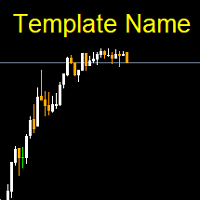
Template name allows you to write custom text that will show up on your charts. It allows you to position the text anywhere including selecting any color that you prefer. You can position the text at any of the 4 corners of your chart screen. This custom text can aid as a watermark for your screen shots. This text can act as a unique and true signature for your charts.
FREE

Simple script for Buy by Market Execution on all financial instruments.
Inputs Volume - default: 0.10 Deviation - default: 10 points Stoploss - default: 50 points Takeprofit - default: 50 points Comment - default: Order by Market Confirm - default: false
Inputs Details Type Order Buy Order is preset. Deviation Maximum deviation from quoted price in points. Stoploss & Takeprofit In points value, be careful that this value will be added to minimum stop allowed by the broker. For example if you s
FREE

Phone Notification
Send Information from VPS direct to Phone No TradingOperation only MessageNotification Send Information to your selected Time-Window Configure Time when want to receive the Message What will be send:-Bull/Bear Candle Bull: 0 Bear: 0 Level that get Touched by Price most Level: 00000.00 any Question or modification ex5 Code write me a Message
FREE

The Teaching T-INN utility was created to train architecture neural networks (T-INN) Target-IntelNeuroNet adapted to the currency market. The utility file must be placed in the scripts folder and run on the chart and timeframe on which you want to train the neural network. The result of the training will be recorded in a file, and the entire training process is displayed in the console on the chart and an additional log file. Before starting the script, it is necessary to download all the stori
FREE

This indicator allows to hide moving average (on all MT4 timeframes) from a date define by the user with a vertical line (Alone) or a panel (with "Hidden Candles"). Indicator Inputs: MA Period MA Shift MA Method MA Apply To Information on "Moving Average" indicator is available here: https://www.metatrader4.com/en/trading-platform/help/analytics/tech_indicators/moving_average ************************************************************* Hey traders!! Give me your feeds! We are a community h
FREE
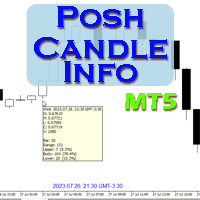
Show candle info with: Time in selected timezone Bar number Candle range points Upper wick points and percentage Body points and percentage Lower wick points and percentage Mark large/small candle body with customizable line. Settings group: Broker and local timezone. Lookback bars for candle marking. Large candle body Small candle body Date and time info with auto position or custom the x and y coordinate.
FREE

This utility allows creating any amount of grid orders just by clicking with the mouse.
Instructions:
Trading mode
Deleting mode
Press ctrl and click with mouse to start drawing a grid While drawing, press shift to cancel Release buttons to send orders
Press shift and click with mouse to draw a removal line
Release buttons to confirm removal: EA deletes every pending order that the line touches
Inputs: - 3 options to calculate the grid sizing: Fixed points distance between grid level
FREE

Break-Even Pro * 3 BE modes: - RewardRisk_Single for single trade (only valid for positions with SL) - Points_Single for single trade - Points_DCA for multiple DCA trade * Start Value: value of RR or # points to start SL moving * Offset: distance in points between BE level & entry * Symbol Filter: Select All or a specific symbol * Partial Close (%): Close % initial volume when moving SL to BE (0 for no partial close) Join my telegram channel here for more useful free EAs. Thank you!
FREE
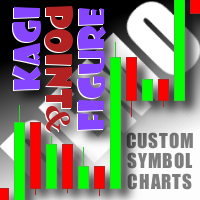
This non-trading expert utilizes so called custom symbols feature to build custom charts based on history of real ticks of selected standard symbol. New charts imitate one of well-known graphic structures: Point-And-Figure (PnF) or Kagi. The result is not exactly PnF's X/O columns or rectangular waves of Kagi. Instead it consists of bars, calculated from and denoting stable unidirectional price moves (as multiples of the box size), which is equivalent to XO columns or polygonal lines. These Poi
FREE

Copy Trade PRO - Slave EA (FREE with Master EA) Receive Trades Automatically from Your Master Account Copy Trade PRO - Slave EA is a professional trade receiver designed for MetaTrader 5. It automatically mirrors trades from the Copy Trade PRO Master EA with fast execution, intelligent symbol matching, and flexible risk management. Telegram Support Link : @GoldBotXSupport Need help or have questions? Contact me on WhatsApp: https://wa.me/447378910922
This Slave EA is complete
FREE

TradeSync One MT5 El Copiador Local de Operaciones Ultra-Rápido para MetaTrader 5 TradeSync One es un copiador profesional de operaciones desarrollado completamente en MQL5 nativo , diseñado para traders profesionales, gestores de cuentas y usuarios de Prop Firms que necesitan máxima velocidad, estabilidad y precisión . A diferencia de los copiadores tradicionales que dependen de WebRequest, servidores externos o DLLs pesadas , TradeSync One utiliza un sistema de comunicación 100% local , op
FREE

すべてのストップロスとテイクプロフィットを削除 — SL/TPレベルを即座に削除するシンプルな解決策 ワンクリックですべてのストップロスとテイクプロフィットレベルを削除! すべてのストップロスとテイクプロフィットを削除 は、すべての未決済ポジションに設定された SL および TP レベルを迅速かつ効率的に削除したいトレーダー向けに設計された便利なスクリプトです。そのシンプルな操作と即時の実行は、ダイナミックな市場条件で欠かせないツールとなります。 主な利点: • 時間の節約: 各ポジションを手動で編集する必要はありません — すべて自動で処理されます。
• 複数シンボルのサポート: スクリプトは、すべての取引中のシンボルのレベルを削除します。
• 使いやすさ: スクリプトをチャートにドラッグするだけで完了!
• 信頼性: 実行前に各ポジションをチェックし、正確な動作を保証します。 使用方法: スクリプトを MetaTrader 5 のチャートにドラッグします。 スクリプトがすべてのポジションの SL および TP レベルを自動的に削除します。 取引の完全な自由を楽しみましょう! 対象ユ
FREE

!!ご自身の戦略と合っているのか必ず確認してください!!
※勝率重視の戦略に適しています プロップファームを経験した人なら、
一度はこう思ったことがあるはずです。 最大損失率に合わせてロット計算するのが面倒 扱う通貨ペアが増えるほど計算するのが面倒 ルール違反で失格するのが怖い 口座を失うたびに心が折れる 僕自身、まさにこのループに苦しんでいました。 「勝てるかどうか」よりも先に、
“どうやって生き残るか” が最大の課題だったんです。 その結果、
自分のために作り始めたのがこの ポジションサイジングEA でした。 ↓複数口座管理したいならこっちがお勧め Prop Sizing and Simple Copy EA https://www.mql5.com/ja/market/product/161254
このEAでできること プロップ基準の自動ロット計算 初期残高・最大損失率・一日損失率・最大負け回数を入力するだけ BUY/SELLボタンでSL/TPを同時設定 同時エントリー数にも対応 CALCボタンで最終使用可能額を即表示 許容スプレッド超過時はエントリーしない安全
FREE

SmartGuard Trading Journal helps MetaTrader 5 traders build an automatic local trading journal without manual input, external servers or trading actions.
The utility records account snapshots, risk metrics, open positions, pending orders, deal history and real-time trade transactions into local CSV files. These records help traders review equity changes, margin pressure, floating exposure, broker costs and real trading behavior over time.
SmartGuard Trading Journal does not open, close or modi
FREE

FOREX17 MOUSE TRADING ASSISTANT BASIC (F17MTA)
- Forex17 Mouse Trading Assistant Basic(F17MTA)は、マウスとキーボードを使用してチャート上から手動で注文を行うためのビジュアルツールです - エントリー、ストップロス、テイクプロフィットを動的に設定・表示できます - Basicは簡易版であり、F17MTAエコシステムの入門バージョンです
====================== 重要なお知らせ ======================
- これは無料のBasicバージョンです
- Standardバージョンは英語で提供されており、マルチターゲットなどの高度な機能が含まれます
- 詳細については英語版の説明をご確認ください
- MetaTrader 5でAutoTradingを有効にする必要があります
====================== 主な機能 ======================
- Bキーを押し続けてBuyモード - Sキーを押し続けてSellモ
FREE

mBer is a non-repainting scalping indicator purpose-built for EURUSD on the M5 chart . Instead of relying on generic moving averages, mBer calculates rolling Upper Quartile (Upper Q) and Lower Quartile (Lower Q) levels from recent price data — statistical boundaries that mark where price is trading relative to its own short-term distribution. When price pushes toward the Upper Q, it signals a statistically stretched, potentially overbought zone; when price pushes toward the Lower Q, it signals a
FREE

A complete copy trading EA suite that automatically replicates trades across MT4 and MT5 platforms. Supports all four combinations — MT4→MT4, MT4→MT5, MT5→MT4, and MT5→MT5 — in a single package. Uses the FILE_COMMON shared folder method for fast, reliable signal delivery within the same PC or VPS.
Overview
CopyTrading EA Suite is a utility package that automatically replicates trades between MetaTrader 4 and MetaTrader 5 platforms. A single Sender EA can broadcast signals to multiple Receive
FREE

Trade Remote: Pocket Desk - Your MetaTrader Account, Now in Your Pocket
FEATURES Trade Remote: Pocket Desk turns your phone, tablet, or any web browser into a live trading remote control for your MetaTrader terminal. No app to install on your phone — just a 4-character code and any browser. Connects to your MT4 terminal in under 30 seconds using a unique, auto-generated 4-character CONNECT code. One-click BUY and SELL on any symbol in your Market Watch, with live bid/ask and spread shown befor
FREE

パネルには、すべての初心者が処理できる最も直感的なインターフェイスがあります。
SLp列で-SLサイズをピップで指定する必要があります。値が灰色に変わり、同時にベイ/セルボタンも非アクティブになっている場合は、ブローカーによって設定される前に許可されていた値よりも小さいSL値を指定しています。
[TP%]列で、アカウント残高の%でTPを示します。設定では、この指標の計算内容に基づいて、資本、残高、または自由証拠金を選択できます。
R%列では、取引のリスク値を設定できます。
Insボタン。 -設定値ですぐに注文を開くことができます。無効になっている場合は、取引のパラメータをチャートに直接プリセットできます。 Pro Trading Panel - https://www.mql5.com/en/market/product/72256
上部の左上隅にあるマイナス記号をクリックすると、グラフのパネルを最小化できます。
パネル名の下にある+ボタンと-ボタンを調整することで、パネル自体のサイズを拡大または縮小することもできます。
保留中の注文を開いてBUへの転送、トレー
FREE

Investment Castle Panel — Your Trades, At a Glance
The Panel puts the numbers that matter right on your chart: floating profit and loss, drawdown and more — for manual trades and for any Expert Advisor. A clean, movable dashboard so you always know exactly where you stand.
What it does for you Live P/L on the chart: floating profit/loss for the current symbol, for both buy and sell orders, in your base currency and in pips. Max drawdown at a glance: keep an eye on risk without digging through
FREE

Smart Target Script Smart Target Script is an advanced risk management utility designed to simplify complex trading scenarios. When managing multiple open positions on a single symbol, calculating the exact exit price for a specific combined profit or acceptable loss can be mathematically challenging. This script automates that process instantly. By analyzing your total buy and sell volumes, the script calculates the true weighted break-even price. It then translates your desired profit or risk
FREE

POTUSCalendar ホワイトハウススケジュールダッシュボード - 市場を動かす政治イベントを見逃さない POTUSCalendarは、米国大統領の公開スケジュールを取引チャート上に直接表示するプロフェッショナルなMetaTrader 5インジケーターです。記者会見、公式声明、旅程、公開出演など、金融市場に影響を与える可能性のあるホワイトハウスの今後のイベントについて常に情報を得ることができます。 このインジケーターは、ホワイトハウスの公式公開スケジュールからリアルタイムデータを自動的に取得し、すべてのイベント時間をローカルタイムゾーンとブローカー時間に変換し、すべてをエレガントでカスタマイズ可能なパネルに表示します。外国為替、指数、商品、暗号通貨のいずれを取引していても、重要な政治イベントを認識することは、情報に基づいた取引決定にとって極めて重要です。 詳細を読む: 完全なドキュメントと設定ガイド (English) 期間限定オファー: 最初の50ダウンロードは無料です!その後、この製品は有料になります。今すぐダウンロードして無料コピーを入手してください。 主な機能 リアルタイ
FREE

Горячие клавиши плюс клик левой кнопки мыши на графике.
Советник открывает сделки, выставляет лимитные и стоповые ордера, удаляет ордера и закрывает позиции, также делает реверс открытых позиций, выставляет прописанные в настройках стоп лосс и тейк профит.
(реверс только на неттинговых счетах)
При запуске советника можно посмотреть подсказку как действует советник при нажатии клавиши + клик на графике.
Правее последнего бара, ниже цены Ctrl+ЛКМ - OpenSell
Правее последнего бара, выше
FREE

Overview Custom Logic for Trading MT5 Mini is the free version that designed to execute trades based on custom indicator signals, with robust position management features with break-even settings. This script allows traders to implement their strategies with high precision and flexibility, enhancing their trading efficiency and profitability. Input Parameters Indicator Settings indicator_name : Name of the custom indicator to be used for generating signals. buy_signal : Signal value indicating a
FREE

HB Trading Bot – Professional Risk & Trade Management for MT5 HB Trading Bot is a professional risk management and trade management Expert Advisor designed for MetaTrader 5 .
It does not open trades . Instead, it manages already opened positions with strict, rule-based logic to help traders protect their capital and remove emotional decision-making from trading. Most trading losses are caused by psychology, not poor analysis. HB Trading Bot was built to solve this problem by enforcing discipline
FREE

Guardian Shield EA - Risk & Profit Protection System ️ Ultimate Account Protection Guardian Shield is a specialized utility Expert Advisor designed to provide comprehensive risk management and profit protection for your trading account. It monitors all running positions in real-time and takes immediate action when predefined profit or loss thresholds are reached. Key Features Advanced Risk & Profit Guardian Real-time Monitoring : Continuously tracks total P&L across all positions Du
FREE
Minimalist and fully customizable info panel. It works on any chart and timeframe, with 2 - 4 digits brokers and with 3 - 5 digits ones. It can show: Current Spread in pips (1 decimal digit if you are on a 3 - 5 digits broker) ATR (Average True Range) in pips Current Server Time Current GMT Time Important Account Info: Current Leverage and Stop-out Level (%) Time left for the current bar. Very useful on 4 h charts All info labels have a tooltip with the same data Available customizations : Ena
FREE

Read-only analytics for accounts running several EAs. Groups your closed trades by magic number and measures how much of their combined risk actually cancels out. Free measurement edition. The monitoring and alerting edition is Portfolio Command Desk: https://www.mql5.com/en/market/product/188884 The problem You run five Expert Advisors. Each backtest looked fine on its own. But the account does not trade five systems, it trades one portfolio, and no report in MetaTrader tells you how those sys
FREE

Overview
RealCost Spread Guard is a spread monitoring utility for MetaTrader 5. It does not trade, modify orders, or send data to external servers. It samples the current chart spread, displays live and historical spread statistics, optionally alerts when spread exceeds a configured threshold, and can write a local CSV file for later review.
This utility is useful before running manual entries, scalpers, grid systems, signal copiers, or any EA that is sensitive to spread spikes.
Typical Use
FREE

You can send MetaTrader screenshot easily to your identified telegram channel via press the send button that on the chart. TelegramBotToken: Telegram API credentials. You can create API credentials on my.telegram.org web page ChatId: Your telegram chatId. Secreenshots will be sending this channel - Please do not press the button repeatedly. This may cause your bot or ip address to be blocked. - You have to add telegram api address ( https://api.telegram.org ) in Option > Expert Advisors > Allow
FREE

The spread in trading is the difference between the purchase price and the sale price of a financial instrument on the market. The spread is a commission fee that traders pay brokers for the opportunity to trade.
It's no secret that each broker offers its own terms for trading. The size of the spread is important. There are a lot of advisors (especially scalpers) who show different results at different brokers. We have repeatedly encountered this. Therefore, using this utility, find out what s
FREE

Broker Quality Monitor is a free utility that measures the real quality of your broker for trading. What it measures: - Live spread (current, average, min and max) - Real slippage from your own fills, separated by BUY and SELL - Execution latency - Broker Quality Score (0-100) - Suitability verdict for gold scalping Features: - Live panel with all metrics and color-coded status - Per-session spread averages (Asia, London, London+NY, NY close) - Alerts when spread or slippage exceed your configur
FREE

Stop Loss Basic Et for MT5 — a simple and adaptive Stop Loss utility with automatic trailing.
Core Logic
Stop Loss performs two key functions:
• protects the position from loss
• trails and protects profit
The utility automatically sets a Stop Loss and manages it as the price moves.
Offset values are calculated in currency units.
Candle Classification (ET)
The utility can work independently or together with the
Candle Volatility ET Classifier indicator (free).
ET classification is a s
FREE

InstitutionalExec Suite — Expert Advisor for MetaTrader 5 InstitutionalExec Suite is an Expert Advisor designed to split and distribute order execution into parts, with the aim of obtaining an average entry price instead of executing the total volume at a single moment. Available execution modes Time-based TWAP. Divides the total order into equal parts and executes them at fixed time intervals configured by the user. Price movement TWAP. Executes each part when the price moves a defined number o
FREE

Utility for order reversal. Closes orders on the chart on which it is launched and opens orders with the opposite direction instead of them. Has a simple and intuitive graphical interface. It is also possible to automatically reverse newly opened orders. MT4 version of the utility- https://www.mql5.com/en/market/product/74771 If you like this utility, take a look at my other products - https://www.mql5.com/en/users/nina_yermolenko/seller
FREE

This is an EA designed to support manual trading. It can accurately calculate risk, automatically enter trades, set stop loss, and perform trailing stop loss using buttons on the chart. There are many features for risk calculation, setting stop loss, and trailing stop loss to suit various trading styles. It can also automatically manage prop firms by closing trades when reaching the target profit level or maximum daily loss. Additionally, it can perform manual backtesting using the strategy test
FREE

Simple spread update script for updating your backtesting data and getting them as close as possible to your broker trading spread. This step is often overlooked but very important to do if you want to have reliable backtests.
Import downloaded data into your MT5 (e.g. dukascopy data), load specific period of ticks (usual time of your trading) and compare the provided spread with your broker at your trading time. To update the spread, load custom symbol to your market watch, open chart window a
FREE

Trailer Is a reduced version of my EA bull scalper but will handle trailing loss and risk management
use the ai trailing tool to effect the trailing start or chose manual mode to start the trailing and the spread of the sl behind it
check out the EA Bull Scalper for full position Management position opening and extreme performance
https://www.mql5.com/en/market/product/116071?source=Site+Profile+Seller
FREE
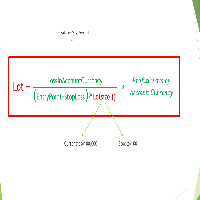
Important Note: Before using it in a real account test it in your demo account.
//+------------------------------------------------------------------+ //| Optimum_Lot_Size.mq5 | //| Copyright 2023, MetaQuotes Ltd. | //| https://www.mql5.com | //+------------------------------------------------------------------+ #property copyright "Copyright 2023, MetaQuotes Ltd." #property
FREE

AlgoWay Telegram Reporter is a free MetaTrader 5 utility that sends clear and detailed trading notifications directly to Telegram. The utility does not open, modify, or close trades. It only monitors trading activity on the account. It works with: • Manual trades
• Trades opened from mobile or web terminals
• Trades opened by Expert Advisors
• Trades opened through AlgoWay
• Netting and hedging accounts Main features • Position opening notifications
• Entry price, volume, Stop Loss and Take Prof
FREE

Posh Sessions is indicator which displays sessions in broker time or your local time. You can set up to 5 sessions, assign name, start time, end time and color of each session. There is session's range to help you make a chart analysis.
Settings for a session: Show: To show or not the session on chart Title: The title/name of the session Timezone: Select between broker or local time to implement the session's period Start time: The session start time End time: The session end time Co
FREE

Automatic transmission is for the traders who are annoyed by constantly putting manual take profit and stop loss. This will take some of the burden. All you need is a laptop/pc at home or a VPS, so that you can press buy or sell on your phone and all will be automatically done for you. Check out parameters below.
This utility is for every symbol. Watch for oddities when trading crypto.
Other products Automatic Transmission MT4 XAU Breakout MT5
Parameters
-Manage Magic Number (0 = Disabled)
FREE

This pivot scanner implements five industry-standard pivot methodologies: Classic Pivot (HLC/3) Fibonacci Pivot (0.382 / 0.618 / 1.000 levels) Camarilla Pivot Woodie Pivot DeMark Pivot The scanner can operate with a fixed user-selected method or in adaptive mode, where the most suitable pivot model is selected automatically based on observed market behavior and historical performance. Designed as a fully configurable analysis and observation tool, the EA performs historical warmup, executes scan
FREE

Tired of laggy panels with a bunch of unnecessary buttons? This linker is designed for those who value clean graphics and speed. Nothing extra - just instant switching of tools in one click
Advantages: - Solves the main problem of the Meta Trader terminal - inconvenient and slow switching of charts -Not overloaded with unnecessary functionality - Works lightning fast -Easy to install and configure -Can be customized to suit your chart color scheme
This is the free Lite version. The difference
FREE

Position Closer is advisor used to close all orders when the profit will cross specified value either above or below. You can close all orders with one button click.
On panel on chart you have options: Deactivate after close - If Deactivate after close is checked the advisor will disable Close above profit and Close below profit options after orders are closed either on crossing the profit or on hitting the CLOSE ALL button. Close above profit - If Close above profit is checked, the advisor wil
FREE

CopyStar – File-based Trade Copier (MT5 Master/Slave, MT4-compatible) Short description
CopyStar mirrors changes to your open net positions from the master to any slaves – quickly, robustly, and without network configuration. Communication runs via common files (shared file folder), enabling CopyStar to support MT5↔MT5, MT5→MT4, MT4→MT4, and MT4→MT5. Supports symbol mapping, lot multiplication, optional SL/TP copying, magic/comment filters, and a clear chart status display including heartbeat.
FREE

Layering — Build Profit in Measured Steps
Layering helps you grow and protect a position by placing additional trades at equal, defined distances as the market moves. It's a structured layering approach designed to secure the account and bank profit as each take-profit is reached.
What it does for you Measured layering: trades are added at equal distances you define — no guesswork. Account protection built in: the layering logic is designed to secure your account as it works. Profit-locking: a
FREE

NIVELES FIBONACCI 1.14 — Proyección de niveles Fibonacci personalizados Este script para MetaTrader 5 permite calcular y dibujar automáticamente niveles de Fibonacci personalizados a partir de dos precios conocidos y sus correspondientes niveles Fibonacci. La herramienta utiliza una relación matemática lineal entre los dos puntos introducidos para proyectar cualquier nivel Fibonacci que el usuario desee. ¿Cómo funciona? El usuario debe introducir: Precio del Punto A Nivel Fibonacci asignado al P
FREE

Balance History Indicator The Balance History indicator visually tracks the entire trading history of your account for the selected timeframe. It plots three key performance metrics: Profit – Displayed in Green Loss – Displayed in Red Zero Profit/Break-even – Displayed in Gray Balance Curve – Displayed as a SkyBlue line This indicator helps you instantly see the distribution of profitable and losing periods over time, along with your running account balance. It's ideal for evaluating historic
FREE

Market Grid View is a utility to replace the original 'Market Watch' window. It was designed to be fast and give the user the ability to navigate over all symbols with just a click, while watch the price change or last trade value. To use it, configure your "Market Watch" window with all the symbols you want to monitor, and you can close it. Then insert the indicator in the graph. The parameters window need to be configured: Columns: the number of columns you want to be drawn ShowInfo: the type
FREE

Confluence Timer Core は、MetaTrader 5 (MT5) 向けの機関投資家レベルのマルチタイムフレーム・インジケーターです。サブアワー、イントラデイからマクロタイムフレーム(M1から月足MN1まで、上位時間軸「HTF」は厳格にH1以上から開始)にわたり、リアルタイムのカウントダウンタイマーを計算して表示します。高度なアセットモード(標準FX、ゴールド標準、および01:00アンカーと23:59の厳格なセッションカットオフを持つ特殊な「ゴールドシフト」モード)、ローソク足の方向に応じた動的なカラーリング、主要セッション(アジア、ロンドン、ニューヨーク)のスマートな追跡機能、そしてチャート上に残像を残さないクリーンなグラフィック管理を備えています。 German
FREE
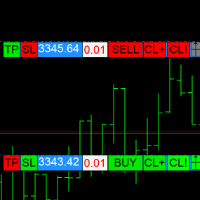

Ultimate MT5 to Telegram Public Channel sends controlled trades (via symbol, magic, comment) to a public telegram channel. It sends open and closed trades, including pending orders and TP/SL modifications, along with chart screenshots, to this public telegram channel. Additionally, you can send trade reports of open trades and summary profit/pip reports for day, week, or month. You can customize the design of the trade actions or reports with variables and emoticons.
A beautiful panel allows
FREE

Right here, is the utility tool to help traders with opening, managing, and closing multiple trading positions at the same time. This Utility tool does not work on strategy tester. To test this utility, follow the blog link below to download the demo version. https://www.mql5.com/en/blogs/post/751097
Specifications. 1) User-friendly - No complications and any trader can find it easy to use. - A simple click on a button is all it takes to perform the desired task. 2) Doe
FREE

Панель облегчает работу трейдера во время постановки стоп лоссов и тейк профитов. Отображает информацию о потенциальных профитах и лоссах.
Удобно работать когда требуется массовая установка стопов и профитов. Создавалось как инструмент плавного набора позиции на m1 и быстрого перевода стопов в безубыток. Выглядит эстетично, вписывается в родной интерфейс MT5 идеально. Рекомендуемый брокер ByBit MT5.
описание кнопок панели и функций:
BE SELL - перевод в безубыток всех Sell сделок открытых на
FREE

The utility automatically sets the take-profit and stop-loss levels specified by the user in the parameters and moves the stop-loss line when the specified number of points above the trade price is exceeded. There are 4 trailing stop options: Disabled - Disabled Trail - Simply move the stop-loss level To breakeven - Move the stop-loss to breakeven when the value of points specified in the settings is exceeded and do not move the level any further As steps - Move the stop-loss to breakeven when
FREE
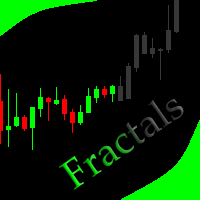
This indicator allows to hide Bill Williams Fractals (on all MT5 timeframes) from a date define by the user with a vertical line (Alone) or a panel (with "Hidden Candles"). Indicator Inputs: Indicator Color Indicator Width Information on "Fractals" indicator is available here: https://www.metatrader4.com/en/trading-platform/help/analytics/tech_indicators/fractals ************************************************************* Hey traders!! Give me your feeds! We are a community here and we ha
FREE

Titan Dual Mode Utility is a high-performance trading assistant designed for traders who require speed, precision, and flexibility in the MetaTrader 5 terminal. This utility was developed to solve the delay of manual order entry, providing a professional interface for modern scalpers and intraday traders. The main innovation of this tool is the Dual Mode System , which allows the user to switch between two different execution strategies instantly: Protected Mode: This mode is designed for conser
FREE

The SmartTrader Panel is a powerful and intuitive trading panel designed to streamline trade execution and risk management in MetaTrader. With its sleek and user-friendly interface, traders can quickly manage their positions, calculate risk metrics, and execute trades with precision. Key Features: One-Click Trading: Easily place Buy or Sell orders with a single click.
Risk Management: Automatically calculates risk percentage, risk-reward ratio, and potential profit/loss.
Customizable Trad
FREE

MT5 Shortcut Navigator is a simple on-chart reference panel for commonly used MetaTrader 5 keyboard shortcuts. Instead of keeping multiple MT5 windows open or trying to remember every shortcut, you can quickly check the keys you use most often directly from your chart. The panel includes shortcuts for commonly used MT5 functions such as: Navigator Market Watch Toolbox Data Window Strategy Tester Chart Properties Full Screen Grid Crosshair Zoom New Order Options Expert Advisors Chart types Shortc
FREE

Dashboard – Trading Panel for MetaTrader 5 Dashboard is an essential tool for traders who need a centralized view , efficient order control , and quick access to key market information , all displayed directly on the MetaTrader 5 chart. Features: Clear display of open positions Quick order management (open/close) Profit/loss tracking per trade Built-in trend indicators (moving averages, candles, etc.) Customizable panel for different trading styles Optimized interface for day trading, swing
FREE

Turn Economic Chaos into Consistent Opportunities
The financial markets move at the speed of news—miss a headline, and you miss a profit. Introducing the News Action AI Bot , a cutting-edge trading solution designed to capitalize on high-impact economic events with surgical precision. Built by traders, for traders, this bot combines real-time news analysis, AI-driven decision-making, and customizable risk management to transform volatility into your greatest advantage. Why This Bot Stands
FREE

Please visit = https://www.mql5.com/en/market/product/181686 for slave EA
MT4 Version = https://www.mql5.com/en/market/product/183101 Free Demo Version = https://c.mql5.com/6/1033/COPYTRADE_DEMO7D.zip User Manual : download here
Professional Copy Trade EA for MT5, NO HASSLE, PLUG and PLAY and CROSS PLATFORM MT4 <---> MT5. A powerful and reliable Copy Trade Expert Advisor designed for traders, signal providers, fund managers, and prop firm users. Easily copy trades between multiple accounts
FREE
MetaTraderプラットフォームのためのアプリのストアであるMetaTraderアプリストアで自動売買ロボットを購入する方法をご覧ください。
MQL5.community支払いシステムでは、PayPalや銀行カードおよび人気の支払いシステムを通してトランザクションをすることができます。ご満足いただけるように購入前に自動売買ロボットをテストすることを強くお勧めします。

取引の機会を逃しています。
- 無料取引アプリ
- 8千を超えるシグナルをコピー
- 金融ニュースで金融マーケットを探索