 MetaTrader 5
 Experts
 지표
지표
 라이브러리
라이브러리
 유틸리티
유틸리티
 위젯
위젯
 규칙
규칙
MetaTrader 5용 트레이딩 유틸리티 - 27
 다음은 MetaTrader 5의 거래를 단순화하는 거래 프로그램입니다. 유틸리티의 설명과 목적을 읽으려면 유틸리티 위에 마우스를 놓으십시오.
Funded Account Guard monitors the whole trading account and enforces the risk limits you set. When a limit is reached, it closes all positions, deletes pending orders and blocks new entries until the limit period ends. It is intended for funded and evaluation accounts with a daily loss limit and a maximum drawdown limit, and for any trader who wants a fixed daily stop.
The utility does not open trades, does not give signals and does not move stop loss or take profit levels.
Rules - Daily loss
FREE
Application with Close Button.
Program include parameters to change settings:
Robot work with Symbols: - All Symbols - Current Chart Symbol
Transaction close (Profit/Loss): - All - Close Profit Only - Close Losing Only
Retries - max retries to close all transaction Sleep - time in ms between next Retries
Robot is free.
Robot designed for learn publish robots in Market.
FREE

Record your MetaTrader 5 trading to your SureInsight journal automatically, including the stop loss you actually set.
SureInsight Journal Sync is the official MetaTrader 5 companion for SureInsight. It watches your account and sends each closed trade to your journal, so your record is built from platform data rather than from memory.
Important
This is not a trading robot, signal provider, copy-trading service or automated strategy.
It does not open, close, modify or manage trades.
Its onl
FREE

PropBlaster Copier Duo - Copy Trades to a Second Account Copy trades from one MT5 account to one other account on the same PC or VPS. Lots 1:1, stop loss, take profit, partial closes and closes are mirrored. One EA for master and slave.
Runs locally - no server, no DLLs, no web requests. It copies trades but does not open trades of its own.
PropBlaster Copier Duo copies your trades from one MetaTrader 5 account (the master) to one other MT5 account (the slave) on the same computer or VPS.
At
FREE

PropBlaster Daily Loss Guard - Daily Loss Limit Guard Free risk-management utility that stops you from breaking your daily loss limit. It closes rule-breaking trades, can close everything at the limit, caps trades per day and makes a stop loss mandatory.
It never opens a trade. 100 % native MQL5 - no DLLs, no web requests. PropBlaster Daily Loss Guard watches one MT5 account and enforces the most important prop-firm rule: the daily loss limit. It never opens trades on your account.
What it do
FREE

This Utility tells you the volatility of any symbol for any of the major time frames. As trades occur, the volume increases for each period. When each period ends, the bucket is reset to 0. Volumes are sorted from largest to smallest within each shown period. Click any symbol to highlight that symbol in all period columns. Volume information is specific to transactions placed at your broker. To test in the Tester, set the following:
EURUSD,M1,1 minute OHLC 2018.01.01 to 2018.01.02 (a day’s worth
FREE

CauCa Client is a smart execution engine built for the Fishing Strategy, a method designed to patiently cast entries, scale positions in layers, and react quickly when market conditions become favorable. It focuses on precision order handling, dynamic layer management, and stable behavior in fast-moving sessions. This Client EA is ideal for traders who want disciplined, rule-based execution without manual stress. It helps maintain consistency in grid expansion, order structure, and timing, while
FREE

Trading is not easy, but you can make it easier with the pips-focused AP Pips. Money is the root of many emotional behaviors that plague traders, AP Pips take that away by offering you real-time analysis of your performance in pips so you can forget the $ behind it. Included in this free version : Live Pips Counter for your open trades Real-time data on your performance (Net Pips & Win Rate) for the current session, day & week. Adjusted every time a position is closed.
FREE

Northvale Prop Guard watches every trade on your account, from any EA or done by hand, and steps in before you break a prop firm rule. Protection Daily loss limit, measured from your challenge size (FTMO style) or the day’s starting balance Maximum loss, static or trailing Profit target lock: closes everything when your target is reached, so a good day can’t turn into a failed challenge Safety buffer: acts before the firm’s limit, not after When a limit is reached , Prop Guard closes all positio
FREE

TPS Risk Manager MT5 — Trader Protection System Proteja sua conta de trading com um sistema completo de gerenciamento de risco para MetaTrader 5. O TPS Risk Manager foi desenvolvido para ajudar traders a controlar automaticamente os principais limites operacionais da conta, evitando que decisões emocionais ou excesso de operações comprometam o gerenciamento de risco. ️ Principais recursos • Limite de perda diária
• Limite de perda semanal
• Limite de perda mensal
• Meta de lucro diária
• L
FREE

Stop switching to the calendar tab every few minutes. TlgNews monitors the economic calendar for you and sends a clear summary straight to your Telegram before the event happens, so you never miss what's coming while you stay focused on your charts. How it works You choose which events matter to you (High, Medium, or Low importance) and how many seconds in advance you want to be notified. When an event matching your filter is about to be released, you receive a message in your Telegram chat with
FREE

TeleSnap Telegram Broadcaster is an ultra-fast, lightweight MetaTrader 5 trade notification and chart broadcasting utility. It bridges your MT5 terminal directly to your Telegram channels, groups, and personal chats with zero latency. Whether you trade manually or execute trades through algorithmic Expert Advisors, TeleSnap monitors your open charts, captures HD screenshots with entry, stop loss, and take profit markers, and delivers them straight to your mobile device in under 300 milliseconds.
FREE

MATTRIX Position Monitor An 8x8 currency matrix dashboard that gives you a live overview of all your open positions across the 28 Forex majors in one compact panel. Designed for traders who manage multiple currency exposures and want to see direction, hedging, profit, and risk at a glance.
WHAT YOU SEE: The 8x8 matrix is organized by the Big8 currency hierarchy: EUR, GBP, AUD, NZD, USD, CAD, CHF, JPY.
- Lower triangle (28 cells): one cell per Forex major pair Cell color = direction:
FREE

This expert advisor can enter and exit trades at specific times and on specific weekdays, expressed in GMT Time. It offers weekday selection, trade management settings, a martingale function and money management features. [ Installation Guide | Update Guide | Troubleshooting | FAQ | All Products | Get Help ] Easy to use and supervise Fully configurable entry and exit times (up to 5 trades)
Enable or disable trading weekdays in inputs
Customizable break-even, stop-loss, take-profit and traili
FREE
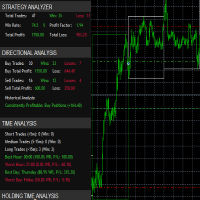
it's a fully built expert advisor with trading functionality with buy only or sell only or both options it's designed to be a tool that can be used for automate entry and exit in line with the overall Market Direction automatic risk management parameters fully comprehensive
STRATEGY ANALYZER Section Total Trades: Shows the overall number of trades taken Win Rate: Displays percentage of winning trades (color-coded green if >50%, red if <50%) Total Profit/Loss: Shows absolute profit and loss v
FREE

The tool is intended to help traders who cannot look at the chart all the time, or who use several charts, the trader can mark regions of interest as supports and resistances and as soon as the price approaches these regions an audible warning and on the screen will be presented for the trader to take some action, in addition the tool can automatically mark the highs and lows of the day and time.
FREE

The default trade notifications option in MT5 sends notification for all new orders created or deleted; and for every change in SL when a trailing SL is active. This can sometimes be annoying. I created this utility for my own use and then decided to share with the community. This utility sends only trade notifications (buy/sell/close) and deposit/withdrawal notifications. A sample of the notification format is given below. For customizations, please DM.
FREE

OptView for MT5 is a visual options panel for MetaTrader 5 designed to simplify the analysis of options chains directly on the chart. Key features: • Native discovery of options (no external files required) • Automatic grouping by strike • Clear CALL vs PUT visualization • ITM / ATM / OTM highlighting • Expiry selection via clickable buttons • Strike distance filters (0–5%, 5–15%, >15%) • Works even when market is closed (quotes optional) • Lightweight and fast The panel helps traders quic
FREE

This MT5 trading utility is designed to provide quick access to commonly used trading functions directly from the chart. The tool includes Buy, Sell, Buy Limit, and Sell Limit order buttons, allowing traders to place orders efficiently without opening additional trading windows. Position management features include a Close Position button and an adjustable order quantity input with dedicated increase and decrease controls for fast lot size selection. The utility also displays the current profit
FREE

Close Positions Panel is a scalper’s best friend; specifically, those with an aggressive trading style, opening multiple positions in both buy and sell directions. This tool provides the possibility of closing positions with different combinations:
Close All:Closing all buy/ sell/ in profit/ and in loss positions
Close Buy: Closing all buy positions
Close Sell: Closing all sell positions
Close Profit: closing all po
FREE

이 작은 도구는 차트에서 간단한 선을 드래그하여 위험 관리를 정의하는 데 도움이 됩니다. 계정 % 또는 라인에서 직접 고정 금액으로 계산된 실제 로트 크기를 보여줍니다.
당신이 해야 할 일은 키보드의 "t" 키를 눌러 라인을 활성화하고 라인을 손실 정지 지점으로 드래그하는 것입니다. 그게 다야.
설정에서 선과 텍스트의 색상과 너비, 선과 오른쪽 사이의 텍스트 공간을 정의할 수 있으며 계정 비율 또는 고정 금액 크기로 위험을 설정할 수 있습니다.
질문이나 희망사항이 있으시면 언제든지 문의해 주세요.
이 작은 도구는 차트에서 간단한 선을 드래그하여 위험 관리를 정의하는 데 도움이 됩니다. 계정 % 또는 라인에서 직접 고정 금액으로 계산된 실제 로트 크기를 보여줍니다.
당신이 해야 할 일은 키보드의 "t" 키를 눌러 라인을 활성화하고 라인을 손실 정지 지점으로 드래그하는 것입니다. 그게 다야.
설정에서 선과 텍스트의 색상과 너비, 선과 오른쪽 사이의 텍스트 공간을 정의할 수
FREE

(This is the free version of our trade manager, download it for free and test it, and provide feedback. If you are satisfied with its capabilities, you can try out its bigger brother the Deriv Scalp Manager also available from us.)
EA Summary If you are a scalping trader who wants to place and close trades quickly and efficiently, you need a powerful tool that can help you achieve your goals. That's why we created the Deriv Trade Assistant EA, a smart and easy-to-use expert advisor that au
FREE

Change lot size, set TP / SL points and with one click place an order. Track current order count and total running profit. Instant Close all Buy trades, Close all Sell trades or Close All open trades buttons. Trailing SL feature Support for Manual orders. Utility types Risk management, Graphical objects, Panels. Main features
Take Profit and Stop Loss in points (10pip = 100 points) After the price reaches the Take Profit threshold, orders will be closed in profit After the price reaches the St
FREE

Protectron — 계좌 보호 시스템 계좌의 순자산(equity)을 실시간으로 감시하고, 설정한 상한 또는 하한 임계값에 도달하면 모든 미결제 포지션을 자동으로 청산하는 유틸리티입니다. 어떤 EA나 수동 매매 전략과도 나란히 작동하며 그 로직에 간섭하지 않습니다. 개요 Protectron은 차트에 부착되어 미실현 손익을 포함한 계좌 전체 순자산을 지속적으로 감시합니다. 순자산이 어느 방향으로든 설정된 임계값에 도달하면 모든 미결제 포지션이 즉시 청산되고, 대기 주문은 선택적으로 삭제됩니다. 수동 개입은 필요하지 않습니다. 이 유틸리티는 다른 EA 및 수동 매매와 함께 수동적으로 작동합니다. 일일 손실 한도와 목표 수준을 자동으로 강제해야 하는 프롭 펌 트레이더에게 특히 유용합니다. 계산 방식 상한과 하한 임계값 모두 다섯 가지 계산 모드를 지원합니다. 고정 순자산 수준, 초기 입금액 기준 달러 금액, 입금액의 백분율, 현재 잔고의 백분율, 또는 사용 안 함입니다. 두 임계값은 각
FREE
Copier MS MT5 Netting Copyist MS is a fast and easy-to-use copier of trade orders; it works as an advisor in the form of a single file with switching between the Master and Slave operating modes. The current version of the adviser works only on netting accounts. Settings Type of work - selection of the operating mode: Master or Slave; Master account number - number of the trading account of the master terminal; Selective copying currency pairs - individual selection of currency pairs for copyin
FREE

유틸리티 MTI(주 거래 정보) - 거래자에 대한 기본 거래 정보, 즉 다음을 표시합니다. Spread의 평균 및 현재 크기 숏 포지션과 롱 포지션을 위한 스왑 사이즈 1 거래 로트에 대해 1핍의 비용 스톱 레벨 크기(대기 주문을 위한 최소 거리) 현재(빨간색) 종료까지의 시간 및 다음(회색) 거래 시작까지의 시간 현재 거래 세션이 끝날 때까지의 시간은 빨간색으로 표시되고 다음 세션이 시작될 때까지의 시간은 회색으로 표시됩니다. 색상은 표시기 속성에서 독립적으로 조정할 수 있습니다. Recommended Robot Scalper - https://www.mql5.com/en/market/product/77108
디스플레이는 다음과 같이 수행됩니다.
유럽 무역 세션(EU 깃발) 미국 무역 세션(미국 국기) 태평양 무역(호주 국기) 아시아 무역 세션(일장기) 거래 세션의 종료 시간과 변경 시간을 아는 것이 중요합니다. 거래 세션이 끝날 때까지 많은 거래자들이 자신의 포지션을
FREE
TradeVantage MT5 Script is a user-friendly, efficient tool designed for MetaTrader 5 traders to manage open positions with ease. This script offers four powerful trade management options through a straightforward dialog box, enabling rapid execution on the current chart's symbol. Whether you're looking to close all positions, secure profits, minimize losses, or set positions to break-even, TradeVantage simplifies the process with reliability and precision. Key Features: · Close All Positi
FREE

Most traders lose not because of bad strategy — but because they never review their trades. Aurex Trade Journal fixes that automatically. Drop this EA on any chart and it silently logs every closed trade to a structured CSV file. Open it in Excel or Google Sheets and your edge becomes visible within minutes. What it logs Entry & exit price, direction, lot size Stop loss & take profit levels Trade duration (minutes) Profit in $ and % of account balance R:R ratio (calculated automatically) Win / l
FREE

Intraday Time Logic Pro is a high-performance trade history analyzer designed to reveal the relationship between your trading performance and specific time windows. By categorizing every trade into custom-defined sessions, this tool helps you identify your most profitable hours and the currency pairs that perform best during those times. Unlike basic history logs, this utility uses Position-Based Analysis to ensure that multi-stage entries and partial closes are calculated accurately as single t
FREE

Propfirm Buddy - Your Ultimate Equity Protector [ TG group Propfirm experience sharing]
Are you tired of losing funded accounts or failing evaluations due to sudden market spikes or emotional revenge trading? Propfirm Buddy is an advanced, lightweight utility Expert Advisor designed to be your personal risk manager. Whether you are trading a prop firm challenge or protecting a live funded account, Propfirm Buddy runs quietly in the background, monitoring your equity 24/5. The moment a critica
FREE

Purse Guard v1.00 — User Manual 1. What Purse Guard Does Purse Guard is a trailing stop manager, Stop Loss manager, trade manager, and position-management utility for MetaTrader 5. It provides practical risk management for existing trades by managing Stop Loss on open positions with two conventional trailing methods: Points Trailing — a fixed-distance points trailing stop that follows price by a selected number of MetaTrader 5 points. Candle Trailing — a candle trailing stop that follows the st
FREE

THIS IS DEMO VERSION AND ONLY WORKS ON
* GOLD
* EURUSD
* NASDAQ
FULL VERSION : BUY HERE
----------------------
Trading Dashboard by Ash_TheTrader The all-in-one scalper's control panel for MetaTrader 5 Stop switching between the New Order window, a calculator, and your own willpower. Trading Dashboard puts every decision a scalper makes — size, risk, entries, exits, and discipline — into one draggable, collapsible, fully editable panel that lives right on your chart. Built for traders
FREE

Account Info AS는 MetaTrader 5용 강력한 정보 스크립트로, 거래 계좌에 대한 모든 정보를 차트에 직접 표시해 줍니다. 이 스크립트는 계좌 분석, 위험 관리 및 거래 의사 결정에 필요한 모든 데이터를 제공합니다.
주요 기능 완전한 재무 정보 계좌 유형 (데모/실계좌/경연 대회)
잔액, 자산 및 마진
현금 및 비율로 표시되는 사용 가능 마진
마진 레벨
현재 손익
위험 관리 마진콜 및 손절매 레벨
현재 심볼 1랏에 대한 마진 계산
인기 거래 상품 마진
거래 정보 미체결 포지션 (수량, 방향, 총 수익)
유형별 대기 주문
현재 심볼 정보:
랏 크기 (최소/최대/단계)
핍 단위 스프레드
스왑 크기
기술 데이터 현재 서버 시간
회사 및 서버 이름
계좌 번호 및 고객 정보
설정 스크립트는 세 가지 간단한 매개변수를 사용합니다.
Line_spacing - 가독성 향상을 위해 데이터 사이에 빈 줄 추가
ShowAllSymbolsInfo -
FREE

ForexFanclub(FFC) : For detailed instructions and our official website, please visit my profile !
PidPro is a fully-featured, professional bulk order closing tool provided by Forex Fanclub, designed to maximize the efficiency of position management. Whether you are a scalper needing lightning-fast exits or managing a basket of positions from an Expert Advisor, PidPro provides the ultimate control. [Key Features] 1. Flexible Target Selection:
Choose between "All Charts" to manage your entire acc
FREE

xCalper Economic Calendar brings economic calendar information to your Terminal chart and Experts from online sources. Just add it to your chart to see detailed news without losing attention or automate reading of calendar information to improve trading decisions.
Main Features Support data sources: Forex Factory. Filtering by day, impact or currency of news. Visual alert of upcoming news. Platform notification of upcoming news.
Parameters Filters Impact expected - Show/Hide by impact: Low, Me
FREE

Trade Idea Tracker Trade Idea Tracker is an indicator designed for traders who execute multiple entries within a single trading idea . Instead of evaluating trades individually, it allows you to track performance at the idea level , helping you understand whether your overall market bias and execution are profitable. Key Functionality Track multiple entries associated with a single trade idea Monitor realized profit and loss for the entire idea View combined results instead of isolated trades Or
FREE

>
Risk Sentinel은 전략이 아니라 보호 도구입니다. 매매를 개시하지 않습니다. 전문 트레이딩 데스크가 리스크를 관리하는 방식으로, 사용자나 다른 EA가 진입한 포지션을 지켜줍니다.
주요 기능
- 모든 포지션에 강제 손절(stop-loss). 포지션을 손절 없이 방치하지 않습니다. ATR, 포인트, 퍼센트, 고정 금액 중에서 선택하세요. - 자동 본전(break-even) 및 트레일링 스탑. 흐름이 유리하게 전개되면 수익을 고정합니다. - 일일 손실 서킷 브레이커. 당일 손실이 설정한 한도에 도달하면 전 포지션을 청산하고 남은 하루 동안 매매를 중단합니다. 터미널을 재시작해도 상태가 유지됩니다. - 경제 캘린더 인식. 해당 심볼의 통화와 관련된 고영향 뉴스를 주시하며, 위험 구간 동안 포지션을 보호합니다. 대부분의 로봇은 뉴스를 무시합니다. 이 도구는 그렇지 않습니다. - 원클릭 패널. 전 포지션 청산, 전 포지션 본전 이동, 그리고 패닉 스위치를 차트에서 바로 사용할
FREE

MANAGER – Position Taker | MT5 거래 관리 패널 곧 이 자본 관리 도구를 LotMind 트레이딩 패널에 통합하여 더 강력하고 효율적인 솔루션을 제공할 예정입니다. https://www.mql5.com/en/market/product/172147?source=Unknown MANAGER – Position Taker는 이미 열린 포지션을 효율적이고 체계적으로 관리할 수 있도록 설계된 고급 트레이딩 관리 패널입니다. 복잡한 계산이나 수동 주문 수정 없이, 트레이더가 시장 분석과 전략 수립에 집중할 수 있도록 도와줍니다. 이 도구는 부분 청산, 브레이크이븐 자동 조정, 트레일링 스탑, 원클릭 전체 포지션 종료와 같은 핵심 기능을 직관적인 인터페이스로 제공합니다. 특히 스캘핑이나 단기 매매와 같이 빠른 의사결정이 필요한 환경에서 매우 유용합니다. 또한 실시간으로 진입 가격, 손절(SL), 목표가(TP), 손익(PnL), 진행률 등의 정보를 확인할 수 있어 현재 거래
FREE

The Scientific Calculator is a script designed to compute science, engineering and mathematics expressions. General Description
The expression to calculate must obey syntax rules and precedence order, being constituted by the following elements: Integer and real numbers. Mathematical operators for addition (+), subtraction (-), multiplication (*), division (/) and exponentiation (^). Mathematical and trigonometric functions . Curved parentheses (()) to define the precedence and contain
FREE

BangkacangFX Gold Trading Panel PRO Professional Manual Trading Panel for MT5 BangkacangFX Gold Trading Panel PRO adalah Expert Advisor (EA) khusus MetaTrader 5 yang dirancang untuk trader manual XAUUSD, Forex, dan Indices yang membutuhkan eksekusi cepat, manajemen posisi lengkap, serta kontrol risiko langsung dari chart. Panel ini menggabungkan fungsi entry, pending order, break-even, trailing stop, partial close, dan monitoring akun dalam satu tampilan yang ringkas dan mudah digunakan. Main Fe
FREE

목적:
마켓 워치 의 모든 심볼을 현재 시간 간격(TF)에 맞춰 default.tpl 템플릿으로 자동으로 열고, 현재 활성 차트를 제외한 모든 차트를 닫습니다. 수동 작업 없이 여러 종목을 빠르게 분석하기에 이상적입니다! 주요 기능:
자동화: 클릭 한 번으로 수십 개 차트를 열 수 있습니다.
안전성: 불필요한 차트를 닫고 현재 차트를 유지합니다.
유연성: 사용자 정의 default.tpl 템플릿 사용(사전 설정 필요!).
현재 시간 간격: 스크립트 실행 시 활성 차트의 TF와 동일하게 차트가 열립니다. 설치 방법: OpenAllSymbolsSafe.mq5 파일을 MetaTrader 5 터미널의 MQL5/Scripts 폴더에 복사합니다. 터미널을 재시작하거나 스크립트 목록을 새로 고칩니다(마우스 오른쪽 버튼 → 새로 고침 ). ️ 주의사항: default.tpl 이 MQL5/Profiles/Template/ 폴더에 있는지 확인하세요. 현재 차트를 제외
FREE

Utility for know all informations and settings of all symbols available on your broker The informations that you can know are for example:
- Spread
- Digits
- Tick value
- Size step
- Size minimum
- Size maximum
- Swap buy and sell
- Margin required (for 1 standard lot)
- Rollover day
- Execution mode
and many other informations You can filter the symbols by group or you can also choose to see the informations only of symbols available on market watch.
FREE
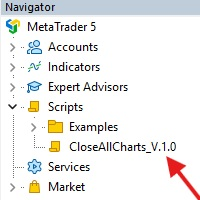
This Script was made for faster handling closing all open Chartwindows espacially in Backtesting Mode. The Script is totally for free. It is made for the MT5 Version of Metatrader. Closes all open chart windows, including the chart on which the script is being executed.
I hope you have fun with this simple but for me useful script. if you have any question please let me know...
FREE

The EA supports closing orders based on the preset amount. It can close all orders on all pairs, or it can close orders based on Magic ID. Button "Close All" manual Input - Magic Number: Magic Number = 0: Close All pairs Magic Number diffrent 0: Close All with Magic - Money TP: Profitable in money. the EA will close all orders - Money SL: Loss in money. the EA will close all orders Contact: t.me/nguyenvanbo128
FREE

Proton Gold Risk Engine MT5
OVERVIEW Proton Gold Risk Engine MT5 is a utility for MetaTrader 5 that calculates position size based on user-defined risk parameters. The tool helps traders implement consistent position sizing by calculating required lot size based on account capital, risk percentage, and stop loss distance. This utility is designed for manual traders who manage position sizing themselves.
PRIMARY FUNCTION The utility provides a calculator interface for determining appropriate p
FREE

Ofir Blue exporter is a handy utility to export your orders history to a JSON file . You'll need it if you want to back-test Ofir blue or Ofir Hedging , using your own trading history. How it works: Install the indicator on a chart Press export all or export <current symbol> (for example GBPUSD) The indicator will create the json file in the directory files/ofirblue/export. This directory is in the common file area. The file will be automatically taken in charge by Ofir blue strategy tester
FREE
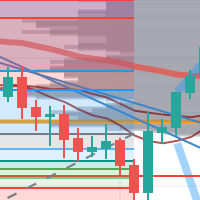
每次一忙都會錯過訊號下單,或不想一直花時間盯盤下單,可以用這個工具掛單,讓MT5 自動 盯盤並在滿足條件後下單 。
demo : https://www.youtube.com/watch?v=JBPiFkixqT4 configuration: https://www.youtube.com/watch?v=D7xESKKD26o #############################################
使用場景:
一般交易可以分為2種,分別是: 左側交易: 價格到達關鍵位置時就下單交易,想要自動下單,可以使用buy limit和sell limit掛單 右側交易: 價格到達關鍵位置, 同時出現做多或做空訊號 時下單交易, 想要自動下單, 就 可以用本工具自動掛單 本工具會 在你指定的阻力區域偵測到做空訊號時,建空單 ; 並在你指定的支撐區域偵測到做多訊號時,建多單。 demo影片: https://www.youtube.com/watch?v=JBPiFkixqT4
########################################
FREE

SVS Assistant SVS Assistant is the execution half of Smart Volatility Squeeze MT5. It carries out the orders you request from that indicator's 1-Click Trading Desk, applies your risk rules to them, and manages the resulting positions. It is published free of charge. Please read this before downloading: it does not analyse the market and it produces no signals of its own. Without the Smart Volatility Squeeze indicator running on the same chart there is nothing for it to listen to, and it will do
FREE

Umagads Lot Calculation and Auto SL TP Assistant: MT5 전문가용 리스크 관리 도구 Umagads 트레이드 어시스턴트 는 실행 속도와 엄격한 리스크 관리를 중시하는 MetaTrader 5 트레이더를 위해 설계되었습니다. 이 도구를 사용하면 더 이상 수동으로 롯(Lot) 크기를 계산하거나 진입 후 서둘러 손절선을 설정할 필요가 없습니다. 모든 계산은 즉각적으로 이루어지며 자동으로 적용되어, 트레이더가 시장의 움직임에만 집중할 수 있는 환경을 제공합니다. 주요 기능 v2.40: 정밀 롯 계산기: 계좌 잔고의 고정 리스크 비율(%)에 따라 최적의 롯 크기를 실시간으로 계산합니다. 즉각적인 자동 보호: 매수 또는 매수 클릭 시, 미리 설정된 값에 따라 스탑로스(SL)와 익절(TP)이 즉시 설정됩니다. 계좌 안전 가드: USD, USC(Cent), CNT 계좌에서만 작동하도록 설계되어 비표준 통화 계좌에서 발생할 수 있는 치명적인 계산 오류를 방지합니다
FREE

NHS Prop Firm Guardian NHS Prop Firm Guardian is a dedicated, single-panel risk monitor and drawdown protection overlay for MetaTrader 5, built around one core idea: watch the account relentlessly, and enforce the limit the moment it's crossed — even if the trader isn't looking . It is a pure risk-monitor companion tool, not an order-entry or trade-management system: it does not place trades, manage stops, or run automation strategies. Its job is tracking Daily drawdown on the current chart symb
FREE

MeeKiew Easy Order Manager (MT5) is a high-performance trading utility designed to streamline order execution and management on the MetaTrader 5 platform. Specifically optimized for use with the MeeKiew Dynamic MTF Pivot (MT5) indicator, this tool allows traders to react to market levels with speed and precision. While MT5 can sometimes feel slower in manual execution, this manager bridges the gap with a "One-Click" philosophy and advanced bulk management features. MeeKiew Dynamic MTF Pivo
FREE

Trendline Helper EA bridges the gap between manual charting and automated execution. Simply draw a trendline, assign a signal, and let the bot do the rest. Stop staring at the charts waiting for the perfect entry—draw your lines, set your risk, and walk away! Key Features: Auto-Execution: Turn any trendline into a pending Buy or Sell trigger. The EA automatically executes the trade the exact moment the price touches your line. + Smart Risk Management: Enter a fixed Lot size, or let the E
FREE
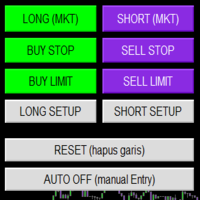
Smart Trade Panel
Trading Assistant is a powerful and elegant one-click trading panel for MetaTrader 5 — designed for professional traders who value speed, precision, and clarity.
Whether you scalp XAUUSD, swing trade indices, or run tight risk management, this tool gives you complete control with a clean visual layout, automatic ATR-based setups, and adaptive risk calculation.
️ Main Features One-Click Execution
Instant Buy/Sell Market Orders with pre-defined SL/TP
Supports Buy Stop
FREE

PropFirmGuard – Your Automatic Prop Firm Safety Net
Are you trading a prop firm challenge or a funded account and worried about accidentally breaking the rules? PropFirmGuard watches your account for you, around the clock, and automatically closes your trades before you breach your daily loss limit, your maximum drawdown limit, or once you've hit your profit target. No more manually checking your equity every five minutes — let the EA do the worrying for you.
WHAT DOES IT DO?
PropFirmGuard i
FREE

Your account, protected. Whatever is trading on it.
Phoenix Palladium Guard does not trade. It watches your whole account and steps in when a limit you set is reached: it closes all positions, deletes pending orders and keeps new trades out until the limit resets. It works for every EA on the account, EAs from any developer, and your own manual trades.
**Why an account guard?** Every EA calculates its risk as if it had the whole account to itself. Run four at once with similar settings and yo
FREE

PropBlaster Stats shows the key statistics of your MT5 account directly on the chart. It reads your trade history and never opens, closes or changes a trade.
Key figures
- Today, this week, this month or all history with one click - Net profit, trades, win rate, profit factor - Average win and loss, expectancy per trade - Maximum drawdown in money and percent - Best and worst day - Commission, swap and fees included
Good to know
- Filter by magic number and symbols (inputs) - Works on hedgin
FREE

Breakeven Trailing SL Manager;
This utility Manager is a simple utility that protects your manual trades automatically. Attach it to any chart and it watches all manual positions on your account, on every symbol. It does not open trades and it ignores trades opened by other Expert Advisors. How it works When a trade moves in profit by the Breakeven Price, the Stop Loss is moved to the exact entry price. When the price moves the same distance again, the Stop Loss is moved to entry plus that dist
FREE

Key Features: Automatic swing detection on any timeframe (M1 to MN1) Visual arrow indicators (red for swing highs, blue for swing lows) Adjustable sensitivity with customizable swing strength parameter Dynamic arrow positioning that never overlaps with candles Instant display when changing timeframes - no delays Compatible with MT4 and MT5 platforms Clean, professional interface with minimal screen clutter Lightweight code for fast performance Customizable colors and arrow sizes
Customizable S
FREE

Symbol Spec Auditor는 심볼의 계약 사양 중 포지션 크기와 거래 비용을 결정하는 부분을 차트 위 하나의 패널에 모아 보여줍니다: 포인트 가치, 스프레드 비용, 증거금, 스왑, 실행 규칙, 거래 세션. 원시 사양 값은 계좌 통화 기준 1.00 랏당 금액으로 환산되며, 랏 크기 계산 코드를 소리 없이 망가뜨리는 브로커 설정은 경고로 나열됩니다. 버튼 하나로 시장 감시의 모든 심볼에 대해 같은 점검 결과를 CSV 파일로 내보냅니다. 이 프로그램은 점검 도구입니다. 주문을 내지 않고, DLL과 WebRequest를 사용하지 않으며, 사용자가 요청한 CSV 내보내기 외에는 어떤 파일도 쓰지 않습니다. 만든 이유: 한 브로커에서 잘 동작하던 코드가 다음 브로커에서는 아무도 확인하지 않은 사양 세부 사항 때문에 오작동하는 일이 흔합니다. 계약 크기가 100온스가 아닌 1온스인 금, 잔고와 틱 가치가 센트 단위인 센트 계좌, 가까운 손절(스탑로스)을 거부하는 스탑 레벨, 포인트와 다
FREE

Share your trades with a Discord channel automatically. How it works Create a webhook in your Discord channel settings and paste the URL into the inputs. Allow WebRequest for https://discord.com in Tools, Options, Expert Advisors. New positions, SL and TP changes and closed positions are sent with symbol, direction, price, lots, pips and result, depending on your settings. Messages are queued and resent if Discord is busy. Key features Open, modify and close messages Optional lots, pips and prof
FREE

Place trades in one click with the lot size calculated from your risk. How it works Type your risk percent, stop loss in points and take profit as a multiple of the stop. The panel shows the lot size and the money at risk before you click. BUY and SELL open the order with SL and TP already attached. Management buttons move stops to break-even, close half or close all positions on the chart symbol. Key features Risk based lot size from balance, tick value and stop distance SL and TP attached to e
FREE

Broker Basket Preflight 다중 심볼 전략을 테스트하기 전에 브로커의 정확한 심볼을 확인하는 읽기 전용 MetaTrader 5 진단 스크립트입니다. 계약 및 거래량 규칙, 가격 증분, 호가 경과 시간과 스프레드를 Experts 로그에 출력합니다. 2026년 10월 업데이트 키트: 설정, 기본값 및 시뮬레이션 비교 요약 . MT5 Setup Hub . 데스크톱 버전 MetaTrader 5의 Market에서 바로 실행할 수 있는 버전을 무료로 설치한 다음, 탐색기 → 스크립트 → Market에서 Broker Basket Preflight를 찾아 별도의 차트에서 실행하세요. 도구상자(Ctrl+T)를 열고 Experts 탭을 선택해 보고서를 확인하세요. 버전 1.10 요청한 각 심볼을 기록하는 선택적 로컬 CSV 감사: 중복, 사용 불가, 오래된 데이터, 제한 및 거래 단위 불일치도 포함합니다. OrderCalcProfit으로 BUY/SELL의 불리한 가격 이동 예시를 계산
FREE

Close all your positions together when the basket reaches a profit goal or a loss limit. How it works The utility adds the floating profit and swap of the selected positions (all symbols or the chart symbol, with an optional magic filter). When the total reaches the profit goal or the loss limit (money or percent of balance), every position in the basket is closed. A trailing lock can also close the basket if profit falls back by a set amount. Pending orders can be deleted too, and the utility c
FREE

Turn your trading history into a clean journal you can open in Excel or Google Sheets. How it works Click the button on the chart or let the utility export every day at a set time. Each closed position becomes one row: symbol, direction, volume, entry and exit time and price, SL, TP, pips, duration, profit, swap, commission and net result. A second summary file lists win rate, profit factor, average win and loss, largest win and loss and maximum consecutive losses. Key features One row per posit
FREE

This EA gives traders a clean, full-window view of how large a position each Market Watch symbol can support at different percentages of account balance used as margin. It helps you quickly compare sizing options across symbols and risk levels without ever placing or modifying orders. The goal is simple position-size awareness so you can decide exposure before you trade.
Benefits Shows lot size potential across Market Watch symbols at up to three different % of balance margin levels side-by-sid
FREE

See the real cost of trading: live spreads, statistics and logs for every symbol you trade. How it works Every second the utility samples the spread of the chart symbol and any extra symbols you list. The panel shows current, minimum, average and maximum spread, and a bar chart of the average spread by server hour for the chart symbol. Samples can be logged to a CSV file and an alert can warn you when the spread is above your limit. Key features Multi symbol spread table Average spread by hour o
FREE

This tool allows you to export MetaTrader indicator data (buffers) for any financial instrument available in your MetaTrader 5. You can export multiple Symbols and Timeframes into a single CSV file. You can also schedule the export frequency (every 1 minute, 5 minutes, 60 minutes, etc.). There is no need to open multiple charts to retrieve recent data—the tool downloads the data directly. The CSV file will be saved in the folder: \MQL5\Files .
How it works Report Tab Select the indicators and o
FREE

SL Line Lot Calculator answers one question before every trade: what lot size risks exactly the amount I chose? Drag the red SL line on the chart and the panel shows the lot immediately. An optional green TP line shows the reward and the reward-to-risk ratio. How it works Attach the indicator. A SL line and a TP line appear around the current price. Drag the SL line to your stop. Below the price means a BUY setup, above the price means a SELL setup. Read the lot size, the real money at risk afte
FREE

Find Your Broker's GMT Offset - Free Tool Not sure what GMT offset your MT5 broker uses? FindBrokerGMTOffset is a free utility that helps you identify your broker's actual server time and GMT offset directly from your MetaTrader 5 terminal. No purchase, subscription, or complicated setup is required. How to use it: Download and install the FindBrokerGMTOffset script in your MT5 terminal. Attach the script to any chart and allow it to run. The tool will display your broker's current server time a
FREE

SPECIAL ANNOUNCEMENT: Get the Ultimate Trading Suite! Before you grab this utility, did you know? The LogicLadder Visual Trade Planner is so powerful that it serves as the core visual execution engine for my flagship MT5 trading systems! If you are looking for a massive, all-in-one trading dashboard, advanced trade management, or strict prop-firm guardrails, you can get this exact visual planner already included inside my premium and free full-suite EAs: Pro LTS TradeDashboard MT5 (Paid
FREE
MetaTrader 마켓은 과거 데이터를 이용한 테스트 및 최적화를 위해 무료 데모 거래 로봇을 다운로드할 수 있는 유일한 스토어입니다.
어플리케이션의 개요와 다른 고객의 리뷰를 읽어보시고 터미널에 바로 다운로드하신 다음 구매 전 트레이딩 로봇을 테스트해보시기 바랍니다. 오직 MetaTrader 마켓에서만 무료로 애플리케이션을 테스트할 수 있습니다.
