 MetaTrader 5
 エキスパート
 インディケータ
 ライブラリ
ライブラリ
 ユーティリティ
 ウィジェット
 ルール
ルール
YouTubeにあるマーケットチュートリアルビデオをご覧ください
ロボットや指標を購入する
仮想ホスティングで
EAを実行
EAを実行
ロボットや指標を購入前にテストする
マーケットで収入を得る
販売のためにプロダクトをプレゼンテーションする方法
MetaTrader 5版無料取引ユーティリティ - 3
 以下はMetaTrader5での取引を簡素化する取引プログラムです。ユーティリティにカーソルを合わせると、その説明と目的が表示されます。
One Click Close MT5 is an EA which allows you close orders quickly. EA display on chart two buttons. The first button "Close All Positions" is using to close all opened orders. The second button "Close Profit Positions" is using to close only profitable orders. EA is closing orders for all available symbols, not only for chart symbol. In EA params you can set distance from upper chart frame (Y Offset) and from left chart frame (X Offset). For installation EA it is only need to copy One Click Clo
FREE

SmartTrailingStop is a universal trailing stop utility that works on any positions — manual trades or orders opened by any EA. Pick from four trailing modes, add break-even and partial close, and let it manage every position on your account. Also check our gold EAs: Aurora Golden Goddess | Midas The Golden Touch | Golden Fatima
Designed for swing traders who hate watching charts, scalpers who need precise stops, and anyone running multiple EAs that lack a quality trailing module.
Fo
FREE

Auto TP SL – Smart Trade Manager for MetaTrader 5 Protect Your Trades. Automate Your Exits. Take Full Control. Managing multiple trading positions manually can be stressful, time-consuming, and prone to costly mistakes. Auto TP SL by Zistilo is a powerful and easy-to-use trade management Expert Advisor for MetaTrader 5, designed to automatically manage Take Profit, Stop Loss, Trailing Stop, individual profit targets, and total basket profit or loss. Whether you trade Forex, Gold, Indices, or oth
FREE

CRYSTAL THEMES: The Ultimate MT5 Workspace Upgrade Transform Your Trading Environment in One Click Staring at default, cluttered, neon-green charts for hours causes severe eye strain, mental fatigue, and loss of focus. A clean, aesthetically pleasing workspace is not just a luxury; it is the foundation of professional trading. Crystal Themes instantly transforms your MetaTrader 5 terminal from a basic grid into a premium, high-contrast, distraction-free environment. Clean your charts, protect yo
FREE

A bot utility designed to streamline trade management. It offers auto lot calculation based on money, account risk, or fixed lot size, with order setup featuring draggable take profit, stop loss, and entry price to fit your plan. It supports Buy/Sell market, Buy/Sell limit, and Buy/Sell stop orders, with or without stop loss and take profit. Additional features include single-click breakeven, deleting positions/orders, and more, making trade management efficient and easy.
FREE

MQT Lot Size Calculator は、選択したリスク(有効証拠金に対する割合または 固定金額)に対して正確なロットサイズを計算します。チャート上の3本の ドラッグ可能なライン(エントリー、ストップロス、テイクプロフィット)を 使用します。無料・軽量で、計算のみを行います。注文の発注・変更・決済は 一切行いません。 動作の仕組み(ロジックの概要): 方向はストップロスの位置から判断します(エントリーより下=買い、上= 売り)。 リスク金額 = 有効証拠金 × リスク割合(または固定金額)。 1ロットあたりの損失 = ストップロスまでの距離 ÷ ティックサイズ × ティックバリュー。 ロット = リスク ÷ 1ロットあたりの損失。常にブローカーの数量ステップへ 切り捨てるため、設定した以上のリスクを取ることはありません。 パネルの表示:方向、エントリー/SL/TP の価格とポイント距離、口座通貨での リスク、計算されたロット、丸め後の実際のリスク、リワード:リスク比、TP での 潜在利益、必要証拠金(余剰証拠金を超える場合は警告)。 注意: これは計算機のみです。取引の発注・
FREE

時計が切り刻む姿ではなく、相場が実際に動く姿を見る M1、M5、H1などの標準的なチャートはすべて、その時間内に実際に何が起きたかに関係なく、相場を均等な時間に区切ります。穏やかな1分と荒れた1分が、最終的には同じ大きさに見えてしまいます。TickFlow Zonesは違うアプローチを取ります。価格の動きを時間で区切るのではなく、活発さによってまとめます。TickFlow Zonesチャートの各バーは一定数のティックを表すため、相場が活発なときはチャートが自動的に速く進み、静かなときはゆっくり進みます。その結果、より細かく、より正直な値動きの姿が浮かび上がります。これは通常プロのオーダーフローツールで見られるレベルの詳細さであり、MetaTrader 5にネイティブに組み込まれています。 重要:TickFlow Zonesは無料のユーティリティであり、Expert Advisorではありません。 注文を出すことも、ポジションを管理することも、口座に何らかの形でアクセスすることもありません。合成チャートシンボルを作成し、その上に分析を描画するだけです。 XAUUSD(ゴールド)で開発・テ
FREE

Maximize Your Trading Potential with Our Trailing Stop Expert Advisor! Are you tired of watching potential profits slip away due to unpredictable market fluctuations? Say goodbye to missed opportunities and hello to consistent gains with our revolutionary Trailing Stop EA, designed to safeguard your profits and minimize losses during your trading journey.
Why Choose Our Trailing Stop EA? 1. Flexible Trailing Stop Methods : Whether you prefer a fixed distance in pips or a percentage-based appro
FREE

Trading Reporter — Visual Performance Dashboard for MT5
A complete account performance dashboard rendered directly on your MT5 chart. No browser, no external tool, no subscription. Attach it once and resize it to fit your screen. Balance and Live Drawdown update every second, and closed-trade statistics refresh within about a second of a position closing, so there is no waiting for the next bar whatever timeframe the chart runs on.
Free. No limitations. No trial period. Full source transparen
FREE

手動 トレード・ リプレイツール 手動 トレード・ リプレイツール は、 MT5 Strategy Tester の ビジュアル モード で 手動 バック テスト を 行う ため に 設計 さ れ た トレード 支援 ツール です。 この ツール は 自動 売買 シグナル を 生成 する もの では ありま せん。 過去 の 相場 を 再生 し ながら、 実際 の 取引 と 同じ よう に 自分 で 相場 を 判断 し、 手動 で エントリー、 Stop Loss、 Take Profit の 設定、 ポジション 管理 を 行う こと が でき ます。 リプレイ 終了 後 は、 MT5 Strategy Tester の 公式 統計 レポート を 利用 し て、 自分 の トレード 戦略 が 長期 的 に プラス の 期待 値 を 持 って いるか を 確認 でき ます。 Price Action、 サポート/ レジスタンス、 チャート パターン、 トレンド フォロー、 スイング トレード、 ICT/ SMC、 移動 平均 線 戦略 など、 裁量 判断 が 必要 な さまざま な トレ
FREE

VR カラー レベルは、トレンドライン、四角形、テキストなどの要素を使用してテクニカル分析を適用する人にとって便利なツールです。グラフにテキストを直接追加したり、スクリーンショットを撮ったりすることができます。 設定、設定ファイル、デモ版、説明書、問題解決方法は、以下から入手できます。 [ブログ]
レビューを読んだり書いたりすることができます。 [リンク]
のバージョン [MetaTrader 4] インジケーターの操作は ワンクリック で実行できます。これを行うには、線の付いたボタンをクリックすると、カーソルの下に傾向線が表示されます。次に、カーソルを移動して 線の位置 を選択し、もう一度クリックして修正します。 インジケーター の特徴は、スタイルと色のすべての変更が自動的に保存され、その後すべての 新しく作成された グラフィック オブジェクトに適用されることです。 このインジケーターには、異なるスタイルのトレンド ラインを設定するための 2 つの独立したボタン、異なるスタイルの 2 つの独立した四角形、独自のスタイルを持つ 1 つのテキスト フィールド、およびスクリーンショット
FREE

FREE FREE FREE Trade Assistant MT5 – Professional Trading & Risk Management Panel Trade Assistant MT5 is an advanced trading panel designed to help traders execute orders faster, safer, and more professionally .
It simplifies manual trading by combining smart order management , precise risk control , and one-click execution , making it ideal for both beginners and advanced traders. This tool does not trade automatically . Instead, it empowers you with full control while applying professional-gra
FREE

Forex Analyzer Pro MT5取引口座分析ダッシュボード Forex Analyzer Proは、MetaTrader 5ユーザー向けに設計されたWebベースの取引分析プラットフォームです。 Forex Analyzer ProはMetaTrader 5の口座アクティビティを同期し、取引情報を分析、レポート作成、モニタリング、およびトレードジャーナル機能として構造化されたダッシュボード上に整理します。 このプラットフォームでは、対応するデスクトップおよびモバイルWebブラウザを通じて取引ダッシュボードへアクセスできます。 Forex Analyzer ProはMT5口座に接続し、取引アクティビティを一元化されたダッシュボードに整理します。これにより、ポジションの監視、履歴の確認、統計分析、および取引記録の管理を行うことができます。 主な機能 • MT5口座ダッシュボード • オープンポジション監視 • 取引履歴分析 • トレードカレンダー • ストラテジー管理 • トレードジャーナル • 口座統計 • パフォーマンスレポート • 取引通知 • 複数口座対応 MT5口座ダッ
FREE

Calculating the volume of orders every time you create an order is an extremely important thing in risk management Let this tool simplify your work! ----------------------------------------------------- How to use? Attach the indicator to the chart and set its parameters: Risk size in % or money and Risk Reward Ratio. Click on the ON button and locate the horizontal line to your would-be StopLoss level. Options: Click on the Pending/Instant button to locate the horizontal line to your would-b
FREE

Displays a digital clock or a countdown (until new bar) in the chart in realtime.
Benefits: Current time always in sight for market open/close, economic data, etc. Displays accurate time (server/broker time) Keep an eye on how much time is left until a new bar starts (countdown) Clearly visible (set color, size, font, position) Always runs/refreshes every second even without new price tick Hint: To display the most accurate time, use the server (broker) clock setting combined with the time (hou
FREE

ThemeManager は、MetaTrader 5 で開いているすべてのチャートの配色をワンクリックで変更します。ダークモード、ライトモード、ウェブトレーダー風など 8 種類のプロフェッショナルなチャートテーマから選ぶか、13 色のカラーピッカーで自分だけの Custom テーマを作成できます。チャートごとに色を設定する必要はもうありません。チャート上の小さなパネルが、すべてのチャートを一度にスタイリングします。 ThemeManager は完全無料 — すべてのテーマと機能を制限なしで使えます。 その他のトレーディングツール 使い方 ThemeManager を任意のチャートにセットします(ナビゲータ → インディケータ)。 THEMES パネルのテーマをクリック — 各ボタンはそのテーマの配色をライブでプレビューしています。 完了:開いているすべてのチャートが瞬時に変わります。 最後に使ったテーマは記憶され、インディケータの読み込み時に自動で再適用されます。ThemeManager をデフォルトのテンプレートに追加すれば、新しいチャートは常にあなたの配色で開きます。 9 種
FREE
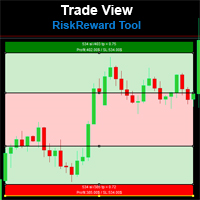
Risk Reward Tool , It is easy to use. With this tool you can see the rates of profit loss profit. You can see your strategy and earnings reward status of your goals.Double calculation can be done with single tool. Move with drag and drop. You can adjust the lot amount for calculations. The calculation results are shown in the comment section. There may sometimes be graphical errors during movements. Calculations works at all currency. Calculations All CFD works. Updates and improvements will co
FREE
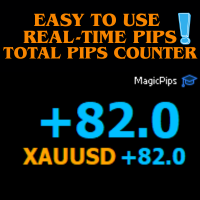
MagicPips - Ultimate Free Position Pip Counter Track Your Trading Performance in Real-Time with Precision MagicPips is a professional-grade tool for MetaTrader 5 (MT5) that provides traders with immediate, accurate pip calculations for all open positions. This utility offers a clear and customizable display of profit and loss in pips, helping traders monitor performance efficiently. Key Features Real-Time Pip Tracking Continuously updates pip gains and losses for all open positions (both buy and
FREE

Protect your capital and turn winning trades into risk-free positions instantly. Auto Break-Even is an automated trade management utility that shifts your Stop Loss to your entry price (plus a customizable offset) the moment your trade reaches a defined profit target. Take the emotion out of trade management. By automating your break-even process, you prevent winning trades from turning into losers, allowing you to confidently hold positions for larger targets. [ Get the MT4 Version Here ]
FREE

Watchlist Symbol Changer – ワンクリックでチャートの銘柄を切替、保有ポジションを損益で色分け
気配値表示の全銘柄にボタンを用意した無料のチャートパネルです。クリックするとチャートの銘柄が切り替わり、時間足はそのまま維持されます。このEAは取引を行いません。
機能 - 気配値表示の銘柄ごとに1つのボタン。現在の銘柄は水色の枠で強調されます。 - ページ送り(Prev / Next)と、気配値表示の変更後に使う更新ボタン。 - 保有ポジション:利益なら緑、損失なら赤。同じ銘柄の複数ポジションは合算され、スワップの加算も選べます。 - プレフィックスによる銘柄フィルター(任意)。 - 動作が軽い:タイマーはポジション色のためだけに動き、変化があった時だけ再描画します。
設定 表示コーナー、余白、ボタンサイズ、1行のボタン数(0 = チャート幅で自動)、フォントサイズ、全ての色、ポジション色分けのオン/オフ、スワップのオン/オフ、更新間隔、タイトルバーのオン/オフ、プレフィックスフィルター。
ご注意 - 1つのチャートに適用してください。銘柄切替のたびにパネ
FREE

Quantum Trade Assistant へようこそ。手動取引の改善をサポートする無料ツールです。 この製品は、2種類のトレーダー向けに設計されています。1つ目は、シンプルでありながらプロフェッショナルなトレードアシスタントを使用して、取引の実行、 ポジションの部分決済 、 利益の確保 、その他の重要な取引操作を行いたいトレーダーです。 2つ目は、すでにいずれかの Quantum Indicators を使用しているトレーダーです。Quantum Trade Assistantはこれらのインジケーターに接続し、そのシグナルに基づいて自動的に取引を実行できます。 この2つのタイプのトレーダーのいずれかに当てはまる場合、ここがあなたに適した場所です。 Trade Assistant バージョン1.1の主な機能:
成行注文と保留注文に対応した取引ウィンドウ 部分決済機能 口座残高に対するパーセンテージに基づいて利益を確保し、目標に達するとすべての取引を自動的に決済 任意のQuantum製品をTrade Assistantに接続し、自動取引を行うためのQuantumウィンドウ
FREE

概要 RiskPilotは、MetaTrader 5向けのビジュアルなリスク/リワード実行パネルです。チャート上でカラーラインとゾーンをドラッグするだけでエントリー、ストップロス、テイクプロフィットを直接設定でき、ポジションサイズ、ドル建てのリスクとリワードをリアルタイムで確認しながら、ワンクリックで発注できます。ロット計算やオーダーウィンドウの操作は不要です。 同じチャート上で複数の独立したリスク/リワード設定を同時に管理でき、それぞれが独自のエントリー/SL/TP、方向(買いまたは売り)、そして削除・反転・ロック用のチャート上コントロールを持ちます。 重要 — これは自動売買戦略ではなく、手動トレードツールです。 RiskPilotが自動でポジションを開閉することは一切ありません。すべての取引はBUYまたはSELLボタンを押したときのみ送信されます。MetaTrader 5では、このようなシンプルなビジュアルツールを含め、この種のプログラムはすべてナビゲーターの「エキスパートアドバイザー」セクションから実行されるため、RiskPilotはEAフォルダに表示されます。これはプラットフ
FREE

Free one-click trade panel for MT5: BUY/SELL on the price line and Breakeven, Partial, Reverse and Close buttons on every position. DESCRIPTION: TrendSync Trade Buttons is a free, lightweight trade panel for manual traders on MetaTrader 5. Open, reduce and close positions straight from the chart, without dialog boxes and without hunting for tickets in the Trade tab. It is an execution tool, not a signal robot . It does not open trades by itself. Every action is yours; it just makes it one click.
FREE

Overview The MT5 Local Trade Copier synchronizes trades from a Master account to one or more Slave accounts. It copies positions and pending orders with duplicate protection, symbol mapping, and adjustable lot sizes. Time and day filters can be applied for flexible operation Features Copy positions and pending orders from Master to Slave accounts. Select which trades to copy: all trades, positions only, orders only, buy-only, or sell-only. Adjust lot sizes using fixed lots, risk percentage of ac
FREE
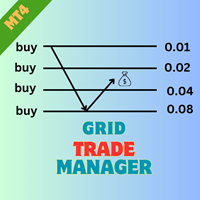
EA GridTradeManager MT4を紹介します。これは、MetaTrader 4プラットフォーム上でのグリッドトレーディング戦略を最適化するために設計された強力なトレーディングエキスパートアドバイザーです。このツールは、グリッドオーダーの配置と管理を自動化し、市場の変動を効果的に活用したい初心者と経験豊富なトレーダーの両方に最適です。 MQL製品のインストールガイド | MT4/MT5で購入したMQL製品の更新 | 一般的なトラブルシューティングガイド | 一般設定 / 入力ガイド | バックテストとセットファイル 高度な機能を備えたEA GridTradeManager MT4は、動的なグリッド調整を可能にし、ドローダウンを大幅に削減し、利益の可能性を最大化することでトレーディング効率を向上させます。forexペアや暗号通貨のようなボラティリティの高い資産でのトレーディングに最適で、ユーザーはこのEAを簡単に実装して、ハンズフリーのトレーディング体験を享受しながら、堅牢なリスク管理を維持できます。 MQL製品のインストールガイド | MT4/MT5で購入したMQL製品の更
FREE

Support Resistance Alert for MT5 Support Resistance Alert は、チャート上にサポート・レジスタンス水準を自動描画し、Bid価格がその水準に接触または通過した際にポップアップ通知を表示する補助EAです。分析と監視専用のツールであり、取引の新規注文、決済、変更は行いません。 主な機能 水準の検証:より新しい確定足ですでに到達または突破された候補水準を除外します。 接触・通過通知:価格が水準から銘柄の2ポイント以内に入った場合、または連続するティック間で水準を通過した場合に検出します。サポートとレジスタンスの通知は個別に設定できます。 重複通知の抑制:通知待機状態の各水準につき、通知は1回のみ発生します。 表示のカスタマイズ:ラインの色と太さ、ラベルの文字サイズと位置を調整できます。 自動更新:新しい足の開始時に水準を再計算し、各ティックで価格を確認します。 使用方法 監視したい銘柄と時間足のチャートにEAを適用します。 サポート・レジスタンス通知と描画設定を調整します。 EAを稼働させたままにして、水準の監視とポップアップ通知を受け取
FREE
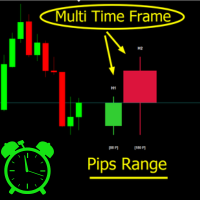
Crystal MTF Candle Pro – Professional Multi-Timeframe Analysis Tool Overview
Crystal MTF Candle Pro is a professional indicator for MetaTrader 5, designed to provide direct visualization of higher timeframe candles on the current chart. The tool overlays selected higher timeframe candles with precise countdown timers, allowing traders to monitor live candle development without switching charts. This indicator is optimized for multi-timeframe (MTF) analysis, offering professional styling, custo
FREE

RelicusRoad CopyTrader は MetaTrader 5 向けの無料のトレードコピーツール( trade copier )です。同じパソコン上のMT5端末間でトレードをコピーするので、1つの口座で取引し、他の口座にはそれぞれ独自のロット数とリスクで追従させることができます。 フルバージョンで、機能制限も試用期間もありません。 1つの口座で取引し、残りは追従させる。 MetaTrader 4: RelicusRoad CopyTrader MT4 仕組み 1つの端末が リーダー (Leader)として動作し、保有しているオーダーを共有します。任意の数の端末が フォロワー (Follower)として動作し、それらをミラーリングします。端末は チャンネル 名でペアリングされるため、同じマシン上で複数の独立したコピーグループを同時に運用できます。 コピー処理は200ミリ秒のタイマーで実行されるため、フォロワーは自分のチャート上のティックを待たずに新しいオーダーに反応します。 セットアップ手順 1. すべての端末を 同じパソコン または同じVPS上で実行してください。異なる2台
FREE

# CopyMaster Pro Trade Copier
## What Is This
CopyMaster Pro is a local trade copying tool that syncs trades between multiple MT4/MT5 terminals. One account trades, others follow automatically. No server needed, no VPS required. Works on a single computer with multiple terminals.
## What It Does
Copies trades from one account to others. You open a gold position on Account A, Account B and C will follow. You close on A, others close too. Simple as that.
## Why This One
**Free** — No monthl
FREE

# Zikiman Risk Panel Standard
**Zikiman Risk Panel Standard は、裁量トレーダー向けの MT5 トレードパネル兼ポジションサイズ計算ツールです。** 口座通貨での固定リスク、口座残高に対するリスク率、または固定ロットを選び、チャート上で Stop Loss、Take Profit、成行注文、Limit 注文、Stop 注文を視覚的に準備できます。
エントリーの判断はトレーダー自身が行います。本ツールは売買シグナルを生成せず、自動で取引タイミングを決定することもありません。
## リスクに基づくロット計算
3つの設定方法があります。
- **固定金額リスク** — 1回の取引で許容する損失額を口座通貨で入力します。 - **リスク率** — 現在の口座残高に対する割合でリスクを指定します。 - **固定ロット** — 取引ロットを直接入力します。
固定金額またはリスク率を選ぶと、予定エントリー価格と Stop Loss までの距離から必要なロットサイズを計算します。算出した取引量は、ブローカーが定める最小ロット、最大
FREE

Virtual SL/TP Manager manages stop loss and take profit levels as virtual chart objects instead of relying on broker-side SL and TP orders. It draws horizontal lines with Labels showing the projected profit or loss at each virtual exit level.
This approach is useful for traders who want hidden exits, flexible post-entry trade management, and visual control over stop loss and take profit levels directly on the chart.
The EA does not need to place broker stop loss or take profit orders. Instead
FREE

The real‑time view of what is happening inside the market. Footprint Secrets brings detailed analysis directly into MetaTrader 5. It shows where volume is trading, how buyers and sellers are interacting, and how liquidity shifts as the market evolves. Designed for traders who want a precise, real‑time understanding of market behavior.
Benefits for the Trader See the real activity behind price . Footprint charts reveal bid/ask volume and delta at every price level. Understand who controls the m
FREE

Overview Auto TPSL is a sophisticated MetaTrader 5 Expert Advisor designed to revolut ionize how traders manage their risk and protect profits. This powerful tool automatically sets and adjusts Take Profit (TP) and Stop Loss (SL ) levels, eliminating emotional decision-making and ensuring disciplined trading practices. The EA operates through two core systems:
Auto TPSL System The Auto TPSL system automatically calculates and sets appropriate Take Profit and Stop Loss level
FREE

Signalator Trade Summary Panel MT5 は、口座、ポジション、シンボル、リスクの状況をチャート上で明確に確認できる無料のローカル MetaTrader 5 ユーティリティです。 Signalator Trading and Analysis Ecosystem の一部であり、口座監視、市場分析、シンボルスキャン、アラート、トレーダーのワークフロー改善を目的とした実用的な MetaTrader ツール群です。 このパネルは、口座・ポジション監視に加えて、統合 Symbol Inspector とトレード前の Lot Size / Risk Calculator を搭載しています。Floating P/L、エクスポージャー、SL/TP カバー状況、ブローカーのシンボル仕様、予定トレードのリスクを複数のターミナルタブを切り替えずに確認できます。 市場スキャン、トレンド確認、multi-timeframe アラートには、関連する Signalator 製品も利用できます: MT4 Summary Panel - Multi TF Symbol Scanner
FREE

RSI 隠れダイバージェンス アラート EA(MT5) RSI Hidden Divergence Alert EA は、最新の確定足と検証済みの過去の価格極値との間の RSI 隠れダイバージェンスを検出し、ポップアップアラートで通知する MetaTrader 5 ツールです。ダイバージェンス・パターンを探して常にチャートを見張ることなく、トレンド継続の可能性のあるセットアップを発見できます。 チャートに装着すると、EA は直近の確定足を検証済みの過去のスイングポイントと比較し、隠れダイバージェンスが出現したときにポップアップアラートを送信します——RSI が売られすぎで価格がより高い安値を形成する場合が強気ダイバージェンス、RSI が買われすぎで価格がより安い高値を形成する場合が弱気ダイバージェンスです。これにより、チャートをすばやく確認し、トレンド継続の可能性を評価できます。 特徴 強気の RSI 隠れダイバージェンスを検出(売られすぎの RSI とより高い安値) 弱気の RSI 隠れダイバージェンスを検出(買われすぎの RSI とより安い高値) ローカルのローソク足ウィンドウで過
FREE

Fast Trade Assistant Panel Fast Trade Assistant Panel is an on-chart trading utility for MetaTrader 5. It provides market orders, pending orders, risk-based lot sizing, selective close, break-even, step take-profit, keyboard trading, Super Trend, Inside/Outside Bars and a bar countdown timer. Settings are changed from the main panel and the Settings window. No EA Inputs setup is required to start trading. Execution Market Buy and Sell use the lot size and the optional Stop Loss and Take Profit e
FREE

If you find this tool useful, please leave a review The position size you need, the levels you are trading, and the dollars at stake — always visible, always updating, always accurate. No manual calculations and No switching to a browser tab . Place your entry and stop loss lines on the chart. Is a Live Risk Calculator that calculates your lot size, take profit levels, risk, and reward in real time. Switch to live mode and the lot size updates with every tick as price moves. Every number on th
FREE

ATC Trading Sessionsは、シドニー、東京、ロンドン、ニューヨークのセッションを、各セッションの高値と安値をカバーするボックスとしてチャートに描画し、各市場のライブステータスを表示する小さなパネルを追加します。 セッション時間は各市場自身の現地時間で設定され、ヨーロッパ、アメリカ、オーストラリアの夏時間が自動的に適用されます。ブローカーがどのタイムゾーンを使用していても、ボックスは一年中正しいままです。
このツールは、ポジションツール、トレード管理、パフォーマンス分析とともに、 All In One Trade Management Panel MT5 の一部でもあります。 デモ口座向けの無料トライアル版 – ライブチャートで試せます、時間制限なし。 主な機能: セッション高値からセッション安値までのセッションボックス、各ボックスに名前とピップスでの範囲を表示。
開いているセッションのボックスは、価格が新高値または新安値を作るにつれて成長します。
各セッションが開いているか閉じているか、閉じるか開くまでの時間、開いているセッションの範囲を表示するパネル。
各セ
FREE

PipsCounter Basic は MetaTrader 5 用のインジケーターで、未決済ポジションのリアルタイムでのピップ変動を表示し、当日にクローズされた取引のサマリーを提供します。 すべての情報は、チャートのメインウィンドウにわかりやすく控えめな形式で表示されます。 機能 リアルタイムのピップ追跡
各未決済ポジションのピップ差を、市場のティックごとに継続的に更新します。 デイリーピップ合計
当日のすべてのクローズ済み取引の純ピップ値を表示します。 TP/SL 価格ラベル(新機能)
テイクプロフィットおよびストップロスの価格を、それぞれのライン上に自動的に表示。色、フォント、位置はカスタマイズ可能です。 表示のカスタマイズ
パネルの位置(チャートの四隅)、フォント、文字サイズ、利益/損失/ニュートラル状態の色を自由に設定可能。 幅広い互換性
通貨ペア、株価指数、金属、商品、シンセティック資産など、すべての MetaTrader 5 インストゥルメントに対応。ティックサイズ、小数点精度、価格形式に依存しません。 使用例 未決済ポジションのピップ変動を視覚的にモニター。
FREE

Summary: Tick Delta Flow is a professional order flow analysis tool designed for Scalpers and Day Traders . Unlike standard volume indicators, it decomposes every price tick to reveal the actual aggressive buying and selling pressure (Delta) inside each candlestick. It provides a real-time "X-Ray" view of the market microstructure. Key Features: Candle-by-Candle Analysis (Main Chart): Displays real-time Buy Tick Count , Sell Tick Count , and Net Delta above/below each candle. Helps identify exha
FREE

Buy Sell Keyboard - キーボード impulse取引のためのプロフェッショナルエキスパートアドバイザー
電光石火のキーボード取引。たった1つのタップで市場を完全制御。マウスやダイアログボックスなしで、瞬時に取引を実行するホットキーを割り当て。 主な機能: 精密なエントリーのためのインパルスアルゴリズム
プロトレーダーの秘密公式。アルゴリズムが価格が強力な動きを起こそうとする市場のインパルス瞬間を識別。偽のブレイクアウトをフィルタリングし、蓄積ポイントを特定し、インパルス確認済みのシグナルを提供。 瞬時のキーボード取引
A/S - 瞬時の買い/売り注文(大文字小文字に関係なく (A/a, S/s))、MagicNumberを設定
Q/W/Z/X - インテリジェントなポジション決済(大文字小文字に関係なく (Q/q, W/w, Z/z, X/x))
ゼロ遅延 - ミリ秒単位の実行
ミニマリストモード - パネルを無効化しキーボードのみで動作可能 インテリジェントなポジション管理
外科手術のような精度で取引を決済。4つの決済戦略:
Q - ポートフォリ
FREE

This tool is designed to measure the distance between two points on a chart and much more.
List of measured values:
Distance in points Profit (with and without spread) Time difference Percentage price change Slope angle Number of bars (various variations) Ratio of distance in points to the reference value Features:
Snap to OHLC prices Automatic color profile setting based on chart background color Various types of pointers to choose from Display of values of selected points on th
FREE

A deterministic Renko engine for MetaTrader 5. It builds a real, custom Renko symbol from broker M1 tick/candle history using a fixed brick size (in pips) — so the chart plays out identically whether it's running on your VPS or your local PC, restart after restart. No ATR-based sizing, no drift between terminals. Key features Fixed brick size in pips — no ATR drift, same lattice every time Creates its own custom Renko symbol in Market Watch — works on any broker or symbol Optional wicks — toggle
FREE

Chart Drawing Toolkit は、毎日使う描画ツールを小さなツールバーにまとめ、MetaTrader 5 のメニューをたどることなく、数秒でチャートに書き込めるようにします。バージョン 2.00 では あらゆる描画にアラートを設定 できるようになりました。水平線、トレンドライン、ボックス、チャネル、フィボナッチレベルに 2 クリックでアラートを付け、いつでもオフにできます。無料で、制限は一切ありません。 12 種類の描画ツールをそれぞれワンクリックで ライン:トレンドライン、レイ、水平線、垂直線 図形:ボックス、フィボナッチ・リトレースメント、平行チャネル、テキスト ツール:計測(ポイント、%、バー数、時間)、お好みの R 倍数を使ったロング/ショートのリスクリワードボックス、価格ラベル、矢印 6 色のパレット、線の太さと線種のボタン、ローソク足の始値・高値・安値・終値へのマグネット、「この時間足と下位の時間足」表示設定 すべてのツールにキーボードショートカット、元に戻す、表示/非表示、すべて削除(ツールキット自身の描画のみ) 描画にアラートを設定 MetaTrader
FREE

これはMetaTrader 5のためのあなたの取引口座の分析を提供する統計パネルです。 分析結果はリアルタイムでチャートに表示されます。 多通貨取引は非常に人気があります。 MT4のバージョン
完全な説明 購入する方法
インストールする方法
ログファイルの取得方法 テストと最適化の方法 Expforex のすべての製品 しかし、取引量が多ければ多いほど、それぞれの取引の収益性を分析するのは難しくなる。 月ごとに取引を分析し、各取引ごとに統計を計算することは、さらに困難な作業です。 取引システムのパフォーマンスを包括的に理解したい場合、この目標を達成するのに役立つツールが複数あります。 これらのツールには、レポート、統計、myfxbook、取引ジャーナル、口座分析、パフォーマンス統計、分析、革新的なダッシュボードなどがあります。 これらのツールを活用することで、取引システムのパフォーマンスを詳細に分析し、得意分野や潜在的な弱点に関する貴重な洞察を得ることができます。 パフォーマンス向上を目指す新規トレーダーであれ、取引戦略の最適化を目指す経験豊富なトレーダ
FREE

TradeInfo Panel is a lightweight indicator that displays your trading performance directly on the chart as a draggable dark-themed panel. It tracks daily profit and loss, pips, gain percentage, and lot volume for Today, Yesterday, and the previous 3 trading days. It also calculates automatic summaries for the current Week, Month, and Year. All values include commission and swap for accurate net results. Features Daily performance for the last 5 trading days with Pips, Profit, Gain%, and Lots. We
FREE

This indicator creates a Renko-based custom symbol in MetaTrader 5. Renko charts are built using price movement only, not time, making them useful for analyzing trends and filtering noise. Features Customizable brick size in points. Option to calculate brick size using ATR (adaptive). Ability to show or hide wicks. Creates and updates a custom Renko chart symbol. Automatically opens the chart window (optional). Maintains a limited bar history for performance. Inputs BrickSizePoints – brick size
FREE

LT Trade Panel Lite - 迅速な執行と無料の注文パネル LT Trade Panel Liteは、 MetaTrader 5で最も実用的かつ高速な裁量取引(手動取引)用パネルです。 マニュアル注文において圧倒的なスピードを求めるトレーダー向けに設計されており、 インデックス(指数)、 株式、 FXのデイトレードに最適です。 この無料バージョンは、 コストをかけることなくプロフェッショナルな精度で取引するための必須ツールを提供します。 LITEバージョンで利用できる機能: 即時執行(ワンクリック注文): 1回クリックするだけで、 買い(Buy)、 売り(Sell)、 全決済(Close)が可能です。 キーボードショートカット: キーボードの「B(買い)」「S(売り)」「C(全決済)」キーを使い、 プロのように素早く操作できます。 ️ シンプルな管理: すべての注文に対して、 標準のストップロス(損切り)とテイクプロフィット(利確)をポイント単位で事前設定できます。 基本モニタリング: 当日の損益、 保有ボリューム、 リアルタイムのスプレッドをパ
FREE

AR Trade Practice Coach MT5 is a chart-based practice utility for MetaTrader 5. It is designed for traders who want to train their manual trading decisions on historical price movement without sending real orders to the broker.
The tool creates a live-style practice environment directly on the MT5 chart. You can replay market movement, place virtual BUY or SELL trades, manage SL and TP levels, close trades manually, and review your practice results through an on-chart trade history panel.
Thi
FREE

LC Risk Manager - Clean Chart, Precise Execution, and Risk under Control Speed up your execution with the most complete and discreet utility on the market: Exact Lot Calculation for complex assets (JP225, DE40, Nasdaq). Minimalist Interface: Focus on your analysis and activate planning only when necessary. Visual Management: Drag lines, view financial risk, and execute with a single click. LC Risk Manager is the ideal trading assistant for those seeking a clutter-free chart without compromising
FREE

"ローソク足残り時間" MetaTrader 5 用
"もうローソク足の確定を逃さない。完璧なタイミングでトレード。" 公式アップデートチャンネル
参加 : Dhokiyas
サポート
直接メッセージ : Contact "ローソク足残り時間 - MT5 精密タイマーユーティリティ" "ローソク足残り時間" は、現在のローソク足が確定するまでの正確な残り時間をリアルタイムで表示する、軽量かつ高精度なMT5用ユーティリティです。ローソク足の確定を待ってエントリーや決済を行うトレーダーのために設計されています。 "あなたの戦略がローソク足の確定に依存しているなら、このツールは必須です。" "なぜこのツールが重要なのか" 多くのトレード戦略では、ローソク足の確定確認が必要です。タイマーが表示されていないと、早すぎるエントリーや遅すぎる決済をしてしまうことがあります。このユーティリティは、チャート上に明確なカウントダウンを表示することで、その問題を解決します。 "主な機能" "リアルタイムカウントダウン表示" "すべての時間足に対応" M1 から MN まで "すべての銘柄に対応"
FREE

Smart TradePanel Manager MT5 is a free visual trade panel for MetaTrader 5. It lets you place market and pending orders in one click, with automatic risk-based lot sizing, up to four take-profit levels, break-even automation, and a built-in PropFirm drawdown guard that protects your whole account in real time. Everything is controlled from a clean on-chart panel and a set of draggable price lines — no manual lot math, no guesswork. Trade Place orders in one click, straight from the chart: Open m
FREE

Trade management panel for MetaTrader 5. It lets you place orders and manage open positions from a panel on the chart, without opening separate order windows. It works on any symbol and timeframe, on hedging and netting accounts.
Layout and display The panel has two layouts. Single shows all controls in one view. Tabs splits the controls into separate tabs for a smaller footprint. You can hide the panel to see the chart behind it and restore it when needed. The panel scales with the screen res
FREE

IMD Fibo EA IMD Fibo EA は MetaTrader 5 用のトレーディングユーティリティです。取引ゾーンの検索、市場方向の分析、階層型 Fibonacci レベルに基づくトレードプランの作成を支援します。 主な機能: 複数銘柄スキャナー EMA / MACD / ADX による方向分析 3段階の Fibonacci 構造 Entry / Stop Loss / Take Profit の計算 手動で指値注文を配置するトレードパネル 仮想統計 IMD Fibo EA は完全自動売買ロボットではありません。 ユーザーの確認なしに取引を開始することはありません。分析とプラン作成を支援し、注文するかどうかはトレーダーが決定します。 用途 以下の作業を効率化します。 複数銘柄のスキャン テクニカルフィルターによる方向判定 Fibonacci による市場構造の確認 トレードプラン作成 パネルからの手動指値注文 Fibonacci 構造 F1 — メインレンジ 市場全体の基本構造。 F2 — ネストレンジ 現在価格が存在する F1 内部の構造。 F3 — ワーキングゾーン よ
FREE

Seconds Chart Tester es la versión de prueba gratuita de Seconds Chart, la utilidad que muestra velas de segundos (S1, S3, S5, S10, S15, S30) en una ventana flotante sobre tu gráfico de MetaTrader 5.
A diferencia del demo del Probador de Estrategias, esta versión funciona en un gráfico real, para que puedas probar la herramienta en vivo antes de comprar.
Qué podés probar en el demo: - Velas de segundos de S1 a S30, seleccionables con un click. - Ventana flotante: mover, redimensionar, minimiz
FREE

[ マイプロダクト ] , [ マイチャンネル ] OMG Trading Panel スマートフォンからトレードパネルを直接操作できるようになりました。MQL VPSにOMG Trading Toolをインストールすれば、パネルを24時間稼働させながら、モバイル版MetaTrader 5アプリで快適にトレードできます。 また、2つの便利な戦略「スマート・マージン・プロテクション(証拠金保護)」と「グリッド戦略」も追加しました。価格下落時に作動するアラートを設定することも可能です。 主な機能 モバイル版MT5によるリモートコントロール スマートフォンを使って、どこからでもトレードツールの操作が可能です!注文のコメント欄に特別なコマンドを入力して待機注文(予約注文)を出すだけで、ツールが自動的に指示を実行します。柔軟性と機動力を求めるトレーダーに最適です。 コマンド例: omg auto- オートモードのON/OFF切り替え omg auto on - オートモードを有効化 omg auto off - オートモードを無効化 omg profit X - 利確(TP)金額をXドルに設定
FREE

Smart Risk Trade Panel MT5 is a powerful manual trading panel for MetaTrader 5 designed to make execution faster, cleaner, and more disciplined.
It helps you calculate lot size automatically based on your risk, build trades directly on the chart, and manage open positions with less stress and fewer mistakes.
With draggable Entry, Stop Loss, and Take Profit lines, you can prepare the entire setup visually before sending the order. This makes the trading process much faster and much more intuit
FREE

Trade Manager OS is a risk-based order panel for MetaTrader 5. You decide where the entry, stop loss and take profit go. It works out the lot size so that a stop-out costs the amount you chose, in money or as a percentage of your account, and shows every number before you click. Then it keeps working after the order: breakeven, trailing stop, scale out and a daily loss guard run on the positions it sent, so you do not have to watch every tick. HOW IT WORKS Choose how much to risk: a fixed amount
FREE
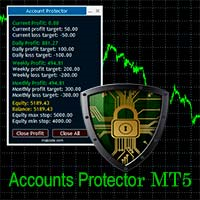
The Expert Advisor is designed to protect the account, fix profit (loss) and display current information about the account. Trading account protection is carried out by closing all open orders in the terminal and/or closing all charts. When running the Expert Advisor with default parameters, it will only display your account information and will be reduced in size. Next, you can set the conditions under which your trading account will be protected. Profit and loss limits can be set for daily pro
FREE

SL TP Manager is a compact on-chart panel that sets the stop loss or take profit of all open trades on a symbol in one click, or moves every stop loss to break-even. It is designed for traders who scale in with several positions and do not want to edit each trade one by one.
HOW IT WORKS - Type a price in the SL box and click Set SL: the stop loss is applied to every open trade on the chart's symbol. - Type a price in the TP box and click Set TP: the take profit is applied the same way. - Clic
FREE

MA ChartScroll は MetaTrader 5 のチャート操作を拡張するナビゲーションツールです。オンの間は、マウスの左ボタンを押したままポインターを動かすと、チャートが時間方向に、メインウィンドウでは価格方向にもスクロールします。時間軸や価格軸をドラッグして表示の伸縮ができ、マウスホイールではポインター位置を中心にズームレベルを変更できます。 キーボードに手を伸ばさずに過去のチャートを確認するためのツールです。変更したチャートのプロパティはすべて記録し、オフにしたときに元の状態へ戻します。ただし、その間にご自身で変更したプロパティはそのまま維持されます。 これはナビゲーション専用のツールです。注文の発注は行わず、シグナルや予測も生成せず、取引結果についての保証もしません。外部ライブラリは使用せず、Web リクエストも行いません。 主な機能 1 回のドラッグで 2 方向。 時間はポインターに合わせてバー単位で動きます。メインウィンドウでは価格レンジも追従しますが、少し縦に動かしてからなので、ほぼ水平のドラッグでは自動スケールが保たれます。インディケーターのサブウィンドウは水
FREE

Account Protector Pro is a lightweight Expert Advisor that monitors open positions and closes them when they exceed your configured profit or loss thresholds. It includes a daily loss limit that halts trading when triggered. Features Overview The EA provides multiple ways to manage risk at both the trade level and account level. You can use any combination of these features: Per-trade profit and loss thresholds Lot-scaled loss limit that adjusts with position size Daily loss limit that resets ea
FREE

「取引通知」は、オープンまたはクローズされたすべての取引、および各取引の損益結果を モバイル通知または端末アラート で通知することを目的としたユーティリティ ツールです。 これは私自身が長い間使用してきたツールなので、無料で共有することにしました。
入力パラメータ: (すべての入力は true/false タイプであり、 値を変更するにはそれをダブルクリックします) Notify for Closed Positions PnL : true の場合、クローズされた取引の $ 結果を通知します。このようにして、取引がいつ終了するか、そしてその結果について通知されます。
これは、取引の損益の上下を監視しながらチャートに釘付けにならないようにするために便利な機能です。これにより、ストレスの少ない取引が可能になります。 新しく開かれた取引を通知する : true の場合、新しい取引が開かれたときに通知します。 未決注文を設定し、エントリーレベルがいつトリガーされるかを知りたい場合に非常に重要なパラメーターです。
あなたがアルゴ トレーダーで、市場に参入する EA を使用して
FREE
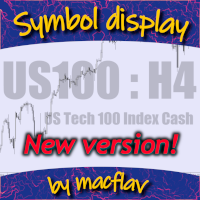
Add a watermark in the background of your chart, containing the ticker (symbol), followed by the current Timeframe, and the symbol description below it.
Have you ever seen videos or screenshots of other platforms, boasting those great looking watermarks, and wondered why your MetaTrader5 doesn't have one? Well, I did... so I tried a few of the options available in the Market at the time, but I still wanted to tweak everything exactly to my taste. So I developed my own solution, and I am proud t
FREE
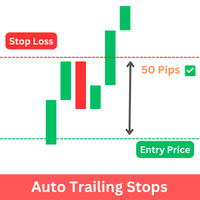
The Expert Advisor (EA) developed is specifically designed for scalping trading strategies . It's functions as a trailing stop manager for any positions opened by the user. The EA continuously monitors open positions and dynamically adjusts the stop-loss level as the price moves in favor of the trade. This trailing stop mechanism helps traders by managing ongoing trades that have taken by the trader by automatically tightening the stop-loss level as the trade progresses, thereby reducing poten
FREE

Native Depth Viewer renders the order book of the current symbol directly on the chart: ask ladder, bid ladder, spread, and bid/ask volume imbalance. MarketBookAdd, OnBookEvent and MarketBookGet, the functions this indicator is built on, have no equivalent in MQL4. This reading is native to MetaTrader 5 only.
WHAT IT SHOWS
When your broker does publish a real book for the symbol: Ask ladder (sell side), worst price first, reading top-down like a real DOM Bid ladder (buy side), best price firs
FREE

BreakEven Trailingは、保有中のポジションのストップロスを管理するMetaTrader 5用のユーティリティです。ストップロスを建値へ移動し、価格の後ろを追従させます。チャートを見続けなくても、含み益を守ることができます。
このEAは新規ポジションを建てず、成行での決済も行いません。既存ポジションのストップロスだけを変更します。決済は、EAが設定したストップロスに価格が到達したときに行われます。
できること
- 含み益が指定したpipsに達すると、ストップロスを約定価格、または約定価格から指定分だけ利益側へずらした位置へ移動します。 - 含み益が指定したpipsに達すると、現在価格から一定の距離を保ってストップロスを追従させます。 - 建値移動とトレーリングは、それぞれ個別にON/OFFでき、併用もできます。 - BUY・SELLの両方のポジションに対応します。 - 既存のストップロスを不利な位置へ戻すことはありません。より多くの利益を守る方向へのみ移動します。 - ストップロスを変更する際、既存のテイクプロフィットはそのまま維持します。 - 現在の設定、口座方
FREE

Coming soon: short GIFs showing how to use every part of this manager. I am working on them - please bear with me, they are on the list right after "put the kettle on".
Trade manually, manage automatically. Break even, trailing stops, partial closes and an equity guard - all from one clean panel. Free - no DLL, no internet, no subscription.
A ton of work has gone into this to make it the best I can make it, and it is free - not a trial, not a lite version - and it always will be. I am still d
FREE

Simple utility to help identify local time of price movements. This way you can analyze better and prepare for future movements. Just point to the candle and it will display the time of the candle in your local time zone.
See my other products in the MQL market: https://www.mql5.com/en/users/jdelgadocr/seller Thanks for checking them out. If you have a need for something not too complex, let me know.
FREE

製品を気に入っていただけましたら、ぜひコメントと評価をお願いいたします!
Advanced Line Alerts は、水平ラインをインテリジェントな価格アラートへ変換するインジケーターです。シンプルで使いやすいインターフェースにより、チャート上へ価格レベルを作成し、市場がそのレベルに到達すると通知を受け取ることができます。 作成したすべてのアラートラインは自動的に保存されます。MetaTrader を終了しても、次回起動時にすべてのラインが自動的に復元されます。また、ターミナルが閉じている間に価格がラインを通過した場合でも、再起動後にアラートが発生するため、重要な値動きを見逃しません。 主な機能 チャート上でアラートラインを素早く作成。 ライン状態表示(選択中・待機中・発動済み)。 価格が設定レベルを通過するとアラート。 MetaTrader モバイルアプリへの Push 通知。 軽量で高速な動作。 数百本のアラートラインを同時に管理可能。 発動済みラインを自動で保持または削除(設定可能)。 パネルの表示・非表示を切り替えるホットキー(初期設定 V 、変更可能)。 MetaTrad
FREE
MetaTraderマーケットはMetaTraderプラットフォームのためのアプリを購入するための便利で安全な場所を提供します。エキスパートアドバイザーとインディケータをストラテジーテスターの中でテストするためにターミナルから無料のデモバージョンをダウンロードしてください。
パフォーマンスをモニターするためにいろいろなモードでアプリをテストし、MQL5.community支払いシステムを使ってお望みのプロダクトの支払いをしてください。

取引の機会を逃しています。
- 無料取引アプリ
- 8千を超えるシグナルをコピー
- 金融ニュースで金融マーケットを探索