 MetaTrader 5
 Experts
 지표
지표
 라이브러리
라이브러리
 유틸리티
유틸리티
 위젯
위젯
 규칙
규칙
MetaTrader 5용 무료 트레이딩 유틸리티 - 3
 다음은 MetaTrader 5의 거래를 단순화하는 거래 프로그램입니다. 유틸리티의 설명과 목적을 읽으려면 유틸리티 위에 마우스를 놓으십시오.
Kalifx Local Trade Copier Kalifx Local Trade Copier is built to replicate trades from one trading account (Master) to another (Slave) in real time.
Its main purpose is to copy trading activity—such as opening, modifying, and closing trades—so that multiple accounts can follow the same strategy without manual intervention. This is especially useful for managing multiple accounts, testing strategies across different brokers, or mirroring trades between accounts. The EA operates in two modes: MAS
FREE

Pare de lutar contra o terminal. Comece a operar com precisão cirúrgica. O Profit Station Pro não é apenas um painel; é uma reformulação completa da experiência de trading no MetaTrader 5. Desenvolvido para traders que exigem agilidade, este utilitário transforma o gráfico em um Cockpit Operacional , eliminando a necessidade de boletas complexas e cálculos manuais lentos. Seja você um Scalper ou Day Trader, o Profit Station oferece as ferramentas que faltavam para sua consistência. Funcio
FREE
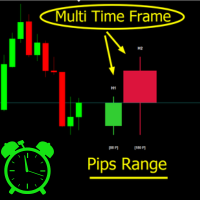
Crystal MTF Candle Pro – Professional Multi-Timeframe Analysis Tool Overview
Crystal MTF Candle Pro is a professional indicator for MetaTrader 5, designed to provide direct visualization of higher timeframe candles on the current chart. The tool overlays selected higher timeframe candles with precise countdown timers, allowing traders to monitor live candle development without switching charts. This indicator is optimized for multi-timeframe (MTF) analysis, offering professional styling, custo
FREE

The free edition of Tick Candles Seconds Chart Generator: real seconds charts on any DEMO account.
It creates a custom symbol copy of your chart (EURUSD becomes EURUSD.Sec) and streams every tick onto it, so a normal MT5 chart renders true seconds candles. Attach indicators and EAs, draw, apply templates. One generated symbol serves the whole seconds ladder through the chart's own timeframe selector:
M1 = 1 second, M5 = 5 seconds, M15 = 15 seconds, M30 = 30 seconds, H1 = 1 minute, D1 = 24 min
FREE
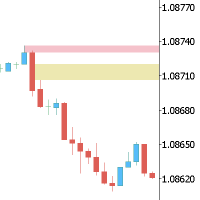
This Expert is the perfect companion for SMC/ICT users.
It allow to draw easily the Supply , Demand , Imbalance(fvg) zones as well set up MetaTrader alerts if price touchs the zone. Imbalance (fair value gap) have options to be displayed in full or based on the filling to the follwing candle, so you will never miss one.
You can also zoom on a clande with a specific period. Very usefull when you look at an 1h candle in the past and you want to see the details in M5.
How does it work ? Simply s
FREE

RelicusRoad CopyTrader 는 MetaTrader 5 용 무료 트레이드 카피어( trade copier )입니다. 같은 컴퓨터에 있는 MT5 터미널 간에 거래를 복사하므로, 하나의 계좌로 매매하고 나머지 계좌들이 각자의 크기와 리스크로 이를 따라가게 할 수 있습니다. 완전판이며, 기능 제한이나 체험 기간이 없습니다. 한 계좌로 매매하고, 나머지는 따라오게 하세요. MetaTrader 4: RelicusRoad CopyTrader MT4 작동 방식 하나의 터미널이 리더 (Leader, 마스터)로 동작하며 보유 중인 주문을 공유합니다. 원하는 수의 터미널이 팔로워 (Follower, 슬레이브)로 동작하며 이를 그대로 복제합니다. 터미널은 채널 이름으로 짝지어지므로, 한 대의 컴퓨터에서 여러 개의 독립된 복사 그룹을 동시에 운영할 수 있습니다. 복사는 200밀리초 타이머로 실행되므로, 팔로워는 자신의 차트에 틱이 들어오는 것을 기다리지 않고도 새 주문에 반응합니다. 설정 방
FREE

Flash Alert 는 단기 및 스캘핑 트레이더를 위한 실시간 시장 모니터링 및 알림 도구입니다. 빠른 가격 변동을 지속적으로 모니터링하고 급락, 급등 및 급락/급등 후 반전 을 자동으로 감지하여 중요한 시장 변동이 발생하면 트레이더에게 신속하게 알림을 제공합니다. 다양한 알림 방식을 지원합니다. Flash Alert는 또한 XAUUSD M1 Snipion 단기 양방향 거래 EA의 핵심 보조 도구 이지만, XAUUSD, XAUUSD247, Gold, EURUSD, GBPUSD, USDJPY 등 모든 거래 심볼에서 사용할 수 있습니다. Flash Alert는 누구에게 적합한가요? Flash Alert는 특히 단기 / 초단기 / 스캘핑 트레이더 에게 적합합니다. 초단기 거래에서는 시장이 몇 초 또는 수십 초 만에 빠르게 움직일 수 있습니다. 일반적인 가격 관찰만으로는 이러한 비정상적인 움직임을 제때 발견하기 어려운 경우가 있지만, Flash Alert는 M1 ATR과 실시간 가격 변동
FREE

# CopyMaster Pro Trade Copier
## What Is This
CopyMaster Pro is a local trade copying tool that syncs trades between multiple MT4/MT5 terminals. One account trades, others follow automatically. No server needed, no VPS required. Works on a single computer with multiple terminals.
## What It Does
Copies trades from one account to others. You open a gold position on Account A, Account B and C will follow. You close on A, others close too. Simple as that.
## Why This One
**Free** — No monthl
FREE

Watchlist Symbol Changer – 한 번의 클릭으로 차트 종목 전환, 보유 포지션을 손익에 따라 색상 표시
시장 감시의 모든 종목마다 버튼이 있는 무료 차트 패널입니다. 클릭하면 차트 종목이 바뀌고 시간 프레임은 유지됩니다. 이 Expert Advisor는 거래하지 않습니다.
기능 - 시장 감시 종목마다 버튼 하나, 현재 종목은 하늘색 테두리로 표시됩니다. - 페이지 넘김(Prev / Next)과 시장 감시가 바뀐 후 사용하는 새로고침 버튼. - 보유 포지션: 이익이면 녹색, 손실이면 빨간색. 같은 종목의 여러 포지션은 합산되며 스왑 포함 여부를 선택할 수 있습니다. - 접두어로 종목을 거르는 선택적 필터. - 터미널 부담이 적음: 타이머는 포지션 색상에만 사용되고 변경이 있을 때만 다시 그립니다.
설정 모서리, 여백, 버튼 크기, 줄당 버튼 수(0 = 차트 너비에 따라 자동), 글꼴 크기, 모든 색상, 포지션 색상 켜기/끄기, 스왑 켜기/끄기, 새로고침 간격,
FREE

시계가 시장을 잘라내는 방식이 아니라, 시장이 실제로 움직이는 방식 그대로 보세요 M1, M5, H1 같은 모든 표준 차트는 그 시간 동안 실제로 무슨 일이 있었는지와 상관없이 시장을 동일한 시간 구간으로 나눕니다. 조용한 1분과 혼란스러운 1분이 결국 같은 크기로 보이게 됩니다. TickFlow Zones는 다른 접근 방식을 취합니다. 가격 움직임을 시간이 아니라 활동량을 기준으로 묶습니다. TickFlow Zones 차트의 각 바는 고정된 수의 틱을 나타내므로, 시장이 활발할 때는 차트가 자동으로 빨라지고 조용할 때는 느려집니다. 그 결과 훨씬 더 정교하고 정직한 가격 움직임의 모습을 보게 되는데, 이는 보통 전문적인 오더 플로우 도구에서 기대할 수 있는 수준의 디테일이며, MetaTrader 5 안에 네이티브로 구현되어 있습니다. 중요: TickFlow Zones는 무료 유틸리티이며 Expert Advisor가 아닙니다. 주문을 넣지 않고, 포지션을 관리하지 않으며, 어떤 방식
FREE

This indicator creates a Renko-based custom symbol in MetaTrader 5. Renko charts are built using price movement only, not time, making them useful for analyzing trends and filtering noise. Features Customizable brick size in points. Option to calculate brick size using ATR (adaptive). Ability to show or hide wicks. Creates and updates a custom Renko chart symbol. Automatically opens the chart window (optional). Maintains a limited bar history for performance. Inputs BrickSizePoints – brick size
FREE

Trade HotKeys 는 키보드 단축키를 사용하여 트레이딩 작업을 즉시 실행할 수 있는 수동 트레이딩 유틸리티입니다. MetaTrader 5 인터페이스 버튼 없이 빠른 주문 제어가 필요한 재량 트레이더 및 스캘퍼를 위해 설계되었습니다. 차트 버튼을 클릭하거나 메뉴를 탐색하는 대신, 키보드에서 직접 트레이딩 작업을 실행할 수 있습니다. 가능한 기능 단축키로 BUY / SELL 즉시 실행 BUY 또는 SELL 포지션 개별 청산 한 번의 키 입력으로 모든 포지션 청산 포지션 반전 (방향 즉시 전환) 실수 실행 방지를 위한 트레이딩 일시정지 차트에서 BUY/SELL 볼륨 및 실시간 손익 표시 트레이더가 사용하는 이유 결정과 실행 사이의 지연 감소 더 빠른 수동 트레이딩을 위한 근육 기억 형성 스캘핑 및 빠른 시장 상황에 유용 트레이딩 중 터미널 UI 조작 최소화 모든 브로커 및 계좌 유형 지원 (netting / hedging) 가볍고 안정적임 (무거운 계산 없음) 인터페이스 UI 위
FREE
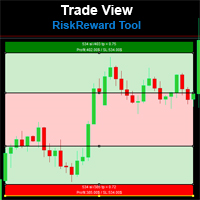
Risk Reward Tool , It is easy to use. With this tool you can see the rates of profit loss profit. You can see your strategy and earnings reward status of your goals.Double calculation can be done with single tool. Move with drag and drop. You can adjust the lot amount for calculations. The calculation results are shown in the comment section. There may sometimes be graphical errors during movements. Calculations works at all currency. Calculations All CFD works. Updates and improvements will co
FREE

FastCopy Pro — Professional Hybrid Trade Copier (Local + Internet) Professional trade copier with a hybrid engine: LOCAL Mode
100% offline copying between MetaTrader terminals running on the same PC or VPS. Direct file exchange provides near-instant trade synchronization. INTERNET Mode
Cloud-based copying between terminals running on different PCs, VPS servers, or locations worldwide. WHY FASTCOPY PRO? • Hybrid Engine — Switch between LOCAL and INTERNET copying modes.
• Instant Execution — Dirty
FREE

If you find this tool useful, please leave a review The position size you need, the levels you are trading, and the dollars at stake — always visible, always updating, always accurate. No manual calculations and No switching to a browser tab . Place your entry and stop loss lines on the chart. Is a Live Risk Calculator that calculates your lot size, take profit levels, risk, and reward in real time. Switch to live mode and the lot size updates with every tick as price moves. Every number on th
FREE

Overview Auto TPSL is a sophisticated MetaTrader 5 Expert Advisor designed to revolut ionize how traders manage their risk and protect profits. This powerful tool automatically sets and adjusts Take Profit (TP) and Stop Loss (SL ) levels, eliminating emotional decision-making and ensuring disciplined trading practices. The EA operates through two core systems:
Auto TPSL System The Auto TPSL system automatically calculates and sets appropriate Take Profit and Stop Loss level
FREE

# Zikiman Risk Panel Standard
**Zikiman Risk Panel Standard는 수동 매매 트레이더를 위한 MT5 트레이딩 패널이자 포지션 사이즈·로트 계산기입니다.** 고정 금액 리스크, 계좌 잔고 대비 리스크 비율 또는 고정 로트를 선택하고, 차트에서 Stop Loss와 Take Profit을 배치한 뒤 Market, Limit, Stop 주문을 준비할 수 있습니다.
진입 방향과 시점은 사용자가 직접 결정합니다. 이 도구는 매매 신호를 만들거나 자동으로 진입하지 않습니다.
## 리스크 기반 포지션 사이징
세 가지 방식을 지원합니다.
- **고정 금액 리스크** — 한 거래에서 감수할 계좌 통화 금액을 입력합니다. - **리스크 비율** — 현재 계좌 잔고의 일정 비율로 리스크를 설정합니다. - **고정 로트** — 원하는 거래량을 직접 입력합니다.
금액 또는 비율 모드에서는 예정 진입가와 Stop Loss 사이의 거리를 기준으로 적정 로트
FREE

100% 무료 — 정식 버전, 제한 없음, 등록 불필요.
무엇을 막아주는가
- 에쿼티 트레일링 스톱 — 에쿼티가 고점 대비 설정 % 하락 시 전체 청산, 이익 확보.
- 최대 손실폭 — 에쿼티가 최고 잔고 대비 설정 % 아래로 내려가면 전체 청산.
- 일일 손실 한도 — 한도 도달 시 당일 거래 중단(선택적 청산).
- 증거금 비상 — 증거금 수준이 하한 아래로 내려가면 강제청산 전에 전체 청산.
- 이익 목표 — 당일 이익이 설정 %에 도달하면 전체 청산해 이익 확정.
- 연속 손실 — 연속 손실 후 당일 일시 정지.
- 주말 청산 — 금요일 지정 시각부터 청산하고 비워둠.
- 뉴스 정지 — 경제 캘린더 이벤트 전후 정지(선택적 청산).
작동 방식
하드 스톱(에쿼티 트레일링, 최대 손실폭, 증거금)은 범위 내 모든 포지션을 한 번 청산하고 RESET을 누를 때까지 정지 상태를 유지합니다. 일일 스톱은 다음 거래일에 자동 해제됩니다. 정지 중에는 다시 나타나는 포지션을 청산해
FREE

Forex Analyzer Pro MT5 거래 계좌 분석 대시보드 Forex Analyzer Pro는 MetaTrader 5 사용자를 위해 설계된 웹 기반 거래 분석 플랫폼입니다. Forex Analyzer Pro는 MetaTrader 5 계정 활동을 동기화하고 거래 정보를 분석, 보고서, 모니터링 및 트레이딩 저널 도구로 구성된 체계적인 대시보드에 정리합니다. 이 플랫폼을 통해 사용자는 지원되는 데스크톱 및 모바일 웹 브라우저에서 자신의 거래 대시보드에 접근할 수 있습니다. Forex Analyzer Pro는 MT5 계정에 연결되어 거래 활동을 중앙 집중식 대시보드로 구성하며, 사용자는 포지션을 모니터링하고 거래 내역을 검토하며 통계를 분석하고 거래 기록을 관리할 수 있습니다. 주요 기능 • MT5 계좌 대시보드 • 오픈 포지션 모니터링 • 거래 내역 분석 • 거래 캘린더 • 전략 추적 • 트레이딩 저널 • 계좌 통계 • 성과 보고서 • 거래 알림 • 다중 계좌 지원 MT5 계좌
FREE

Simple Replay Simple Replay Bar-by-Bar Historical Price Action Replay for MetaTrader 5 Simple Replay is a utility Expert Advisor that lets you replay historical price bars one at a time on your MT5 chart. A curtain hides future bars so you only see what happened up to the current position — perfect for practicing price action and backtesting discretionary strategies. Features Play / Pause — Auto-play bars at adjustable speed (0.5x to 64x) Step Forward / Back — Move one bar at a time in either di
FREE

Smart Risk Trade Panel MT5 is a powerful manual trading panel for MetaTrader 5 designed to make execution faster, cleaner, and more disciplined.
It helps you calculate lot size automatically based on your risk, build trades directly on the chart, and manage open positions with less stress and fewer mistakes.
With draggable Entry, Stop Loss, and Take Profit lines, you can prepare the entire setup visually before sending the order. This makes the trading process much faster and much more intuit
FREE

VR 컬러 레벨은 추세선, 직사각형, 텍스트 등의 요소를 사용하여 기술적 분석을 적용하는 사람들에게 편리한 도구입니다. 차트에 직접 텍스트를 추가하고 스크린샷을 찍는 것이 가능합니다. 설정, 세트 파일, 데모 버전, 지침, 문제 해결 등은 다음에서 얻을 수 있습니다. [블로그]
다음에서 리뷰를 읽거나 작성할 수 있습니다. [링크]
버전 [MetaTrader 4] 표시기 작업은 한 번의 클릭 으로 수행됩니다. 이렇게 하려면 선이 있는 버튼을 클릭하세요. 그러면 커서 아래에 추세선이 나타납니다. 그런 다음 커서를 움직여 선 위치 를 선택하고 다시 클릭하여 수정하면 됩니다. 표시기 의 특징은 스타일과 색상의 모든 변경 사항이 자동으로 저장되고 나중에 새로 생성된 모든 그래픽 개체에 적용된다는 것입니다. 이 지표에는 서로 다른 스타일의 추세선을 설정하기 위한 두 개의 독립 버튼, 서로 다른 스타일의 두 개의 독립 직사각형, 자체 스타일이 있는 하나의 텍스트 필드 및 스크린샷 생성용 버튼
FREE

Account Protector Pro is a lightweight Expert Advisor that monitors open positions and closes them when they exceed your configured profit or loss thresholds. It includes a daily loss limit that halts trading when triggered. Features Overview The EA provides multiple ways to manage risk at both the trade level and account level. You can use any combination of these features: Per-trade profit and loss thresholds Lot-scaled loss limit that adjusts with position size Daily loss limit that resets ea
FREE

Buy Sell Keyboard - 키보드 임펄스 트레이딩을 위한 전문가 어드바이저
번개 같은 키보드 트레이딩. 한 번의 터치로 완벽한 시장 제어. 마우스나 대화 창 없이 즉시 주문을 실행하는 핫키 할당. 주요 기능: 정밀한 진입을 위한 임펄스 알고리즘
프로 트레이더들의 비밀 공식. 알고리즘이 강력한 움직임을 준비하는 가격의 시장 임펄스 순간을 식별. 거짓 돌파 필터링, 축적 포인트 판단, 임펄스 확인 신호. 즉각적인 키보드 트레이딩
A/S - 즉시 매수/매도 개시 (대소문자 구분 없음 (A/a, S/s), 매직넘버 설정
Q/W/Z/X - 지능형 포지션 종료 (대소문자 구분 없음 (Q/q, W/w, Z/z, X/x)
제로 딜레이 - 밀리초 단위 실행
미니멀리스트 모드 - 패널 비활성화 및 키보드 전용 작업 가능 지능형 포지션 관리
외과적 정밀도로 거래 종료. 4가지 종료 전략:
Q - 포트폴리오 내 모든 수익 포지션 종료 (모든 심볼, 해당 매직넘버 기준)
W -
FREE

Calculating the volume of orders every time you create an order is an extremely important thing in risk management Let this tool simplify your work! ----------------------------------------------------- How to use? Attach the indicator to the chart and set its parameters: Risk size in % or money and Risk Reward Ratio. Click on the ON button and locate the horizontal line to your would-be StopLoss level. Options: Click on the Pending/Instant button to locate the horizontal line to your would-b
FREE

"캔들 남은 시간" MetaTrader 5용
"더 이상 캔들 마감을 놓치지 마세요. 완벽한 타이밍으로 거래하세요." 공식 업데이트 채널
채널 참여 : Dhokiyas
지원
직접 메시지 : Contact "캔들 남은 시간 - MT5 정밀 타이머 유틸리티" "캔들 남은 시간" 은 현재 캔들의 정확한 남은 시간을 실시간으로 표시하는 가볍고 정확한 MT5 유틸리티입니다. 캔들 마감 확인을 기다리며 정밀한 진입과 청산을 원하는 트레이더를 위해 설계되었습니다. "당신의 전략이 캔들 마감에 의존한다면, 이 도구는 필수입니다." "이 도구가 중요한 이유" 많은 전략은 캔들 마감 확인을 필요로 합니다. 타이머가 보이지 않으면 트레이더는 너무 일찍 진입하거나 너무 늦게 청산하는 경우가 많습니다. 이 유틸리티는 차트에 명확한 카운트다운을 표시하여 그 문제를 해결합니다. "주요 기능" "실시간 캔들 카운트다운" "모든 타임프레임 지원" M1부터 MN까지 "모든 종목 지원" 외환, 금, 암호화폐
FREE
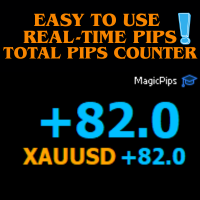
MagicPips - Ultimate Free Position Pip Counter Track Your Trading Performance in Real-Time with Precision MagicPips is a professional-grade tool for MetaTrader 5 (MT5) that provides traders with immediate, accurate pip calculations for all open positions. This utility offers a clear and customizable display of profit and loss in pips, helping traders monitor performance efficiently. Key Features Real-Time Pip Tracking Continuously updates pip gains and losses for all open positions (both buy and
FREE

TradeCopier allows you to locally copy transactions between different MetaTrader 5 accounts on the same computer or vps with very little input from the user. Find out more: Her e Features One Chart Setup you only need one chart to trade all available symbols Multiple currency pairs support Very easy to use - minimal input from the user is required Has a very high refresh rate - it can refresh every 1 millisecond and in doing so reduce the lag between the transmitter account and receiver accoun
FREE

The real‑time view of what is happening inside the market. Footprint Secrets brings detailed analysis directly into MetaTrader 5. It shows where volume is trading, how buyers and sellers are interacting, and how liquidity shifts as the market evolves. Designed for traders who want a precise, real‑time understanding of market behavior.
Benefits for the Trader See the real activity behind price . Footprint charts reveal bid/ask volume and delta at every price level. Understand who controls the m
FREE

CRYSTAL THEMES: The Ultimate MT5 Workspace Upgrade Transform Your Trading Environment in One Click Staring at default, cluttered, neon-green charts for hours causes severe eye strain, mental fatigue, and loss of focus. A clean, aesthetically pleasing workspace is not just a luxury; it is the foundation of professional trading. Crystal Themes instantly transforms your MetaTrader 5 terminal from a basic grid into a premium, high-contrast, distraction-free environment. Clean your charts, protect yo
FREE

KALIFX POSITION SIZE Calculator – Risk & Lot Size Tool KALIFX PS Calculator is a chart-based utility designed to help traders calculate position size and manage risk directly from a simple on-screen panel. It provides a structured way to define trade parameters and view calculated results before placing an order. Key Features On-Chart Control Panel: Manage all inputs and actions from a compact interface on the chart. Mode Switching: Toggle between Risk % and Fixed Lot modes. Order T
FREE

Native Depth Viewer renders the order book of the current symbol directly on the chart: ask ladder, bid ladder, spread, and bid/ask volume imbalance. MarketBookAdd, OnBookEvent and MarketBookGet, the functions this indicator is built on, have no equivalent in MQL4. This reading is native to MetaTrader 5 only.
WHAT IT SHOWS
When your broker does publish a real book for the symbol: Ask ladder (sell side), worst price first, reading top-down like a real DOM Bid ladder (buy side), best price firs
FREE

Overview Auto Fibonacci EA is a professional trading tool designed to automatically detect swing points and draw Fibonacci retracement levels on your charts. This indicator helps traders identify potential support and resistance zones based on the golden ratio principles. Key Features Automatic Swing Detection Intelligent algorithm identifies swing high and swing low points automatically Customizable swing detection sensitivity (SwingBars parameter) Works on all timeframes: M1, M5, M15, M30, H1
FREE

Signalator Trade Summary Panel MT5는 계정, 포지션, 심볼 및 리스크 상태를 차트에서 직접 명확하게 확인할 수 있는 무료 로컬 MetaTrader 5 유틸리티입니다. Signalator Trading and Analysis Ecosystem의 일부로, 계정 모니터링, 시장 분석, 심볼 스캔, 알림 및 트레이더 워크플로우 개선을 위한 실용적인 MetaTrader 도구 모음입니다. 이 패널은 계정 및 포지션 모니터링에 통합 Symbol Inspector와 거래 전 Lot Size / Risk Calculator를 결합합니다. 여러 터미널 탭을 전환하지 않고 Floating P/L, 익스포저, SL/TP 커버리지, 브로커 심볼 사양 및 계획된 거래 리스크를 확인할 수 있습니다. 시장 스캔, 추세 방향 확인 및 multi-timeframe 알림에는 관련 Signalator 제품도 사용할 수 있습니다: MT4 Summary Panel - Multi TF Symb
FREE

This tool is designed to measure the distance between two points on a chart and much more.
List of measured values:
Distance in points Profit (with and without spread) Time difference Percentage price change Slope angle Number of bars (various variations) Ratio of distance in points to the reference value Features:
Snap to OHLC prices Automatic color profile setting based on chart background color Various types of pointers to choose from Display of values of selected points on th
FREE

Manzano Risk Reward Box The PRO version, including direct trade execution and automatic R-based trailing management, is available. For information about the PRO version, please contact us via MQL5 private message. Manzano Risk Reward Box is a visual trade planning and risk management tool for MetaTrader 5, designed to help traders prepare their positions directly on the chart before execution. It allows users to create visual BUY and SELL scenarios, define the percentage of the account they want
FREE

Lot Assistant MT5 소개 위험 금액(달러) 과 손절 을 기반으로 한 스마트 로트 계산 자동 손절 설정이 포함된 빠른 원클릭 거래 MetaTrader One Click Trading에서 영감을 받은 간단하고 깔끔한 거래 패널 Lot Assistant MT5 는 트레이더가 리스크를 관리하고 신속하게 거래를 열 수 있도록 도와주는 무료 거래 유틸리티입니다. 이 패널은 많은 트레이더가 빠른 실행을 위해 이미 사용하고 있는 MetaTrader One Click Trading 도구에서 영감을 받았습니다. 빠른 Buy 및 Sell 버튼 외에도, 이 도구는 Profit 및 Stop Loss를 위한 두 개의 중요한 편집 가능한 필드를 제공합니다. 손절 포인트와 위험으로 감수할 금액을 설정하기만 하면, 도구가 자동으로 올바른 로트 크기를 계산합니다. 거래가 열리면 계산된 로트 크기와 지정된 손절가로 즉시 포지션이 실행되어 보다 안전하고 통제된 거래가 가능합니다. 사용 방법 Lot Assi
FREE

IMD Fibo EA IMD Fibo EA 는 MetaTrader 5용 트레이딩 유틸리티로, 거래 구간 탐색, 시장 방향 분석, 계층형 Fibonacci 구조를 기반으로 한 거래 계획 생성을 지원합니다. 주요 기능: 다중 종목 스캐너 EMA / MACD / ADX 방향 분석 3단계 Fibonacci 구조 Entry / Stop Loss / Take Profit 계산 수동 지정가 주문 패널 가상 통계 IMD Fibo EA는 완전 자동매매 로봇이 아닙니다. 사용자의 확인 없이 거래를 자동으로 시작하지 않습니다. 분석과 거래 계획은 자동화되지만 최종 주문 여부는 사용자가 결정합니다. 용도 다음 작업을 지원합니다. 여러 종목 빠른 스캔 기술적 필터를 이용한 방향 분석 Fibonacci 기반 시장 구조 분석 거래 계획 생성 수동 지정가 주문 Fibonacci 구조 F1 — 메인 구간 전체 시장 구조. F2 — 내부 구간 F1 내부의 활성 가격 구조. F3 — 작업 구간 보다 정밀한 잠재 진입
FREE

차트에서 직접 시장가 주문을 빠르게 실행하고 포지션을 관리할 수 있는, 간단하고 명확하며 사용하기 쉬운 트레이딩 패널입니다.
패널은 직관적인 인터페이스를 갖추고 있어 대부분의 기능을 한눈에 이해할 수 있습니다. 주요 기능 BUY 및 SELL 버튼 — 선택한 랏 크기로 시장가 주문을 즉시 실행합니다. 유연한 랏 관리 — 랏 크기는 수동으로 입력하거나 Quick Lots 버튼으로 설정할 수 있습니다. 스텝은 각 심볼의 요구 사항에 자동으로 맞춰집니다. CLOSE BUY 및 CLOSE SELL — 현재 심볼에서 해당 방향의 모든 포지션을 한 번의 클릭으로 청산합니다. PLAN 모드 — 차트에서 드래그 가능한 SL 및 TP 라인이 있는 시각적 손익 계산기입니다. 시각 정보 — 각 오픈 포지션의 P&L과 드래그 가능한 SL/TP 레벨을 차트에 직접 표시합니다. 주목할 만한 두 개의 버튼 대부분의 버튼은 직관적이지만, 가운데 두 버튼의 기능은 아이콘만으로는 바로 알아보기 어렵습니다 (첫 번째
FREE

제품이 마음에 드셨다면 댓글과 평가를 남겨주시는 것을 잊지 마세요!
Advanced PolyLines는 MetaTrader 5 차트에서 직접 폴리라인을 생성하고 편집할 수 있는 도구입니다. 여러 개의 선분을 하나의 구조로 연결할 수 있어 차트 분석에 사용하는 라인의 생성과 관리를 편리하게 할 수 있습니다. 여러 선분으로 구성된 구조를 쉽게 관리할 수 있도록 설계되었습니다. 연결된 포인트를 함께 이동할 수 있어 각 라인을 개별적으로 편집하지 않고도 전체 구조를 조정할 수 있습니다. 주요 기능 도구 인터페이스 차트에 통합된 인터페이스를 통해 그리기 모드를 활성화하고, 컨트롤을 숨기거나 생성된 폴리라인을 삭제할 수 있습니다. Magnetic Snap 마우스 커서가 캔들의 OHLC 가격 수준에 가까워지면 포인트를 해당 가격에 자동으로 정렬할 수 있습니다. 이를 통해 시가, 고가, 저가 및 종가에 라인을 배치할 수 있습니다. Joint Dragging 여러 선분이 공유하는 포인트를 차트에서
FREE

LT Trade Panel Lite - 신속한 체결 및 무료 주문 패널 LT Trade Panel Lite는 MetaTrader 5에서 가장 실용적이고 빠른 매매 주문창으로, 수동 거래 시 극대화된 신속함을 원하는 트레이더를 위해 설계되었습니다. 지수, 주식, 해외선물/외환(Forex) 데이트레이딩에 최적화되어 있습니다. 이 무료 버전은 별도의 비용 없이 프로페셔널한 정밀함으로 거래할 수 있는 핵심 필수 도구들을 제공합니다. LITE 버전 핵심 기능: 즉시 체결 (원클릭 주문): 단 한 번의 클릭으로 매수(Buy), 매도(Sell), 전포지션 청산(Close) 버튼 작동. 단축키 지정: 키보드의 B(매수), S(매도), C(청산) 키를 이용해 프로 트레이더처럼 신속하게 매매 가능. ️ 간편한 관리: 모든 주문에 대해 포인트(Points) 단위로 표준 손절매(Stop Loss) 및 익절매(Take Profit) 기준 설정 가능. 기본 모니터링: 당일 손익, 현재
FREE

Smart TradePanel Manager MT5 is a free visual trade panel for MetaTrader 5. It lets you place market and pending orders in one click, with automatic risk-based lot sizing, up to four take-profit levels, break-even automation, and a built-in PropFirm drawdown guard that protects your whole account in real time. Everything is controlled from a clean on-chart panel and a set of draggable price lines — no manual lot math, no guesswork. Trade Place orders in one click, straight from the chart: Open m
FREE

위험 거래 패널에 의해 많은 수동 거래를 위해 설계되었습니다. 이 명령을 보낼 수있는 다른 수단이다.
패널의 첫 번째 특징은 제어 라인을 사용하여 편리하게 주문할 수 있다는 것입니다. 두번째 특징은 정지 손실 선의 면전에서 주어진 위험을 위한 거래 양의 계산입니다.
제어 라인은 단축키를 사용하여 설정됩니다:
이익을-기본적으로 티 키;
가격-기본적으로 피 키;
정지 손실-기본적으로 키;
당신은 거래 패널의 설정에서 키를 직접 구성 할 수 있습니다.
작동 알고리즘:
1)-우리는(이 모든 레벨을 배치 할 필요가 없습니다)원하는 장소에 레벨을 배치;
2)–위험 지정(선택 사항);
3)-녹색 주문 보내기 버튼을 클릭하십시오.;
4)–우리는 배치 될 순서를 기다리고 있습니다,또는 오류 메시지와 경고가 나타납니다;
5)-우리는 전문가 고문에 마법에 의해 연결된 현재 기호에 대한 모든 주문을 닫으려면,다음 닫기 주문 버튼을 클릭합니다.
주문 보내기 버튼을 여러 번 눌러서는 안
FREE

Free one-click trade panel for MT5: BUY/SELL on the price line and Breakeven, Partial, Reverse and Close buttons on every position. DESCRIPTION: TrendSync Trade Buttons is a free, lightweight trade panel for manual traders on MetaTrader 5. Open, reduce and close positions straight from the chart, without dialog boxes and without hunting for tickets in the Trade tab. It is an execution tool, not a signal robot . It does not open trades by itself. Every action is yours; it just makes it one click.
FREE

개요 RiskPilot은 MetaTrader 5용 시각적 리스크/보상 실행 패널입니다. 차트 위에서 색상 라인과 구역을 드래그하여 진입가, 손절가, 익절가를 직접 설정하고, 포지션 크기와 달러 기준 리스크·보상을 실시간으로 확인하며, 클릭 한 번으로 주문을 실행할 수 있습니다. 수동 로트 계산이나 별도의 주문 창이 필요 없습니다. 동일한 차트에서 여러 개의 독립적인 리스크/보상 설정을 동시에 운영할 수 있으며, 각각 자체적인 진입가/SL/TP, 방향(매수 또는 매도), 그리고 삭제·반전·잠금을 위한 자체 차트상 컨트롤을 갖습니다. 중요 — 이것은 자동 매매 전략이 아니라 수동 트레이딩 도구입니다. RiskPilot은 스스로 포지션을 열거나 닫지 않습니다. 모든 거래는 사용자가 BUY 또는 SELL 버튼을 눌렀을 때만 전송됩니다. MetaTrader 5는 이런 종류의 프로그램(이처럼 단순한 시각적 도구 포함)을 모두 내비게이터의 "Expert Advisors" 섹션에서 실행하기 때문에
FREE

EquityGuard is a silent account-protection utility. It watches your equity in real time and closes every position, deletes pending orders, and (optionally) shuts the EA down the moment a configurable loss, drawdown, or profit threshold is hit.
Built for prop-firm traders (FTMO, MFF, FundedNext, The5ers), multi-EA portfolios, and anyone tired of watching a green day turn red.
Key features - Daily loss limit — % from start-of-day balance - Daily profit target — lock in the day when reached - Ma
FREE

Trade Copier Pro Trade Copier Pro는 Meta Trader 5 용 거래 복사 도구로, 여러 MT5 계정 간의 거래를 실시간으로 복사하도록 설계되었습니다. 이 제품을 통해 트레이더는 서로 다른 브로커의 여러 계정을 연결하고, 마스터 계정과 슬레이브 계정을 설정하며, 거래가 계정 간에 어떻게 동기화되는지 관리할 수 있습니다. 계정 동기화, 전략 복제 및 다양한 거래 환경에서의 거래 관리에 적합하도록 설계되었습니다. Trade Copier Pro는 Meta Trader 5 내부에서 직접 실행되며 외부 서비스가 필요하지 않습니다. 기능 다중 계정 연결 여러 MT5 계정을 동시에 연결하고 하나의 인터페이스에서 관리할 수 있습니다. 지원되는 계정 유형: • 개인 계정
• Prop Firm 계정
• 브로커 분산용 계정
• 전략 테스트용 계정 브로커 호환성 다음과 같은 다양한 브로커 간 계정 복사를 지원합니다: • HFM
• RoboForex
• IC Markets
• E
FREE
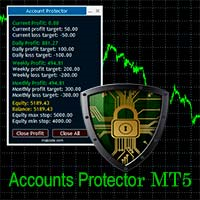
The Expert Advisor is designed to protect the account, fix profit (loss) and display current information about the account. Trading account protection is carried out by closing all open orders in the terminal and/or closing all charts. When running the Expert Advisor with default parameters, it will only display your account information and will be reduced in size. Next, you can set the conditions under which your trading account will be protected. Profit and loss limits can be set for daily pro
FREE

Overview The MT5 Local Trade Copier synchronizes trades from a Master account to one or more Slave accounts. It copies positions and pending orders with duplicate protection, symbol mapping, and adjustable lot sizes. Time and day filters can be applied for flexible operation Features Copy positions and pending orders from Master to Slave accounts. Select which trades to copy: all trades, positions only, orders only, buy-only, or sell-only. Adjust lot sizes using fixed lots, risk percentage of ac
FREE

ATC Alert Manager를 사용하면 차트에서 직접 가격 알람을 설정하고 하나의 작은 패널에서 관리할 수 있습니다. 각 알람은 차트의 선으로 표시되며 새 가격으로 드래그할 수 있습니다. 알람은 가격이 레벨을 횡단하는 순간에 한 번 발생하며, 팝업 알림, 소리 및 휴대폰으로의 선택적 푸시 알림이 함께 제공됩니다. 이미 레벨을 지난 가격은 트리거하지 않으므로 매 틱마다 반복 알림을 받지 않습니다.
이 도구는 포지션 도구, 거래 관리 및 성과 분석과 함께 All In One Trade Management Panel MT5 의 일부이기도 합니다. 데모 계정용 무료 체험판 – 라이브 차트에서 사용해 보세요, 시간 제한 없음.
주요 기능: 한 번의 클릭으로 알람을 추가합니다. 가격 필드는 현재 가격에서 시작하며 방향을 선택합니다: Above 또는 Below.
모든 알람에 메모를 추가합니다. 예: "런던 고점". 메모는 알림 메시지에 포함됩니다.
각 알람은 차트 오른쪽에 가격
FREE
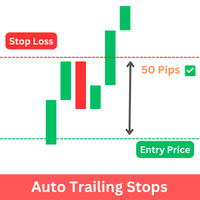
The Expert Advisor (EA) developed is specifically designed for scalping trading strategies . It's functions as a trailing stop manager for any positions opened by the user. The EA continuously monitors open positions and dynamically adjusts the stop-loss level as the price moves in favor of the trade. This trailing stop mechanism helps traders by managing ongoing trades that have taken by the trader by automatically tightening the stop-loss level as the trade progresses, thereby reducing poten
FREE
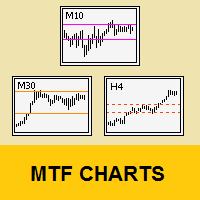
Tool that allows viewing more than one timetime in the same window (up to 3 timeframes). Then, the tool helps the analysis in multiple timesframes.
This is another product developed by Renato Fiche Junior and available to all MetaTrader 5 users!
Input Parameters
- Timeframes 1, 2 and 3: Timeframes of sub-charts
- Show Dates: Shows the dates on the sub-charts on the X-axis (Yes / No)
- Show Prices: Shows on the Y-axis the prices in the sub-charts (Yes / No)
- Show Subwindow: Shows the s
FREE

Quantum Trade Assistant 에 오신 것을 환영합니다. 수동 트레이딩을 개선할 수 있도록 설계된 무료 도구입니다. 이 제품은 두 가지 유형의 트레이더를 위해 설계되었습니다. 첫 번째는 간단하면서도 전문적인 트레이딩 어시스턴트를 사용하여 거래를 실행하고, 포지션을 부분 청산 하며, 수익을 확보 하고, 기타 중요한 트레이딩 작업을 처리하고자 하는 트레이더입니다. 두 번째 유형은 이미 Quantum Indicators 중 하나를 사용하고 있는 트레이더입니다. Quantum Trade Assistant는 이러한 인디케이터와 연결하여 해당 신호를 기반으로 자동으로 거래를 실행할 수 있습니다. 이 두 가지 유형의 트레이더 중 하나에 해당한다면, 바로 이곳이 당신에게 필요한 곳입니다. Trade Assistant 버전 1.1의 주요 기능:
시장가 주문 및 예약 주문을 지원하는 거래 창 부분 청산 기능 계좌 잔액의 일정 비율을 기준으로 수익을 확보하고 목표에 도달하면 모든 거래를 자
FREE

HotkeyTrader — Expert Advisor for MetaTrader 5 HotkeyTrader is a free Expert Advisor that allows opening and closing trades using keyboard shortcuts, without interacting with the terminal menus. Available functions Key B: opens a buy order at the current price. Key S: opens a sell order at the current price. Key C: closes all open positions. Features No cost. No usage restrictions. Compatible with all instruments available in MetaTrader 5.
FREE

SL TP Manager is a compact on-chart panel that sets the stop loss or take profit of all open trades on a symbol in one click, or moves every stop loss to break-even. It is designed for traders who scale in with several positions and do not want to edit each trade one by one.
HOW IT WORKS - Type a price in the SL box and click Set SL: the stop loss is applied to every open trade on the chart's symbol. - Type a price in the TP box and click Set TP: the take profit is applied the same way. - Clic
FREE

LC Risk Manager - Clean Chart, Precise Execution, and Risk under Control Speed up your execution with the most complete and discreet utility on the market: Exact Lot Calculation for complex assets (JP225, DE40, Nasdaq). Minimalist Interface: Focus on your analysis and activate planning only when necessary. Visual Management: Drag lines, view financial risk, and execute with a single click. LC Risk Manager is the ideal trading assistant for those seeking a clutter-free chart without compromising
FREE

ThemeManager 는 MetaTrader 5에서 열려 있는 모든 차트의 색상 구성을 클릭 한 번으로 바꿔 줍니다. 다크 모드, 라이트 모드, 웹트레이더 스타일 등 8가지 전문 차트 테마 중에서 고르거나, 13가지 색상 선택기로 나만의 Custom 테마를 만들 수 있습니다. 더 이상 차트마다 색상을 일일이 설정할 필요가 없습니다. 차트 위의 작은 패널이 모든 차트를 한 번에 새 단장합니다. ThemeManager는 완전 무료입니다 — 모든 테마와 모든 기능을 제한 없이 사용할 수 있습니다. 다른 트레이딩 도구 사용 방법 ThemeManager를 아무 차트에나 끌어다 놓습니다(네비게이터 → 지표). THEMES 패널에서 테마를 클릭합니다 — 각 버튼은 해당 테마 색상의 실시간 미리보기입니다. 완료: 열려 있는 모든 차트가 즉시 바뀝니다. 마지막으로 사용한 테마는 기억되어 지표가 로드될 때 다시 적용됩니다. ThemeManager를 기본 템플릿에 추가하면 새 차트가 항상 내 색상
FREE

Displays a digital clock or a countdown (until new bar) in the chart in realtime.
Benefits: Current time always in sight for market open/close, economic data, etc. Displays accurate time (server/broker time) Keep an eye on how much time is left until a new bar starts (countdown) Clearly visible (set color, size, font, position) Always runs/refreshes every second even without new price tick Hint: To display the most accurate time, use the server (broker) clock setting combined with the time (hou
FREE

Free. One click to switch the chart to another symbol. TrueRisk Symbol Changer puts your symbols on the chart as buttons, each with today's % change in green or red. Click one and the chart switches to it, keeping your timeframe, your template and your other indicators. One row of timeframe buttons (M1 to MN) does the same for the timeframe. No more right-click, Symbols, find, drag. MT4 version (free) | TrueRisk Account Dashboard (free) | TrueRisk Trade Panel (free) | All TrueRisk tools Symbols
FREE

Virtual SL/TP Manager manages stop loss and take profit levels as virtual chart objects instead of relying on broker-side SL and TP orders. It draws horizontal lines with Labels showing the projected profit or loss at each virtual exit level.
This approach is useful for traders who want hidden exits, flexible post-entry trade management, and visual control over stop loss and take profit levels directly on the chart.
The EA does not need to place broker stop loss or take profit orders. Instead
FREE

Maximize your profits and protect your capital on any symbol, any broker, any digits. Demonstration video: https://youtube.com/shorts/enSPf2qCsVU?si=1LBVjmVzgFJE751C The Universal Trailing Stop and Breakeven EA is a powerful, beginner-friendly tool that automates trailing stop management across all your open trades. Whether you are scalping XAUUSD, swinging BTCUSD, or day trading EURUSD, this expert advisor ensures you are always locking in gains while minimizing risk.
What's New in 2.0? Perce
FREE

VM Auto SLTP Basic - Intelligent Trade Management for Scalpers Enhance your scalping strategy to a higher level. VM Auto SLTP Basic automatically manages Stop Loss and Take Profit for orders that are opened manually or by other Expert Advisors. This tool does not open trades on its own, allowing you to maintain full control while enjoying precise risk management. Full documentation available in the product blog: [User Guide] Key Features SL/TP based on ATR or fixed price Automatic SL move to B
FREE

A bot utility designed to streamline trade management. It offers auto lot calculation based on money, account risk, or fixed lot size, with order setup featuring draggable take profit, stop loss, and entry price to fit your plan. It supports Buy/Sell market, Buy/Sell limit, and Buy/Sell stop orders, with or without stop loss and take profit. Additional features include single-click breakeven, deleting positions/orders, and more, making trade management efficient and easy.
FREE
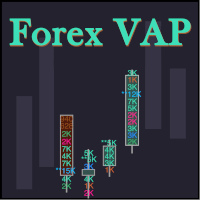
What do you see inside a candle? How to interpret the fight between bulls and bears? The candlestick chart brings a lot of information, but the volume is lacking in the candlestick body. This is where the Forex Volume At Price Expert Advisor comes in. This advisor searches for a set of recent trades, calculates the buy and sell attack volumes and prints on the candles, the volume value in each price range. You can also define up to ten colors to filter volumes and make it easier to
FREE

Tandem은 MetaTrader용 로컬 거래 복사 도구입니다. 같은 컴퓨터나 VPS에서 돌아가는 터미널끼리 거래를 복사하며, MT4에서 MT4로, MT4에서 MT5로, MT5에서 MT5로, 그리고 MT5에서 MT4로도 복사할 수 있습니다. 플랫폼마다 버전이 하나씩 있고, 두 버전은 서로 함께 동작합니다. 마스터와 슬레이브를 하나의 Expert Advisor에 담았습니다. 각 터미널의 차트에 적용한 뒤, 거래하는 계좌에서는 MASTER를 누르고 따라갈 계좌는 SLAVE로 두면 됩니다. 채널 번호만 같으면 슬레이브는 보통 1초도 걸리지 않아 마스터의 거래를 받아옵니다. 데이터는 터미널 공용 폴더의 작은 파일 하나로 주고받기 때문에 DLL도, 서버도, Windows 설정도 필요 없습니다. 각 터미널에서 알고리즘 거래를 허용해야 하고, 모든 터미널은 같은 Windows 사용자로 실행되어야 합니다. 복사되는 것은 시장가 포지션과 대기 주문, 그 손절과 익절, 나중에 바꾼 손절 및 대기 주문
FREE

제품이 마음에 드셨다면 댓글과 평가를 남겨주시는 것을 잊지 마세요!
Advanced Line Alerts 는 수평선을 지능형 가격 알림으로 변환하는 지표입니다. 간단하고 직관적인 인터페이스를 통해 차트에서 직접 가격 수준을 생성하고 시장이 해당 수준에 도달하면 즉시 알림을 받을 수 있습니다. 생성한 모든 알림 라인은 자동으로 저장됩니다. MetaTrader를 종료하더라도 다음 실행 시 모든 라인이 자동으로 복원됩니다. 또한 터미널이 종료된 동안 가격이 해당 수준을 통과한 경우에도 MetaTrader를 다시 실행하면 알림이 발생하여 중요한 가격 움직임을 놓치지 않습니다. 주요 기능 차트에서 빠르게 알림 라인 생성. 라인 상태 표시(선택됨, 활성화됨, 트리거됨). 가격이 설정된 수준을 통과하면 알림. MetaTrader 모바일 앱으로 Push 알림 전송. 가볍고 뛰어난 성능. 수백 개의 알림 라인을 동시에 지원. 트리거된 라인을 자동으로 유지하거나 삭제(설정 가능). 패널 표시/숨기기
FREE
如果产品有任何问题或者您需要在此产品上添加功能,请联系我 Contact/message me if you encounter any issue using the product or need extra feature to add on the base version.
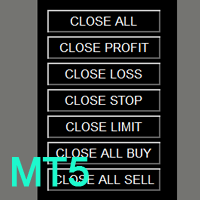
You can get the free Close Button MT4 version at LINK . Close Button provides you an intuitive, effective, and handy way to close your orders and/or positions based on their type and their profit status. The tool provides seven close options: Close All: close all pending orders and positions. Close Profit: close all positions which are in profit. Close L
FREE

AR Trade Practice Coach MT5 is a chart-based practice utility for MetaTrader 5. It is designed for traders who want to train their manual trading decisions on historical price movement without sending real orders to the broker.
The tool creates a live-style practice environment directly on the MT5 chart. You can replay market movement, place virtual BUY or SELL trades, manage SL and TP levels, close trades manually, and review your practice results through an on-chart trade history panel.
Thi
FREE
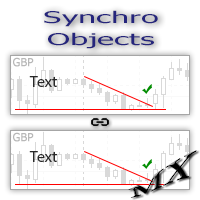
The SynchroObjects utility is designed to facilitate and speed up the work with graphic constructions on different charts of one symbol. The SynchroObjects utility clones the created objects to all charts on which the utility is running and which have the same symbol. And also synchronously changes their properties. The utility is easy to use and requires no configuration. Tip: If you view the history frequently - we also recommend you to also install the free Smart AutoScroll utility. It automa
FREE

Summary: Tick Delta Flow is a professional order flow analysis tool designed for Scalpers and Day Traders . Unlike standard volume indicators, it decomposes every price tick to reveal the actual aggressive buying and selling pressure (Delta) inside each candlestick. It provides a real-time "X-Ray" view of the market microstructure. Key Features: Candle-by-Candle Analysis (Main Chart): Displays real-time Buy Tick Count , Sell Tick Count , and Net Delta above/below each candle. Helps identify exha
FREE
MetaTrader 마켓은 개발자들이 거래 애플리케이션을 판매할 수 있는 간단하고 편리한 사이트이다.
제품을 게시하고 마켓용 제품 설명을 어떻게 준비하는가를 설명하는 데 도움이 됩니다. 마켓의 모든 애플리케이션은 암호화로 보호되며 구매자의 컴퓨터에서만 실행할 수 있습니다. 불법 복제는 불가능합니다.
