TrendSync Trade Panel One Click Trading
- ユーティリティ
-
Juliano Guzlinki Pacheco
 I believe that technology is one of the main competitive differentiators in the modern financial market. While many traders still rely exclusively on manual analysis and emotional decision-making, the use of automation, algorithms, and intelligent systems allows for more precise, fast, and
 - バージョン: 1.0
Free one-click trade panel for MT5: BUY/SELL on the price line and Breakeven, Partial, Reverse and Close buttons on every position.
DESCRIPTION:
TrendSync Trade Buttons is a free, lightweight trade panel for manual traders on MetaTrader 5. Open, reduce and close positions straight from the chart, without dialog boxes and without hunting for tickets in the Trade tab.
It is an execution tool, not a signal robot. It does not open trades by itself. Every action is yours; it just makes it one click.
ONE-CLICK ENTRY ON THE PRICE LINE
- BUY and SELL buttons that follow the ASK line, always near where you are looking.
- Editable lot field with + / − buttons that step by the symbol's own volume step.
- Margin check before sending: the order is not sent if free margin is not enough.
- Optional confirmation before each entry.
MANAGEMENT BUTTONS ON EVERY POSITION
Each open position gets its own row of buttons, drawn on the position's entry line:
- BE: moves the stop-loss to breakeven plus a small offset in profit. It never moves the stop backwards.
- Part: closes a configurable percentage of the volume (50% by default) and always leaves at least the minimum lot open.
- Reverse: closes the position and opens the opposite one with the same volume.
- Close: closes the whole position.
When several positions are at similar prices, the rows are spread apart automatically so they never overlap. Buttons follow scroll, zoom and scale changes.
SAFE BY DESIGN
- Optional confirmation on Reverse and Close.
- "Manual only" filter: by default the panel only manages your manual positions (magic 0) and ignores trades from other EAs.
- Works only on the chart symbol, so one chart never touches positions of another symbol.
- No DLLs, no external connections, no files written.
INPUTS
| Input | Default | What it does |
|---|---|---|
| Show BUY/SELL panel | true | Shows the entry panel on the ASK line |
| Initial lot | 0.01 | Lot shown in the field when the EA starts |
| Confirm before sending the order | false | Asks for confirmation on each entry |
| Show buttons on each position | true | Shows the BE / Part / Reverse / Close row |
| Only manual positions (magic 0) | true | Ignores positions opened by other EAs |
| % of volume closed by "Partial" | 50 | Share of the volume closed by the Part button |
| Breakeven offset (points) | 20 | How far into profit the BE stop is placed |
| Confirm Reverse / Close | true | Asks before reversing or closing |
| Distance from the right edge (px) | 74 | Moves the panel away from the price scale |
HOW TO USE
- Attach the EA to the chart of the symbol you trade and enable Algo Trading.
- Set your lot in the field and click BUY or SELL.
- Manage each position with the buttons on its line.
IMPORTANT NOTES
- Reverse opens the new position without a stop-loss. Set your stop right after reversing. (The full version does this automatically. See below.)
- Reverse works best on hedging accounts.
- Always test on a demo account first.
WANT THE STOP-LOSS PLACED FOR YOU?
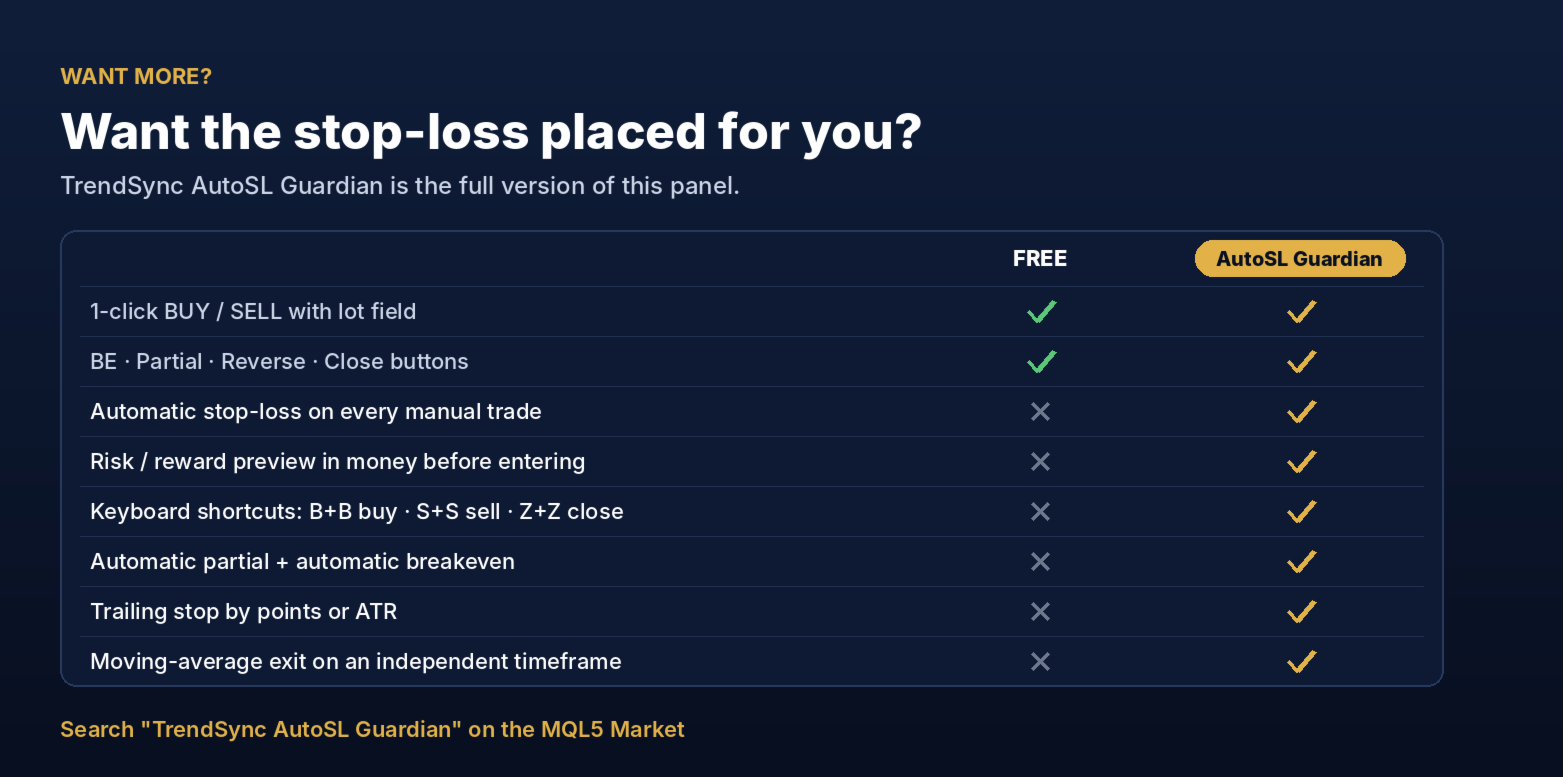
This free panel is the base of TrendSync AutoSL Guardian, the full version. It adds:
- Automatic stop-loss: every manual position that opens without a stop gets one instantly, at the previous candle or the entry candle, plus a buffer.
- Risk/reward preview in money: before entering, see the SL and target on the chart with the loss and profit in your account currency.
- Keyboard shortcuts with arm-and-confirm: B+B buys, S+S sells, Z+Z closes.
- Automatic partial by points or money, with automatic breakeven right after it.
- Trailing stop by fixed points or by ATR.
- Moving-average exit on a timeframe independent from the chart (e.g. trade H1, exit by the 9 EMA on M5).
- Full control over button position, colors and layout.
trade panel, one click trading, trade manager, breakeven, partial close, close all, manual trading, order management, free utility, XAUUSD