Watchlist Symbol Changer

Watchlist Symbol Changer – ワンクリックでチャートの銘柄を切替、保有ポジションを損益で色分け

気配値表示の全銘柄にボタンを用意した無料のチャートパネルです。クリックするとチャートの銘柄が切り替わり、時間足はそのまま維持されます。このEAは取引を行いません。

機能
- 気配値表示の銘柄ごとに1つのボタン。現在の銘柄は水色の枠で強調されます。
- ページ送り(Prev / Next)と、気配値表示の変更後に使う更新ボタン。
- 保有ポジション:利益なら緑、損失なら赤。同じ銘柄の複数ポジションは合算され、スワップの加算も選べます。
- プレフィックスによる銘柄フィルター(任意)。
- 動作が軽い:タイマーはポジション色のためだけに動き、変化があった時だけ再描画します。

設定
表示コーナー、余白、ボタンサイズ、1行のボタン数(0 = チャート幅で自動)、フォントサイズ、全ての色、ポジション色分けのオン/オフ、スワップのオン/オフ、更新間隔、タイトルバーのオン/オフ、プレフィックスフィルター。

ご注意
- 1つのチャートに適用してください。銘柄切替のたびにパネルは再構築されます。
- 気配値表示に表示されている銘柄のみ対象です。先に追加してから更新ボタンを押してください。
- このツールはチャート銘柄の切替とボタンの色付けのみ行い、注文は出しません。
おすすめのプロダクト
Risk Basket Planner
Mohamed Qosyairy Bin Shamsuddin
Risk Basket Planner Risk Basket Planner は MetaTrader 5 用の手動バスケットリスク計画ツールです。複数のエントリー価格、テクニカルストップロス、各レイヤーのロットサイズと実際のリスクを、手動注文の前に確認できます。 主な機能 1~5 レイヤー のエントリー計画。 BUY / SELL の方向選択。 口座 Equity に対する割合でリスクを設定。 L1-L5 の価格を入力、またはチャート上でドラッグ可能。 全レイヤー共通の Technical Stop Loss 。 Auto SL 80% / 100% / 120% プリセット。 正確な価格を指定できる Manual SL モード。 エントリー、SL、リスク%、方向、レイヤー数変更後に自動再計算。 各レイヤーへ均等リスク配分を試み、 ブローカーの最小ロット・ロットステップ反映後の実際のリスク を表示。 各レイヤーのロット、リスク%、リスク金額、合計ロット、目標リスク、実際のバスケットリスクを表示。 現在のスプレッドと最も近い SL までの距離を表示。 SL がスプレッドやブローカー制
FREE
Session Panel for MT5 Session Panel is a free MT5 indicator that gives you a fast and convenient live overview of the major trading sessions directly from the chart. Monitor Tokyo, London, and New York session times, see which session is currently active, track countdowns to the next session, and view session overlap information in one compact dashboard. Built for traders who want better market timing, clearer session awareness, and a cleaner chart workflow in live market conditions. Session Pan
FREE
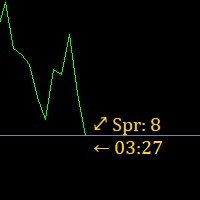
Super simple, convenient, useful tool. Allows displaying the end time of a candle (standard) and expanding the symbol's spread in real time. The countdown tool is smooth, not jerky or slow like some other tools Useful tool for professional traders specializing in short-term and long-term trading. Contact author or user guide: https://www.mql5.com/en/channels/metool_trading
FREE
Position Calculator calculates how many lots to trade based on: Entry and stop-loss levels Risk tolerance Account size (balance, equity, or even your savings account) Account currency Currency exchange rates - The main tab of the panel provides the primary control over the EA's functions and serves to output the most important calculation results: the position size, risk, reward, and risk-to-reward ratio. - The risk tab can help you assess current and potential risk and reward profile. Using a s
FREE
Ofir blue is the first full trading application for Telegram. It is proposed in 2 versions : OfirBlueLite (without trading) and OfirBluePro (with trading). The Pro version is still in beta (available on request).  To access Ofir Blue Lite, go to Telegram and open the bot @OfirBlueLite. All demos, tutorials and docs are available in Telegram. Join the Telegram group @OfirBlueUserGroup to get updated information and support. Features: Dashboard  ️ Account summary ️» Profit of the day ️» Eq
FREE
Telegram ChartSnap MT5 is an utility tool to bridge your MetaTrader 5 activities to your Telegram chat/group/channel. It will screen shot your MetaTrader 5 chart and send it to your dedicated Telegram chat/group/channel through a Telegram bot. The whole process will keep repeating based on a time cycle that predetermined by the user. It is a convenient tool for those who like to get access to their favorite system/dashboard that only available at MetaTrader Desktop. Beside that, trader can easi
The real‑time view of what is happening inside the market. Footprint Secrets brings detailed analysis directly into MetaTrader 5. It shows where volume is trading, how buyers and sellers are interacting, and how liquidity shifts as the market evolves. Designed for traders who want a precise, real‑time understanding of market behavior. Benefits for the Trader See the real activity behind price . Footprint charts reveal bid/ask volume and delta at every price level. Understand who controls the m
FREE
This script analyzes all symbols in Market Watch for a set timeframe. The result is displayed on the Experts tab and in the specified file. For more convenient viewing and editing, the result is displayed in a csv file. For the calculation, the Pearson formula is used. The value of the correlation coefficient of pairs close to 1 means that the pairs move almost identically. A value close to -1 means that the pairs move in the same way. This tool will be useful to those who use hedging due to the
Trade Panel and Risk Manager by FundedOps is a professional on-chart control panel that puts fast, precise, rule-based trade execution and management one click away. Built for discretionary and funded/prop traders who want tight control over risk on every trade — without the manual lot math, the scattered shortcuts, or the missed management steps. It works across all markets — forex, indices, metals, commodities and crypto — on any timeframe, and on both netting and hedging accounts. This is
Breakout scalp PRO
Cesar Napoleon Guio Martinez
Automated breakout scalper EA trading system with advanced execution filters and built-in risk management. Designed to operate during selected market conditions, combining session control, spread and slippage filtering, and dynamic trade management. Safety First Approach:  This EA does not use grid systems, martingale strategies or other high-risk unlimited recovery strategy. Every position is protected with predefined Stop Loss and Take Profit levels. The strategy is designed to maintain contro
Multi trades update
Abdelaziz Omar Abdelaziz Nader
Core Features: Profit Target Control: Automatically closes all open positions once a defined total profit value is reached. Drawdown Protection: Monitors total floating losses and closes all trades if the loss exceeds a set percentage of the account balance. Trading Halt on Target: Automatically stops further trading once a desired percentage profit of account balance is achieved. Dynamic SL/ TP Adjustment: Optionally adjusts Take Profit and Stop Loss for all open trades to pr
FREE
JYPF Trade Panel is a professional, interactive trading assistant for MT5. It features dynamic 3-line synchronization (Entry/SL/TP) with "Instant Click-and-Drag" technology. Avoid mouse blockages with our cutting-edge translucent trend-zone visualization. Real-time floating profit/loss projections and Risk-to-Reward (R:R) ratios are calculated instantly on your chart. Complete with one-click break-even, 50% partial close, trailing pips, and global equity protection—the ultimate toolkit for scalp
FREE
Gold Trend Strength Pro Gold Trend Strength Pro is a MetaTrader 5 Expert Advisor designed specifically for XAUUSD (Gold) trading on the M15 timeframe . The EA combines trend analysis, market strength detection, volatility filters, and dynamic risk management to identify high-probability trading opportunities while avoiding unnecessary market exposure. Main Features Designed exclusively for XAUUSD / Gold Recommended timeframe: M15 Trend-following strategy with market strength analysis Vol
Symbol Cost Monitor は、複数の取引銘柄における取引コストを同時かつ迅速に監視するために開発された、MetaTrader 5向けの高機能分析ユーティリティです。 スプレッドとスワップは、取引の最終的な結果に直接影響します。特にスキャルピング、活発なデイトレード、数日間にわたるポジション保有、複数銘柄の同時取引では、これらのコストを正確に把握することが重要です。MetaTrader 5の標準インターフェースでは、すべての情報を1つの画面で簡単に比較できないため、通常は各銘柄の仕様を個別に開いて確認する必要があります。 Symbol Cost Monitorは、選択された銘柄の主要データを収集し、チャート上のコンパクトなパネルに表示します。スプレッドが拡大している銘柄の確認、スワップの比較、取引条件の変化の監視、ポジションを開く前の潜在的なコストの評価を簡単に行えます。 パネルのデータはリアルタイムで更新され、気配値表示に登録されているすべての銘柄、またはユーザーが指定した銘柄リストを監視できます。色分け表示により取引条件の悪化を素早く確認でき、設定した水準をスプレッドが
FREE
NEXA Adaptive Gold Engine PRO 1. 概要 NEXA Adaptive Gold Engine PROは、GOLD(XAUUSD)市場向けに開発された自動売買システム(Expert Advisor)です。 本システムは、市場構造・トレンド方向・ボラティリティを分析し、事前に定義されたルールに基づいて取引を実行します。 異なる市場環境に適応するため、複数のロジックを組み合わせています。 2. 動作方式 本EAは以下のプロセスで動作します: トレンドおよび市場構造の分析 ボラティリティに基づくエントリー条件の確認 条件成立時の自動注文実行 リスク管理ルールに基づくポジション管理 すべての取引は自動的に実行されます。 3. 主な特徴 GOLD(XAUUSD)に特化 フィルター付きトレンド戦略 完全自動のエントリーおよび決済 統合されたリスク管理システム 取引時間の制御機能 市場状況に応じた適応動作 4. 取引ロジック 本システムは以下の原則に基づいて動作します: 主要トレンド方向に沿った取引 不要なエントリーのフィルタリング 構造的なポジション管理 条件に応じた追
The real‑time view of what is happening inside the market. Footprint Secrets brings detailed analysis directly into MetaTrader 5. It shows where volume is trading, how buyers and sellers are interacting, and how liquidity shifts as the market evolves. Designed for traders who want a precise, real‑time understanding of market behavior. Check out the free preview version here:  https://www.mql5.com/en/market/product/172398 Benefits for the Trader See the real activity behind price . Footprint ch
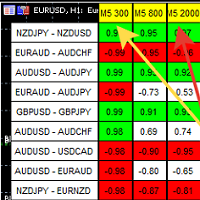
A script showing the correlation for three selected zones at once (TF-bar) In the parameters, select 3 options The data is displayed sorted by the first zone The script also creates a file in which it writes all the data without sorting. In this way, you can expand the number of zones to any number and perform the analysis in exsel Parameters: TF_Trade1 =PERIOD_M5; BarsCor1  = 300; TF_Trade2 =PERIOD_M5; BarsCor2  = 800; TF_Trade3 =PERIOD_M5; BarsCor3  = 2000; K             = 0.8; WindSize   
FREE
Trailing Stop Manager MT5 Trailing Stop Manager MT5 is a flexible trade management utility for MetaTrader 5 that automatically moves the Stop Loss as price moves in your favor. It is designed for traders who want to protect profits and manage open positions automatically while keeping control over how and which positions are managed. The manager currently includes two trailing methods: • Standard Trailing Stop • Fractals Trailing Stop It also includes a compact trading panel for opening, managi
Forget about enabling templates when you launch the window. Auto Template Master Service  is a professional utility tool that runs as a system service in MetaTrader 5, and it will do it for you. Unlike traditional indicators or expert advisors (EAs), the program runs in the background of the entire terminal and doesn't require you to add it to each window individually. As soon as you open a new chart of any instrument (Forex, Stocks, Crypto), the service immediately detects the new window and a
# ApexForge One Click Close EA ## Overview **ApexForge One Click Close EA** is a lightweight, non-blocking trading utility that allows you to close all matching positions—and optionally delete pending orders—with a single click. Instead of manually closing trades one by one during volatile markets, this EA provides a fast, reliable, and visually clear way to manage your exposure instantly. > ️ This tool does not generate trading signals or open positions automatically. It is designed purely
FREE
Apex one
Sitthichai Thongthae
Apex one — Systematic Gold Trading with Three Strategies That Filter Setups Before Entry Apex one is an Expert Advisor for XAUUSD / Gold trading on MetaTrader 5 . It combines three strategies in one system, together with position management and risk-control tools. Apex one prioritizes entry quality over trading frequency . Each strategy evaluates its own conditions before submitting an order, with Stop Loss, Take Profit, and ongoing position management. LIMITED TIME BUY 1 GET 1 FREE offer. Buy O
S&P 500スキャルパーアドバイザーは、S&P 500指数で成功したいトレーダーのために設計された革新的なツールです。この指数は、米国の株式市場で最も広く利用され、権威のある指標の一つであり、米国の主要企業500社で構成されています。 特徴: 自動取引ソリューション:     アドバイザーは、高度なアルゴリズムとテクニカル分析に基づいており、変化する市場状況に合わせて戦略を自動的に適応させます。 多目的なアプローチ:     アドバイザーは、インデックスのトレンドの理解、変動価格の分析、利益を最大化しリスクを最小化するアルゴリズムなど、複数の戦略を組み合わせます。 柔軟性とカスタマイズ性:     トレーダーは、取引目標、リスク レベル、取引戦略の好みに合わせて EA 設定をカスタマイズできます。 リスク管理:     アドバイザーは市場を常に監視し、リスクを管理するための対策を講じます。一定の損失レベルに達したときに取引を自動的に終了するように設定することもできます。 透明性と報告:     トレーダーは詳細なレポートと分析にアクセスしてアドバイザーのパフォーマンスを評価し、情報に
Multi-Symbol Chase Mirror は、自分の口座の確定した取引履歴だけを読み、「いくつの異なる銘柄に新規のポジションを持ったか」という1点だけを数える道具です。予測も助言もしません。パネルに出るのは、すでにこの口座で起きたことの実測値だけです。 数字の作り方: 全銘柄・全マジック番号を対象に、最大31日分の確定した約定を読み込みます(チャートの銘柄に限らない、口座全体の集計です)。Symbols traded today は、サーバー時刻の今日0時以降に新規エントリーがあった銘柄の種類数です。Symbols in last 60min は同じ数え方を直近60分の窓で行ったもので、どちらも0件のときも実数値をそのまま表示します。当日より前の30日間からは、1日あたりの銘柄種類数の中央値を別に求めて 30d daily median として表示します。平均ではなく中央値を使うのは、1日だけ極端に多くの銘柄に手を出しても基準値全体が引きずられないようにするためです。その30日間の新規エントリーが5件に満たない場合は、30d daily median の欄だけ十分な標本が無
FREE
Human opens. Robot manages. Most traders lose money not because they enter badly, but because of what happens after the click. The stop moved too late. The partial nobody took. The position left open over the weekend. The trade that was up 80 pips and closed at break-even because you were asleep. LABPro GOLD does not try to replace your judgement. It is a Trade Manager , not a signal generator. You decide when to enter — from your PC, from MT5 Mobile, from any platform connected to your account
Sonic R Pro Enhanced EA - バージョン 2025 249ドル - 最初の5名様限定! ライブシグナル Sonic R Pro Enhancedのライブパフォーマンスを確認: トレード戦略 Sonic R Pro Enhancedは、Dragon Band (EMA 34とEMA 89) を基にした自動トレード戦略の改良版であり、先進的なアルゴリズムを搭載しています。 タイムフレーム: M15, M30 対応通貨ペア: XAUUSD, BTCUSD, AUDJPY, USDJPY トレードスタイル: スイングトレード - リトレースメント & 逆張り 最低資金: 500 USD レバレッジ: 1:200 以上 ユーザーガイド Sonic R Pro Enhancedはシンプルさを追求しています。設定するのは1つのパラメータ: RiskAmount のみです。 RiskAmount < 0 の場合:口座残高のパーセンテージでリスクを計算 RiskAmount > 0 の場合:1回のトレードあたりの固定リスク金額 (USD) 例: RiskA
️ Trade Manager oneclick  ( Reverse Trade,  Partial Close,  Breakeven, Close All Running Trade )   control – Smart Manual Trade Control for MT5 Trade Manager oneclick control is a powerful yet lightweight trade management utility built for manual traders who want precise control over their open positions — directly from the MT5 chart. This EA does not open or close trades automatically based on any strategy. It simply provides one-click management tools to handle your running trades efficient
FREE
How the Chart Cleaner Script Works The Chart Cleaner is a one-click tool designed to instantly wipe your chart clean. When you drag and drop the script onto a chart, it scans for and removes all visual objects—including trend lines, horizontal lines, text labels, shapes, and any other drawings you have placed. The result is a completely clean, uncluttered chart, giving you a fresh workspace for your analysis. It's the fastest way to reset your chart to its default state.
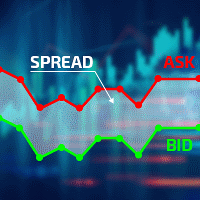
Excellent spread indicator. Reflects the spread on each bar as it is. It should be remembered that the spread is displayed at the time of the bar opening. Therefore, the most correct information will be on the minute bars. Spread is one of the basic forex concepts that any trader should know. If explained clearly, you can describe such an example. The trader buys the EUR / USD pair at the rate of 1.1000. However, he immediately goes into negative territory, for example, by 10 points, as if he bo
Mean Reversion Scalper - Free EA Overview - Mean Reversion Scalper is a fully automated trading robot designed for the MetaTrader 5 platform. As the name suggests, this Expert Advisor operates on the mean reversion principle, identifying overextended price movements and capitalizing on the market's natural tendency to return to its average. The core logic is built around the Bollinger Bands indicator, one of the most popular and effective tools for identifying overbought and oversold conditio
FREE
Close Positions on Candle Close This tool allows you to automatically close positions based on the last candle's closing price, helping confirm trade exits and avoiding unpredictable price movements. How It Works: The EA waits for a candle to close above or below the Stop Loss level before executing a position close. It eliminates the need to manually monitor trades and helps automate exit strategies. Settings: Order_Type: Select the types of orders or positions to be managed. CandleTimeFrame:
FREE
このプロダクトを購入した人は以下も購入しています
Trade Assistant MT5
Evgeniy Kravchenko
4.43 (216)
取引 ごとのリスクの 計算、新規注文 の 簡単 な 設置、部分的 な 決済機能 を 持 つ 注文管理、 7 種類 のトレーリングストップなど 、便利 な 機能 を 備 えています 。 追加の資料と説明書 インストール手順   -   アプリケーションの手順   -   デモアカウント用アプリケーションの試用版 ライン機能 チャート上にオープニングライン、ストップロス、テイクプロフィットを表示します。この機能により、新規注文を簡単に設定することができ、注文を出す前にその特徴を確認することができます。   リスク計算 リスク計算機能は、設定されたリスクとストップロス注文のサイズを考慮して、新規注文のボリュームを計算します。ストップロスの大きさを自由に設定できると同時に、設定したリスクを守ることができます。 Lot calc ボタン - リスク 計算 を 有効 / 無効 にします 。 Risk フィールドでは 、必要 なリスクの 値 を 0 から 100 までのパーセンテージまたは 預金通貨 で 設定 します 。 設定」 タブで 、 リスク 計算 の 種類 を 選択 します :「 $ 通
Trade Manager EAへようこそ。これは、取引をより直感的、正確、そして効率的にするために設計された究極の リスク管理ツール です。これは単なるオーダー実行ツールではなく、包括的な取引計画、ポジション管理、リスク管理のためのソリューションです。初心者から上級者、迅速な実行を必要とするスキャルパーまで、Trade Manager EAはあらゆるニーズに対応し、為替、指数、商品、暗号通貨などさまざまな市場で柔軟に対応します。 Trade Manager EAを使用すると、複雑な計算が過去のものになります。市場を分析し、エントリーポイント、ストップロス、テイクプロフィットのレベルをチャート上のラインでマークし、リスクを設定するだけで、Trade Managerが最適なポジションサイズを即座に計算し、SLとTPをピップ、ポイント、口座通貨でリアルタイムに表示します。すべての取引が簡単かつ効果的に管理されます。 主な機能: ポジションサイズ計算機 :定義されたリスクに基づいて取引サイズを瞬時に決定します。 簡単な取引計画 :エントリー、ストップロス、テイクプロフィットを設定するためのド
Local Trade Copier EA MT5
Juvenille Emperor Limited
4.94 (149)
Local Trade Copier EA MT5 は、同一の Windows PC または Windows VPS 上で稼働する複数の MetaTrader 5 口座間で、取引をコピーおよび管理するための高速で柔軟なトレードコピーツールです。 ローカルでの取引同期に加え、Receiver 側でロットサイズ、リスク管理、取引フィルター、シンボルマッピング、取引管理、口座保護を個別に設定できます。 Transmitter と Receiver のターミナルは約 1分 で設定でき、同一ブローカーまたは異なるブローカーの口座間で、手動取引や EA による取引をコピーできます。適切な条件下では、ローカルの MetaTrader ターミナル間で取引情報を 0.5秒未満 で同期できます。実際の約定速度は、ブローカーのレイテンシー、ネットワーク状況、PC/VPS の性能、ターミナルの負荷によって異なります。 ご購入前に無料デモをお試しください Local Trade Copier EA MT5 の完全機能版無料デモ を、MT5 デモ口座で 1回につき4時間 テストできます。 Local Trad
Telegram to MT5 Multi-Channel Copier   は、 Telegram と Discord チャンネルのトレードシグナルを MetaTrader 5 へ自動コピーします。ボット不要、ブラウザ拡張不要、手動コピー不要。Telegram や Discord にシグナルが届くと、EA が数秒であなたのターミナルに注文を出します。 さらに、チャンネルをコピーする前に、内蔵バックテスターでそのチャンネルがあなたの口座でどう動いたかを確認できます。 製品は 2 つのコンポーネントで構成されます:Telegram チャンネルを監視する Windows アプリと、MT5 ターミナルでシグナルを執行する本 EA です。MT4 版もあります   こちら . セットアップガイドとアプリのダウンロード:   https://www.mql5.com/en/blogs/post/768988 Telegramのシグナルチャンネルをバックテストする方法 をご覧ください。 現在の価格は今後値上げされます。 仕組み アプリはあなた自身の Telegram アカウントで接続するため、フォロ
================================================================================ POC BREAKOUT - V20.72. Full Professional Grade Toolkit ================================================================================ POC Breakout is a full MetaTrader 5 trading dashboard for discretionary traders who want breakout signals, Point of Control (POC) context, volume profiles, order flow, market structure, news, alerts, and advanced trade planning in one professional workspace. Attached directly to you
TradePanel MT5
Alfiya Fazylova
4.88 (170)
Trade Panelは多機能なトレーディングアシスタントです。アプリには手動取引用の50以上のトレーディング機能が搭載されており、ほとんどの取引作業を自動化することができます。 アプリの説明書: https://www.mql5.com/en/blogs/post/756482 デモ口座用アプリの試用版: https://www.mql5.com/en/blogs/post/750865 アプリのインストール方法: https://www.mql5.com/en/blogs/post/756239 アプリをビジュアルモードでテストする方法: https://www.mql5.com/en/blogs/post/770277 VPSのMetaTraderにアプリをインストールする方法: https://www.mql5.com/en/blogs/post/770190 取引。 ワンクリックで取引操作を行うことができます: リスクを自動計算して指値注文やポジションを開く。 複数の注文やポジションをワンクリックで開く。 注文のグリッドを開く。 保留中の注文やポジションをグループごとに閉じる
Strategy Ledger Pro
Abdullah Uygar Tuna
5 (11)
日本語に対応しました。 Strategy Ledger Pro は、MetaTrader 5 用の読み取り専用の口座分析パネルです。口座の成績をエキスパートアドバイザー(EA)、戦略、銘柄、マジックナンバーごとに分け、それぞれが実際にどれだけ貢献しているかを明らかにします。 パネルは 11 言語に対応しています:English、Français、Deutsch、Español、Italiano、Português、Русский、Türkçe、中文、日本語、한국어。 デモをダウンロードする前に。 Market では、有料製品のデモはストラテジーテスター内でのみ実行されます。このパネルはご自身の口座の取引を分析しますが、ストラテジーテスターには読み取る口座履歴がないため、デモは空のパネルで起動し、その旨を表示します。これはデモの仕組みによるもので、製品の制限ではありません。 この説明内の動画では、実口座でのパネルの動作をご覧いただけます。 すべての機能を解説した詳しい マニュアル (英語)と、情報交換やお知らせのための AureusAI Trading Suite グループをご用意し
The Patch It never opens a trade. It walks behind the ones that did. Every open position, every pending order — checked twice a second for the one thing that's easy to forget: a stop, a target. Found bare, it doesn't ask. It writes the missing number in, measured in points from wherever the position began, and moves on to the next. No strategy, no opinion on direction. Just the quiet assumption that nothing should ever sit on the market unprotected — not because someone decided it shouldn't,
自分の取引ルールで Telegram のシグナルをコピー Telegram to MT5 Signal Trader は、Telegram の公開・非公開チャンネルやグループから、テキスト形式の取引シグナルを MetaTrader 5 へ自動でコピーします。1つのデスクトップアプリで複数の配信者と MT5 口座を管理し、 配信者ごとにリスクと取引設定を個別に指定 できます。 シグナルのコピーに Telegram ボットや API 設定は必要ありません。 電話番号または QR コードでご自身の Telegram アカウントにログインし、すでに参加しているチャンネルやグループを選ぶだけです。ボットの作成や、Telegram API トークン、API ID、API hash の入力は不要です。 ポジションサイズを選び、複数の利確水準に分けて決済し、建値へのストップ移動やトレーリングストップを自動化できます。配信者のシグナルを受け取りながら、実際の取引方法は自分で管理できます。 本製品は、この MT5 エキスパートアドバイザ(EA)と、必須の Windows 連携アプリで構成されます。 インス
Floor Watch
Syed Tauqeer Hussain Shah
Floor Watch One number, watched every thirty seconds: how far equity has fallen since the day began — or since its highest point, if it's told to trail the peak instead of the open. Cross the line and it doesn't argue. Every open position closes, every pending order vanishes, and anything that slips through afterward gets shut the moment it appears. Not asked. Removed. The floor holds until the clock turns 5 AM Pakistan time — then, and only then, does the day start over. One rule. No except
一度の購入で、現在提供中および今後リリースする私のすべての MT4・MT5 インジケーターを追加料金なしで受け取れます。 購入後、受け取り方法について私にお問い合わせください。 10 件の購入ごとに 50$ ずつ、最大 999$ まで値上げする予定です。購入手続き時に Market に表示される価格が適用されます。 信頼するインジケーターをそのままに。周辺の取引作業を自動化。 あなたのシグナル。あなたのルール。あなたの取引執行。 信頼する MT5 インジケーターはあるのに、チャートの監視、シグナル待ち、ロット計算、発注、各ポジションの管理を手作業で行っていませんか? Stratiora Signal Engine MT5 は、これらの作業をつなぎます。対応する買い・売りバッファのシグナルを、エントリー、取引量計算、Stop Loss、Take Profit、フィルター、ポジション管理、口座保護までの自動処理に変換できます。 インジケーターや取引アイデアを変えるたびに別の EA を依頼する代わりに、柔軟な一つのエンジンで各シグナルの取引方法を決められます。 あなたのシグナル。あなたのル
Grid Manual MT5
Alfiya Fazylova
4.73 (22)
「Grid Manual」は、注文のグリッドを操作するための取引パネルです。 ユーティリティはユニバーサルで、柔軟な設定と直感的なインターフェイスを備えています。 それは、損失を平均化する方向だけでなく、利益を増やす方向でも注文のグリッドで機能します。 トレーダーは注文のグリッドを作成して維持する必要はありません。 すべてが「Grid Manual」によって行われます。 注文を開くだけで十分であり、「Grid Manual」は注文のグリッドを自動的に作成し、非常に閉じるまでそれに付随します。 完全な説明とデモバージョン ここ。 ユーティリティの主な機能と機能 ユーティリティは、モバイル端末から開かれた注文を含め、あらゆる方法で開かれた注文を処理します。 「制限」と「停止」の2種類のグリッドで機能します。 グリッド間隔の計算には、固定と動的(ATRインジケーターに基づく)の2つの方法で機能します。 オープンオーダーグリッドの設定を変更できます。 チャート上の各注文グリッドの損益分岐点を表示します。 各注文グリッドの利益率を表示します。 ワンクリックでグリッドから収益性の高い注文を閉じるこ
Power Candles Strategy Scanner - 自動最適化型マルチシンボル設定ファインダー パワーキャンドル・ストラテジー・スキャナーは 、パワーキャンドル・インジケーターを駆動するのと全く同じ自己最適化エンジンを、マーケットウォッチに登録されているすべての銘柄に対して並行して実行します。1つのパネルで、現在統計的に取引可能な銘柄、各銘柄で勝率の高い戦略、最適なストップロス/テイクプロフィットの組み合わせが表示され、新たなシグナルが発生した瞬間に通知が届きます。 このツールは、Stein Investmentsのエコシステムの一部です。  18種類以上のツールをすべて閲覧し、AIを活用したセットアップの推奨を受け取り、  https://stein.investments でコミュニティに参加しましょう 市場動向を網羅。銘柄ごとに3,000件以上の自動最適化。2種類のアラート。ワンクリックでチャートを切り替えて即座にアクション。 なぜこれが必要なのか 多くのマルチ銘柄スキャナーは、 価格の動き (ボラティリティ、変動率、銘柄ごとのRSI)を表示するだけです。それ
MT5 to Telegram Signal Provider は、Telegramのチャット、チャンネル、またはグループに 指定された シグナルを送信することができる、完全にカスタマイズ可能な簡単なユーティリティです。これにより、あなたのアカウントは シグナルプロバイダー になります。 競合する製品とは異なり、DLLのインポートは使用していません。 [ デモ ] [ マニュアル ] [ MT4版 ] [ Discord版 ] [ Telegramチャンネル ]  New: [ Telegram To MT5 ] セットアップ ステップバイステップの ユーザーガイド が利用可能です。 Telegram APIの知識は必要ありません。必要な全ては開発者から提供されます。 主な特長 購読者に送信する注文の詳細をカスタマイズする機能 例えば、Bronze、Silver、Goldといった階層型のサブスクリプションモデルを作成できます。Goldサブスクリプションでは、すべてのシグナルが提供されます。 id、シンボル、またはコメントによって注文をフィルターできます 注文が実行されたチャート
Daily Trading Limiter
AL MOOSAWI ABDULLAH JAFFER BAQER
5 (8)
• Please test the product in the Strategy Tester before purchasing to understand how it works. • If you face any issues, contact me via private message—I’m always available to help. • After purchase, send me a screenshot of your order to receive a FREE EA as a gift. Daily Trading Limiter — the rule you cannot break Every trader knows the number. Three trades. Two percent. One bad day and stop. And every trader has watched themselves take the fourth trade anyway. The problem was never knowing th
VirtualTradePad PRO SE MT5 — MetaTrader 5向けプロフェッショナル取引コントロールセンター VirtualTradePad PRO SE は、 MetaTrader 5 向けのプレミアムなチャートベースの取引パネルであり、トレード管理ワークスペースです。より速い執行、明確なポジション管理、構造化されたトレード管理、視覚的なレベル計画、そしてチャート上で完結するプロフェッショナルなワークフローを求めるトレーダー向けに設計されています。 これは単なる BUY / SELL パネルではありません。PRO SE は、手動取引、予約注文、ポジション管理、部分決済、バスケット損益管理、平均化レベル、ATMルール、シグナル監視、リアルタイム市場情報、ストラテジーテスター (Strategy Tester) ワークフロー、VPS向け運用を、1つの連携されたインターフェースに統合します。 MT4版 | 完全な説明とスクリーンショット | 購入方法 | インストール方法 | ログファイルの取得方法 | テストと最適化の方法 | Expforex のすべての製品 PRO
Trading Chaos Expert
Hennadii Stanilevych
5 (11)
This software has no equals in the world and represents a universal trade "console" covering trading signals, automated market entry, setting of Stop Loss and Take Profit, as well as Trailing Profit for multiple trades at the same time in a single open window. Intuitive control of the Expert Advisor in "three clicks" ensures a comprehensive use of all its functions on different computers, including tablets PCs. Interacting with additional signal indicators that mark the chart to give a real mark
Trade copier MT5
Alfiya Fazylova
4.61 (56)
Trade Copierは、取引口座間の取引をコピーして同期するように設計された専門的なユーティリティです。 コピーは、同じコンピューターまたはvps にインストールされている、サプライヤーのアカウント/端末から受信者のアカウント/端末に行われます。 購入する前に、デモ アカウントでデモ バージョンをテストできます。 デモ版 こちら 。 詳細な説明は こちら 。 主な機能と利点: MT5ネッティングアカウントを含む、MT5> MT5、MT4> MT5、MT5> MT4のコピーをサポートします。 高いコピー速度(0.5秒未満)。 ベンダーモードと受信者モードは同じ製品内に実装されています。 チャートから直接リアルタイムでコピーを制御できる、簡単で直感的なインターフェイス。 接続が切断されたり、端末が再起動されたりしても、設定と位置が失われることはありません。 コピーするシンボルを選択できます。また、受信者のシンボルを置き換えることもできます(例:EURUSD> USDJPY)。 各シンボルごとにコピーの個別設定を行うことができます。 バックコピーをサポートします。 特定の注文のみのコピー
Exp COPYLOT CLIENT for MT5
Vladislav Andruschenko
3.97 (35)
MetaTrader 5 用のプロフェッショナル取引コピー機 MetaTrader 向けの高速・高性能・信頼性の高い 取引コピー機 です。 COPYLOT は、MT4 と MT5 のターミナル間で Forex 取引をコピーでき、 Hedge 口座と Netting 口座の両方に対応しています。 COPYLOT MT5 版の対応構成: - MT5 Hedge → MT5 Hedge - MT5 Hedge → MT5 Netting - MT5 Netting → MT5 Hedge - MT5 Netting → MT5 Netting - MT4 → MT5 Hedge - MT4 → MT5 Netting MT4 版 完全な説明 + DEMO + PDF 購入方法 インストール方法 ログファイルの取得方法 テストと最適化の方法 Expforex のすべての製品 MT4 ターミナルへのコピーも可能です(MT4 → MT4、MT5 → MT4): COPYLOT CLIENT for MT4 COPYLOT は、2台、3台、さらには10台のターミナル間で同時に動作できる、プロフェッ
Telegram To MT5 — シグナルコピア Telegram チャンネルのトレードコールを、実際の MT5 注文に変換します — 自動で、好きなだけの口座に対応し、リスクとルールは完全にあなたの管理下に置けます。 Telegram To MT5 は、あなたが Telegram で既にフォローしている VIP / シグナルチャンネルを MetaTrader 5 端末に接続します。無料の付属デスクトップアプリがメッセージを読み取り(ボットを禁止しているチャンネルでも可能)、この EA があなたの口座でそれらを執行します — あなた自身のリスク設定、シンボルマッピング、テイクプロフィット処理、セッションおよびニュースフィルターを適用します。 これはシグナルコピアであり、ブラックボックス戦略ではありません。どのチャンネルを信頼するか、各トレードのロットと管理方法をあなたが決めます。 ステップバイステップの設定と付属アプリのインストールガイド 仕組み [あなたの Telegram チャンネル] -> [付属デスクトップアプリ] -> [MT5 + この EA] -> 注文 付属デスクトッ
Trade Copier Ultimate
Janitha Sandaruwan Amaradasa Wickramasingha Arachchilage
5 (5)
Trade Copier Ultimate - Telegram to MT5 Signal Copier Trade Copier Ultimate automatically copies Telegram trading signals into MetaTrader 5. The EA can read signal messages, detect the symbol, order type, entry price, Stop Loss, Take Profit levels and selected update commands, then execute or manage the trade in MT5 using your lot and risk settings. It is more than a basic Telegram to MT5 copier. TCU also supports Bot API and user-account Bridge workflows, Discord signal routing, local MT5 to MT
YuClusters
Yury Kulikov
4.93 (43)
Attention: You can view the program operation in the free version  YuClusters DEMO .  YuClusters is a professional market analysis system. The trader has unique opportunities to analyze the flow of orders, trade volumes, price movements using various charts, profiles, indicators, and graphical objects. YuClusters operates on data based on Time&Sales or ticks information, depending on what is available in the quotes of a financial instrument. YuClusters allows you to build graphs by combining da
Trade Manager は、リスクを自動的に計算しながら、取引を迅速に開始および終了するのに役立ちます。 過剰取引、復讐取引、感情的な取引を防止する機能が含まれています。 取引は自動的に管理され、アカウントのパフォーマンス指標はグラフで視覚化できます。 これらの機能により、このパネルはすべてのマニュアル トレーダーにとって理想的なものとなり、MetaTrader 5 プラットフォームの強化に役立ちます。多言語サポート。 MT4バージョン  |  ユーザーガイド + デモ Trade Manager はストラテジー テスターでは機能しません。 デモについてはユーザーガイドをご覧ください。 危機管理 % または $ に基づくリスクの自動調整 固定ロットサイズを使用するか、ボリュームとピップに基づいた自動ロットサイズ計算を使用するオプション RR、Pips、または価格を使用した損益分岐点ストップロス設定トレーリングストップロス設定 目標に達したときにすべての取引を自動的に終了するための 1 日あたりの最大損失 (%)。 過度のドローダウンからアカウントを保護し、オーバートレードを防ぎます

Signal TradingView to MT5 Pro Automator TradingViewとMetaTrader 5間の即時プロフェッショナル実行 TradingViewのシグナル(アラート)とMT5での実際の約定を繋ぐ、最も強固なコミュニケーションブリッジで、取引戦略を自動化します。スピード、柔軟性、そして完璧なリスク管理を求めるトレーダー向けに設計されたこのExpert Advisorは、あらゆるアラートメッセージを正確な成行または指値注文に変換します。 強みと利点 ユニバーサルパーシングエンジン(独自技術): あらゆるアラート形式からデータを自動的に認識し、抽出できる高度なテクノロジー。単一の固定フォーマットに制限されることはありません。システムはシンボル(銘柄)、アクション、価格、SL(ストップロス)、TP(テイクプロフィット)を自動的に理解します。 リアルタイム実行: レイテンシ(遅延)を最小限に抑えるよう最適化された、1秒未満の超高速ポーリング技術。シグナルを受信してから数ミリ秒以内に注文が実行されます。 機関投資家レベルのリスク管理: 以下に基づく自動かつ正確
Footprint Chart Pro — Professional OrderFlow EA for MetaTrader 5 Version 6.34 | Professional tool for real traders | Institutional-Grade Visualization DEMO USERS - PLEASE SELECT EVERY TICK / REAL TICK WHEN TESTING AND YOU HAVE DOWNLOADED HISTORICAL DATA. IF YOU SEE A WAITING SCREEN AND IT IS NOT DOWNLOADING, IT MEANS YOU HAVE LOW HISTORICAL DATA. TRY 1 MIN AND 5 MIN FIRST ON 1 DAY DATA. ONE DAY DATA SHOULD BE THE NEWEST AND MOST CURRENT DATE. PLEASE WAIT UNTIL THE MARKET HAS ROLLED OVER PERIOD.
Trade Indicator Assistant   is a powerful MT5 utility designed to turn indicators into automated trading systems. Its main feature is the ability to automatically detect an indicator’s   BUY and SELL signal buffers , without requiring you to know the buffer numbers, search through indicator settings, or modify the indicator source code. Bonus Indicator:   After purchasing Trade Indicator Assistant, contact me to receive   Trade Signal Pro   completely free as a bonus indicator. [Download Demo V
Your EAs cannot see each other, but Anchor can. Anchor gives you one place to coordinate your EAs, manage risk, and decide when trading is allowed. It works alongside the trading bots you already use without any changes to them. The Problem One EA opens a trade. Then another starts trading. The next thing you know, you wake up to multiple grids built across your account. Each EA may be doing exactly what it was designed to do, but together they can place far more risk on your account than you in
HINN MAGIC ENTRY – the ultimate tool for entry and position management! SIMPLE. FASTEST. INTUITIVE. MAX AUTOMATED. Place orders by selecting a level directly on the chart! full description   ::  demo-version  :: 60-sec-video-description Key features: - Market, limit, and pending orders - Automatic lot size calculation - Automatic spread and commission accounting - Unlimited partitial take-profits  - Breakeven and trailing stop-loss and take-profit  functions - Invalidation leves - Intuitive, a
EA Overfitter
Stephen J Martret
5 (1)
That backtest looks great. But will it still be making money tomorrow, next week, next month? EA Overfitter re-runs your EA on 100 price histories it has never seen. One score tells you if the edge is real. A backtest tells you what an EA did on one price history — the one that happened to occur. What you cannot tell from it is how much of that result was the strategy and how much was the particular path. EA Overfitter answers that. It builds up to 100 synthetic price histories your EA has n
作者のその他のプロダクト
Opening Range Detection – Detects the opening range based on a configurable time period Breakout Signals – Displays signals on breakouts of the OR levels Targets – Calculates and shows target levels based on a percentage of the OR width Daily Bias – Considers the daily trend for signal filtering Moving Average – Optionally displays moving averages Important Adjustments for MQL5 : Visualization : Line plots for ORH, ORL, and ORM (Opening Range High/Low/Middle) Graphical objects for targets, signa
FREE
This EA is a small aid, suitable for all who like to trade on smartphones or tablets. The EA is placed on a chart and monitors all markets (multicurrency). No matter where you are, as long as you have internet, you can trade with it. Open position, set stop, and the EA automatically creates a TP in the previously set ratio (1:1, 1:2 etc.) to the stop. This is a very convenient feature that helps you manage your trades better. Ideal for trading on mobile devices. Whether you are on the bus or in
FREE
This MQL5 indicator automatically monitors all objects drawn on the chart and sends push notifications when price touches them. Supported objects include horizontal lines, trend lines, rectangles, triangles, ellipses, and channels. Each object type can be individually enabled or disabled. The indicator offers various alert options (push, popup, sound) and features a cooldown system to prevent spam. Perfect for traders who want to monitor important support and resistance levels without constantly
FREE
This Expert Advisor monitors all open positions across all symbols in MetaTrader 5. Whenever a Stop Loss (SL) or Take Profit (TP) is manually set or adjusted on any position, the EA automatically applies that value to all other open positions , regardless of symbol or order type (Buy/Sell). This ensures consistent and synchronized SL and TP levels across your account. Perfect for mobile trading via tablet or smartphone!
FREE
The Trend Impulse Channels indicator is an advanced technical analysis tool that creates dynamic trend channels based on price impulses and volatility. It combines ATR (Average True Range) with adaptive algorithms to generate precise trend detection signals. Key Features: Adaptive Trend Line : Follows price with intelligent steps based on volatility Dynamic Channels : Upper and lower bands automatically adjust to market conditions Retest Signals : Triangle markers show important support/resistan
FREE
100 Euro Scalper – 小口口座向けイントラデイ・モメンタム・ポートフォリオ 100 Euro Scalper は、JP225、BTCUSD、USTEC、XAUUSD で複数の時間帯戦略(「レッグ」)からなるポートフォリオを、1つのチャートだけで運用する完全自動のデイトレード用エキスパートアドバイザーです。100ユーロ(レバレッジ 1:500)の小口口座から始められるよう設計されており、口座残高の増加に応じて追加のレッグが自動的に有効になります。 特徴 - デイトレードのみ:すべてのポジションは当日中に決済され、オーバーナイトや週末のリスクはありません。 - 4つの市場で最大8本の「レッグ」からなるポートフォリオ。各レッグは少しずつずらした複数のエントリーとエグジットに分散され、結果が滑らかになります。 - レッグごとのリスクベースのポジションサイズ。各市場の現在のボラティリティに合わせて調整されます。 - 小口口座モード:100 EURでは2本のコアレッグのみが取引し、口座が十分に大きくなると他のレッグが自動的に加わります。 - 各レッグはエントリー時から緊急スト
Range Grid Multi Pair – AUDCAD・AUDNZD・NZDCAD 向け平均回帰グリッドEA Range Grid Multi Pair は、AUD/NZD/CAD の通貨トライアングル(AUDCAD、AUDNZD、NZDCAD)を1つのチャートから取引する完全自動のグリッド型エキスパートアドバイザーです。これら3つの通貨ペアは大半の時間をレンジで推移します。EA はレンジの端でエントリーし、価格が平均に戻るまでバスケットを構築します。 保護機能 - 残高に対する含み損ドローダウンのグローバルストップ(%):全ポジションを決済し、設定した時間だけ新規バスケットを停止 - 3ペア合計の最大保有バスケット数(各ペアは相関があります) - スプレッド・スリッページフィルター、過大なスリッページ後の一時停止 - ロールオーバーフィルター、月曜の開始時刻 / 金曜の停止時刻、クリスマス・年末年始フィルター、任意の取引時間帯 資金管理 固定ロット、残高または有効証拠金に応じたロット(例:2,000 ごとに 0.01 ロット)、または証拠金ベースの資金使用率。注文ごとの
Chart Line Trade Manager – ドラッグ可能なSL・TP・トレールラインとリスクベースのロット計算を備えたトレードパネル Chart Line Trade Manager は裁量取引用のツールであり、自動売買ストラテジーではありません。チャート上のコンパクトなパネルから注文を出し、水平線をドラッグしてストップを管理します。ロットサイズは、ストップラインまでの距離と選んだリスクから、コストを含めて計算されます。 機能 - BUY / SELL:成行注文。ロットは「価格 → ストップライン」の距離とリスク(残高の%、有効証拠金の%、または固定額)から計算し、常に切り捨てます。オプション:リスクが小さすぎる場合は最小ロットで発注。ストップラインをドラッグしていない場合、注文は送信されません。 - BUY / SELL PENDING:エントリーラインでの待機注文。指値か逆指値かはラインの位置で決まります。 - ストップロス/テイクプロフィットライン:ラインをドラッグすると、その方向のすべてのポジションと待機注文のSL / TPがそのラインに移動します。その方向の新
Volume Delta Candles MTF – ティックボリュームデルタでローソク足を色分け、マルチタイムフレームのデルタ、吸収をひと目で Volume Delta Candles MTF は、メインチャートのローソク足を、そのティックのボリュームデルタ(各ローソク足内の買いと売りのボリュームのバランス)で色分けします。ローソク足は本来の形のまま、色だけが主導権を握ったのは誰かを示します。デルタはチャートより上位の時間足で計算できます(例:M1チャート上でM5のデルタ)。 見えるもの - 強気の色:デルタがプラス。ローソク足内で買いが売りより多い。 - 弱気の色:デルタがマイナス。売りが買いより多い。 - 中立のローソク足(デルタがしきい値内)は、専用の実体色とヒゲのアクセント色になり、均衡した足が目立ちます。 - マルチタイムフレーム:デルタの時間足は入力で選びます。チャートの時間足以下の場合は、チャートの時間足が使われます。 デルタの吸収をひと目で ローソク足の形は本物のままなので、デルタと価格の違いが直接わかります。 - デルタがプラスで価格が下落:強気の色なのに下
Liquidity Pool Heatmap – ストップが待つ場所:買い側・売り側の流動性をヒートマップとプロファイルで表示 Liquidity Pool Heatmap は、ストップ注文が置かれている可能性の高い場所を表示します。スイング高値の上(買い側流動性、BSL)とスイング安値の下(売り側流動性、SSL)です。各プールはチャート上にヒートラインとして描かれ、プールが強いほど線は太く明るくなります。右側のプロファイルは、未消化の流動性が価格帯にどう分布しているかを示します。 表示される内容 - スイング高値の上(買い側)とスイング安値の下(売り側)のヒートライン。スイングから現在の足まで伸びます。 - 太さと不透明度で強さを表示、強いプールの周りにはグロー、最も強いプールは強調表示。 - 価格の上下で最も強いプールのラベル:価格、未消化流動性全体に占める割合(%)、統合されたイコールハイ/イコールロウの数(例 "x3")。 - 最近スイープされたプールは、スイープした足に点の付いた淡い破線として残るため、どこで流動性が取られたばかりかがわかります。 - 右側のプロファイル
ZeroLag Delta EA – ティック出来高デルタを用いたゴールドのトレンドフォロー ZeroLag Delta EA は、M10 の XAUUSD(ゴールド)向けに開発・テストされた完全自動のトレンドフォロー型エキスパートアドバイザーです。遅延の少ない高速なトレンドフィルターと、ティック出来高デルタ(買い圧力と売り圧力のバランス)を組み合わせ、両方が同じ方向を示したときにのみ取引します。利益の出ている取引には伸びる余地が与えられ、利益の大部分は数回の長いトレンドの動きから生まれます。 特徴 - 常にポジションは1つのみ。すべての取引にはエントリー時からサーバー上のストップロスが設定されます。 - リスクベースのポジションサイズ(残高または有効証拠金の%)または固定ロット。 - オプションの利益保護:ブレイクイーブン、トレーリングストップ、利益ロック、時間ストップ、SAR ベースのストップ管理。それぞれ個別のスイッチ付き。 - 取引時間フィルター、日次クローズ、金曜クローズ。 - 表示コーナーを選べる情報パネル。チャート上にデルタゾーンとアブソープションのマーク。 - 配
Thermal Liquidity Engine – 金、ビットコイン、指数向けのオーダーフロー&流動性EA Thermal Liquidity Engine は完全自動のエキスパートアドバイザーです。ティックデータから買い圧力と売り圧力のバランスを読み取り、出来高の動きと市場構造を観察し、利益目標を流動性レベル(市場で最も活発な動きがあった価格帯)に置きます。エントリーは確定したローソク足で行われ、すべてのトレードは建玉の時点からストップロスを持ち、その後ストップはローソク足ごとに管理されます。EAはM2チャート向けに作られ、4つの市場向けのテスト済みセットファイルが付属します。特に金(XAUUSD)、ビットコイン(BTCUSD)、ナスダック100(USTEC)で良好に動作します。 特長 - 1つのEAに複数のエントリーモードを搭載し、設定で選択可能:出来高スパイク後の継続、レンジブレイクアウト、レンジ端でのスキャルピング。 - 固定距離ではなく流動性レベルに利益目標を設定。部分決済はオプション。 - すべてのポジションにサーバー側のストップロス。市場構造に置き、最小距離より近
フィルタ:
レビューなし
レビューに返信