 MetaTrader 5
 エキスパート
 インディケータ
 ライブラリ
ライブラリ
 ユーティリティ
 ウィジェット
 ルール
ルール
YouTubeにあるマーケットチュートリアルビデオをご覧ください
ロボットや指標を購入する
仮想ホスティングで
EAを実行
EAを実行
ロボットや指標を購入前にテストする
マーケットで収入を得る
販売のためにプロダクトをプレゼンテーションする方法
MetaTrader 5版無料取引ユーティリティ - 2
 以下はMetaTrader5での取引を簡素化する取引プログラムです。ユーティリティにカーソルを合わせると、その説明と目的が表示されます。
- EA Renko Generator – Caicai Trader The EA Renko Generator is a MetaTrader 5 utility designed to create Renko charts from real-time price data. This Expert Advisor builds bricks based on price variation rather than time, offering a cleaner, noise-free alternative for market visualization. - Requirements The EA must be running on a M1 (1-minute) chart. The asset must be receiving active ticks (market open or available data). - How It Works The EA continuously monitors the asset's price flow and
FREE

本音で話しましょう。 トレードで最初に必要なのは リスク管理 です。魔法のインジケーターではありません。AIシステムでもありません。聖杯EAでもありません。ただのリスク管理——本当に取引を学ぶのに十分な期間、あなたを生かしておく退屈な規律です。ほとんどのトレーダーが口座を吹き飛ばすのは戦略が失敗したからではなく、 重要な瞬間にリスクが適用されなかった からです。 Quick Position Closerはツールです。必要な時の ワンクリック手動制御 、見ていない時の Account Guardianによる自動保護 。エントリーのタイミングは教えません。止めるべき時を教えます——そして実際に止めます。 私たちは自身のprop firmトレード( FTMOとFundedNext )のために構築しました。今日では、ゴールド、インデックス、Forexのfunded口座で毎日使われています。何も予測しようとしないから機能します——あなたが設定したルールを、各セッションの毎秒、例外なく適用します。 他のトレーディングパネルとの違い ほとんどの"trade managers"は一つのことしかしませ
FREE

Trading Calendar — あなたの最も利益の出た取引日を可視化 Trading Calendar を使って、取引履歴をわかりやすい日別パフォーマンス分析に変換しましょう。 Trading Calendar は、MT5向けに設計された強力な分析ツールで、インタラクティブな損益カレンダー(P&Lヒートマップ)を通じて、日々の利益と損失を視覚的に確認できます。長い取引履歴を一つずつ確認する必要なく、最も良い日、最も悪い日、連勝や連敗パターンを瞬時に把握できます。 日別・週別・月別でパフォーマンスを分析し、あなたの戦略が最も効果を発揮するタイミングを正確に見つけ出せます。 主な機能 • 日別収益ヒートマップ
利益日と損失日を色分け表示し、すぐに状況を把握できます。 • 勝率トラッキング
取引の精度と安定性を継続的に確認できます。 • プロフィットファクター分析
戦略の質を収益効率で評価します。 • 平均利益・平均損失の分析
リスクリワード比率を明確に理解できます。 • ベスト・ワースト取引日の検出
最も良い日と悪い日を即座に特定します。 • 週間パフォーマンス概要
週ご
FREE

(New and experimental testing phase) King Automation EA is a free utility built to work together with the Reversion King indicator . On its own it does nothing, it simply listens to the signals that Reversion King produces and opens the trades for you automatically, so you no longer have to sit and watch the chart to catch every entry.
It reads the entry, stop loss and the three take profit levels straight from the indicator and places the trades exactly as they appear. You can choose to run on
FREE

ATC Candle Timerは、現在のローソク足の残り時間と主要なシンボル情報を1つの小さなパネルに表示します。
このツールは、ポジションツール、トレード管理、パフォーマンス分析とともに、 All In One Trade Management Panel MT5 の一部でもあります。 デモ口座向けの無料トライアル版 – ライブチャートで試せます、時間制限なし。
ローソク足タイマー:
• チャートのタイムフレームまたは選択した任意のタイムフレーム(週足・月足を含む)のローソク足確定までのカウントダウン。
• ローソク足がどれだけ経過したかを示すプログレスバー。
• 現在のローソク足の横に表示されるオプションのカウントダウンラベル。パネルのボタンでオン/オフを切り替え。
• ローソク足確定の設定秒数前にオプションのアラート。
シンボル情報:
• ポイントとピップスでのスプレッド。
• ピップスでの今日のレンジ。
• 選択した日数における平均日足レンジ(ADR)。今日のレンジをその割合として表示:75%未満は緑、75%からは琥珀色、100%からは赤。
• ロング
FREE

VR Trade Panel は、取引の利便性を高め、リスクを低減するために開発されたプロフェッショナルなトレーディングパネルです。インターフェースのシンプルさと詳細なガイドにより、初心者でも取引の基本を習得し、実践を始めやすくなります。 パネルの主な原則:快適さ、スピード、機能性。 説明: [ インストール方法 ]、[ 使用方法 ]、[ デモ版 ]。 プログラムのインターフェースは直感的でシンプルであり、2クリックで成行ポジションを開いたり、あらゆるタイプの指値注文を設定したりできます。 ポジションと注文の管理は新たなレベルに達し、水平のストップロスとテイクプロフィットレベルを移動できるだけでなく、傾斜したレベルを作成することもできます。このソリューションにより、ストップロス、テイクプロフィットレベル、および指値注文の価格は、指定した方向に移動したり、設定された条件で自動的に無効にしたりできます。 トレーディングパネルは、トレーダーが事前にすべてを設定し、迅速かつ快適に取引できるように設計されています。 そのために、トレーディングパネルは次のような高度なソリューションを使用しています
FREE

Exp5-COPYLOT MASTERは、МetaТrader5とMetaTrader4のトレードコピー機です。任意のアカウントから外国為替取引をコピーします。 インストール このエキスパートアドバイザーはマスターコピー機です。トレードをコピーしたいターミナルにエキスパートアドバイザーをインストールします。 「COPY」のように、任意のテキストラベル名をpathWriteとして指定します。 トレードをコピーしたい端末にMT5用のCOPYLOTMASTERをインストールします。 次に、コピー先の MT4 端末にCOPYLOTクライアントMT4をインストールします。 または MetaTrader5用の CopylotクライアントMT5
MT4用のCOPYLOTMASTERを ダウンロードすることもできます COPYLOT-完全な説明とマニュアル 注:設定のリストは[コメント]タブにあります。 EAは1チャートに設定する必要があります!デフォルトでは、アドバイザーがアカウントからすべてのポジションと注文をコピーします。 注文はアクティベーション時にコピーされ(ポジション)、クライアントア
FREE

SMART RR は、MetaTrader 5でのリスク管理と取引実行を支援するために設計されたユーティリティです。ロットサイズの計算、リスクリワード比率の監視、およびチャートからの直接注文を可能にする視覚的なツールを提供します。 このツールは、リアルタイムの市場スプレッドを考慮し、口座残高とストップロス距離に基づいた透明性の高いポジションサイジングに重点を置いています。 主な機能 スプレッドを考慮した計算: リスクリワード比率(R:R)は、現在の売買スプレッドを含めて現実的な予測を提供します。 動的なポジションサイジング: 定義されたリスク(残高のパーセンテージまたは固定金額)に基づいて、必要なロットサイズを自動的に計算します。 視覚的なトレード計画: エントリー、ストップロス、テイクプロフィットのレベルが、チャート上に調整可能なゾーンとして表示されます。 口座保護: 取引実行前に正確な金銭的リスクを表示し、ドローダウンの管理を支援します。 注文実行パネル: 成行、指値(Limit)、逆指値(Stop)注文をサポートしています。 機能詳細 1. 適応型リスクコントロール
パネルでリ
FREE

Forex Trade Manager MT5 simplifies managing open orders in MetaTrader 5. If you open a new order, the manager automatically sets Stop Loss and Take Profit. When price will move, then the program could move Stop Loss to Break Even (stop loss = open price) or continuously moving Stop Loss (Trailing Stop) to protect your profits. Forex Trading Manager is able to control orders for only current symbols (where EA works) or for all opened orders (regardless symbol) and hide the Stop Loss and Take Prof
FREE
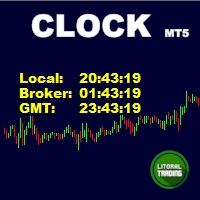
Simple indicator that draws the market hours on chart (broker, local and GMT). Functions: Horizontal distance - from border. Vertical distance - from border. Color - text color. Font - text font. Size - text size. Corner - which chart corner will be drawn. Show seconds - show or hide seconds. Draw as background - candles front or back. Label local - text before local time. Label broker - text before broker time. Label GMT - text before GMT time. Separator - separator between label and time Objec
FREE
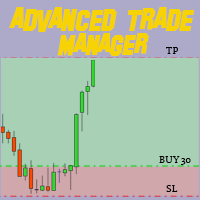
MT4とMT5の高度な取引マネージャーで取引を革命化しよう Mt4 Version : https://www.mql5.com/en/market/product/107249
精度と制御の究極のツールで取引戦略を強化しましょう。私たちのMT4およびMT5高度取引マネージャーは、従来の取引マネージャーとは異なり、市場の変動に動的に対応し、取引開始と同時に自動でストップロスおよび利益確定レベルを設定します。 主な特徴: 自動エントリー戦略: 自動エントリー戦略でチャンスを瞬時に捉える。取引を開始すると、システムは予め設定されたストップロスと利益確定を戦略的に配置し、リスク管理を徹底します。 動的ストップロスマネジメント: リアルタイムで市場の変動に対応。利益が+0.50%に達すると、システムがストップロスを自動的に半減し、利益を保護しつつリスクを低減します。 ブレークイーブン保護: 利益が+1%に達すると安心のブレークイーブン保護。高度な取引マネージャーがストップロスをブレークイーブンに移動させ、初期資金を守りつつ、利益を伸ばします。 最適化された利益ロック: 簡単にリターンを最大
FREE

VR Stealth Pro は、取引の利便性と効率性を向上させるために開発された専門の無料取引パネルです。このツールの主な目的は、ストップロスとテイクプロフィットのレベルを非表示にすることで、これらの取引レベルに関する情報の漏洩リスクを最小限に抑えることです。 セットファイル、製品のデモ版、説明書、特典が入手可能 [ブログ]
のバージョン [MetaTrader 4] VR Stealth Pro は無料の取引パネルであり、現状有姿で提供されます。 より多くの機能を利用するには、 VR Trade Panel 取引パネルをご利用ください。 パネルはシンプルで使いやすいインターフェースを備え、トレーダーの目の前に必要なすべてのツールに迅速にアクセスできます。実際のレベルを隠すために仮想化技術が使用され、それらをグラフィック要素(トレンドライン)で置き換えることで、ターミナルの作業スペース内で直接操作が可能です。 このプログラムでは、マウスを1回クリックするだけで、ポジションの開設、閉鎖、変更など、あらゆる取引操作を簡単かつ迅速に行うことができます。インターフェースは、トレーダーとター
FREE

Signalator Renko MT5 は、MetaTrader 5 上で価格変動を見やすくカスタマイズ可能な Renko チャートとして表示する無料ユーティリティです。 標準の時間ベースのチャート表示を専用の Renko ビューに置き換え、価格変動を固定サイズのブリックで構成します。選択したブリック幅に達しない小さな変動を除外し、方向性のある値動きに集中しやすくします。 Signalator Renko MT5 は、Renko に特化した無料ソリューションです。高度な Renko 構築、追加のチャートタイプ、統合チャートツールについては Signalator Charts MT5 をご覧ください: Signalator Charts MT5 (高度な Renko、Kagi、Point & Figure、Heikin Ashi、マーケット構造分析など) Renko チャートは固定時間ではなく価格変動を基準にします。Signalator Renko MT5 はユーザー指定の固定ブリックサイズを使用し、初期値は選択した銘柄に応じて自動的に正規化されます。 構築は確定済みの M1、M5、
FREE
すべての無料商品を見るにはここをクリック
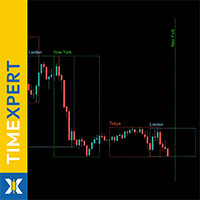
TimeXpert は MetaTrader 5 のための完全無料ツールで、世界の トレーディングセッション - Tokyo、Sydney、London、New York - をチャート上に直接表示します。 時間を手動で計算する代わりに、 自動のカラーコード付き概要 が表示され、 市場が開いている時、重なっている時、閉じている時 を一目で確認できます。 これにより、 どこでボラティリティが発生するか 、 流動性が高まるタイミング 、そしてどの時間帯があなたのトレード戦略に最適かを瞬時に判断できます。 すべての要素は 完全にカスタマイズ可能 で、色、線のスタイル、表示するセッション数まで調整でき、 TimeXpert はあらゆるトレーダーにとって柔軟な相棒となります。 TimeXpert は 取引タイミングを完璧にする のに役立ち、 動きがいつ始まり、どのセッションが最も強いマーケットインパルスを提供するか を正確に表示します。これはプロフェッショナルなセットアップに不可欠なツールです。 その クリーンでミニマルなデザイン により
FREE

Newsium EA Newsium EAは、MetaTrader 5用のリアルタイム経済指標カレンダー分析エンジンです。MT5内蔵の経済指標カレンダーを読み取り、イベント結果を分析し、通貨への影響スコアを計算し、グローバル変数を介して他のエキスパートアドバイザー(EA)とデータを共有します。DLL依存関係なしで純粋なMQL5で完全に動作します。 Newsium EAは取引を行いません。これは他のEAに経済インテリジェンスを提供するデータエンジンであり、チャート上の視覚的な経済カレンダーダッシュボードとして単独で使用することもできます。 コアロジック 10秒ごと(設定可能)に、EAは設定可能なルックバックおよびルックアヘッドウィンドウのMT5経済カレンダーを読み取ります。リリースされた各イベントについて、実際の値を予測値および以前の値と比較して偏差スコアを計算し、影響度の重み付け(高、中、低)を適用し、古いイベントの寄与が少なくなるように時間減衰を追加します。エンジンは逆相関イベント(失業率など、高い値が通貨にとってマイナスになる場合)を処理し、二重カウントを避けるために同時リリース
FREE

Introducing the "Automated Stop Loss Placement" Script for MetaTrader 5 The "Automated Stop Loss Placement" script is a powerful tool designed to streamline your trading experience within the MetaTrader 5 platform. By automating the placement of stop loss orders, this script offers efficiency and convenience for traders of all levels. Key Features: Seamless Automation: Stop loss orders are placed automatically, moments after trade execution, saving you time and effort while ensuring consistent r
FREE

Smart Copier Pro – MetaTrader 5のための高度なトレード同期ツール Smart Copier Pro は、MetaTrader 5端末間でトレードをコピーするための高性能ソリューションであり、異なるブローカー間で複数の口座や複雑な戦略を管理するトレーダーのために特別に設計されています。 標準的なコピーツールとは異なり、Smart Copier Proには高度な価格相関エンジンが搭載されており、見積もりの違い(異なるスプレッド、変動する流動性、または異なるデータプロバイダー)があるブローカー間でも、注文を正確に実行できます。 主な機能: 高度な価格相関(Advanced Price Correlation): 独自の技術がリアルタイムで見積もりを分析し、スレーブ(Slave)口座での最適な執行価格を特定します。これにより、ブローカー間の価格差に関係なく、マスター(Master)口座と同じ視覚的コンテキストでトレードが行われることを保証します。 マルチマスター&マルチスレーブ対応: 複数のマスターから同時にトレードを受信したり、複数のスレーブインスタンスにシグナ
FREE

Risk and Position Sizer Pro is a professional risk management and order execution tool designed for traders seeking surgical precision and total control over their trades in MetaTrader 5. The utility eliminates complex manual calculations, allowing you to instantly size lots based on your account balance, risk percentage, or fixed monetary values via an interactive visual panel integrated directly onto the chart. Key Features Automatic Lot Calculation: Determines the optimal lot size based on yo
FREE

Stop Loss and Take Profit Manager The EA allows you to set a Stop Loss (SL) for your orders or positions within milliseconds, regardless of the number of orders. How to Use: Attach the EA to the chart where you want to modify the SL for your orders. Configure the following input settings : Order_Type: Select the order or position types. SetStopLoss: Enable this if you want to set a Stop Loss. StopLoss: Enter the SL price. SetTakeProfit: Enable this if you want to set a Take Profit
FREE

MT5標準では分足以上のタイムフレームしか利用できず、1秒足や5秒足などの超短期チャートは提供されていません。 本ツール「 Seconds Chart Generator SimpleVer 」はティックデータをもとにリアルタイムで秒足チャートを生成し、トレーダーが超短期の値動きを精密に観察できるように設計されたユーティリティEAです。 通常のチャートにアタッチするだけで簡単に利用でき、生成された秒足チャートはカスタムシンボルとして自動的に作成されるため、独立したチャートとして開いて分析することが可能です。 さらに、通常のインジケータも併用できるため、既存の分析手法と組み合わせて活用できます。 このユーティリティでは1秒足・5秒足・15秒足のチャートをリアルタイムに生成できます。 現在は期間限定で機能制限を撤廃しており、 2026年9月1日までフル機能をご利用いただけます 。 実際のチャート上で秒足を十分に体験できるため、導入前の確認にも最適です。 使ってみて気に入られましたら、 製品版 を購入して頂ければ幸いです。 SimpleVer の機能: 1秒足・5秒足・15秒足チャートを
FREE

Trailing Stop Manager Basic — 無料トレーリングストップ EA (MT5) Trailing Stop Manager Basic は Trailing Stop Manager PRO の無料版です。この MetaTrader 5 エキスパートアドバイザーは、口座のすべてのオープンポジションに対する固定ピップトレーリングストップ、ブレイクイーブン、1 レベル部分決済の管理を自動化します。手動注文および他の EA で生成された注文に対応します。 ツールは PRO 版と同じプロフェッショナルなビジュアルダッシュボードを搭載 — 日次統計、リアルタイム P&L、ポジション状態、インタラクティブコントロール。 無料のユーザーガイド PDF はリクエストに応じて提供されます : ダウンロード後に MQL5 経由でプライベートメッセージをお送りください。ガイドは完全な設定、商品別のベストプラクティス、推奨パラメータをカバーしています。 含まれる機能(無料) 固定ピップトレーリングストップ 、距離とステップを設定可能。 自動ブレイクイーブン 、安全マージンを設定可能。
FREE
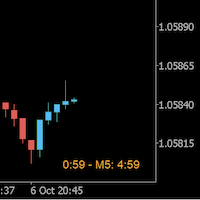
Always wanted to know when the M5 candle closes when you are in M1 ? This indicator allow to display a candle timer (countdown) on the current time frame as well as any higher time frame you have configured for this time frame. So this is easy now to see when the H4 candle closes when you are in H1.
Congifuration Label position, size, color HFT time frame per time frame Any questions or comments, send me a direct message here https://www.mql5.com/en/users/mvonline
FREE
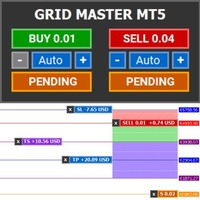
Introducing Grid Master MT5, your ultimate trading utility designed to revolutionize the management of single or multiple orders with unparalleled ease and effectiveness.
Evaluation version of Grid Master MT5 Some limitations are applied: - Maximum of 3 open positions and 1 pending order per side (Buy/Sell) - Trailing Stop feature disabled - Economic calendar and news protection disabled - Trade event push notifications disabled Features: Clean and user friendly UI: With the benefits of fellow
FREE

This tool is part of the Stein Investments ecosystem - 18+ tools plus Max, your 1-on-1 AI trading mentor.
Always on, knows every indicator in depth, available the moment you need to think something through. Meet him at https://stein.investments Crosshair is a fantastic tool that simplifies our chart analysis by bringing the price candles perfectly in line with the indicator values in the subwindows.
You can enable and disable it via a single press on the "C" of your keyboard, and it provide
FREE
すべての無料商品を見るにはここをクリック
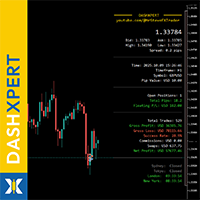
DashXpert は MetaTrader 5 のための完全無料で強力なダッシュボードで、すべての重要な 市場データ、アカウント情報、パフォーマンス統計 を直接チャート上に表示します。 ウィンドウやタブを切り替える代わりに、 DashXpert は 集中型でインテリジェントな概要 を提供します - 最大限の視認性、最小限の視覚的ノイズ、そしてプロフェッショナルな外観のために最適化されています。 これにより、 保有中のポジション、損益、勝率、口座残高 をリアルタイムで明確に把握できます。 これによって DashXpert は、日常的に便利なツールであるだけでなく、 完全なパフォーマンスモニター として、あなたのトレードを理解し、改善し、透明性のある可視化を可能にします。 さらに、このダッシュボードは最も重要な トレーディングセッション(Sydney、Tokyo、London、New York) を自動的に表示し、そのステータスも示します - つまり、 市場がいつどこで動いているか を瞬時に確認できます。 その モダンでミニマルなデザイン 、
FREE
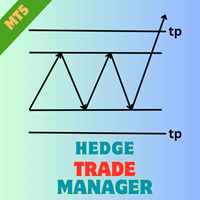
EA HedgeTradeManager MT5を紹介します。これは、ヘッジ戦略を自動化するために設計された強力なExpert Advisorで、トレーダーに対して不利な価格変動を管理するための信頼できるツールを提供します。このEAは、ヘッジ技術を探求する初心者トレーダーや、取引セットアップを強化したい経験豊富なプロフェッショナルに最適です。 洗練されたリスク管理機能を備えたEA HedgeTradeManager MT5は、潜在的なドローダウンを大幅に削減し、柔軟なlotサイズを可能にすることで際立っています。トレーダーは、forex、インデックス、または暗号通貨において、動的なlotの進行と株式ベースのエグジット戦略を活用することで、変動の激しい市場を効率的にナビゲートできます。 MQL製品のインストールガイド | MT4/MT5で購入したMQL製品の更新 | 一般的なトラブルシューティングガイド | 一般設定 / 入力ガイド | バックテストとセットファイル 主な機能 ヘッジのアクティベーション:定義された損失距離で反対の取引をトリガーし、トレーダーが突然の市場変動に適応できるよ
FREE

Trading Dashboard Pro MT5 Trading Dashboard Pro MT5 は、MetaTrader 5 向けに開発された取引監視および取引管理パネルです。 このパネルは、口座の取引状況、取引統計、保有ポジションをリアルタイムで分かりやすく表示します。複数のターミナル画面を切り替えることなく、1つの画面で口座の監視と取引管理を行うことができます。 主な機能 リアルタイム口座概要 パネルには、口座の重要な情報がリアルタイムで表示されます。 残高(Balance) 有効証拠金(Equity) 含み損益 当日の損益 勝率(Win Rate) プロフィットファクター(Profit Factor) 平均リスクリワード比率 最大ドローダウン すべてのデータは取引状況に応じて自動的に更新されます。 インタラクティブなパフォーマンスチャート Trading Dashboard Pro MT5 には、口座のパフォーマンスとリスク状況を視覚的に確認できるチャートが搭載されています。 利用可能なチャート: 資産推移チャート(Equity Curve) ドローダウンチャート(Dra
FREE

A 'Seconds Period' chart, offering enhanced precision for charting and analysis. Especially beneficial during volatile market conditions and intraday trading. This indicator addresses the limitations of MT5's predefined timeframes, allowing for finer granularity down to second intervals.
Since only one EA can run per chart, being an Indicator allows for the additional advantage of running an EA alongside the Seconds Timeframe Candles Indicator on the same chart. Compatible with any intraday tim
FREE

Auto BreakEven Pro is a lightweight, no-nonsense Expert Advisor designed to automatically move your Stop Loss to breakeven once your trade reaches a predefined profit level. This EA is ideal for traders who want to protect profits without constantly monitoring the charts.
Key Features: Automatically sets Stop Loss to break-even after a custom number of pips in profit. Optional break-even offset to lock in small gains (e.g., +0.5 pips). Compatible with any manual or automated strategy – simpl
FREE

トレーディングパネル,手動取引,注文管理,リスク管理,トレードマネージャー,ワンクリック取引,ストップロス,テイクプロフィット,部分決済,スキャルピング
重要
JoPanel Prime を正しく動作させるには、MetaTrader 5 の「Algo Trading」を有効にする必要があります。この設定が有効になっていない場合、パネルは動作しません。
JoPanel Prime は、MetaTrader 5 用に開発されたプロフェッショナルな裁量取引パネルです。注文の実行とポジション管理をより迅速かつ効率的に行えるよう設計されており、MT5 標準の取引画面を、チャート上で直接操作できるモダンなトレードパネルに置き換えます。
主な機能
• ワンクリックで Buy / Sell の成行注文を実行 • チャート上でプレビュー表示付きの指値・逆指値注文(Shift:Buy、Alt:Sell) • ホットキー(X:すべて決済、I:ポジション反転、M:パネルの最小化) • Take Profit と Stop Loss を個別に設定可能 • 指値・逆指値注文で OCO(One-Cance
FREE

Round numbers (or key levels) is an amazing strategy. These numbers are strong support and resistance levels. So what this indicator does is draw horizontal lines on the chart to help you find these levels. Configurations: Key levels in pips - distance between the lines. Color - lines color. Style - lines style. Width - lines width. Display at background - draw lines in front or back of candles. Selectable - turn on or off the option to select the lines. Lines identification - identifica
FREE

Auto TP SL – Smart Trade Manager for MetaTrader 5 Protect Your Trades. Automate Your Exits. Take Full Control. Managing multiple trading positions manually can be stressful, time-consuming, and prone to costly mistakes. Auto TP SL by Zistilo is a powerful and easy-to-use trade management Expert Advisor for MetaTrader 5, designed to automatically manage Take Profit, Stop Loss, Trailing Stop, individual profit targets, and total basket profit or loss. Whether you trade Forex, Gold, Indices, or oth
FREE

Strifor Chart Sync — MetaTrader 5でチャートとテクニカル分析を同期 Strifor Chart Sync は、複数のチャートを同期し、同一銘柄のマルチタイムフレーム分析を効率化するために設計されたMetaTrader 5用Expert Advisorです。 開いているすべてのチャートで銘柄を手動で変更する代わりに、 Master チャートの銘柄を変更するだけで、接続されているすべての Slave チャートが自動的に同じ銘柄へ切り替わります。各チャートのタイムフレームはそのまま維持されます。 例えば、以下のような構成で分析できます。 D1 — 市場全体の状況 H1 — 現在の市場構造 M5 — トレードセットアップ M1 — エントリーポイント Masterチャートの銘柄を US500 から XAUUSD に変更すると、接続されているすべてのチャートが自動的にXAUUSDへ切り替わります。 D1はD1のまま H1はH1のまま M5はM5のまま M1はM1のまま これにより、体系的なマルチタイムフレーム環境を構築し、各チャートを個別に更新することなく銘柄を切
FREE

PerformanceDashboard — Advanced Trade Analytics for MT5 PerformanceDashboard is a lightweight indicator designed to analyze trading performance directly from your MetaTrader 5 account history. It allows you to evaluate multiple Expert Advisors (EAs) simultaneously using Magic Numbers, providing clear and structured insights into your trading results.
USER GUIDE Key Features Multi-Strategy Analysis Automatic Magic Number detection Manual Magic Number input EA identification from trade and order
FREE

GEX Options Radar — Options-Based Market Structure for US Indices (NDX / SPX) GEX Options Radar displays real-time-ish key levels derived from market maker positioning in index options — directly on your USTEC or US500 chart, with no paid data subscription required. What it calculates Zero Gamma (Gamma Flip) — the price level where dealers' net gamma exposure flips from positive to negative. Above it: "long gamma" regime (volatility typically dampened). Below it: "short gamma" regime (moves ofte
FREE

Maximize Your Trading Potential with Our Trailing Stop Expert Advisor! Are you tired of watching potential profits slip away due to unpredictable market fluctuations? Say goodbye to missed opportunities and hello to consistent gains with our revolutionary Trailing Stop EA, designed to safeguard your profits and minimize losses during your trading journey.
Why Choose Our Trailing Stop EA? 1. Flexible Trailing Stop Methods : Whether you prefer a fixed distance in pips or a percentage-based appro
FREE

自動ストップロス調整 – 正確に利益を守る! このエキスパートアドバイザー(EA)は、開かれたポジションのストップロス(SL)をユーザー定義の利益しきい値に基づいて自動的に調整し、取引戦略を効率的にし、手動操作を減らします。 仕組み: 動的ストップロス調整: 開かれたポジションに利益(青色で表示)がある場合、このEAは現在の価格を追跡し、ユーザーが設定した利益マージンに基づいてストップロスを調整します。 利益のロック: 例えば、EUR/USDの買いポジションで$15の利益を得て、5ドルのマージンを設定した場合、EAはストップロスを$10の利益に調整します。価格が有利に動けば、EAはさらにストップロスを調整します。 利益の保護: 価格が反転した場合、ストップロスが発動し、得た利益を確保します。 主な特徴: 自動ストップロス調整: 利益に基づいてストップロスを自動的に調整します。 設定可能なマージン: 利益(例:$5)のしきい値を設定し、そのマージンに達したときにストップロスを調整します。 すべてのオープンポジションに対応: EAは取引を実行せず、開かれたポジションのストップロスのみを調整
FREE
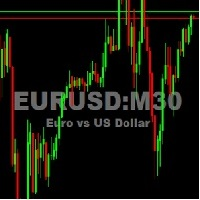
This utility tool shows the ticker symbol, timeframe, and description information as a watermark on the chart. Text resizes automatically according to chart size. It is useful to identify the correct chart when multiple charts are shown on the screen. Want more control over text apperance? Check out our Chart Watermark MT5 Premium utility. See the demonstration video below!
Inputs: Font Size: Initial font size for the ticker symbol and timeframe text (Default; 50). Description text font size
FREE
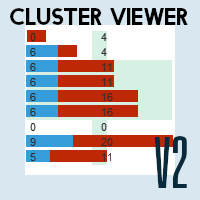
正確な洞察で市場を制覇:Metatrader 5 向け Cluster Viewer V2 のご紹介! 最も成功しているトレーダーは、どのようにして最高の取引機会を見極めているのか、疑問に思ったことはありませんか?
Cluster Viewer V2 では、金融市場に関する正確かつ詳細な洞察を提供するために設計された、包括的な分析ツールセットにアクセスできます。
Metatrader 5 プラットフォーム向けに開発された当社の EA は、あなたの取引戦略を次のレベルへと引き上げます。
機能: 価格帯別の売買高:買い手と売り手の間で最も大きな論争が発生する価格帯を表示します。
市場の動向に基づいて、主要なサポートエリアとレジスタンスエリアを特定します。
データは、時間、ティックボリューム、実取引高(ブローカー提供の場合)、および価格変動(レンコチャート)別にグループ化して表示できます。
強力なインジケーターを搭載: 移動平均線:移動平均線で市場のトレンドを追跡します。
ボリンジャーバンド:市場のボラティリティと潜在的な反転ポイントを特定します。
パラボリックSAR:短期
FREE

手動 トレード・ リプレイツール 手動 トレード・ リプレイツール は、 MT5 Strategy Tester の ビジュアル モード で 手動 バック テスト を 行う ため に 設計 さ れ た トレード 支援 ツール です。 この ツール は 自動 売買 シグナル を 生成 する もの では ありま せん。 過去 の 相場 を 再生 し ながら、 実際 の 取引 と 同じ よう に 自分 で 相場 を 判断 し、 手動 で エントリー、 Stop Loss、 Take Profit の 設定、 ポジション 管理 を 行う こと が でき ます。 リプレイ 終了 後 は、 MT5 Strategy Tester の 公式 統計 レポート を 利用 し て、 自分 の トレード 戦略 が 長期 的 に プラス の 期待 値 を 持 って いるか を 確認 でき ます。 Price Action、 サポート/ レジスタンス、 チャート パターン、 トレンド フォロー、 スイング トレード、 ICT/ SMC、 移動 平均 線 戦略 など、 裁量 判断 が 必要 な さまざま な トレ
FREE

MT5用NAS100 Auto SL and TP Makerをご紹介します:
MetaTrader5でナスダック100市場をナビゲートするトレーダーにとって不可欠なアシスタントであるNAS100オートSLおよびTPメーカーで、ストップロスおよびテイクプロフィットの設定をもう見逃すことはありません。このツールは、ストップロスとテイクプロフィットのレベル管理を自動化するシームレスなソリューションを求める方々のために設計されています。
主な特徴
簡単な自動化:
ストップロスやテイクプロフィットのないナスダック100取引を自動的に監視します。
ユーザーが構成した設定に基づいてレベルを動的に調整します。
注文タイプの多様性:
Nasdaq100の成行注文と未決済注文の両方に対応。
MetaTrader 5で利用可能なさまざまな注文タイプをサポートします。
カスタマイズされた設定:
ユーザーフレンドリーなパラメータ設定により、トラッキング設定とストップロス/テイクプロフィットレベルのカスタマイズが可能です。
柔軟な範囲:
実行する特定のNAS100商品または取引されるすべての商品に対してスト
FREE

CandleCloseTimer — ローソク足の確定までの時間を完全管理 CandleCloseTimerは、現在のローソク足が確定するまでの残り時間をチャート上に直接表示する、MetaTrader 5用のコンパクトなユーティリティです。タイマーは現在価格の近くに表示されるため、トレーダーが最も頻繁に確認する価格スケール付近で、必要な情報を常に確認できます。 このユーティリティは取引を開始せず、売買シグナルを提供せず、取引プラットフォームの動作にも干渉しません。選択した時間足の現在のローソク足が確定するまで、あとどれくらい時間が残っているかを正確に表示することが目的です。 CandleCloseTimerの主な機能 1. 現在のローソク足の確定までのタイマー 現在のローソク足が確定するまでの残り時間を、00:00:00形式で表示します。 2. 現在価格付近への表示 タイマーを価格スケールの近くや現在価格の下に配置できるため、チャート分析を妨げません。 3. 時間足の自動切り替え M1、M5、M15、H1、H4などの時間足を切り替えると、タイマーが残り時間を自動的に再計算します。 4.
FREE

[ マイプロダクト ] , [ マイチャンネル ] OMG Trading Panel スマートフォンからトレードパネルを直接操作できるようになりました。MQL VPSにOMG Trading Toolをインストールすれば、パネルを24時間稼働させながら、モバイル版MetaTrader 5アプリで快適にトレードできます。 また、2つの便利な戦略「スマート・マージン・プロテクション(証拠金保護)」と「グリッド戦略」も追加しました。価格下落時に作動するアラートを設定することも可能です。 主な機能 モバイル版MT5によるリモートコントロール スマートフォンを使って、どこからでもトレードツールの操作が可能です!注文のコメント欄に特別なコマンドを入力して待機注文(予約注文)を出すだけで、ツールが自動的に指示を実行します。柔軟性と機動力を求めるトレーダーに最適です。 コマンド例: omg auto- オートモードのON/OFF切り替え omg auto on - オートモードを有効化 omg auto off - オートモードを無効化 omg profit X - 利確(TP)金額をXドルに設定
FREE

Remodeling the BoletaMiniPanel, the Mini Panel Plus has the same functionalities, but is now in the form of a box that allows it to be minimized and placed anywhere on the chart. Simple Panel with Stop loss (Loss), Stop gain (Gain), Trailing stop (TS) and Breakeven (BE-P). The Lot is the number of contracts to be traded. Gain is the number, in points, at which the stop gain will be positioned. If you don't want to place a stop gain, just put 0 (zero) in its place and when you open the order it w
FREE
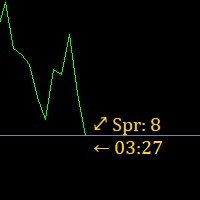
Super simple, convenient, useful tool. Allows displaying the end time of a candle (standard) and expanding the symbol's spread in real time.
The countdown tool is smooth, not jerky or slow like some other tools
Useful tool for professional traders specializing in short-term and long-term trading.
Contact author or user guide: https://www.mql5.com/en/channels/metool_trading
FREE

SmartTrailingStop is a universal trailing stop utility that works on any positions — manual trades or orders opened by any EA. Pick from four trailing modes, add break-even and partial close, and let it manage every position on your account. Also check our gold EAs: Aurora Golden Goddess | Midas The Golden Touch | Golden Fatima
Designed for swing traders who hate watching charts, scalpers who need precise stops, and anyone running multiple EAs that lack a quality trailing module.
Fo
FREE
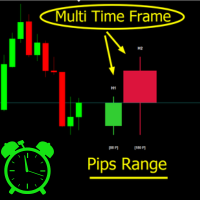
Crystal MTF Candle Pro – Professional Multi-Timeframe Analysis Tool Overview
Crystal MTF Candle Pro is a professional indicator for MetaTrader 5, designed to provide direct visualization of higher timeframe candles on the current chart. The tool overlays selected higher timeframe candles with precise countdown timers, allowing traders to monitor live candle development without switching charts. This indicator is optimized for multi-timeframe (MTF) analysis, offering professional styling, custo
FREE

This tool is designed to visualize the position and trades history and its information, such as the entry and exit points, sizes of the trades, Reward to risk ratio, Risk percent, Profit, Target and stop-loss on the chart. it makes showing trades on the chart more informative and easier to use. it's a strategic tool that enhances your trading experience on MT5 platforms. By providing a clear visual representation of your trades and customizable settings, it empowers traders to make informed deci
FREE

One Click Close MT5 is an EA which allows you close orders quickly. EA display on chart two buttons. The first button "Close All Positions" is using to close all opened orders. The second button "Close Profit Positions" is using to close only profitable orders. EA is closing orders for all available symbols, not only for chart symbol. In EA params you can set distance from upper chart frame (Y Offset) and from left chart frame (X Offset). For installation EA it is only need to copy One Click Clo
FREE

(New and experimental testing phase) M5S Automation EA is a free utility built to work together with the M5 Sniper Indicator. On its own it does nothing, it simply listens to the signals that M5 Sniper produces and opens the trades for you automatically, so you no longer have to sit and watch the chart to catch every entry.
It reads the entry, stop loss and the four take profit levels straight from the indicator and places the trades exactly as they appear. You can choose to run one position th
FREE
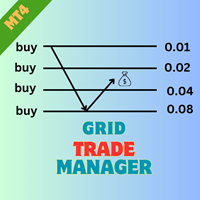
EA GridTradeManager MT4を紹介します。これは、MetaTrader 4プラットフォーム上でのグリッドトレーディング戦略を最適化するために設計された強力なトレーディングエキスパートアドバイザーです。このツールは、グリッドオーダーの配置と管理を自動化し、市場の変動を効果的に活用したい初心者と経験豊富なトレーダーの両方に最適です。 MQL製品のインストールガイド | MT4/MT5で購入したMQL製品の更新 | 一般的なトラブルシューティングガイド | 一般設定 / 入力ガイド | バックテストとセットファイル 高度な機能を備えたEA GridTradeManager MT4は、動的なグリッド調整を可能にし、ドローダウンを大幅に削減し、利益の可能性を最大化することでトレーディング効率を向上させます。forexペアや暗号通貨のようなボラティリティの高い資産でのトレーディングに最適で、ユーザーはこのEAを簡単に実装して、ハンズフリーのトレーディング体験を享受しながら、堅牢なリスク管理を維持できます。 MQL製品のインストールガイド | MT4/MT5で購入したMQL製品の更
FREE

Trade HotKeys は、キーボードのホットキーを使ってトレード操作を瞬時に実行できる手動トレード用ユーティリティです。 MetaTrader 5 のインターフェースボタンを使わず、素早い注文操作を必要とする裁量トレーダーやスキャルパー向けに設計されています。 チャート上のボタンをクリックしたりメニューを開いたりする代わりに、キーボードから直接トレード操作を実行できます。 できること ホットキーで BUY / SELL を即時実行 BUY または SELL ポジションのみ個別決済 1キーですべてのポジションを決済 ポジション反転(方向を即時切り替え) 誤操作防止のためのトレード一時停止 BUY/SELL ボリュームと含み損益をチャート上に表示 トレーダーが使用する理由 判断から執行までの遅延を削減 手動トレードのための筋肉記憶を構築 スキャルピングや高速相場に最適 トレード中のターミナルUI操作を最小化 あらゆるブローカー・口座タイプに対応(netting / hedging) 軽量かつ安定動作(重い計算なし) インターフェース UI位置を4コーナーに自由配置可能 フォントサイ
FREE

VEXOR — MetaTrader 5 向け高度な取引パネルとリスク管理ツール VEXOR であらゆる取引をコントロールしましょう。精度、スピード、そしてより良い取引体験を重視するトレーダーのために設計された、MetaTrader 5(MT5)向けの最新取引パネルです。直感的なグラフィカルインターフェースを通じて、市場注文と指値注文を発注し、ポジションサイズを計算し、リスクを管理し、ストップロスとテイクプロフィットのレベルを設定できます。 MT4 Version 従来の取引パネルの硬直したレイアウトや古いインターフェースとは異なり、VEXOR は洗練されたダークデザイン、インタラクティブな操作、リアルタイムの価格情報、動的なリスク計算、チャートとの直接的な相互作用を一つの合理化されたワークスペースに統合しています。 MetaTrader 5 向け VEXOR とは? VEXOR は、手動取引を簡素化し、注文設定をより直感的にするために設計された高度な MT5 取引パネルです。チャート上の単一インターフェースから、ロットサイズ、注文タイプ、リスク設定、エントリー、ストップロス、テイクプ
FREE

StatsMood Position Sizer Short Description Calculate position size instantly based on your risk and stop loss distance. Simple, fast and precise. Full Description Position sizing is one of the most important aspects of risk management. StatsMood Position Sizer is a free MT4/MT5 indicator that helps you calculate the appropriate lot size in real time based on your account balance, selected risk percentage and stop loss distance. It removes the need for manual calculations and helps maintain cons
FREE

RSI 隠れダイバージェンス アラート EA(MT5) RSI Hidden Divergence Alert EA は、最新の確定足と検証済みの過去の価格極値との間の RSI 隠れダイバージェンスを検出し、ポップアップアラートで通知する MetaTrader 5 ツールです。ダイバージェンス・パターンを探して常にチャートを見張ることなく、トレンド継続の可能性のあるセットアップを発見できます。 チャートに装着すると、EA は直近の確定足を検証済みの過去のスイングポイントと比較し、隠れダイバージェンスが出現したときにポップアップアラートを送信します——RSI が売られすぎで価格がより高い安値を形成する場合が強気ダイバージェンス、RSI が買われすぎで価格がより安い高値を形成する場合が弱気ダイバージェンスです。これにより、チャートをすばやく確認し、トレンド継続の可能性を評価できます。 特徴 強気の RSI 隠れダイバージェンスを検出(売られすぎの RSI とより高い安値) 弱気の RSI 隠れダイバージェンスを検出(買われすぎの RSI とより安い高値) ローカルのローソク足ウィンドウで過
FREE

ChartWall is intended for displaying and automatic changing of wallpapers on a chart. It supports JPG and BMP formats. A file and a display style are selected via the built-in panel, which can be opened by clicking on the application icon (hidden button) that appears in the bottom left corner of the chart (main window) as you move the cursor to that area. Using the built-in panel you can also set a period for the rotation of images in minutes. Image files are selected randomly from the folder t
FREE

FREE FREE FREE Trade Assistant MT5 – Professional Trading & Risk Management Panel Trade Assistant MT5 is an advanced trading panel designed to help traders execute orders faster, safer, and more professionally .
It simplifies manual trading by combining smart order management , precise risk control , and one-click execution , making it ideal for both beginners and advanced traders. This tool does not trade automatically . Instead, it empowers you with full control while applying professional-gra
FREE

効率的な手動取引のためのカスタムトレードパネル
このトレードパネルは、MT5での手動取引をサポートするツールを提供し、取引管理に役立つ機能を備えています。パネルは、注文の実行、注文管理、ポジションの監視機能をコンパクトなインターフェースで提供します。 なぜこのトレードパネルを選ぶのか? 複数の取引を管理したい場合でも、取引プロセスを効率化したい場合でも、このカスタムトレードパネルは、ポジションを効率的に管理するためのすべての機能を提供します。リスクをコントロールし、取引パフォーマンスを簡単にモニターできます。
主な機能 パネルには、以下の市場注文管理ツールが含まれています: あらかじめ設定したストップロスとテイクプロフィットを使って市場注文を実行 指定した価格ポイントに指値・逆指値注文を配置 ひとつのインターフェースから複数の注文タイプを管理 現在のポジションや保留中の注文をモニター 注文管理機能 ユーザーは、以下の主要な取引管理機能にアクセスできます: 注文ごとにストップロスとテイクプロフィットレベルを設定 アクティブなポジションにブレークイーブン設定を適用 特定の注文タイプ(買
FREE

Risk Calculator Veqrix
Risk Calculator Veqrix is a risk calculation, visual trade planning, and manual order execution tool for MetaTrader 5.
The EA automatically calculates the trade volume using the configured risk, entry price, and distance to the Stop Loss. It also displays the planned trade directly on the chart and distributes the total volume across up to three Take Profit targets.
This tool does not generate trading signals . The user selects the direction, configures the levels, and
FREE

MT5 の無料トレードマネージャー:リスク%からのロット計算、ライン発注、分割決済、建値、トレール。さらに、すべての建玉を1つのブックとしてまとめて管理。 チャート上でトレードを組み立て、クリックする前に金額を確認し、すべてのポジションを1つのパネルに任せる。無料です。有料版、試用期間、DLL、Web リクエストはありません。ヘッジング口座に対応(ネッティングは未検証)。 種類 ユーティリティ(注文・ポジション管理) 銘柄 すべて 口座 ヘッジング(ネッティングは未検証、第9章を参照) 新規注文 ボタンを押したときだけ チャートに置きっぱなしにしたくなる理由 クリックの前に、いくら賭けるかが分かる。 ストップラインをドラッグすると、ロット、リスク金額、利益見込み、R:R がパネル上で更新されます。円建てを含め、口座通貨で表示します。 ラインで注文。 ENTRY、STOP、TARGET をドラッグするだけ。エントリーラインの位置に応じて指値か逆指値になります。ボタンを押すまで何も送信しません。2つの待機注文を OCO で組にできます。 管理はおまかせ。 段階的な利確、建値移動、トレーリ
FREE
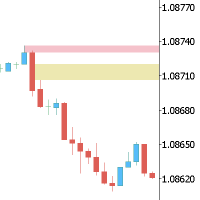
This Expert is the perfect companion for SMC/ICT users.
It allow to draw easily the Supply , Demand , Imbalance(fvg) zones as well set up MetaTrader alerts if price touchs the zone. Imbalance (fair value gap) have options to be displayed in full or based on the filling to the follwing candle, so you will never miss one.
You can also zoom on a clande with a specific period. Very usefull when you look at an 1h candle in the past and you want to see the details in M5.
How does it work ? Simply s
FREE

Simple Replay Simple Replay Bar-by-Bar Historical Price Action Replay for MetaTrader 5 Simple Replay is a utility Expert Advisor that lets you replay historical price bars one at a time on your MT5 chart. A curtain hides future bars so you only see what happened up to the current position — perfect for practicing price action and backtesting discretionary strategies. Features Play / Pause — Auto-play bars at adjustable speed (0.5x to 64x) Step Forward / Back — Move one bar at a time in either di
FREE

Trailing Stop Manager with Break Even is a MetaTrader 5 utility that moves your stop loss automatically to protect profit as price advances. Unlike the platform's single-mode trailing stop, it offers four professional methods plus break-even handling, and it manages all matching positions on any symbol. Features Four trailing modes for different conditions: Fixed Pips, ATR-based, Step, and Break-even plus Trail (two-phase). Fixed Pips: classic trail that starts after a set profit and follows at
FREE

Professional Trading Dashboard MetaTrader 5 向けのプロフェッショナルな口座モニタリングパネルで、リアルタイムの口座データ、日次取引履歴、月次統計をチャート上の一画面に集約して表示します。 Professional Trading Dashboard は MetaTrader 5 向けのユーティリティ指標で、トレーダーが常に口座状況を明確かつ構造的に把握できるよう設計されています。複数のターミナルウィンドウを切り替える必要はなく、すべての重要情報がチャート上に整理されたキャンバスパネルとして直接表示されます。本指標はライブ口座指標、未決済ポジションのサマリー、日次損益履歴、月次パフォーマンス統計、および直近30日間のローリング残高チャートをカバーします。 概要 パネルは MetaTrader 5 の Canvas API を使用して構築されており、シンボルや時間足に関係なくチャートウィンドウに固定された 1030x530 ピクセルのオーバーレイをレンダリングします。表示は4つの主要エリアに分かれています。口座セクションにはライブの残高、有効
FREE

Kalifx Local Trade Copier Kalifx Local Trade Copier is built to replicate trades from one trading account (Master) to another (Slave) in real time.
Its main purpose is to copy trading activity—such as opening, modifying, and closing trades—so that multiple accounts can follow the same strategy without manual intervention. This is especially useful for managing multiple accounts, testing strategies across different brokers, or mirroring trades between accounts. The EA operates in two modes: MAS
FREE

MT5 Trade Manager is a MetaTrader 5 trade management panel designed to provide order execution, position monitoring, and risk control tools within a single interface. It operates as an on-chart dashboard with multiple pages for different trading functions. The tool is designed to support manual trading by centralizing trade operations and account monitoring in one place without requiring external applications. Interface Structure The dashboard is organized into six main sections: Dashboard
Provi
FREE

Trading Reporter — Visual Performance Dashboard for MT5
A complete account performance dashboard rendered directly on your MT5 chart. No browser, no external tool, no subscription. Attach it once and resize it to fit your screen. Balance and Live Drawdown update every second, and closed-trade statistics refresh within about a second of a position closing, so there is no waiting for the next bar whatever timeframe the chart runs on.
Free. No limitations. No trial period. Full source transparen
FREE

This indicator copies graphical objects (vertical lines, horizontal lines, text labels, fibo and etc.) from master chart to other charts.
For example, you can copy lines from the chart GBPUSD with period H1 to chart GBPUSD with period M15. It's makes technical analyses more simple. Show label - show label on the Master chart, where you draw graphical objects to copy; Font size - font size of label; Type of synchronisation - type of synchronisation Copy text - on/off copy of text objects
Copy la
FREE

リスクリワードツール – スマートなトレードプランニング指標
リスクリワードツールは、トレーダーが自信を持ってあらゆるトレードを計画できるよう設計された、シンプルでありながら強力な指標です。 エントリー、損切り、利食い、そしてリスクリワード比率(RR比率)を瞬時に計算し、チャート上に表示します。
数回クリックするだけで、以下の情報が得られます。
ストップロスに達した場合のリスク額
テイクプロフィットに達した場合の利益額
️ 正確なリスクリワードレシオ(RR)が表示されるので、取引する価値があるかどうかを判断できます。
主な機能
ドラッグ&ドロップライン – エントリー、SL、TPラインをチャート上で直接移動できます。
即時計算 – リスク、リワード、RRレシオはリアルタイムで更新されます。
視覚的な明瞭さ – 色分けされたライン(青=エントリー、赤=SL、緑=TP)
汎用性 – あらゆる銘柄、あらゆる時間枠、あらゆるブローカーで使用できます。
スマートなトレードプランニング – 感情的な取引を避け、エントリー前に常にリスクを把握できます。
FREE

Pare de lutar contra o terminal. Comece a operar com precisão cirúrgica. O Profit Station Pro não é apenas um painel; é uma reformulação completa da experiência de trading no MetaTrader 5. Desenvolvido para traders que exigem agilidade, este utilitário transforma o gráfico em um Cockpit Operacional , eliminando a necessidade de boletas complexas e cálculos manuais lentos. Seja você um Scalper ou Day Trader, o Profit Station oferece as ferramentas que faltavam para sua consistência. Funcio
FREE
MetaTraderプラットフォームのためのアプリのストアであるMetaTraderアプリストアで自動売買ロボットを購入する方法をご覧ください。
MQL5.community支払いシステムでは、PayPalや銀行カードおよび人気の支払いシステムを通してトランザクションをすることができます。ご満足いただけるように購入前に自動売買ロボットをテストすることを強くお勧めします。

取引の機会を逃しています。
- 無料取引アプリ
- 8千を超えるシグナルをコピー
- 金融ニュースで金融マーケットを探索