 MetaTrader 5
 エキスパート
 インディケータ
 ライブラリ
ライブラリ ユーティリティ
 ウィジェット
 ルール
ルール
YouTubeにあるマーケットチュートリアルビデオをご覧ください
ロボットや指標を購入する
仮想ホスティングで
EAを実行
EAを実行
ロボットや指標を購入前にテストする
マーケットで収入を得る
販売のためにプロダクトをプレゼンテーションする方法
MetaTrader 5版無料取引ユーティリティ - 22
 以下はMetaTrader5での取引を簡素化する取引プログラムです。ユーティリティにカーソルを合わせると、その説明と目的が表示されます。
TMU Copier – Copy Receiver Utility for MetaTrader 5 TMU Copier is a professional Copy Receiver Utility for MetaTrader 5 that works exclusively with Trade Manager Ultimate – Risk, Alarms & CopyTrade (Master Utility) . It receives and executes trades published by one or more Master Utilities running on the same Windows computer or VPS , providing fast local synchronization, flexible lot scaling, symbol mapping, and advanced copy controls. This is NOT a standalone utility. It does not generate tra
FREE
This indicator shows both GMT time and your broker's time on the chart.
Simply attach the indicator to a chart, and you will see the GMT time and your broker's time displayed in the top left corner, as shown in the screenshot. By using this indicator, you can always stay informed about your broker's time, which is especially useful during daylight saving changes.
You won't have to worry about whether your broker follows the US or EU schedule, as the indicator automatically adjusts to reflect any
FREE

ExpertGain Risk Manager MT5 is a professional MetaTrader 5 utility designed to help traders manage risk, protect trading capital, and improve trading discipline. It is built for manual traders, semi-automated traders, prop-firm traders, forex traders, gold traders, and anyone who needs better control over daily losses, drawdown, trade exposure, and open positions. This utility does not open trades automatically and does not provide buy or sell signals. Instead, it focuses on responsible trade ma
FREE

MT4 MT5 Trade Bridge for MetaTrader 5 is the MetaTrader 5 component of the MT4 MT5 Trade Bridge system. It allows a MetaTrader 5 terminal to work either as a Master or as a Slave in a local bridge connection with MetaTrader 4. When configured as Master , the MT5 component reads trading activity from the MetaTrader 5 terminal and writes structured trade data into a local bridge file. The connected MT4 component can then read this data and mirror the trading activity according to its selecte
FREE

"Terminator Trades " EA robot, built on the powerful MQ5 code, is designed to simplify the process of closing your positions and pending orders. You can adjust if you want close all the trades or by specific symbols. With just a single click on a button, you can efficiently manage your current positions, ensuring that you never miss an opportunity to terminate a trade. Close Trades , Delete Pending Orders with Terminator Trades.
FREE

With this indicator you have displayed on the chart the optimal lot size for the forex pair. No need for manual calculations or losing time on websites where you have to input the values to get the optimal lot size. The indicator values are preset for maximum percentage risk is 2% and for maximum pips loss is 50. For a customizable version you can buy using the this LINK . ATTENTION: This only works with forex pairs and it doesn't work on account deposits in YENS!!!!!!
FREE

CapGuard Risk Manager Protect your capital, pass Prop Firm challenges, and eliminate emotional trading with CapGuard Risk Manager. Whether you are an algorithmic trader running multiple EAs, a manual trader struggling with discipline, or a Prop Firm challenger needing strict risk controls, CapGuard Risk Manager is your ultimate safety net. This professional utility runs on a single chart but protects your entire MT5 account. It continuously monitors your equity, open positions, and server stab
FREE

Smart One-Click Risk Manager - TradingView Style UI Tired of placing manual market orders without instant protection or dealing with MetaTrader’s outdated default panel? Smart One-Click Risk Manager is a high-performance visual utility built for traders who need 1-click execution with pre-configured Stop Loss and Take Profit in USD , wrapped in a sleek, modern TradingView Dark Theme interface. Clearly visualize your profit zone (soft pastel green) and risk zone (soft pastel red) directly on the
FREE

A complete copy trading EA suite that automatically replicates trades across MT4 and MT5 platforms. Supports all four combinations — MT4→MT4, MT4→MT5, MT5→MT4, and MT5→MT5 — in a single package. Uses the FILE_COMMON shared folder method for fast, reliable signal delivery within the same PC or VPS.
Overview
CopyTrading EA Suite is a utility package that automatically replicates trades between MetaTrader 4 and MetaTrader 5 platforms. A single Sender EA can broadcast signals to multiple Receive
FREE

Spread Monitor Live Real-time Spread Monitoring Tool for MT5 Version: 1.00
Last update: 15.06.2026
Author: Aleksandr Bezverkhikh Description Spread Monitor Live is a lightweight and efficient indicator for MetaTrader 5 that displays the current spread in real time directly on your chart. Perfect for scalpers, day traders, and anyone who needs to keep a close eye on trading conditions. The indicator shows the spread in points with clear color coding, allowing you to instantly s
FREE

The SmartTrader Panel is a powerful and intuitive trading panel designed to streamline trade execution and risk management in MetaTrader. With its sleek and user-friendly interface, traders can quickly manage their positions, calculate risk metrics, and execute trades with precision. Key Features: One-Click Trading: Easily place Buy or Sell orders with a single click.
Risk Management: Automatically calculates risk percentage, risk-reward ratio, and potential profit/loss.
Customizable Trad
FREE
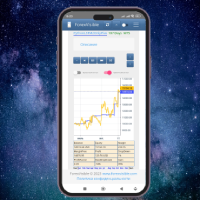
This client utility is intended for sharing and copying signals, as well as for monitoring your Expert Advisor on the site https://forexvisible.com . The Android version of the site can be downloaded here The version for the MT4 terminal can be downloaded here https://www.mql5.com/en/market/product/106509 There are many reasons to use this application in your trading, and these are: 1. If you have many trading advisors and many accounts, it is very difficult to track them and monitor everythin
FREE

Reflex Panel - 半自動売買の革命! MT5の使いにくい標準インターフェースにうんざりしていませんか?ウィンドウの切り替えや複雑な計算はもう忘れましょう! Chart Revolution EA は、あなたのチャートをトレーダーの本格的なコマンドセンターに変える、次世代のプロフェッショナル取引パネルです! CHART REVOLUTIONが選ばれる理由 すべてを1画面で - 余分なウィンドウはもう不要
即時実行 - ワンクリックで取引を開始
スマートなリスク計算 - 証拠金に対する割合(%)でロットを自動計算
視覚的な管理 - すべてのポジションレベルをチャート上に直接表示
4つのスタイリッシュなテーマ - サイバーパンクからマトリックスまで 主な機能 取引パネル: ワンクリックでBUY/SELLポジションを発注 ロット、SL、TPの迅速な設定 クイック選択ボタン (0.01 - 1.00 ロット) プリセットSL/TPレベル (25, 50, 100, 200 ポイント) 全ポジション決済 / 利益のあるポジションのみ決済 省スペ
FREE

Chameleon Floating Loss Protector "Your last line of defense against runaway drawdown." Overview Chameleon Floating Loss Protector (FLP) is a lightweight risk management utility that runs silently in the background and acts as an automatic circuit breaker for your trading account. When the total floating loss of your monitored positions exceeds a predefined threshold, the EA immediately closes all affected positions — then resets itself and resumes monitoring, ready for the next trade. No manua
FREE

Упростите свой технический анализ. Инструмент помогает быстро и точно определять на графике блоки заказов и размечать ликвидность. Превратите хаос ценовых движений в четкую торговую схему для более точных решений. Экономьте время на анализе, сосредоточьтесь на принятии решений. Инструмент заточен под торговую систему "Алхимия трейдинг", с его представлением о блоках заказа.
FREE

Would appreciate a review of the product if possible.
This program, is designed to automatically log and monitor trading account performance metrics in MetaTrader 5. It tracks daily balance and equity, calculates performance metrics, and records them in a CSV file for later analysis. Key Features: 1. Initialization: • Inputs for account name ( Account_Name ), starting day balance ( Start_Day_Balance ), and equity ( Start_Day_Equity ) are accepted. • If the starting balance or equity is not prov
FREE

Welcome to my product page, glad you stopped by and I hope you find interest in this product which is completely free to use. There are certainly many other similar products but this is my version of one. AS Check MT5 - Account and symbol informer utility compatible with Meta Trader 5 With this software you quickly and easily extract information about your account and symbol. As this is a script and not an indicator or expert, the program runs once and detach itself from the chart and the i
FREE

Monitor Your EAs and Manual Trading From One MT5 Dashboard One account. Multiple strategies. One clear overview. Quantum Magic Monitor is a professional MT5 trading dashboard designed to help traders monitor multiple Expert Advisors and manual trading activity separately and in one place . Instead of analysing a mixed account history, Quantum Magic Monitor lets you organise trading activity by Magic Number / EA group and monitor the performance of different strategies independently. WHY QUANTUM
FREE

Foxtrip Zone Planner: Visual risk-reward b ox for MetaTrader 5
What it does:
Foxtrip Zone Planner dra ws a risk-reward zone (TP/SL b ox) on your chart. You se e entry, stop loss, and tak e-profit levels in one place, w ith a fixed risk:reward ratio. You can mov e the box, res ize it, and sw itch between buy and sell so your pla n matches you r idea. It do es not open o r manage trades : it is for analy sis and plann ing only.
How it works:
Box on chart : A green zo ne (ta
FREE

Market & Pending Risk Manager EA Operation Manual Market & Pending Risk Manager is a professional MT5 trading panel EA that integrates multiple functions such as market order trading, pending order trading, risk management, and trailing stop loss, providing traders with a comprehensive trading solution. Core Advantages Intelligent Dual-Mode Trading Market Order Mode: One-click buy/sell for fast execution Pending Order Mode: Precise entry to wait for the optimal timing Seamless Switching
FREE

How to Use All Symbols Opener Preparation : Open any symbol chart in your MetaTrader 5 platform. Select your preferred time frame for the open chart (e.g., M5, H1, D1). Launch All Symbols Opener : Attach the All Symbols Opener utility to the currently open chart: Drag and drop it from the Navigator window under Experts onto the chart. Alternatively, double-click All Symbols Opener from the Navigator to activate it. Automatic Operation : The tool will detect the active chart’s time frame and appl
FREE

Pivot points have been a trading strategy for a long time, originally used by floor traders. Using this method, you can understand where the market is going in a day through a few simple calculations.
The pivot point in the pivot point method is the turning point of the market direction during the day. A series of points can be obtained by simply calculating the high, low and closing price of the previous day. These points may form key support and resistance lines. The pivot point, support and
FREE

Conversion of ".set" files created in the MT5 terminal for use in the MT4 terminal. The script is great for cross platform experts.
How to work: place the source files ".set" in the local terminal folder\MQL5\Files run the script the ".set" files for the MT4 terminal appeared in the local terminal folder (the end of the file name "* -MT4.set")
Created on MT5 build 1755 from 18/01/18 Please leave your feedback after using.
FREE

One Click Chart Snap captures screenshots of your chart across all selected timeframes with a single button click — or fully automatically on a timer. Perfect for traders who journal their trades, do multi-timeframe analysis, share setups with a community, or want a visual record of the market at a specific moment. How it works At tach the utility to any chart and a button appears in the top-right corner. One click cycles the chart through every timeframe you enabled (M1 to MN1), captures each
FREE

FOX CUSTOMER BENEFITS Verified customers with qualifying MQL5 Market purchases may be eligible for complimentary FOX commercial Expert Advisors. Learn more about the FOX Customer Benefits Program: https://www.mql5.com/en/blogs/post/774575
Dpi Trading Command Center is a read-only account monitoring and analysis utility for MetaTrader 5. It provides a unified dashboard for reviewing account status, open positions, pending orders, trading history, performance statistics and economic-calendar ev
FREE

This is a utility for storing the data on open interest (OI), ratio of buyer/seller orders' number and the ratio of buyer/seller orders' volumes on the Russian FORTS futures market. This is the first product of the series. Now, you can trace history of the specified data in real time in МТ5 terminal. This allows you to develop brand new trading strategies or considerably improve the existing ones. The data received from FORTS market is stored as a database (text CSV or binary one at user's discr
FREE

FOX CUSTOMER BENEFITS Verified customers with qualifying MQL5 Market purchases may be eligible for complimentary FOX commercial Expert Advisors. Learn more about the FOX Customer Benefits Program: https://www.mql5.com/en/blogs/post/774575
ACCOUNT NUCLEAR One account. One control panel. Full manual authority when you need it. Account Nuclear is a free MetaTrader 5 utility built for traders who manage multiple positions, pending orders, manual trades or several Expert Advisors on the same account
FREE
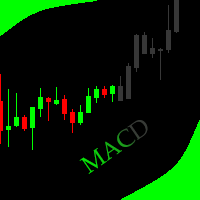
This indicator allows to hide MACD oscillator (on all MT5 timeframes) from a date define by the user, with a vertical line (Alone) or a panel (with "Hidden Candles").\ Indicator Inputs: Fast EMA Period Slow EMA Period Signal SMA Period Apply To Information on "MACD" indicator is available here: https://www.metatrader4.com/en/trading-platform/help/analytics/tech_indicators/macd ************************************************************* Hey traders!! Give me your feeds! We are a community
FREE

Price Aler t can help you send notifications to your personal Telegram when the price crosses a preset value. Additionally, you can check your MT4/5 account info anytime from your Telegram by simple command: /check. Get more free useful EAs here !
HOW TO SET UP? * Get inputs for EA: - Telegram Bot Token: Create a Telegram bot by @BotFather , and save your Bot Token. Find your bot by username & press "start". - Telegram User ID: Use your User ID by chatting with @ userinfobot * Setup
FREE

BarionQuant Fractal Risk Entry is a manual trading script for traders who want disciplined position sizing without spreadsheet math. Drag the script onto a chart, and it places one market order sized to your equity risk percentage. HOW IT WORKS Choose Buy or Sell Choose stop mode: Fractal structure (swing-based) or Fixed pips Script calculates lot size: risk money ÷ stop distance Places one market order with stop loss attached ENTRY TIMING (fractal mode) Scan History — find the latest valid frac
FREE

Symbol Changer AA – Advanced & Instant Chart Navigator for MT5 Take full control of your trading workspace with Symbol Changer AA . This high-performance utility is designed for professional traders who need to switch between different financial instruments instantly without cluttering their MetaTrader 5 interface. Developed under the Sumerian Trader brand, the "AA" (Advanced Asset) edition focuses on speed, reliability, and extreme ease of use. Main Features: One-Click Symbol Swap: Instantly ch
FREE

Stop Loss with Profit
Free Version*.
Complete Version here.
This utility / expert for MetaTrader 5 modifies the stop loss of all your operations dynamically and automatically to ensure the minimum benefits you want, and be able to operate with or without Take Profit.
Maximize your benefits, by being able to trade with Unlimited Take Profit. You will ensure the number of minimum points you want to earn in each operation and the stop loss will be adjusted as long as the benefit of the operatio
FREE

日本語
説明 このリスク管理ツールは、口座残高の割合(%)および成行注文(buy market と sell market)のみで動作します。指値注文では動作しません。 口座残高の任意の%を使用できます。設定アイコンをクリックして、%の値を入力してください。 使用方法 ストップを設定したい価格をマウスの左ボタンでクリックしてください。黄色いラインが表示されます。この黄色いラインがあなたのストップです。その後、''BUY MARKET'' または ''SELL MARKET'' ボタンをクリックしてください。 チャート上に黄色いラインを作成したくない場合は、''DELETE STOP'' ボタンをクリックし、その後 ''LOCK STOP'' ボタンをクリックしてください。この操作を元に戻すには、''UNLOCK STOP'' ボタンをクリックしてください(このボタンは ''LOCK STOP'' をクリックした後にのみ表示されます)。 非常に重要な注意(必ずお読みください) 「証拠金不足」により注文が拒否される可能性が非常に高いです。これは、リスク割合が高すぎるか、ストップ
FREE

CHART REVOLUTION EA - 半自動売買の革命! MT5の使いにくい標準インターフェースにうんざりしていませんか?ウィンドウの切り替えや複雑な計算はもう忘れましょう! Chart Revolution EA は、あなたのチャートをトレーダーの本格的なコマンドセンターに変える、次世代のプロフェッショナル取引パネルです! CHART REVOLUTIONが選ばれる理由 すべてを1画面で - 余分なウィンドウはもう不要
即時実行 - ワンクリックで取引を開始
スマートなリスク計算 - 証拠金に対する割合(%)でロットを自動計算
視覚的な管理 - すべてのポジションレベルをチャート上に直接表示
4つのスタイリッシュなテーマ - サイバーパンクからマトリックスまで 主な機能 取引パネル: ワンクリックでBUY/SELLポジションを発注 ロット、SL、TPの迅速な設定 クイック選択ボタン (0.01 - 1.00 ロット) プリセットSL/TPレベル (25, 50, 100, 200 ポイント) 全ポジション決済 / 利益のあるポジションの
FREE

Daily Drawdown Protector Lite is a lightweight, zero-configuration prop firm safety utility for MetaTrader 5. Designed specifically for traders on FTMO, MyFundedFx, The Funded Trader, and all other prop firm challenges, it silently monitors your account in the background and acts the moment your daily loss limit is breached — closing all trades and disabling the EA automatically. Features: Configurable daily loss limit (% of balance) Floating equity stop loss protection Auto-closes all positio
FREE

ZeroG CyberClock Pro is not just another standard MetaTrader clock—it is a premium, beautifully crafted, cyberpunk-style desktop utility designed for the modern algorithmic and manual trader. Tired of basic, ugly text overlapping your charts? CyberClock Pro introduces a sleek, draggable Neon HUD that seamlessly blends into your trading environment without cluttering your analysis. Stay perfectly synchronized with the world’s major financial hubs thanks to its real-time Smart Session Engine.
FREE

** LIMITED version** This EA utility helps Price Action traders calculate the risk as Big Money profesional traders do: in points or percentages. Allows to also set a desired Profit:Risk ratio and optionally enter a second and third orders simultaneously with different ratios and risk percentages. Great for BTMM, ICT, and other methodologies.
Very simple to use, just "point and shoot"!!!
Full version available here .
FREE

The utility draws reversal levels using the formulas for each of the selected number of candles:
Pivot = (high + close + low) / 3 R1 = ( 2 * Pivot) - low S1 = ( 2 * Pivot) - high R2 = Pivot + (R1 -S1) R3 = high + ( 2 * (Pivot - low)) S2 = Pivot - (R1 - S1) S3 = low - ( 2 * (high - Pivot)) H = high L = low U = if the candle is bullish, then close. Otherwise - open D = if the candle is bullish, then open. Otherwise - close
On any timeframe.
After a new candle closes on the calculated timeframe
FREE

The utility for setting a common stop loss for multiple orders. Beta version. After the test, common take profit function will be added, orders close function will be added , and other necessary features will be added. Please do not give bad ratings to this free beta version. If you like it, give it a good rating and write to the author about any errors you find and what you would like to see in the utility. I made this utility for myself and use it daily. I am sharing it with you. A commercial
FREE

Chart Service — improving the charts of the custom symbol. The service shows trading levels on the chart of a custom symbol. For example, it can be used when working on a seconds chart built using the Seconds Chart utility. Unlike Expert Advisors, indicators and scripts, services are not linked to a specific chart. Such applications run in the background and are launched automatically when the terminal is started (if they were previously launched). Use the Navigator to manage services. Services
FREE

This EA provides: Grid buy button and grid sell button When pressed, it enters market then subsequent layers as pending order separated by pips value for each layer. Close all button When pressed it closes all running positions and pending orders. This expert advisor does not provides means to automatically add take profits and stop losses. User must specify it manually.
FREE

Indicador que calcula e exibe dois níveis de preço: o preço médio das posições atualmente abertas e o preço de cobertura, definido como o preço necessário para zerar ou manter o lucro acumulado em determinado período. O cálculo do preço médio considera o volume e o preço de entrada das operações abertas, enquanto o preço de cobertura é ajustado dinamicamente conforme o lucro ou prejuízo realizado e não realizado no período analisado.
Versão MT4: https://www.mql5.com/pt/market/product/139409
FREE

(暗号通貨チャート)
BinanceSpotのすべてのシンボルをカスタムシンボルに保存します。
BinanceSpotのシンボルに「S」プレフィックスを追加します。
BinanceSpotのシンボルを追跡できるインフラストラクチャを作成します。
[ツール]メニュー>> [オプション] >> [エキスパートアドバイザー]からWebRequestを許可し、URLを追加する必要があります:https://api.binance.com
スクリプトをダブルクリックするだけです。
リスト全体が数秒で表示されます。
リンク https://www.mql5.com/en/market/product/69001の製品を参照してください
FREE

ApexTPGrid is a powerful Trade Management Utility designed to professionalize your grid and averaging strategies. Whether you trade manually or use other EAs, this utility takes control of your open "basket" of orders to manage them to a safe exit. The standout feature is the Swap-Aware Logic . We all know the pain of holding a grid for weeks, only to close at "breakeven" and realize negative swaps ate your capital. ApexTPGrid solves this by automatically calculating all accumulated costs (Swap
FREE

トレードアイディアをテストし、市場での持ちこたえを確認することがこれほど簡単になったことはありません。過去のチャートで4回のクリックで任意のサイファーパターンを選択し、バックテストリストに追加するだけで完了です。それだけで、各シンボルと時間枠に対する完全なデータ分析が得られます。
サイファー戦略チュートリアル
ロボットはストラテジーテスターで動作しないことに注意してください 4回のクリックでサイファーを選択 SLおよびTPレベルの自動調整 複数のマネーマネジメント戦略:取引ごとのパーセンテージリスク、固定金額取引、固定ロット数取引 無効なパターンを回避するためのサイファー戦略の検証 過去のサイファーを選択し、シンボルと時間枠に対するデータ分析を簡単にバックテスト 分析には取引回数、勝率、利益、ターゲット達成回数、リスクリワード比の平均などが含まれます スローパソコンまたはVPS向けの特別モード 最大ドローダウンや分析オプションなど、戦略最適化とより多くの統計情報を含む将来のアップデートも予定されています
FREE

A ticker that shows the average bitcoin price of the selected currency and keeps updating it at regular intervals. PRO version updates more often and displays details about the price change! Make sure you have added the API address http://metakod.com/mk/api in the list of allowed URLs on tab Tools → Options → Expert Advisors. All of the supported currencies and the API address are listed in the screenshots below.
Inputs Logging level - Controls the amount of details written to the log (default:
FREE

Expert Advisorを使用すると、別のエキスパートによって行われ、csvファイルに保存されたトランザクションの実行をシミュ これは、別のサーバー上の取引戦略の結果を確認するのに役立ちます。
Account History Exporterなどの別のプログラムを使用して、アカウントの取引履歴を目的の形式のcsvファイルにエクスポートしたり、Expert History Exporterからexpertにプログラムコードを接続して履歴をエクスポートしたりすることができます。
ファイルの先頭に次のような行があるはずです:
DATE,TICKET,TYPE,SYMBOL,VOLUME,ENTRY,PRICE,STOPLOSS,TAKEPROFIT,PROFIT,COMMISSION,FEE,SWAP,MAGIC ,COMMENT
つまり、他の情報がその前にある可能性があります。
それらの後とファイルの最後には、1つのトランザクションのコンマ区切りのフィールド値を持つ行があります。 行内のフィールドの値:
DATE - date in the format YYYY.M
FREE
MSP_Bridge は、AI Grok 4 を RiskKILLER AI Navigator に接続する無料ユーティリティです。これは、AI に基づくマルチタイムフレームの 市場方向性&戦略アシスタント です。
このバンドルは、 あなたの取引スタイルに合わせて調整された、AI 駆動のトレンド、センチメント、マクロ分析による機関レベルの洞察を得るのに役立ちます。
RiskKILLER AI Navigator [ MT5 - MT4 ]
取引のパフォーマンスは、プロのように市場を理解することにかかっています。それを提供するのが、 RiskKILLER_AI Navigator です: MQL5では利用できないAI駆動のトレンド、センチメント、マクロ分析により、あなたの取引スタイルに合わせた機関級の洞察を獲得できます。
実装方法
ダウンロードして、以下の指示に従ってください。
問題が発生した場合は、お気軽にプライベートメッセージをお送りください。ご対応いたします。
FREE

Overnight Protector is a professional MetaTrader 5 utility designed to temporarily remove Stop Loss levels during a configurable time window and automatically restore them afterward. ️ It is designed for traders who want to manage open positions around specific overnight conditions, rollover periods, temporary spread widening, low liquidity or other scheduled market events, while keeping the original Stop Loss information safely stored. Main Features Automatic Stop Loss removal at a config
FREE

CloseByLossOrProfit Expert Advisor closes all positions as their total profit or loss reaches a specified value (in deposit currency). In addition, it can delete pending orders. Allow AutoTrading before running the Expert Advisor. Usage: Run the Expert Advisor on a chart. Input Parameters: Language of messages displayed (EN, RU, DE, FR, ES) - language of the output messages (English, Russian, German, French, Spanish); Profit in the currency - profit in points; Loss in the currency - loss in p
FREE

FWS Tide Clock — Session Clock & Activity Monitor Know when to trade — at a glance. FWS Tide Clock is a real-time session clock that shows you exactly what's happening across global forex markets. See which sessions are active, when they overlap, and whether conditions favour trading — all from a compact on-chart panel with a stunning browser-based web dashboard. Part of the Forex Weather Station suite. This free module gives you instant market timing awareness — right where you need it. W
FREE


Fx Trade Monitor – Professional Strategy Tracker & Risk Manager A powerful, free utility to monitor open/closed trades, visualize history, and manage risk with advanced Drawdown Alerts. Includes Excel-ready CSV export. Fx Trade Monitor is an essential dashboard tool designed for both manual traders and EA users. It provides a crystal-clear overview of your trading performance directly on the chart, filtering by Magic Number or Comment. Unlike simple info panels, this tool focuses heavily on Ri
FREE

UMNi-NTFY MT5 Telegram Notification System UMNi-NTFY is a lightweight Telegram notification tool for MetaTrader. It monitors trading activity and delivers fast, structured alerts directly to your phone — keeping you connected to your system without watching charts. KEY FEATURES Trade Open alerts (Entry, SL, TP) Trade Close alerts (P&L outcome) Session summaries System Online / Offline status Clean, structured message format Works with all symbols and timeframes Compatible
FREE

Overtrading Stopper MT5 1. 概要 Overtrading Stopper MT5 は、裁量トレードにおける取引ルールの実行を支援するMetaTrader 5用ユーティリティEAです。 「今日は何回まで取引するか」「何連敗したら止めるか」「負けた後、何分休むか」「短時間に連続でエントリーしない」といった、自分で決めたルールをあらかじめ設定できます。 設定した上限や条件に達すると、EAはチャート上に保護状態の理由を表示し、必要に応じて新規ポジションの決済や保留注文の削除を行います。 このツールは売買シグナルを出すEAではありません。トレード判断そのものは行わず、ユーザーが事前に決めたリスク管理・取引規律のルールを運用しやすくするためのツールです。 2. このようなトレーダーに向いています Overtrading Stopper MT5 は、次のような課題を持つ裁量トレーダー向けです。 取引回数の上限を決めても、相場を見ているうちに回数が増えてしまう 損失後にすぐ取り返そうとして、連続エントリーしてしまう 連敗した日は一度休止したいが、感情的な判断で取引を続けてしま
FREE

CopyStar – File-based Trade Copier (MT5 Master/Slave, MT4-compatible) Short description
CopyStar mirrors changes to your open net positions from the master to any slaves – quickly, robustly, and without network configuration. Communication runs via common files (shared file folder), enabling CopyStar to support MT5↔MT5, MT5→MT4, MT4→MT4, and MT4→MT5. Supports symbol mapping, lot multiplication, optional SL/TP copying, magic/comment filters, and a clear chart status display including heartbeat.
FREE
每次一忙都會錯過訊號下單,或不想一直花時間盯盤下單,可以用這個工具掛單,讓MT5 自動 盯盤並在滿足條件後下單 。
demo : https://www.youtube.com/watch?v=JBPiFkixqT4 configuration: https://www.youtube.com/watch?v=D7xESKKD26o #############################################
使用場景:
一般交易可以分為2種,分別是: 左側交易: 價格到達關鍵位置時就下單交易,想要自動下單,可以使用buy limit和sell limit掛單 右側交易: 價格到達關鍵位置, 同時出現做多或做空訊號 時下單交易, 想要自動下單, 就 可以用本工具自動掛單 本工具會 在你指定的阻力區域偵測到做空訊號時,建空單 ; 並在你指定的支撐區域偵測到做多訊號時,建多單。 demo影片: https://www.youtube.com/watch?v=JBPiFkixqT4
########################################
FREE

Indicator Removal Script for MetaTrader 5 (Version 1.4) The Delete All Indicators Script is a powerful and user-friendly tool designed for MetaTrader 5 (MT5) to instantly remove all indicators from the main chart, sub-windows, or both, with a single click. Developed by Louis MattFX , this script (Version 1.4) simplifies chart management, saving traders time and effort when resetting their workspace for fresh analysis or new trading strategies. Key Features Flexible Removal Options : Choose to c
FREE

Neuron Telegram Trade Broadcaster MT5 Neuron Telegram Trade Broadcaster MT5 は、 NEURON QUANT SYSTEMS が開発した、MetaTrader 5 の取引情報を Telegram グループまたはチャンネルへ自動送信するプロフェッショナルなマルチアセットツールです。 手動取引と Expert Advisor(EA)による取引 の両方を監視できます。 主な機能 BUY / SELL シグナル自動送信 手動取引・EA取引の検出 マルチアセット監視 成行・保留注文 エントリー価格、ロット、SL、TP SL / TP / Trailing Stop 更新 部分決済・全決済 取引結果 シグナル履歴 EA/取引元の識別 Symbol / Magic Number フィルター オプションの日次サマリー Telegram 接続診断 レスポンシブパネル 手動取引モードは初期状態ではOFFです。 ManualTradingMode = true にすると、 BUY、SELL、BUY STOP、SELL STOP を利用
FREE

When creating, modifying and moving a trend line, two anchor points will be selected: high / low, open / close, median or weighted from the candlestick prices.
For high / low, open / close, if the anchor point is above the candlestick, the upper price will be taken, below the candlestick - the lower one. If the point is inside the candlestick, then if the first point is higher than the second, then the first one goes up, the second goes down. Conversely, if the second is higher than the first.
FREE

1.mt5跟单软件,支持本地跟单。
2.只需要一个程序,主端输入从端账户,从端输入主端账户
3.品种名称要一致。
4.跟单可正向跟单也可以反向跟单,手数暂时不支持按比例
5.可一对一跟单,一对多跟单没试过
6、喊单和跟单都是同一个EA
7、可以多个跟1个,设置好跟单和喊单的ID。
8、功能齐全,看以下说明,4种跟单手数方案,应该满足各种需要了。
9、跨平台没问题,商品名称有后缀,前缀的,都可以跟单
10、参数设置也做了保存,大家可以加载参考,再根据参数设置的图片说明,不难哈。
无dll 无txt 设计 不需调用动态链接库
币种后缀自适应,无需二次匹配
傻瓜式操作 单项向从控端 仅需填写 主控端账号 就可以 若开启双向平单则 主控填从控账号 从控填主控账号
瓜式操作,MT5本地跟单EA,支持自定义注释 前缀,微秒级别跟单
FREE

Noetrix Lens
Read-only portfolio and performance analytics for MetaTrader 5.
Noetrix Lens turns native MT5 account history into clear portfolio intelligence from a single chart. It is designed for traders who want to understand where results come from without giving an analytics tool control over their trading.
Lens never places, modifies or closes trades. Algo Trading is not required.
## Main features
- Portfolio overview with net P/L, return, trade count, Profit Factor, win rate, average
FREE

Having a chart window that has multiple pairs (symbols), timeframes, and indicators displayed simultaneously can be quite advantageous. This indicator will allow traders to place multiple chart objects in a sub window of the main chart window. The indicator is capable of adding all available MT5 indicators and custom indicators to the existing chart. The list and parameters of the indicators are for reference at: https://www.mql5.com/en/docs/indicators
Input parameters Name
Example
Indicator
FREE
This indicator allows to hide Bill Williams Fractals (on all MT5 timeframes) from a date define by the user with a vertical line (Alone) or a panel (with "Hidden Candles"). Indicator Inputs: Indicator Color Indicator Width Information on "Fractals" indicator is available here: https://www.metatrader4.com/en/trading-platform/help/analytics/tech_indicators/fractals ************************************************************* Hey traders!! Give me your feeds! We are a community here and we ha
FREE

VYXAXIS Dispatcher is a free companion utility for Vyxaxis Tick. It processes WebRequest and supported Push notifications independently from the main Vyxaxis Tick chart workflow. Requires Vyxaxis Tick. VYXAXIS Dispatcher does not generate trading signals, execute trades, or provide a trading strategy. It is designed to separate notification delivery from the main tick-chart processing workflow, helping reduce the possibility of network-related delays affecting Vyxaxis Tick during periods of high
FREE

Take control of your trading performance with the Pro Dashboard Screener Designed for serious traders, this utility provides a clean, professional, and real-time overview of your account's health directly on your chart. Stop switching between tabs to check your stats. With the Quant Pro Dashboard, your key metrics are always front and center, allowing you to focus on what matters most: your analysis. Key Features: Account Intelligence: Automatically detects your Account Number and Broker detail
FREE

VTB High Watermark Drawdown INFO Indicator for MT5 Advanced Account Monitoring & Drawdown Information Dashboard VTB High Watermark Drawdown INFO is a professional account monitoring indicator designed to display drawdown statistics, account performance, and risk management information directly on the chart. Unlike Expert Advisors, this indicator does not interfere with trading activity. It does not open or close positions, modify orders, or block trading. Its sole purpose is to provide a clear a
FREE

The script illustrates the usage of the OBJPROP_XOFFSET and OBJPROP_YOFFSET properties. It displays the specified fragment of the .BMP image.
FREE

Donation: USDT (TRC20) : TQJsYp64FgLLeQiyNnS6hhCNBjnz4ykbT1 USDT (BEP20, Polygon) : 0x5b50AaaE515452071D395D28BC3D78d16279D168
You can use this expert to execute Martingale orders for you open positions. This expert will add to your positions with a pre-defined loss step.
For choosing open positions you can use Symbol Name or Magic Number . Also the loss step will be defined by currency or pips. All positions that refer to a certain order will be closed by entered Profit from input section. For
FREE
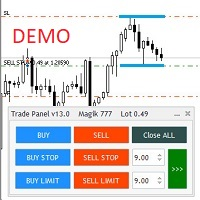
Бесплатная версия советника Trade Panel PRO
Данная торговая панель предназначена для быстрой и удобной торговли в один клик. Создавался продукт для частичной автоматизации своей личной ручной торговли https://www.mql5.com/ru/signals/1040299?source=Site+Profile+Seller Советник имеет ряд возможностей, а именно: Открытие BUY или SELL ордеров. SL выставляется ниже (выше) минимальной (максимальной) цены, задаваемых в параметрах количества свечей. Размер TP рассчитывается в соотношении от размера S
FREE
MetaTraderマーケットが取引戦略とテクニカル指標を販売するための最適な場所である理由をご存じですか?宣伝もソフトウェア保護も必要なく、支払いのトラブルもないことです。これらはすべて、MetaTraderマーケットで提供されます。

取引の機会を逃しています。
- 無料取引アプリ
- 8千を超えるシグナルをコピー
- 金融ニュースで金融マーケットを探索