 MetaTrader 5
 エキスパート
 インディケータ
 ライブラリ
ライブラリ
 ユーティリティ
 ウィジェット
 ルール
ルール
YouTubeにあるマーケットチュートリアルビデオをご覧ください
ロボットや指標を購入する
仮想ホスティングで
EAを実行
EAを実行
ロボットや指標を購入前にテストする
マーケットで収入を得る
販売のためにプロダクトをプレゼンテーションする方法
MetaTrader 5版無料取引ユーティリティ - 21
 以下はMetaTrader5での取引を簡素化する取引プログラムです。ユーティリティにカーソルを合わせると、その説明と目的が表示されます。
Stop journaling your trades by hand. Let them journal themselves. Every serious trader knows the truth: the traders who review their trades outperform the ones who don't. And almost nobody actually does it — because manually logging every entry, exit, SL, TP, and P&L into a spreadsheet is tedious enough that it quietly dies after week two. War Room Journal kills that excuse. This is the official connector between your MetaTrader terminal and the War Room trading journal on Telegram (by @Ash_TheT
FREE

ChronoTrader.mq5 — 時間ベースのトレード管理エキスパートアドバイザー ChronoTrader は、指定した時間に基づいて保有ポジションを自動管理する MetaTrader 5 用の軽量かつ高機能なエキスパートアドバイザー(EA)です。毎日の取引終了時に自動でポジションをクローズし、条件が整った場合に再エントリーも行えます。 主な機能 時間指定による自動クローズ
毎日、指定したローカル時間に全ての保有ポジションを自動でクローズします。日次リセットや重要な経済指標前のリスク管理に最適です。 条件付きでの自動再エントリー
クローズされたポジションは、価格が元のエントリーレベルに戻ったときに自動で再エントリー。無駄な再エントリーを防ぎ、戦略の整合性を維持します。 ️ グラフィカルユーザーインターフェース(GUI)
チャート上の操作パネルにより、コードを編集することなくクローズ時間や再エントリー時間、再エントリーの有効・無効を簡単に変更可能です。 通知 & ログ機能
成功・失敗を含むすべてのアクションに対して、アラート、モバイル通知、ログ
FREE

Advanced History Collector Panel (MT5 履歴統計ツール) Advanced History Collector Panel は、MetaTrader 5 (MT5) 専用に開発された、高度な口座分析および可視化ツールです。膨大な取引履歴を瞬時に解析し、直感的なグラフと詳細なレポートで表示します。 主な機能: 多角的なデータ分析 : 日次・週次ごとの損益、ロング・ショートの比率、ロット数、入出金履歴などを正確に集計。 ダイナミック・チャート : 損益曲線(ラインチャート)、資産推移、注文数分布(ヒストグラム)など、多彩なグラフ表示に対応。 リスク管理の強化 : 最大含み益や最大含み損を自動算出し、トレードの「質」を客観的に評価。 自由度の高いカスタマイズ : フォントサイズ、カラー設定、パネルの大きさなどを自由に調整可能。高解像度モニターにも完全対応。 データの自動保存 : 履歴データをファイルに保存・読み込みが可能で、継続的なパフォーマンス管理を実現。 トレード手法の改善や資金管理の最適化を目指すトレーダーにとって、最も信頼できる分析パートナーとなる
FREE

Proton Account Dashboard MT5
OVERVIEW Proton Account Dashboard MT5 is a utility for MetaTrader 5 that displays real-time account information on the chart. The dashboard shows key account metrics without requiring navigation to the account settings menu. This tool is designed for traders who want immediate visibility of account status while maintaining focus on price action.
PRIMARY FUNCTION The utility displays critical account metrics in a dedicated panel attached to the chart. All values up
FREE

RULEBOOK — Automated Trading Journal, AI Coach & Prop Firm Shield
Why pay $30 to $50 every month for TradeZella, Edgewonk, or TraderSync? Rulebook is 100% free forever. No monthly subscriptions, no paywalls, and no trial limitations.
Transform your MetaTrader 5 into a professional, data-driven trading cockpit. Rulebook automatically bridges your MT5 to an advanced web analytics dashboard featuring an integrated AI Trading Coach, a Psychology Journal, and an automated Hard Kill-Switch.
Stop
FREE

プロップファームや個人のリスク管理ルールは、通常、特定のドローダウン指標(多くの場合、固定時刻にリセットされる日次制限)に基づいて構築されていますが、取引中は、その制限に対して自分がどの位置にいるのかを見失いがちです。
Phoenix Drawdown Meterは、変動ドローダウンや過去最大ドローダウンではなく、取引日の開始時点(深夜0時にリセット)の口座残高に対するドローダウンの割合を追跡するため、画面に表示される数値は、実際の日次リスクルールで最も一般的に使用されている指標と一致します。
リスクを可視化する仕組み
- 深夜0時の残高に基づく日次ドローダウン率のリアルタイムゲージ
- 自身のリスク制限に合わせた3つの設定可能な閾値(緑/黄/赤)
- 針の動きが平滑化されているため、ティックごとの変動で数値が不規則に跳ね上がることはありません
- ドローダウンが赤ゾーンに突入した際にアラートを発信(クールダウン時間は設定可能)
「Phoenix Drawdown Meter」の活用方法:
- 1日のドローダウン制限に対する状況を一目で常に確認できる
FREE

DO NOT DOWNLOAD UNLESS YOU OWN "Tick Chart - Constant Volume Generator EA" - This indicator acts as remote control of the specifc EA. The link for "Tick Chart - Constant Volume Generator EA" : https://www.mql5.com/en/market/product/171018 1. Tick Chart Monitor 1.1 What It Does The Monitor is an indicator that runs directly on the generated tick chart. It provides a graphical control panel that lets you change the EA’s style, volume, start date, or trigger a full rebuild — without touching the
FREE

Order Book, known also as Market Book, market depth, Level 2, - is a dynamically updated table with current volumes of orders to buy and to sell specific financial instument at price levels near Bid and Ask. MetaTrader 5 provides the means for receiving market book from your broker, but in real time only, without access to its history. This expert adviser OrderBook History Playback allows you to playback the market book events on the history using files, created by OrderBook Recorder . The exper
FREE

Use Day Trading Tracker to keep a record of your earnings across accounts. This indicator will show a dashboard in the Meta Trader chart to show for the profit or loss money in your account. It’s easy to see just how much money you’re making matched betting with the Forex Trading Profit Tracker. Key features: Track your profit over time Check out your stats. Track expected profits against actual profits. Export account history to Excel. MT4 version: https://www.mql5.com/en/market/product/39113
FREE

インストールの前に:このツールにできないこと。 まずこちらをお読みください。以下のいずれかを目的としてお越しの場合、このツールは目的に合いません。チャートに載せる前に知っておく方が良いはずです。
- 仮想ストップや隠しストップは一切ありません。 すべてのストップはブローカーのサーバーに置かれる本物のストップであり、ブローカーにもプロップファームにも見えます。設計上、どちらに対しても何も隠しません。 - 1チャートにつき1銘柄。 無料版は、適用したチャートの銘柄のみを取引します。余力(ヘッドルーム)の試算は、このパネル自身が当該銘柄で行う取引のみを対象とします。複数銘柄を同時に取引する場合、試算は口座全体を把握できません。これは1チャート型ツールの実際の能力上の制限であり、意図的に無効化された機能ではありません。 - ストラテジーテスターでの取引は不可。 クリック式パネルはテスター内で意味のあるクリックができません。パネルは描画されるだけです。 - Risk Sentinel や Prop Guardian と同一チャートには置けません。 MetaTrader 5 は1チャートにつき
FREE

Bring sniper-like focus to your manual trading. Forest Sniper is a lightweight, razor-precise trading panel for MetaTrader 5 built for active traders who want effortless execution and tight risk control across any currency pair. Whether you scalp, swing, or manage multiple positions, Forest Sniper gives you the essential controls on-screen so you trade faster, cleaner, and with confidence. Key benefits Execute with speed: One-click buy, sell, and position close controls remove friction so you en
FREE
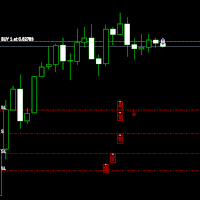
Move StopLoss - 使用方法 使い方 ドラッグ&ドロップ スクリプトをクリックし、新しい StopLoss レベルを設定したいチャート上にドラッグします。 希望の価格レベルでスクリプトをドロップします。 確認ポップアップ スクリプトをドロップすると、確認ウィンドウが表示されます。 修正されるポジション数と正確な StopLoss 価格が表示されます。 「はい」をクリックすると確定、「いいえ」をクリックするとキャンセルされます。 自動 StopLoss 更新 確認後、スクリプトは現在のチャートのすべてのオープンポジションの StopLoss を更新します。 StopLoss が設定されていないポジションには、選択したレベルで自動的に追加されます。 配置の検証 スクリプトは、 買い (BUY) の StopLoss がエントリー価格 以下 であることを確認します。 売り (SELL) の StopLoss はエントリー価格 以上 でなければなりません。 無効な StopLoss の配置がある場合、エラーが表示され、処理はキャンセルされます。 完了メ
FREE

Manual trading panel for MetaTrader 5. This tool enables you to open a trade in a single step. You can set the risk and levels directly on the chart and the position size will be calculated automatically. The tool does the following: You simply drag the stop-loss (SL), entry, and take-profit (TP) lines directly onto the chart. The position size is then calculated automatically, based on the specified risk as a percentage of the deposit or in the account currency. If necessary, you can specify a
FREE

UMNi-NTFY MT5 Telegram Notification System UMNi-NTFY is a lightweight Telegram notification tool for MetaTrader. It monitors trading activity and delivers fast, structured alerts directly to your phone — keeping you connected to your system without watching charts. KEY FEATURES Trade Open alerts (Entry, SL, TP) Trade Close alerts (P&L outcome) Session summaries System Online / Offline status Clean, structured message format Works with all symbols and timeframes Compatible
FREE

All-in-One MT5 Trading Panel EA Take full control of your trades directly from the chart using this intuitive and efficient MetaTrader 5 Expert Advisor. Built for precision, speed, and simplicity, this EA provides a fully integrated trading panel to manage your positions without navigating multiple menus. Key Features Instant Order Execution
Place trades instantly with six predefined buttons: BUY 0.5 – Open a buy position with 0.5 lot BUY 1.0 – Open a buy position with 1.0 lot BUY 2.0 – Open a
FREE

常に完璧なトレード – なぜこのトレーディングアシスタントEAが必要なのか このEAがトレーダーにとって革新的な理由 トレードは タイミング、精度、リスク管理 がすべてです。成功と失敗を分けるのは、 どれだけ効率的にトレードを実行し、リスクを管理できるか にかかっています。 このEAはトレードを 簡単かつ安全 にし、すべてのトレードを 構造化、制御、最適化 して、長期的な利益を狙うことができます。 このEAがあなたに必要な理由 簡単なトレード実行 – 複雑な計算は不要。 ワンクリックでトレードをセットアップし実行 できます。
安全対策が組み込まれている – 誤った注文を防止し、リスクを制限し、計画以上の損失を防ぎます 。
厳格なリスク管理 – 各トレードのリスクは 口座残高の1%のみ 。無謀なポジションサイズを防ぎます。
リスク/リワード(RR)の最適化 – テイクプロフィット(TP)は設定されたRR比率に基づいて自動調整 され、バランスの取れたトレードを実現。
自動ロットサイズ計算 – EAがトレードごとに適切なロットサイズを計算 し、手動調整なしでリスクを
FREE

FWS Tide Clock — Session Clock & Activity Monitor Know when to trade — at a glance. FWS Tide Clock is a real-time session clock that shows you exactly what's happening across global forex markets. See which sessions are active, when they overlap, and whether conditions favour trading — all from a compact on-chart panel with a stunning browser-based web dashboard. Part of the Forex Weather Station suite. This free module gives you instant market timing awareness — right where you need it. W
FREE

A script for quick reversing positions and/or orders. If you need to reverse a position with the same volume, open an opposite position of a different volume, this script will save you from routine! Allow AutoTrading before running the script. Instructions: Run the script on the chart. This script is a limited version of the market product https://www.mql5.com/en/market/product/638 and allows reversing only positions. Input parameters are not required. Parameters such as changing the type of exi
FREE

A simple and convenient utility for closing orders. It can close both all orders together as well as buy, sell or pending orders separately. Has an intuitive graphical interface. MT4 version of the utility - https://www.mql5.com/en/market/product/78601 If you like this utility, take a look at my other products - https://www.mql5.com/en/users/nina_yermolenko/seller
FREE

You may have found after a carefully planned trade something happened. An unexpected event... You forgot to look the web calender or use any kind of program. This fills this gap in its own way. Features: - show all events as vertical lines - low, medium or high events... with different colors. -name of the events and numbers associated with the event are also shown such actual value, forecast value and previous value.
The calendar information is obtained from your broker. It is a built-in serv
FREE

LKLK Smart Panel — The Professional One-Click Trading Panel for Manual Scalpers
Take full control of your discretionary trading with a fast, elegant, and fully customizable control panel built directly on your chart. LKLK Smart Panel was designed for traders who execute manually and need speed, clarity, and real-time performance feedback — without ever leaving the chart.
WHY LKLK SMART PANEL?
Manual scalping and discretionary trading demand split-second execution. Switching between menus, ty
FREE

Equity Target Stop is an automated utility designed to protect your profits and enforce strict capital management. It continuously monitors your account equity in real time and automatically closes all open positions as soon as your predefined profit target is reached. Key Features Automated Profit Securing: Automatically triggers a "Close All" command when equity reaches your specified target. Universal Account Protection: Works seamlessly across multiple open positions, pending orders, and dif
FREE

Price Aler t can help you send notifications to your personal Telegram when the price crosses a preset value. Additionally, you can check your MT4/5 account info anytime from your Telegram by simple command: /check. Get more free useful EAs here !
HOW TO SET UP? * Get inputs for EA: - Telegram Bot Token: Create a Telegram bot by @BotFather , and save your Bot Token. Find your bot by username & press "start". - Telegram User ID: Use your User ID by chatting with @ userinfobot * Setup
FREE

Special Offer: The first 100 downloads are completely FREE! After that, the price will increase to $30. ️ 1. POSITION SIZING Sizing_Method: Choose the lot calculation method (SIZING_LOTS for manual, SIZING_PCT_EQUITY for risk percentage, SIZING_FIXED_CASH for fixed USD risk). Sizing_ManualLots: Fixed lot size (Active when SIZING_LOTS is selected). Sizing_RiskPercent: Risk per trade as a percentage of account equity. Sizing_RiskCash: Fixed risk amount per trade in USD. 2. TARGETS & STOP LO
FREE

「UZFX Capital Control Command Center Panel v1.1」は、自身の取引活動を完全に把握したいと考える本格的なFXトレーダー向けに設計された、包括的な取引管理・リスク管理パネルです。このオールインワンソリューションは、MetaTrader 5プラットフォームを、リアルタイムモニタリング、高度なポジション管理、自動ドローダウン保護機能を備えたプロフェッショナルなコマンドセンターへと変貌させます。
このパネルは、多くの自動取引ツールよりも実用的です。なぜなら、手動で取引を行うトレーダーには、まさにこのような制御機能が必要だからです。 包括的な取引ダッシュボード 整理された単一のインターフェースで、取引口座のあらゆる側面を即座に把握できます。このパネルは、銘柄数に関係なくすべてのオープンポジションを表示し、ポジションの種類、ロットサイズ、浮動損益、未決済のテイクプロフィット値、未決済のストップロス値などを示します。トレーダーは、チャートを切り替えたり手動でエクスポージャーを計算したりすることなく、ポートフォリオ全体を監視できます。
高度なポジション管
FREE
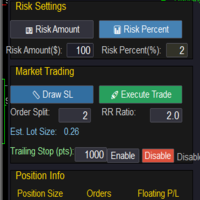
Market & Pending Risk Manager EA Operation Manual Market & Pending Risk Manager is a professional MT5 trading panel EA that integrates multiple functions such as market order trading, pending order trading, risk management, and trailing stop loss, providing traders with a comprehensive trading solution. Core Advantages Intelligent Dual-Mode Trading Market Order Mode: One-click buy/sell for fast execution Pending Order Mode: Precise entry to wait for the optimal timing Seamless Switching
FREE

If you want something as below: Sell FOREX trading signal. Manage multiple accounts. Follow the trading from somebody. "TradeCopier_follow" and "TradeCopier_source" can help you! Features: Copying from one source (master) account to multiple follower (slave) accounts. Allow investor (read only) password for the source (master) account. There are no complicated settings and input parameters, everything is easy. Works with different Brokers. Works with different symbols (EURUSD_FX, eurusd_m, e
FREE

Gold News HUD PRO for XAUUSD Gold News HUD PRO is a professional news and economic calendar dashboard (HUD) for XAUUSD / Gold traders in MetaTrader 5.
It displays gold-relevant economic news directly on the chart , evaluates their potential market relevance and helps traders identify news-related volatility risks early . ️ Important Notice:
This product is a pure information tool .
It does not place trades , does not generate trading signals , and does not block trading . Features & Overvie
FREE

Daily Stop & Profit Daily Stop & Profit is a professional risk management Expert Advisor designed to automatically control your daily profit and loss limits , helping traders protect capital and lock in gains with discipline. This EA works independently of the trading strategy and can be used on any symbol and timeframe . Key Features Set Daily Take Profit and Daily Stop Loss
Limits can be defined in percentage (%) or currency (USD / EUR)
Automatic monitoring of daily results in real tim
FREE

Rojeryo Trade Manager ATR is a MetaTrader 5 utility Expert Advisor designed to manage already opened trades.
The tool does not generate entry signals and does not open trades by itself. It is built for traders who prefer manual entries but want automatic trade management after the position is opened.
The EA can automatically set protective Stop Loss and Take Profit levels, move the Stop Loss to breakeven, close part of the position, and apply trailing stop management according to the selected
FREE

Visual Trade Info is designed to give traders a clear, visual understanding of their trading activity in real time. Instead of relying on scattered data or manually calculating key metrics, the tool presents all essential information directly on the chart in a clean and intuitive format. It enables traders to monitor every transaction with precision, including entry and exit points, active positions, and overall trade performance. Profit and loss are displayed dynamically, allowing users to inst
FREE

Backtesting PRO: Make a review of the market based on the available history of your broker. Practice your strategies and verify them in seconds. Remember to maintain excellent risk management, check your days and hours of operation. R emember to start it in the shortest period to operate. Any questions or suggestions can be sent to this email: autoeducacion0110@gmail.com
FREE

PowerTech Execution SpeedTest
Professional benchmark utility engineered to measure, analyze, and log order execution latency directly on your MetaTrader terminal. Understanding your broker’s real-world execution speed is essential for scalpers, news traders, and EA users. PowerTech Execution SpeedTest performs automated, millisecond-accurate latency benchmarks across live or demo trading environments, eliminating guesswork regarding slippage and server responsiveness.
Core Benchmark Features
FREE
CloseAllChartsExceptCurrent — MetaTrader 5 智能スクリプト 説明:
MT5ターミナルで多数のチャートを手動で閉じるのに疲れてませんか? CloseAllChartsExceptCurrent が代わりにやってくれます!このスクリプトは、起動したチャート以外を即時閉じます。秩序とスピードを重視するトレーダーに最適です。 主な特徴:
ルーティンの自動化 — 不要なチャートをワンクリックで閉じます。
時間節約 — タブ切り替えが不要に。
集中力維持 — 必要なチャートだけを残します。 インストール方法: スクリプトファイル CloseAllChartsExceptCurrent.mq5 をコピーします。 フォルダに貼り付けます:
MetaTrader 5ターミナルの MQL5/Scripts 内。 ターミナルを再起動(またはツールバーからスクリプトリストを更新)。 使い方: MT5で任意のチャートを開きます。 ナビゲーターからスクリプトをドラッグアンドドロップ。 他のすべてのチャートが即時閉じられます。 注意:
FREE

THIS IS DEMO VERSION AND ONLY WORKS ON
* GOLD
* EURUSD
* NASDAQ
FULL VERSION : BUY HERE
----------------------
Trading Dashboard by Ash_TheTrader The all-in-one scalper's control panel for MetaTrader 5 Stop switching between the New Order window, a calculator, and your own willpower. Trading Dashboard puts every decision a scalper makes — size, risk, entries, exits, and discipline — into one draggable, collapsible, fully editable panel that lives right on your chart. Built for traders
FREE

RavexAlgo — Change Template on All Charts [MT5] Apply Any Template to All Open Charts in One Click By RavexAlgo | www.ravexalgo.com | Platform: MetaTrader 5 (MT5) Overview The RavexAlgo Change Template Script for MetaTrader 5 (MT5) is a professional-grade utility script that allows traders to instantly apply any saved chart template across all open charts simultaneously — with a single click. No more manually switching templates chart by chart. Save time, maintain visual consistency,
FREE

Stop Guessing Your Lot Size. Trade With Defined Risk. Order Management Script is a FREE risk-management utility that automatically calculates your lot size, Entry, Stop Loss, and Take Profit based on your predefined trading rules. No manual position-size calculations.
No repeated SL/TP calculations.
Just define your risk and trading setup. KEY FEATURES Automatic Lot Size Calculation
Calculate the correct position size using: • Fixed monetary risk
• Percentage of account equity Multip
FREE

Day Close Hunter なぜこれが重要なのか すべてのトレーダーがこの状況を知っています。金曜日の夜、市場がまもなく閉まろうとしており、週末前にポジションを閉じるのを忘れてしまいました。月曜日、市場はギャップで始まり、避けられたはずの損失をあなたの預金が被ることになります。 多くの自動売買システムには金曜日のクローズ機能が組み込まれていません。週末中ずっとポジションを保持し続け、市場のギャップに対して無防備な状態にさせます。 Day Close Hunter はこの問題を一発で解決します。クローズする時間と曜日を設定するだけで、たとえあなたが忘れてもエキスパートアドバイザーがポジションを管理します。 目的 Day Close Hunter は MetaTrader 5 向けの汎用エキスパートアドバイザーで、指定された曜日と時間にすべてのポジションと保留注文を自動的にクローズします。週末のギャップから保護するだけでなく、毎日の市場終了前の口座整理にも最適です。 主な機能 選択可能な曜日 — チェックボックスによる柔軟な設定。任意の曜日にポジションをクローズできます。金曜日の
FREE

Discover. Analyze. Get Notified. Master price action trading with PatternVision Pro , an advanced candlestick scanner for MetaTrader 5 that transforms pattern recognition into actionable insights and data-driven analysis. Whether you're studying a single Doji , tracking a 20-candle formation, or monitoring sharp price movements, this tool helps you systematically analyze market behavior with a percentage-based approach and real-time notifications.
Complete Documentation Included Step-by-step
FREE

Saved your Account Margin for multiple Trades Trading Robot Closing all second open Trades automatic Closing Trades that reached max. Lot Trading Robot built to avoid:
-Stop multiple Trades -Save overtrading -Hold Strategy -max. Lot -Prop conform
-long Account holding -Prop Firm Account holder - Robot allow one Trade per Symbol -Stop loosing by click multiple Times Trade Button -Robot needs to be Set on every Symbol that will be saved - no Settings configure OneRule OneFunktion Set on Chart
FREE

Playback of previously saved data from the order book.
Key features: Historical data navigation Adjusting the playback speed with the "---" and "+++" buttons, as well as with the mouse, you can by scrolling the wheel over the area of these buttons and between them Turning Price Centering On and Off Time display accurate to thousandths of a second Attention: This product also needs a utility to save data: https://www.mql5.com/en/market/product/71642
FREE
Introducing Auto Change , an Expert Advisor (EA) designed to automatically switch between charts according to the market watchlist. To use it, simply drag it onto the screen and confirm with "OK". Users can set the time interval in seconds for automatic chart switching and start the process by clicking "Start". For example, if a two-second interval is selected, the charts will switch automatically every two seconds. Additionally, the EA includes "Next" and "Back" buttons for manually advancing o
FREE
Conversion of ".set" files created in the MT5 terminal for use in the MT4 terminal. The script is great for cross platform experts.
How to work: place the source files ".set" in the local terminal folder\MQL5\Files run the script the ".set" files for the MT4 terminal appeared in the local terminal folder (the end of the file name "* -MT4.set")
Created on MT5 build 1755 from 18/01/18 Please leave your feedback after using.
FREE

Smart One-Click Risk Manager - TradingView Style UI Tired of placing manual market orders without instant protection or dealing with MetaTrader’s outdated default panel? Smart One-Click Risk Manager is a high-performance visual utility built for traders who need 1-click execution with pre-configured Stop Loss and Take Profit in USD , wrapped in a sleek, modern TradingView Dark Theme interface. Clearly visualize your profit zone (soft pastel green) and risk zone (soft pastel red) directly on the
FREE

Customize your charts with this simple utility. Choose in the 24 pre-built color sets, or use your own colors, save them to re-use them later. You can also add a text label on your chart.
--- Chart Colors-- Color Set : 24 prebuilt color sets (select "Custom" to use colors below) Background color Foreground color Grid color Chart Up color Chart Down color Candle Bull color Candle Bear color Line color Volumes color --- Label--- Text Label : Type the text you want to appear on the chart Label P
FREE

Chart Buddyは、取引チャートに楽しさを加えるために設計されたエンターテインメントツールです。キャラクターがチャートの右側を移動し、価格の動きを応援しているように見せることで、取引にユニークで楽しい要素を追加します。取引に直接影響を与えることはありませんが、アニメーションは軽い気晴らしになり、まるで個人的なサポーターがいるような気分にさせてくれます。 主な機能: 価格の動きをサポート : キャラクターが価格の方向(上昇、下降、またはポジションの方向)に応じて動き、まるで市場を応援しているかのように見せます。 キャラクター選択 : 3種類のキャラクター(リス、お相撲さん、女の子)から選べるほか、カスタム画像をアップロードして個別に設定することも可能です。 カスタマイズ可能なアニメーション : キャラクターの動きの速度やタイミングを自由に調整できます。 視覚的エンターテインメント : アニメーションキャラクターが取引環境に活気とインタラクティブな要素を追加します。 illust STAMPOについて このツールでは、フリー画像リソース illust STAMPO (stampo.f
FREE
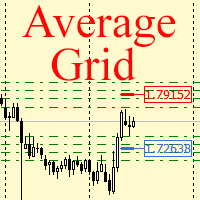
For any number of placed market and pending orders, the utility calculates the "breakeven level" - weighted average price. The calculation is performed individually for buy and sell orders. The weighted average price is marked with a label and colored horizontal line separately as well - one line for the buy price, and the other for sell price.
Input Parameters: Include pending. Include the pending orders in calculation. The default value of this parameter is false, and the calculation of the b
FREE
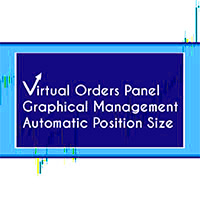
Note: Demo version only works on NZDJPY and USDRUB
What does it do? It assists you in your trading and has some important jobs to perform: It sets virtual pending orders, stop loss and take profit. It can set real stop loss and take profit if desired. It makes trading independent of bid-ask line concept, thus useful for very short term traders and price action traders. Orders can be opened, managed and closed with 1 click providing fastest management. It can automatically set your position sizi
FREE

️ Infinity Manager – MT5用スマートトレード管理ダッシュボード
Infinity Manager は、MetaTrader 5向けに開発された高性能かつ軽量なトレード管理エキスパートアドバイザー(EA)です。クリーンでモダンなチャート上のダッシュボードを通じて、トレーダーに保有ポジションの完全なコントロールを提供します。 手動取引を行う方でも、他のEAと戦略を組み合わせている方でも、Infinity Managerは利益の保護、リスク管理、そしてパフォーマンスのリアルタイム監視をサポートします。 主な機能 リアルタイム取引ダッシュボード リアルタイムの含み損益(P&L)表示 アクティブポジション数の表示 有効証拠金(フリーマージン)の表示 利益・損失の動的カラー表示 クリーンでプロフェッショナルなインターフェース インテリジェント・トレード管理 手動取引のみを管理するオプション 現在の通貨ペアのみを管理するオプション ワンクリック「全決済」ボタン より安全な約定のためのスリッページ管理 自動TP/SL保護機能 未設定のストップロス(SL
FREE

Convenient information line on the chart.
Displays the cost of the point depending on the selected volume (selection in the settings) Displays a swap of short and long trades depending on the selected volume. Shows a triple swap and indicates the day of the week on which it is charged Displays the current spread for the current instrument Displays the remaining time until the next bar on the current timeframe. In the settings you can choose the color, font size, placement and volume.
FREE

Az Order Manager - Free Visual Hook Edition V1.2
The most visual order management panel, now available for free to try.
This is the free version of Az Order Manager Diamond 9.41 (Best Seller).
What is this tool? A professional panel to manage orders with visual lines. You can draw entry, stop loss and take profit lines, move them on the chart and see lot size, risk in $ and reward in real time before executing.
WHAT YOU CAN DO IN THIS FREE VERSION (100% Working):
Visual Lines - Click Pen
FREE
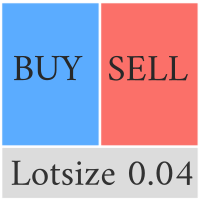
Compliement your normal MT5 Buy/Sell panel with this automatic lot size panel. This product is free without any limitations. There will be a pro verision later with additional functionality, but my motto is to always have awesome free products. It automatically places the stop and sizes the lot according to the given ATR for risk. You have to try it to experience it!
Now I can't trade manually without it.
It's turned out to be much more intuitive than I would think before creating it.
There's
FREE

FTMO Max Daily Loss Guard is a simple MetaTrader 5 Expert Advisor designed to monitor the net profit and loss of all open positions. It checks the account every few seconds and automatically closes all open positions when the current net loss exceeds the defined daily loss limit minus the safety buffer.
The EA is built to help traders protect their capital, reduce risk and stay within strict risk-management rules such as the FTMO Max Daily Loss limit.
FREE

RiskLock MT5 — Professional Drawdown Protection & Emergency Account Lock System RiskLock MT5 is a professional risk management utility designed to protect trading accounts from excessive drawdown and catastrophic loss events.
Main Features Drawdown Percentage Protection
Fixed Monetary Loss Protection
Emergency Account Lockdown
Automatic Position Liquidation
Pending Order Deletion
Optional Close-All-Charts Protection
Real-Time Color Dashboard
Emergency Global Variable Lock
Mult
FREE
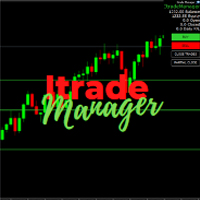
Itrade manager expert advisor (EA) is a type of software that can be programmed to perform a variety of tasks related to managing trades in the financial markets. Some of the ways in which the Itrade manager EA can help you trade better include: Itrade manager EA can automatically modify, and close trades based on predefined rules and conditions, freeing you up to focus on other aspects of your trading strategy. Managing risk: Itrade manager EA can help you manage risk by placing stop-loss and t
FREE
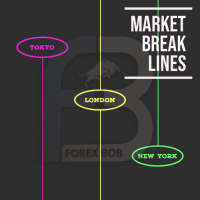
Market Break Lines is an utility tool to create a partition line at market openings/closings of Tokyo/London/NewYork sessions. This will help you to compare the market movements, volatility variations between the different markets.
Inputs: Inputs are simple to feed the time of Tokyo/London/NewYork sessions as per your broker server time Change Color and width of partition lines You can enable or disable any line (Hide/Show).
Please don't forget to support by giving handsome reviews/rating MT
FREE

Smart money is a powerful currency. This money is available to major investors who can identify, predict or even generate capital movements ahead of others. This money can flow into financial and capital markets and create dramatic price changes in various stocks. Therefore, detecting smart cash flow, which usually enters the market in a coherent manner and confronts the volume and value of transactions in a market with high returns, is one of the methods that some investors use to invest. But h
FREE

Many EAs only make money in a trending market. When the market goes sideways, they give back profits for months. Regime Watch tells you which kind of market you are in, so you can decide when to scale your EA up or down, before the drawdown shows it to you. How it works Regime Watch measures how far price has moved over the last 126 daily bars (about 6 months), in either direction. When the move reaches 12%, the market is TRENDING. When it falls below 10%, the market is SIDEWAYS. A change only c
FREE

Overview The script displays information about the trade account: Information about the trade account: Account - account number and type (Real, Contest or Demo); Name - name of the account owner; Company - name of a company that provide the access to trading; Server - trade server name; Connection State - connection state; Trade Allowed - shows whether trading is allowed on the account at the moment; Experts Allowed - shows whether it is allowed to trade using Expert Advisors; Balance - account
FREE

Clean Trade Pro Most trade managers bury you in tabs, toggles and forty inputs you will never touch. Clean Trade Pro does the opposite. Drop it on any chart, drag three lines, and trade. Your setup is ready in under a minute. Clean Trade Pro is a focused, visual trade panel for discretionary traders who want speed and clarity , not a Swiss-army knife. Every position is built the same way: drag your Entry , Stop Loss and Take Profit lines on the chart, watch the lot size and risk calculate in rea
FREE
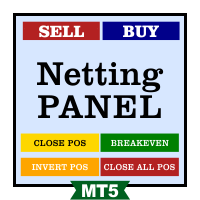
Funcionamento: O Painel Netting Panel RSJ funciona com qualquer ativo e em qualquer tempo gráfico . Ele funciona em contas do tipo " Netting " e " Hedge ", mas gerencia apenas uma posição por ativo, por isso o nome Netting. Se ele for executado em contas do tipo " Hedge ", ele fará o gerenciamento e proteção apenas da posição mais antiga , ou seja, da primeira posição que foi aberta por ele. Em contas " Netting " quando os botões " SELL " ou " BUY " forem pressionados, ocorrerá
FREE

Detailed Trade Statistics EA (Multi-Symbol + Magic Number Analyzer) Professional Trade Monitoring Tool for MT5 Traders Take full control of your trading performance with this powerful utility EA that provides real-time, detailed trade statistics directly on your chart. This EA is specially designed for traders running multiple EAs, strategies, or manual trades , helping you track everything in one clean dashboard. What This EA Does The Detailed Trade Statistics EA automatically scans yo
FREE

LATTICE VISION
THE MOST ADVANCED ORDER-NETWORK ANALYSIS TOOL ON MQL5.
Not a claim. A position backed by published, independently testable fidelity data.
Discover with Lattice Vision. Deploy with Lattice Command. One engine. Two instruments. One continuous workflow.
Lattice Vision is the original level-trading analysis tool — Grid Trading 2.0, engineered properly. When you find a configuration in Vision, the matching live engine produces the same trades. Eighteen test configurations coveri
FREE

Economic Calendar Defender – Smart News Protection for MT5 Economic Calendar Defender は、重要な経済ニュースによって引き起こされる高いボラティリティイベント中に、チャートの前にいる必要なく、また使用している標準的な取引操作やEAを変更することなく、あなたの取引を保護するために設計されたユーティリティです。 任意のチャートにインストールするだけで、EAがリアルタイムで経済カレンダーを監視し、関連する各イベントの前、最中、後にあなたの取引を管理します。 prop firm で取引する場合、この種の保護は不可欠です。それらの会社は、通常、高インパクトなニュース、激しいスプレッド、または急激な市場の動きの中での取引にペナルティを課します。 このEAは、予期せぬニュースがあなたの口座を傷つけたり、評価を無効にしたりするのを防ぐことで、これらのルールを遵守するのに役立ちます。 主な特徴
• 経済ニュースに対する自動保護: EAはForexFactoryから経済カレンダーを自動的にダウンロードし、通貨とインパクトに
FREE

TradeSync One MT5 El Copiador Local de Operaciones Ultra-Rápido para MetaTrader 5 TradeSync One es un copiador profesional de operaciones desarrollado completamente en MQL5 nativo , diseñado para traders profesionales, gestores de cuentas y usuarios de Prop Firms que necesitan máxima velocidad, estabilidad y precisión . A diferencia de los copiadores tradicionales que dependen de WebRequest, servidores externos o DLLs pesadas , TradeSync One utiliza un sistema de comunicación 100% local , op
FREE

EA REMOTE COPIER Copy Your Trades Across Different VPS — Fast, Secure & Reliable EA Remote Copier is a professional Expert Advisor designed to automatically copy trading activity between different VPS, trading accounts, and locations through the Internet . It is suitable for traders, money managers, signal providers, and anyone who needs to synchronize trades across multiple accounts efficiently.
Please download Slave EA here = https://www.mql5.com/en/market/product/190756
User Manual : do
FREE

Account Guard – Trading Account Protection for MT5 Account Guard is a safety layer for prop firm and funded accounts.
It automatically closes positions at day end and enforces daily loss limits to prevent rule violations and account breaches. Account Guard is designed to protect traders from costly operational mistakes such as forgetting to close positions before the trading day ends or exceeding daily drawdown limits. It does not open trades and does not interfere with your strategy logic — it
FREE

1.mt5跟单软件,支持本地跟单。
2.只需要一个程序,主端输入从端账户,从端输入主端账户
3.品种名称要一致。
4.跟单可正向跟单也可以反向跟单,手数暂时不支持按比例
5.可一对一跟单,一对多跟单没试过
6、喊单和跟单都是同一个EA
7、可以多个跟1个,设置好跟单和喊单的ID。
8、功能齐全,看以下说明,4种跟单手数方案,应该满足各种需要了。
9、跨平台没问题,商品名称有后缀,前缀的,都可以跟单
10、参数设置也做了保存,大家可以加载参考,再根据参数设置的图片说明,不难哈。
无dll 无txt 设计 不需调用动态链接库
币种后缀自适应,无需二次匹配
傻瓜式操作 单项向从控端 仅需填写 主控端账号 就可以 若开启双向平单则 主控填从控账号 从控填主控账号
瓜式操作,MT5本地跟单EA,支持自定义注释 前缀,微秒级别跟单
FREE

Chart Reset – Free MT5 Utility
Reset your MT5 chart settings with one click.
Chart Reset is a simple and lightweight utility designed to quickly restore your chart to a clean, professional setup.
Key Features
- One-click chart reset - Restore white chart background - Restore green bullish candles and red bearish candles - Reset Bid and Ask line colors - Restore candlestick chart mode - Reset grid and chart display settings - Restore Auto Scroll and Chart Shift - Reset chart zoom and view -
FREE
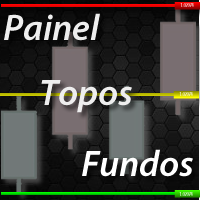
PANEL OF TOPOS AND HISTORICAL BACKGROUNDS This is a panel that does not open orders only manages all Symbols and calculates the tops and bottoms and presents the calculation in relation to the top and bottom in 5 Years, 2 Months and 1 Week.
It is ideal for filtering the pairs that are in the good regions to operate. You can filter the range and choose whether to consider the body or shadow of the candle in the monthly. Good luck...
FREE
MetaTraderプラットフォームのためのアプリのストアであるMetaTraderアプリストアで自動売買ロボットを購入する方法をご覧ください。
MQL5.community支払いシステムでは、PayPalや銀行カードおよび人気の支払いシステムを通してトランザクションをすることができます。ご満足いただけるように購入前に自動売買ロボットをテストすることを強くお勧めします。

取引の機会を逃しています。
- 無料取引アプリ
- 8千を超えるシグナルをコピー
- 金融ニュースで金融マーケットを探索