 MetaTrader 5
 エキスパート
 インディケータ
 ライブラリ
ライブラリ
 ユーティリティ
 ウィジェット
 ルール
ルール
YouTubeにあるマーケットチュートリアルビデオをご覧ください
ロボットや指標を購入する
仮想ホスティングで
EAを実行
EAを実行
ロボットや指標を購入前にテストする
マーケットで収入を得る
販売のためにプロダクトをプレゼンテーションする方法
MetaTrader 5版無料取引ユーティリティ - 23
 以下はMetaTrader5での取引を簡素化する取引プログラムです。ユーティリティにカーソルを合わせると、その説明と目的が表示されます。
TradeSync One MT5 El Copiador Local de Operaciones Ultra-Rápido para MetaTrader 5 TradeSync One es un copiador profesional de operaciones desarrollado completamente en MQL5 nativo , diseñado para traders profesionales, gestores de cuentas y usuarios de Prop Firms que necesitan máxima velocidad, estabilidad y precisión . A diferencia de los copiadores tradicionales que dependen de WebRequest, servidores externos o DLLs pesadas , TradeSync One utiliza un sistema de comunicación 100% local , op
FREE

Q市价做空,W市价做多,E市价全部平仓。 持仓最大数量为1,即:禁止加仓。 ea的输入为手数,止损和最大滑点,不支持设置止盈。 专为短线吃一个小波段设计。 无论下单还是止损都会有提示声。 Q W E sell buy close
The Q key is short, the W key is long, and the E key is closed. The maximum number of positions is 1, i.e., it is forbidden to add positions. The EA's inputs are lots, stop loss and maximum slippage, and take profit is not supported. Designed for short-term swing trader. Play sound whenever position open or stoploss.
FREE
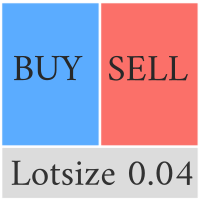
Compliement your normal MT5 Buy/Sell panel with this automatic lot size panel. This product is free without any limitations. There will be a pro verision later with additional functionality, but my motto is to always have awesome free products. It automatically places the stop and sizes the lot according to the given ATR for risk. You have to try it to experience it!
Now I can't trade manually without it.
It's turned out to be much more intuitive than I would think before creating it.
There's
FREE

Demo Version Notice This is the demo version of Aurum.
Some features may be limited in order to allow users to test the interface and core functionality before purchasing the full version. Aurum – Professional Trading Panel for MT5 Aurum is a professional trading panel for MetaTrader 5 designed to provide fast execution, precise risk control, and a clean visual workflow directly on the chart. Built for discretionary traders who value clarity, efficiency, and full control over their positions. Vi
FREE

Chart Reset – Free MT5 Utility
Reset your MT5 chart settings with one click.
Chart Reset is a simple and lightweight utility designed to quickly restore your chart to a clean, professional setup.
Key Features
- One-click chart reset - Restore white chart background - Restore green bullish candles and red bearish candles - Reset Bid and Ask line colors - Restore candlestick chart mode - Reset grid and chart display settings - Restore Auto Scroll and Chart Shift - Reset chart zoom and view -
FREE

Server Clock and Daily Reset Hour is a small read-only chart panel that answers one question: what hour, in your broker's server time, does your trading day actually reset? Prop firm and funded account rules are usually written in a time zone that is not yours and not your broker's. A rule that says the day resets at 5:00 pm New York has to be converted into broker server time before it is any use to you, and the answer changes twice a year when clocks shift. Getting it wrong means every daily l
FREE

One-Click Trade Manager for MetaTrader 5 The Close Manager Buttons EA is a powerful utility designed to give you full control of your open positions and pending orders with just one click.
Forget about manually closing trades one by one during fast market moves—this EA does it instantly, safely, and efficiently. Key Features Close All Trades – instantly close every open position Close Only Buy Trades – exit only BUY positions while keeping SELL trades running Close Only Sell Trades – exit only
FREE

Quantum Simulator – Discover the Power of Quantum Dynamic Risk Quantum Simulator is an Expert Advisor designed to demonstrate the effectiveness of the Quantum function, fully integrated into the RiskGuard Management system. Through a simple interface, you can simulate an equity curve starting from a fixed balance of €100,000 , using your own custom statistics: Win Rate (%) Average Risk/Reward Ratio Number of Trades Maximum Allowed Drawdown (Optional) Minimum Accepted Drawdown The EA performs a
FREE

Versione Inglese Title: Pocket Reversal Notifier - Free Mobile Utility Description: Pocket Reversal Notifier is a professional, free monitoring utility designed for traders who want to catch high-probability market opportunities without spending all day glued to the charts. This tool continuously scans the market for price reversals and sends real-time Push notifications straight to your smartphone. The algorithm is far more than a simple moving average crossover: it is a true "No-Lag" ecos
FREE

️ AutoProtect R13: Your Intelligent Trade Guardian Tired of manual management and emotional exits? AutoProtect R13 is a professional-grade utility designed to automate your risk management. This tool ensures your account stays protected 24/7. WHAT’S NEW IN V1.1 Optimized Execution: Faster processing for high-volatility market conditions. New User Interface: Professional GUI Dialog panel (replacing basic chart comments). Smart Break-Even+: Move Stop Loss to entry plus a small profit buffer
FREE

AutoClose MT5 - Your 24/7 Automatic Capital Guardian Stop the bleeding. Lock in profits. Trade with peace of mind.
️ Why Your Trading Account Is Incomplete Without AutoClose MT5 You have your strategy, your EA, your analysis. But what's your automatic fail-safe ? One emotional decision, one missed market gap, one bad day can undo months of work. AutoClose MT5 is that non-negotiable layer of protection. It's not just a tool; it's your trading insurance policy that works 24/7. The Profession
FREE

Time Panel: Server Time, Local Time and Open and closed clocks for TOKYO, London and New York.
Time Panel + Horizontal Bar: Server/Local + Main markets Sessions
Example: TIMES SERVER HH:MM:SS LOCAL HH:MM:SS TOKYO OPEN 00:00 - 09:00 UTC cls 02:34:15 LONDON CLOSED 08:00 - 17:00 UTC opn 05:12:33 NEW YORK OPEN 13:00 - 22:00 UTC cls 07:45:22
https://t.me/Tonic_Trades_Signals
FREE

SHINO Trade Manager – Smart Risk Management EA (Auto SL, TP & Trailing Stop + Telegram Alerts) Take full control of your trades and eliminate emotional decision-making with SHINO Trade Manager , a powerful and lightweight Expert Advisor designed to automate your risk management on MetaTrader 5. Whether you are a scalper, day trader, or swing trader, this EA ensures every position is protected and managed with precision — 24/7. Protect Your Capital Automatically Never leave a trade unprotec
FREE

Economic Calendar Defender – Smart News Protection for MT5 Economic Calendar Defender は、重要な経済ニュースによって引き起こされる高いボラティリティイベント中に、チャートの前にいる必要なく、また使用している標準的な取引操作やEAを変更することなく、あなたの取引を保護するために設計されたユーティリティです。 任意のチャートにインストールするだけで、EAがリアルタイムで経済カレンダーを監視し、関連する各イベントの前、最中、後にあなたの取引を管理します。 prop firm で取引する場合、この種の保護は不可欠です。それらの会社は、通常、高インパクトなニュース、激しいスプレッド、または急激な市場の動きの中での取引にペナルティを課します。 このEAは、予期せぬニュースがあなたの口座を傷つけたり、評価を無効にしたりするのを防ぐことで、これらのルールを遵守するのに役立ちます。 主な特徴
• 経済ニュースに対する自動保護: EAはForexFactoryから経済カレンダーを自動的にダウンロードし、通貨とインパクトに
FREE

1.mt5跟单软件,支持本地跟单。
2.只需要一个程序,主端输入从端账户,从端输入主端账户
3.品种名称要一致。
4.跟单可正向跟单也可以反向跟单,手数暂时不支持按比例
5.可一对一跟单,一对多跟单没试过
6、喊单和跟单都是同一个EA
7、可以多个跟1个,设置好跟单和喊单的ID。
8、功能齐全,看以下说明,4种跟单手数方案,应该满足各种需要了。
9、跨平台没问题,商品名称有后缀,前缀的,都可以跟单
10、参数设置也做了保存,大家可以加载参考,再根据参数设置的图片说明,不难哈。
无dll 无txt 设计 不需调用动态链接库
币种后缀自适应,无需二次匹配
傻瓜式操作 单项向从控端 仅需填写 主控端账号 就可以 若开启双向平单则 主控填从控账号 从控填主控账号
瓜式操作,MT5本地跟单EA,支持自定义注释 前缀,微秒级别跟单
FREE

The CandleStick Scanner is a tool that allow you to perform a market scan and search any candlestick pattern that you already created in the current chart, You can perform a quick search in the current chart (500 bars will be scanned), This is a lite version of CandleStick Factory for MT5 . The full version video can be found here : https://www.youtube.com/watch?v=fq7pLXqVO94 The full version can be purchased here: https://www.mql5.com/en/market/product/75434
How it works You can
FREE

Trades Manager Buy and Sell Close MT5
The Close Buy and Sell Expert Advisor is a free EA given to help traders manage trades easily especially during volatile market environment.
Features:
It helps to quickly close trades either in profit or loss. Close for separate Buy Only Close for separate Sell Only Close for both Buy and Sell Only Control Box can be minimized, closed or moved around from the chart. Check the MT4 here
It works for all open trades opened on the
FREE

Trade Remote: Pocket Desk - Your MetaTrader Account, Now in Your Pocket
FEATURES Trade Remote: Pocket Desk turns your phone, tablet, or any web browser into a live trading remote control for your MetaTrader terminal. No app to install on your phone — just a 4-character code and any browser. Connects to your MT4 terminal in under 30 seconds using a unique, auto-generated 4-character CONNECT code. One-click BUY and SELL on any symbol in your Market Watch, with live bid/ask and spread shown befor
FREE

Product Name: QuickStep Trader – Customizable Manual Trading Panel
Version: 2.0
Compatibility: MetaTrader 5
Product Type: Utility Description:
QuickStep Trader is a powerful yet intuitive manual trading panel designed for traders who prefer hands‑on execution. With a clean, fully customizable interface, it streamlines the process of opening and closing positions, letting you focus on your trading decisions. Key Features: One‑Click Lot Presets: Three preset lot buttons (user‑configu
FREE

Telegram Controls (Telecontrol) — performs communication between the bot Telegram and the terminal MetaTrader 5 . It helps aggregate data from multiple terminals and manage them using a bot in Telegram . The service is convenient for working on multiple MT5 terminals, allowing each terminal to be individually configured for optimal display and perception of information. All terminal data is collected in one Telegram channel, and the settings panel allows quick adjustments and saving of changes i
FREE

パネルには、すべての初心者が処理できる最も直感的なインターフェイスがあります。
SLp列で-SLサイズをピップで指定する必要があります。値が灰色に変わり、同時にベイ/セルボタンも非アクティブになっている場合は、ブローカーによって設定される前に許可されていた値よりも小さいSL値を指定しています。
[TP%]列で、アカウント残高の%でTPを示します。設定では、この指標の計算内容に基づいて、資本、残高、または自由証拠金を選択できます。
R%列では、取引のリスク値を設定できます。
Insボタン。 -設定値ですぐに注文を開くことができます。無効になっている場合は、取引のパラメータをチャートに直接プリセットできます。 Pro Trading Panel - https://www.mql5.com/en/market/product/72256
上部の左上隅にあるマイナス記号をクリックすると、グラフのパネルを最小化できます。
パネル名の下にある+ボタンと-ボタンを調整することで、パネル自体のサイズを拡大または縮小することもできます。
保留中の注文を開いてBUへの転送、トレー
FREE

This tool allows you to export Ticks for any financial instrument available in MetaTrader 5. You can download multiple symbols into the same CSV file. You can also schedule the download frequency (every 5 minutes, 60 minutes, etc.). There is no need to open multiple charts to get the latest data—the tool downloads the data directly. The CSV file will be stored in the following folder: \MQL5\Files . How it works Select the symbols to download: Click an item to select or deselect it. Enter the CSV
FREE

Price live on the Chart Description: The Real-Time Price Display is a powerful tool for MetaTrader 5 users that provides continuous updates of the current bid (SELL) and ask (BUY) prices directly on your trading chart. This script is ideal for traders who need to stay updated on market prices at a glance. Key Features: Live Price Updates : Displays the latest bid and ask prices for your selected trading symbol in real-time. Customizable Display : Adjust the horizontal and vertical position of th
FREE

Position Limiter EA: Control Your Risk, Maximize Your Strategy Are you tired of manually managing your trades across multiple symbols? Do you want to ensure you never exceed your risk limits? Introducing the Position Limiter EA for MetaTrader 5! This powerful Expert Advisor automatically monitors all your open positions and pending orders for each symbol on your account. You set the maximum number of trades allowed per symbol, and the EA takes care of the rest. If the number of trades exceeds yo
FREE

日本語
説明 このリスク管理ツールは、口座残高の割合(%)および成行注文(buy market と sell market)のみで動作します。指値注文では動作しません。 口座残高の任意の%を使用できます。設定アイコンをクリックして、%の値を入力してください。 使用方法 ストップを設定したい価格をマウスの左ボタンでクリックしてください。黄色いラインが表示されます。この黄色いラインがあなたのストップです。その後、''BUY MARKET'' または ''SELL MARKET'' ボタンをクリックしてください。 チャート上に黄色いラインを作成したくない場合は、''DELETE STOP'' ボタンをクリックし、その後 ''LOCK STOP'' ボタンをクリックしてください。この操作を元に戻すには、''UNLOCK STOP'' ボタンをクリックしてください(このボタンは ''LOCK STOP'' をクリックした後にのみ表示されます)。 非常に重要な注意(必ずお読みください) 「証拠金不足」により注文が拒否される可能性が非常に高いです。これは、リスク割合が高すぎるか、ストップ
FREE

Trading Performance Analyzer is a MetaTrader 5 utility designed to help traders review trading activity and manage positions from a single interface.
The tool combines performance statistics, trade history visualization and position management features inside a customizable on-chart panel. It can be used for monitoring trading results, analyzing behavior patterns and executing trades with predefined risk parameters. Features Performance Analytics The dashboard provides a set of metrics that hel
FREE

Overview This Expert Advisor acts as a slave receiver designed to work seamlessly alongside the Copy Trades Master application. It reads broadcasted master signals in real time and automatically mirrors trade operations on the local slave account. https://www.mql5.com/en/market/product/189493 Key Features: Unlimited Slave Accounts: Broadcast signals from a single master to as many slave terminals as you need with no performance limit. Flexible Lot Management: Customize trade sizing using a lot m
FREE

POTUSCalendar ホワイトハウススケジュールダッシュボード - 市場を動かす政治イベントを見逃さない POTUSCalendarは、米国大統領の公開スケジュールを取引チャート上に直接表示するプロフェッショナルなMetaTrader 5インジケーターです。記者会見、公式声明、旅程、公開出演など、金融市場に影響を与える可能性のあるホワイトハウスの今後のイベントについて常に情報を得ることができます。 このインジケーターは、ホワイトハウスの公式公開スケジュールからリアルタイムデータを自動的に取得し、すべてのイベント時間をローカルタイムゾーンとブローカー時間に変換し、すべてをエレガントでカスタマイズ可能なパネルに表示します。外国為替、指数、商品、暗号通貨のいずれを取引していても、重要な政治イベントを認識することは、情報に基づいた取引決定にとって極めて重要です。 詳細を読む: 完全なドキュメントと設定ガイド (English) 期間限定オファー: 最初の50ダウンロードは無料です!その後、この製品は有料になります。今すぐダウンロードして無料コピーを入手してください。 主な機能 リアルタイ
FREE

Guardian Shield EA - Risk & Profit Protection System ️ Ultimate Account Protection Guardian Shield is a specialized utility Expert Advisor designed to provide comprehensive risk management and profit protection for your trading account. It monitors all running positions in real-time and takes immediate action when predefined profit or loss thresholds are reached. Key Features Advanced Risk & Profit Guardian Real-time Monitoring : Continuously tracks total P&L across all positions Du
FREE

Funcionamento: O Painel Netting Panel RSJ funciona com qualquer ativo e em qualquer tempo gráfico . Ele funciona em contas do tipo " Netting " e " Hedge ", mas gerencia apenas uma posição por ativo, por isso o nome Netting. Se ele for executado em contas do tipo " Hedge ", ele fará o gerenciamento e proteção apenas da posição mais antiga , ou seja, da primeira posição que foi aberta por ele. Em contas " Netting " quando os botões " SELL " ou " BUY " forem pressionados, ocorrerá
FREE

Smart One-Click Risk Manager - TradingView Style UI Tired of placing manual market orders without instant protection or dealing with MetaTrader’s outdated default panel? Smart One-Click Risk Manager is a high-performance visual utility built for traders who need 1-click execution with pre-configured Stop Loss and Take Profit in USD , wrapped in a sleek, modern TradingView Dark Theme interface. Clearly visualize your profit zone (soft pastel green) and risk zone (soft pastel red) directly on the
FREE

Great dashboard for market analytics. Help you to analyze the values of the Moving Average indicator and prices.
Using this dashboard you can: find signals from the Moving Average from all timeframes; find signals from the Moving Average from all symbols; check - how far the Moving Average is from the price; check - the Moving Average value has changed; 2 types of signal.
Modes of operation (switched by a button on the graph): current value of Moving Average; the difference between the curr
FREE

Introducing the Scalping Expert Advisor (EA) for Short Trades This Expert Advisor (EA) is meticulously designed for short trades scalping, offering a blend of precision and efficiency to maximize your trading performance. Below, we delve into the key functions and features that make this EA an essential tool for scalpers.
Key Features: Automatic Take Profit (TP) and Stop Loss (SL) Settings: Take Profit Input: Allows you to set a specific TP value, enabling precise control over your exit points
FREE

FWS Tide Clock — Session Clock & Activity Monitor Know when to trade — at a glance. FWS Tide Clock is a real-time session clock that shows you exactly what's happening across global forex markets. See which sessions are active, when they overlap, and whether conditions favour trading — all from a compact on-chart panel with a stunning browser-based web dashboard. Part of the Forex Weather Station suite. This free module gives you instant market timing awareness — right where you need it. W
FREE
Protect My Trades is an EA (expert advisor bot) that automatically put stop loss and take profit on market trades and pending orders. You can specify if want it to do this only on actual symbol trades or in all others. Its configuration is very simple. Functions: Take profit: distance to TP (0 = disabled, no TP will be created).
Stop loss: distance to SL (0 = disabled, no SL will be created).
Price type: price type in pips or pipets/points (pips is common in Forex).
Actual symbol only: manage th
FREE
Close all open orders, delete all pending orders, and clear the entire account's orders. Please use caution! After clicking the button, the account order will be 0! Help us quickly clear account orders! As it is a free version, only the function of closing all orders is available. If other functions are needed, customization is required! The paid version has more features!
FREE

RealCost Gold Session Zones MT5 is an entry-level session map utility for gold traders using MetaTrader 5. It draws Asia, London and New York session zones on the chart and shows a compact live dashboard for current-session context.
The utility is designed for visual market timing, manual preparation and quick broker-condition checks. It does not trade, does not open or close positions, and does not provide buy or sell signals.
Main features: - Asia, London and New York session zones. - Config
FREE

Order Book, known also as Market Book, market depth, Level 2, - is a dynamically updated table with current volumes of orders to buy and to sell specific financial instument at price levels near Bid and Ask. MetaTrader 5 provides the means for receiving market book from your broker, but in real time only, without access to its history. This expert adviser OrderBook History Playback allows you to playback the market book events on the history using files, created by OrderBook Recorder . The exper
FREE

This pivot scanner implements five industry-standard pivot methodologies: Classic Pivot (HLC/3) Fibonacci Pivot (0.382 / 0.618 / 1.000 levels) Camarilla Pivot Woodie Pivot DeMark Pivot The scanner can operate with a fixed user-selected method or in adaptive mode, where the most suitable pivot model is selected automatically based on observed market behavior and historical performance. Designed as a fully configurable analysis and observation tool, the EA performs historical warmup, executes scan
FREE

Algorithm Update: Grid Assistant (Version v3.1) 1. Description of the Fixed Issue (Bug Fix): In previous versions, the grid level auto-recovery module ( CheckAndRestoreKnees ) scanned trade history using a fixed lookback window (the last 3 days). When a grid cycle fully closed and profit was taken, the memory cleanup mechanism wiped the stored position IDs as intended. However, upon starting a new grid cycle, the assistant queried historical deals from the past 72 hours, pulled closed profitable
FREE
Demo version of the Virtual SL TP Trailing product for testing all functions https://www.mql5.com/ru/market/product/75210
ВНИМАНИЕ: ТОЛЬКО ДЛЯ ДЕМО-СЧЕТОВ !!!
Make Trailing Stop, Take Profit, Breakeven, Stop Loss levels invisible to the broker!
HIDDEN MODE (STEALTH MODE) Virtual Trailing Stop (Virtual Trailing Stop) Virtual Take Profit (Virtual Take Profit) Virtual Breakeven (Virtual Breakeven) Virtual Stop Loss (Virtual Stop Loss) Виртуальный 2-уровневый Трейлинг-стоп Virtual Tr
FREE

Auto Position Manager is a unique services application of its kind across the entire MQL5 market, setting new standards for applications of this type. The Services app is a compact but powerful tool that significantly impacts the entire system. Its user-friendly interface and start-stop system make it excellent for automating repetitive tasks. Once it's set up, the service can be toggled on or off with a single click. Crucially, the configuration persists even if the platform is turned off and
FREE

Trendline Toolbox (MT5) Trendline Toolbox is a utility indicator for MetaTrader 5 that helps manage trendlines and common chart objects. It is a charting tool; it does not provide trading signals and does not guarantee any profit. Main functions Clone the selected trendline (keeps style, angle, and price levels). Toggle the Extend/Ray property for the selected trendline. Delete the selected trendline. Purge all objects on the current chart. Draggable panel: double-click the hand icon and drag t
FREE

Trend Falcon Signals is a professional-grade, lightweight signal indicator utility developed for MetaTrader 5. It is specifically designed to identify high-probability, trend-following entry points using a multiple-timeframe moving average crossover system. Please note: This utility is purely an analytical tool. It does NOT open, manage, or close trades automatically. It strictly provides visual arrows on the chart and sends mobile notifications to assist manual traders. Core Trading Logic & St
FREE

All-in-One MT5 Trading Panel EA Take full control of your trades directly from the chart using this intuitive and efficient MetaTrader 5 Expert Advisor. Built for precision, speed, and simplicity, this EA provides a fully integrated trading panel to manage your positions without navigating multiple menus. Key Features Instant Order Execution
Place trades instantly with six predefined buttons: BUY 0.5 – Open a buy position with 0.5 lot BUY 1.0 – Open a buy position with 1.0 lot BUY 2.0 – Open a
FREE

Looking for a way to manage account drawdown for Prop Firms or general risk management purposes? Look no further; this simple expert advisor does exactly that!
Account Balance Percentage Limit If your current account balance is $5000 and you set a 10% limit ($500), Equity Sentinel will close all trades when the account equity reaches equal or less than $4500 and close all charts.
Floating Drawdown Percentage Limit If your current account balance is $5000 and you set a 5% limit ($250), Equity S
FREE

Middle Line — ポジション管理の鍵! このユニークなMetaTrader 5用スクリプトは、2つの重要な平均価格レベルを自動で計算し、簡単かつ効率的にポジションを管理できるようにします: 総平均価格 :すべての未決済ポジションを考慮し、取引全体のバランスポイントを表示します。 最も有利なポジションを除いた平均価格 :リスクを最小限に抑えるため、どこでボリュームを調整するべきか判断できます。 平均価格レベルは即座にチャート上に表示されます: 実線 :総平均価格を表します。 破線 :最も有利なポジションを除いた平均価格を表します。 Middle Line を使えば、ボリュームを減らすべきポイントや最良のポジションを自信を持って保有する方法をすぐに見つけることができます。 なぜトレーダーはMiddle Lineを選ぶのか? 時間を節約 :瞬時に計算され、チャート上に重要なレベルが表示されます。 正確な分析 :各ポジションのボリュームを考慮し、最大限の精度を実現します。 汎用性 :どんな金融商品や取引スタイルにも対応します。 簡単操作 :結果はチャートとターミナルウィンドウの両方に
FREE

PnL Executer Bot (MetaTrader 5) PnL Executer Bot is an advanced risk management and trade automation Expert Advisor designed to protect open positions, lock in profits, and automate basket-level exits. Whether you trade manually or deploy external strategies, this EA acts as your automated risk manager. Key Features Automated Initial SL & TP : Automatically attaches configurable Stop Loss and Take Profit levels to newly opened positions the moment they appear. Dynamic High-Profit Trailing Stop
FREE

トレードアイディアをテストし、市場での持ちこたえを確認することがこれほど簡単になったことはありません。過去のチャートで4回のクリックで任意のサイファーパターンを選択し、バックテストリストに追加するだけで完了です。それだけで、各シンボルと時間枠に対する完全なデータ分析が得られます。
サイファー戦略チュートリアル
ロボットはストラテジーテスターで動作しないことに注意してください 4回のクリックでサイファーを選択 SLおよびTPレベルの自動調整 複数のマネーマネジメント戦略:取引ごとのパーセンテージリスク、固定金額取引、固定ロット数取引 無効なパターンを回避するためのサイファー戦略の検証 過去のサイファーを選択し、シンボルと時間枠に対するデータ分析を簡単にバックテスト 分析には取引回数、勝率、利益、ターゲット達成回数、リスクリワード比の平均などが含まれます スローパソコンまたはVPS向けの特別モード 最大ドローダウンや分析オプションなど、戦略最適化とより多くの統計情報を含む将来のアップデートも予定されています
FREE

Auto Volume & Risk Management Tool - Effortless Position Sizing & Entry It helps to calculate the risk per trade, the easy installation of a new order, order management Precise Position Sizing – A Critical Step Toward Successful Trading In the world of professional trading, accurately calculating position size while managing risk is one of the most crucial aspects of long-term success. Time and again, traders with solid, profitable strategies end up with negative statements. Upon review, it oft
FREE

Advanced History Collector Panel (MT5 履歴統計ツール) Advanced History Collector Panel は、MetaTrader 5 (MT5) 専用に開発された、高度な口座分析および可視化ツールです。膨大な取引履歴を瞬時に解析し、直感的なグラフと詳細なレポートで表示します。 主な機能: 多角的なデータ分析 : 日次・週次ごとの損益、ロング・ショートの比率、ロット数、入出金履歴などを正確に集計。 ダイナミック・チャート : 損益曲線(ラインチャート)、資産推移、注文数分布(ヒストグラム)など、多彩なグラフ表示に対応。 リスク管理の強化 : 最大含み益や最大含み損を自動算出し、トレードの「質」を客観的に評価。 自由度の高いカスタマイズ : フォントサイズ、カラー設定、パネルの大きさなどを自由に調整可能。高解像度モニターにも完全対応。 データの自動保存 : 履歴データをファイルに保存・読み込みが可能で、継続的なパフォーマンス管理を実現。 トレード手法の改善や資金管理の最適化を目指すトレーダーにとって、最も信頼できる分析パートナーとなる
FREE

T his is an ON CHART trade management panel. In other words, ON CHART Lot Size, Buy, Sell, Stop Loss, Take Profit, Close Buy, Close Sell and Close All buttons! *IMPORTANT NOTE: Input settings are NOT usable. You can change or insert Stop Loss and Take Profit values only on the chart panel. (See the below video!) This one is MT5 version!
BUTTONS List: 1. Lot Size - (0.01) is default click on it and insert the lot size with which you want to open a trade. 2. Stop Loss - (0.0) is default click on
FREE
如果产品有任何问题或者您需要在此产品上添加功能,请联系我 Contact/message me if you encounter any issue using the product or need extra feature to add on the base version.
Session TakeProfit StopLoss is basically helping to set the take profit and stop loss in dollar for the total open orders (session). Once the total profit is greater than session_tp or less than session_sl, the EA will help to close all open orders acting similarly to a take profit/stop loss for a single order.
Inputs session_tp: session take profit ses
FREE

Spread Monitor Live Real-time Spread Monitoring Tool for MT5 Version: 1.00
Last update: 15.06.2026
Author: Aleksandr Bezverkhikh Description Spread Monitor Live is a lightweight and efficient indicator for MetaTrader 5 that displays the current spread in real time directly on your chart. Perfect for scalpers, day traders, and anyone who needs to keep a close eye on trading conditions. The indicator shows the spread in points with clear color coding, allowing you to instantly s
FREE
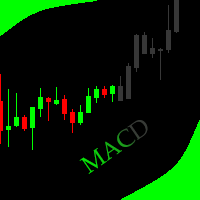
This indicator allows to hide MACD oscillator (on all MT5 timeframes) from a date define by the user, with a vertical line (Alone) or a panel (with "Hidden Candles").\ Indicator Inputs: Fast EMA Period Slow EMA Period Signal SMA Period Apply To Information on "MACD" indicator is available here: https://www.metatrader4.com/en/trading-platform/help/analytics/tech_indicators/macd ************************************************************* Hey traders!! Give me your feeds! We are a community
FREE

Equity Target Stop is an automated utility designed to protect your profits and enforce strict capital management. It continuously monitors your account equity in real time and automatically closes all open positions as soon as your predefined profit target is reached. Key Features Automated Profit Securing: Automatically triggers a "Close All" command when equity reaches your specified target. Universal Account Protection: Works seamlessly across multiple open positions, pending orders, and dif
FREE

What the panel does (similar to Nelogica's ProfitChart/Rating):
Shows real-time bid/ask values for the asset Lot field with - / + buttons, MAX button, and quick shortcuts (0.01 / 0.10 / 1.00 / 5.00) Stop and Target fields in points (editable) Large BUY (green) and SELL (red) market buttons REVERSE position (reverses the current position) and CLOSE ALL (closes everything on the asset) Balance, equity, free margin, and open profit updated every second
Easy customization (at the top of the cod
FREE

Description in English Spartan Radar Multi-Time is an advanced tactical information and alert dashboard engineered specifically for manual traders. The software monitors real-time price action and market momentum, streaming instant audio alerts and push notifications directly to your smartphone or tablet (iOS/Apple and Android). The system operates as a true tactical radar: it analyzes the mathematical convergence of Bollinger Bands and a 50-period Moving Average on the hourly (H1) structur
FREE

Risk Mirror is a read-only risk dashboard for prop firm challenge traders and funded account holders on MetaTrader 5. It watches your account and your open positions and does the risk arithmetic for you — daily loss limit, daily profit target, trailing drawdown, maximum drawdown and per trade position size — then shows the result on your chart. It places no orders, modifies no orders and closes no positions. Why read-only matters Many funded account programmes restrict or forbid expert advisors
FREE

MA & Price Display is a lightweight and user-friendly indicator designed to show key market information directly on your chart. It displays the current values of two moving averages (default periods 5 and 10) and the previous candle's high and low, helping you quickly assess market structure without switching windows. Key Features Real‑time display of MA(5) and MA(10) values using closing prices. Shows the previous candle’s high and low – useful for support/resistance and breakout trading. Ful
FREE

The utility TradeKeeper Lite can show your profits for different periods and bip a sound when you reach a profit target value. Click the tachometer to quickly switch to the next profit period. There are 5 of them: This Day, This Week, This Month, Last 90 Days and All I Made. With the utility TradeKeeper Pro , available at this link , you can also open trades with a magic number and volume of your choice, trail any orders with a simple trail or iSAR-based trail, as well as close any open trades a
FREE

Real Time Account Overview MT5 — Account & Magic Number P&L Monitor Real-time account overview and per-strategy P&L tracking, all in one clean panel. Overview Dashboard MT5 is a lightweight Expert Advisor that overlays a live information panel directly on your MetaTrader 5 chart. It gives you an instant snapshot of your account health and the performance of each trading strategy — identified by magic number — without ever leaving the platform. Whether you run a single EA or a dozen simultaneous
FREE

Hard limits for prop firm and challenge accounts Prop firm rules are not suggestions. Breach the daily loss limit by one dollar and the account is gone, whatever the equity curve looked like an hour earlier. The problem is that the rule lives on the firm's server while your positions live in your terminal, and nothing in MetaTrader 5 connects the two. Prop Firm Circuit Breaker sits on one chart and watches the whole account. The name is literal: an exchange halts trading when a threshold is bre
FREE

The Equity Curve indicator is a simple and helpful tool that shows the development of the equity curve in real time. For precision measurement, it should be used in a separate window with a period of M1.
Main features The indicator shows the development of the equity curve in real time. High precision on the minute chart. High-speed calculation. Available for MT4 and MT5. Please visit the Equity Curve indicator product page for the input and output parameters settings.
FREE

Special Offer: The first 100 downloads are completely FREE! After that, the price will increase to $30. ️ 1. POSITION SIZING Sizing_Method: Choose the lot calculation method (SIZING_LOTS for manual, SIZING_PCT_EQUITY for risk percentage, SIZING_FIXED_CASH for fixed USD risk). Sizing_ManualLots: Fixed lot size (Active when SIZING_LOTS is selected). Sizing_RiskPercent: Risk per trade as a percentage of account equity. Sizing_RiskCash: Fixed risk amount per trade in USD. 2. TARGETS & STOP LO
FREE

Timezone Filter EA: Precision Trading with Session Control The Timezone Filter EA is an essential tool for traders looking to refine their trading strategy by restricting trade execution to specific trading sessions. Designed for precision and discipline, this EA allows traders to filter which trading sessions they want to engage in—such as Asian, London, or New York sessions —while ensuring that no trades occur outside the defined time periods. Key Features: Customizable Trading Sessions Tra
FREE

Emergency Close All is a one-click panic exit utility for MetaTrader 5 — designed for traders who need to exit the market instantly during volatile events, news shocks, or unexpected price moves. Drop it on any chart alongside your existing EA or manual strategy. It runs independently and never interferes with other scripts or advisors. Features: Big Panic Button — A large, high-visibility close button directly on the chart. One click (or two with confirmation enabled) closes all matchi
FREE

Basket Take-Profit Utility Lite is a free on-chart trade management tool for MetaTrader 5 that lets you close groups of trades the moment their combined profit target is reached — something MetaTrader cannot do natively. All settings are controlled directly from the interactive panel on your chart. No need to detach and re-attach the EA to change your target. Features: Group trades by: All open positions · Specific symbol · Magic number Three target types selectable from the panel:
- F
FREE

"Clean Pending Orders"
現在のシンボルにあるすべての保留中の注文を数秒で削除! このシンプルで効果的なスクリプトは、スピードと利便性を重視するトレーダー向けに設計されています。スクリプトを実行するだけで、現在のシンボルにあるすべての買い注文と売り注文を即座に削除します。 利点: 即時削除: すべての注文が数秒で削除されます。 現在のシンボルのみ: 他のシンボルには影響しません。 使いやすさ: クリック一つでターミナルがクリーンに。 ログ記録: 削除された内容を表示し、エラーを通知します。 使い方: 現在のシンボルに保留中の注文があることを確認します。 MetaTrader 5でスクリプトを実行します。 すべての保留中の注文が自動的に削除されます。 このスクリプトは誰向け? 複数のシンボルを管理し、保留中の注文を迅速に削除する必要があるトレーダー。 簡単な自動化ツールを探している方。 新しい取引セッションを開始する前にターミナルを整理したい方。 今すぐ無料でダウンロードし、取引を簡素化しましょう! その他のツール: Clear All Stops and T
FREE

Binance Futures Risk Calculator Binance Futures Risk Calculator is a free utility for calculating position size and trade risk for Binance USD-M Futures. The calculator helps you estimate the key parameters of a futures trade before opening a position manually.
Binance Futures Risk Calculator — Setup and Usage Guide Main Features Long and Short trade calculation Position size calculation Risk calculation in USDT or percentage Entry, Stop Loss and Take Profit planning Risk/Reward calculation Adj
FREE
MetaTraderマーケットは、開発者がトレーディングアプリを販売するシンプルで便利なサイトです。
プロダクトを投稿するのをお手伝いし、マーケットのためにプロダクト記載を準備する方法を説明します。マーケットのすべてのアプリは暗号化によって守られ、購入者のコンピュータでしか動作しません。違法なコピーは不可能です。

取引の機会を逃しています。
- 無料取引アプリ
- 8千を超えるシグナルをコピー
- 金融ニュースで金融マーケットを探索