 MetaTrader 5
 エキスパート
 インディケータ
 ライブラリ
ライブラリ
 ユーティリティ
 ウィジェット
 ルール
ルール
YouTubeにあるマーケットチュートリアルビデオをご覧ください
ロボットや指標を購入する
仮想ホスティングで
EAを実行
EAを実行
ロボットや指標を購入前にテストする
マーケットで収入を得る
販売のためにプロダクトをプレゼンテーションする方法
MetaTrader 5版無料取引ユーティリティ - 25
 以下はMetaTrader5での取引を簡素化する取引プログラムです。ユーティリティにカーソルを合わせると、その説明と目的が表示されます。
TTraderAssistant was developed to help ordinary traders in there journey to becoming successful and profitable traders. TTraderAssistant will/does not open trades on it's own, it's sole purpose is to work along the trader. TTraderAssistant will help you manage your trading risk with a variety of lot-sizing profiles available to open trades by your command and risk appetite. Various Trailing-Stop Features were built in such as Trailing-Start and Trailing-Step to help judge your exiting strateg
FREE

Упростите свой технический анализ. Инструмент помогает быстро и точно определять на графике блоки заказов и размечать ликвидность. Превратите хаос ценовых движений в четкую торговую схему для более точных решений. Экономьте время на анализе, сосредоточьтесь на принятии решений. Инструмент заточен под торговую систему "Алхимия трейдинг", с его представлением о блоках заказа.
FREE

Trailer Is a reduced version of my EA bull scalper but will handle trailing loss and risk management
use the ai trailing tool to effect the trailing start or chose manual mode to start the trailing and the spread of the sl behind it
check out the EA Bull Scalper for full position Management position opening and extreme performance
https://www.mql5.com/en/market/product/116071?source=Site+Profile+Seller
FREE

このスクリプトは、さまざまなウィンドウ関数の重みを評価するように設計されています。これらのウィンドウ機能に基づいて構築されたインジケーターは、 https://www.mql5.com/ru/market/product/72160 からダウンロードできます。 入力パラメータ: iPeriod –インジケーター期間。 iPeriod> = 2 iCenterは、ウィンドウ関数の中心が配置される参照のインデックスです。デフォルトでは、このパラメーターは0です。ウィンドウの中心はインジケーターの中心と一致します。 1 <= iCenter <= iPeriodの場合、ウィンドウ関数の中心がシフトし、その結果、インジケーターのいくつかの特性が変化します。図1では、中心の選択がウィンドウ機能とインジケーターの表示にどのように影響するかを確認できます。このパラメータは、0.5刻みで変更できます。 Histogramwidth-ヒストグラムの幅。 Histogramcolor-ヒストグラムの色。 Showduration-期間を表示します。 スクリーンショット-このオプションを有効にすると、画像
FREE

Панель облегчает работу трейдера во время постановки стоп лоссов и тейк профитов. Отображает информацию о потенциальных профитах и лоссах.
Удобно работать когда требуется массовая установка стопов и профитов. Создавалось как инструмент плавного набора позиции на m1 и быстрого перевода стопов в безубыток. Выглядит эстетично, вписывается в родной интерфейс MT5 идеально. Рекомендуемый брокер ByBit MT5.
описание кнопок панели и функций:
BE SELL - перевод в безубыток всех Sell сделок открытых на
FREE

Posh Sessions is indicator which displays sessions in broker time or your local time. You can set up to 5 sessions, assign name, start time, end time and color of each session. There is session's range to help you make a chart analysis.
Settings for a session: Show: To show or not the session on chart Title: The title/name of the session Timezone: Select between broker or local time to implement the session's period Start time: The session start time End time: The session end time Co
FREE

The utility automatically sets the take-profit and stop-loss levels specified by the user in the parameters and moves the stop-loss line when the specified number of points above the trade price is exceeded. There are 4 trailing stop options: Disabled - Disabled Trail - Simply move the stop-loss level To breakeven - Move the stop-loss to breakeven when the value of points specified in the settings is exceeded and do not move the level any further As steps - Move the stop-loss to breakeven when
FREE

Titan Dual Mode Utility is a high-performance trading assistant designed for traders who require speed, precision, and flexibility in the MetaTrader 5 terminal. This utility was developed to solve the delay of manual order entry, providing a professional interface for modern scalpers and intraday traders. The main innovation of this tool is the Dual Mode System , which allows the user to switch between two different execution strategies instantly: Protected Mode: This mode is designed for conser
FREE

Trade Auditor は読み取り専用の検証(フォレンジック)ツールです。取引を一切行わず、何も変更しません。口座自身の取引履歴と保有ポジションをスキャンし、その口座が規律あるトレーディングデスクのように振る舞っているのか、それとも口座を吹き飛ばすような振る舞いをしているのかを、平易な言葉で示します。 多くのトレーダーは EA を購入したりシグナルをコピーしたりしますが、それが口座に何をしているのかは、ドローダウンが訪れるまで本当のところ分かりません。Trade Auditor はそれを可視化し、証拠として示せるようにします。 チェックする項目 マーチンゲール。 損失のあとにポジションサイズが増加する——典型的な口座破綻の元凶です。残高で正規化しているため、通常のリスクに基づいたサイズ増加はフラグされません。 グリッドとナンピン。 前の取引がまだ開いているうちに、同じ方向でより不利な価格でもう一つ取引を開くこと——これは意図ではなくパターンです。意図的な分割エントリー(スケールイン)や複数エントリーのブレイクアウトでも、より不利な価格で建て増せば同じく数えます。各取引にストップがあ
FREE

MT5 Shortcut Navigator is a simple on-chart reference panel for commonly used MetaTrader 5 keyboard shortcuts. Instead of keeping multiple MT5 windows open or trying to remember every shortcut, you can quickly check the keys you use most often directly from your chart. The panel includes shortcuts for commonly used MT5 functions such as: Navigator Market Watch Toolbox Data Window Strategy Tester Chart Properties Full Screen Grid Crosshair Zoom New Order Options Expert Advisors Chart types Shortc
FREE

GODFX PROTECTOR: The Ultimate Equity Guardian "Trading is not about how much you make, but how much you keep." Most traders fail not because of a bad strategy, but because of a lack of discipline. GODFX PROTECTOR is an institutional-grade utility designed to be your "Virtual Risk Manager." It sits on your chart and monitors your account 24/7, ensuring that a single "bad day" or an emotional "revenge trade" never destroys your hard-earned capital. Whether you are managing a personal account or a
FREE
TDO is a free utility for optimizing the Trading Direction indicator. In addition to signals for trading, the indicator also has an information vector that fully provides all the statistical information on the operation of the indicator; this effect can be used to ensure that the indicator is automatically optimized. You just need to select the instrument and timeframe and specify the hourly interval in the utility settings and drop it on the chart chart. That's all, now we are waiting for the
FREE
The VR Orders History script is designed to upload a trade report to a csv file. This format is intended for additional analysis of trading history in programs such as EXCEL, Openoffice, and Libreoffice. Thanks to the script, it is now much easier for a trader to analyze their trading history. The program facilitates the analysis of the trading history for the MetaTrader 5 terminal. The trader sees structured trading. The entire report is based on the following principle: Position > Order on the
FREE

Breakup ZeeAM Khan Advanced multi-timeframe breakout Expert Advisor based on a proprietary higher-timeframe pattern and lower-timeframe confirmation system. Features dynamic lot sizing, multi-target profit management, break-even automation, momentum filtering, and fully customizable risk controls. This is the Best for All Brokers. Contact for Set Files or See the Screen Shots
WhatsApp: Text only +447716409196
Best for XAUUSD on All Brokers Key Features Proprietary Multi-Timeframe Strategy Det
FREE

* This product was converted using "BRiCK Convert4To5 MT4 " based on the MQL4 source file of "BRiCK Convert4To5 MT4 Free" . "Convert4To5" is a Script that converts MQL4 source files into MQL5 source files.
Experts, Indicators, Scripts, and Libraries with extension ".mq4" will be available for MT5.
Parameter
None.
Procedure
1. Open the following folder.
terminal_data_folder\MQL4\Files\ (in the terminal menu select to view "File" - "Open the data directory") 2. Confirm that the BRiCK_Conv
FREE

Hi you, I need your help! Be my Patron, let's make it possible!
https://www.patreon.com/joaopeuko https://github.com/Joaopeuko/Mql5-Python-Integration
Channel: English version - Versão Inglês:
https://www.mql5.com/en/channels/Mql5_Python_Integration_EN
Portuguese version - Versão Português:
https://www.mql5.com/en/channels/Mql5_Python_Integration_PT
Free version with 5 indicators: https://www.mql5.com/en/market/product/57574
This version has 38 indicators, 5 from the free version plus
FREE

# Trading Info Panel - Your Complete Trading Dashboard
## Why This Indicator Was Created
As a fullscreen trader, I was constantly frustrated with the hassle of: - Exiting fullscreen mode to check positions - Switching between charts and the terminal window - Losing focus on price action while checking account status - Missing critical margin levels during active trading
**I needed a simple, elegant solution that kept all vital trading information visible at a glance - without disruptin
FREE

Dashboard Premium Pro – Account Dashboard & Close All Panel for MT5 Dashboard Premium Pro puts everything you need to monitor your account in one clean panel on your chart: floating profit, daily results, buy/sell exposure, your last closed trade and real-time drawdown. One click closes every position, and a pause switch lets your own Expert Advisors know when to stop opening new trades. What the dashboard shows Floating P/L Current open profit or loss for the whole account, in large green or re
FREE

Please visit = https://www.mql5.com/en/market/product/181686 for slave EA
MT4 Version = https://www.mql5.com/en/market/product/183101 Free Demo Version = https://c.mql5.com/6/1033/COPYTRADE_DEMO7D.zip User Manual : download here
Professional Copy Trade EA for MT5, NO HASSLE, PLUG and PLAY and CROSS PLATFORM MT4 <---> MT5. A powerful and reliable Copy Trade Expert Advisor designed for traders, signal providers, fund managers, and prop firm users. Easily copy trades between multiple accounts
FREE

EW Close All – ワンクリックですべて終了。
EW Close All は軽量で多言語対応のEA(エキスパートアドバイザー)です。ボタンを1回クリックするだけで、すべてのオープン中のポジションを即座に決済し、すべての保留中注文をキャンセルできます。
すべての保有ポジションを決済 すべての保留注文を取消 どんな通貨ペア・時間足でも動作 多言語インターフェース対応 シンプル・高速・確実
素早い撤退、リスク管理、取引終了時のクリーンアップに最適。
完全にコントロールを維持 — EW Close All で数秒ですべてをクローズ!
EW Close All – ワンクリックですべて終了。
EW Close All は軽量で多言語対応のEA(エキスパートアドバイザー)です。ボタンを1回クリックするだけで、すべてのオープン中のポジションを即座に決済し、すべての保留中注文をキャンセルできます。
すべての保有ポジションを決済 すべての保留注文を取消 どんな通貨ペア・時間足でも動作 多言語インターフェース対応
FREE

MT5 Trade Copier Master - Free Trade Broadcaster Require Slave EA: https://www.mql5.com/en/market/product/178686 This Master EA broadcasts trades but CANNOT copy them by itself. You MUST purchase and install the SyncTrade Copier Slave EA on a second MT5 terminal to copy trades. Without the Slave EA, this product does nothing useful on its own. Both MT5 terminals must be installed on the SAME computer for file sharing to work. They cannot be on different computers or VPS instances.
What This Ma
FREE

The script is intended for synchronization and loading into the Terminal of the desired (or maximum possible) history of quotes of the timeframes specified by the user for the symbols in the "Market Watch" window. The first download of the full history for one "new" symbol takes approximately one and a half to two minutes.
Input parameters for running the script: 1. Desired history length (bars) - here we indicate the number of bars in the quote history that we would like to receive from t
FREE
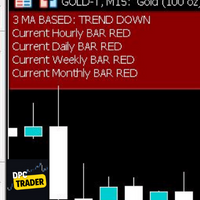
This Utility Bot is for New Traders, that struggle to spot the Trend direction. It also make you conscious about different Timeframes Bar Status. Utility have 3 Moving Averages totally configurable by input parameters. 3MA Based Trend is shown for the current Timeframe selected on the chart. (Line 1) 3MA Based Trend for Daily Timeframe. (Line 2nd) Also provide quick information about the currently Hourly Daily and Weekly Candle Status. Utility work on 1 Min Bar control, so comment section info
FREE

The Co-Pilot is a simple trade management system designed to be the quickest way from your strategy to the market. It is optimized for single trade setups that might be short, medium or long term. The program allows you to set your trade setup directly from the chart using graphical objects, set your risk apetite and even provides oppurtunity for partial closes. It also has a built in alert system that keeps you informed on the actions taken by the copilot when youre offline.
It is designed to b
FREE

An advanced equity protection and trade management script. It monitors individual trade P&L and closes positions when floating equity targets (profit or loss) are met. It features "skip closing hours" for high volatility, wide spreads, or price instability times .
Features: Closes trades at a target profit (`MAX_FLOATING_EQUITY`) or maximum loss (`MAX_FLOATING_LOSS`). Includes a `FORCE_CLOSE_AT_MAX_EQUITY` level that bypasses all exit protection checks. "SKIP_CLOSING_HOURS" input to pause loss
FREE

PulseBar is a visual trading tool designed for MT5/MT4 that eliminates guesswork when planning your trades. It draws an interactive horizontal line on your chart that instantly calculates and displays the projected PnL (Profit/Loss) of your open positions (long or short) if the price were to reach that exact level. It is ideal for Price Action traders, Scalpers, and Day Traders who need to quickly and cleanly visualize Take Profit targets, partial exit levels, or risk zones without leaving the
FREE

ManualRecoveryBETrailingXAUUSD is a semi-automatic trade management tool designed to manage positions using a grid-averaging and basket-closure algorithm. This utility can be used for manual trades or in conjunction with other Expert Advisors to handle drawdown recovery. The EA is optimized for high-volatility symbols like XAUUSD (Gold) . Once an initial trade is opened, the EA manages subsequent recovery orders based on user-defined parameters to reach a combined profit target. Technical Featu
FREE
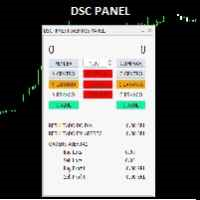
o DSC Panel é um auxiliar para deixar ordens já posicionadas em pontos estratégicos no gráfico de maneira automática. Em conjunto com o indicador DSC Vwap Channel e DSC Candle Agression é uma poderosa ferramenta para o trader obter uma excelente assertividade em suas operações. VEJA OS NOSSOS RESULTADOS OPERANDO MINI INDICE NO INSTAGRAM: https://www.instagram.com/diogo.cansi/ GRUPO DO TELEGRAM = https://t.me/robosdsc Maiores informa çõ es pelo email dscinvestimentos@gmail.com Ou pelo
FREE

Edge Analyzer — Multi-EA Performance Truth Find out which of your Expert Advisors actually has a statistical edge — and which one is just noise. Reads your real trade history, groups it by EA, and gives you an honest verdict.
Which of your EAs is actually making money? You're running several Expert Advisors. Your account moved this month — but which EA earned it? Which one is quietly bleeding? And that impressive win rate on your favourite bot: is it an edge, or a lucky streak that's about to e
FREE

This is a simple indicator type thing to track potential total risk if all the stop losses to be hit. It gives the sum of the total stop losses for a certain currency in positions and orders. These are the functions. (I will add more functions later, eg - total profits per symbol etc.) ( Add a comment if you need any feature. I will add it ) Total risk exposure - This is the total risk that can happen if all the stop losses in positions and open orders were to hit. Total positions risk - This is
FREE

COASYN ATR Table is a multi-timeframe volatility reference for MetaTrader 5. It displays Average True Range across up to four user-selected timeframes and converts the values into pips for a cleaner comparison of how much the market is currently moving. The indicator does not generate signals, determine direction, or execute trades. Its purpose is simple: Use ATR as a ruler for current market movement. Features Up to 4 selectable timeframes Adjustable ATR length ATR displayed in pips Optional ra
FREE

TradeBridge EA — Automated Trade Execution for the MyFXRoom Community Important: TradeBridge EA is part of a 2-stage system built specifically for the MyFXRoom trading community. It will not function as a standalone EA. It works in conjunction with the MyFXRoom Bridge application to receive and execute trade alerts automatically. For information on accessing the Bridge, please visit the author's MQL5 profile. Overview TradeBridge EA is a professional automated execution layer for MetaTrader 5.
FREE

Tele Notify can help you send notifications for opened & closed trades to a Telegram channel or your personal Telegram. (see Master Notify for full options of notifications/alerts: indicator data, price, news, etc. Get more EAs here )
Update: Now you can check your account info anytime from your Telegram by simple command: /check. This option is only valid when you use your Telegram User ID on EA inputs *******************************************************************************************
FREE

TickQuant Panel - Calculadora de Lotaje y Gestión de Riesgo Profesional TickQuant Panel es una herramienta esencial diseñada para traders que entienden que el éxito en el trading radica en una gestión de riesgo impecable. Este panel elimina las conjeturas matemáticas antes de una operación, permitiéndole calcular el lotaje exacto automáticamente basado en su Stop Loss visual en el gráfico. Ya sea que opere Scalping, Day Trading o Swing Trading, TickQuant le permite colocar órdenes con la tranqui
FREE

Equity Ratchet FX Stealth Profit Manager & Smart Scalping Assistant "Lock your profits in stealth mode. The ultimate safety net for manual scalpers and grid strategies." What Is Equity Ratchet FX? Equity Ratchet FX is a professional trade management utility built for: Manual Scalpers who want fast execution with structured risk management Grid & Martingale Traders who need a smart, silent profit-locking system This is NOT another traditional trailing stop. Instead, it uses a Virtual Stop
FREE

COS COPY TRADE EA: USER MANUAL It must be used in conjunction with the master file. Cos copy trade client | Buy Trading Utility for MetaTrader 5
1. System Overview & Architecture The COS Copy Trade system is a local, high-speed copying solution designed to replicate trades across accounts running on the same computer . It fully supports copying between different brokers and can mirror trades from an Investor Password account. 2. Installation & Setup Guide Step 1: Deploying the Mas
FREE
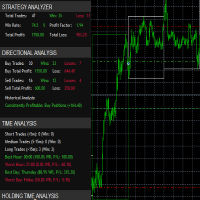
it's a fully built expert advisor with trading functionality with buy only or sell only or both options it's designed to be a tool that can be used for automate entry and exit in line with the overall Market Direction automatic risk management parameters fully comprehensive
STRATEGY ANALYZER Section Total Trades: Shows the overall number of trades taken Win Rate: Displays percentage of winning trades (color-coded green if >50%, red if <50%) Total Profit/Loss: Shows absolute profit and loss v
FREE

Institutional Protector — Analytics Dashboard & Account Guard
Institutional Protector combines two tools in one utility: a professional trading-analytics dashboard and a rule-based account protector (watchdog) that supervises every EA on your account by magic number. Everything lives in draggable floating windows with a modern, canvas-drawn interface.
️ Account protection (watchdog)
• Per-EA rules by magic number: daily loss %, max drawdown % (trailing-equity or balance based), max open posi
FREE

-- This Utilities is for those using Desktop user want to switch timeframe quickly.
Using Keyboard(1,2,3,4,5) to quick switch TimeFrame 1m,5m,15m,1h,4h
Free to Use.
Once download just drag in to your MT5 Application.
Go to MT5 right click mouse "refresh" will see that indicator where u put.
========================= ENJOY ==================== =====
FREE

This tool plots the following time-based horizontal lines on the DAX Index CFD or futures:
- Daily open - 08:00 Opening (Frankfurt) - 09:00 Opening (Frankfurt spot market) - 10:00 Opening (US equities pre-market open) - 14:00 opening (US morning session open)
Configuration options:
- Colour and width of the lines - Number of days for which the lines should be displayed in the past - Server time offset, as MT5 server times often do not match the trader’s
FREE

TRADE COMMANDER ULTIMATE MT5 Professional Trading, Risk Management and Account Protection Panel Trade Commander Ultimate MT5 is an all-in-one utility designed to help manual traders and Expert Advisor users execute, manage and protect trades from one professional black dashboard. It does not provide trading signals. It focuses on disciplined execution, position management and account-level risk control.
IMPORTANT BEFORE USING ACCOUNT PROTECTION The Daily Profit Target and Daily Loss Limit must
FREE
This utility identifies certain candle open times on chart, this can help you to see your favorite candle open and use it as it fits in your strategy. This tool is very useful for intraday charting and indicating your sessions. ___________________________________________________________________________________
Disclaimer: Do NOT trade or invest based upon the analysis presented on this channel. Always do your own research and due diligence before investing or trading. I’ll never tell you what
FREE

Portfolio Aggregator - one dashboard, total clarity across all your trading accounts Portfolio Aggregator unifies account data from multiple brokers and currencies into a single, transparent dashboard, giving real-time visibility into equity, margin, P&L, and risk metrics so traders can maintain control and confidence across diversified strategies. It converts all values into a chosen base currency using live FX rates, and displays equity, balance, unrealized P&L, margin usage, and open position
FREE

The MetaTrader 5 script to set TP and SL for all positions during volatile market conditions in the current chart It is able to modify or close Key Features Absolute prices only
Leave as 0.0 if you don't want to change a particular value
No confirmation. The script executes immediately
Current symbol only. The script only affects positions in the chart the script is dragged to Use Cases Emergency exit
Risk management by changing SL and TP of all orders
FREE

Average Range Time mede a amplitude média das barras (volatilidade) dentro de um período de tempo definido pelo usuário. Diferente dos indicadores tradicionais, que calculam a média das últimas barras, ele analisa uma janela de tempo específica, oferecendo uma referência mais precisa da volatilidade daquele período. Pode ser utilizado para definir o range mínimo para operar, posicionar stops e projetar alvos.
FREE

XFChart simplifies trading strategies with customizable options for informed decision-making across various styles, from scalping to position trading.
1. Risk Management: - XFChart offers automatic breakeven and trailing stop features to protect profits and reduce emotional decisions. - Auto Breakeven is disabled by default and can be enabled through the indicator properties window. - The "Auto Trailing Stop Loss" adjusts the stop loss based on market movement, facilitating profit lock
FREE

Tetris remains one of the most fun and addictive pieces of software to ever grace the computing scene. That's right, everything that everyone loves about Tetris can now be experienced on MT5 platform. Its beautiful simplicity and surprisingly fast-paced gameplay make it an exceptionally easy thing to just pick up and play on short notice. This version comes with everything everyone loves about Tetris. It has all six of the classic tetrimino shapes, the steadily growing level of challenge tha
FREE

Save time placing orders This is a tool for manual trading. It has an intuitive, and straightforward interface without any useless extras. Allows you to automatically calculate the order volume size, open both market and pending order. Works on any symbol/instrument, account type or broker. Input fields: Order Size - as percentage of account free margin Take Profit - as percentage of account balance Stop Loss - as percentage of account balance Symbol Contract Size - needs to be manually entered
FREE

Symbol Carousel EA provides a clear and structured way to monitor all your active trades. The Expert Advisor automatically cycles through all open orders, positions, both or all symbols in the Market Watch and switches the chart symbol accordingly. Each symbol is displayed for a defined amount of time before moving on to the next one, creating a clean and intuitive carousel-style view of your trading activity. This EA is designed purely for visual trade monitoring and does not open, modify, or c
FREE

Daily Drawdown Protector Lite is a lightweight, zero-configuration prop firm safety utility for MetaTrader 5. Designed specifically for traders on FTMO, MyFundedFx, The Funded Trader, and all other prop firm challenges, it silently monitors your account in the background and acts the moment your daily loss limit is breached — closing all trades and disabling the EA automatically. Features: Configurable daily loss limit (% of balance) Floating equity stop loss protection Auto-closes all positio
FREE

O Average Range mede a amplitude média das barras dentro de um período definido pelo usuário. Diferente do ATR tradicional, ele não considera gaps . O indicador oferece dois modos de exibição : Apenas Average Range : mostra somente o histograma com a amplitude média das barras. SL e TP : sobrepõe ao histograma os níveis de Stop Loss (vermelho) e Take Profit (verde) calculados a partir do Average Range multiplicado pelos fatores definidos pelo usuário, facilitando o posicionamento de stops e
FREE

This MQL4 code is a custom indicator that draws multiple colored rectangles on a chart, spaced apart by a defined pip distance, and projected into the future. Here's a brief breakdown: Purpose: Draws several horizontal rectangles (zones) starting from a specified price. Rectangles are spaced apart vertically by a pip distance. Colors alternate between FirstColor and SecondColor . Rectangles can be drawn behind candles and optionally filled. Each rectangle extends into the future for a specif
FREE
Background This product is a practical tool to check the market based on the cycle theory. When you analyze multiple cycles of a symbol and add multiple charts on the secondary screen, when you need to view the multi cycle charts of other symbols, you cannot switch quickly, which will increase a lot of time cost. This product can quickly switch the symbol displayed in the chart in the sub screen, and the application template remains unchanged, and the placement position will not change, which g
FREE

RRPP Script A script for placing a pending order prepared by the Risk Ratio Trade Panel indicator. Reads the entry price, Take Profit, Stop Loss and lot size directly from the indicator lines on the chart. Requirements The Risk Ratio Trade Panel indicator must be attached to the chart and the panel must be open before running the script. How it works Attach the Risk Ratio Trade Panel indicator to the chart, open the panel and set the Entry, TP and SL lines to the desired levels. Then run RRPP Sc
FREE

VTB High Watermark Drawdown INFO Indicator for MT5 Advanced Account Monitoring & Drawdown Information Dashboard VTB High Watermark Drawdown INFO is a professional account monitoring indicator designed to display drawdown statistics, account performance, and risk management information directly on the chart. Unlike Expert Advisors, this indicator does not interfere with trading activity. It does not open or close positions, modify orders, or block trading. Its sole purpose is to provide a clear a
FREE
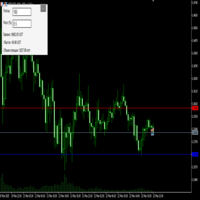
Преимущества и принцип работы индикатора "Risk end Lot Size Calculator" Преимущества : Простота использования :
Индикатор автоматически рассчитывает все необходимые параметры, вам нужно только ввести количество пипсов и риск.
Управление рисками :
Помогает определить, сколько вы можете потерять в сделке, и какой объем позиции (лот) выбрать, чтобы не превысить допустимый риск.
Визуализация :
На графике отображаются линии стоп-лосса для Buy и Sell, что позволяет быстро оценить уровни.
Удобство :
О
FREE

Stop Loss Magic Number Description All offsets in this utility are calculated in USD. A reliable Stop Loss manager for loss protection, auto trailing and profit locking. Suitable for both beginners and advanced traders thanks to simple and extended modes. Fully automates trade management and helps eliminate emotional decision-making. Utility Features
Default Mode — simple mode
Designed for quick and easy use. Includes basic trade management logic: • loss protection (Loss Protection Offset)
FREE

交易数据分析助手 : 这是一款交易数据统计分析工具,数据图表较多可供分析参考 . 语言: 支持语言的选择切换(目前支持中文和英文 主动识别不用人工选择) 主窗口显示: 余额显示 总盈亏显示 现在持仓盈亏金额显示 现在持仓盈亏比例显示 买单卖单总单量,总手数,以及盈亏情况显示. 仓位使用比例显示 按照目前持仓能够承受的亏损点数预计 (点击右下角可缩放)每日订单单量,手数,盈亏情况统计 (点击右下角可缩放) 当周盈亏数据
(点击右下角可缩放) 当月盈亏数据
(点击右下角可缩放) 当年盈亏数据
交易数据统计区: 详细订单统计,(可以选择按日,周,月,季度,年)(按品种,识别码)(现有持仓详细统计) 盈亏/手数/交易次数 柱状图 多/空持仓时间/获利水平情况 多货币盈利次数/盈利水平分布情况 余额净值曲线/余额曲线/盈利曲线等(注:加载余额净值曲线可能需要一定的数据处理时间,请耐心等待加载完成...) 每次订单盈亏利润柱状图 多货币对盈利曲线图 数据统计分析报告 关于版本更新 有任何问题,建议,欢迎交流.
FREE

Product Description: GODFX EXECUTIONER v1.00 Take Control of Your Trading with Institutional-Grade Precision. The GODFX Executioner is not just a trade manager; it is a professional-grade command center for MetaTrader 5. Designed for scalpers and day traders who demand speed, it combines advanced risk management with intuitive visual tools to ensure you never have to calculate a lot size or fumble with orders again. Key Features: Dynamic Visual Planning: Drag-and-drop SL and TP lines on y
FREE

SL Maestro - Forex Expert Advisor SL Maestro - Forex Expert Advisor with Advanced Stop-Loss Features Introducing SL Maestro , the ultimate Forex Expert Advisor (EA) designed to enhance your trading strategy by adding stop-losses to existing trades with precision and flexibility. SL Maestro is not just limited to simple pips-based stop-losses; it incorporates a variety of advanced techniques to ensure optimal protection for your trades. Key Features: Pips-Based Stop-Loss : Easily set a stop-loss
FREE

TradeCopier is an application for automated copying of trades for different accounts in MetaTrader 5 terminal with flexible rules of filtering and modification. With TradeCopier, copying, filtering and transformation of trades are realized and processed via the server . It means that copying trades is possible within one or several computers. How can you boost your trading results with TradeCopier? Your convenience and speed Average speed of copying: 100 ms Working with MetaTrader 5 Working with
FREE

Easy Trade Copier (Master / Sender) The lightning-fast, lightweight engine that broadcasts your trades safely. Description:
Welcome to the Easy Trade Copier (Master) . This is the "sender" EA. You attach this to your main trading account, and it instantly broadcasts every trade you take to your client accounts. Standard copiers often cause errors or freeze your trading platform when trying to send data to multiple accounts at once. The Easy Master uses smart, glitch-free saving technology so
FREE

Account and Market Dashboard Advanced Account Dashboard & Risk Monitor (MT5) This script provides a real-time on-chart dashboard for monitoring account performance, risk exposure, and execution conditions in MetaTrader 5. It is designed for traders who want clear visibility of account health and risk awareness during live trading or VPS operation.
The script does not open trades and does not interfere with any strategy logic . Key Features Account Metrics Live equity, balance, and float
FREE

Discover our all-in-one monitoring and notifications EA for MetaTrader. Designed to ensure traders’ security and peace of mind, this unique EA offers a full range of advanced features that will allow you to stay informed and control your account activity, anytime and anywhere. Key Features : Continuous server monitoring: real-time notification on server availability and performance (Cpu, Ram, disk), connectivity, latency and more Advanced account management: live tracking of margin calls, dro
FREE

Hello everyone, this is another utility that I wrote specifically for users using my profile with a large number of experts and sets ( https://www.mql5.com/en/blogs/post/750723 ) . This utility is useful for working with a profile using grid strategies (averaging and martingale). As we know, such strategies periodically fall into a large drawdown and you need to be careful when opening averaging positions (do not open too many). In my profile, I use a limit of 3 positions for each EA, if this w
FREE

It adds the symbols listed on Binance Spot to the Metatrader5 market clock. With this free file you can list the entire list in seconds. You can easily upload it to your demo account. It is the first file uploaded for Binance Spot Tick and is available for free. Tools menu / Options / Expert Advisors / You need to select Use WebRequest for listed URL You can watch videos to add Metatrader.
FREE

The TradeHistoryParsing is a utility for working with the trade history obtained from the MetaTrader 5 terminal. The product is based on the " RegularExpressions in MQL5 " library. It allows to quickly get the required data on your trading history. The filtering results are displayed as a table, a summary of mathematical statistics is provided below the table.
Working with the tool Export the trade report as an html file and place it into the "sandbox". After that, when launching the EA, specif
FREE

The utility opens an order in the opposite direction from already open positions on the currency pair on which it is launched, creating a lock of orders. The utility has a simple interface and is easy to use. MT4 version of the utility - https://www.mql5.com/en/market/product/78127 If you like this utility, take a look at my other products - https://www.mql5.com/en/users/nina_yermolenko/seller
FREE

you can close all your positions in profit or lost when you use this robot. 1.you set your max profit and max lost for all your positions. 2.the robot show you in a window beside your chart. 3.when your equity reach your target close all your positions. 4.you can use one of them or both (profit or lost)togather. 5.this robot close all your positions. ((if you have any idea or want somthing i can help you)) i hope you win in all your times of life. best regard
FREE

This system is a semi- automatic trend following system that operates during the days of highest probable market volatility aiming to capitalize on major retracements and reversals that occur midweek. It can operate on full autopilot, act as just a signal generator, or any customized user preference based on the needs of the user and the functionality of the program. It is capable of risk management with an inbuilt lot size calculator with adjustable risk pecentage to suit the user's unique apet
FREE
MetaTraderマーケットは、他に類のない自動売買ロボットやテクニカル指標の販売場所です。
MQL5.community ユーザーメモを読んで、取引シグナルのコピー、フリーランサーによるカスタムアプリの開発、支払いシステムを経由した自動支払い、MQL5Cloud Networkなど、当社がトレーダーに対して提供するユニークなサービスについて詳しくご覧ください。

取引の機会を逃しています。
- 無料取引アプリ
- 8千を超えるシグナルをコピー
- 金融ニュースで金融マーケットを探索