 MetaTrader 5
 Experts
 Indicatori
 librerie
 Utilità
 Widget
 Regole
Guarda i video tutorial del Market su YouTube
Come acquistare un Robot di Trading o un indicatore
Esegui il tuo EA
hosting virtuale
hosting virtuale
Prova un indicatore/robot di trading prima di acquistarlo
Vuoi guadagnare nel Market?
Come presentare un prodotto per venderlo con successo
Utilità di trading gratuite per MetaTrader 5 - 21
 Di seguito sono riportati i programmi di trading che semplificano il trading in MetaTrader 5. Passa il mouse su un'utilità per leggerne la descrizione e la sua funzione.
Product Description: GODFX EXECUTIONER v1.00 Take Control of Your Trading with Institutional-Grade Precision. The GODFX Executioner is not just a trade manager; it is a professional-grade command center for MetaTrader 5. Designed for scalpers and day traders who demand speed, it combines advanced risk management with intuitive visual tools to ensure you never have to calculate a lot size or fumble with orders again. Key Features: Dynamic Visual Planning: Drag-and-drop SL and TP lines on y
FREE

MegaScanner — see the market with two eyes A universal multi-symbol scanner that combines two analytical systems in one panel. ️ Functionality Finds entry points in the market and shows the MEGA TRADER — Complete User Guide Version: 1.05 Type: Expert Advisor for MetaTrader 5 Purpose: automated trading of DIVERG divergence signals with a sideways-market filter, deposit-based risk management, ATR-based SL/TP and a trailing stop. ️ Important: this is a fully automated Expert
FREE

️ FWS Storm Watch — Economic News Radar & Storm Warning System Never get blindsided by news again. Storm Watch monitors the MT5 Economic Calendar in real time, filters upcoming events by currency and impact level, calculates a weather-style severity rating, and alerts you before high-impact releases. All from a compact on-chart panel with a stunning browser-based web dashboard. Part of the Forex Weather Station suite. Uses MT5's built-in calendar. What It Shows Severity Rating — Weather-styl
FREE

SL Maestro - Forex Expert Advisor SL Maestro - Forex Expert Advisor with Advanced Stop-Loss Features Introducing SL Maestro , the ultimate Forex Expert Advisor (EA) designed to enhance your trading strategy by adding stop-losses to existing trades with precision and flexibility. SL Maestro is not just limited to simple pips-based stop-losses; it incorporates a variety of advanced techniques to ensure optimal protection for your trades. Key Features: Pips-Based Stop-Loss : Easily set a stop-loss
FREE

backtester buttons for testing strategies in the MT5 strategy tester.
load up strategy tester then click on visual test and once visual tester opened apply any chart template you'd like. To update the chart pause the visual tester and apply templates, colors and such like the normal chart. On the settings you can choose lot size and take profit and stop loss.
Enjoy
FREE

Chart Pro Classic Dark – Golden Version Transform your MetaTrader 5 chart with a clean, dark and elegant gold-style design. Black chart background Gold bullish candle outlines & wicks Black bullish candle bodies White bearish candle bodies Gold Ask line White Bid line Gold dashed horizontal grid Gold chart labels, prices & time scale Clean and professional chart appearance Lightweight chart customization It is designed purely for chart customization and visual styling only.
FREE

Precision Risk Manager and Multi-Order Controller for MT5 — Version 2 This utility provides risk-based lot size calculation, one-click order execution, and batch trade modification from a single collapsible panel. It is designed for manual traders who manage multiple entries on the same symbol. Features Lot Size Calculator: Enter a risk percentage and stop-loss price, then click Calculate Lot Size to receive the exact lot size for that risk amount. Order Execution: Click Buy or Sell to execute
FREE

Position Limiter EA: Control Your Risk, Maximize Your Strategy Are you tired of manually managing your trades across multiple symbols? Do you want to ensure you never exceed your risk limits? Introducing the Position Limiter EA for MetaTrader 5! This powerful Expert Advisor automatically monitors all your open positions and pending orders for each symbol on your account. You set the maximum number of trades allowed per symbol, and the EA takes care of the rest. If the number of trades exceeds yo
FREE

Position Recovery Dashboard EA for MT5 Position Recovery Dashboard is a simple yet highly useful utility EA , originally developed for the author's own trading needs. Designed with practicality in mind, it provides a fast and intuitive way to manage open trades directly from the chart — making it ideal for active and manual traders . Its key feature in the recovery trading system , which helps traders recover from losing positions by automatically calculating profit from selected lots. This E
FREE

Global Equity Manager Global Equity Manager is an account-level risk management tool designed to protect your trading capital by monitoring the entire account equity in real time and acting immediately when your predefined limits are reached. It works independently of any trading strategy and manages all open positions together as one basket . Key Advantages Full Account Protection
Monitors total account equity instead of individual trades. Works with Any Strategy
Compatible with manual
FREE
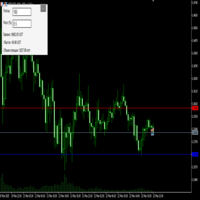
Преимущества и принцип работы индикатора "Risk end Lot Size Calculator" Преимущества : Простота использования :
Индикатор автоматически рассчитывает все необходимые параметры, вам нужно только ввести количество пипсов и риск.
Управление рисками :
Помогает определить, сколько вы можете потерять в сделке, и какой объем позиции (лот) выбрать, чтобы не превысить допустимый риск.
Визуализация :
На графике отображаются линии стоп-лосса для Buy и Sell, что позволяет быстро оценить уровни.
Удобство :
О
FREE
Copiatrice->Interazione dell'interfaccia comoda e veloce, gli utenti possono utilizzarla subito ->>>> Si consiglia di utilizzarlo su computer Windows o VPS Windows Caratteristiche: Impostazioni di copy trading diversificate e personalizzate: 1. È possibile impostare diverse modalità di lotto per diverse fonti di segnale 2. È possibile impostare diverse fonti di segnale per il copy trading forward e reverse 3. I segnali possono essere impostati con commenti 4. Se calibrare il lotto in base
FREE

Important! Demo version will work only on EURGBP. One Click Trader is a tool designed for MetaTrader 4 platform, which enables you to take your trading to the next level. It enables you to open, manage and close your trades in simple an efficient way by just one click of your mouse button. "-" , "+" change OCT window size Up arrow minimizes the OCT panel Down arrow maximizes the OCT panel Right arrow displays the next panel with additional features Left arrow hides the panel with additiona
FREE

Precision Pro Trading Assist - Ultimate MT5 Execution Tool Elevate your trading with the Precision Pro Trading Assist, a high-end MetaTrader 5 Expert Advisor designed for professional traders who demand speed, discipline, and flawless risk management. This all-in-one execution panel streamlines your workflow, allowing you to focus on the charts w hile the EA handles the math and protection. Key Features Advanced One-Click Execution Execute trades instantly w ith pre-calculated Risk, Stop Loss,
FREE

Role in MT5 Spread Trading 1. Spread Compensation Trading Spread Calculation: The indicator automatically calculates the current spread and adds it to the price. Actual Cost Consideration: Helps traders account for the actual transaction cost (spread). Precise Entry: Ensures stop loss and take profit settings already incorporate spread factors.
FREE

MSMO Lot Pilot è un calcolatore della dimensione della posizione e un pannello informativo pre-trade per MetaTrader 5. Aiuta a rispondere a una domanda pratica prima di un'operazione manuale: quale dimensione del lotto corrisponde al livello di rischio che hai scelto?
Imposta il Risk Percent, la distanza pianificata dello Stop Loss in punti del simbolo e l'Account Base. MSMO Lot Pilot calcola la dimensione del lotto utilizzando le specifiche del simbolo fornite dal broker e visualizza l'Actual
FREE

TradeBridge EA — Automated Trade Execution for the MyFXRoom Community Important: TradeBridge EA is part of a 2-stage system built specifically for the MyFXRoom trading community. It will not function as a standalone EA. It works in conjunction with the MyFXRoom Bridge application to receive and execute trade alerts automatically. For information on accessing the Bridge, please visit the author's MQL5 profile. Overview TradeBridge EA is a professional automated execution layer for MetaTrader 5.
FREE

Most traders who fail a prop firm challenge do not fail because they did not know the rules. They fail because, at the moment it mattered, nobody was doing the arithmetic.
Prop Guard Monitor does the arithmetic. It sits on one chart, watches the whole account, and answers one question continuously: how much room is left before a rule breaks.
It never closes a position. It never deletes an order. It never locks anything. This build cannot touch a trade even if you want it to - the trading libr
FREE

input double MaxDailyLoss = 500.0; // Maximum floating loss in account currency input double SafetyBufferMoney = 10.0; // Trigger at MaxDailyLoss - SafetyBufferMoney input int CheckEverySeconds = 2; input bool is_debugged = false; // Print additional messages in the Terminal
input bool is_Closing_All_Positions = false; // if false for each open position, each new reversed position with the same symbol & lot size will be opened.
This EA will then remove itself from the Chart
FREE

Protect your funded accounts and personal capital with military-grade precision. This utility continuously monitors your floating equity against your daily starting balance. The moment your custom drawdown threshold is breached, it instantly liquidates all open positions, deletes pending orders, and completely unloads from the chart. Stop revenge trading and never fail a prop firm evaluation due to a margin breach again.
FREE
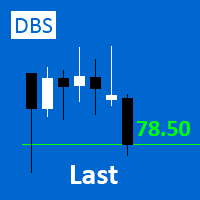
A small utility displays the value of the last price (Last) to the right of the chart. The Last price is the price at which the last deal was executed. Utility is convenient to use for screens with small print, for visual observation of the price level (value) or for people with poor eyesight. You can customize: Growth color Fall color Text font Font size Offset text
FREE

Save time placing orders This is a tool for manual trading. It has an intuitive, and straightforward interface without any useless extras. Allows you to automatically calculate the order volume size, open both market and pending order. Works on any symbol/instrument, account type or broker. Input fields: Order Size - as percentage of account free margin Take Profit - as percentage of account balance Stop Loss - as percentage of account balance Symbol Contract Size - needs to be manually entered
FREE

Limit Open Positions EA
"Limit Positions EA is a powerful utility tool designed to provide strict control over the number of open positions in your trading account. This Expert Advisor continuously monitors your trading activity and ensures that no new positions are opened once the specified limit is reached. Ideal for traders seeking to mitigate overexposure and manage risk effectively, Limit Positions EA works seamlessly across all symbols and timeframes. Whether you're managing a large port
FREE

The utility TradeKeeper Lite can show your profits for different periods and bip a sound when you reach a profit target value. Click the tachometer to quickly switch to the next profit period. There are 5 of them: This Day, This Week, This Month, Last 90 Days and All I Made. With the utility TradeKeeper Pro , available at this link , you can also open trades with a magic number and volume of your choice, trail any orders with a simple trail or iSAR-based trail, as well as close any open trades a
FREE

` Emergency Webhook Alert ` is an MT5 Expert Advisor for trade event notifications. It monitors position opening, closing, stop loss, take profit, partial close, and reversal events, then sends trade events through a notification relay server to WeChat and Telegram. The EA includes an on-chart panel, supports English and Chinese UI, and is designed for real-time status, pairing status, and pending event monitoring.
Want more than event alerts? Emergency Webhook Alert forwards your trade eve
FREE
Minimalist and fully customizable info panel. It works on any chart and timeframe, with 2 - 4 digits brokers and with 3 - 5 digits ones. It can show: Current Spread in pips (1 decimal digit if you are on a 3 - 5 digits broker) ATR (Average True Range) in pips Current Server Time Current GMT Time Important Account Info: Current Leverage and Stop-out Level (%) Time left for the current bar. Very useful on 4 h charts All info labels have a tooltip with the same data Available customizations : Ena
FREE

The utility opens copies of open trades. It is very convenient if you use the Signals service and want to increase the volume of transactions.
Settings: Symbols: all symbols only current symbol Orders: Buy Sell Magic Any Magic Input Magic Lot size Original - lot size from original order; Fix Lot - fix lot size (input); Lot X Mult - lot size X koef; Stop Loss From sender - Stop Loss from original; Without - without Stop Loss; Plus Fix - Stop Loss from original order + fix points; Fix Point -
FREE

PositionsLimiter EA: Enforcing Trade Discipline with Position Limits The PositionsLimiter EA is a powerful risk management tool designed to help traders control the number of open positions at any given time. By allowing traders to set a maximum limit on simultaneous trades, this EA ensures that no additional trades exceed the specified threshold. If a trader or another automated system attempts to open a new position beyond the set limit, the EA will automatically close the excess trade, ensur
FREE

RealCost Gold Session Zones MT5 is an entry-level session map utility for gold traders using MetaTrader 5. It draws Asia, London and New York session zones on the chart and shows a compact live dashboard for current-session context.
The utility is designed for visual market timing, manual preparation and quick broker-condition checks. It does not trade, does not open or close positions, and does not provide buy or sell signals.
Main features: - Asia, London and New York session zones. - Config
FREE

Global Session Map turns one MetaTrader 5 chart into a clear session workspace. It shows which major trading sessions are active in broker time, when the next transition occurs, and where session overlaps appear.
The panel is designed for discretionary traders who need reliable time context without entry signals or profit claims. Session windows and display preferences are configurable and remain available after chart or terminal restarts.
Main functions
• Sydney, Tokyo, London and New York s
FREE

A FOMO blocker to click before opening an emotional trade.
Once activated, the blocker remains in effect—even if you change settings or restart MT5—until the timer runs out, preventing you from opening new trades.
Set the duration you need for your mindset to return to normal.
Use it without restraint.
If you open a trade during this period, it will be closed immediately.
---- NEW VERSION FULL https://www.mql5.com/en/market/product/192677
Check out my alert for stepping away from your PC
FREE

LKLK Smart Panel — The Professional One-Click Trading Panel for Manual Scalpers
Take full control of your discretionary trading with a fast, elegant, and fully customizable control panel built directly on your chart. LKLK Smart Panel was designed for traders who execute manually and need speed, clarity, and real-time performance feedback — without ever leaving the chart.
WHY LKLK SMART PANEL?
Manual scalping and discretionary trading demand split-second execution. Switching between menus, ty
FREE

Q-Dragon Dashboard Monitor è un'utility standalone potente ed elegante progettata per fornire ai trader una panoramica completa e in tempo reale delle loro prestazioni di trading. Sia che tu operi manualmente o utilizzi più Expert Advisor, questa dashboard calcola e visualizza senza problemi le tue statistiche senza interferire con le tue operazioni.
Caratteristiche principali: - Monitoraggio del portafoglio in tempo reale: visualizza istantaneamente le tue posizioni attive, il P&L fluttuante
FREE

MAKO Helix è una utility di analisi della geometria multiscala del mercato per MetaTrader 5.
Invece di osservare un solo timeframe in modo isolato, Helix collega contemporaneamente diverse scale del mercato, dalla struttura annuale fino a M1, creando una lettura unica di direzione, coerenza, tensione e propagazione tra i vari periodi.
L'obiettivo è rispondere a una domanda essenziale: il movimento osservato su un timeframe è soltanto una deformazione locale oppure fa parte di una struttura pi
FREE

FTMO Max Daily Loss Guard is a simple MetaTrader 5 Expert Advisor designed to monitor the net profit and loss of all open positions. It checks the account every few seconds and automatically closes all open positions when the current net loss exceeds the defined daily loss limit minus the safety buffer.
The EA is built to help traders protect their capital, reduce risk and stay within strict risk-management rules such as the FTMO Max Daily Loss limit.
FREE
Background
This product is a practical tool to check the market based on the cycle theory . When you need to use multi cycle charts to analyze a symbol , manually adding charts with different cycles and applying templates is a very large cost. This product can help you quickly add multi cycle charts of one or more symbols, and uniformly apply the same template . After adding, you can drag the charts to the sub screen, which is suitable for multi screen analysis. Usage Method Apply this script to
FREE

La maggior parte dei trader compra un EA o copia un segnale e non sa mai davvero cosa stia facendo al conto finché non arriva il drawdown. Trade Auditor te lo mostra, e ti permette di dimostrarlo. Cosa controlla Martingale. Dimensione della posizione che aumenta dopo una perdita - il classico killer del conto. Normalizzato sul saldo, così un normale aumento del lottaggio basato sul rischio non viene segnalato. Grid e averaging down. Aprire un'altra operazione nella stessa direzione a un prezzo p
FREE

Shved Position Pips Label is a professional utility indicator for MetaTrader 5 that displays the real-time floating profit or loss of all your active positions directly on the chart. No more switching to the "Trade" tab at the bottom of the terminal — all crucial information about your running trades is positioned right in front of your eyes next to the current price line! Key Advantages: Smooth Price-Anchored Alignment: The labels are anchored to the last bar and smoothly slide vertically f
FREE

Trading Performance Analyzer is a MetaTrader 5 utility designed to help traders review trading activity and manage positions from a single interface.
The tool combines performance statistics, trade history visualization and position management features inside a customizable on-chart panel. It can be used for monitoring trading results, analyzing behavior patterns and executing trades with predefined risk parameters. Features Performance Analytics The dashboard provides a set of metrics that hel
FREE

Sessions Duck is a highly optimised, resource-efficient MetaTrader 5 indicator designed to automatically visualise the core global trading sessions (Asia, London, New York) and display critical timezone data directly on your chart. Built with performance and stability as its primary objectives, this indicator provides day traders, scalpers, and swing traders with immediate context regarding market liquidity and volatility periods, without compromising terminal responsiveness. Engineered for Maxi
FREE

EEFX Volatility Tool is a simple MT5 risk-management utility that calculates a suggested trading lot size based on current market volatility. Markets do not move the same amount every day. A fixed lot size can therefore create very different levels of exposure depending on whether volatility is low, normal or unusually high. The EEFX Volatility Tool automatically measures volatility and provides a suggested lot size directly on your MT5 chart, helping you adapt your position sizing to changing m
FREE

RiskCalculator — Professional Risk Management Panel for MT5 RiskCalculator is a fully-featured, floating panel EA for MetaTrader 5 that automates risk management, position sizing, and trade monitoring — all from a single draggable interface directly on your chart. Designed for active traders who need fast, accurate lot sizing and real-time position oversight without switching between windows or doing manual math. Core Features ️ Risk Calculator (Calculate Tab) Enter your desired risk percentage
FREE

Simple And Unique Trade Journal Il SAU Trade Journal è pensato per i trader che prendono sul serio le proprie performance. Al centro si trova un calendario di profitti e perdite che consente agli utenti di studiare la propria cronologia di operazioni giorno per giorno, identificando i modelli che spiegano dove si vince, dove si perde e perché. Accanto ad esso si trova il diario vero e proprio, pulito, essenziale e progettato per non ostacolare, offrendo ai trader uno spazio dedicato in cui annot
FREE

Margin Tick Ratio — margin efficiency analysis for all broker's instruments
Margin Tick Ratio is a script for MetaTrader 5 that runs through your broker's tools in one run and answers a practical question: how much "tick" profit do you get for each unit of collateral, and how expensive is the entry spread.
The script does not trade. It collects data, ranks tools by efficiency, and generates a user-friendly report in a terminal, CSV, and interactive HTML file.
Who is this product for
• T
FREE

Script for deleting pending orders If you need to delete all pending orders you placed, this script will do it for you! It doesn't have any input parameters. Allow AutoTrading before running the script. Usage:
Run the script on a chart. If you need a possibility to adjust parameters of the script, use the version with input parameters https://www.mql5.com/en/market/product/627 You can download MetaTrader 4 version here: https://www.mql5.com/en/market/product/2782
FREE

TrendFollowing is an multi-currency scanner that just indicates where to buy/sell: Abilities: Opens up the chart automatically with and arrow indicating where to take action. Send the signal to a telegram channel, see @fx_signal_com channel to get the idea. Configuration: No need to configure "Market Watch". Open a chart and attach the scanner to it. Trading Rules: Use only buystop/sellstop orders above/below arrow on the chart. Delete the pending order if price retraces below/above the moving
FREE

Lot Dashboard is a trade execution and position-management panel for MetaTrader 5. It is designed for traders who want faster entries, clearer exposure visibility, and more flexible manual exit planning directly on the chart. The dashboard combines one-click market entries, quick management tools, live open-position metrics, and scenario-based exit lines in one compact panel. It is suitable for traders who scale in, manage multiple open positions, and want more control over how exits are planne
FREE

LIMITED TIME OFFER to download for FREE for Unlimited use license ================================================================
QuantView Analytics Master Advanced On-Chart Portfolio Diagnostics & Equity Forensics for MetaTrader 5 Standard MT5 history reports simply show you how much money was made or lost. QuantView Analytics Master is designed to answer the "Why" and the "How." By segmenting your trading history across four distinct analytical dimensions, this institutional-grade terminal
FREE

Basket Close – Your Smart Trading Assistant for the Perfect Exit!
The Basket Close EA is the ideal solution for traders who want to efficiently manage their open positions. This simple Expert Advisor allows you to close all open positions simultaneously based on a predefined profit or loss target.
Automated Risk Management – Closes all positions as soon as a specific profit or loss (in percentage of the account balance) is reached.
Efficient Trade Control – No more manual monitoring or
FREE

SmartT AI Levels (MT5) is a professional utility that displays trading levels generated by SmartT’s autonomous AI Traders - fully independent algorithmic models, each with its own unique trading behavior, logic, and risk pattern.
Every AI Trader evaluates the market separately and produces its own Entry, SL, and TP levels.
This tool does not merge or combine models. It simply retrieves the selected AI Trader’s output and displays its exact levels on your MT5 chart.
This tool is not free and re
FREE

This script deletes all objects attached to all open charts. It's a bulk operation that can save a lot of time, avoiding the need to open the Objects List (Ctrl+B), pressing "List all", then manually selecting the objects and hitting "Delete" (for each single chart)... If you've tried "Delete all objects from chart", this script does the same thing, but to all open charts . So beware! You'll have to add all those Fibonacci retracements, trendlines, etc. back to your charts if you run this script
FREE

Questo piccolo strumento ti aiuta a definire la gestione del rischio con un semplice trascinamento della linea sul grafico. Ti mostra la dimensione effettiva del lotto calcolata sulla percentuale del conto o sull'importo fisso in denaro direttamente sulla linea.
Tutto quello che devi fare è attivare la linea premendo il tasto "t" sulla tastiera e trascinare la linea fino al punto di stop loss. Questo è tutto.
Nelle impostazioni puoi definire il colore e la larghezza della linea e del testo, an
FREE

PropArmor — Scudo di Protezione dell'Equità
Proteggi il tuo conto di trading dai drawdown catastrofici con un solo clic.
PropArmor monitora l'equità (equity) del tuo conto in tempo reale e chiude automaticamente TUTTE le posizioni e gli ordini pendenti quando l'equità scende al livello di protezione specificato.
Progettato per i trader delle Prop Firm, per le sfide dei conti finanziati (funded account) e per chiunque desideri una rete di sicurezza affidabile sul proprio conto.
FREE

Ti sei mai chiesto se esiste un bot di trading che potrebbe fare trading per te, alle tue esatte condizioni di entrata e uscita? Beh, non preoccuparti, Pebble è qui!
Imposta semplicemente i tuoi parametri di trading nel pannello di trading RSI e premi "Inizia a fare trading" e il gioco è fatto! Pebble si occuperà del resto.
Ecco alcuni vantaggi dell'utilizzo di Pebble:-
Rimuove le emozioni umane dal trading. Attivo 24 ore su 24, 7 giorni su 7 e cerca le tue condizioni di trading. Inserisce a
FREE

EdgeZone EA Inspector - FREE Edition Monte Carlo Analysis Tool for Trading Strategies Important: This is an analysis tool, not a trading robot. It does not execute trades but analyzes strategy data through statistical simulations. The Problem Many Expert Advisors show impressive backtest results but fail in live trading. The most common reason: over-optimization - the strategy was adjusted until it looks perfect for past data, but doesn't work for the future. The Solution: EdgeZone EA Inspector
FREE

Golden Sizer By SKPAD – Calculateur et Gestionnaire de Position Intelligent Golden Sizer est bien plus qu'un simple outil de trading : c'est un assistant stratégique complet pour la gestion des risques et des positions. Conçu pour s'adapter à tous les styles de trading – du débutant au professionnel, du swing trader au scalpeur – il transforme votre approche des marchés grâce à une interface intuitive, une précision de calcul optimale et une exécution rapide. Compatible avec tous les marchés (F
FREE

It's demo version of Auto StopLoss Defender , you can buy on page - https://www.mql5.com/ru/market/product/33106 or extended version of the program is Auto StopLoss Premium , you can set stoploss and takeprofit - https://www.mql5.com/ru/market/product/33111
Demo restrictions: Stop-loss 0.10% for new order.
While you are trading, Auto StopLoss Defender doing all the routine work. "Must have" for scalping. Best way to save account balance in case of force majeure.(Internet connection loss
FREE

Ritz Klik Trading Panel
In today’s fast-paced financial markets—ranging from highly volatile cryptocurrencies like BTCUSD to traditional forex pairs—execution speed, bulletproof risk management, and real-time capital awareness are the ultimate deciders of a trader's profitability. Ritz Klik Trading Panel is an institutional-grade, ultra-responsive One-Click Trading Dashboard designed exclusively for MetaTrader 5 (MT5). Built for scalpers, day traders, and aggressive layerers, this Expert Adviso
FREE

Strangely enough, everyone seems to have their own idea of how you should measure support and resistance. Not every support and resistance zone is strong. The strongest support or resistance levels will more often than not be with trend . What this means is, if we are in a bull trend, pullback levels to support will more often than not be ‘stronger‘ than resistance levels above. These expert advisors use several mathematical models and statistical models to determine the strongest support and r
FREE

Posh Sessions is indicator which displays sessions in broker time or your local time. You can set up to 5 sessions, assign name, start time, end time and color of each session. There is session's range to help you make a chart analysis.
Settings for a session: Show: To show or not the session on chart Title: The title/name of the session Timezone: Select between broker or local time to implement the session's period Start time: The session start time End time: The session end time Co
FREE

Position Guard automatically manages your open positions on MetaTrader 5. It does not open trades and makes no market prediction - it is a money- and risk-management layer on top of manual trades or trades opened by another EA. Features: - Breakeven: move the stop to entry (with a spread-safe offset) after a set profit in pips. - Staged partial close: take partial profit at up to three configurable profit levels. - Trailing stop: starts after a set distance, then trails with a configurable step.
FREE

如果产品有任何问题或者您需要在此产品上添加功能,请联系我 Contact/message me if you encounter any issue using the product or need extra feature to add on the base version.
Session TakeProfit StopLoss is basically helping to set the take profit and stop loss in dollar for the total open orders (session). Once the total profit is greater than session_tp or less than session_sl, the EA will help to close all open orders acting similarly to a take profit/stop loss for a single order.
Inputs session_tp: session take profit ses
FREE

Important: Do not download or install My Chart Control unless you already own My Chart Generator service. My Chart Control is not a standalone chart generator. It is designed to work together with the custom charts produced by My Chart Generator. Your Range/Volume chart, optimized for your indicator — automatically. My Chart Control is the on-chart dashboard and intelligence interface for My Chart Generator. Attach it to your My Chart custom symbol chart and it gives you complete control over
FREE
Demo version of the Virtual SL TP Trailing product for testing all functions https://www.mql5.com/ru/market/product/75210
ВНИМАНИЕ: ТОЛЬКО ДЛЯ ДЕМО-СЧЕТОВ !!!
Make Trailing Stop, Take Profit, Breakeven, Stop Loss levels invisible to the broker!
HIDDEN MODE (STEALTH MODE) Virtual Trailing Stop (Virtual Trailing Stop) Virtual Take Profit (Virtual Take Profit) Virtual Breakeven (Virtual Breakeven) Virtual Stop Loss (Virtual Stop Loss) Виртуальный 2-уровневый Трейлинг-стоп Virtual Tr
FREE

Traderscope is a powerful and completely free advanced monitoring dashboard for MetaTrader 5, designed to monitor your Expert Advisors' live performance directly on your trading account. It delivers clear, real-time insights into your live trading performance — directly on your chart, with no complexity and zero impact on execution. Key Features Multi Magic Number Aggregation (up to 3)
Combine and analyze up to three different magic numbers (e.g., MagicA + MagicB + MagicC) in a single unified v
FREE

Close Positions on Candle Close This tool allows you to automatically close positions based on the last candle's closing price, helping confirm trade exits and avoiding unpredictable price movements. How It Works: The EA waits for a candle to close above or below the Stop Loss level before executing a position close. It eliminates the need to manually monitor trades and helps automate exit strategies. Settings: Order_Type: Select the types of orders or positions to be managed. CandleTimeFrame:
FREE

This Expert Advisor captures and sends information about all open positions to a REST API server in real-time using HTTP POST requests. It is ideal for building synchronization tools, external monitoring systems, or custom trade copier solutions. What does this EA do? Iterates through all active orders in the account. Compares current positions with the previously sent ones. If any change is detected (SL, TP, price, symbol, volume, type, etc.), it sends updated information to the defined endpoi
FREE

Universal HTF Box Candle Overlay: Multi-Timeframe Wick Stats & Liquidity Tracker The Ultimate Multi-Timeframe Visualization Tool for MT5! Stop switching tabs to check higher timeframes. Universal HTF Box Overlay brings any higher timeframe (HTF) structure directly onto your current lower timeframe (LTF) chart. Whether you are a Gold scalper or a Trend follower, this utility gives you the "Eagle Eye" view needed for precision trading. Key Features: Fully Universal HTF Support: Overlay ANY time
FREE

All in one Multipurpose Telegram Trade Management , Manage and Copy Trades on the go From Telegram Pro Version MT5: www.mql5.com/en/market/product/95742 Pro Version MT4: www.mql5.com/en/market/product/85691
Execute Trades on mobile with fast execution When away from desktop MT5, or scalping the market with mobile device, or needed to copy trades from telegram groups while away, or doing some other activities, Telegram EA Manager is an effective tool to perform any trade operation with swift
FREE

Black Volume By ZeeAM Khan
a Multi-Engine EA
Professional Multi-Timeframe Volume & Breakout Trading System Black Volume Multi-Engine EA is an advanced automated trading system that combines volume analysis, spread analysis, liquidity sweeps, support/resistance breakouts, and multi-basket trade management into one powerful Expert Advisor. The EA continuously scans higher-timeframe candles to identify significant market activity, automatically draws key support and resistance zones, and executes
FREE
MetaTrader Market - i robot di trading e gli indicatori tecnici per trader sono disponibili nel tuo terminale di trading.
Il sistema di pagamento MQL5.community è disponibile per tutti gli utenti registrati sul sito MQL5.com che effettuano transazioni su MetaTrader Services. Puoi depositare e prelevare denaro usando WebMoney, PayPal o una carta di credito.

Ti stai perdendo delle opportunità di trading:
- App di trading gratuite
- Oltre 8.000 segnali per il copy trading
- Notizie economiche per esplorare i mercati finanziari
Registrazione
Accedi
Accetti la politica del sito e le condizioni d’uso
Se non hai un account, registrati