 MetaTrader 5
 Experts
 지표
지표
 라이브러리
라이브러리
 유틸리티
유틸리티
 위젯
위젯
 규칙
규칙
MetaTrader 5용 무료 트레이딩 유틸리티 - 21
 다음은 MetaTrader 5의 거래를 단순화하는 거래 프로그램입니다. 유틸리티의 설명과 목적을 읽으려면 유틸리티 위에 마우스를 놓으십시오.
Ofir Blue exporter is a handy utility to export your orders history to a JSON file . You'll need it if you want to back-test Ofir blue or Ofir Hedging , using your own trading history. How it works: Install the indicator on a chart Press export all or export <current symbol> (for example GBPUSD) The indicator will create the json file in the directory files/ofirblue/export. This directory is in the common file area. The file will be automatically taken in charge by Ofir blue strategy tester
FREE
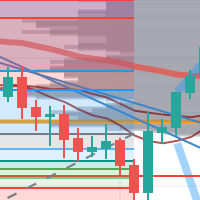
每次一忙都會錯過訊號下單,或不想一直花時間盯盤下單,可以用這個工具掛單,讓MT5 自動 盯盤並在滿足條件後下單 。
demo : https://www.youtube.com/watch?v=JBPiFkixqT4 configuration: https://www.youtube.com/watch?v=D7xESKKD26o #############################################
使用場景:
一般交易可以分為2種,分別是: 左側交易: 價格到達關鍵位置時就下單交易,想要自動下單,可以使用buy limit和sell limit掛單 右側交易: 價格到達關鍵位置, 同時出現做多或做空訊號 時下單交易, 想要自動下單, 就 可以用本工具自動掛單 本工具會 在你指定的阻力區域偵測到做空訊號時,建空單 ; 並在你指定的支撐區域偵測到做多訊號時,建多單。 demo影片: https://www.youtube.com/watch?v=JBPiFkixqT4
########################################
FREE

SVS Assistant SVS Assistant is the execution half of Smart Volatility Squeeze MT5. It carries out the orders you request from that indicator's 1-Click Trading Desk, applies your risk rules to them, and manages the resulting positions. It is published free of charge. Please read this before downloading: it does not analyse the market and it produces no signals of its own. Without the Smart Volatility Squeeze indicator running on the same chart there is nothing for it to listen to, and it will do
FREE

Umagads Lot Calculation and Auto SL TP Assistant: MT5 전문가용 리스크 관리 도구 Umagads 트레이드 어시스턴트 는 실행 속도와 엄격한 리스크 관리를 중시하는 MetaTrader 5 트레이더를 위해 설계되었습니다. 이 도구를 사용하면 더 이상 수동으로 롯(Lot) 크기를 계산하거나 진입 후 서둘러 손절선을 설정할 필요가 없습니다. 모든 계산은 즉각적으로 이루어지며 자동으로 적용되어, 트레이더가 시장의 움직임에만 집중할 수 있는 환경을 제공합니다. 주요 기능 v2.40: 정밀 롯 계산기: 계좌 잔고의 고정 리스크 비율(%)에 따라 최적의 롯 크기를 실시간으로 계산합니다. 즉각적인 자동 보호: 매수 또는 매수 클릭 시, 미리 설정된 값에 따라 스탑로스(SL)와 익절(TP)이 즉시 설정됩니다. 계좌 안전 가드: USD, USC(Cent), CNT 계좌에서만 작동하도록 설계되어 비표준 통화 계좌에서 발생할 수 있는 치명적인 계산 오류를 방지합니다
FREE

NHS Prop Firm Guardian NHS Prop Firm Guardian is a dedicated, single-panel risk monitor and drawdown protection overlay for MetaTrader 5, built around one core idea: watch the account relentlessly, and enforce the limit the moment it's crossed — even if the trader isn't looking . It is a pure risk-monitor companion tool, not an order-entry or trade-management system: it does not place trades, manage stops, or run automation strategies. Its job is tracking Daily drawdown on the current chart symb
FREE

MeeKiew Easy Order Manager (MT5) is a high-performance trading utility designed to streamline order execution and management on the MetaTrader 5 platform. Specifically optimized for use with the MeeKiew Dynamic MTF Pivot (MT5) indicator, this tool allows traders to react to market levels with speed and precision. While MT5 can sometimes feel slower in manual execution, this manager bridges the gap with a "One-Click" philosophy and advanced bulk management features. MeeKiew Dynamic MTF Pivo
FREE

AlphaMonitor — Free Trading Risk Monitor Monitor your trades. Understand your exposure. Stay informed. AlphaMonitor is a lightweight monitoring utility for MetaTrader 5 designed to help traders keep track of their open positions, floating profit and loss, and potential trade outcomes from a single, convenient overview. Whether you trade manually or use Expert Advisors, AlphaMonitor provides useful information about your current positions, helping you monitor your trading activity without th
FREE
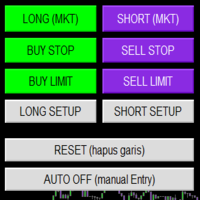
Smart Trade Panel
Trading Assistant is a powerful and elegant one-click trading panel for MetaTrader 5 — designed for professional traders who value speed, precision, and clarity.
Whether you scalp XAUUSD, swing trade indices, or run tight risk management, this tool gives you complete control with a clean visual layout, automatic ATR-based setups, and adaptive risk calculation.
️ Main Features One-Click Execution
Instant Buy/Sell Market Orders with pre-defined SL/TP
Supports Buy Stop
FREE

PropFirmGuard – Your Automatic Prop Firm Safety Net
Are you trading a prop firm challenge or a funded account and worried about accidentally breaking the rules? PropFirmGuard watches your account for you, around the clock, and automatically closes your trades before you breach your daily loss limit, your maximum drawdown limit, or once you've hit your profit target. No more manually checking your equity every five minutes — let the EA do the worrying for you.
WHAT DOES IT DO?
PropFirmGuard i
FREE

Your account, protected. Whatever is trading on it.
Phoenix Palladium Guard does not trade. It watches your whole account and steps in when a limit you set is reached: it closes all positions, deletes pending orders and keeps new trades out until the limit resets. It works for every EA on the account, EAs from any developer, and your own manual trades.
**Why an account guard?** Every EA calculates its risk as if it had the whole account to itself. Run four at once with similar settings and yo
FREE

PropBlaster Stats shows the key statistics of your MT5 account directly on the chart. It reads your trade history and never opens, closes or changes a trade.
Key figures
- Today, this week, this month or all history with one click - Net profit, trades, win rate, profit factor - Average win and loss, expectancy per trade - Maximum drawdown in money and percent - Best and worst day - Commission, swap and fees included
Good to know
- Filter by magic number and symbols (inputs) - Works on hedgin
FREE

Breakeven Trailing SL Manager;
This utility Manager is a simple utility that protects your manual trades automatically. Attach it to any chart and it watches all manual positions on your account, on every symbol. It does not open trades and it ignores trades opened by other Expert Advisors. How it works When a trade moves in profit by the Breakeven Price, the Stop Loss is moved to the exact entry price. When the price moves the same distance again, the Stop Loss is moved to entry plus that dist
FREE

Key Features: Automatic swing detection on any timeframe (M1 to MN1) Visual arrow indicators (red for swing highs, blue for swing lows) Adjustable sensitivity with customizable swing strength parameter Dynamic arrow positioning that never overlaps with candles Instant display when changing timeframes - no delays Compatible with MT4 and MT5 platforms Clean, professional interface with minimal screen clutter Lightweight code for fast performance Customizable colors and arrow sizes
Customizable S
FREE

Symbol Spec Auditor는 심볼의 계약 사양 중 포지션 크기와 거래 비용을 결정하는 부분을 차트 위 하나의 패널에 모아 보여줍니다: 포인트 가치, 스프레드 비용, 증거금, 스왑, 실행 규칙, 거래 세션. 원시 사양 값은 계좌 통화 기준 1.00 랏당 금액으로 환산되며, 랏 크기 계산 코드를 소리 없이 망가뜨리는 브로커 설정은 경고로 나열됩니다. 버튼 하나로 시장 감시의 모든 심볼에 대해 같은 점검 결과를 CSV 파일로 내보냅니다. 이 프로그램은 점검 도구입니다. 주문을 내지 않고, DLL과 WebRequest를 사용하지 않으며, 사용자가 요청한 CSV 내보내기 외에는 어떤 파일도 쓰지 않습니다. 만든 이유: 한 브로커에서 잘 동작하던 코드가 다음 브로커에서는 아무도 확인하지 않은 사양 세부 사항 때문에 오작동하는 일이 흔합니다. 계약 크기가 100온스가 아닌 1온스인 금, 잔고와 틱 가치가 센트 단위인 센트 계좌, 가까운 손절(스탑로스)을 거부하는 스탑 레벨, 포인트와 다
FREE

Share your trades with a Discord channel automatically. How it works Create a webhook in your Discord channel settings and paste the URL into the inputs. Allow WebRequest for https://discord.com in Tools, Options, Expert Advisors. New positions, SL and TP changes and closed positions are sent with symbol, direction, price, lots, pips and result, depending on your settings. Messages are queued and resent if Discord is busy. Key features Open, modify and close messages Optional lots, pips and prof
FREE

Place trades in one click with the lot size calculated from your risk. How it works Type your risk percent, stop loss in points and take profit as a multiple of the stop. The panel shows the lot size and the money at risk before you click. BUY and SELL open the order with SL and TP already attached. Management buttons move stops to break-even, close half or close all positions on the chart symbol. Key features Risk based lot size from balance, tick value and stop distance SL and TP attached to e
FREE

Broker Basket Preflight 다중 심볼 전략을 테스트하기 전에 브로커의 정확한 심볼을 확인하는 읽기 전용 MetaTrader 5 진단 스크립트입니다. 계약 및 거래량 규칙, 가격 증분, 호가 경과 시간과 스프레드를 Experts 로그에 출력합니다. 2026년 10월 업데이트 키트: 설정, 기본값 및 시뮬레이션 비교 요약 . MT5 Setup Hub . 데스크톱 버전 MetaTrader 5의 Market에서 바로 실행할 수 있는 버전을 무료로 설치한 다음, 탐색기 → 스크립트 → Market에서 Broker Basket Preflight를 찾아 별도의 차트에서 실행하세요. 도구상자(Ctrl+T)를 열고 Experts 탭을 선택해 보고서를 확인하세요. 버전 1.10 요청한 각 심볼을 기록하는 선택적 로컬 CSV 감사: 중복, 사용 불가, 오래된 데이터, 제한 및 거래 단위 불일치도 포함합니다. OrderCalcProfit으로 BUY/SELL의 불리한 가격 이동 예시를 계산
FREE

Turn your trading history into a clean journal you can open in Excel or Google Sheets. How it works Click the button on the chart or let the utility export every day at a set time. Each closed position becomes one row: symbol, direction, volume, entry and exit time and price, SL, TP, pips, duration, profit, swap, commission and net result. A second summary file lists win rate, profit factor, average win and loss, largest win and loss and maximum consecutive losses. Key features One row per posit
FREE

This EA gives traders a clean, full-window view of how large a position each Market Watch symbol can support at different percentages of account balance used as margin. It helps you quickly compare sizing options across symbols and risk levels without ever placing or modifying orders. The goal is simple position-size awareness so you can decide exposure before you trade.
Benefits Shows lot size potential across Market Watch symbols at up to three different % of balance margin levels side-by-sid
FREE

See the real cost of trading: live spreads, statistics and logs for every symbol you trade. How it works Every second the utility samples the spread of the chart symbol and any extra symbols you list. The panel shows current, minimum, average and maximum spread, and a bar chart of the average spread by server hour for the chart symbol. Samples can be logged to a CSV file and an alert can warn you when the spread is above your limit. Key features Multi symbol spread table Average spread by hour o
FREE

This tool allows you to export MetaTrader indicator data (buffers) for any financial instrument available in your MetaTrader 5. You can export multiple Symbols and Timeframes into a single CSV file. You can also schedule the export frequency (every 1 minute, 5 minutes, 60 minutes, etc.). There is no need to open multiple charts to retrieve recent data—the tool downloads the data directly. The CSV file will be saved in the folder: \MQL5\Files .
How it works Report Tab Select the indicators and o
FREE

Lucky Gold Mining Data Reader is a read-only account monitoring and audit utility for MetaTrader 5. It provides a clear dashboard for monitoring trading account activity without sending, modifying, closing or deleting orders and positions. READ ME BEFORE YOU LOVE ME
(SINCERELY — GOLD) Lucky Gold Mining — Automated XAUUSD Trading System - Trading Systems - 14 August 2026 - Traders' Blogs
FOX CUSTOMER BENEFITS Verified customers with qualifying MQL5 Market purchases may be eligible for complimen
FREE

Place a trade from the chart in one click, with the stop already attached, then take part off or close it without leaving the chart. First reply within two working days. FEATURES One click sends one market order for the volume on the request line, with the stop attached; no martingale, no grid, no averaging. The panel shows the margin the terminal calculates for the volume the request line will send, or the shortfall. It shows the broker's stop and freeze distances for the symbol, in points, on
FREE

Find Your Broker's GMT Offset - Free Tool Not sure what GMT offset your MT5 broker uses? FindBrokerGMTOffset is a free utility that helps you identify your broker's actual server time and GMT offset directly from your MetaTrader 5 terminal. No purchase, subscription, or complicated setup is required. How to use it: Download and install the FindBrokerGMTOffset script in your MT5 terminal. Attach the script to any chart and allow it to run. The tool will display your broker's current server time a
FREE

Pro 10:00 Powell Strategy [NQ ES] by Ash_TheTrader
This indicator is just for who wanna trade base on Powell 10AM/PM method and its not a bigdeal holygrail strategy ! Its just a hands-Free tools for users . Does it works or not ? You should test it !
This indicator is specifically designed for Nasdaq (NQ) and S&P500 (ES) traders to capitalize on the massive liquidity sweeps that happen right at the New York 10:00 AM (and PM) opening hours. It automatically detects the true opening price,
FREE

Special Offer: The first 100 downloads are completely FREE! After that, the price will increase to $30. ️ 1. POSITION SIZING Sizing_Method: Choose the lot calculation method (SIZING_LOTS for manual, SIZING_PCT_EQUITY for risk percentage, SIZING_FIXED_CASH for fixed USD risk). Sizing_ManualLots: Fixed lot size (Active when SIZING_LOTS is selected). Sizing_RiskPercent: Risk per trade as a percentage of account equity. Sizing_RiskCash: Fixed risk amount per trade in USD. 2. TARGETS & STOP LO
FREE

SPECIAL ANNOUNCEMENT: Get the Ultimate Trading Suite! Before you grab this utility, did you know? The LogicLadder Visual Trade Planner is so powerful that it serves as the core visual execution engine for my flagship MT5 trading systems! If you are looking for a massive, all-in-one trading dashboard, advanced trade management, or strict prop-firm guardrails, you can get this exact visual planner already included inside my premium and free full-suite EAs: Pro LTS TradeDashboard MT5 (Paid
FREE

Trade Launch는 수동 거래 개시 시 속도와 제어를 중시하는 트레이더를 위해 설계된 직관적인 트레이딩 패널입니다. 차트에 직접 표시되며 하나의 창에서 모든 주요 주문 매개변수를 관리할 수 있습니다. 주요 기능: 즉시 주문 실행: 버튼 한 번으로 매수 및 매도 포지션을 개시합니다. 버튼 이름은 현재 매도호가와 매수호가를 동적으로 표시합니다. 내장형 위험 관리: 로트 수량, 그리고 스탑로스 및 테이크프로핏 값을 포인트 단위로 입력할 수 있는 편리한 필드입니다. 패널은 이를 자동으로 가격 수준으로 재계산합니다. 거래 사전 확인: 포지션 개시 전에 세부 정보(거래량, 진입 가격, SL/TP 수준, 예탁 통화로 계산된 잠재적 위험 및 이익 지표)가 포함된 정보 창이 나타납니다. 맞춤형 확인: 더 빠른 거래를 위해 확인 창을 비활성화할 수 있습니다. 적응형 인터페이스: 패널은 가격을 자동으로 업데이트하며 모든 거래 상품 및 시간 프레임에서 정확하게 작동합니다. 작동 방
FREE

MA Trade Assistant is a trade panel for MetaTrader 5. It does not open trades by itself and it gives no signals. You decide the trade; the panel calculates the lot from your risk, checks the order before it is sent and manages the position after entry. Main functions Lot size from risk: 8 risk modes (fixed money, % of balance, % of equity, % of free margin, % of a custom amount, % of the previous day / week / month balance). Commission can be included. The lot is rounded down to the volume step
FREE

여러 주문을 쉽게 관리할 수 있는 도우미
1. “원클릭으로 다중 주문 관리를 마스터하세요 – 위험 기반 로트 크기 조정, 부분 마감. 유틸리티의 주요 강점(자동화된 볼륨/위험 제어, 다중 주문 감독) 강조
2. “더 똑똑하고 더 스마트한 거래 – 동시 무역 관리를 위한 완벽한 대시보드” 여러 거래에 걸쳐 효율성을 확장하기 위해 EA를 올인원 제어판으로 구성합니다.
3. “모든 주문을 관리하는 하나의 패널 - 부분 청산, 반 청산, 이익 청산, 전체 청산
여러 포지션을 동시에 처리하는 트레이더에게 매력적인 핵심 기능을 나열합니다.
4. “간편한 다중 포지션 제어 — MetaTrader5의 SL/TP 라인 및 평균 가격 라인” 위험 관리, 그래픽 거래 인터페이스를 강조합니다.
5. 여러 주문을 끌어서 클릭하면 SL 및 TP를 쉽게 수정할 수 있습니다.
이것이 작동하는 이유 다중 주문 제어: 다중 주문에 대한 EA 거래 지원 도구에서 사용자가 검색하는 내용을
FREE

OB FVG Trade Copier: Unified Master & Slave EA Version: 2.00 Type: Trade Copier / Risk Management Utility Compatibility: MetaTrader 4 & MetaTrader 5 (Cross-compatible codebase)
Overview The OB FVG Trade Copier is a professional-grade, unified trade copying system designed to mirror trades between Master and Slave accounts seamlessly. Built with a unified architecture, a single EA file serves as both the sender (Master) and receiver (Slave) simply by toggling the EA Mode in the settings. It uti
FREE

Fast MT5 trade management utility for one-click entry, partial close, break-even control, and spread safety.
Launch offer: the first 10 users can download it free. If it helps your trading workflow, I’d appreciate your honest feedback and suggestions through MQL5 messages or comments.
SnapTrade Pro is a m anual execution and trade management panel for MetaTrader 5 with Risk $ sizing, automatic stop loss, optional TP Ratio, symbol-aware stop input, compact mode, and fast on-chart position manag
FREE

AE-DeletePendingOrders is a professional script for MetaTrader 5 designed to quickly and securely delete all pending orders on a trading account. The script provides full control over the deletion process thanks to a flexible filtering system and reliable error handling mechanisms.
Main features The script automatically deletes all types of pending orders: BUY LIMIT, SELL LIMIT, BUY STOP and SELL STOP. An intelligent retry system has been implemented in case of temporary communication errors wi
FREE

Proton Gold Risk Engine MT5
OVERVIEW Proton Gold Risk Engine MT5 is a utility for MetaTrader 5 that calculates position size based on user-defined risk parameters. The tool helps traders implement consistent position sizing by calculating required lot size based on account capital, risk percentage, and stop loss distance. This utility is designed for manual traders who manage position sizing themselves.
PRIMARY FUNCTION The utility provides a calculator interface for determining appropriate p
FREE

Global Time – Trading Sessions Indicator Stay synchronized with the market, no matter your broker’s server time. Global Time gives you a clear, real-time view of the major trading sessions — Asia, London, and New York — directly on your chart. Designed with a modern and minimal interface, it helps you instantly understand which market is active and when key sessions overlap. Perfect for traders who rely on timing, volatility, and session-based strategies. Key Features: Real-time session clocks (
FREE

Elsna Alert (MT5 EA) is a lightweight Expert Advisor that monitors your trading account in real time and alerts you whenever a trade is opened or closed . It uses MetaTrader 5’s built-in OnTradeTransaction event to instantly detect any new executed deals—manual or automated—and plays a custom sound for each event.
You can choose whether it tracks all symbols or only the chart’s symbol . Key features: Instant audio alert when a trade opens or closes. Works with both manual and EA-driven trades. O
FREE

Candle Timer - Indicador de Contagem Regressiva O Candle Timer é um indicador para MetaTrader 5 que exibe um contador regressivo mostrando o tempo restante até o fechamento do candle atual. O indicador é altamente personalizável e permite ajustar sua aparência e posicionamento na tela. Funcionalidades Principais Contagem regressiva em tempo real do candle atual Suporte a todos os timeframes (M1, M5, M15, M30, H1, H4, D1, W1, MN) Atualização automática a cada segundo Posicionamento d
FREE

Tired of manually closing dozens of charts or managing multiple positions one by one?
With Close All Pro, you can clear your workspace in a flash—saving time, reducing clutter, and streamlining your trading workflow. Love it? Hate it? Let me know in a review! Feature requests and ideas for new tools are highly appreciated. :) Try "The AUDCAD Trader":
https://www.mql5.com/en/market/product/151841 ️ ALWAYS TEST THIS EA ON A DEMO ACCOUNT BEFORE USING IT LIVE! Description: Close All Pro is desi
FREE

완벽한 트레이딩 – 이 트레이딩 어시스턴트 EA가 필요한 이유 이 EA가 트레이더에게 혁신적인 이유 트레이딩은 타이밍, 정밀성, 리스크 관리 가 핵심입니다. 성공과 실패를 가르는 것은 얼마나 효율적으로 트레이드를 실행하고 리스크를 관리하는지 에 달려 있습니다. 이 EA는 트레이딩을 간단하고 안전하게 만들며, 모든 트레이드를 체계적으로 관리하고 최적화 하여 장기적인 수익성을 극대화할 수 있도록 도와줍니다. 이 EA가 반드시 필요한 이유 간편한 트레이딩 실행 – 복잡한 계산 없이 원클릭으로 트레이드 설정 및 실행 가능.
내장된 안전장치 – 실수로 주문하는 것을 방지하고, 리스크를 제한하며, 계획보다 많은 손실이 발생하지 않도록 보장 .
철저한 리스크 관리 – 각 트레이드는 계좌 잔액의 1%만 리스크로 설정 , 무분별한 포지션 크기 방지.
리스크/보상(RR) 최적화 – 테이크 프로핏(TP)은 설정된 RR 비율에 따라 자동 조정 , 균형 잡힌 트레이딩 가능.
자동 로
FREE

PositionRelay Master Publisher는 MetaTrader 5의 열린 포지션 스냅샷을 PositionRelay 클라우드 릴레이로 전송합니다. 마스터 계좌를 운영하며 다른 터미널이나 브로커의 슬레이브 계좌에서 진입, 청산, 스톱로스 및 테이크프로핏 업데이트를 낮은 지연으로 미러링하려는 트레이더를 위해 설계되었습니다.
연관 제품: PositionRelay Slave Subscriber(무료). 이 EA가 게시를 시작한 후 각 팔로워 계좌에 설치하세요. 두 EA 모두 동일한 PositionRelay User ID를 사용합니다.
요구 사항: - 활성 PositionRelay 클라우드 구독(positionrelay.com 가입) - positionrelay.com 대시보드의 PositionRelay User ID - 각 팔로워 터미널에 PositionRelay Slave Subscriber - 마스터 터미널의 안정적인 인터넷 연결
설정: 1. positionrelay.
FREE

(암호화폐 차트)
Binance Future의 모든 기호를 사용자 지정 기호에 저장합니다.
Binance Future의 기호에 "F" 접두사를 추가합니다.
Binance Future의 기호를 따를 수 있는 인프라를 만듭니다.
도구 메뉴 >> 옵션 >> Expert Advisors에서 WebRequest를 허용하고 URL을 추가해야 합니다. https://fapi.binance.com
스크립트를 두 번 클릭하기만 하면 됩니다.
몇 초 만에 전체 목록을 볼 수 있습니다.
링크에서 제품을 참조하십시오 https://www.mql5.com/en/market/product/68694 설치 및 추가 지원을 위해 주저하지 말고 저희에게 연락하십시오. 설치 및 추가 지원을 위해 주저하지 말고 저희에게 연락하십시오.
FREE

Precision Risk Manager and Multi-Order Controller for MT5 — Version 2 This utility provides risk-based lot size calculation, one-click order execution, and batch trade modification from a single collapsible panel. It is designed for manual traders who manage multiple entries on the same symbol. Features Lot Size Calculator: Enter a risk percentage and stop-loss price, then click Calculate Lot Size to receive the exact lot size for that risk amount. Order Execution: Click Buy or Sell to execute
FREE

The script SphereSample.mq5 illustrates control of graphic objects using the classes from the Standard Library (Base class of objects array CArrayObj , CChartObjectText ).
FREE

MT5 to MT4 Trade Copier (Master)
SHORT DESCRIPTION Copies trades from MetaTrader 5 to MetaTrader 4 on the same PC/VPS. You also need the EA "MT5 to MT4 Trade Copier I Slave" from the Market. If you have any questions, problems, or suggestions for improvement, feel free to send me a message or leave a comment.
KEY FEATURES Market execution copying (fast, stable) Multi-symbol filter (copy only selected symbols) Symbol mapping (master symbol -> receiver symbol) Lot multiplier (scale lots on rec
FREE

Red Hot Volume By ZeeAM Khan Contact for Set files or see the Screen Shots
WhatsApp: Text only +447716409196
Best for XAUUSD on All Brokers
Minimum and Safest Balance is 1100$ at medium Risk Advanced Volume Spread Analysis (VSA) Trading Indicator Red Hot Volume By ZeeAM Khan is a professional Volume Spread Analysis (VSA) indicator designed to identify institutional activity, potential market reversals, stopping volume, climactic volume, and high-probability trading opportunities through advance
FREE

TradeMasterPanel — One-Click Manual Trading Panel for MT5 TradeMasterPanel is a professional one-click trading assistant for MetaTrader 5, designed to help traders execute, manage, and protect positions directly from the chart. All settings can be adjusted on-chart and are automatically saved for each trading symbol, eliminating the need to reopen the Inputs dialog or reattach the EA. The interface is fully scalable and DPI-aware for modern high-resolution displays. 1. Market Order Entry Open B
FREE

News Guard Manager watches every robot on your account and protects them around high impact economic news. -- THE PROBLEM -- You run several Expert Advisors. Each one manages its own trades, but none of them knows what the others are doing, and none of them knows that NFP is in twelve minutes. One news spike can undo a week of careful work across all of them at once. -- WHAT THIS UTILITY DOES -- ONE PANEL FOR THE WHOLE ACCOUNT Every robot running on the account is listed with its magic n
FREE

# LBU Trading Console
LBU Trading Console is a unified MetaTrader 5 utility for visual trade planning, position management, equity protection and multi-symbol RSI monitoring. Its tabbed interface keeps four practical workflows in one chart and one EX5 file.
## Main modules
### Trade
- Draw and drag Entry, Stop Loss and Take Profit levels directly on the chart. - Calculate volume from the selected account risk percentage. - Support market, limit and stop orders. - Validate volume, margin and
FREE
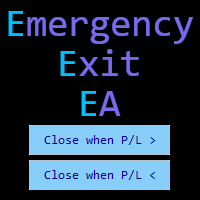
Emergency Exit is an MT5 expert advisor I developed to solve a specific problem: monitoring and managing overall account risk across multiple positions. Unlike traditional EAs that focus on entry signals or complex trading algorithms, Emergency Exit has one job - to watch your total floating P/L and take action when your predefined thresholds are hit.
The main functionality revolves around two simple conditions:
Close when P/L >: Triggers when profit exceeds a value (take profit) OR when loss
FREE

Metis Risk Guardian is an account protection utility for MetaTrader 5. It watches your equity in real time and, when a limit you set is reached, it closes every open position, deletes every pending order and keeps the account flat until you lift the lock. If you would rather stay in control, an alert-only mode warns you and touches nothing. What it protects you from
Most accounts are not lost in a single bad trade. They are lost in the hour after one, when the decision to stop has already been
FREE

EW Close All – 한 번 클릭. 모두 종료.
EW Close All 은 가볍고 다국어 지원 Expert Advisor로, 단 한 번의 버튼 클릭만으로 모든 오픈 포지션을 즉시 청산하고 모든 대기 주문을 취소할 수 있습니다.
모든 오픈 포지션 청산 모든 대기 주문 취소 모든 심볼과 모든 타임프레임에서 작동 다국어 인터페이스 지원 깔끔하고 빠르고 안정적
빠른 청산, 리스크 관리, 장 마감 전 정리 작업에 완벽합니다.
항상 완벽한 컨트롤 — EW Close All로 단 몇 초 만에 모든 것을 종료하세요!
EW Close All – 한 번 클릭. 모두 종료.
EW Close All 은 가볍고 다국어 지원 Expert Advisor로, 단 한 번의 버튼 클릭만으로 모든 오픈 포지션을 즉시 청산하고 모든 대기 주문을 취소할 수 있습니다.
모든 오픈 포지션 청산 모든 대기 주문 취소 모든 심볼과 모든 타임프레임에서 작동
FREE

Basket Close – Your Smart Trading Assistant for the Perfect Exit!
The Basket Close EA is the ideal solution for traders who want to efficiently manage their open positions. This simple Expert Advisor allows you to close all open positions simultaneously based on a predefined profit or loss target.
Automated Risk Management – Closes all positions as soon as a specific profit or loss (in percentage of the account balance) is reached.
Efficient Trade Control – No more manual monitoring or
FREE
Introduction to Order Risk Management EA ORM EA is specially designed for fast and accurate market order execution to be used with our Price Action and Econometric Trading strategies listed below. ORM EA is fully automatic and ORM EA is also very easy to use. ORM EA is totally free of charge. You can also use this robust order execution feature of this ORM EA for any other your own trading strategy.
Trading Strategy Guide Order Risk Management EA provides the guide for the risk management for y
FREE

1년 대여 시 월 $1.67에 모든 기능을 이용하세요. 이것은 Trading Statistics, Auto Reports, Price Alerts 및 Trade Notifications 기능을 하나의 현대적인 Telegram 모니터링 시스템으로 통합한 전문적인 다기능 유틸리티입니다. 이 유틸리티는 Telegram 채널에서 /menu 명령을 사용한 원격 제어 를 지원합니다. MetaTrader 5 터미널로 돌아갈 필요 없이 Trade Reports를 전송하고, 열린 포지션을 확인하며, 활성 Price Alerts를 생성, 삭제 및 관리할 수 있습니다. 예약된 자동 Telegram 보고서를 지원하며, Daily / Weekly / Monthly / Yearly / All Time 기간의 Trade Reports를 Telegram에서 직접 수동으로 전송할 수도 있습니다. 이 유틸리티는 Dark/Light 테마를 지원하는 최신 인터랙티브 제어 패널, 유연한 거래 알림 설정, 사용자 지정
FREE

Convenient tool for measuring the number of points between the prices directly on the chart. Displays in the measurement between points in percentage, points (financial) and time (bars ). Compatible with all graphical timeframes. When fixed on the chart is displayed in all timeframes. Press Ctrl, click the first point, move the mouse and will now display the measurement. Click again and fix. Very fast tool that does not occupy much space. Input Parameters Line Color Line Style Text Color Text Si
FREE

Record your MetaTrader 5 trading to your SureInsight journal automatically, including the stop loss you actually set.
SureInsight Journal Sync is the official MetaTrader 5 companion for SureInsight. It watches your account and sends each closed trade to your journal, so your record is built from platform data rather than from memory.
Important
This is not a trading robot, signal provider, copy-trading service or automated strategy.
It does not open, close, modify or manage trades.
Its onl
FREE
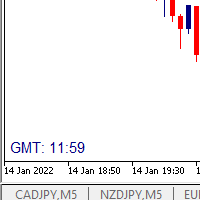
I wrote a small label to show GMT time. I t helps me to know the trading hours in Europe. I searched in the market but couldn't find it, hope it helps those who need it.
Functions: X_: Horizontal distance from border. Y_: Vertical distance from border. FontType: label color. FontSize : label font. Color3 : label color. WhatCorner : which chart corner will be drawn. If you have any request or errors please tell me to help it better.
Donate us , Thank u!
Telegram: 0388894014
FREE

Automatically protect you positions with Raba BreakEven and Trailing StopLoss EA. Functionalities: Automatic break even. Automatic trailing stoploss
I you have any doubt you can leave it in comments and I will anwer it asap. If you found this tool helpful for you, a comment and a good rating will be appreciated. Also any proposal will be taken into account for future versions.
FREE

You can send MetaTrader screenshot easily to your identified telegram channel via press the send button that on the chart. TelegramBotToken: Telegram API credentials. You can create API credentials on my.telegram.org web page ChatId: Your telegram chatId. Secreenshots will be sending this channel - Please do not press the button repeatedly. This may cause your bot or ip address to be blocked. - You have to add telegram api address ( https://api.telegram.org ) in Option > Expert Advisors > Allow
FREE

Product Name: Anchor auto TP and SL Trade Manager MT5 Your manual trade will be managed automatically. Turns single trades into smart grids with auto-sync TP/SL.
Anchor Auto TP and SL Trade Manager is a powerful trade assistant designed for manual traders who use averaging or recovery strategies. Stop calculating grid levels manually! This EA turns your manual trade into an automated "Anchor." If the market moves against you, the EA automatically builds a recovery grid based on your specific S
FREE

The VR Object Delete All script solves the problem of garbage on the chart. it is often necessary to completely clear the chart of everything that is put on it, comments, lines, objects. The script completely deletes everything, even those objects that are not visible. When working, VR Object Delete All writes everything it does in the terminal log, as well as the names of objects to delete. Displays the number of deleted objects as a separate line. in case of any errors, it will display an erro
FREE

Orders Manager is a simple and indispensable assistant for managing all your orders. Inputs: Magic = 999; // Magic TakeProfit = 1000; // Take Profit. If = 0 the level is not setts. StopLoss = 0; // Stop Loss. If = 0 the level is not setts. Slippage = 10; // Slippage GeneralProfit = false; // Closing all orders based on total profit. If false the function is disabled and works according to TakePr
FREE

즉시 Slack 알림. 차트에서 직접 가격 레벨을 설정하고 가격이 이를 돌파하면 메시지를 받으세요. 레벨 추가는 한 번의 클릭으로 가능합니다. 마우스로 라인을 드래그하여 원하는 가격 레벨을 정확하게 설정할 수 있습니다. 편리한 제어 패널: 모든 활성 알림이 목록에 표시됩니다
라인을 드래그하여 레벨을 수정할 수 있습니다
불필요한 알림은 한 번의 클릭으로 삭제하거나 "Clear All Alerts"를 사용해 모두 한 번에 제거할 수 있습니다
알림은 트리거된 후 자동으로 제거됩니다
차트에서 알림 라인을 숨기는 옵션
사용자 지정 알림 텍스트 지원 (예: crossed, reached, touched)
Dark/Light 모드 지원 작동 방식: Add Alert를 클릭
차트에 가격 레벨 라인이 표시됩니다
원하는 가격 레벨로 이동합니다
가격이 해당 레벨을 돌파하면 - Slack에서 메시지를 받게 됩니다 간편한 설정: Slack에서 새로운 App을 생성하고 Incoming Webhook을 설정한
FREE

Prop Firm Guardian Prop Firm Guardian is a MetaTrader 5 utility designed to help traders monitor the most important limits of a funded account in a clear, visual, and organized way. The panel displays key real-time metrics such as daily drawdown , maximum drawdown , profit target , balance , equity , open P&L , and basic historical account statistics. It can be useful for traders looking for a prop firm dashboard , drawdown monitor , risk monitor , or funded account control panel inside MetaTrad
FREE

First 10 Copies is Free
BuntuFx Copier Pro is a fast and reliable trade copier for synchronizing orders between Master and Slave accounts on MetaTrader 4 and MetaTrader 5. Main Features MT4 and MT5 cross-platform copying Market and pending order synchronization Automatic SL, TP, partial close, and order close copying Multiple lot modes: multiplier, fixed lot, risk percentage, and lot sequence Symbol mapping and suffix support Magic number, symbol, direction, and comment filters Reverse trading
FREE

Advanced harmonic filter is a reliable and smart utility that uses an author's algorithm to process continuous data and present them in the form of harmonic oscillations. The utility can identify regularities and patterns in the input data, which are then used to generate output data that is most similar to the input data. This makes it a powerful tool to use with other indicators to predict future trends and identify Elliott waves on selected intervals. The utility is most effective when us
FREE

The tool is intended to help traders who cannot look at the chart all the time, or who use several charts, the trader can mark regions of interest as supports and resistances and as soon as the price approaches these regions an audible warning and on the screen will be presented for the trader to take some action, in addition the tool can automatically mark the highs and lows of the day and time.
FREE

backtester buttons for testing strategies in the MT5 strategy tester.
load up strategy tester then click on visual test and once visual tester opened apply any chart template you'd like. To update the chart pause the visual tester and apply templates, colors and such like the normal chart. On the settings you can choose lot size and take profit and stop loss.
Enjoy
FREE

This program is designed to download economic calendar news events for a specified country over a selected date range, allowing traders to analyze and incorporate important economic data into their trading strategies. By specifying both a start and end date, as well as a country code, the program retrieves relevant news events within the defined period and exports them to a CSV file for easy review and analysis. This tool helps traders stay informed about scheduled economic events that may impac
FREE

This MT5 trading utility is designed to provide quick access to commonly used trading functions directly from the chart. The tool includes Buy, Sell, Buy Limit, and Sell Limit order buttons, allowing traders to place orders efficiently without opening additional trading windows. Position management features include a Close Position button and an adjustable order quantity input with dedicated increase and decrease controls for fast lot size selection. The utility also displays the current profit
FREE
MetaTrader 마켓은 거래로봇과 기술지표를 판매하기에 최적의 장소입니다.
오직 어플리케이션만 개발하면 됩니다. 수백만 명의 MetaTrader 사용자에게 제품을 제공하기 위해 마켓에 제품을 게시하는 방법에 대해 설명해 드리겠습니다.
