 MetaTrader 5
 エキスパート
 インディケータ
 ライブラリ
ライブラリ
 ユーティリティ
 ウィジェット
 ルール
ルール
YouTubeにあるマーケットチュートリアルビデオをご覧ください
ロボットや指標を購入する
仮想ホスティングで
EAを実行
EAを実行
ロボットや指標を購入前にテストする
マーケットで収入を得る
販売のためにプロダクトをプレゼンテーションする方法
MetaTrader 5版無料取引ユーティリティ - 12
 以下はMetaTrader5での取引を簡素化する取引プログラムです。ユーティリティにカーソルを合わせると、その説明と目的が表示されます。
Automatically cycles through every symbol in your Market Watch at a user-defined interval, letting you scan multiple pairs hands-free without manually changing charts. Benefits Hands-free multi-pair scanning with adjustable speed and optional reverse direction Reliable play/pause button that stays on-chart and can be placed in any corner with custom colors Optional large centered Symbol + Timeframe labels (stacked, with adjustable spacing) that can sit behind or in front of price Remembers its p
FREE

Copy trades between MetaTrader 5 terminals on the same computer, with no DLLs and no internet relay. How it works In Master mode the utility writes a snapshot of its open positions (ticket, symbol, direction, volume, SL, TP, magic) to a channel file in the shared Common\Files folder. The file is written under a temporary name, replaced in one step and closed with a checksum line, so a receiver never reads a half written file. In Slave mode it reads the snapshot on a timer, opens copies of new ma
FREE

MGD Prop Risk Guard MT5 Professional Account Risk Monitoring for MetaTrader 5 — FREE MGD Prop Risk Guard MT5 is a free account risk monitoring utility designed to help traders stay informed about their daily loss limits, maximum drawdown, and available risk. Whether you trade manually, use Expert Advisors, or participate in proprietary trading firm challenges, MGD Prop Risk Guard provides a clear, real-time overview of your account's risk exposure. Monitor your trading risk directly from your MT
FREE

See how your account is really doing at a glance, right on the chart. The dashboard reads your account and trade history and never opens, modifies or closes a trade. How it works Every second the dashboard reads balance, equity, margin and open positions. Closed results come from the deal history: for each closing deal the profit, swap, commission and fee are added together. From these deals it calculates closed profit for today, this week and this month, plus statistics for the period you choos
FREE

Manual ATR Grid Manager is a manual trading system for gold (XAUUSD) that lets you choose your entry and then hands the ongoing trade management to the EA. Place a market buy or sell, or a buy/sell limit or stop order, directly from the chart. Set your lot size and entry price, with on-screen instructions guiding each step. Once the position opens, the EA manages its profit target. If price moves against you, an adjustable ATR-based grid can add positions at intervals that respond to market vola
FREE

Broker Clock and New York Session answers a question every MetaTrader user meets sooner or later: what time is it on my broker's server, and what time is it in New York? Broker servers run on many different clocks: UTC all year, GMT+2/+3 following US summer time, or GMT+2/+3 following European summer time. For a few weeks every spring and autumn, when the US and Europe change their clocks on different dates, a fixed offset is wrong by one hour. This indicator finds the right one for you. What it
FREE

Setting a chart up exactly the way you like it takes a few minutes. Doing it twenty times takes an afternoon. Chart Cloner opens exact copies of the chart you drop it on. Symbol, timeframe, colours, scale and chart mode always carry across, because that is what makes a copy a copy. You decide whether the attached Expert Advisor, the indicators and the drawn objects come with them. Point it at your Market Watch instead of a copy count and it opens one chart per symbol, every pair wearing the same
FREE

Account Guard Daily Limit is the free version of Account Guard. It watches the whole account and enforces two rules: a daily loss limit and a maximum drawdown. It opens no trades of its own. It works for manual trades and for any EA on the account. The panel shows the state, the day result against the limit, and how much room is left above the drawdown floor. The two rules Daily loss limit in percent of the initial balance. When it is hit, every position and pending order is closed. Any trad
FREE
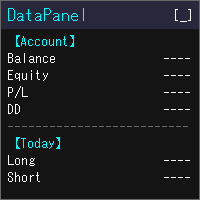
DataPanel は、口座の状態をチャートの上にまとめて表示するEAです。 注文は一切出さず、DLLも使いません。 もともとは、他のEAを動かしている口座の様子をひと目で見たくてClaude Codeで作成しました。 いろいろ追加した結果情報量が多くなりましたが、必要な情報のみ表示できるので必要に応じて設定で変更してください。
見られるもの 残高、有効証拠金、評価損益、証拠金維持率 残高と有効証拠金のドローダウン(最大値と発生した時刻)。入出金とクレジットはドローダウンに含めません 今日・今週・今月・今年・全期間の損益(ロング/ショート別)と成長率 勝率、プロフィットファクター、期待値、連勝・連敗、平均保有時間、スワップや手数料などのコスト マジックナンバー別・通貨ペア別の損益と、取引した通貨ペアの割合 ポジション一覧、損益分岐レート、ロスカットまでの余裕 経済指標(国や重要度を選べます)、当日の祝日、レート一覧、通貨の強弱、市場セッション 同じPCで動いている他のMT5も含めた、リアル口座の損益の合計(他のMT5でもDataPanelを起動している必要があります) 使い勝手 金額は
FREE
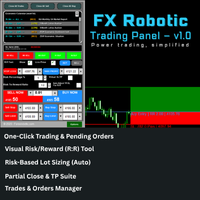
FX Robotic Trading Panel — v1.0 by Forex Robotic All-in-one MT5 panel for one-click execution, visual R:R control, risk-based lot sizing, partial closes (incl. virtual TPs), news, and MA signals—right on your chart. Overview FX Robotic Trading Panel is a professional, on-chart control center for MetaTrader 5 that blends lightning-fast trade execution , visual Risk/Reward management , auto lot sizing from risk% , staged partial take-profits (real or virtual ), an economic calendar , and a multi
FREE

The Quick Style utility is designed for facilitation and acceleration of working with the properties of graphical objects. Left-click a graphical object while holding the Shift key to open the quick access window for configuring the object properties. In the window, you can change the color, style and line width with one click, including those of other graphical objects. All changes are displayed immediately. To close the Quick Style , simply click the free space on the chart. The utility is eas
FREE

Garner Risk Calculator for MetaTrader 5
## Visual trade planning, position sizing and manual order placement
Garner Risk Calculator is an MT5 Expert Advisor that brings trade planning and position sizing directly onto your chart. Position your Stop Loss and Take Profit, choose the amount you want to risk, and view the calculated lot size before placing an order.
The dark navy panel with blue accents provides a clear view of your proposed trade. It is a manually operated calculator and order-e
FREE

Assets can behave based on repetitive patterns on specific times of the day, for example at the opens and closes of the sessions. Daily Vertical Lines helps us draw vertical lines at any given time of the day as many days as required, as simple as sliding a vertical line. This free version only draws vertical lines, while the paid version (to be published) collects and presents technical and statistical information regarding the price behavior at that time of the day.
FREE

When executing an order, whether through the Metatrader ticket on a computer or the Metatrader app on a mobile device, either manual or pending,
Easy Trade will automatically set the take profit and stop loss levels, as well as a limit order with its respective take profit and stop loss levels. It follows the trading strategy for market open (US30, US100, US500), but it can be applied to any market asset.
FREE

History Pre-loader — MT5 History Pre-loader is a utility script for traders who want to prepare and inspect MetaTrader price history before running a Strategy Tester, reviewing an older market period or using tools that depend on a deeper historical range. The script works from the symbol of the chart where it is attached . Open a chart for the exact broker symbol you want to prepare, attach the script, select the target oldest date and let the terminal request the available history. What the sc
FREE

PowerTech Fast Open Close PRO High-speed execution utility, asynchronous bulk closing engine, automated risk sizing, and drawdown protection controls engineered natively for MetaTrader 5 (MT5). Built specifically for Prop Firm Challengers, Scalpers, News Traders, and Discretionary Day Traders, PowerTech Fast Open Close PRO eliminates complex order entry windows and emotional trade management. It provides a compact, interactive trading dashboard directly on the chart: automated lot calculation b
FREE

Description: Protect your live or evaluation accounts by not letting it hit the maximum daily draw down! This utility is best for prop firms such as FTMO and MFF(MyForexFunds) and etc. Guide: Apply to EURUSD 1m Chart.
Default Settings: Maximum Draw Down Balance: 4% Account Balance. Maximum Draw Down Equity: 4% Account Balance Target Profit Balance: 1% Account Balance. Target Profit Equity: 1% Account Balance. Time To Reset: 16:57 to 16:58 GMT
Behavior: Setting starting_balance to 0 will auto
FREE

PFA Simulator – Portfolio Simulation Expert Advisor
Introduction The PFA Simulator is a MQL5 Expert Advisor and the final step of the Portfolio Analyzer (PFA) system — a portfolio analysis toolkit included with any compatible Expert Advisors from this profile. The PFA system allows traders to build, merge, and simulate multi-asset, multi-strategy portfolios entirely within the MT5 Strategy Tester — with no external tools required.
The three-step PFA workflow: PFA Exporter (built into the EA)
FREE

What is MTF Confluence Panel? A premium multi-timeframe analysis tool that scores 8 technical indicators across 4 timeframes simultaneously to give you a clear confluence score — so you can enter trades with confidence, not guesswork. How It Works Each timeframe gets scored by 8 independent indicators that vote BUY or SELL: EMA Cross (20/50) — Trend direction Price vs EMA 50 — Price position relative to trend RSI (14) — Momentum MACD Histogram — Momentum confirmation Stochastic (14,3,3) — Fast m
FREE

GntCountdown — ネオンローソク足カウントダウン GntCountdownは、 Genaro Trade チームによって開発された無料の補助インジケーターです。チャート上にカウントダウンタイマーを表示し、現在のローソク足が閉じるまでの正確な残り時間を示します。 主な機能:
• リアルタイムカウントダウン(HH:MM:SS)
• ローソク足の進捗率
• 動的な色:時間が経過するにつれて緑 → 黄 → 赤
• 最後の数秒で自動点滅
• 完全にカスタマイズ可能:位置、色、サイズ、フォント
• チャートの任意のコーナーに固定
• 軽量かつ最適化済み — ターミナルのパフォーマンスに影響しません 使用方法: MetaTrader 5にインジケーターをダウンロードしてインストール GntCountdownをチャートにドラッグ 好みに応じて位置、色、フォントを設定 完了 — カウンターがすぐに表示されます 最適な用途:
• 短い時間足(M1、M5、M15)で取引するトレーダー
• ローソク足の正確な閉じ時刻を知る必要があるスキャルパー
• ローソク足ブレイクアウト戦略
FREE

Drag the stop loss line to your level and the panel works out the lot size for the risk you set, from your broker's own contract size. FEATURES Entry, stop loss and take profit lines you drag. Lot size normalised to the broker's minimum, maximum and step. Risk as a percentage of balance or equity, fixed cash, or fixed lot. Live risk to reward ratio. HOW TO USE IT 1. Attach it to a chart and drag the three lines. 2. Set the risk basis and value in the inputs. 3. Read the lot size from the panel.
FREE

PipPal - Your Animated Robot Trading Companion Trading can feel lonely and stressful. PipPal puts a friendly little robot right on your chart who stays with you through every trade. He flies out of a glowing sci-fi portal, follows your live price in real time, and reacts to what is happening in your account - so your chart finally feels alive. PipPal is a pure visual companion. It reads your open trades to show emotions, but it never opens, modifies, or closes any position. Your trading stays 10
FREE

BlueEdge Trading Manager (MT5) BlueEdge Trading Manager is a clean, fast manual trade manager panel for MetaTrader 5. It helps you open trades quickly (BUY/SELL), manage up to 5 take-profits , and automatically handle partial closes while drawing clear SL/TP lines directly on the chart. This product is NOT a trading strategy and does not generate entry signals. It is a trade execution + position management tool for scalpers and manual traders. Main Features One-click BUY / SELL from a compact pa
FREE

Latency and connection stability are truly the "lifeblood" of a trader, especially if you do scalping or news trading, where a difference of just a few milliseconds (ms) can determine whether your order experiences slippage or not. Let's break it down step by step so everything is clear, starting from the connection path to how we can implement this dashboard idea in MQL5. 1. Connection Path: What Does the Number in the Bottom-Right Corner Actually Mean? When you see the traffic bars and latenc
FREE

ATR Stop Loss and Take Profit Calculator. Know your risk before you take the trade! Click any candle and instantly see your stop loss, take profit, and correct lot size, all calculated from ATR, scaled to your account. A useful back-testing and live trading tool. If you find this indicator useful, please leave a review
How It Works
Click a candle. The indicator reads ATR at that bar, calculates SL and TP using your configured multipliers, and draws the levels on the chart. An info panel shows
FREE

GOM Trade Manager helps you execute trades the way you want it. Works on all instruments Forex, Commodities, & Crypto.
It helps you with lot calculations, spread addition and balance calculations so you can just focus on actual trading.
For full automatic planned management, stackable triggers and spread widening protection >> check out GOM Trade Manager Pro .
------------------------------------------NOTABLE FEATURES------------------------------------------ You set everything based on bid
FREE

1秒が重要な場面での高速操作 このトレードパネルは、 秒足を含むカスタムチャート での使用を前提に設計されています。
カスタムチャートの背後にある 実際の取引シンボルを自動で正確に認識 し、
手動での紐付けや追加操作なしに 、そのシンボルへ直接取引を実行します。 このパネルが解決するのは、ただ一つの本質的な課題です。
「判断」と「実行」の間の距離を最小限にすること。 余分なウィンドウはありません。
確認ダイアログもありません。
画面を切り替える必要もありません。 素早いエントリー このパネルでは、主要なトレード操作を チャート上から直接 行えます。 Buy / Sell — ワンクリックでの成行エントリー LIMIT — ダイアログなしでの指値注文設定 ボタンを押せば、即座に実行されます。
メニューを探す必要もなく、チャートから意識を外すこともありません。 チャート上での SL / TP 設定 Stop Loss や Take Profit の設定は非常に直感的です。 ポジションのエントリーラインをクリックし、表示される補助ラインを目的の価格レベルまでドラッグするだけで設定できます。
FREE

Free Global Stop Loss and Take Profit Setter with Break Even
Free one click Stop Loss and Take Profit tool for manual trading. Apply a fixed SL and TP to every open position on the symbol, or move them all to break even, with a single button. It only modifies Stop Loss and Take Profit levels — it never opens or closes a trade. Set your SL and TP distance in points, click once, and every position on the current symbol is protected. The break even button moves stops to entry (or a configurable num
FREE

RADAH Dashboard is an advanced performance analytics utility for MetaTrader 5, designed to transform your account history into a clear, organized and interactive trading performance overview.
It does not open, modify or close trades. Its purpose is exclusively analytical, allowing you to review the performance of the entire account, a specific symbol, or a strategy identified by its Magic Number.
Chart View
Visualize your trading performance through an integrated balance/equity performance c
FREE

Here is the English version of the product description, tailored to sound clear, professional, and engaging for the MQL5 Market: RBM SL TP Label — Indicator for MetaTrader 5 If you trade Forex and miss seeing the exact financial value of your risk and target directly on your chart, this indicator solves that in a clean, direct, and intuitive way. What It Does As soon as you open a position, the indicator automatically detects your Stop Loss and Take Profit lines and displays, in real-time, both
FREE

It is a panel that seems common, however, far beyond those of additional buttons for closing multiple orders, it is essential for those using the offline charts generators for Renko, Range, Ticks, and similars because in the Metatrader 5 does not allow the manual operation of orders in these charts that are generated synthetically. The "TRADE PANEL" makes it very easy to handle both orders executed to the market and the placing of pending orders, offering practically the same immediate action
FREE

StopFirst Loss Limit Monitor は、口座全体について、1日の損失上限と最大損失のうちどれだけを使い、どれだけ余裕が残っているかを、プロップファームと同じ方法で計測して表示します。無料です。
インジケーターなので、計測と警告だけを行い、何も決済しません。チャートの EA 枠を使わないため、どの EA とも一緒に動かせます。
計測するもの
1日の損失上限(初期設定 4 %) - 口座サイズに対するパーセントまたは金額で指定。 - 日初の残高(初期設定)、日初の残高と有効証拠金の大きい方、または日初の有効証拠金から計測 - ファームが定義する3つの方法です。 - 含み損を含める(初期設定)か、決済済み取引のみ。 - 1日は、ブローカー時間、GMT、中央ヨーロッパ時間、ニューヨーク時間のうち選んだ時計の指定時刻にリセットされ、それぞれ独自の夏時間の日付に従います。初期設定は中央ヨーロッパ時間の午前0時。ブローカーの午前0時でリセットするモニターは、1年のうち一定期間1時間ずれます。
最大損失(初期設定 8 %、固定) - 下限は口座サイズから上限を引いた値
FREE

This utility is designed to receive volumes from order books from larger crypto exchanges and transfer information to the indicator RealCryptoLevels . The RealCryptoLevels indicator by downloading the order book of crypt exchanges with maximum depth shows horizontal volumes of popular crypto currencies on the chart, so you can see not only the volumes, but also the levels and them strength (see screenshots), which is very important for successful trading in all strategies from scalping to m
FREE

Mentoria Individual — Manual Trade Execution and Risk Management Mentoria Individual is a free manual trade execution and risk management tool for MetaTrader 5, developed by Gean Patrick. It combines lot size calculation, order preparation, visual Stop Loss and Take Profit adjustment, and position management in an interactive panel directly on the chart. The tool is designed for traders who want to maintain full control over their trading decisions. It does not provide trading signals or execut
FREE

即時のDiscord通知。チャート上で直接価格レベルを設定し、価格がそれを通過したときにメッセージを受け取ります。レベルの追加はワンクリックで行えます。マウスでラインをドラッグして、希望する価格レベルを正確に設定できます。 便利なコントロールパネル: すべてのアクティブなアラートはリストに表示されます
ラインをドラッグしてレベルを編集できます
不要なアラートはワンクリックで削除、または「Clear All Alerts」で一括削除できます
アラートは発動後に自動的に削除されます
チャート上のアラートラインを非表示にするオプション
カスタム通知テキストのサポート(例:crossed、reached、touched)
Dark/Lightモード対応 動作方法: Add Alert をクリック
チャートに価格レベルのラインが表示されます
希望する価格レベルに移動します
価格がそのレベルを通過すると - Discordでメッセージを受け取ります 簡単な設定: Discordでテキストチャンネルを作成し、そのWebhook URLをコピーします。
MetaTrader 5 → Tools → O
FREE

This is not an EA – it’s a simple and powerful MT5 indicator designed to help you manage trades quickly and easily. Key Features: TP1 Auto-Set – Fixed at 1RR TP2 Auto-Set – Set at 2RR Fast Lot Calculation – Calculates lot size based on SL in 1 second Quick Actions: Close All Trades Move to Breakeven Set TP at RR1 / RR2 User-Friendly – No complex setup, just attach to chart and start using Support:
Telegram – @inForexVIP
WhatsApp – +923118409597 MT4 Version Coming Soon
W
FREE

Monthly Calendar MT5 simply presents your MT5 Trading History Beautifully. Your Entire Trading Month. At a Glance. Key Features
Download:
User can download screenshot by clicking Download icon.
Customizable Title:
Users can change the default “Monthly P/L Calendar” title to their preferred title.
Instant Profit/Loss Recognition:
Live tracking and P\L updates in seconds.
Click-to-Inspect:
Click any trading day to open detailed trade information.
Complete Trade Details:
Review time, sym
FREE

Axilgo Pip Piper CoPilot Elevate your trading game with the Axilgo Pip Piper CoPilot, the first in our revolutionary Pip Piper Series. This all-inclusive toolset is meticulously crafted for serious traders, focusing on key areas such as Risk Management, Trade Management, Prop Firm Rule Compliance, and Advanced Account Management . With CoPilot, you’re not just investing in a tool—you’re gaining a strategic partner in the intricate world of trading. Important Notice: To ensure you receive the fu
FREE

### FTBP Telegram Panel - Your On-Chart Notification Center
**FTBP Telegram Panel** is not just an Expert Advisor, but a full-featured tool for traders who want to receive instant notifications about their trades in Telegram and manage the visual style of their terminal. The product is completely free!
### Key Features
* **Instant Telegram Notifications:** Get alerts for every opened and closed trade, including the ticker, volume, and financial result. * **Interactive Control Panel:** Forget
FREE

プロップファームの選択 あなたの財務的な可能性を発掘する準備はできていますか?Gold Diggerを今すぐ購入して、真のゴールドディガーになりましょう! Gold Digger EAの説明: よく分析されたグリッドシステムを利用して、月間4-8%のリターンを達成 概要 Gold Diggerは、XAUUSD(ゴールド)を取引するために特別に設計された高度なグリッドトレーディングシステムを使用する洗練されたエキスパートアドバイザー(EA)です。このEAは、月間4-8%の安定したリターンを提供することを目指しています。このEAは、プロのトレーダーや機関投資家のために設計されており、厳密な定量分析、適応アルゴリズム、および包括的なリスク管理戦略を組み合わせて、さまざまな市場状況での取引パフォーマンスを最適化します。 Gold Diggerは、Myfxbookによって検証された実績を誇っています。興味のある方は、以下のリンクから特定の月の詳細なパフォーマンス指標とライブアカウントの状況を確認できます。 グリッドシステムの分析 Gold Diggerの戦略の中心は、その高度に最適化されたグリッ
FREE

テーマスイッチャー - 取引ターミナルをカスタマイズ 概要 テーマスイッチャー は、MetaTrader 5 のチャートの配色を素早く変更できるインタラクティブなパネルです。快適でパーソナライズされた視覚環境を求めるトレーダーのために設計されたこのインジケーターは、ブランド、映画、プロフェッショナルなデザインにインスパイアされた様々なテーマスタイルを提供します。 使用方法 パネルを開く : インジケーターをチャートに追加するだけで、異なるテーマのボタンが表示されたウィンドウが現れます。 テーマを選択 : 利用可能なスタイルをクリックすると、チャートが瞬時に変更されます。 閉じて完了 : 好みのテーマを選択したら、 X をクリックしてパネルを閉じ、快適で自分のスタイルに合った視覚環境でテクニカル分析を続けます。 利用可能なスタイル AMD : ゲーマーやテクノロジーの美学にインスパイアされた、鮮やかなコントラスト。 Batman (バットマン) : ダークでエレガントなデザインで、豪華さと洗練された雰囲気が漂います。 Bloomberg Dark (ブルームバーグダーク) : プロのトレ
FREE

Overview Simple Trade Panel EA is a clean, lightweight trade assistant designed for manual traders who want fast and visual order placement directly from the chart.
No more fiddling with order windows – place Market and Pending orders, adjust Stop Loss & Take Profit using draggable horizontal lines, and instantly see your risk/reward ratio, point distance, and dollar value.
The panel features a modern “dirty pastel” color scheme that perfectly fits light chart themes, and can be hidden with
FREE

MT5 Time Zone Highlighter A simple and practical MetaTrader 5 tool designed to visually highlight up to three customizable trading time zones directly on the chart. Key Features: • Supports up to 3 independent time zones. • Set the start and end time for each zone according to your MT5 broker/server time. • Choose different colors for each time zone. • Adjustable transparency for better chart visibility. • Works directly on the MT5 chart without opening additional windows. • Helps traders quickl
FREE

Trade Copier Master and Follower in 1 is a local expert advisor for copying trades between master and follower accounts on different terminals on the same device. It supports master/follower modes, configurable symbol mapping for different brokers, multiple money management options, risk-based sizing, stop loss/take profit copying, partial close copying, and deviation handling. The follower can close positions independently, invert trades, and adjust symbols with prefixes, suffixes, or explicit
FREE

AutoPilot Trading Service for MetaTrader 5 is an advanced application designed to enhance the MT5 platform by automating and optimizing both manual and algorithmic trading activities. By integrating seamlessly into the (recommended but not mandatory) <terminal_directory>\MQL5\Services directory, this service not only supports the automation of trading strategies but also improves the execution of trades, whether they are initiated manually or through Expert Advisors (EAs). The AutoPilot Trading
FREE

THE LOT FROM YOUR STOP. FREE. Picking a lot size by feel is how a normal loss becomes a bad day. ATS Lot Sizer puts two lines on your chart, a stop and a target. Drag them, and the panel tells you the lot size that fits your risk and the money that lot really puts on the line. One click sends the trade with the stop and target attached. HOW IT WORKS Pick LONG or SHORT. A stop line and a target line appear on the chart. Drag them. Lots = your risk (percent of balance, percent of equity, or a fixe
FREE
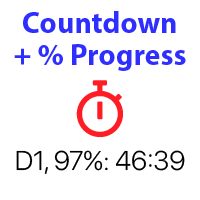
バー閉店までのカウントダウンタイマー、+ 進捗状況 %: #1 多機能ユーティリティ : 66+ 機能を含むこのツール | 質問があればご連絡ください | MT4 バージョン インジケーターの設定で、以下を構成できます: 計算用の時間枠; true / false: 高位時間枠オプション(現在使用中の次のもの:M15->M30、H4->D1...) 位置:
1 = 左下隅;
2 = 右下隅;
3 = 左上隅;
4 = 右上隅; フォントサイズ; 色; フォントスタイル; #1 多機能ユーティリティ : 66+ 機能を含むこのツール | 質問があればご連絡ください | MT4 バージョン #1 多機能ユーティリティ : 66+ 機能を含むこのツール | 質問があればご連絡ください | MT4 バージョン
FREE

The Ultimate Real-Time Account Dashboard & Pro Stats Monitor AURA Trade Information Panel - Ultimate Edition Maximize your trading efficiency with the ultimate all-in-one on-chart dashboard. The AiO Trade Information Panel provides a comprehensive, real-time overview of your trading performance, essential market data, and vital technical indicators without cluttering your workspace. Designed for both day traders and scalpers, this panel helps you stay disciplined and make informed decisions in
FREE

AIX Notifier — Telegram and Discord alerts for AIX Analyst
AIX Notifier is a free companion utility for the AIX Analyst indicator. MetaTrader 5 indicators cannot access the internet by themselves, so AIX Notifier does it for them: it delivers AIX Analyst alerts, reports and the morning overview to Telegram and Discord, with a screenshot of the chart. It does not open, modify or close trades.
What it does • Sends AIX Analyst alerts to Telegram and Discord: price in a scenario zone, objective r
FREE

"Manual trading panel for MT5: trailing stop, daily targets and risk management in one click."
TradePanel Single is a professional manual trading panel for MetaTrader 5, built for traders who want speed, organization and automatic position protection, without juggling multiple tools or complex setups.
Everything you need lives in a single panel: one-click buy/sell, point-based stops and targets, trailing stop, and real-time daily/weekly/monthly results.
===== KEY FEATURES =====
- ONE-CLICK Q
FREE

Product Title: MT5 GoldSilver Trade Panel Lite Short Description:
Free manual trading panel for gold and silver. Market order execution, SL/TP setting, one-click close all, and basic daily statistics. Advanced features are available in the full paid version. Description: MT5 GoldSilver Trade Panel Lite is a free, easy-to-use manual trading panel designed for gold and silver traders. It automatically detects your broker’s gold and silver symbols and lets you place market orders quickly with
FREE

The "Smart Partial TP & Daily Loss Limit Manager" is a versatile and powerful MQL5 indicator designed to help traders manage their trades more effectively. It combines two essential features that improve trading discipline and profitability: partial take-profit (TP) closing based on risk-reward ratios and a fixed daily loss limit to protect your capital. Key Features: Partial Take-Profit (TP) Close: This feature allows traders to set a percentage for partial TP closure (e.g., 50%). Once the pric
FREE

Market Scanner EA – Smart Multi-Asset Trading Scanner Market Scanner EA is a powerful, real-time decision-support trading tool designed for serious traders who want clarity bias before entering any trade. This EA scans multiple instruments simultaneously and delivers clear directional bias, momentum strength, and session-based performance — all in one clean dashboard. No noise. No guesswork. Just actionable market insight . MY OTHER EA and INDICATOR TREND BASED (MULTI SYMBOL) Solo Le
FREE

SI Connectは、FX VolumeやSIEAの取引システムを利用するために、当社のサーバーへの接続を確立するユーティリティです。
SI Connectを使用するために端末を準備する技術的な手順 Web リクエストを許可し、[ Terminal Options ] -> [Subcategory Expert Advisors ] で許可された URL のリストに https://stein.investments を挿入してください。 ターミナルごとに1つのEAインスタンスを実行する必要がありますが、当社のデータセンターから最新のデータを取得するため、バックグラウンドで常に実行する必要があります。
ご質問がある場合は、プライベートメッセージを送信してください。
FREE

Portfolio Monitor for MT5 Live Account Dashboard, Risk Guardian & Strategy Attribution Panel Portfolio Monitor is an all-in-one Expert Advisor (EA) that runs on any MT5 chart to give you complete visual control over your trading account. It aggregates every open position across all symbols and strategies into a clean, real-time dashboard. Note: Portfolio Monitor is a dedicated monitoring, risk management, and manual-mitigation tool—it does not place entry trades or run predictive signals. Five
FREE

MT5 to Telegram Signals
This utility is simple to use and supports a wide variety of settings: Pick your desired Telegram group and enter the bot token and the chat id Get notified when orders are placed, modified, executed, closed… or any combination of states Connect your broker account with Telegram and stop missing important notifications. Would you like to receive Telegram notifications? Are you looking for a simple way to share trade signals with your followers? Do you need to start docume
FREE

VPOB Smart Order Block Alert MT5
VPOB Smart Order Block Alert MT5 is an Order Block detection and alert system designed for MetaTrader 5.
The system automatically analyzes price structure, detects Bullish and Bearish Order Blocks, evaluates Volume Profile information and POC, and provides a Quality Score to help traders identify important price zones.
MAIN FEATURES
• Automatic Bullish Order Block detection • Automatic Bearish Order Block detection • Volume Profile analysis • Point of Contro
FREE

One bad day ends most prop firm challenges. EdgeProof Daily Loss Guardian watches your equity in real time, warns you early, and closes everything before your daily loss limit is hit. Free.
WHY TRADERS FAIL CHALLENGES Most challenges are not lost to a bad strategy. They are lost to one emotional day: a loss, a revenge trade, a bigger lot, and the daily limit is gone. Daily Loss Guardian is a simple safety net that does not get emotional.
WHAT IT DOES - Tracks today's result on the whole accoun
FREE

Ea CloseManager MT5を紹介します。これは、MetaTrader 5向けに設計された専門的なExpert Advisor(EA)で、取引のクローズプロセスを簡素化し、自動化するためのものです。この強力なツールは、手動および自動取引戦略の両方に利益をもたらし、出口基準に対する正確な制御を提供するため、さまざまな専門知識レベルのトレーダーに最適です。 Ea CloseManager MT5を使用することで、ユーザーは取引管理において大幅な時間の節約とリスク管理の改善を体験します。このEAを利用するトレーダーは、特にforex、インデックス、暗号通貨において、迅速な市場条件に適応した規律ある出口戦略を通じて、利益の向上を報告しています。 MQL製品のインストールガイド | MT4/MT5で購入したMQL製品の更新 | 一般的なトラブルシューティングガイド | 一般設定 / 入力ガイド | バックテストとセットファイル 主な機能 自動取引クローズ:カスタマイズ可能な基準に基づいてシームレスに取引をクローズし、規律ある出口を確保します。 利益と損失の管理:自動調整のために特定の利
FREE

Professional Drawdown Monitoring & Risk Alert System Drawdown Sentinel is free a specialized utility designed for traders who need real-time monitoring of their account exposure and drawdown levels. This version focuses on providing instant awareness , allowing you to stay informed about your risk status without the need for automated intervention. It is essential for all traders who use commercial 'risky' EAs that may not have been thoroughly tested or which use dangerous martingale or grid
FREE

Arixis Trade Broadcaster — MT5 Trade Notifications Turn your MetaTrader 5 trading activity into professional, automated notifications. Arixis Trade Broadcaster is a MetaTrader 5 Expert Advisor designed to monitor trading activity across your account and publish informative messages to external communication platforms. Whether you trade manually, use Expert Advisors, or manage several strategies, Trade Broadcaster helps you follow trading activity without continuously watching your terminal. Supp
FREE
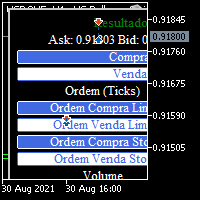
BOLETA TRADING PROFISSIONAL. Painel de negociação usado para facilitar operações manuais no MT5. -Botão para fechamento automático de ordens e posições. -Negociação facilitada usando teclado e mouse. -Sistema de ordens OCO (TP & SL pré configurados) -Normalização de volume para qualquer ativo. -Controle de limite horários para negociação. -Sistema de meta e limite de loss. -Martingale configurável. -Trailing Stop. -BreakEven. -Numero mágico (Expert Magic) para não entrar em conflito com outros r
FREE
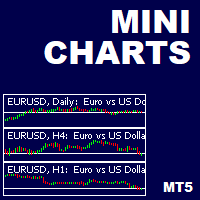
This is a utility indicator that creates mini charts on left side of the chart you are looking at.
It is very useful to watch many timeframes simultaneously, without having to change between multiple charts. Its configuration is very simple. You can have up to 4 mini charts opened. They automatically load the template of the "parent" chart. If you have any doubt please contact me. Enjoy!
This is a free indicator, but it took hours to develop. If you want to pay me a coffee, I appreciate a lot
FREE

786 AUREX EXPERT ADVISOR Contact for Set files or see the Screen Shots
WhatsApp: Text only +447716409196
Best for XAUUSD on All Brokers
Minimum and Safest Balance is 500$ at medium Risk
What it does Automatic daily levels — At a chosen time, the EA scans a configurable look-back window (e.g. 180 minutes) and draws the highest high and lowest low as clean horizontal lines, with an optional visual range box. Two entry modes — Choose between a straightforward Level Breaker (trade any candle clos
FREE
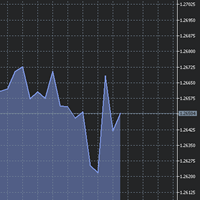
The utility Filled Area Chart adds to the standard set of price presentations. It is a brand new, nice price chart. You will certainly like it if you want to feel yourself a trader born under the Bloomber lucky star.
The Properties allow to set the colors and other things: Color preset - choose a preset or set to "Custom" and set your own colors using the properties below.
Custom area color - color of the area below the price line. Works only with Color preset = Custom.
Custom chart color - col
FREE

AI Correlation Pair Scanner is a real-time multicurrency correlation monitor that helps you avoid hidden overexposure when trading several pairs at once. Many traders unknowingly double their risk by holding positions on two pairs that move almost identically (for example EURUSD and GBPUSD, or the JPY crosses). This tool calculates live Pearson correlation between every pair in your watchlist and warns you the moment your open positions overlap on two highly correlated instruments. KEY FEATURES
FREE

Sam's Automatic SL-TP System
Take your gold trading to the next level with Sam's Automatic SLTP System! This Expert Advisor (EA) is designed to simplify your trading by automatically applying your predefined Stop Loss (SL) and Take Profit (TP) levels to every trade you place on gold (XAUUSD) – effortlessly and without manual intervention. No more worrying about setting SL and TP for each trade! Once you configure your desired SL and TP values in the EA’s settings, the system takes care of the
FREE

Close All 1 Sec. for MT5 Close All 1 Sec. is a professional trade management Expert Advisor for MetaTrader 5 designed to help traders manage positions quickly and efficiently. The EA provides real-time visualization of important trading levels, including Break-Even and Margin Call estimates, directly on the chart. It also features a powerful Close All button that allows traders to instantly close open positions and remove pending orders with a single click. Whether you are a scalper, day trader
FREE

Overview Universal Indicator Scanner MT5 is a utility for MetaTrader 5 designed to help users inspect the visible signal structure of custom indicators. The scanner reads indicator buffers and chart objects to show how an indicator presents its signals on the chart. It is intended for analysis, configuration and troubleshooting. It does not trade, does not open positions and does not provide trading recommendations. Main Purpose Many custom indicators use buffers, arrows, labels or chart objects
FREE

Introduction:
The RosMaFin Trading Panel is not just a standard order execution tool. It is a comprehensive, professional assistant designed for manual and price-action traders who want to save time, manage risk with mathematical precision, and maintain full market awareness. Say goodbye to manual lot size calculations and tedious Stop Loss adjustments. This panel streamlines your entire trading workflow from analysis to trade exit. KEY FEATURES & BENEFITS: Advanced Risk Management & Exec
FREE
MetaTraderマーケットは、履歴データを使ったテストと最適化のための無料のデモ自動売買ロボットをダウンロードできる唯一のストアです。
アプリ概要と他のカスタマーからのレビューをご覧になり、ターミナルにダウンロードし、購入する前に自動売買ロボットをテストしてください。完全に無料でアプリをテストできるのはMetaTraderマーケットだけです。

取引の機会を逃しています。
- 無料取引アプリ
- 8千を超えるシグナルをコピー
- 金融ニュースで金融マーケットを探索