Universal Indicator Scanner MT5
- ユーティリティ
- バージョン: 5.12
- アップデート済み: 17 6月 2026

Overview
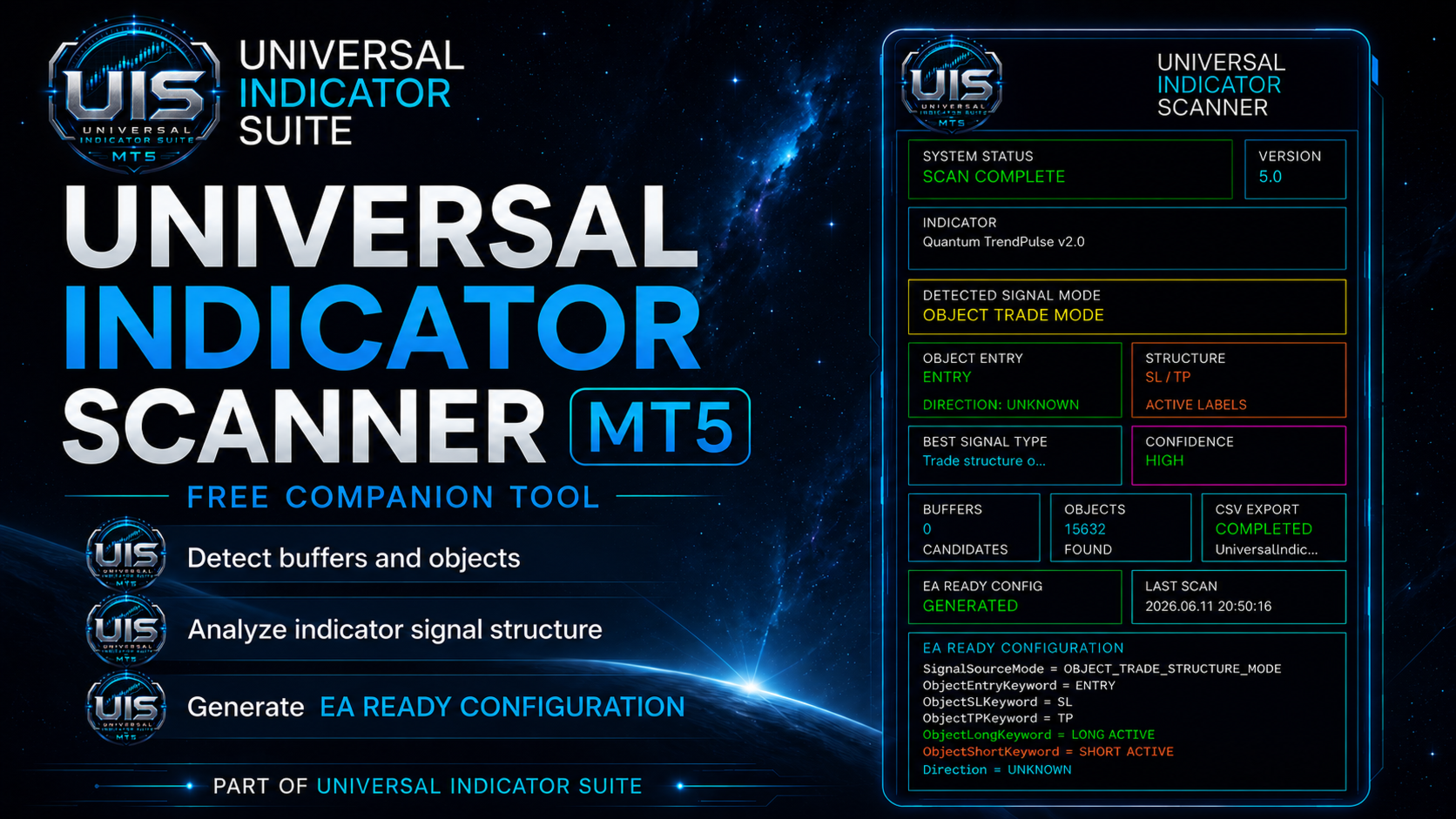
Universal Indicator Scanner MT5 is a utility for MetaTrader 5 designed to help users inspect the visible signal structure of custom indicators.
The scanner reads indicator buffers and chart objects to show how an indicator presents its signals on the chart. It is intended for analysis, configuration and troubleshooting. It does not trade, does not open positions and does not provide trading recommendations.
Main Purpose
Many custom indicators use buffers, arrows, labels or chart objects to display buy and sell conditions. This tool helps the user identify where those signals may be located.
The scanner can be useful when an indicator has unclear buffer indexes, hidden values, arrow buffers, object-based labels or different signal display methods.
What The Scanner Checks
The tool can inspect:
- Indicator buffers
- Possible buy and sell buffers
- Arrow-style buffers
- Non-empty buffer values
- Chart objects
- Text labels
- Arrow objects
- Object names
- Object prices
- Object times
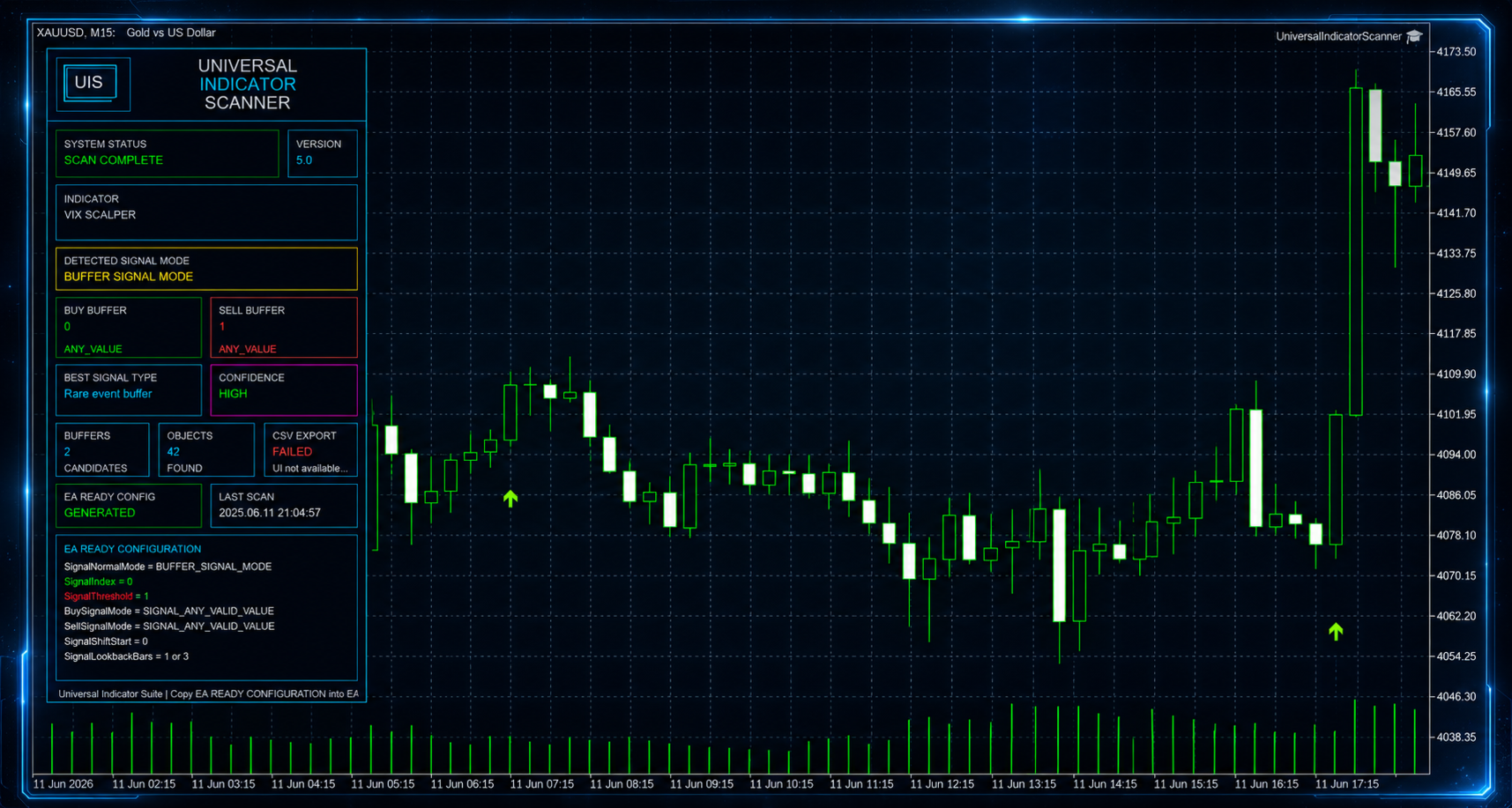
The scanner shows the detected information directly on the chart and in its generated output.
Ready To Go Output
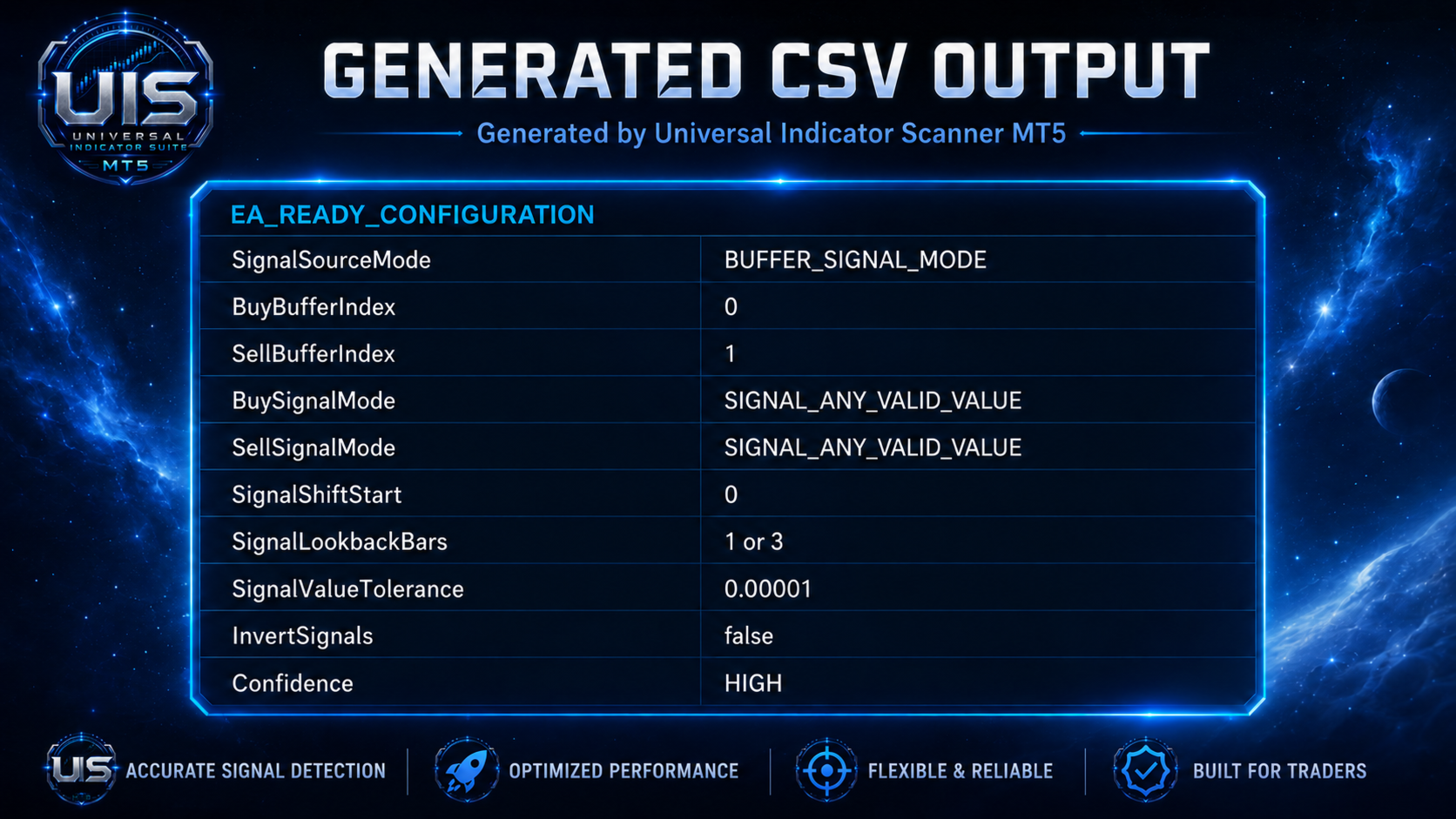
The scanner can generate a Ready To Go configuration block at the bottom of its report.
This output is a practical reference for users who need to understand the detected signal structure of an indicator. It may include detected buffer indexes, object settings, signal mode information and other relevant configuration details.
The generated output should always be reviewed by the user before being used in any trading or automation workflow.
Supported Signal Structures
Universal Indicator Scanner MT5 can analyze different signal structures, including:
- Buffer-based buy and sell signals
- Arrow buffers
- Value-based signals
- Object-based buy and sell labels
- Object-based entry, stop loss and take profit structures
Compatibility Notes
Not every indicator exposes its signals in a simple or standard way.
Some indicators repaint, delay signals, recalculate historical values, use protected internal logic, use non-standard buffers or display information only through chart objects. In these cases, the scanner can help inspect what is visible, but it cannot change how the original indicator works.
If an indicator does not expose usable buffers or chart objects, the scanner may not be able to identify a clear signal structure.
Recommended Use
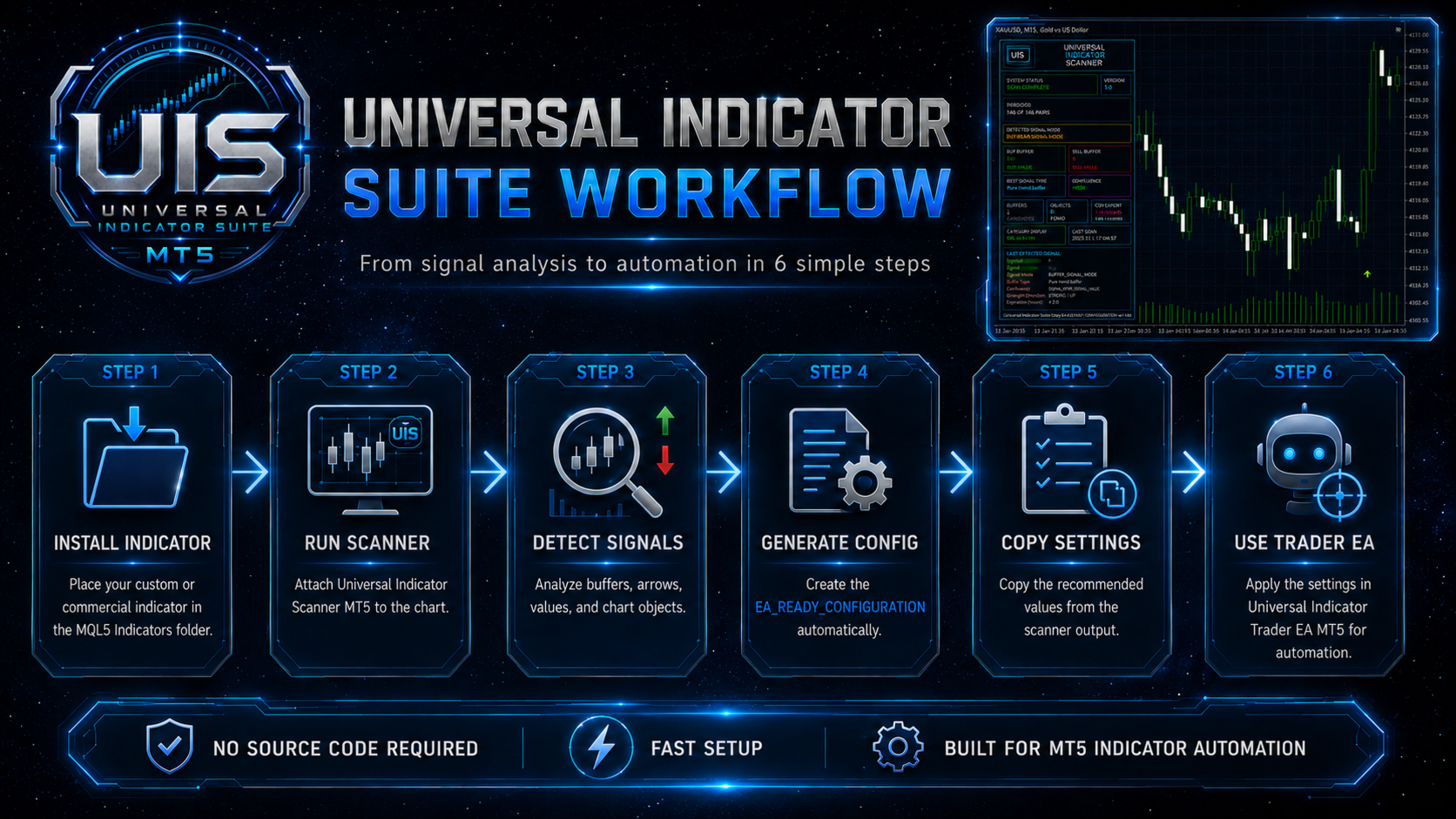
- Attach the scanner to a chart.
- Select the indicator to inspect.
- Run the analysis.
- Review the detected buffers and objects.
- Check the Ready To Go output.
- Compare the scanner results with the visual behavior of the indicator.
Important Information
- This product is an analysis utility.
- It is not a trading robot.
- It does not place orders.
- It does not predict market direction.
- It does not guarantee that an indicator is profitable.
- It does not guarantee that every indicator can be analyzed completely.
Always test and verify any indicator behavior before using it for trading decisions.