 MetaTrader 5
 Experts
 Indicateurs
 Bibliothèque
 Utilitaires
 Widgets
 Règles
Regardez les tutoriels vidéo de Market sur YouTube
Comment acheter un robot de trading ou un indicateur
Exécutez votre EA sur
hébergement virtuel
hébergement virtuel
Test un indicateur/robot de trading avant d'acheter
Vous voulez gagner de l'argent sur Market ?
Comment présenter un produit pour qu'il se vende bien
Utilitaires de trading gratuits pour MetaTrader 5 - 12
 Vous trouverez ci-dessous des programmes de trading simplifiant le trading dans MetaTrader 5. Passez la souris sur un utilitaire pour lire sa description et son objectif.
The EA supports closing orders based on the preset amount. It can close all orders on all pairs, or it can close orders based on Magic ID. Button "Close All" manual Input - Magic Number: Magic Number = 0: Close All pairs Magic Number diffrent 0: Close All with Magic - Money TP: Profitable in money. the EA will close all orders - Money SL: Loss in money. the EA will close all orders Contact: t.me/nguyenvanbo128
FREE

Trade History Exporter is a script that saves your account's trading history to CSV files, so you can study your own results in Excel, Google Sheets or Python. It only reads history.
What it writes (in MQL5\Files\DinexHistory\, via File → Open Data Folder) - Deals file, one row per deal: ticket, time, symbol, type (buy, sell, balance, commission …), entry (in, out, reverse, close by), volume, price, commission, swap, fee, profit, magic number, position ID and comment. - Positions file (optional
FREE

Professional Manual Trading Assistant for MT5 BRIAN BREYLI VANA – Professional Trade Manager Dashboard & Market Intelligence EA for MetaTrader 5 Professional Manual Trading Assistant with Hybrid Position Management BRIAN BREYLI VANA is a professional manual trading assistant for MetaTrader 5 that combines one-click execution, intelligent position management, Market Intelligence, and Hybrid Position Management into a single trading dashboard.
Unlike conventional Expert Advisors, it never opens p
FREE

This indicator builds a live correlation matrix from the symbols currently selected in Market Watch . It calculates Pearson correlation on simple returns over a user-defined lookback and displays the results in a clean, auto-sized grid. Positive correlations appear in green, negative in red, and near-zero values stay neutral. An optional automatic timeframe scanner cycles through only the timeframes you enable (M1, M5, M15, M30, H1, H4, D1, W1, MN1), updating the entire matrix at a set interval.
FREE

TITAN Prop Guard – Prop Firm Risk Protection for MT5 TITAN Prop Guard is a risk management utility for MetaTrader 5. It helps traders stay within the daily and maximum loss limits of their prop firm. Attach it to one chart and it monitors the account equity continuously. When the configured loss threshold is reached, it closes open positions and pending orders and activates a trading lock until the next daily reset. During the lock, any new trade opened manually or by another Expert Advisor is c
FREE

EA Performance Monitor is a MetaTrader 5 indicator that presents the performance of running Expert Advisors in a single table. The indicator automatically detects the magic numbers present in trade history and open positions, and shows for each one the EA name (read from order comments), symbol, number of trades, P/L and win rate.
Features
Automatic detection of magic numbers from deal history and open positions. The indicator groups operations by magic and shows one row per EA.
Text identif
FREE

Order Entry - Probably the easiest way to enter an order If you like this perhaps you might consider buying the pro version https://www.mql5.com/en/market/product/64353?source=Site +Profile+Seller An aid for entering orders. Features: * Drag & drop tool to adjust price, stop loss and take profit levels. * Calculates lot sizes automatically based on risk entered, currency pair and stop loss / price levels.
Description It enables you to visually enter a trade's price, stop loss and take profit
FREE

Introducing our simple yet powerful trendline trading expert, designed to open positions upon trendline breaks or touches based on predefined parameters. All you need to do is rename it to buy, sell, buy limit, or sell limit. As the name suggests, this is the basic version with minimal features. However, if you're looking for a truly professional trendline trading expert equipped with various trading management tools, automatic position sizing, trailing stops, breakeven points, partial closures,
FREE

This tool allows you to export MetaTrader indicator data (buffers) for any financial instrument available in your MetaTrader 5. You can export multiple Symbols and Timeframes into a single CSV file. You can also schedule the export frequency (every 1 minute, 5 minutes, 60 minutes, etc.). There is no need to open multiple charts to retrieve recent data—the tool downloads the data directly. The CSV file will be saved in the folder: \MQL5\Files .
How it works Report Tab Select the indicators and o
FREE

Overview Sessions Duck is a highly optimised, resource-efficient MetaTrader 5 indicator designed to automatically visualise the core global trading sessions (Asian, London, and New York) and display live, synchronised timezone data directly on your chart. Built specifically for performance, zero lag, and clean chart aesthetics, Sessions Duck provides day traders, scalpers, and session breakout traders with immediate market liquidity context without compromising terminal responsiveness—even when
FREE

Your chart. One glance. Total clarity. Built by @Ash_TheTrader for traders who are tired of guessing, Extreme Trading Dashboard is a professional-grade heads-up display that sits quietly in the corner of your chart — dark charcoal, rounded, semi-transparent, and genuinely easy on the eyes — until the moment it matters. Dual Session Highlighter Shade up to two independent time windows directly on your chart — London, New York, or your own custom kill-zone. Each gets its own color, so overlapp
FREE

SmartRisk Trade Tool — One-Click Risk-Based Trade Panel SmartRisk Trade Tool is a manual trading panel for MetaTrader 5 built around position sizing and risk control rather than signal generation. It does not analyze the market or suggest trade direction — it exists so that every order sent from the chart already has a calculated lot size, stop loss, and take profit consistent with a risk value the trader chooses, removing the manual arithmetic that normally happens between deciding to trade and
FREE

Daily P/L Risk Management is a MetaTrader 5 utility that watches your account's daily profit and loss and acts automatically when a limit is hit. It tracks both realized and unrealized P/L and can close positions, disable trading or alert you. It is a practical safety net for prop-firm challenges and disciplined day trading. Features Daily loss and profit limits, set by money amount or percent of balance/equity. Combined P/L tracking: counts both closed-trade (realized) and open-position (unreal
FREE
Expert Advisor that tracks assets listed in the Market Watch window by checking which assets are needled (crossing the 3, 8, and 20 moving averages) or are close to crossing. It does not track when there is no crossing of the averages. The EA allows you to choose the timeframe for analyzing the crossings. There is no maximum limit for assets or EAs running simultaneously, but a very large number can lead to system slowdown and freezing. Users should be mindful of their device's capabilities. Th
FREE

Free Renko Brick Engine with EMA Overlay No Offline Charts
Builds a Renko brick series directly from live price inside a normal MT5 chart — no offline chart, no history conversion, no external plugin. Bricks are constructed with independent open, high, low and close, and EMA 20/50 are computed on the bricks themselves rather than on time based candles. Every brick is logged so you can verify exactly what the engine built. WHAT IT DOES Constructs Renko bricks in-memory from live tick data, plu
FREE

Liquidity Seeker EA
Why You MUST Have This EA Unlock the power of ICT (Inner Circle Trader) methodology with the most advanced Smart Money Concept trading system available. This EA transforms complex institutional trading concepts into automated precision, giving you the unfair advantage that professional traders use to consistently profit from liquidity manipulation and market structure shifts. START trading WITH market makers using their own playbook. You don't need to do much other than to
FREE

Analog Clock Plus — High-Precision Analog Clock Widget for MT5 Charts Analog Clock Plus is a lightweight and high-precision indicator that draws an analog/digital clock directly on your MT5 chart, displaying accurate seconds based on server time. It includes features not found in traditional clock indicators, such as server-time second accuracy, automatic local-time correction, drag-and-drop repositioning, position memory, and hybrid analog+digital display. Main Features 1. Accurate Server-
FREE

Assistant Trader MT5 Check Pro version with OCO feature and fluid drawings : Assistant Trader Pro MT5 | Buy Trading Utility for MetaTrader 5 Assistant Trader MT5 is a MetaTrader 5 manual trading assistant for fast multi-leg order execution. It is built for traders who need to copy signal levels, split entries into legs, and manage trades with less delay.
Detailed Introduction
Assistant Trader MT5 provides a compact chart dashboard for placing and managing multi-leg trades in MT5. It is intende
FREE

Affiche les événements du calendrier Forex sur le graphique sous la forme de lignes multicolores, en fonction de l'importance des nouvelles. Affiche la devise et l'impact des nouvelles (si disponible).
[OPTION:] Afficher uniquement les nouvelles sur une paire de devises ou Toutes les nouvelles. Afficher les nouvelles par devises principales (facultatif). Réglage de l'intervalle de temps des nouvelles affichées. Sélection de l'importance des événements affichés. Affichage des effets des nouvell
FREE

Product Description: Effortlessly bridge the gap between Binance and MetaTrader 5 with this sleek integration tool. Designed for traders who demand precision and real-time data, this product fetches live Binance chart information directly into MT5, enabling seamless technical analysis and strategy execution. Whether you're tracking candlestick patterns or refining your forex indicators, this tool ensures your MT5 environment stays synced with the crypto market pulse. Getting Started: Place the
FREE
This script will create a report with all history orders in CSV format. The report is useful for those who run multiple EA's with different magic numbers in the same account. You can define some filters to generate your orders history report: 1) Initial date for assets in orders history. 2) Final date for assets in orders history. 3) Asset name. 4) Orders magic number. 5) Add balance/costs.
QUESTIONS ABOUT THE INSTALLATION OF PRODUCTS AT META TRADER You can also find some instructions on how
FREE

Avant d'installer : ce que cet outil ne fait pas. Lisez ceci en premier. Si l'un de ces points est ce que vous cherchez, ce n'est pas le bon outil, et il vaut mieux le savoir avant qu'il ne soit sur votre graphique.
- Aucun stop virtuel ou caché, jamais. Chaque stop est un vrai stop placé côté courtier, visible par votre courtier et par votre société de prop trading. Rien n'est dissimulé à l'un ou à l'autre, par conception. - Un symbole par graphique. La version gratuite trade le symbole du gr
FREE

Optimization Robustness Map reads the results of a Strategy Tester optimization and shows whether the best pass sits on a plateau, where nearby inputs give similar results, or on a lone spike that a small change destroys. It draws a heat map of any two inputs, compares every pass with its neighbours, shows how each input moves the result and, when a forward period was tested, how well the back test predicted it. Everything is written to one HTML page. How To Use In the Strategy Tester, after an
FREE

Risk Calculator Panel is a free on-chart utility that calculates the correct position size for every trade based on the risk you choose. Type your Stop Loss and Take Profit, pick your risk, and the panel instantly shows the exact lot size to use. One click on BUY or SELL opens the trade with the calculated lot, Stop Loss and Take Profit already set. It is a pure manual-trading assistant - it does not generate trading signals and has no restrictions.
Features: - Two risk modes: risk a percentag
FREE

This tool can delete any object drawn on MT5 platform charts. you can delete: Line_Objects (Vertical_Line, Horizontal_Line, Trend_Line, TrendLinebyAngle, Cycle_Line) Channel_Objects (Fibo_Channel, Equidistant, Linear_Regression, Standard_Deviation, Andrews_Pitchfork) Gann_Objects (Gann_Line, Gann_Fan, Gann_Grid) Fibonacci_Objects (Fibo_Retracement, Fibo_TimeZones, Fibo_Fan, Fibo_Arcs, Fibo_Expansion) Elliott (ElliottMotiveWave, ElliottCorrectiveWave) Shapes_Objects (Rectangle, Triangle, Ellipse,
FREE

U sing keyboard shortcuts to draw Fibonacci levels and rectangles quickly and efficiently.
Press F to create a Fibonacci retracement. Click with mouse (2x): -once on the chart to set the starting point and - again to set the ending point. The Fibonacci levels are drawn automatically using the configured ratios, colors, and styles.
Press T to instantly draw a pre defined rectangle at the closest highest or lowest price (based on trend).
All levels, colors, sizes, and styles ca
FREE

Introducing the Scalping Expert Advisor (EA) for Short Trades This Expert Advisor (EA) is meticulously designed for short trades scalping, offering a blend of precision and efficiency to maximize your trading performance. Below, we delve into the key functions and features that make this EA an essential tool for scalpers.
Key Features: Automatic Take Profit (TP) and Stop Loss (SL) Settings: Take Profit Input: Allows you to set a specific TP value, enabling precise control over your exit points
FREE

Live Risk Dashboard MT5 EA Monitor your account risk clearly and trade within your limits Live Risk Dashboard MT5 EA is a practical account-monitoring utility for MetaTrader 5. It displays your most important trading and risk information directly on the chart, helping remove the "math anxiety" of managing open positions. Instead of repeatedly checking different MT5 windows or manually calculating floating profit, drawdown usage, and remaining limits, you can view everything in one clean, compact
FREE

CSV News File Generator MT5 is a script specifically designed for the MQL5 platform. It enables the automated generation of CSV files containing economic calendar news, making it ideal for use in strategy simulators or as data for training artificial intelligence models. How Does It Work? The script gathers economic news directly from the MQL5 calendar, organizes the data into arrays, and converts it into CSV files for later use. Steps to Generate News Identify Event Codes:
Find the event code
FREE
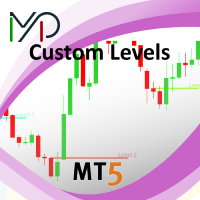
This utility identifies certain candle open times on chart, this can help you to see your favorite candle open and use it as it fits in your strategy. This tool is very useful for intraday charting and indicating your sessions. ___________________________________________________________________________________
Disclaimer: Do NOT trade or invest based upon the analysis presented on this channel. Always do your own research and due diligence before investing or trading. I’ll never tell you what
FREE

Savez-vous ce que vous a coûté le trading de ces trois derniers mois ? Pas ce que vous avez gagné ou perdu : ce que vous a coûté l'ouverture et la fermeture de chaque position. Cet utilitaire lit l'historique déjà clôturé de votre compte et vous le dit en argent, en mesurant le spread coté à l'instant de chaque exécution, le slippage à l'entrée et à la sortie, la commission et le swap. Rien n'a besoin d'avoir été installé auparavant. Il ne fait que lire, il n'envoie jamais d'ordre.
L'argent q
FREE

Vous pouvez vous concentrer instantanément sur le point de temps sélectionné, quel que soit le mouvement du graphique.
Si cela vous plaît, veuillez également considérer "Focus Time Line" : https://www.mql5.com/fr/market/product/154363 En plus de cette fonctionnalité, il permet de synchroniser plusieurs graphiques sur le même temps MTF, rendant l'analyse multi-temps beaucoup plus facile.
【Fonctionnalités】 ・Focus Mode: SingleLine (affichage par défaut) ・Crt FocusLine: Créer une ligne de focu
FREE

FOX CUSTOMER BENEFITS Verified customers with qualifying MQL5 Market purchases may be eligible for complimentary FOX commercial Expert Advisors. Learn more about the FOX Customer Benefits Program: https://www.mql5.com/en/blogs/post/774575
ACCOUNT NUCLEAR One account. One control panel. Full manual authority when you need it. Account Nuclear is a free MetaTrader 5 utility built for traders who manage multiple positions, pending orders, manual trades or several Expert Advisors on the same account
FREE

Capital SL Defender is a free position manager for MetaTrader 5. It does not open trades. You open them, and Capital SL Defender protects them: it gives every trade a stop loss and take profit, moves the stop to break-even once the trade is in profit, locks in part of the profit as the trade grows, limits how many trades you can open in a day, and shows it all on a black and orange panel on the chart. It runs on its own, with no outside service. For profit locks by % of TP, the TP runner, trail
FREE

Recovery Booster Enfin – la solution que de nombreux propriétaires d'EA recherchaient. Votre EA fonctionne très bien. Mais après un trade perdant, vous pensez souvent : « Ce serait parfait si je pouvais trader avec des lots légèrement plus grands dès maintenant » — car les trades suivants sont très souvent gagnants.
Performance en direct avec un EA "difficile" : De nombreux EA semblent parfaits dans les backtests mais ont du mal avec les drawdowns réels . Recovery Booster aide actuellement l'une
FREE

Ne manquez plus jamais un niveau de prix important, un palier de profit ou un seuil de risque. Vous souhaitez sécuriser vos profits et suspendre le trading une fois votre objectif atteint ? Price and Target Alerts peut clôturer automatiquement toutes les positions, vous notifier et arrêter le trading — vous permettant de protéger vos profits en toute confiance. Price and Target Alerts est un Expert Advisor (EA) utilitaire avancé pour MetaTrader 5 qui surveille en continu les prix du marché et vo
FREE

Read-only trade export tool for MT5 investor accounts NTS Investor Reader is a lightweight companion EA for NTS Local Copier . It runs on an read-only / investor login and writes your open positions to the shared file in the same format used by the NTS Local Copier Master. No trade execution. No OrderSend. No copying logic. It simply reads open positions and outputs them for the Slave EA to follow. What it does Reads all open MT5 positions safely from an investor account. Writes them to the shar
FREE

这是一款专为手动交易者设计的MT5工具。解决了MT5回测只能跑EA自动交易无法手动回测的问题。它通过图形化按钮(Buy / Sell / Close All)让您在图表上快速开平仓,并 自动记录每一笔交易 ,实时计算 胜率、盈亏比、平均盈亏、最大回撤、当前权益 等专业数据,将您的交易行为转化为直观的绩效报告。它将是您不可或缺的辅助利器。
1. 一键交易,操作流畅 Buy / Sell / Close All 按钮 2. 实时交易记录与图表标记 自动绘制买卖箭头 :开仓时在K线图上生成绿色向上(买)或红色向下(卖)箭头,复盘时一目了然。 3. 专业绩效统计面板 完整交易明细 :总交易次数、盈利次数、亏损次数。 胜率 & 盈亏比 :自动计算胜率百分比、平均盈利、平均亏损、盈亏比。 资金管理指标 :总盈利、总亏损、净利润、当前权益、虚拟余额。 风险控制 :基于虚拟余额与浮动盈亏计算最大回撤(金额与百分比),帮助评估策略稳健性。
FREE

LocalTimePlus — MT5 Local Time Correction × Custom Scale Extension Tool LocalTimePlus replaces MT5’s default time and price scales with a fully custom system featuring automatic local‑time correction , high‑precision crosshair display , intuitive zoom controls , and a transparent canvas rendering engine . It completely solves the “time‑offset problem” for scalpers, short‑term traders, and users trading on overseas servers. Overview LocalTimePlus overlays a transparent canvas on the MT5 cha
FREE

Spacing Audit measures the grid spacing your EA REALLY uses, from its own closed trades, not from its inputs and not from the gaps between open layers. Why: I spent a week believing my grid used ATR-based spacing because UseATR was true. It did not. Every pair sat on the minimum-spacing floor, 2.8x to 5.1x tighter than intended, and the book kept clogging. The inputs said one thing; 1,120 closed trades said another. The method: in a grid where each layer carries a take-profit one spacing away fr
FREE

Slave Link >> https://www.mql5.com/en/market/product/160092
CopyTrade Server is a lightweight, reliable local trade copier for MetaTrader 5 that mirrors positions from a Master account to one or more Slave accounts using a fast shared-file mechanism. It is designed for signal providers, account managers, and traders who need precise synchronization of trades with flexible delay and lot control.
Main concept Role: Works as the Slave side of a local copy trading setup and receives trades fro
FREE

G Spikes Trade Assistant G Spikes Trade Assistant is a MetaTrader 5 utility panel designed to help users manage manual trading actions more efficiently. It provides quick access to order execution, stop-loss settings, target-price settings, and position-management controls from the chart. Main features Buy and Sell market order buttons. Pending order options. Stop-loss and target-price management. Close All and selected close options. Customizable display settings and trade comments. Interface t
FREE

ClearAllObjects — Nettoyage instantané des graphiques MT5 Objectif
Suppression en un clic de TOUS les objets graphiques (lignes de tendance, Fibos, flèches, étiquettes, outils Gann) des graphiques encombrés après tests de stratégies, motifs de chandeliers ou dessins manuels. Utilisation
Glisser depuis Navigateur > Scripts sur n'importe quel graphique → confirmation optionnelle → nettoyage instantané. Caractéristiques clés
Graphique actuel uniquement (sécurisé multitab)
Foudre rapide, sa
FREE

TapTrade is a MetaTrader 5 chart trading assistant (Expert Advisor). It provides an on-chart control panel and draggable lines for Entry, Stop Loss, Take Profit, and Break-Even so you can place market and pending orders with clear risk control. Semi-manual: you decide when to click Place. No trading signals and no guaranteed profit. What it does Attach TapTrade to any chart. Choose order type (Buy/Sell Market, Limit, Stop), set risk mode and value, drag the chart lines to your levels, select TP
FREE

Risk Pilot MT5 — Fast Trade Execution and Risk Management Panel Take absolute control of your trading risk with Risk Pilot , the ultimate interactive assistant for manual traders on MetaTrader 5. Designed for precision and built for speed, Risk Pilot eliminates manual lot calculations so you can enter trades instantly before the market moves.
️ IMPORTANT NOTICE: This is a manual trading UTILITY TOOL, not an automated trading robot (EA). This tool WILL NOT auto-trade or execute trades based
FREE

ZigZag Trader EA - Intelligent ZigZag Trading Assistant
Introduction ZigZag Trader EA is a fully automated trading assistant based on the ZigZag indicator. It intelligently identifies previous highs and lows of the ZigZag indicator, combined with an advanced risk management system, to provide you with precise trading signals and automated trade execution. Whether you are a novice or experienced trader, ZigZag Trader EA can help you simplify trading decisions and achieve stable trading performa
FREE

Introducing a powerful MetaTrader 5 Expert Advisor designed to enhance your trading strategy – the Auto Breakeven EA! This feature-rich EA is tailored to bring your stop-loss to breakeven, ensuring a risk-free trade once the market moves in your favor up to a specified price.
Explore the full potential of the Auto Breakeven EA. Download it for free now, and find the download link at the bottom of our page. Elevate your trading experience and take control of your risk management strategy. Happy
FREE

Professional Trade Management for Manual Traders Featuring Structure-Based SL, Symbol-Adaptive Trailing, and Dollar-Level Profit Protection
This EA takes care of your open trades so you can focus on entries. It never opens Buy or Sell positions - you decide when and where to enter. The EA handles the rest: stop loss placement, breakeven, trailing, dollar-level profit lock, and pending order protection, all automatically, all in the background.
Built by an active live trader who codes his own t
FREE

Features The Expert Advisor (EA) is a semi-automated trading system that blends user-initiated entries with algorithmic trend management. Trade entries are triggered manually, while scaling, trailing stops, and risk control are handled automatically by the EA. Functional Specifications 1. Trading Modes Manual Execution Mode Trades initiated via on-chart control panel User selects Buy or Sell direction EA applies predefined Stop Loss and Take Profit values Trend management logic activates after
FREE

Have you ever wanted to back-test a strategy but never wanted to risk real money? And the thought of using a demo account is exhausting as real time markets develop your skills slowly. This utility will help you develop your strategy faster and will help determine if the strategy works long-term by simulating real trading through back-tests. This will save you time as you can back-test strategies from previous price data. With the new update you can now change your lot-size add take-profit and
FREE
Emergency Exit is an MT5 expert advisor I developed to solve a specific problem: monitoring and managing overall account risk across multiple positions. Unlike traditional EAs that focus on entry signals or complex trading algorithms, Emergency Exit has one job - to watch your total floating P/L and take action when your predefined thresholds are hit.
The main functionality revolves around two simple conditions:
Close when P/L >: Triggers when profit exceeds a value (take profit) OR when loss
FREE

Overview
This Expert Advisor (EA) for MetaTrader 5 is a robust tool designed to optimize money and risk management. It allows users to calculate position sizes based on account balance, desired risk percentage, and trade parameters like stop loss and entry points. Additionally, it offers a clear view of reward-to-risk ratios and allows for the inclusion of broker commission, recalculating data accordingly.
Key Features
1. Risk-Based Position Sizing
The EA calculates position sizes by taking
FREE

Copy your MT5 trades to accounts anywhere in the world with the MetaToolsLab Slave EA . Unlike local copiers that only work between terminals on the same PC or VPS, MetaToolsLab uses a secure cloud relay — so you can broadcast your trades to followers across different computers, VPS providers, brokers, and continents , with sub-second delivery and no broker passwords . Whether you're a signal provider, a multi-account trader, or an account manager, the Slave EA installs in about a
FREE

MQL CS Trade Assistance is not an automated strategy Expert Advisor designed to trade on its own. This utility is built specifically for manual traders who want a professional trade assistance panel with advanced trade management tools directly on the chart. The panel allows traders to execute and manage trades faster while assisting with stop loss management, take profit management, breakeven handling, trailing stop logic, pending orders, and adaptive trade protection.The goal of this product
FREE
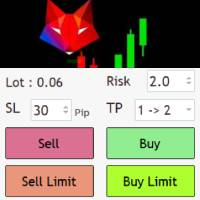
Risk management settings Automatic lot size calculation based on risk Open Buy and Sell positions with one click based on settings Open positions graphically (Buy Limit – Buy Stop – Sell Limit – Sell Stop) Real-time display of open positions' profit/loss and daily profit/loss Completely free You are welcome to explore and purchase from our other products as well. Please feel free to take a look and let us know if you have any questions.
FREE

Layering — Build Profit in Measured Steps
Layering helps you grow and protect a position by placing additional trades at equal, defined distances as the market moves. It's a structured layering approach designed to secure the account and bank profit as each take-profit is reached.
What it does for you Measured layering: trades are added at equal distances you define — no guesswork. Account protection built in: the layering logic is designed to secure your account as it works. Profit-locking: a
FREE

Free Global Stop Loss and Take Profit Setter with Break Even
Free one click Stop Loss and Take Profit tool for manual trading. Apply a fixed SL and TP to every open position on the symbol, or move them all to break even, with a single button. It only modifies Stop Loss and Take Profit levels — it never opens or closes a trade. Set your SL and TP distance in points, click once, and every position on the current symbol is protected. The break even button moves stops to entry (or a configurable num
FREE

AIT AI Trading Terminal AIT AI Trading Terminal 是一款面向 MetaTrader 5 的多维市场分析与风险辅助 EA。 它将趋势、市场结构、成交量分布、订单块、FVG、技术指标和风险控制集中显示在同一张图表上,减少在多个指标之间来回切换的操作。 本产品重点是帮助交易者更快地了解当前市场状态、关键价格区域和风险条件。它不会保证盈利,所有信号和分析结果都应结合个人交易计划进行判断。 主要功能 1. 多维市场分析 系统会综合分析当前交易品种的市场状态,包括: 趋势方向 市场结构 支撑位与压力位 波动率 RSI EMA ATR 成交量信息 多空强弱 风险状态 分析结果直接显示在图表面板中。 2. 市场结构识别 自动识别重要价格结构,包括: HH — 更高高点 HL — 更高低点 LH — 更低高点 LL — 更低低点 BOS — 结构突破 CHoCH — 市场结构变化 帮助用户更直观地观察趋势延续和潜在结构变化。 3. Order Block 订单块 系统可以自动识别并绘制潜在的订单块区域。 支持: 多个订单块显示 订单块有效期控制 距离过滤 位
FREE

Ritz_BUYnSELL_Detection
The Ritz_BUYnSELL_Detection is a custom MetaTrader 5 (MT5) indicator that detects BUY and SELL trading signals based on trend detection and ATR-based volatility filtering. It provides visual arrows , entry alerts , and mobile push notifications , making it suitable for traders using a VPS setup for 24/7 signal monitoring. How to Use the Indicator Install on MT5 : Place the .mq5 file in the MQL5/Indicators folder. Compile it in MetaEditor, then apply it to any chart. A
FREE

Trade Panel Manager — Master all trades in one dashboard Stop calculating volume manually, stop worrying about forgetting to set SL/TP. TTrade Panel Manager transforms MetaTrader 5 into a professional trading command center — drag and drop a few lines on the chart, the EA automatically calculates lot sizes according to your desired risk level, displaying SL/TP in pips and currency in real time, right before you press the button.
Why download now?
Accurate lot size calculation based on risk pe
FREE

Manual Trade and Risk Manager Pro MT5 is an MT5 manual Trade Manager and Prop Firm Risk Manager for discretionary traders who need disciplined account risk control. Use it as an MT5 risk management tool and manual trading panel MT5 when you trade your own strategy, a prop firm challenge, an evaluation account, or a funded account. It combines MT5 position size calculation, drawdown protection MT5 monitors, and a trade execution panel MT5 so you can size, check limits, then execute manually. This
FREE
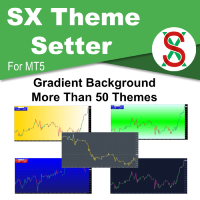
SX Theme Setter is intended for changing chart appearance in 2 modes: - Gradient background mode:
In this mode, the indicator creates a gradient background for your chart. Colors, steps and gradient type can be selected by user. - Color theme:
Color theme mode provides more than 50 built-in different color themes which can be selected from a list. Most of these themes are converted from official color themes of real trading platforms of the past and present. Try them out and see if they suit
FREE

Place trades in one click with the lot size calculated from your risk. How it works Type your risk percent, stop loss in points and take profit as a multiple of the stop. The panel shows the lot size and the money at risk before you click. BUY and SELL open the order with SL and TP already attached. Management buttons move stops to break-even, close half or close all positions on the chart symbol. Key features Risk based lot size from balance, tick value and stop distance SL and TP attached to e
FREE

This is a demo version of a non-trading expert , which utilizes so called the custom symbols feature ( available in MQL as well ) to build renko charts based on historical quotes of selected standard symbol and to refresh renko in real-time according to new ticks. Also it translates real ticks to the renko charts, which allows other EAs and indicators to trade and analyze renko. Place the EA on a chart of a working instrument. The lesser timeframe of the source chart is, the more precise resulti
FREE

Quote Cost Parity is a MetaTrader 5 chart panel for forex majors and minors that share a quote currency. Pairs with the same quote have the same pip cost for a given lot. The indicator uses that correspondence directly: it calculates the cost once for the group, then shows that cost for three lot sizes. It acknowledges only these quote groups. JPY: USDJPY, EURJPY, GBPJPY, AUDJPY, NZDJPY, CADJPY, CHFJPY. Source : USDJPY. CHF: USDCHF, EURCHF, GBPCHF, AUDCHF, NZDCHF, CADCHF. Source : USDCHF. CAD:
FREE

Xpert Trade Copier copie les positions ouvertes d'un compte MetaTrader 5 vers un autre, sur le même ordinateur ou VPS. Attache-le une fois comme Sender sur le compte source et une fois comme Receiver sur le compte de destination, donne le même nom de canal aux deux, et le Receiver reproduit chaque position avec la taille de lot, le symbole et les limites de sécurité que tu choisis. Pas de DLL, pas de connexion internet, pas de programme supplémentaire. Il est construit autour d'une règle : une o
FREE

Déplacer manuellement les stop-loss vers le seuil de rentabilité sur plusieurs positions ouvertes est un processus fastidieux lorsque le marché évolue rapidement, et il est facile de l'appliquer par inadvertance à une position qui est encore dans le rouge.
Le bouton « Phoenix Breakeven » déplace d’un simple clic le stop-loss de chaque position ouverte bénéficiaire vers le seuil de rentabilité, en ignorant automatiquement celles qui sont encore en perte.
Comment il protège vos bénéfices
- Un
FREE

Quanition Calendar Diagnostic — script de diagnostic gratuit pour MT5 (nom du script : CalendarDiagnostic). Les résultats s'affichent dans l'onglet Experts. Votre onglet Calendrier économique est vide, ou votre filtre de news a cessé de se déclencher. Le flux du calendrier est-il figé ? L'horloge de la machine a-t-elle dérivé ? Ou l'onglet est-il simplement filtré ? Depuis l'onglet Calendrier, ces trois cas se ressemblent exactement. Ce script les distingue, puis vous dit quoi faire. CE QU'IL FA
FREE

Floating Profit Dashboard is a real-time on-chart P/L monitor for MetaTrader 5 — built for traders who want instant visibility of their account performance without constantly checking the Toolbox. The panel displays live floating profit and loss directly on the chart, updating on every tick and every second, with intelligent colour coding — green when you're in profit, red when in drawdown. Features: Live Floating P/L — Total profit displayed in your account currency (£, $, €, ¥ and mor
FREE

1. First Time Setup (Takes 30 Seconds): Attach the EA: Drop the EA onto any single unused chart (a pair you don't actively trade on). Click Set Target: The setup window will appear on your chart. Pick Your Mode: Choose between Prop / Challenge Mode or Free / Compound Mode. Set Account & Target: Enter your starting balance (e.g. 50000 ) and target percentage (e.g. 8 ). Click Start. Click Scan All History & Update: Instantly scans and imports your entire closed trade history, commissions, swa
FREE
Le MetaTrader Market est la seule boutique où vous pouvez télécharger un robot de trading de démonstration gratuit pour le tester et l'optimiser à l'aide de données historiques.
Lisez l’aperçu de l'application et les avis d'autres clients, téléchargez-la directement sur votre terminal et testez un robot de trading avant de l'acheter. Seul MetaTrader Market vous permet de tester gratuitement une application.

Vous manquez des opportunités de trading :
- Applications de trading gratuites
- Plus de 8 000 signaux à copier
- Actualités économiques pour explorer les marchés financiers
Inscription
Se connecter
Vous acceptez la politique du site Web et les conditions d'utilisation
Si vous n'avez pas de compte, veuillez vous inscrire