SpreadMonitor
- Utilità
-
Musa Khunarikov
 Trader professionista dal 2014 (oltre 10 anni di esperienza). Mercati: Forex, azioni, MOEX, metalli.
Sviluppatore MQL4-MQL5. Specializzazione: analisi dei volumi, analisi dei cluster, footprints, delta, profilo dei volumi.
Esperienza e approccio: - Versione: 1.0
📊 SpreadMonitor
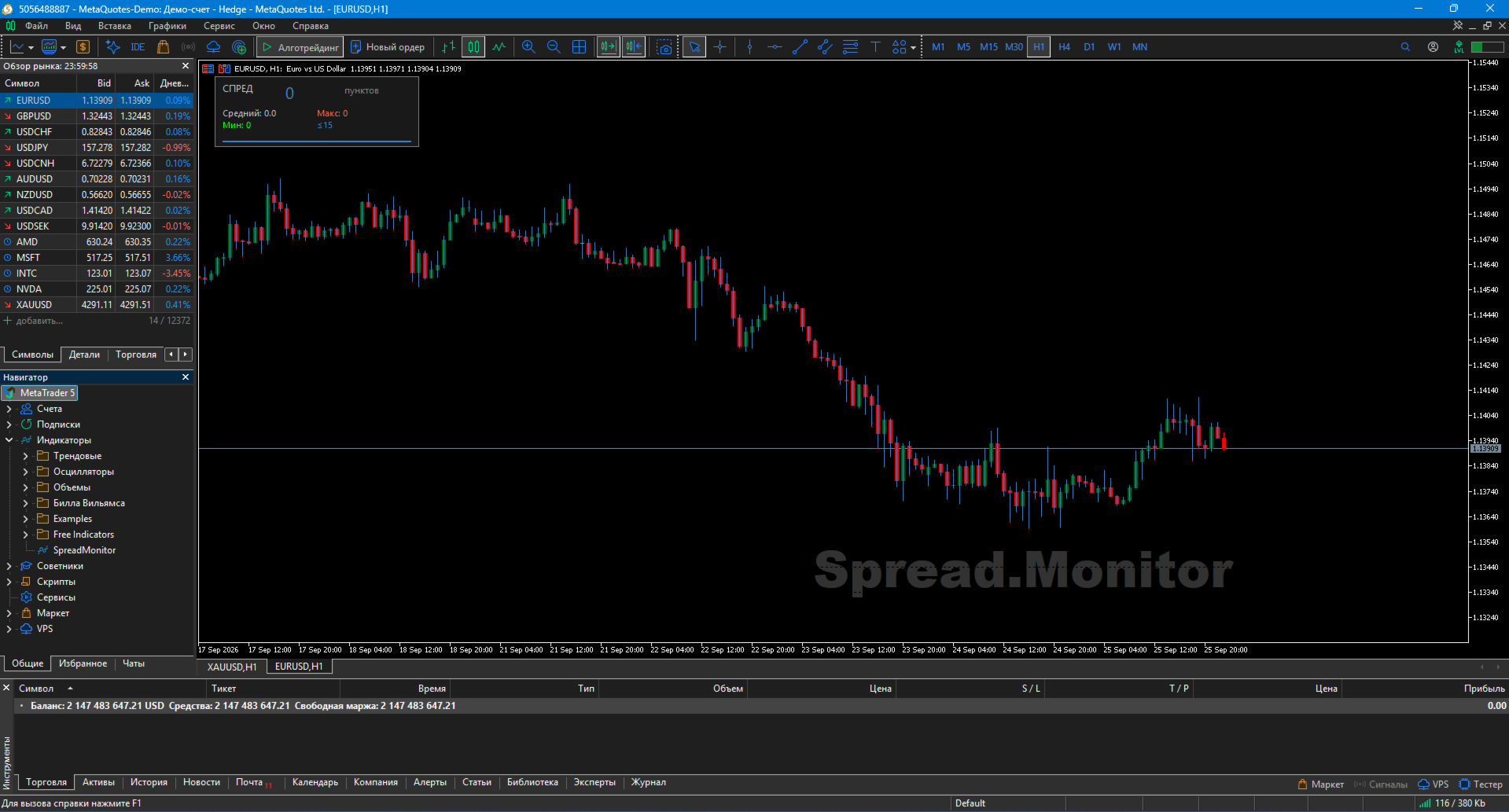
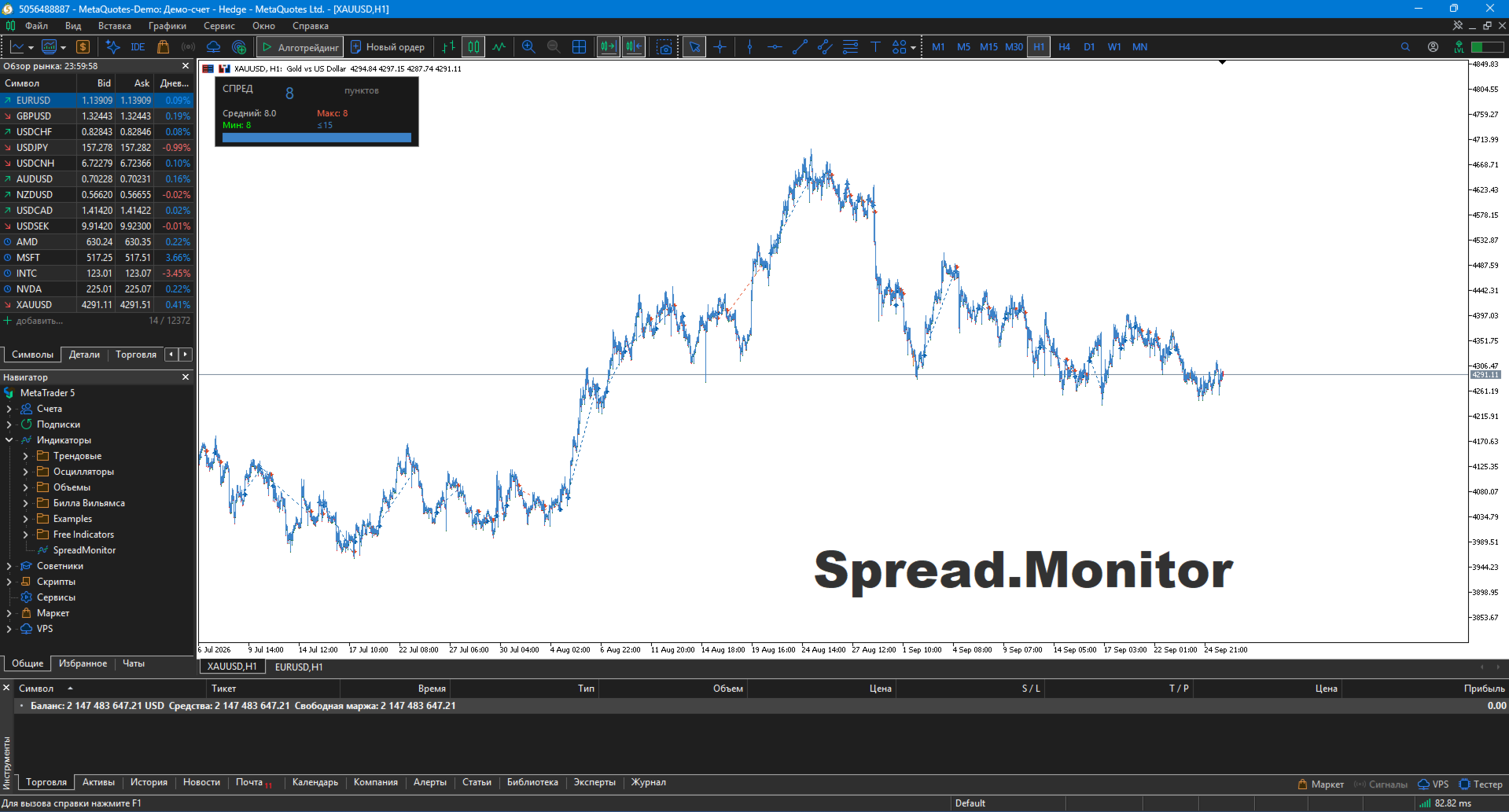
SpreadMonitor is a professional MetaTrader 5 indicator that colorizes candles by spread level and displays an on-chart monitoring panel with current value, statistics, and history.
Created by a practicing trader with 12 years of real-account experience. Helps you avoid entering the market when spreads are abnormally high and see the real cost of trading at every moment.
🎯 What the indicator shows
-
Candle coloring by spread level:
-
🟦 Blue — normal spread
-
🟧 Orange — elevated
-
⬜ Gray — high (do not trade)
-
-
Monitoring panel with current spread in large font
-
Statistics: average, maximum, minimum spread over N bars
-
Spread history — mini-histogram of recent bars in real time
-
Watermark — translucent "Spread.Monitor" label
✨ Key Features
🎨 Professional visualization
Candles are colorized by spread level, not by OHLC. This gives you a one-second overview of your entire history, revealing when the broker widened the spread.
📊 Full statistics
The panel displays:
-
Current spread value in points
-
Average spread over period
-
Maximum value
-
Minimum value
📈 Spread history
Mini-histogram shows the last N bars — see exactly when the spread widened and when it was normal. Each bar's color matches its spread level.
🌍 Auto language detection (11 languages)
Automatically adapts to your terminal language: Russian, English, German, Spanish, French, Portuguese, Italian, Turkish, Chinese, Japanese, Korean.
⚙️ Flexible settings
-
Spread thresholds (normal / elevated / high)
-
Colors for each level
-
Panel position and size
-
Watermark text and color
-
Toggle any element
🛠️ How to use
1. Installation
-
Copy SpreadMonitor.ex5 to MQL5/Indicators/
-
Restart MT5
-
Drag onto chart
2. Configure thresholds
-
InpNormalMax — upper boundary of normal spread (default 15 pts)
-
InpElevatedMax — upper boundary of elevated spread (default 30 pts)
-
Anything above is considered high (gray)
Suggested thresholds by instrument:
| Instrument | Normal | Elevated |
|---|---|---|
| EURUSD | 10 | 20 |
| GBPUSD | 15 | 30 |
| XAUUSD | 20 | 50 |
| Crypto | 50 | 150 |
3. Trading applications
-
Before entering a trade — check the panel. If spread > Elevated → wait
-
During news — gray candles warn you not to trade
-
At night / Asian session — spread widening is visible instantly
-
History analysis — spot when your broker widens spreads (typically before news)
-
Scalping — critical for high-frequency strategies
📋 Implementation Notes
-
Recalculates only on new bar — does not overload the terminal
-
Pure MQL5 — no DLL, no external dependencies
-
Works on any instrument — forex, metals, indices, stocks, crypto
-
No repaint — history is stable
-
All timeframes supported — from M1 to MN
⚠️ Important warning
SpreadMonitor is not a trading system. It is a cost-control tool. The indicator gives no buy/sell signals; it shows the real cost of entering the market at every moment.
Using the indicator does not guarantee profit. All trading decisions are made by the trader.
🏆 About the Developer
Created by Musa Khunarikov — practicing trader with 12 years of real-account experience (Forex, stocks, MOEX, metals). 51 certificates from the Finam Training Center.
-
Services: EA development, indicators, panels, code audit
📞 Support
30 days of free support after publication.
Bug fixes within 48 hours.
⚖️ License
Free to use and modify. The author is not responsible for trading results.