RiskManagerPanelX

Risk Manager PanelX for MetaTrader 5

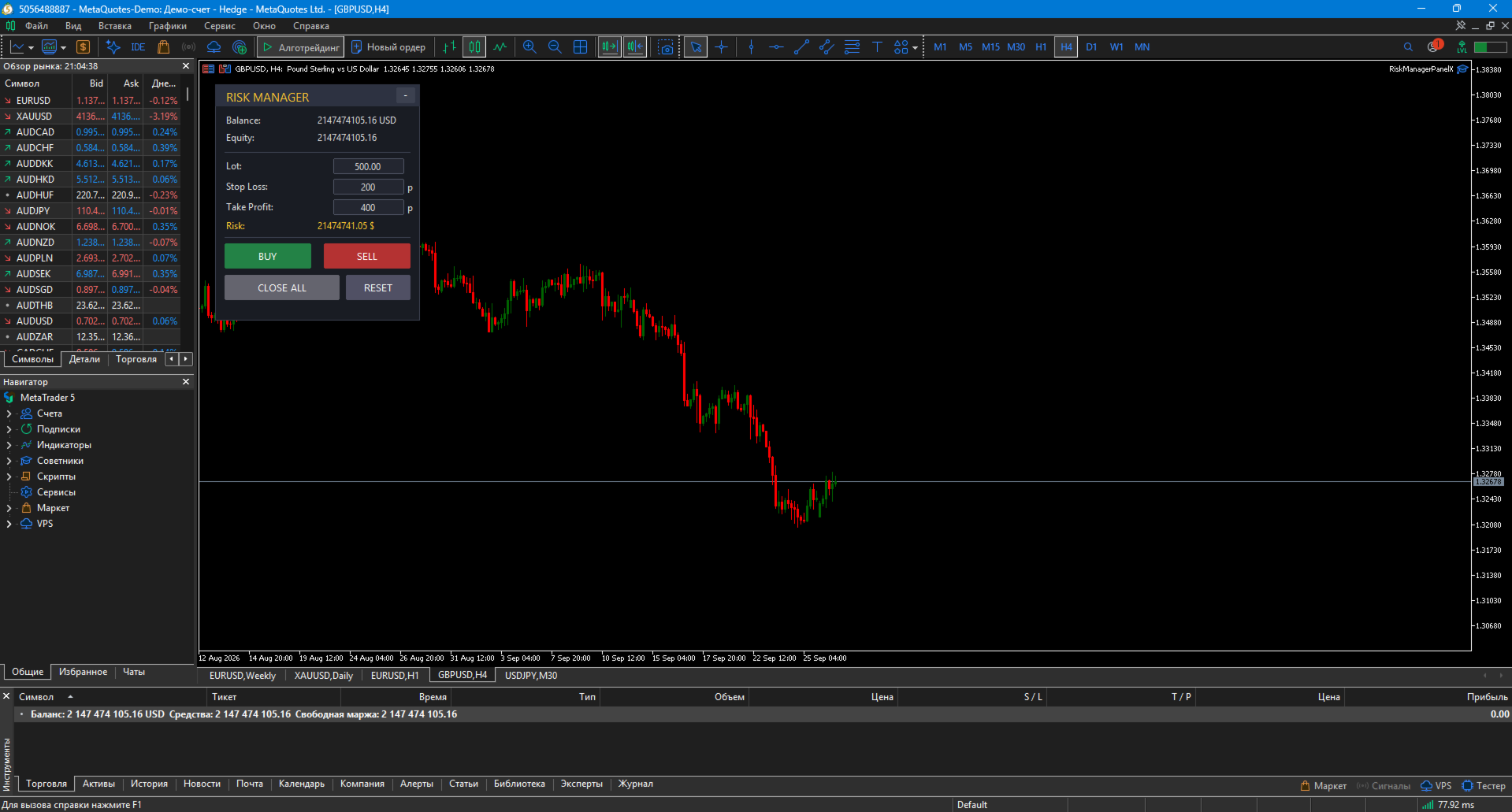
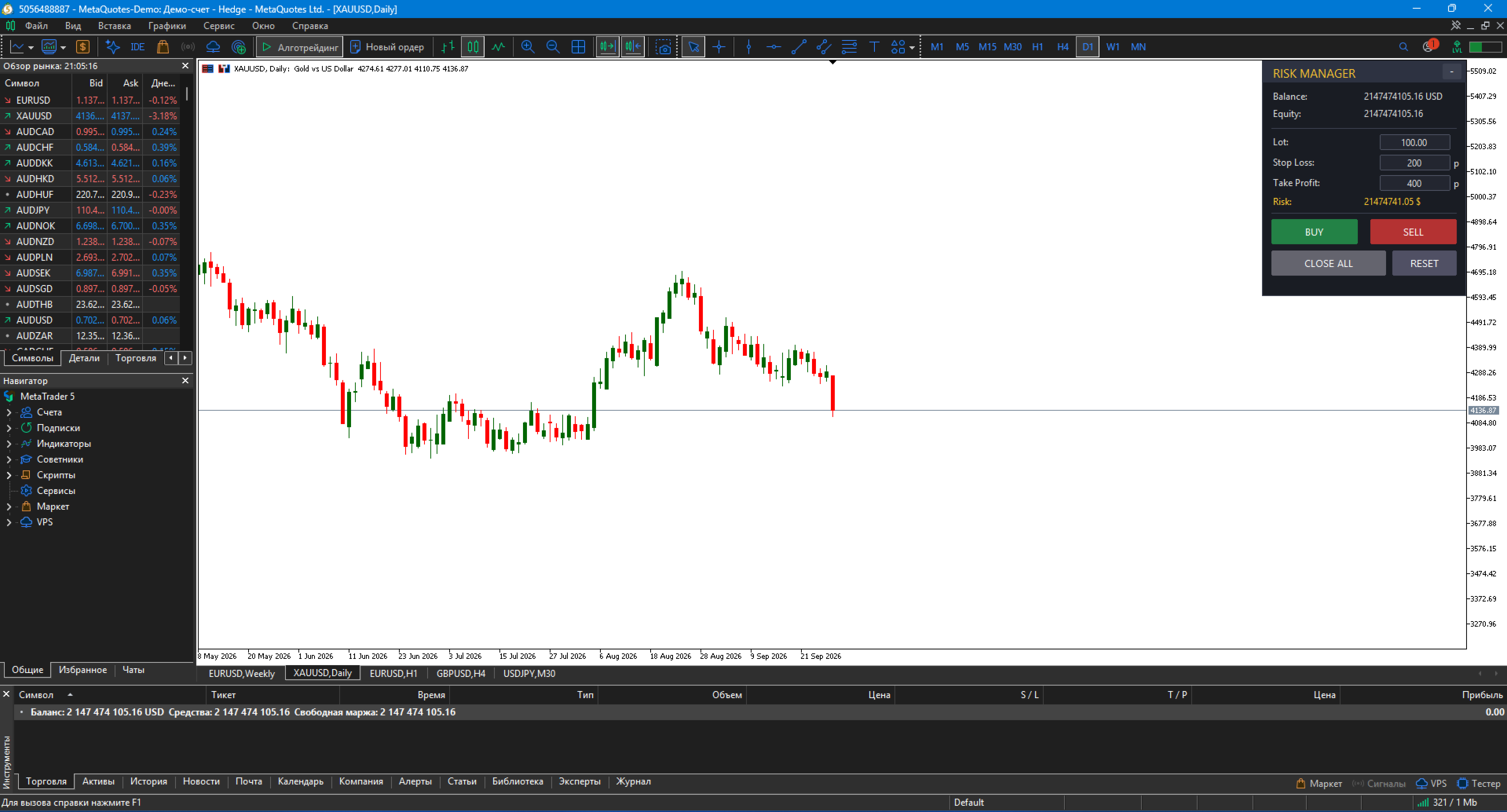
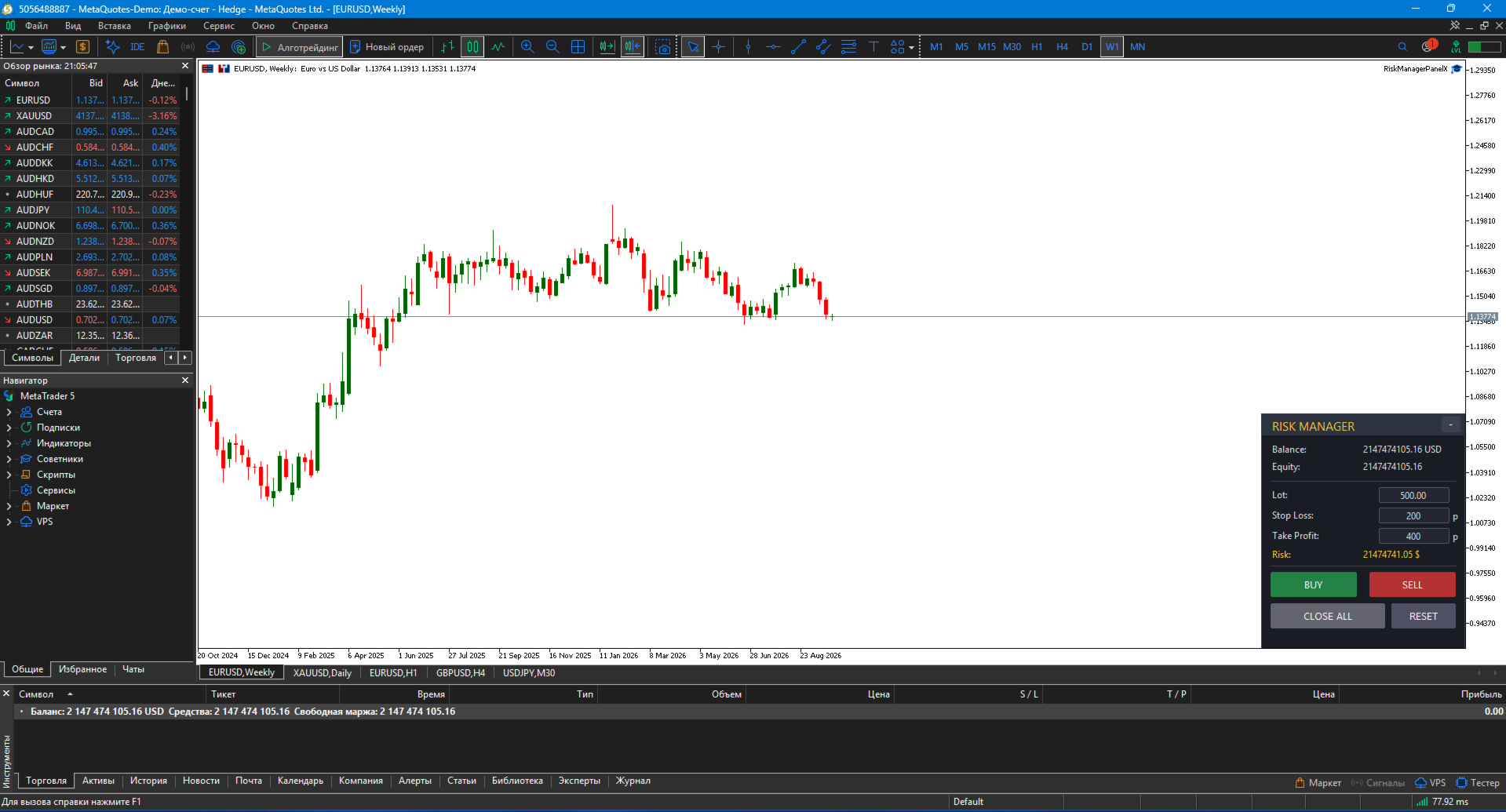
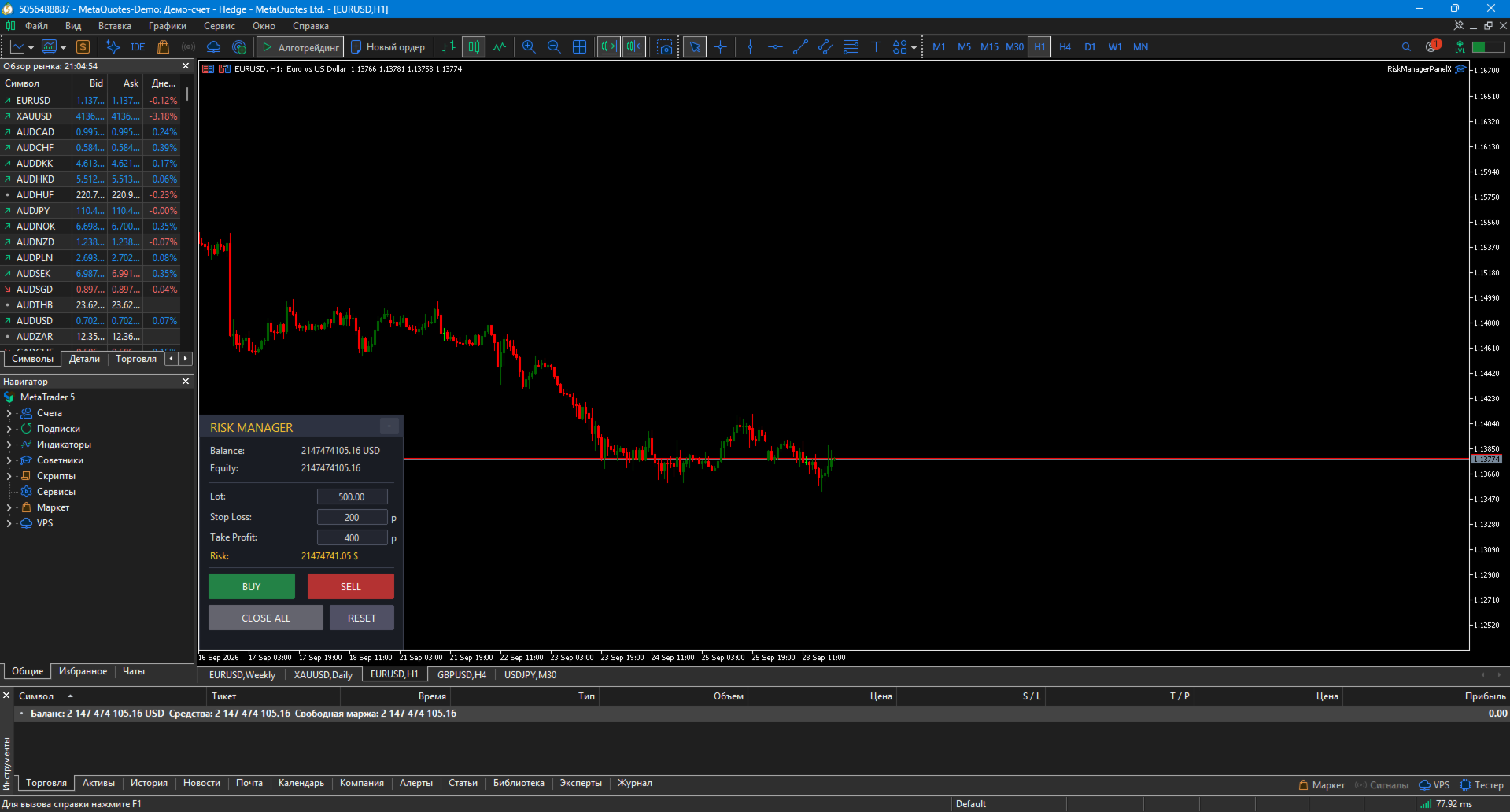
Risk Manager PanelX is a professional trading panel for MetaTrader 5 that automatically calculates lot size based on risk and manages trades in one click.

No more manual lot calculation or opening trades through the terminal menu. The panel does it for you — fast, accurate, and error-protected.

🎯 What the panel does

1. Automatic lot calculation

Set risk as % of balance (or a fixed $ amount) — the panel calculates position size for the specified Stop Loss. Accounts for real tick value and broker's lot step.

2. Editable fields on the panel

Directly on the panel, you can change:

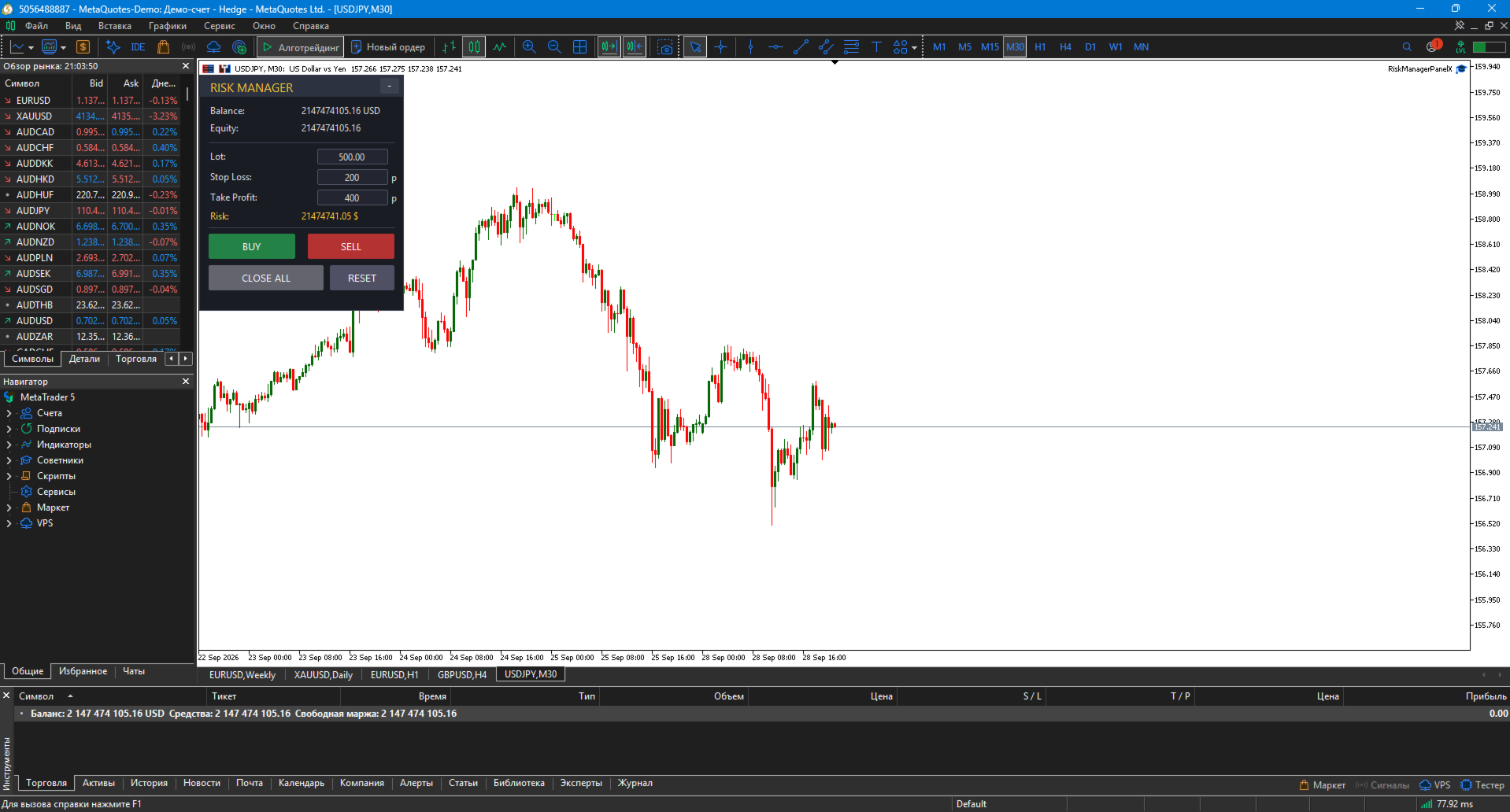
  • Lot — position size

  • Stop Loss — in points

  • Take Profit — in points

Changing SL recalculates lot automatically. Changing Lot uses your value.

3. One-click trade opening

  • BUY button — buy with calculated lot, SL, TP

  • SELL button — sell with same parameters

  • CLOSE ALL button — close all positions by current symbol (Magic Number filter)

4. Info panel

  • Balance, Equity, Risk ($), Lot

5. Minimize & drag

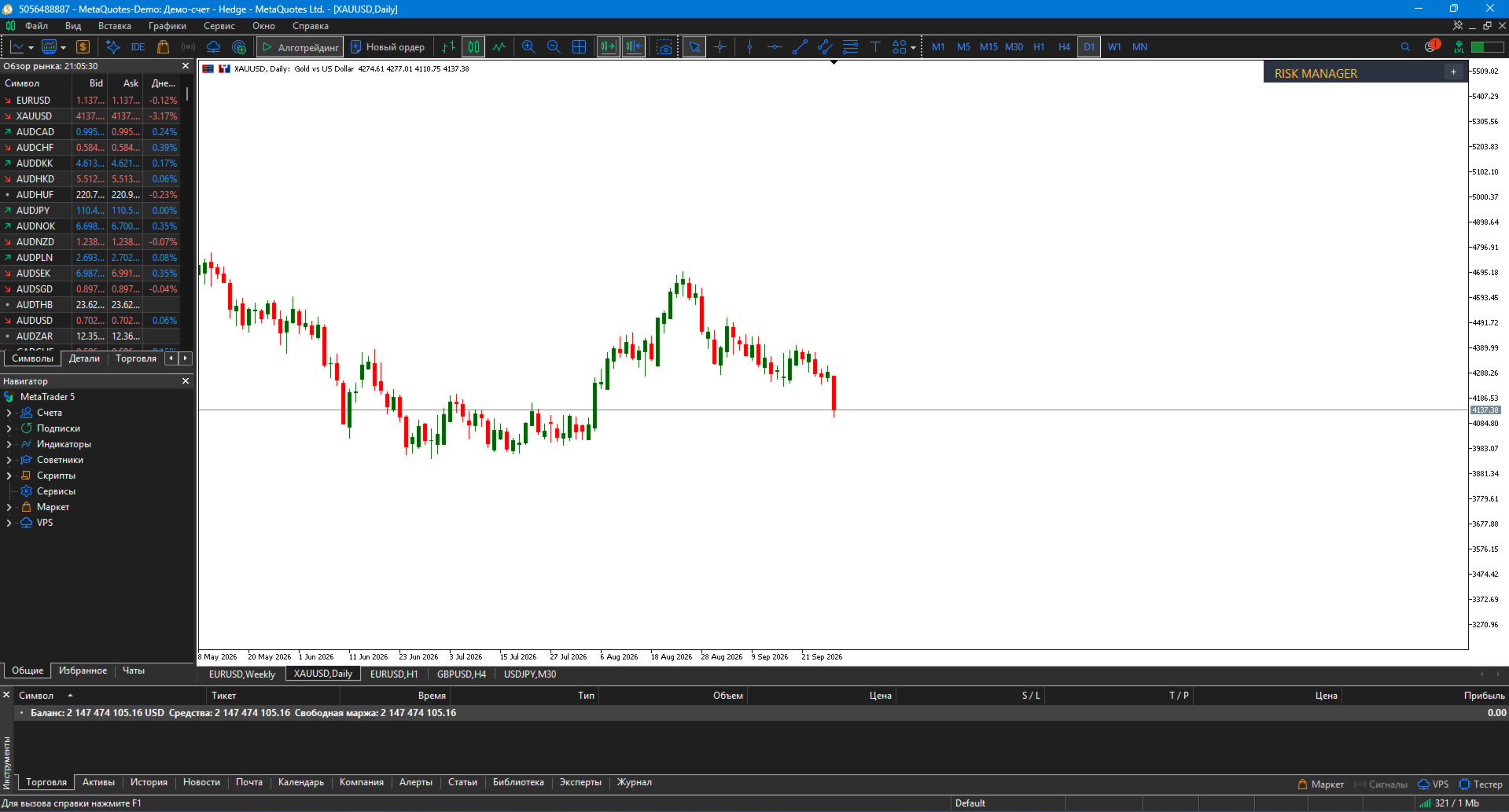
  • "− / +" button in top-right corner — collapse/expand

  • Drag with mouse — from header or whole panel (configurable)

  • Panel does not move the chart during drag — scroll auto-disabled

✨ Key features

🧮 Accurate lot calculation

Formula accounts for:

  • Risk % of balance (or fixed $)

  • Stop Loss distance in points

  • Real tick value ( SYMBOL_TRADE_TICK_VALUE_LOSS )

  • Broker lot step

Example: balance $10 000, risk 1%, SL 200 points on EURUSD → panel calculates ≈ 0.50 lot.

⚙️ Broker StopLevel handling

If broker requires min SL distance (e.g., 30 points) and you set 10 — panel auto-expands to 30. No order errors.

🖱️ Convenient control

  • Mouse drag, editable fields, minimize

  • Panel position via inputs

🔔 Confirm before opening

InpConfirmOpen = true — panel asks for confirmation. Protection from accidental clicks.

🎨 Customizable appearance

  • Colors for background, header, text, accents

  • BUY / SELL / CLOSE colors

  • Font size and name

  • Initial panel position (X, Y in pixels)

🛠 Installation — MetaTrader 5

1. Install

  • Copy RiskManagerPanel.mq5 to MQL5/Experts/

  • Open MetaEditor (F4), compile (F7) — must be 0 errors, 0 warnings

  • Restart MT5

  • Drag from Navigator onto chart

2. Enable Algo Trading

  • Click "Algo Trading" button in MT5 toolbar (must be green)

  • In expert properties → "Common" tab: allow trading = true

3. Test

  • Panel appears top-left of chart

  • Click Lot field, enter value, Enter

  • Click Stop Loss field, enter value, Enter — lot recalculates

  • Open test trade on demo account via BUY button

⚙️ Parameters

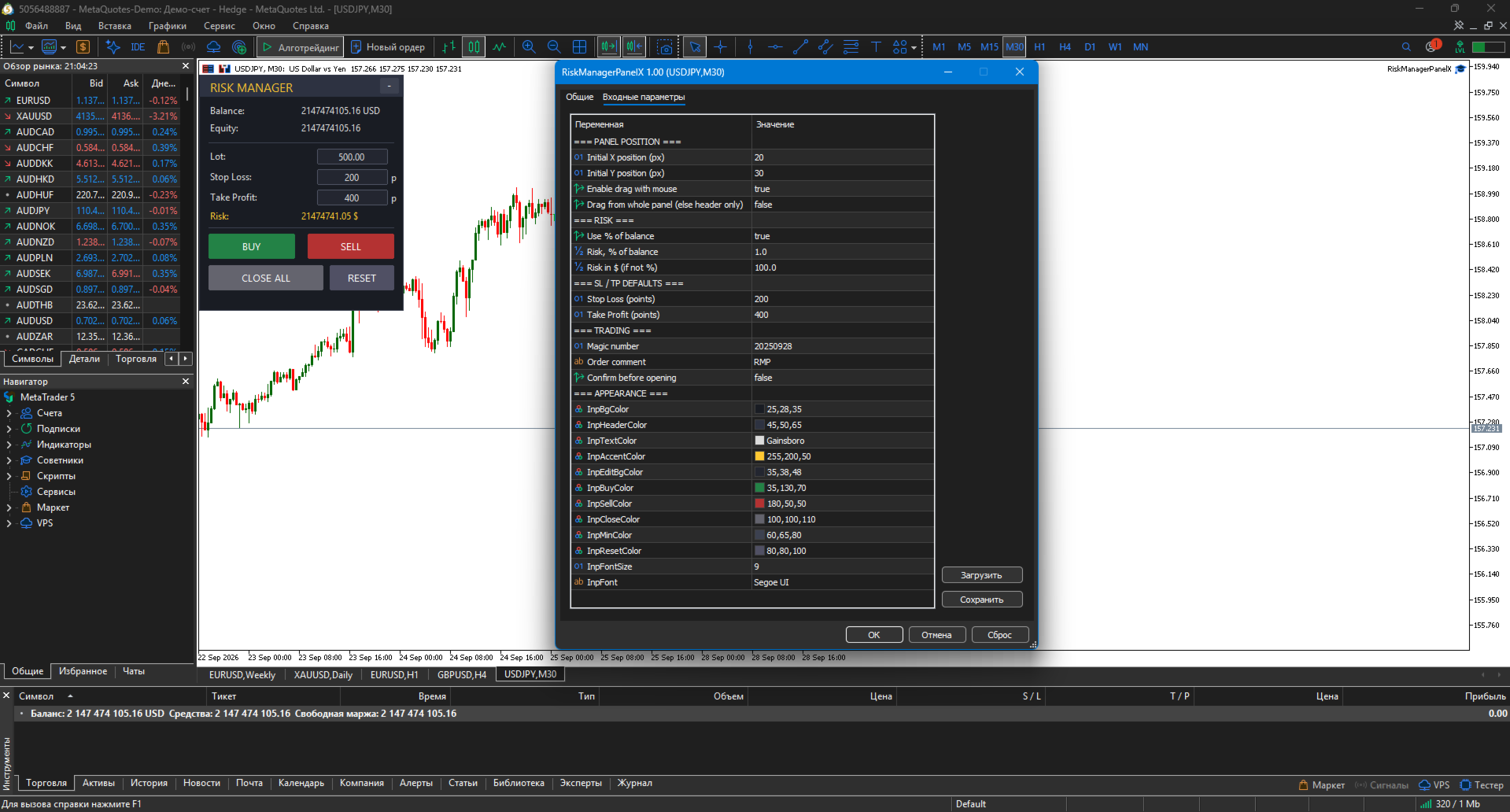
Parameter Description Default
Initial X position Panel X position (px) 20
Initial Y position Panel Y position (px) 30
Enable drag with mouse Allow drag true
Drag from whole panel Drag whole panel (else header) false
Use % of balance Use % of balance true
Risk, % of balance Risk, % 1.0
Risk in $ (if not %) Risk, $ 100.0
Stop Loss (points) Default SL 200
Take Profit (points) Default TP 400
Magic number Magic 20250928
Order comment Comment RMP
Confirm before opening Confirmation false
Appearance Colors, font —

📌 Use cases

1. Scalping on M5–M15

  • Risk = 0.5%, SL = 100, TP = 200 points

2. Swing trading on H1–H4

  • Risk = 1.5%, SL = 400, TP = 800 points

3. Multi-position management

  • Open via panel, close all via CLOSE ALL

  • Magic filter — panel doesn't touch other trades

4. Demo testing

  • Practice risk-first trade opening

  • Protection from "eye-balled" position size

📋 Implementation notes (MT5)

  • Pure MQL5 — no DLLs, no external dependencies

  • Uses CTrade standard library

  • Does not move chart while dragging panel

  • Saves settings in expert properties

  • Supports hedging and netting accounts

  • Correct broker StopLevel handling

  • Operation logging to journal

⚠️ Important warning

Risk Manager Panel is a helper tool. Not a trading system. It helps with risk management; all decisions are made by the trader.

The author is not responsible for losses resulting from panel use. Test on a demo account before live trading.

🏆 About the developer

Musa Khunarikov — trader with 12 years of live experience (Forex, stocks, MOEX, metals). 51 certifications from "Finam" training center in trading, algo trading, and MetaTrader.

Live trading:
👉 https://developer-mql4-mql5.netlify.app/

Services: EA development, indicators, panels, trading system audit.

📞 Support

30 days of free support after purchase. Bug fixes within 48 hours.

Altri dall’autore
MACrossoverEA KH
Musa Khunarikov
MA Crossover EA - advisor at the intersection of moving averages The advisor opens trades when two moving averages (Fast and Slow) cross. Works on any symbol and timeframe. Features: Opening BUY when crossing the Fast MA from bottom to top Opening SELL when crossing the Fast MA from top to bottom Setting Stop Loss and Take Profit Only one position at a time Working only on a new bar (optional) Customizable parameters Parameters: Lot - lot size FastMAPeriod, SlowMAPeriod - periods of MA StopLoss,
FREE
VolumeAnalysis
Musa Khunarikov
VolumeAnalysis is a professional library designed to integrate advanced volume analysis into your MQL5 Expert Advisors and indicators. The library was created by an active trader and developer with 10 years of experience in financial markets and 51 MQL5 certifications. It encapsulates complex volume calculations into simple, intuitive functions, allowing you to focus on building trading logic rather than routine data gathering. Key library features: Average volume analysis. Rapid calculation of
FREE
VolumeMonitorUtility — professional real-time volume monitoring tool VolumeMonitorUtility is a service utility for the MetaTrader 5 terminal that displays key volume analysis metrics directly on the chart as a compact information panel. The utility was created by a practicing trader and developer with 10 years of experience in financial markets and 51 MQL5 certificates. The utility is built on top of the open-source VolumeAnalysis library and is designed for traders who make decisions based on
FREE
Relative Volume — Relative Volume Indicator This indicator displays current volume as a percentage of the average volume over N bars. It helps identify abnormal volume spikes that often precede significant price movements. Features: Relative volume line displayed in a separate pane Levels for 100% (average volume) and 200% (abnormal volume) Color coding: blue / orange / red Customizable averaging period Parameters: AvgPeriod — volume averaging period (default: 20) ColorNormal, ColorHig
FREE
SpreadMonitor
Musa Khunarikov
SpreadMonitor SpreadMonitor is a professional MetaTrader 5 indicator that colorizes candles by spread level and displays an on-chart monitoring panel with current value, statistics, and history. Created by a practicing trader with 12 years of real-account experience. Helps you avoid entering the market when spreads are abnormally high and see the real cost of trading at every moment. What the indicator shows Candle coloring by spread level: Blue — normal spread Orange — elevated Gr
FREE
SpreadMonitor SpreadMonitor is a professional indicator for MetaTrader 4 that color-codes candlesticks based on spread levels and displays a monitoring panel on the chart showing the current value, statistics, and history. The indicator was created by an active trader with 12 years of experience. It helps you avoid entering the market when the spread is abnormally high and allows you to see actual trading costs at any given moment. ️ MetaTrader 4 Limitation: MT4 does not provide access t
FREE
Professional VolumeProfile Professional VolumeProfile is a professional indicator for MetaTrader 4 that builds a volume profile by price directly on the chart: it shows POC (Point of Control), VAH/VAL (boundaries of the value zone), and a histogram of volume distribution across price levels. The indicator was created by a practicing trader with 12 years of experience. It helps to see where the volume is actually concentrated, identify areas of interest for large capital, and determine the f
Liquidity + Volume Pro (MT4) Liquidity + Volume Pro is a professional MetaTrader 4 indicator that combines liquidity and volume analysis into one system. Detects level sweeps, filters by volume, scores signal strength, and builds Support/Resistance levels. Full MT5 functionality adapted for MT4. Identical signals, unified logic, same visualization. What the indicator shows Liquidity Sweeps: Green arrow — bullish sweep (Buy) Red arrow — bearish sweep (Sell) Signal Strength (0–100):
SM Structure PR SM Structure PR is a professional indicator for MetaTrader 4 that automatically identifies market structure using Smart Money Concepts (SMC) and ICT methodology. It detects BOS (Break of Structure), CHoCH (Change of Character), Order Blocks, Fair Value Gaps (FVG) and Premium/Discount zones — all in one tool. Built by a trader with 12 years of live experience. Helps see market structure the way institutional players see it, and find entries in the direction of "smart money". Wh
Retail Sentiment MT4 Retail Sentiment is a professional information indicator for MetaTrader 4 that displays retail trader sentiment based on MyFxBook Community Outlook. The panel shows the ratio of long vs short positions for the selected instrument in real time. Built by a trader with 12 years of live experience. Helps use a contrarian approach — when most retail traders are long, institutional players often go against them. What it shows Compact panel in chart corner: LONG XX% — blue bar w
FREE
Professional Delta Volume is a professional indicator for MetaTrader 4 and MetaTrader 5 that shows the difference between buy and sell volume (Delta Volume) and cumulative delta. Helps to see who dominates the market — buyers or sellers — and to find hidden divergences between price and volume. What the indicator shows Buy Volume (blue bars) — estimated buy volume per bar Sell Volume (orange bars) — estimated sell volume Delta (histogram) — Buy − Sell. Green = buyers dominate, red = sellers C
MTFDashboardX
Musa Khunarikov
MTF DashboardX MTF DashboardX is a professional scanner panel for MetaTrader 5 that shows market structure state across multiple symbols and timeframes in one window. Automatically detects BOS (Break of Structure) and CHoCH (Change of Character) signals so you don't miss important events and don't waste time switching between charts. Built by a trader with 12 years of live experience. Helps see the whole market picture at a glance. What the indicator shows Table panel with rows (symbols) and
VolatilityProX for MetaTrader 4 VolatilityProX is a professional indicator for MetaTrader 4 that combines three tools in one: Adaptive Supertrend — adaptive trend line Daily Range — yesterday's High/Low Pivot Points — classic R1, R2, S1, S2 levels Built by a trader with 12 years of live experience. Helps identify trend, key levels, and entry points — all in one window. What the indicator shows 1. Adaptive Supertrend Green line in uptrend, red in downtrend. Key difference from standard Supertr
Risk Manager Panel for MetaTrader 4 Risk Manager Panel is a professional trading panel for MetaTrader 4 that automatically calculates lot size based on risk and manages trades in one click. No more manual lot calculation — the panel does it for you. What the panel does 1. Automatic lot calculation Set risk as % of balance (or fixed $) — panel calculates position size for specified SL. Accounts for tick value and broker lot step. 2. Editable fields On the panel you can change: Lot Stop Loss (p
Professional VolumeProfile v1.0 A professional Volume Profile indicator for MetaTrader 5. Builds a horizontal histogram of volume distribution by price levels and identifies key zones of institutional interest. Created by a practicing trader with 12 years of real-account experience . Understands trader's logic, not just programming. What the indicator shows Volume Histogram — trading volume distribution across price levels POC (Point of Control) — the price level with maximum volume VAH (V
Liquidity + Volume Pro (MT5) Liquidity + Volume Pro is a professional MetaTrader 5 indicator that combines liquidity analysis with volume filtering into a single trading system. It detects sweeps of key levels, filters them by volume, scores signal strength on a 100-point scale, and automatically builds Support/Resistance levels. Built by a trader with 12 years of live experience. Helps separate false breakouts from true ones, find Smart Money entry points, and see the real market picture wit
SM Structure
Musa Khunarikov
SM Structure SM Structure is a professional indicator for MetaTrader 5 that automatically identifies market structure using Smart Money Concepts (SMC) and ICT methodology. It detects BOS (Break of Structure), CHoCH (Change of Character), Order Blocks, Fair Value Gaps (FVG) and Premium/Discount zones — all in one tool. Built by a trader with 12 years of live experience. Helps see market structure the way institutional players see it, and find entries in the direction of "smart money". What the
RetailSentiment
Musa Khunarikov
Retail Sentiment MT5 Retail Sentiment is a professional information indicator for MetaTrader 5 that displays retail trader sentiment based on MyFxBook Community Outlook. The panel shows the ratio of long vs short positions for the selected instrument in real time. Built by a trader with 12 years of live experience. Helps use a contrarian approach — when most retail traders are long, institutional players often go against them. What it shows Compact panel in chart corner: LONG XX% — blue bar
FREE
Professional Delta Volume is a professional indicator MetaTrader 5 that shows the difference between buy and sell volume (Delta Volume) and cumulative delta. Helps to see who dominates the market — buyers or sellers — and to find hidden divergences between price and volume. What the indicator shows Buy Volume (blue bars) — estimated buy volume per bar Sell Volume (orange bars) — estimated sell volume Delta (histogram) — Buy − Sell. Green = buyers dominate, red = sellers Cumulative Delta (gold
MTFDashboard
Musa Khunarikov
MTF Dashboard is a professional scanner panel for MetaTrader 5 that shows market structure state across multiple symbols and timeframes in one window. Automatically detects BOS (Break of Structure) and CHoCH (Change of Character) signals so you don't miss important events and don't waste time switching between charts. Built by a trader with 12 years of live experience. Helps see the whole market picture at a glance. What the indicator shows Table panel with rows (symbols) and columns (timefra
VolatilityPro
Musa Khunarikov
VolatilityPro for MetaTrader 5 VolatilityPro is a professional indicator for MetaTrader 5 that combines three tools in one: Adaptive Supertrend — adaptive trend line Daily Range — yesterday's High/Low Pivot Points — classic R1, R2, S1, S2 levels Built by a trader with 12 years of live experience. Helps identify trend, key levels, and entry points — all in one window. What the indicator shows 1. Adaptive Supertrend Green line in uptrend, red in downtrend. Key difference from standard Supertren
Filtro:
Nessuna recensione
Rispondi alla recensione