Backtest Lab
- Utilità
-
Antonello Belgrano
 MQL5 Programmer specialized in creating professional Expert Advisors and Indicators.
I develop high-quality strategies as well as custom solutions, optimizations, and personalized Expert Advisors tailored to your specific needs.
Feel free to contact me for any requests or custom projects. - Versione: 1.30
- Attivazioni: 5
BacktestLab: a complete review of your Strategy Tester report, in one panel
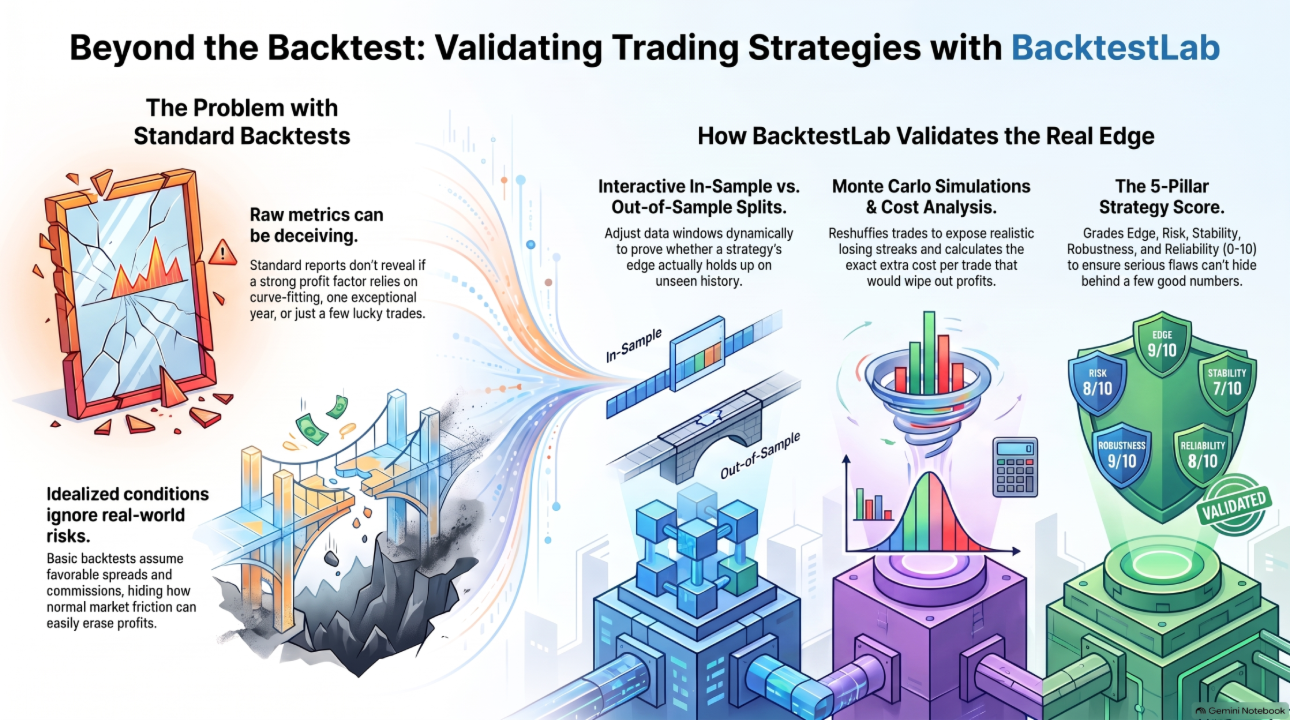
BacktestLab reads the HTML report exported by the MetaTrader 5 Strategy Tester and turns it into a full analysis dashboard, so you can judge a strategy the way an experienced trader would, not just look at profit and drawdown.
It's organized into six panels, each answering one question:
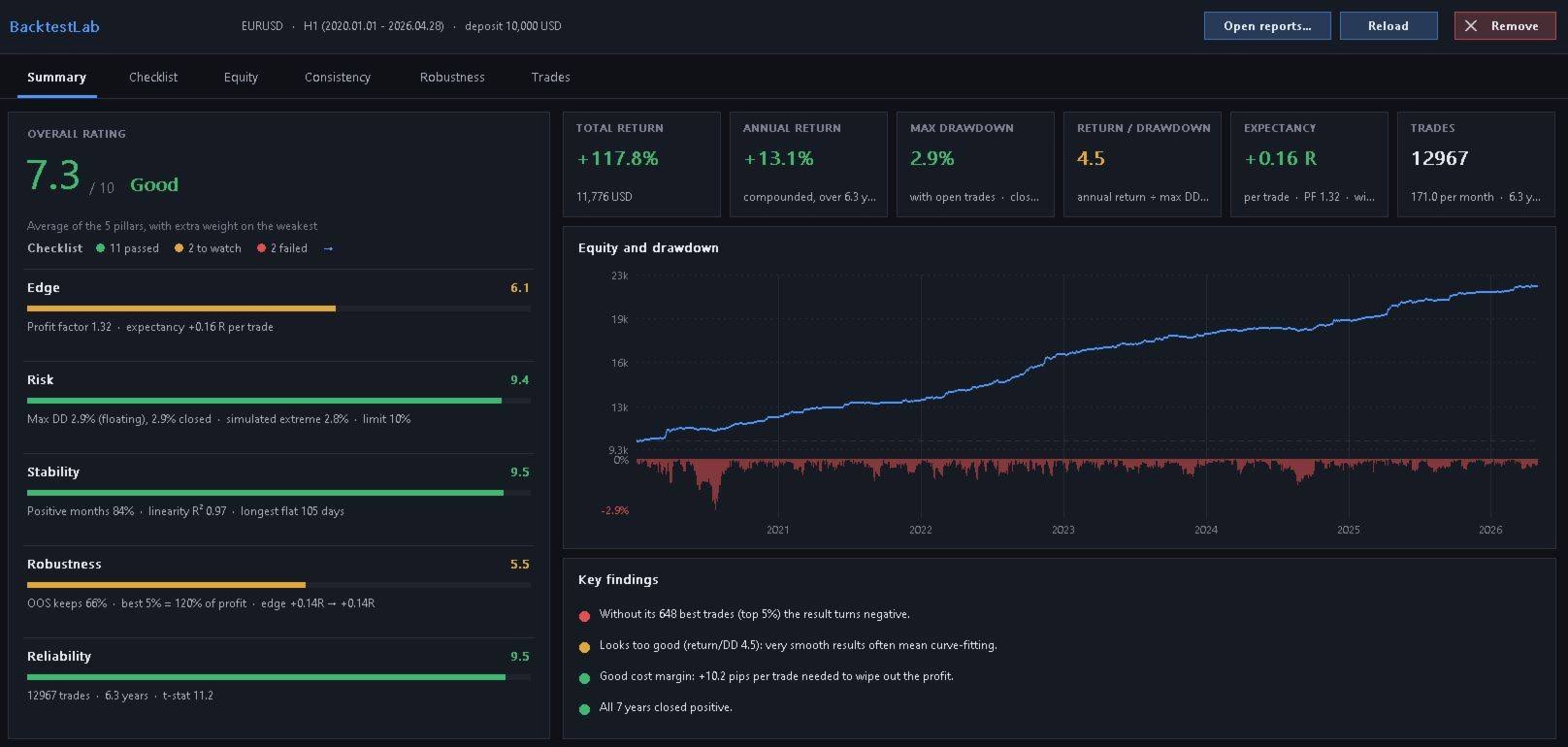
- Summary: Is the strategy worth it? An overall 0 to 10 score built from five pillars (edge, risk, stability, robustness, reliability), the equity curve with drawdown, and a list of automatic findings (strengths and warnings).
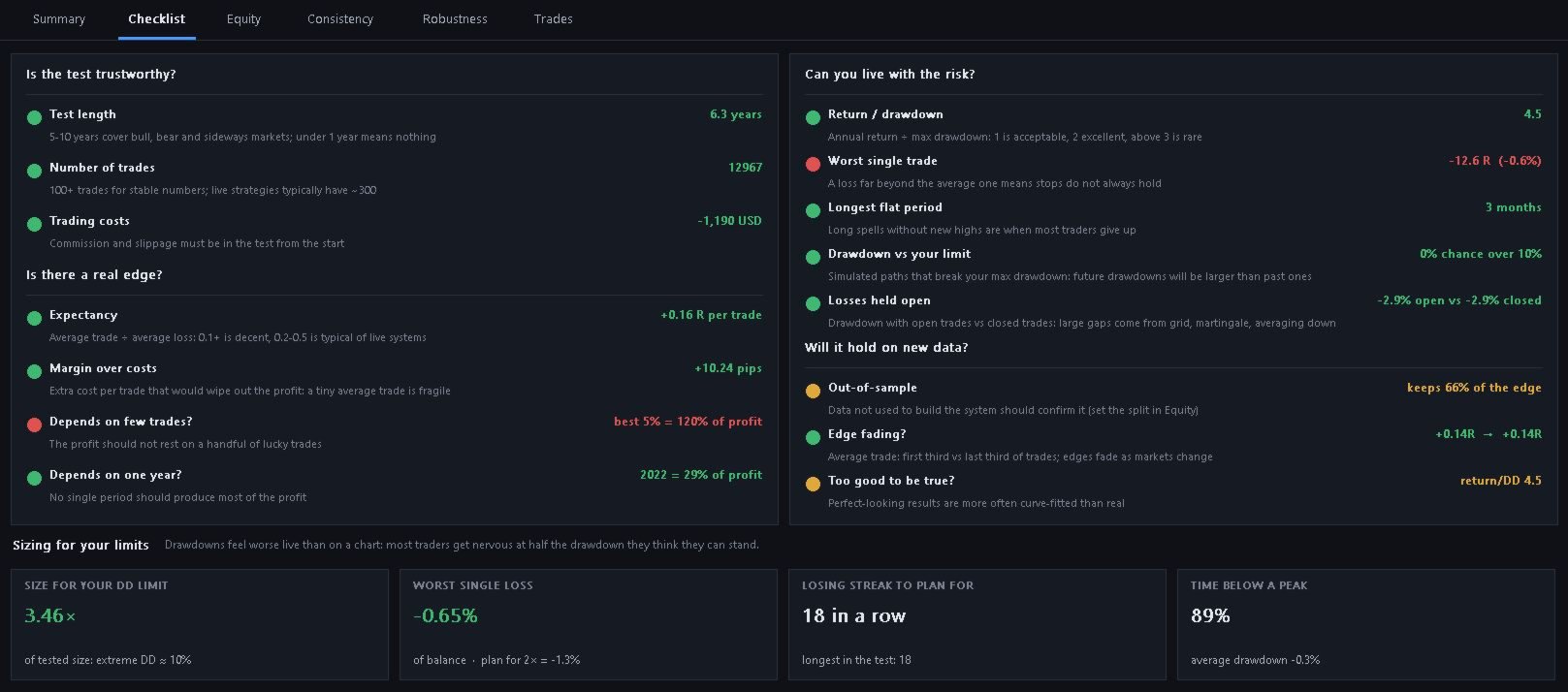
- Checklist: Does it pass the rules experienced traders actually use? Test length, sample size, expectancy, cost margin, dependence on a few lucky trades or a single good year, worst single loss, longest flat period, each with a pass/watch/fail verdict and the reasoning behind it.
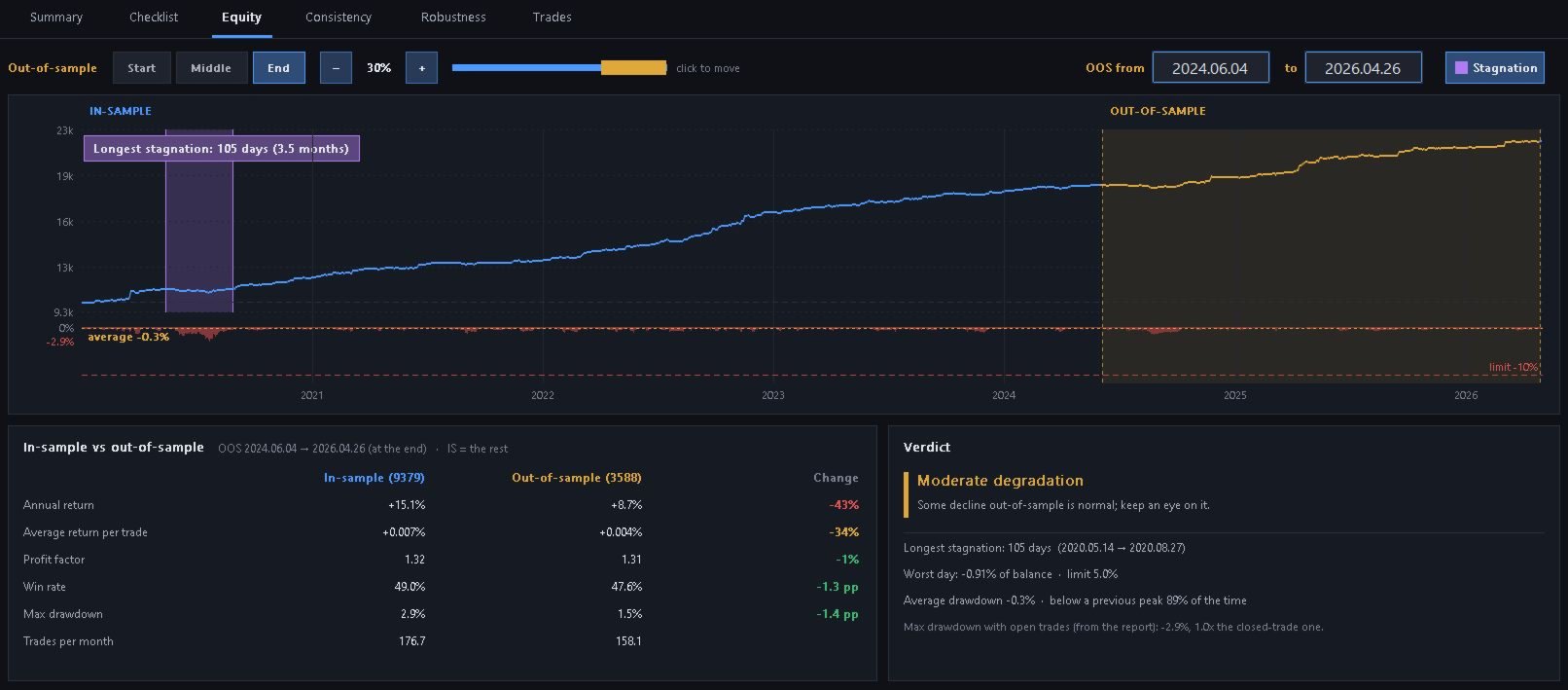
- Equity: How did the balance grow, and how much did it suffer? Interactive in-sample / out-of-sample split (drag the window or type exact dates) with a side-by-side comparison of key metrics between the two periods.
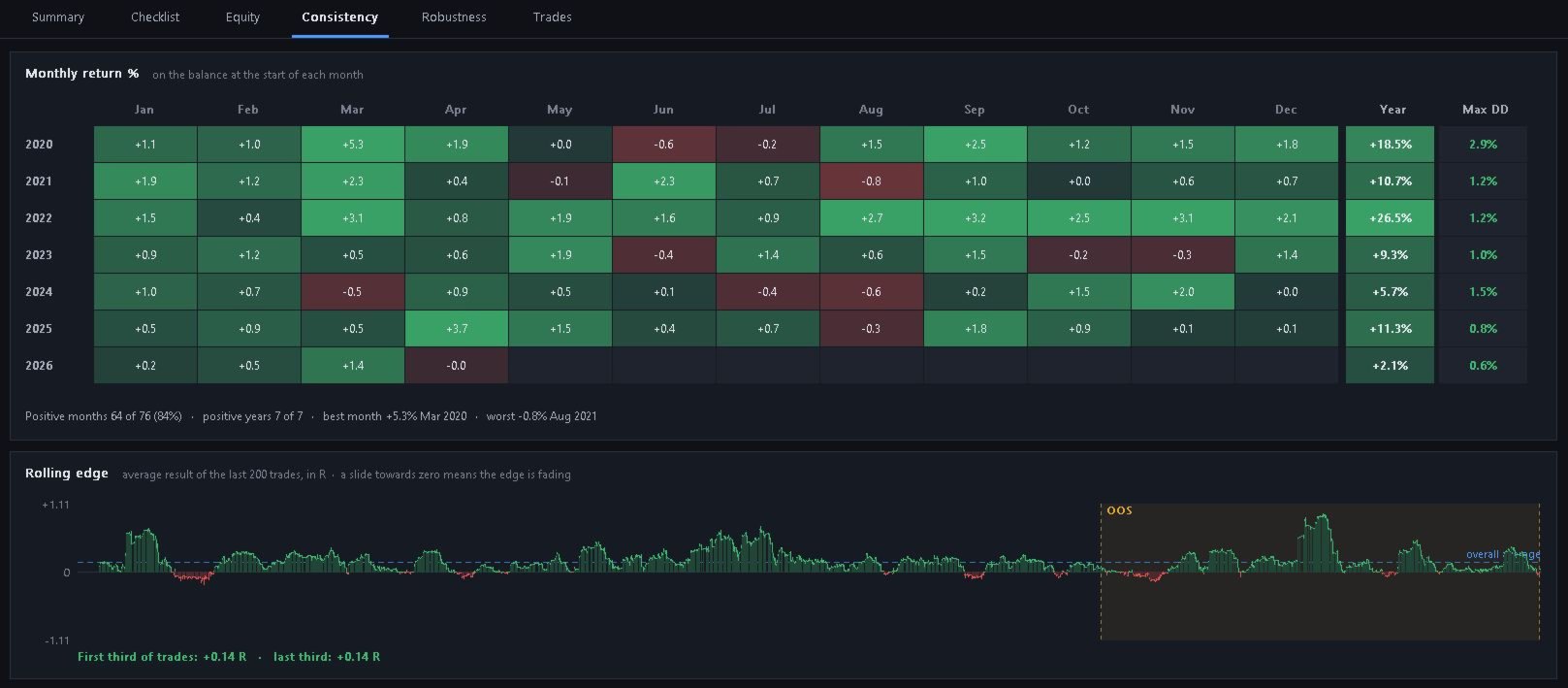
- Consistency: Are the results spread over time, or concentrated in a few lucky spells? A monthly return heatmap by year, plus a rolling-edge chart showing whether the strategy's average trade is fading.
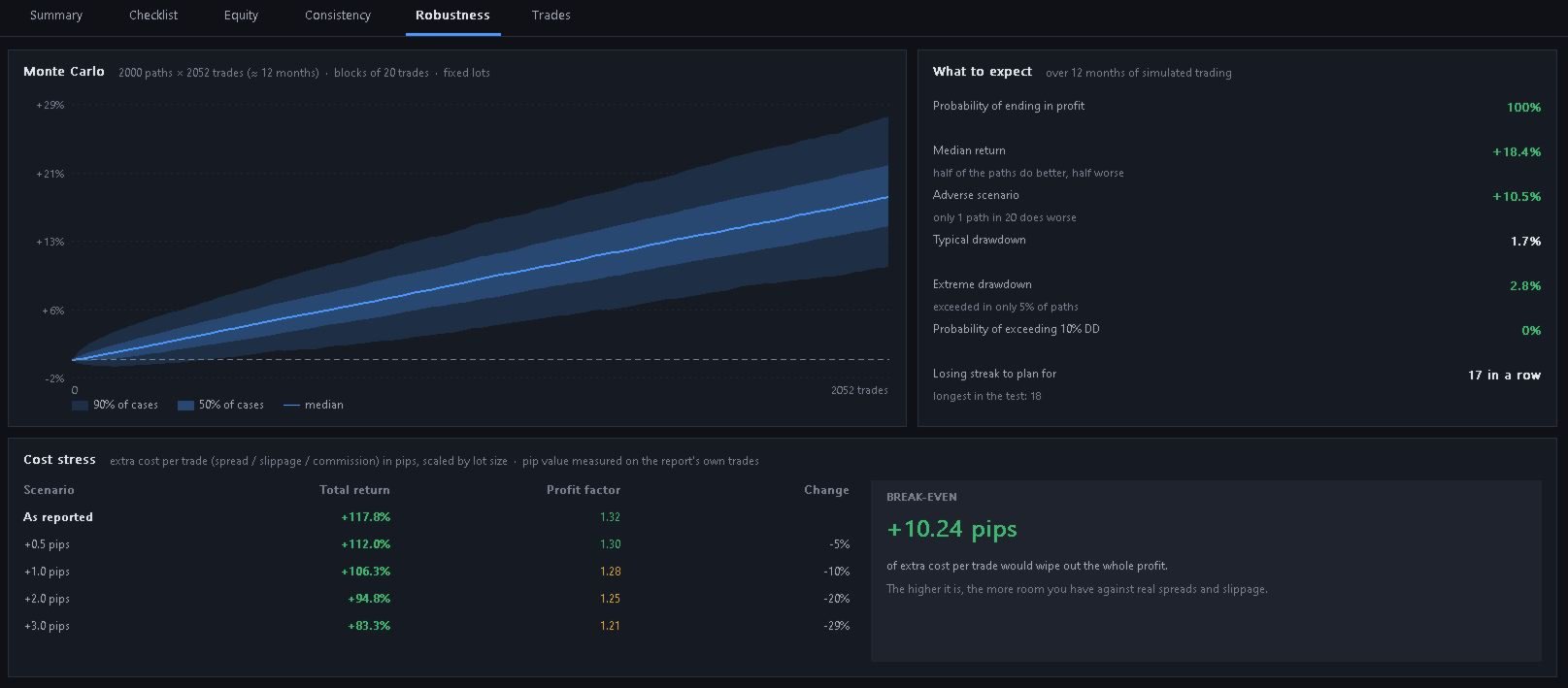
- Robustness: Will it survive bad luck and higher costs? A Monte Carlo simulation (block bootstrap, so losing streaks stay realistic) shows the range of likely outcomes and drawdowns, and a cost stress table shows how much extra spread or slippage the strategy can absorb before the profit disappears.
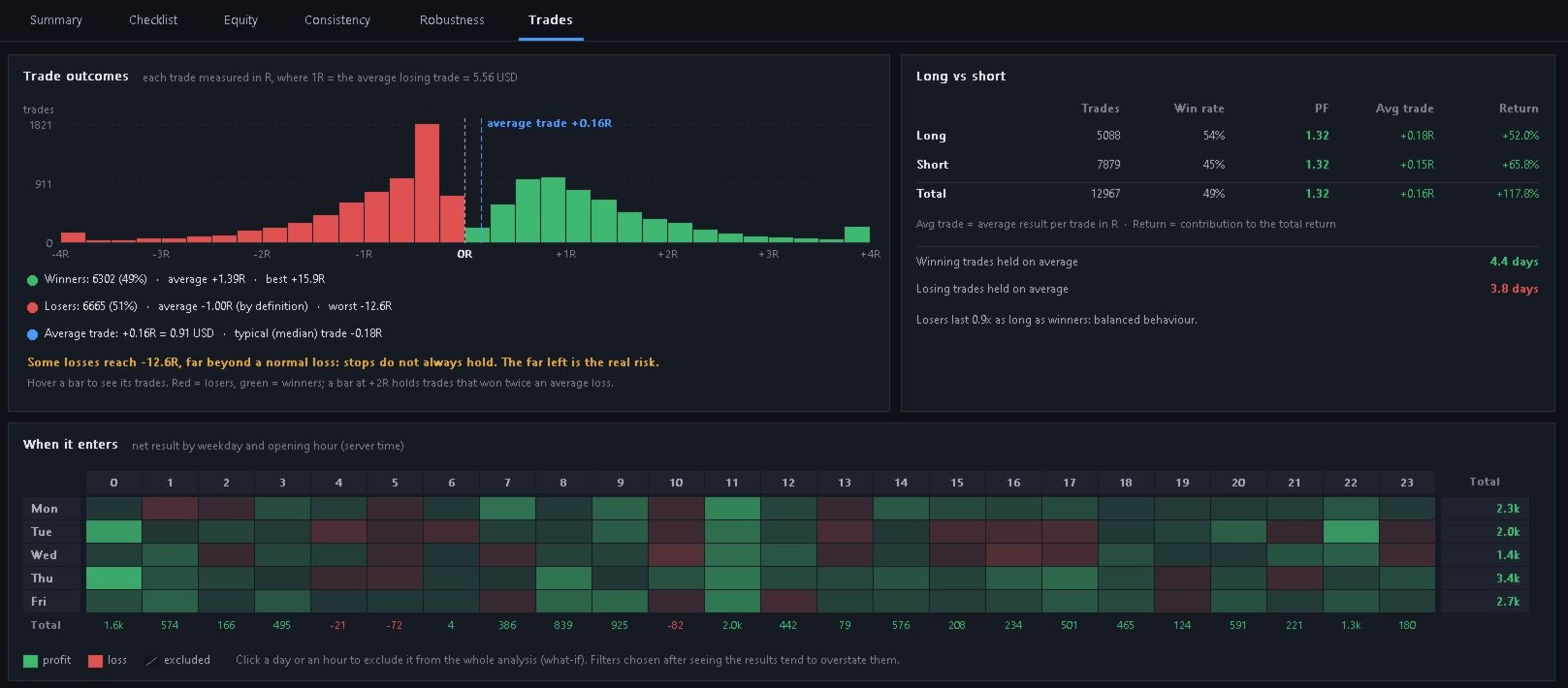
- Trades: Where does the edge actually come from? A trade outcome histogram in R multiples, long vs short and per symbol/report breakdowns, and a day/hour heatmap you can click to test excluding specific sessions.
It also supports combining several reports into one portfolio analysis, works with reports that include commissions and swap, and estimates pip value directly from your own trade data, no broker connection needed.
How to use it
- Copy your backtest report (or reports) into the terminal's Files folder. Each report should cover both the in-sample period (the one you optimized on) and the out-of-sample period (the one you want to monitor).
- Attach BacktestLab to any open chart in MT5, ideally with no other indicators or EAs running on it.
- Load the report(s) you want to analyze.
- Set the out-of-sample period in the Equity tab.
- Go through the statistics in each panel and check the overall score.
Everything runs in a single resizable panel on the chart, with no external files or setup. Load a report (or several) and get an honest read on whether the strategy is something you'd actually trust with real money.