Super Fast Second Chart AISenderEA
- Utilità
- Versione: 2.20
- Aggiornato: 22 agosto 2026

— Ultra-Short-Term AI Decision Tool integrated with the dedicated chart indicator Super Fast Second Chart —
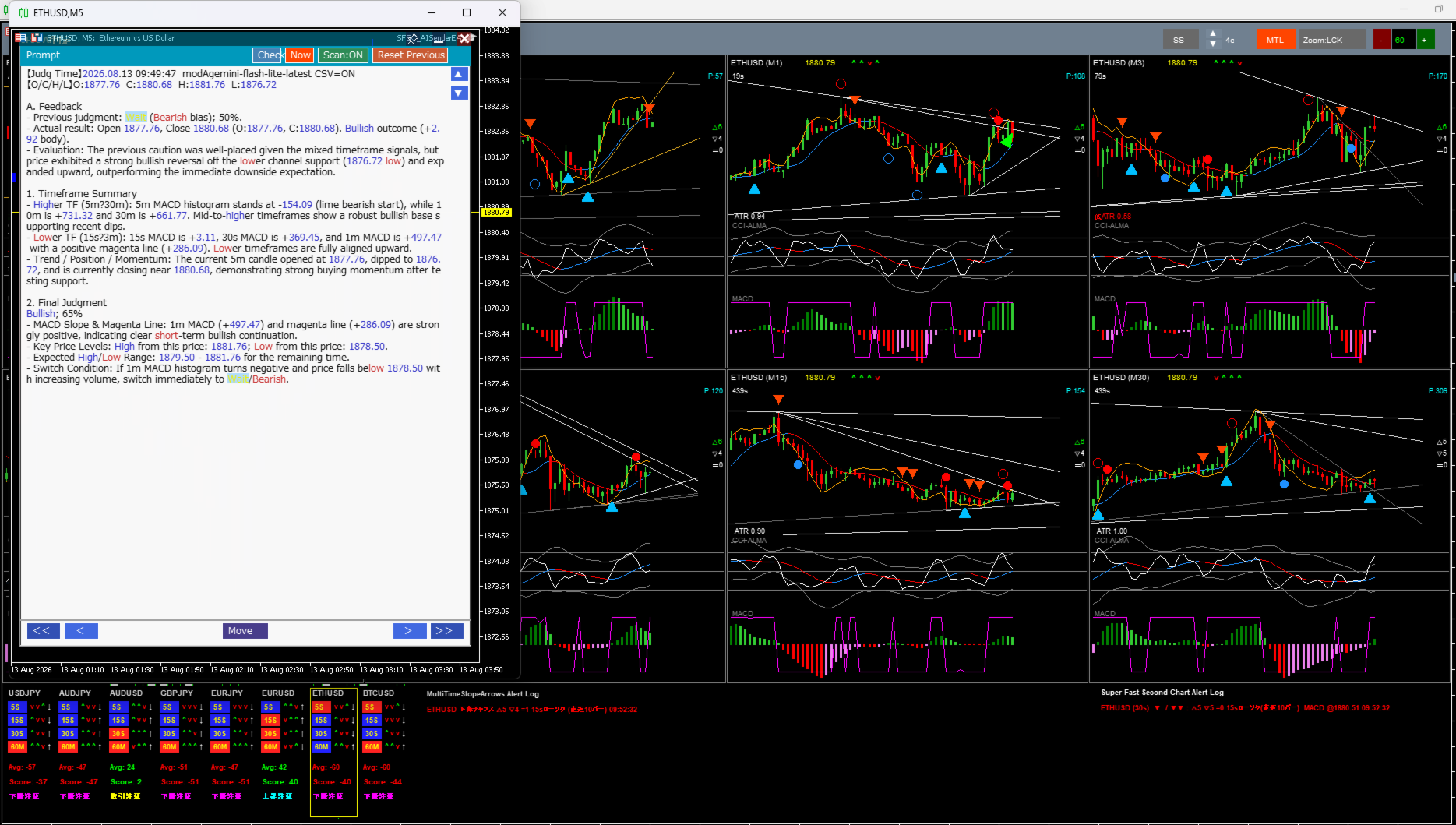
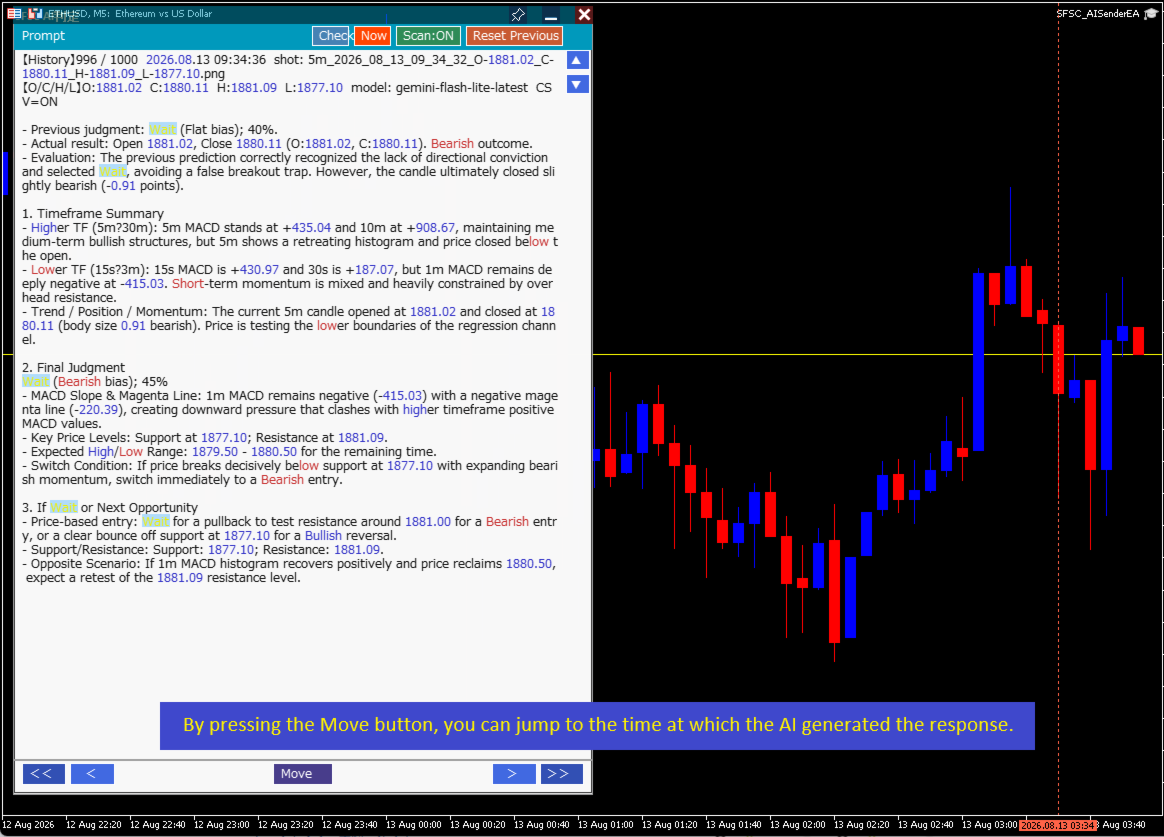
This product is an AI auto-decision system fully integrated with a dedicated chart indicator. Simply save a screenshot of your chart and the AI will return, within seconds, multi-timeframe analysis + direction + confidence level + reversal conditions + next opportunity.
When combined with the dedicated chart indicator, the AI also receives CSV data (10–20 bars of numerical information) that cannot be extracted from images alone, pushing accuracy to a completely different level.
🔥Full integration with the dedicated chart indicator
The dedicated chart indicator provides the AI with the following information:
-
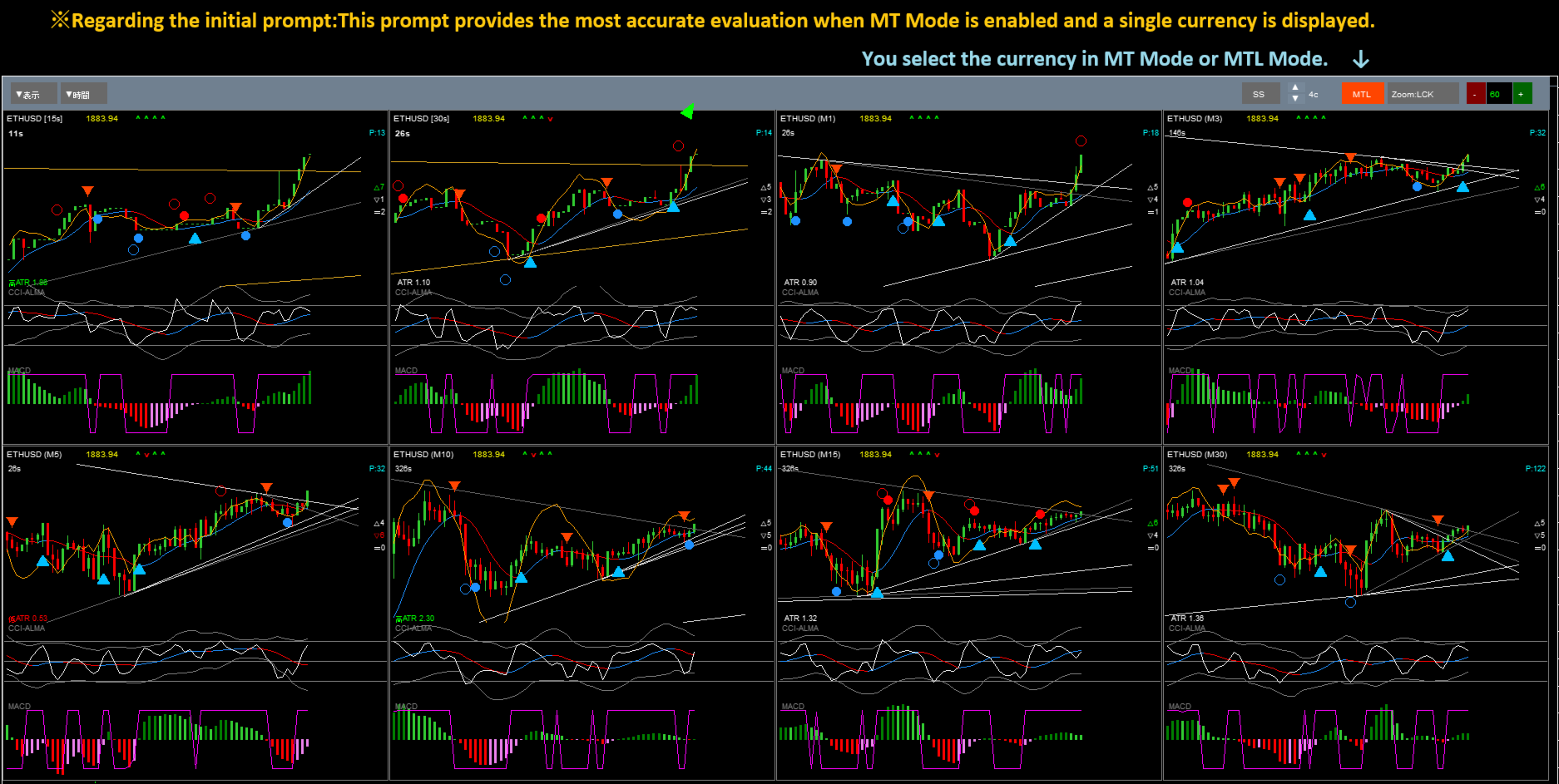
Multi-timeframe structure from 15 seconds to 30 minutes
-
ALMA (short-term and long-term)
-
Custom CCI
-
MACD (histogram)
-
Regression channel (reg_upper / reg_lower)
-
Polynomial regression (polyreg)
-
ATR
-
TrueTL
-
Latest 10-bar breakdown (bull / bear / doji)
-
Accurate OHLC, range, body size, and volatility via CSV
-
Micro-movements and second-based price swings
The AI combines all of this and returns, with high precision, “the remaining direction of the current 5-minute candle (bullish or bearish)”.
By using it together with the dedicated chart indicator, you achieve a level of accuracy that is simply impossible with image analysis alone.
🔥What the AI returns (examples)
-
Current status of each timeframe
-
Trend / position within structure / momentum
-
Final judgment (bullish / bearish)
-
Confidence level (%)
-
Reversal conditions (signals that should trigger an exit)
-
Expected range (projected high/low zone)
-
Next opportunity (specific price levels)
-
Opposite-direction scenario
-
Feedback on previous signals (why they worked or failed)
In short, it’s like having the AI rapidly perform the same multi-layered judgment that a discretionary trader does in their head.
🔥About the dedicated chart indicator
This tool uses Super Fast Second Chart Light AI . Because the AI decision tool is designed specifically for this indicator, it is offered completely free of charge.
When used together, you can fully experience the true potential of AI-based decision support.
🔥Gemini-optimized design (runs within the free tier)
This AI decision system is optimized specifically for Gemini for the following reasons:
-
Image analysis is free
-
Fast response times
-
English prompts, ready for global users
-
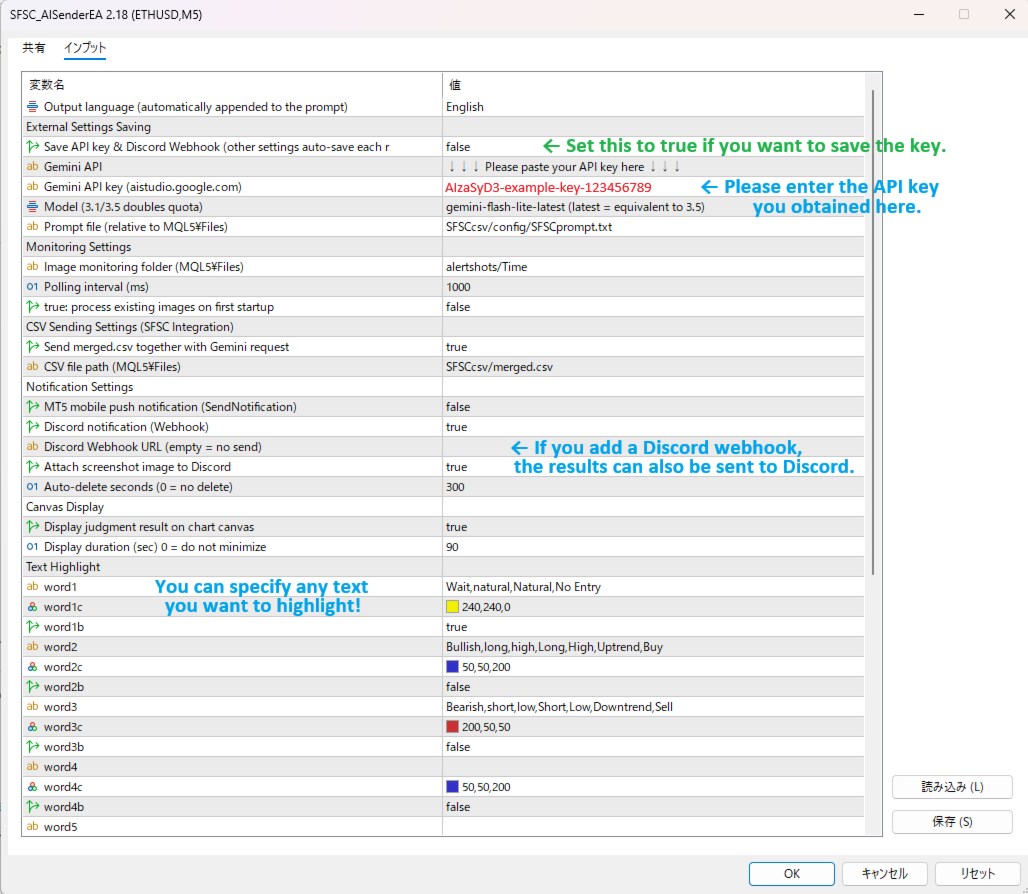
Just plug in your API key and start using it immediately
Setup is extremely simple, so anyone can start using it right away.
🔥And actually… it can be used with other tools as well
While this product is designed to work in tandem with the dedicated chart indicator, its core mechanism is: “Save a screenshot to a specific folder → EA monitors that folder → automatically sends it to the AI”. Because of this, with the right configuration, it can also be used in the following environments:
-
TradingView
-
MT4 / MT5 (other indicators)
-
Third-party charting tools
-
Browser-based charts
-
Mobile charts
In other words, if you can take screenshots, you can basically use AI judgment in that environment.
However, please note the following:
✔ Screenshot monitoring folder
Due to EA specifications, the only folder that can be monitored is MQL5\Files. Therefore:
-
You need to build a mechanism that automatically saves screenshots into the Files folder
-
Or manually move screenshots into the Files folder
✔ Prompt sent to the AI
When used with the dedicated chart indicator, the initial prompt is preconfigured. For other tools, however, you must prepare your own prompt.
You can use the initially generated prompt as a reference.
In summary:
Standalone AI with broad flexibility and potential
“Different-level” accuracy when combined with the dedicated chart
This two-layer structure is the core strength of this product.
🔥 ■ Recommended for traders who:
-
Want to speed up discretionary decision-making
-
Need to summarize multiple timeframes in an instant
-
Want clear, rule-based reversal conditions
-
Want to use AI as a “discretionary assistant” rather than a black-box system
-
Have tried looking at charts but don’t yet know how to interpret them
🔥Conclusion
By integrating with the dedicated chart indicator, this AI returns multi-timeframe analysis + direction + confidence level + reversal conditions in one package.
Together with the dedicated chart, it delivers its “true” level of accuracy, while still allowing basic AI judgment in other environments.
It is a new AI-assisted discretionary system, designed specifically for ultra‑short‑term trading, and can be operated entirely within the free Gemini tier.
◇ Google Gemini (with free tier)
You can obtain a Gemini API key via Google AI Studio.
Simply search for “Google AI Studio API key” on Google to find the official page.
By using the free tier (500 requests/day × 2), this tool can be operated without any additional cost.
◇ MT5 configuration (required)
To use the Gemini API, you must add the WebRequest allowed URL in MT5 settings.
MT5 menu
“Tools” → “Options” → “Expert Advisors”
Add the following URL to the WebRequest allowed list
※ This is the required setting that allows the EA to access the Gemini API.
◇ Notes
This prompt provides the most accurate judgment when MT Mode is enabled and a single currency is displayed.
When using it in multi‑currency mode, a separate dedicated prompt is required.
All outputs are objective AI evaluations based solely on the provided data.
They do not guarantee profit.