Smart Trade T7
- Utilità
- Eduardo Terra
- Versione: 3.59
- Aggiornato: 17 gennaio 2026
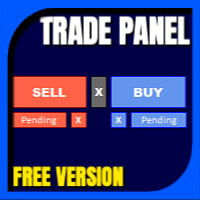
Smart Trade T7 is a simple and easy-to-use trading panel.
It replaces the standard MetaTrader 5 panel. This Expert Advisor is a derivative of Trade Panel R3, already in use by traders worldwide.
It focuses on use in prop firm trading where risk controls and limits are very important.
When making a trade, you don't need to worry about lot size, or even entry and exit prices; what matters is the stop loss size in points, and Smart Trade T7 will do the rest.
Check the stop loss size (in points) on the chart, enter it in the SL field, and it will automatically fill in the lot size according to the 1% risk limit.
It will also automatically fill in the take profit based on a risk-reward ratio of 1.5 (which can be adjusted).
Once this is done, simply click on Buy Stop, Buy Limit, Sell Stop, or Sell Limit, and the order will be placed on the chart above or below the price, depending on the chosen option.
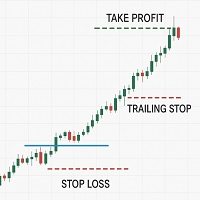
After this, simply click on the order in the chart and drag it to the desired trigger location. Below, there are three lines for placing additions or partial profits.
The EA automatically fills in the first two lines, which can be adjusted according to your strategy.
By leaving these fields filled in, the commands will be executed when the number of points is reached, whether in structuring (Ad) or partial profit taking (Pa).
Clicking the Ad Pa Ts buttons, and them being green, means that the action is allowed.
Smart Trade T7 has some features that help avoid violating proprietary trading desk rules, such as:
It does not allow placing orders without a defined stop loss, it does not allow placing buy and sell orders at the same time, it does not allow queuing orders, it does not allow placing a new order if the account balance is negative by more than 1%.
In this EA, we keep the market buy and sell buttons blocked, but if you press the Close button, all positions will be closed, but only for the asset in question. The X button closes all orders that have not yet been triggered. If you install MetaTrader 5 on your smartphone, you can copy the Meta Quotes ID code and paste it into MT5 on your computer under Tools/Options/Notifications. This will allow you to receive SMS messages about the execution stages of your trade.
It can be used with any prop firm trading that offers MetaTrader 5.
Before starting the EA, make sure the "Allow Algorithmic Trading" option is enabled.