
OBV Oscillator
- Indicatori
- Versione: 1.20

Overview
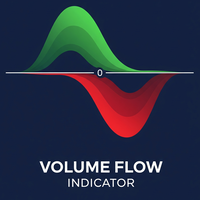
The OBV Oscillator is a custom technical indicator for MetaTrader 5, designed to provide a clearer visualization of On Balance Volume (OBV) by transforming it into an oscillator. This indicator aims to assist traders in identifying trend confirmations, potential reversals, and momentum shifts by analyzing the relationship between price and volume. It features a customizable Moving Average (MA) for smoothing the OBV, a signal line for generating crossover signals, and an alert system to notify traders of key events.
Key Features
- On Balance Volume (OBV) Oscillator: The core of the indicator, which calculates the cumulative total of volume, adding or subtracting it based on price movement. The oscillator format makes it easier to interpret volume flow relative to a zero line.
- Selectable Moving Average (MA) Types: The OBV Oscillator can be smoothed using various Moving Average methods, providing flexibility to adapt to different trading styles and market conditions. Supported MA types include:
- SMA (Simple Moving Average): A basic average of the OBV over a specified period.
- EMA (Exponential Moving Average): A weighted average that gives more importance to recent OBV data.
- SMMA (Smoothed Moving Average): Similar to EMA but with a longer smoothing effect.
- LWMA (Linear Weighted Moving Average): Assigns greater weight to recent OBV data in a linear fashion.
- Signal Line: An Exponential Moving Average (EMA) of the OBV Oscillator itself. This line helps in identifying potential buy/sell signals through crossovers with the main oscillator line, similar to how MACD is interpreted.
- Alerts: The indicator can notify you of significant events, allowing you to stay informed without constantly monitoring the charts. Alerts can be configured for:
- Zero Line Crosses (Oscillator crossing above or below zero)
- Signal Line Crosses (Oscillator crossing above or below its Signal Line)
- Various alert modes: Pop-up, Sound, Email, and Notification (to mobile devices).
How to Install
- Download: Download the OBVOscillator.mq5 file.
- Open MetaTrader 5: Launch your MetaTrader 5 terminal.
- Open Data Folder: Go to File -> Open Data Folder .
- Navigate to Indicators: In the opened data folder, go to MQL5 -> Indicators .
- Place File: Copy the OBVOscillator.mq5 file into the Indicators folder.
- Refresh/Restart: Close the data folder, then either refresh the "Indicators" section in the MT5 Navigator window (right-click -> Refresh) or restart your MT5 terminal.
- Attach to Chart: Drag and drop the "OBV Oscillator" from the Navigator window onto your desired chart.
Parameters/Settings
Upon attaching the indicator to a chart, a settings window will appear. Here's a detailed explanation of each parameter:
- InpLength (Oscillator MA Length):
- Type: Integer
- Default: 20
- Description: Defines the period for the Moving Average applied to the On Balance Volume (OBV) to create the oscillator. A higher value results in a smoother oscillator, while a lower value makes it more responsive.
- InpMaMethod (Oscillator MA Method):
- Type: ENUM_MA_METHOD (Dropdown)
- Default: MODE_EMA
- Description: Selects the type of Moving Average to be used for smoothing the OBV.
- MODE_SMA (Simple Moving Average)
- MODE_EMA (Exponential Moving Average)
- MODE_SMMA (Smoothed Moving Average)
- MODE_LWMA (Linear Weighted Moving Average)
- InpSignalLength (Signal Line EMA Length):
- Type: Integer
- Default: 9
- Description: Defines the period for the Exponential Moving Average (EMA) used to calculate the Signal Line. This EMA is applied to the OBV Oscillator itself.
- InpEnableAlerts (Enable Alerts):
- Type: Boolean (Checkbox)
- Default: false
- Description: If checked, enables the alert system for the indicator.
- InpAlertOnZeroCross (Alert on Zero Cross):
- Type: Boolean (Checkbox)
- Default: true
- Description: If checked and InpEnableAlerts is true, an alert will be triggered when the OBV Oscillator crosses above or below the zero line.
- InpAlertOnSignalCross (Alert on Signal Cross):
- Type: Boolean (Checkbox)
- Default: true
- Description: If checked and InpEnableAlerts is true, an alert will be triggered when the OBV Oscillator crosses above or below its Signal Line.
- InpAlertMode (Alert Mode):
- Type: ENUM_ALERT_MODE (Dropdown)
- Default: ALERT_MODE_POPUP
- Description: Selects the method for receiving alerts.
- ALERT_MODE_POPUP : A pop-up window will appear in MetaTrader 5.
- ALERT_MODE_SOUND : A sound will be played (default "alert.wav").
- ALERT_MODE_EMAIL : An email will be sent (requires email settings configured in MT5).
- ALERT_MODE_NOTIFICATION : A push notification will be sent to your mobile MT5 app (requires MetaQuotes ID configured in MT5).
Trading Applications and Interpretation
The OBV Oscillator can be a valuable tool for understanding market dynamics and generating potential trading signals.
- Trend Confirmation:
- When the OBV Oscillator is consistently above the zero line, it may indicate bullish momentum and confirm an uptrend.
- When it is consistently below the zero line, it may suggest bearish momentum and confirm a downtrend.
- A rising oscillator in an uptrend or a falling oscillator in a downtrend indicates strong trend conviction.
- Zero Line Crosses:
- Bullish Zero Cross: When the OBV Oscillator crosses above the zero line, it may signal increasing buying pressure and a potential upward shift in momentum. This could be considered a potential buy signal.
- Bearish Zero Cross: When the OBV Oscillator crosses below the zero line, it may indicate increasing selling pressure and a potential downward shift in momentum. This could be considered a potential sell signal.
- Signal Line Crosses:
- Bullish Signal Cross: When the OBV Oscillator crosses above its Signal Line, it may suggest a strengthening of the current trend or a potential bullish reversal. This can be used as a potential entry signal.
- Bearish Signal Cross: When the OBV Oscillator crosses below its Signal Line, it may suggest a weakening of the current trend or a potential bearish reversal. This can be used as a potential exit or sell signal.
- Potential Divergence (Conceptual):
- The OBV Oscillator can help in identifying potential divergences between price and volume. Divergence occurs when price makes a new high/low, but the oscillator fails to confirm it by making a corresponding new high/low.
- Bullish Divergence: Price makes a lower low, but the OBV Oscillator makes a higher low. This may suggest that the selling pressure is weakening, and a potential upward reversal could be imminent.
- Bearish Divergence: Price makes a higher high, but the OBV Oscillator makes a lower high. This may indicate that the buying pressure is weakening, and a potential downward reversal could be imminent.
- Note: This indicator provides the oscillator values to assist in visual identification of divergences. Automated divergence drawing is not a feature of this specific indicator version. Traders should manually confirm divergences by observing both price action and the oscillator's behavior.
Important Notes and Disclaimer
- No Guarantees: Trading in financial markets involves substantial risk, and past performance of any indicator or trading system is not indicative of future results. This indicator is a tool to assist in analysis and decision-making, not a guarantee of profits.
- Risk Management: Always employ proper risk management techniques. Never risk more capital than you can afford to lose.
- Confirmation: It is highly recommended to use this indicator in conjunction with other technical analysis tools, price action, and your overall trading strategy for confirmation of signals.
- Market Conditions: The effectiveness of any indicator can vary depending on market conditions (trending, ranging, volatile, calm).
Conclusion
The OBV Oscillator with its customizable MA, signal line, and alert features aims to provide traders with a versatile tool for volume-based analysis. By understanding its interpretation and integrating it into a comprehensive trading plan, traders may enhance their ability to identify potential trading opportunities and manage risk more effectively.





























































Good indicator, Thank you!