Install, set up, first trade. RiskDeck for MetaTrader 5.
Important: RiskDeck starts live. When you press CONFIRM, a real order goes to your broker. Nothing is sent without your CONFIRM: RiskDeck never opens a trade on its own.
1. Install
You need MetaTrader 5 and a hedging or netting account.
1. In MetaTrader 5, open the Market tab of the Toolbox, then Purchased, and click Install next to RiskDeck.
2. RiskDeck appears in the Navigator, under Expert Advisors › Market.
2. Switch on Algo Trading
Click the Algo Trading button on MetaTrader's toolbar, so that it shows as on. Without it, nothing is sent: the panel header shows □ ALGO OFF until you switch it on. You don't need to restart anything.
3. Attach RiskDeck to a chart
1. Drag RiskDeck from the Navigator onto the chart of the symbol you want to trade.
2. On the Common tab, make sure Allow Algo Trading is ticked.
3. Click OK. The panel appears on the chart.
The first time, a line under the panel says:
CONFIRM sends real orders to your broker. To practise first, set Trade gateway to Simulated (F7).
To practise first: press F7, set Trade gateway (MOCK transmits nothing) to Simulated - nothing is ever transmitted and click OK. The header shows □ MOCK and nothing reaches your broker. To go live again, set Trade gateway back to Live - real orders (still needs arming) and Arm live gateway (second lock, required for real orders) to true.
Everything else is set in the panel, not in F7. All charts of one account share the same settings.

4. Three settings before your first trade
Open the menu ⋮ in the panel header, then Settings.
1. Commission. Risk › Commission per lot, round turn: type what your broker charges for opening and closing one lot, in your account currency. At $3.50 per side, type 7. Until you do, the panel marks the totals that leave commission out. Type 0 only if your account really has no commission.
2. Risk per trade. Risk › Default risk per trade is where every new plan starts: 1.00% unless you change it. It can't go above Max risk per trade (2.00% unless you change it).
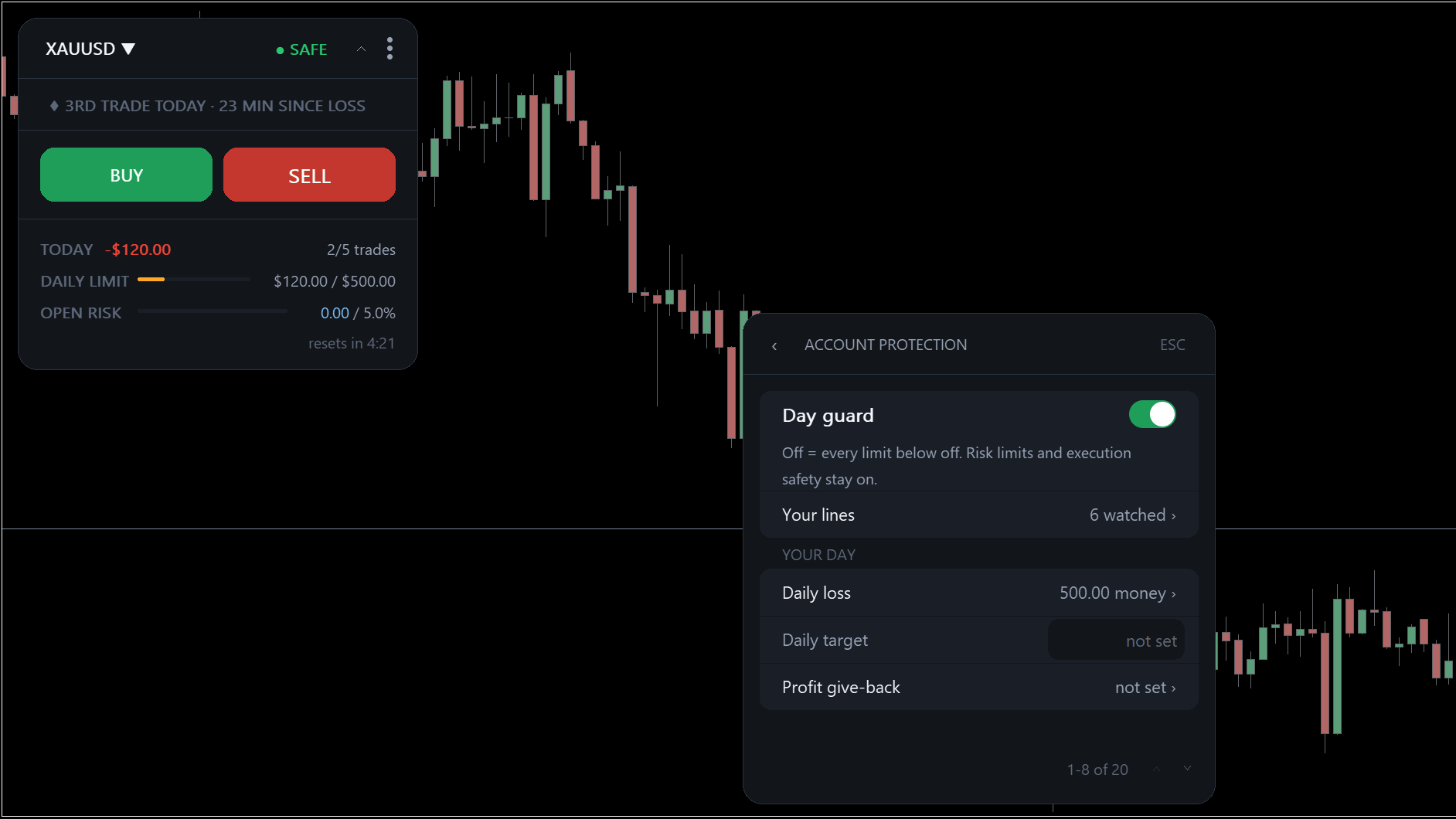
3. Daily loss. Account protection › Daily loss: how much the account may lose in one day. It starts at 3.00% of your balance at the start of the trading day. When the day reaches it, the header shows ■ DAILY LIMIT. With the Limits dial on Guard (the default) or Hold, new trades are refused until the day resets, or until you press Lift today's block at the top of Account protection. On Watch, RiskDeck only warns.
Everything else can wait: weekly and monthly loss, profit give-back, currency risk, trading hours, Second Brain, News and Notifications are all in Settings.
5. Your first trade
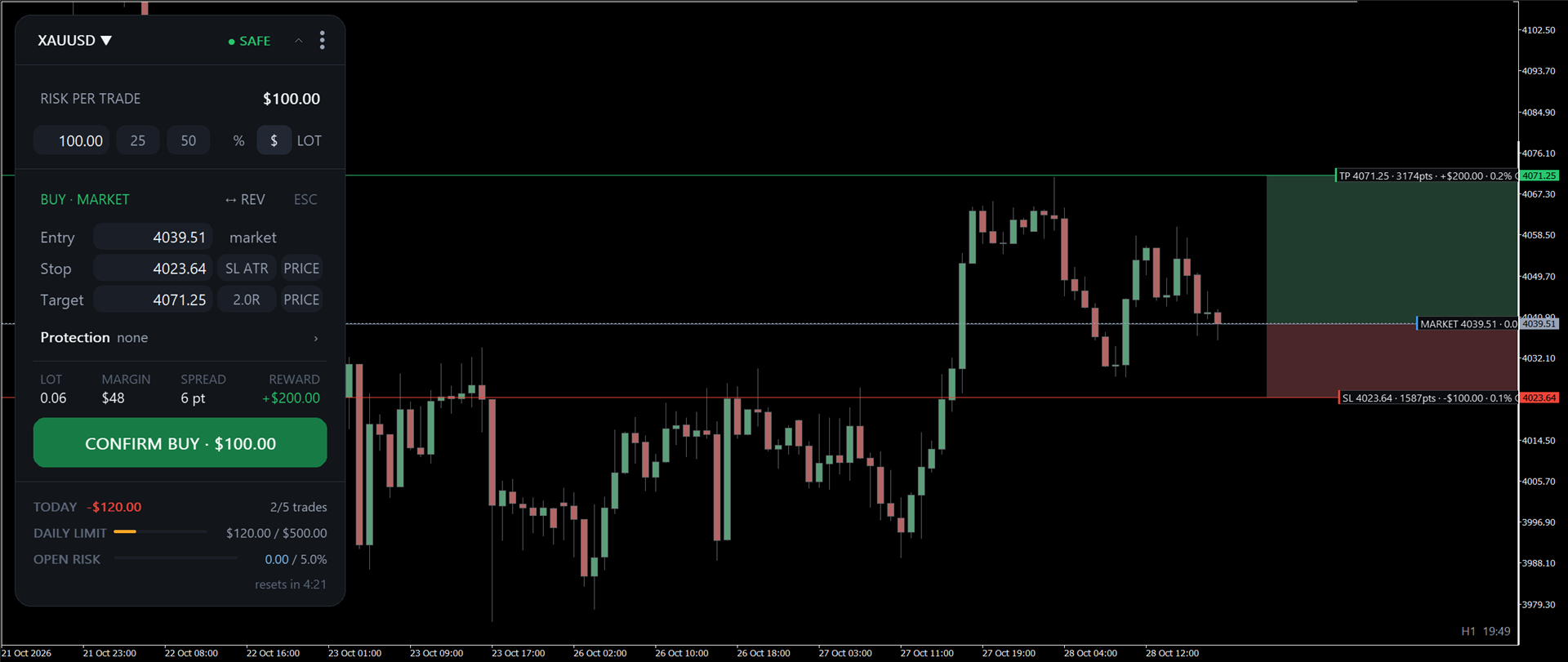
1. Press BUY (or SELL), or the key B (or S). A plan opens with an entry, a stop and a lot worked out from your risk. Nothing is sent yet.
2. Place the stop. Drag the stop line on the chart, or type it. The lot changes; the risk stays the same.
3. Set a target if you want one: the target pill steps through off → 1.0R → 1.5R → 2.0R → 3.0R.
4. Read the button. CONFIRM BUY · $100.00 means: if the stop is hit at its price, this trade loses up to $100.00, with the commission you entered. Swap is not in it, and in a fast market the fill can be worse than the stop price (slippage).
5. Press CONFIRM. The order goes to your broker. A line above the day bar says what happened.
Your position now has its own card, with its result in money and in R. The R counts swap and commission.
To close a plan without sending, press Esc. If CONFIRM shows a title instead of an amount, the plan can't go out as it stands: the button says why, and the bar under the risk says what to do.
6. Questions and help
Ask in the comments under this post or send us a private message on MQL5. To help us find the cause, save Diagnostics report (the last row in Settings) and send the file in a private message.