Download Risk Panel Demo: Position Sizer, SL/TP Lines and Trade Manager for MT5 & MT4
30 October 2026, 07:36

0
26
🎁 Download Risk Panel Demo MT5/MT4
Thank you for trying Risk Panel. Download the latest demo version for your MetaTrader platform and start exploring its professional trading features.
| 📥 Download for MT5 | Risk Panel MT5 Demo → |
| 📥 Download for MT4 | Risk Panel MT4 Demo → |
| 📖 User Guide | Click Here → |
Demo Version Information
- ✅ Compatible with both MetaTrader 4 and MetaTrader 5.
- ✅ The demo version works on Demo Accounts only.
- ✅ All trading features are available for testing.
- 📅 The demo works for 14 days on each demo account, counted from the first time you run it.
⚙️ Installation Guide
Installing the demo version only takes a minute. Follow these simple steps:
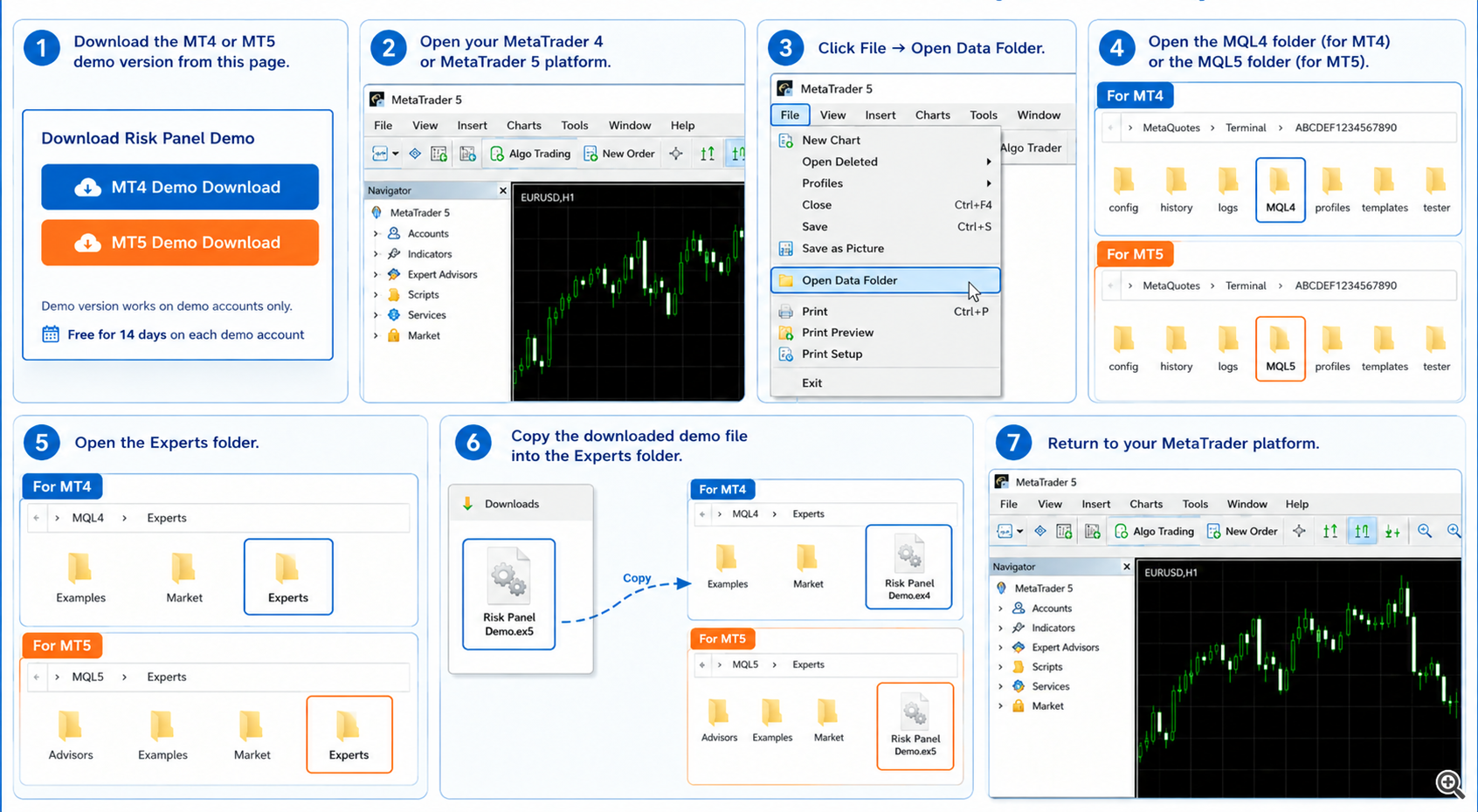
- 📥 Download the MT4 or MT5 demo version from this page.
- 🚀 Open your MetaTrader 4 or MetaTrader 5 platform.
- 📂 Click File → Open Data Folder.
- 📁 Open the MQL4 folder (for MT4) or the MQL5 folder (for MT5).
- 📁 Open the Experts folder.
- 📋 Copy the downloaded demo file into the Experts folder.
- 🔙 Return to your MetaTrader platform.
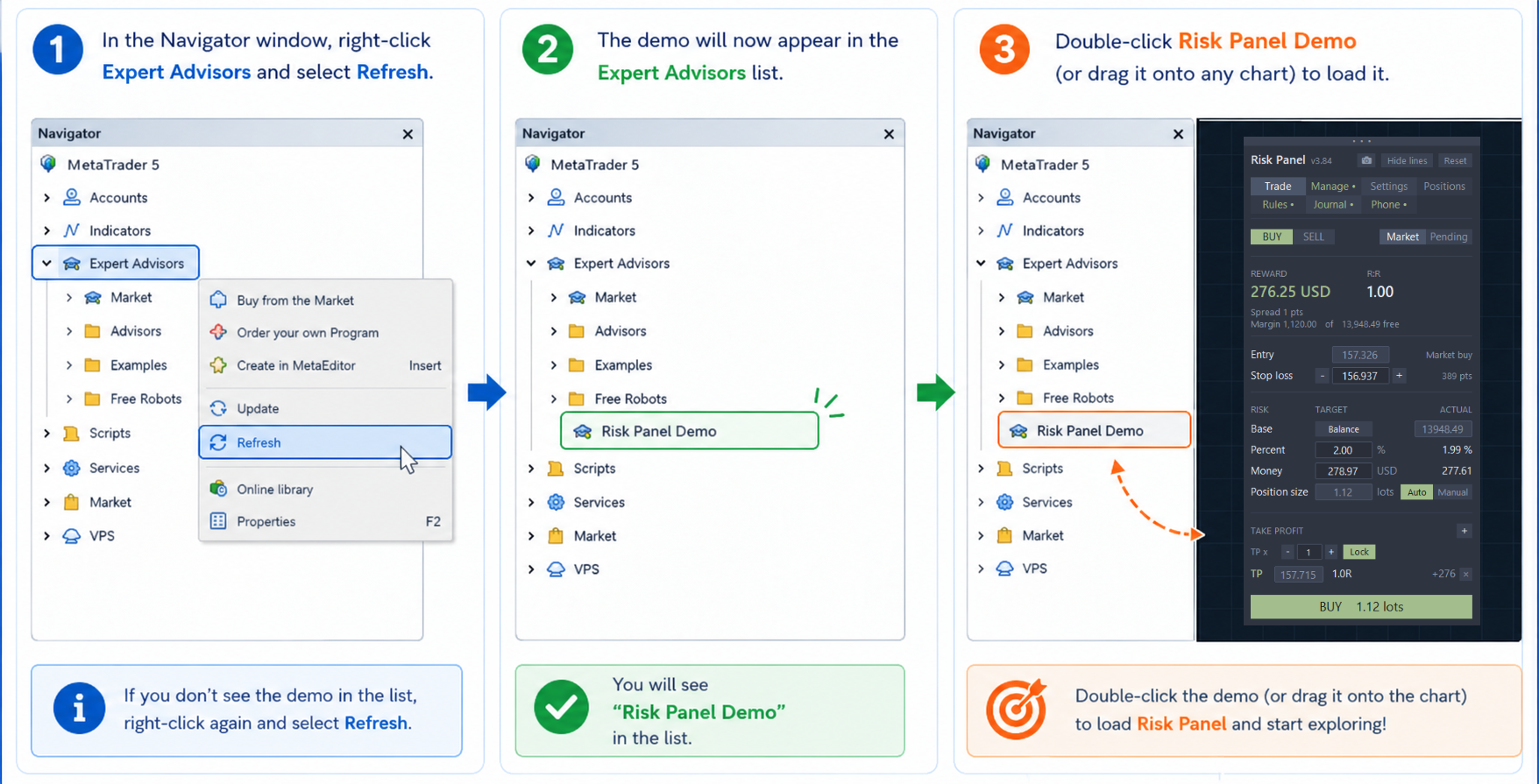
- 🖱️ In the Navigator window, right-click Expert Advisors and select Refresh.
- ✅ The demo will now appear in the Expert Advisors list.
- 🎯 Double-click Risk Panel Demo (or drag it onto any chart) to load it.