MT5 AI Assistant Complete Guide: From “Asking AI” to “Trading with AI” — 5 Key Steps

The MT5 AI Assistant is now built directly into MetaTrader 5.
Until recently, using AI for FX trading often involved several steps: saving chart screenshots, copying trading history, and then pasting the information into ChatGPT or another generative AI service.
With the introduction of the AI Assistant in MT5, things have changed significantly.
You can now ask questions and discuss your trades using natural language while the AI Assistant can access information from your MT5 trading environment, including charts and account information.
And when you combine the MT5 AI Assistant with Practice Simulator, you can go beyond simply “asking AI questions.” You can use AI to analyze trades, review your trading history, and find ways to improve your trading process.
To help you understand this new way of using AI, I have organized my previous articles into five steps — from discovering the MT5 AI Assistant for the first time to actually using it in a trading environment.
If you read them in order, you can gradually understand what the MT5 AI Assistant is, how to use it, and what becomes possible when it is combined with Practice Simulator and other AI tools.

1. First, Understand the Big Change: AI Is Now Built into MT5
The best place to start is an article about the major MT5 update that introduced the built-in AI Assistant.
🤣 MT5 Major Update : AI Assistant Comes Standard
The new generation of AI-assisted trading begins with the built-in MT5 AI Assistant.
English | Русский | 中文 | Espanol | Portugues | 日本語 | Deutsch | 한국어 | Francais | Italiano | TurkceThe article explains what has changed now that the MT5 AI Assistant has become a standard part of the platform.
The important point is not simply that “you can now use AI from MT5.”
The AI Assistant can work with information from your trading environment, allowing you to check your current position, analyze indicators and charts, and even assist with trading operations.
Until now, generative AI was generally used by giving it information and asking it to analyze that information.
The MT5 AI Assistant is different because AI can be used much closer to the actual trading environment.
And because it is built into MT5, you do not need to create a completely separate environment just to start using AI.
Understanding this change is the best starting point before moving on to the more practical applications.

2. Once You Understand the Concept, Try It Yourself
Once you understand what the MT5 AI Assistant is, the next question is simple:
“How do I actually use it?”
This beginner's guide explains how to get started with the MT5 AI Assistant.
🤣 MT5 AI Assistant: Complete Getting Started Guide
Learn how to start using the MT5 AI Assistant in just 5 minutes.
English | Русский | 中文 | Espanol | Portugues | 日本語 | Deutsch | 한국어 | Francais | Italiano | TurkceIt covers the basic steps, from preparing your MQL5.community account and logging into MT5 to asking questions to the AI Assistant.
The important thing is that you do not need to write complicated programs or prompts.
You can simply ask questions using natural language, such as:
“Analyze this chart.”
or
“What is the current situation with my position?”
Instead of learning a completely new technical skill, it is easier to think of the AI Assistant as adding an intelligent trading partner to your existing MT5 environment.
Start by actually asking the AI a few questions.
Once you are comfortable with that, you can move on to the next step.
3. Combine MT5 AI with Practice Simulator and Analyze Your Trading Data
This is where things become much more interesting.
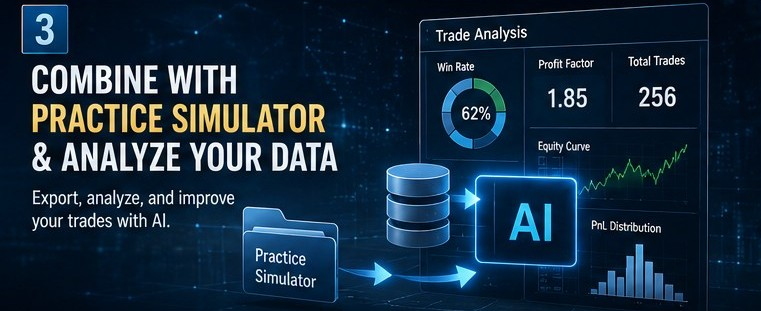
Practice Simulator can export trading data for AI analysis, making it possible to combine trading practice and review with AI-powered analysis.
📊 Analyze Trading Data with MT5 AI Assistant & Generative AI
A new way to analyze your trading data with ChatGPT, Gemini, Claude, Grok, and more.
English | Русский | 中文 | Espanol | Portugues | 日本語 | Deutsch | 한국어 | Francais | Italiano | TurkceTrading data exported from Practice Simulator can be loaded into the MT5 AI Assistant or external generative AI services.
This makes it much easier to review your past trades and identify patterns in your trading.
For example, AI can be used for:
- Trading score analysis
- Win-rate and profit/loss statistics
- Identifying potential problems in your trades
- Suggestions for improvement
- Creating HTML reports
- Free-form analysis based on your trading data
The same data can also be analyzed using external AI services such as ChatGPT, Gemini, Claude, or Grok.
In other words, you can build a new analysis environment around:
MT5 × Practice Simulator × Generative AI
The key advantage is that you do not always need to write a long prompt from scratch.
With predefined analysis instructions, you can select the type of analysis you want and let the AI work from there.
This is particularly useful if you want to use AI for trading analysis but are not sure what you should ask.
4. Solve the “What Should I Ask AI?” Problem with a Standard Menu
Once you start using AI, another problem often appears:
“What should I actually ask the AI?”
AI gives you a lot of freedom, but the quality and usefulness of the response can depend on how you formulate your question.
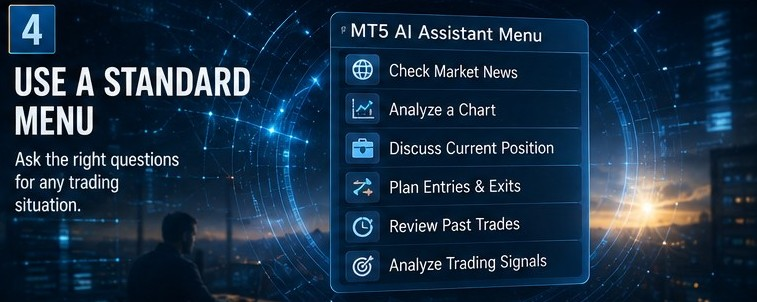
To make this easier, I created a standard menu for the MT5 AI Assistant.
🤖 MT5 AI Assistant: Simple Menu
Make the MT5 AI Assistant easier to use with a standard menu.
English | Русский | 中文 | Espanol | Portugues | 日本語 | Deutsch | 한국어 | Francais | Italiano | TurkceThe menu covers different trading situations, such as:
- Checking market news
- Analyzing a chart
- Discussing a current position
- Thinking about entries and exits
- Reviewing past trades
- Analyzing trading signals
Instead of thinking about the perfect AI prompt every time, you can choose the type of analysis you need.
This reduces one of the biggest barriers to using AI: having to figure out what to ask in the first place.
The menu can also be applied to the MT5 AI Assistant through a dedicated URL, making it easier to use predefined instructions.
The goal is to turn AI from a general-purpose chatbot into an assistant that you can consult depending on the trading situation.
At this point, AI becomes much more practical.
But what does this look like in an actual trade?

5. Finally, See a Real Example: Asking AI About a Losing Position
After understanding the basic concept and learning how to use AI, the best way to see its practical value is through an actual trading example.
😅 My BTCUSD Position Went Deeply Red… I Had to Ask AI Again: “Should I Cut the Loss?”
What happened when a BTCUSD position went deeply negative ? and I asked AI whether it was time to cut the loss.
English | Русский | 中文 | Espanol | Portugues | 日本語 | Deutsch | 한국어 | Francais | Italiano | TurkceIn this example, I asked the AI about an open BTCUSD position that was showing a loss.
I initially asked the AI for its opinion and received advice, but then left the position untouched.
Later, BTCUSD dropped sharply, and I asked the AI about the position again.
During the second consultation, the AI analyzed the situation by considering factors such as support levels, market news, and risk, and helped organize the information surrounding the open position.
The interesting point is that the AI was not being used as a tool to “predict the future.”
Instead, it was being used as a trading discussion partner that helps organize information when emotions can make decision-making more difficult.
When a position is losing money, it is easy to think:
“Maybe it will come back.”
“I have already waited this long, so I don't want to close it now.”
These emotions can make it difficult to look at the situation objectively.
In such situations, asking AI to organize the current chart, position, news, and risk can be a practical way to step back and reconsider the situation.
This is one of the most realistic ways to incorporate AI into trading.

From “AI Chat” to an AI-Assisted Trading Process
When these five steps are viewed together, the evolution of the MT5 AI Assistant becomes clear.
It starts with:
“AI is now built into MT5.”
Then it develops into:
- Understand the MT5 AI Assistant
- Start using it yourself
- Combine it with Practice Simulator and analyze trading data
- Use a standard menu to make AI easier to consult
- Apply AI to real trading situations
This is more than simply adding an AI chatbot to MT5.
The bigger change is the possibility of connecting a process that was previously separated:
Watch the chart → Trade → Record data → Review → Analyze with AI → Improve
Practice Simulator adds another important part to this process by allowing traders to practice and review their trading while using their trading data for AI analysis.
The MT5 AI Assistant can then become another layer of intelligence within the trading environment.
The result is not an AI that simply tells you what to do.
Instead, it can become a tool for organizing information, reviewing your decisions, analyzing your trading history, and helping you think more clearly about your trading process.
If you have never used the MT5 AI Assistant before, start with the first article to understand the big picture.
Then move through the five steps in order.
By doing so, you can see how the MT5 AI Assistant can evolve from a simple “AI chat” into a practical tool for supporting your trading process.