
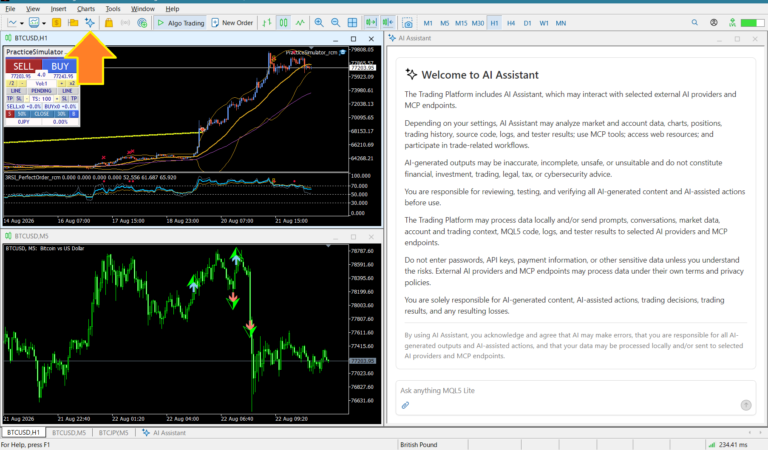
The MT5 AI Assistant can already do many things.
- It can research news.
- It can analyze charts.
- It can check your open positions.
- It can analyze your trading history.
And yet, when you actually try to use it, you may find yourself thinking:
“What should I ask the AI?”
So I created a simple standard menu for the MT5 AI Assistant to make it easier to use.
The MT5 AI Assistant is a free trading AI.
🥲 I Don't Know What to Ask the AI
If you have used AI before, you probably understand this problem. People say,
“Just ask the AI.”
But coming up with the right question can actually be surprisingly difficult.
For example, you could type:
I am thinking about buying USDJPY. Can you analyze the current situation?
But if you are not used to AI, you may start wondering:- “What information should I provide?”
- “How should I describe the chart?”
- “How detailed should my question be?”
So I wanted to make it possible to use the AI without having to think of the questions yourself.
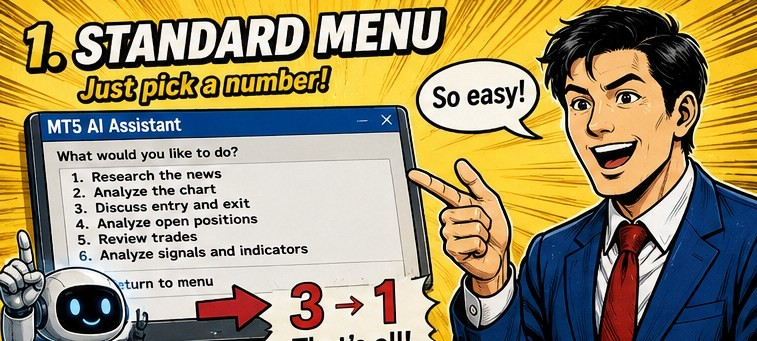
📋 I Created a Standard Menu
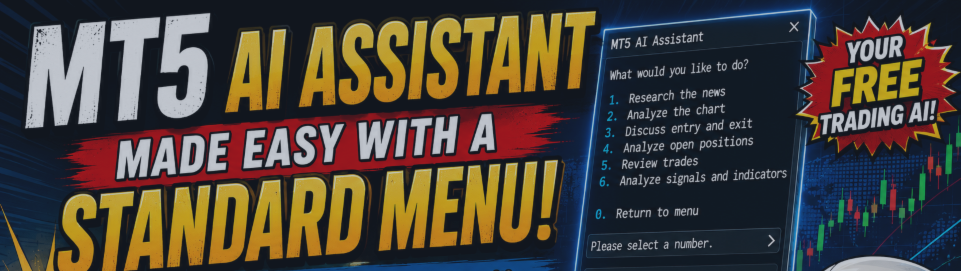
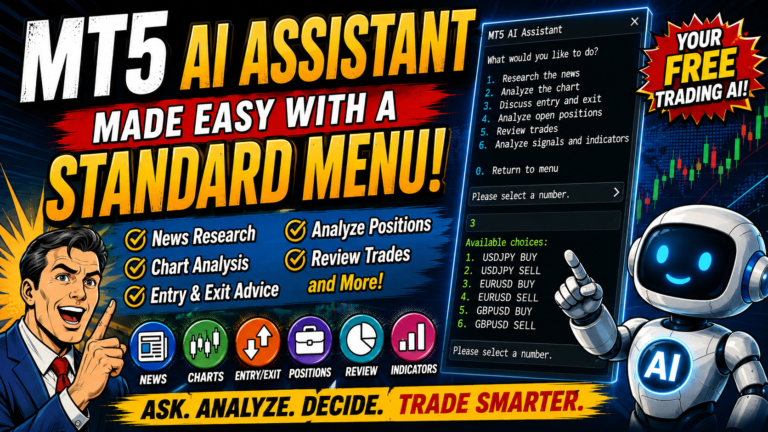
Start the MT5 AI Assistant and copy and paste this:After applying this prompt, the following menu will appear:
MT5 AI Assistant
What would you like to do?
- Research the news
- Analyze the chart
- Discuss entry and exit
- Analyze open positions
- Review trades
- Analyze signals and indicators
- Return to menu
That's it. For example, enter “3”.
The AI will check the currently open charts and your open positions, then show you the available choices.
- USDJPY BUY
- USDJPY SELL
- EURUSD BUY
- EURUSD SELL
- GBPUSD BUY
- GBPUSD SELL
If you enter “1”, you can discuss the USDJPY BUY setup.
In other words: 3 → 1 That's all you need.
You don't even have to think of a sentence like:
“Should I buy USDJPY?”
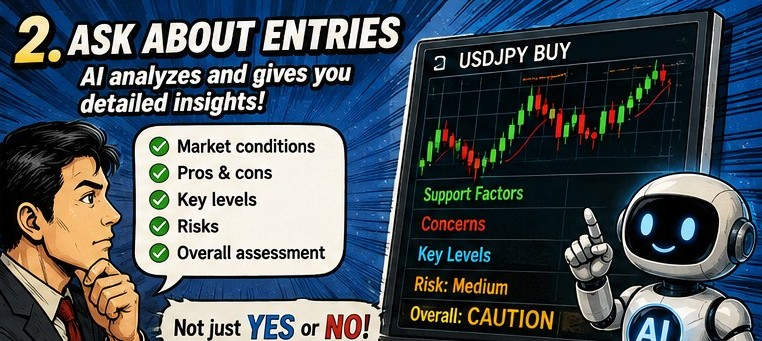
🤔 The Answer Is Not Just YES or NO
This is one of the important points. The AI is not instructed to recommend a BUY simply because you selected BUY. Instead, it checks things such as:- Current market conditions
- Factors supporting the BUY idea
- Factors that could work against the BUY idea
- Points to watch if considering an entry
- Stop-loss reference
- Take-profit reference
- Risks
- Overall assessment
If the conditions are not good, the AI can also conclude that staying out may be the better choice.
The idea is not to let AI make your trading decisions.
It is to have AI organize the information you need to make your own decision.
The standard menu does not execute trades, close positions, or modify orders.
It is limited to providing information and analysis.
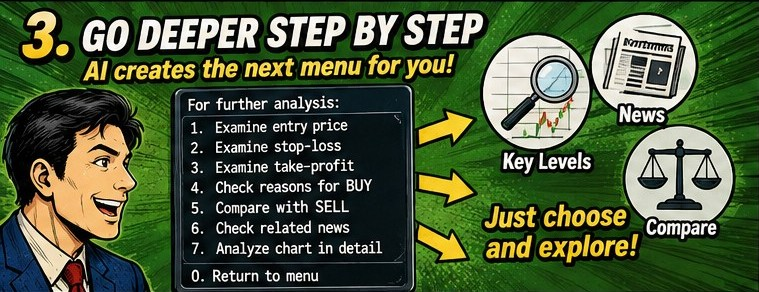
🔄 It Doesn't Just Give One Answer and Stop
There is another feature I wanted to include. At the end of its answer, the AI creates another menu based on the analysis: For further analysis:- Examine the entry price in more detail
- Examine the stop-loss level
- Examine the take-profit level
- Check the reasons supporting BUY
- Compare with the SELL scenario
- Check related news 7
- Analyze the chart in more detail
- Return to menu
The AI creates the next menu based on what you have just discussed. This is surprisingly useful. You may start with just:
“Should I buy USDJPY?”
Then you can simply select:
- 1 → Look more closely at the entry
- 2 → Examine the stop-loss
- 5 → Compare with the SELL scenario
You can keep going deeper just by selecting numbers.
In other words, the AI solves the “I don't know what to ask” problem by creating the next questions for you.
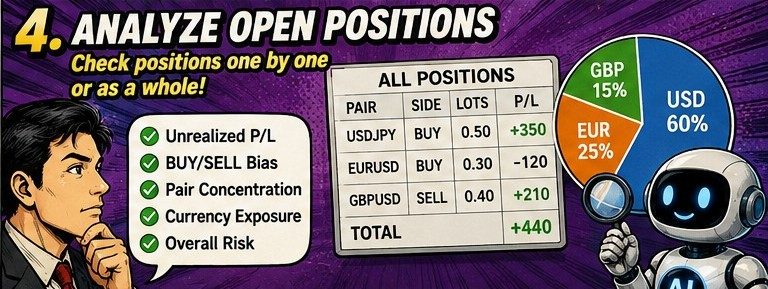
📊 Option 4 Analyzes Your Open Positions
Suppose you currently have positions in:- USDJPY
- EURUSD
- GBPUSD
- USDJPY
- EURUSD
- GBPUSD
- All positions
- Return to menu
- Unrealized profit and loss
- BUY/SELL bias
- Currency-pair concentration
- Exposure to the same currency
- Overall risk
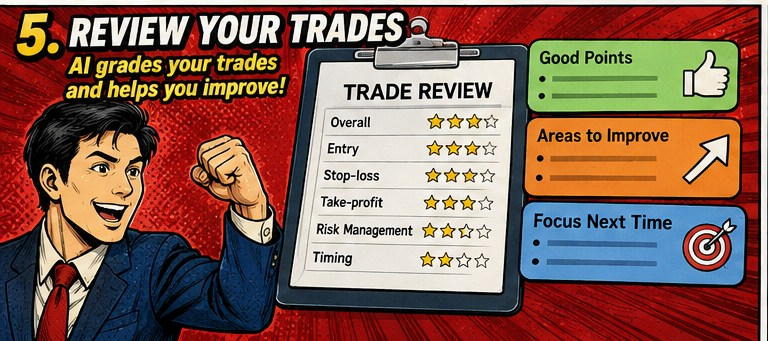
📈 Option 5 Reviews Your Trades
Select “5”, and you can choose a currency pair from your trading history.
For example:
- USDJPY
- EURUSD
- GBPUSD
- GOLD
- Overall performance
- Entry
- Stop-loss
- Take-profit
- Risk management
- Timing
- What you did well
- What could be improved
- What to focus on next time
This can also help you build a habit of reviewing your trades after you finish trading.
🧠 It Can Also Keep a Record
There is another important feature.
The system uses a file called: MT5_AI_ASSISTANT_LOG.md
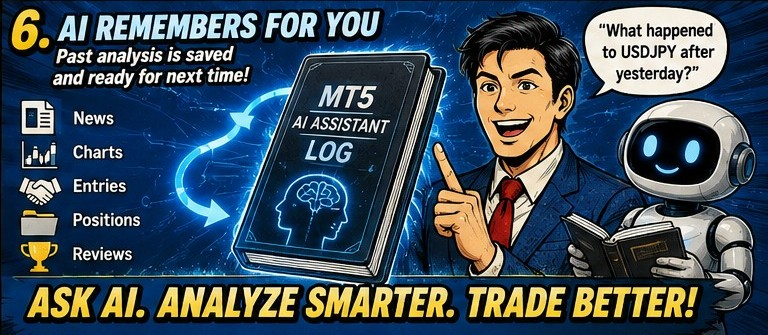
The AI summarizes and saves things such as news research, chart analysis, entry discussions, position analysis, trade reviews, and things that should be checked later.
When you start the AI Assistant again, it can read those records.
Some regular AI services already have a memory feature.
However, you cannot always expect the MT5 AI Assistant to remember previous conversations in the same way every time.
So this uses a simple approach:
Save your own records and have the AI read them next time.
For example, you could ask:
“What happened to USDJPY after we analyzed it yesterday?”
Past analysis is treated as a historical record, not as current market information.
Current information should always be checked again when needed.
🛠️ Does This Mean We No Longer Need Other Tools?
Honestly, the MT5 AI Assistant can already do quite a lot.- Research news
- Analyze charts
- Discuss entries
- Review positions
- Evaluate trades
- Analyze indicators
You can also simply type normal questions and have a conversation with the AI.
So there will probably be more situations where you think:
- “Do I really need a dedicated indicator for this?”
- “Do I need a separate information display tool?”
- “Can't I just ask the AI?”
However, that does not mean that all existing indicators and dedicated tools will become unnecessary.
Dedicated tools can still be better for things such as:
- Real-time displays
- Signals based on specific conditions
- Complex automated processing
- Specialized testing and analysis
AI does not replace everything.
It is more natural to think of it as adding another option:
“Why not ask the AI first?”
🌍 Making “Ask AI” a Trading Habit
The reason I created this standard menu is not to make the AI do something complicated. It is much simpler.
I want more traders to start asking AI.
For example:
- You find some information about investing and wonder, “Is this really true?”
- You see some news and wonder, “Could this affect the market?”
- Someone on social media says, “This asset will definitely go up.”
- You see a signal from a trading tool and wonder, “Can I trust this?”
- You start wondering, “Does this tool really have a good chance of working?”
Try asking AI.
AI is not always correct. But its capabilities are improving rapidly, and checking something with AI before making a decision may become a normal part of trading in the future.
🚀 Easy Start: How to Apply the Menu
Open the MT5 AI Assistant and copy and paste the following into the input field:
That's it. Now simply use the menu by entering a number.
Give the MT5 AI Assistant a try and make AI a more natural part of your trading.
It may make your trading experience a lot easier—and more interesting.