
How to Protect a Prop Firm Challenge in MT5: Daily Loss, Drawdown and News Rules in One Panel
15 October 2026, 06:45

0
39
How to Protect a Prop Firm Challenge in MT5: Daily Loss, Drawdown and News Rules in One Panel
Most prop firm challenges are not lost by a bad strategy. They are lost by one trade too many on a bad day, a position that was a little too big, or a news spike nobody saw coming. The rules are simple; following them under pressure is not.
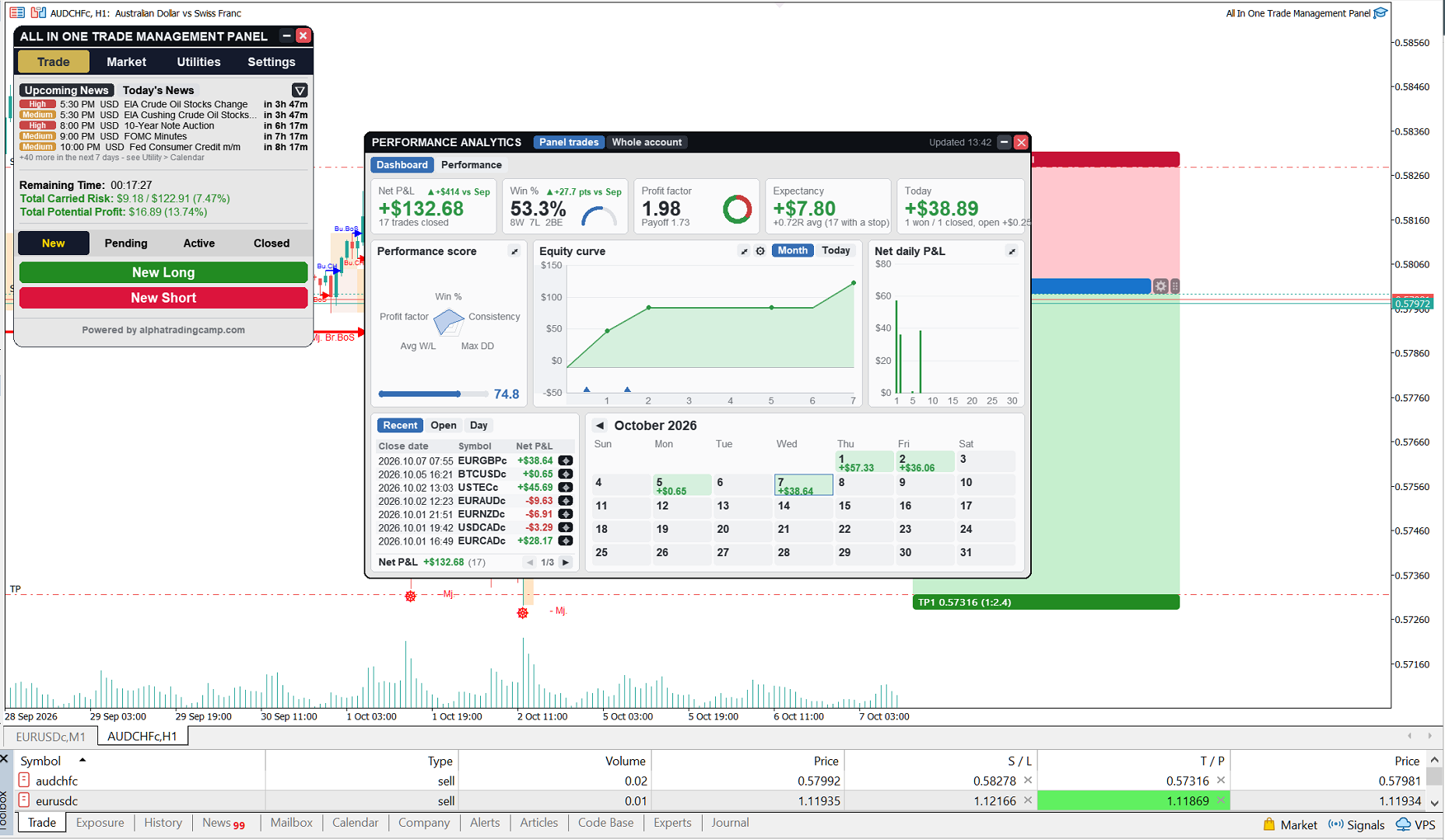
All In One Trade Management Panel MT5 has a set of tools built for exactly this. This post explains what each one does and how to set it up for a typical challenge.
TRY IT FIRST
You can test every feature in this post for free on a demo account:
1. DAILY LOSS LIMIT AND DAILY PROFIT TARGET
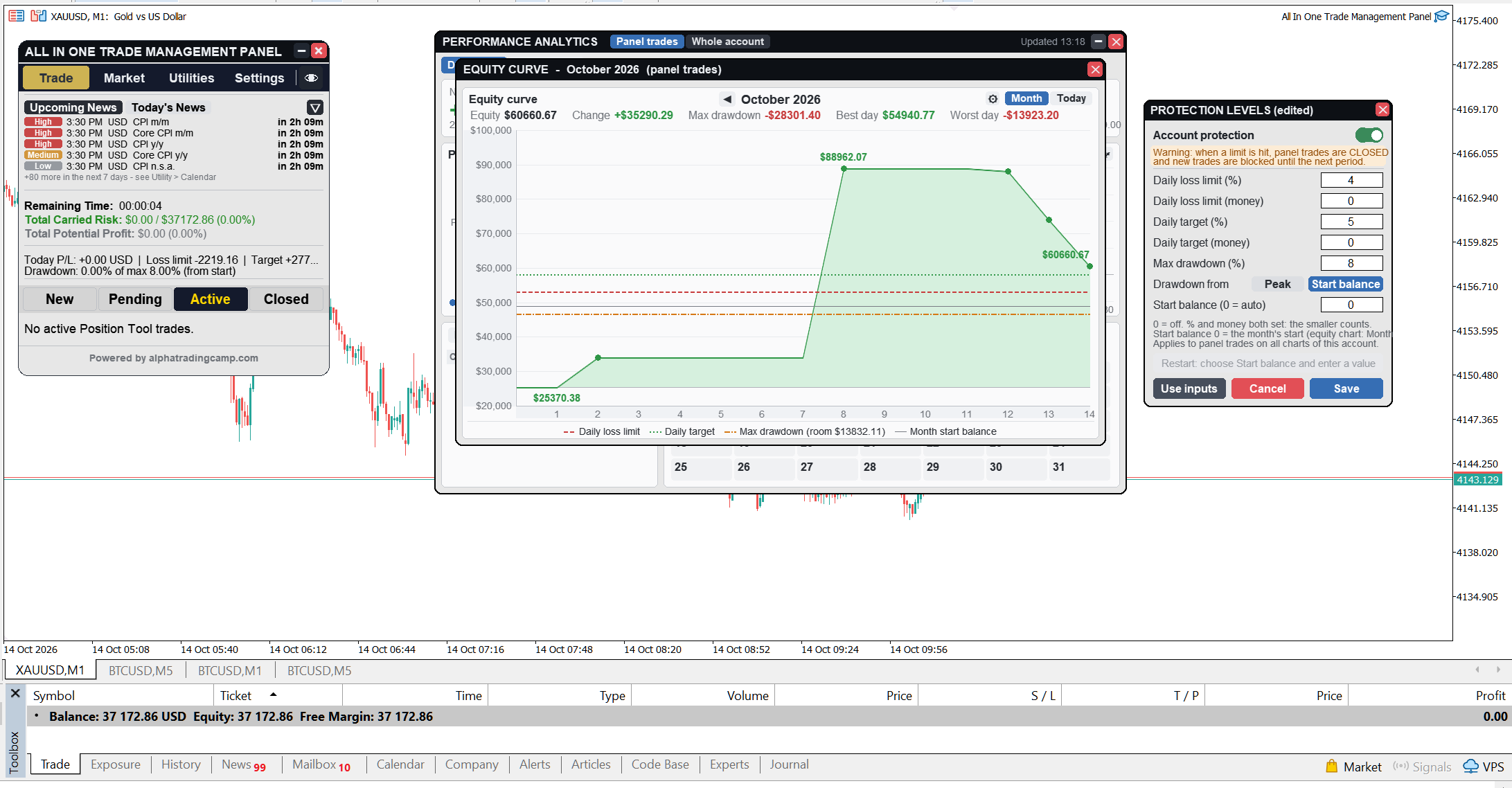
- Set a daily loss limit as a percentage of the day's starting balance or as a money amount.
- Set an optional daily profit target the same way, to stop trading once your goal for the day is reached.
- The trading day starts at the server hour you choose (midnight by default), so it can match your firm's day reset.
- When a limit is hit, new trades from the panel are blocked, and the panel's open trades can be closed automatically.
2. MAX DRAWDOWN
- Set a maximum drawdown in percent.
- Measure it from the highest balance reached (trailing) or from a fixed starting balance, the two ways firms usually define it.
- The drawdown can also restart each month or each day, from the balance at the start of that period.
- Once max drawdown is hit, the lock stays on until you reset it yourself, so a bad moment can't be undone by impulse.
3. TRADE LIMITS
- Max open trades at the same time.
- Max new trades per day, a simple cure for overtrading and revenge trades.
- A multi-target trade counts as one trade, even though it is several positions.
4. NEWS LOCK
- Blocks new trades from X minutes before to X minutes after high-impact (or medium and high impact) news for the chart's currencies.
- Can move open trades to breakeven or close them when the lock starts.
- The Trade tab shows upcoming events for the next 7 days with live countdowns, red within 15 minutes.
5. TIME RULES
- Close trades or move them to breakeven at a set time every day.
- A separate Friday rule, for firms that don't allow holding over the weekend.
6. RISK ON EVERY TRADE
- The position tool sizes every trade from your risk: for example 0.5% of balance, whatever the stop distance.
- An optional cap on total risk across all open trades.
- Auto breakeven, trailing stop and partial close manage the trade even when you are away.
ALWAYS VISIBLE
Status lines on the Trade tab show today's profit or loss, how far you are from each limit and how many trades you have left. Push and Telegram notifications tell you when a limit is hit or the news lock starts.
EXAMPLE SETUP FOR A TYPICAL CHALLENGE
Suppose the challenge rules are 5% max daily loss and 10% max drawdown. A safer setup leaves a buffer:
- Daily loss limit: 4%
- Max drawdown: 8%, measured the same way your firm measures it
- Max new trades per day: 3
- Risk per trade: 0.5%
- News lock: 15 minutes before and after high-impact news, move open trades to breakeven
- Friday rule: close all panel trades 2 hours before the market closes
IMPORTANT TO KNOW
- The limits apply to trades placed through the panel. Trades opened manually in MT5 or by other EAs are not counted and are not closed by the panel. Place all challenge trades through the panel.
- Every firm calculates its rules slightly differently (for example, from equity or from balance, and at which time the day resets). Read your firm's rules and set the panel's limits a little tighter than theirs.
- A protection limit closes trades at market price. In fast markets the final result can be slightly beyond the limit because of slippage, which is another reason to keep a buffer.
Questions about setting it up for a specific challenge? Leave a comment and I will help.


